As for June 2026, Roblox surpassed 150 million daily active users worldwide, with 35% of them being 13 years old. If you’re the parent of a young child, especially one too young for social media, you might be interested in learning more about Roblox and whether it’s safe for kids.
Roblox may be one of the most popular platforms for kids, but that doesn’t necessarily mean it’s built with child safety as a priority. So, is Roblox safe? Here’s what you need to know.
What is Roblox?
Roblox is an online gaming platform where users can meet with other players to play user-created games or create their own games that they can earn money from. It’s primarily aimed at children and teenagers, but anyone of any age can enjoy it.
Thanks to its popularity, Roblox is available on virtually every device your child might use: iOS, Android, PC, Xbox, PlayStation, and Meta Quest VR. The platform hosts over 44 million user-generated games and experiences, making it appeal to a large audience of various age groups.

Verify suspicious Roblox messages
What are the age restrictions on Roblox?
Roblox recently overhauled its age system, switching to a three-tiered approach. First is Roblox Kids launching in June 2026, aimed at kids ages 5 to 8, providing access to Minimal/Mild content with all communication channels disabled by default.
Roblox Select is the mid-tier option, aimed at kids ages 9 to 15. This unlocks access to Moderate content, with the ability for parents to monitor friend lists and restrict chat to known friends.
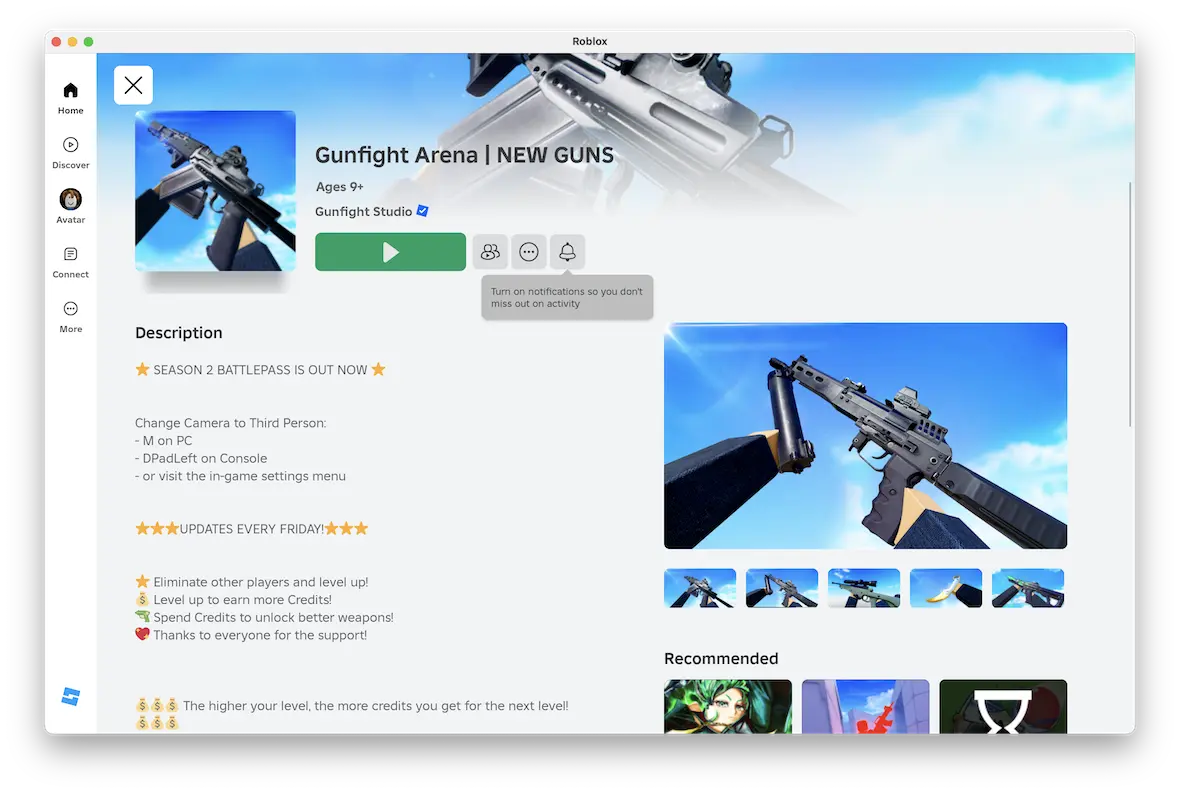
Finally, the Standard Roblox accounts are limited to users over the age of 16 and offer a much broader selection of content, with the exception of restricted 18+ content.
Age is confirmed via facial photo or video selfie using Roblox’s AI. Users who try to skip the age verification process will default to Minimal/Mild content accounts with no option to chat with other users. The system isn’t foolproof and could result in false positives, especially for younger teens. As a parent, you should double-check your kid’s tier through your linked parent account.
Is Roblox safe for your kids?
Roblox is not unconditionally safe for kids, but it’s manageable with the right setup. That said, before you let your child create a Roblox account, you should know of the 148 federal lawsuits that allege the platform facilitated child sexual exploitation and abuse.
The answer also depends on the age of your kid. A supervised 14-year-old in a Roblox Select account is less likely to face risks than the profile of an unsupervised 5-year-old, even with Mild Content access only.
Is there a chat on Roblox?
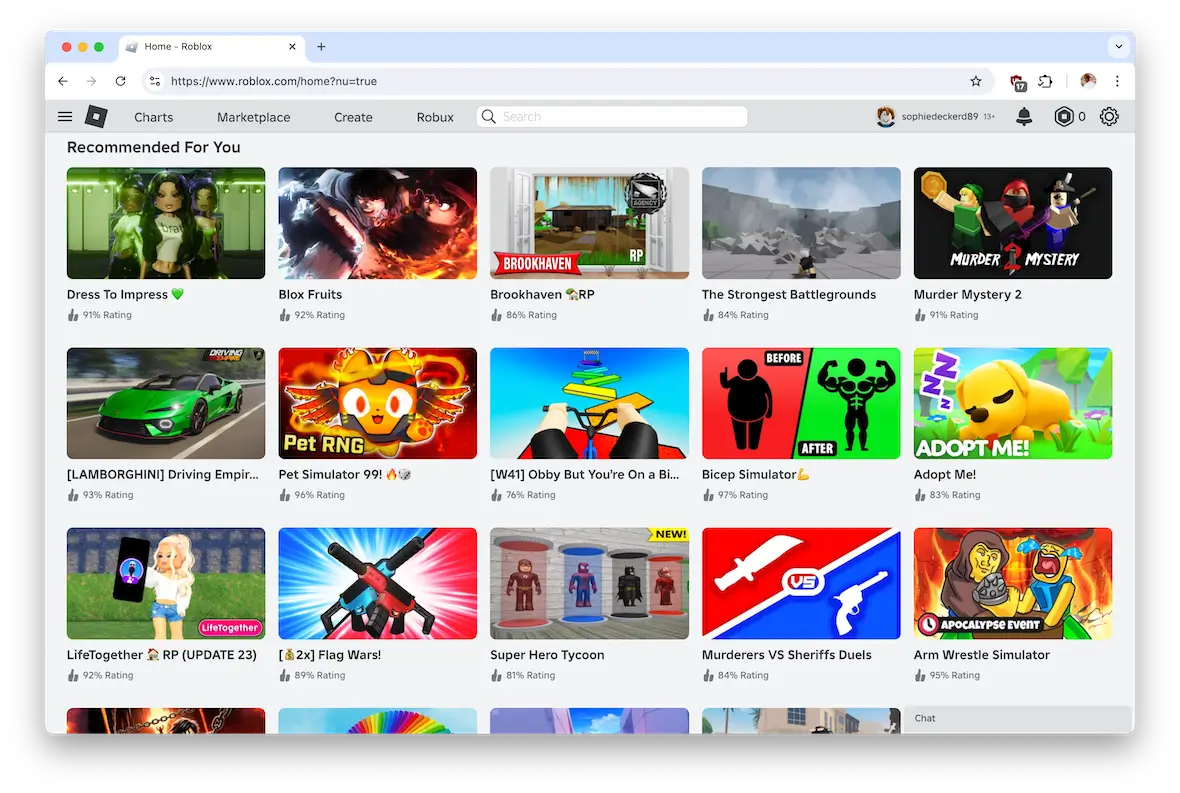
Yes, there is a pop-up chat box in the bottom-right corner of the screen. When you enter a game, you can initiate a chat with any of the players. This, in itself, creates potential risks for young players, although an age-related safe chat feature is meant to mitigate associated risks.
Roblox has 3 chat layers:
- Text chat, which is pre-moderated and age-bracketed, with messages being filtered before delivery
- Voice chat, which requires age verification and uses real-time AI to flag harmful content. It’s also entirely unavailable to users under 13
- Private messaging, which needs to be manually enabled by a parent for under-13 accounts
Together, these tiers make Roblox safer for younger users than it was even a few years ago. However, a 2026 University of Arizona/ASU audit of ~2 million Roblox chat messages found the filter regularly missing grooming attempts, sexual content directed at minors, and threats of violence.
While the communication channels on Roblox are pretty secure, predators sometimes try to move conversations to Snapchat or Discord, which are outside of Roblox’s monitoring system.
Is Roblox voice chat safe?
Roblox’s voice chat feature, called Roblox Connect, is only available to users 13 and older with a verified account. Unlike Roblox’s text chat, which is filtered and moderated before delivery, live voice chat isn’t monitored. The conversations are recorded and can be evaluated in an investigation, but there’s nothing stopping harmful communications from being shared. Your best course of action is to disable Roblox Connect for your kids under 16.
How to turn off safe chat in Roblox
Since safe chat is meant to protect young users, there is no direct way to disable it. If you are older than 13, you can complete the age verification process, which may then lead to more chat options. Roblox warns, however, that any attempt to bypass safe chat is against their terms of service, and any offending accounts will be shut down.
What are the risks in Roblox?
Nothing is truly risk-free online, and Roblox is no exception. There are some risks that you need to educate yourself on before you let your kid loose within this platform.
Inappropriate content
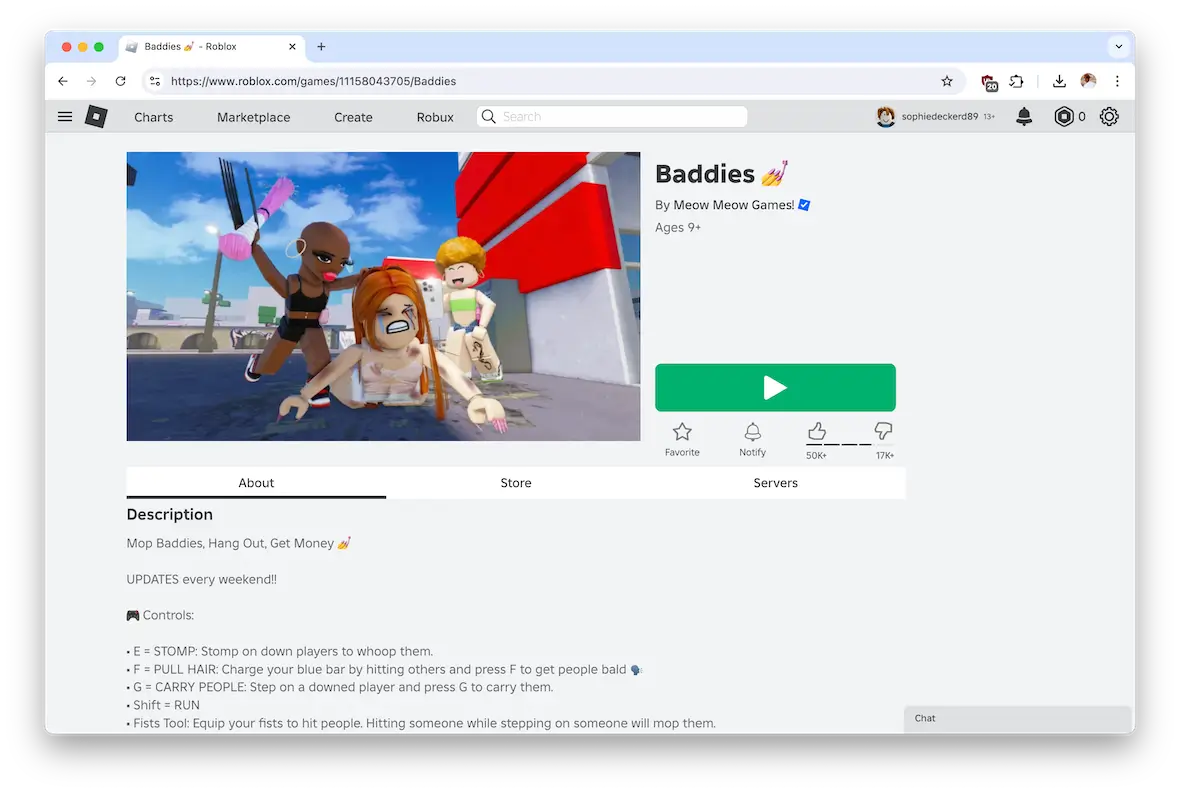
As you can see in the screenshot above, there are games available on Roblox that are, frankly, quite shocking, especially when you see that they are categorized for users as young as nine years old.
The “Baddies” game above involves beating people up and provides controls for “ripping out hair” and “stomping them with your foot.” In other words, it’s bullying. Your child’s character will be set upon and given a virtual beating. (Personally, that alone would be enough for me to ban Roblox in my house.)
Malware from third-party mods and cheat downloads
There have been over 1.6 million documented attempts to download malicious Roblox-themed files in a single year, making it the second most targeted game by cybercriminals. SpyNote, in particular, is a trojan disguised as a Roblox mod that silently logs keystrokes, records screens, and even streams your phone’s camera to attackers.
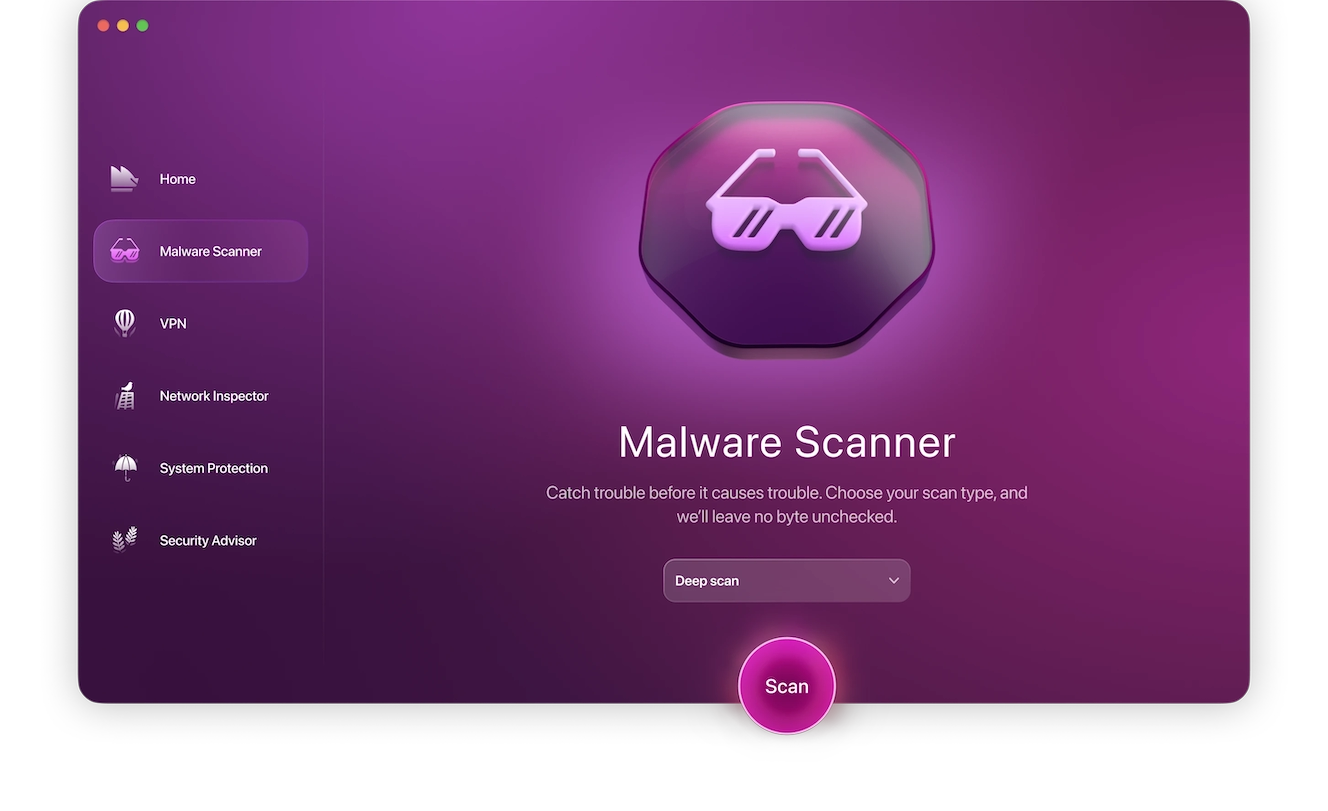
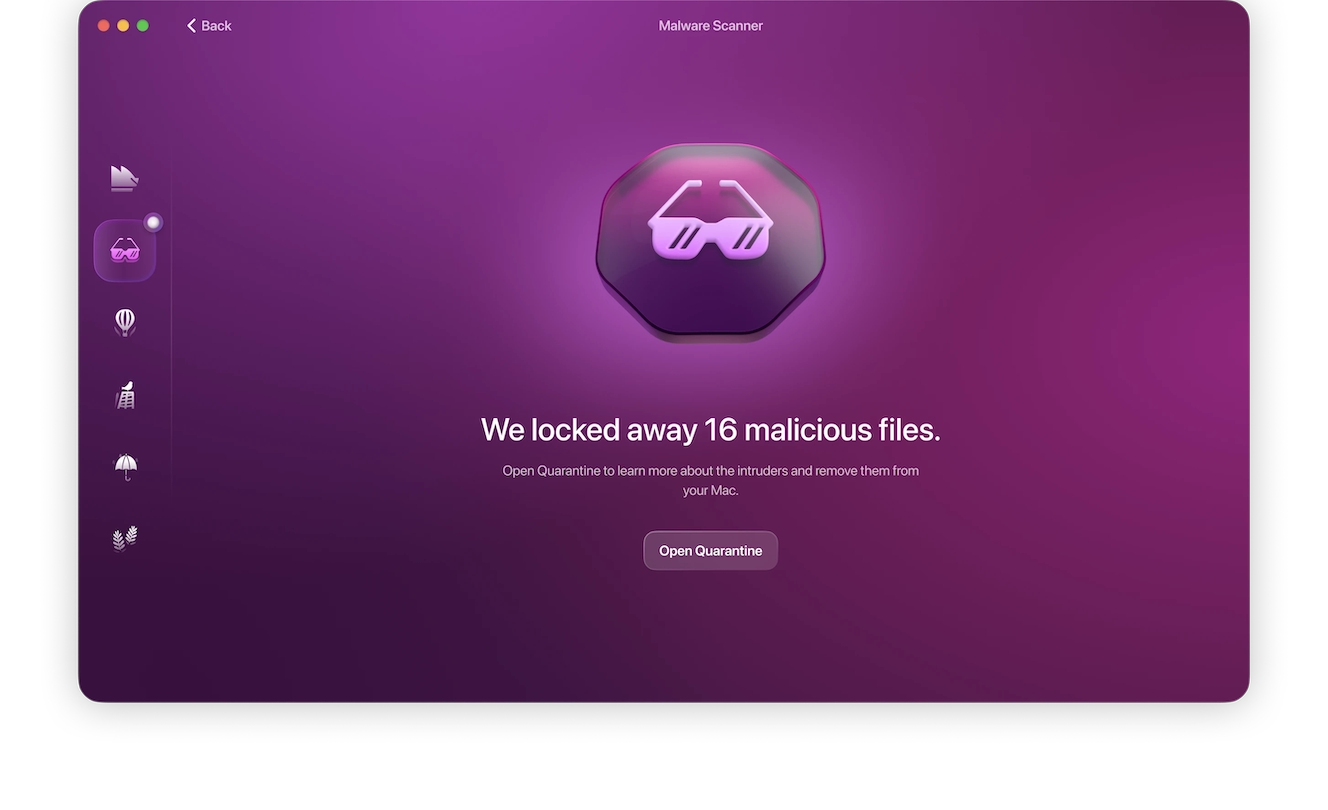
If you think your child downloaded a Roblox mod, use Moonlock to scan your Mac and check it for threats. Here’s how:
- Start a free trial.
- Open the Moonlock app and navigate to the Malware Scanner tool.
- Select from the 3 scan options: Quick, Balanced, or Deep scan.
- Click Scan.
Moonlock will search your device for threats. Any located threats will be moved to Quarantine, where they can be reviewed and removed from your device entirely.
Cyberbullying
Since users can chat with one another, there is always the risk that your child could be bullied and/or verbally abused. Users can search for other users to connect with them, so real-life bullies can easily continue their tormenting and abuse on Roblox.
It is possible to create a free private server at the click of a button and play the game privately with friends. But that privacy can open up a can of worms for bullies who don’t want any witnesses.
Sexual predators
Since Roblox does not impose a minimum age restriction for new users, the site is a potentially attractive destination for child predators. Using the chat function, predators can make contact with users who are obviously children (going by username, for example).
There’s no way to know if Roblox is actively monitored by undercover law enforcement, but given the number of young users on the site, you would hope they have at least one eye on it.
Gambling and loot boxes
Many popular Roblox games use “loot boxes” in their reward systems. Loot boxes are paid mystery boxes that contain randomized prizes. However, the games typically only accept Robux (Roblox’s currency), which requires a multi-step conversion from real money through obscure conversion rates.
This trick makes it harder to estimate the value of a single Robux—or to understand how much real money a user is spending on an item. A 2025 study by the University of Sydney gave 22 kids aged 7 to 14 an AUD $20 debit card each to spend, and 12 of them ended up spending it inside Roblox. The children themselves called the conversion system “scary,” and the loot boxes were described as “literally just child gambling.”
Excessive screen time and gaming addiction
Roblox was the most popular gaming app globally in 2025, with kids averaging 1 hour and 16 minutes per day on the app and 2 hours and 17 minutes daily on desktop, according to Qustodio’s 2025 Annual Data Report.
Several studies warn of excessive video gaming in early childhood, linking it to poor social skills and lower academic performance. Additionally, Roblox was the most blocked gaming app by parents in 2025, mostly due to parents using iOS Screen Time and Google Family Link to limit their kids’ screentime on Roblox, in addition to other addictive apps like TikTok.
Scammers
Users could be exposed to scammers within the chat function. These scammers will try to get personal information or money out of users. This is no different than Telegram scams, WhatsApp scams, or text message scams. Same crime, different platform.
If scammers on Roblox approach a child, that child may not have the good judgment that an adult may have.
Common Roblox scams
Let’s now look at some common Roblox scams so you can tell your child what to look out for.
Fake Robux
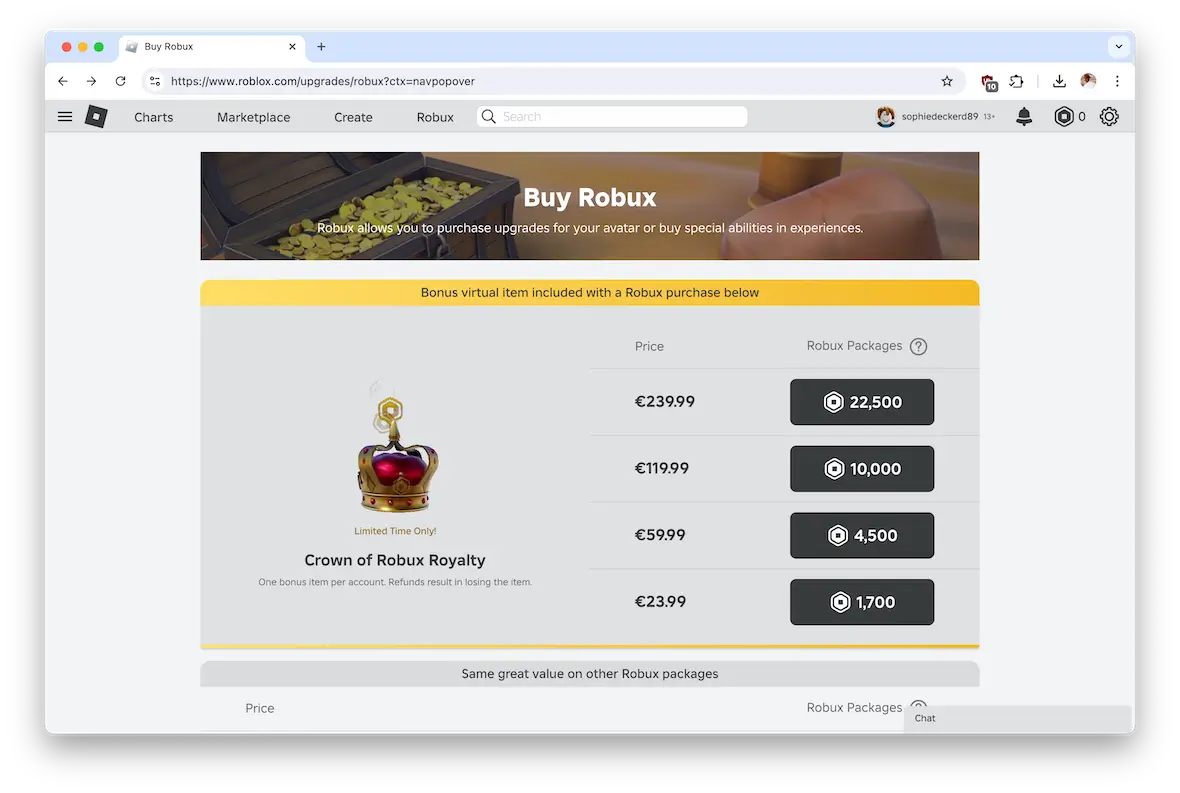
Robux is the name of the in-game digital currency used in Roblox to buy add-ons, power-ups, clothes, and accessories. This naturally leads to scammers trying to convince users that they can get an unlimited amount of Robux by providing personal information.
Fake password reset emails
Another common scam involves sending fake password reset emails, which redirect to a fake version of Roblox. Once the user enters their login details, their account becomes compromised. Any payment methods and Robux connected with the account can then be taken.
Trading less valuable items
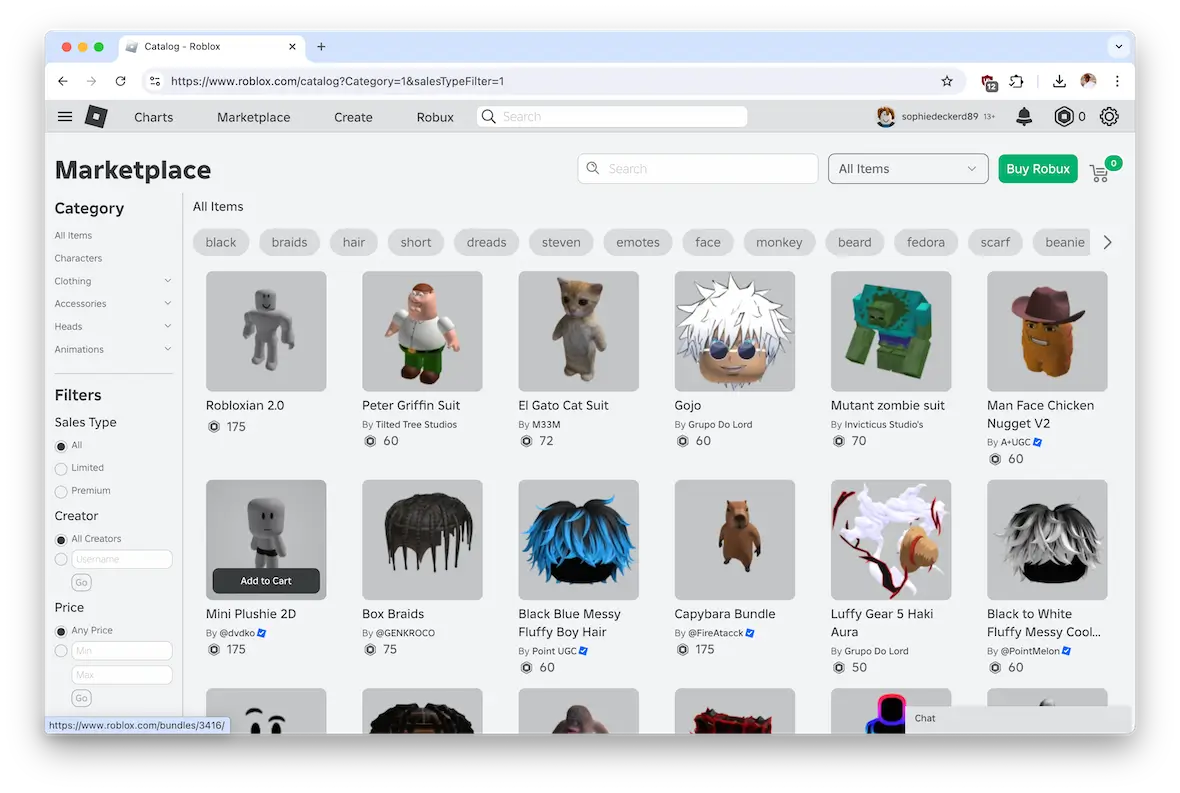
Users on Roblox can also trade items with one another, such as one cosmetic item for another. These items are originally available on the Roblox Marketplace, so they are worth real-world money.
One scam is to persuade a user that an item is more valuable than it actually is. A trade then occurs, and the victim finds out the hard way that what they got is worthless.
Free Robux generator sites
Free Robux generator sites are almost always phishing traps for malware downloads. These sites promise free or unlimited Robux in exchange for your login credentials. Instead, they deliver nothing but credential theft or malware.
Not to mention, many of these sites are cookie loggers in disguise, and once your browser session cookie is captured, attackers can access your accounts, like your Roblox account or your Instagram account, without even needing your password.
Beaming and account takeover
“Beaming” is Roblox slang for account hijacking or stealing another player’s limited-edition items to resell.
Beamers attack in all sorts of ways, but they typically send malicious JavaScript links via chat. Once clicked, the malicious script captures the victim’s session cookies, allowing the attacker access to their accounts without needing passwords.
Malware-infested hacks and cheats
Everybody likes a shortcut or a “hack” to get ahead, including Roblox players. But scammers are exploiting Roblox by offering hacks and cheats that can be downloaded.
Unfortunately, some of those hacks and cheats are infected with malware. Who saw that coming?
How does Roblox address safety concerns?
Roblox has been investing heavily in its safety infrastructure. Sentinel AI scans more than 6 billion messages every day and has flagged 1,200 potential child exploitation cases in 2025. They also included human reviewers, including former CIA and FBI analysts, to assess the flagged content on the platform.
The implementation of mandatory facial age verification began in January of 2026, and more than 50% of daily Roblox users completed it within the first few weeks. Meanwhile, the 3-tiered accounts are set to arrive in June of 2026. The platform is also introducing IARC ratings (ESRB in the US and PEGI in Europe) to rate its content per age demographic.
However, one thing Roblox still falls short on is voice chat, as it continues to not be monitored in real-time.
Are there any parental controls in Roblox?
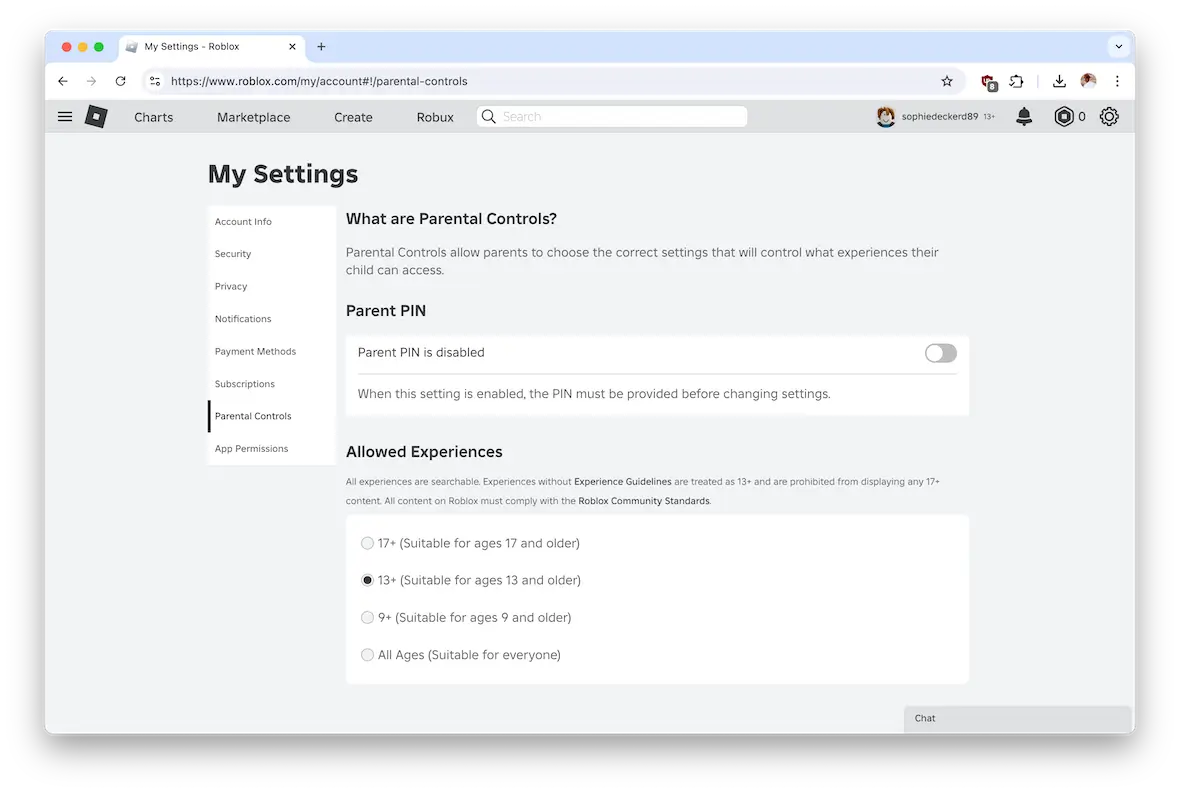
Yes, there are parental controls in Roblox. And, as a parent, you can remotely manage your kid’s access privileges from your own account and device. Here’s how you do it:
- Create a parent account with your own email on Roblox.com.
- Link your child’s account by selecting “Add Child” in “Parental Controls.”
- Set a monthly Robux spending cap under “Spending” in your settings. It’s best not to save a payment method to your kid’s account.
- Configure content restrictions based on age (Roblox Kids, Select, or Standard).
- Manage chat settings by restricting it to known friends or disabling the feature entirely for a child under 13.
- Enable weekly activity reports of playtime and top games directly to your email.
- Set a PIN to prevent your child from changing the settings themselves.
Following these steps goes a long way toward making Roblox safe for your child.
How to ensure a safe Roblox experience for your child
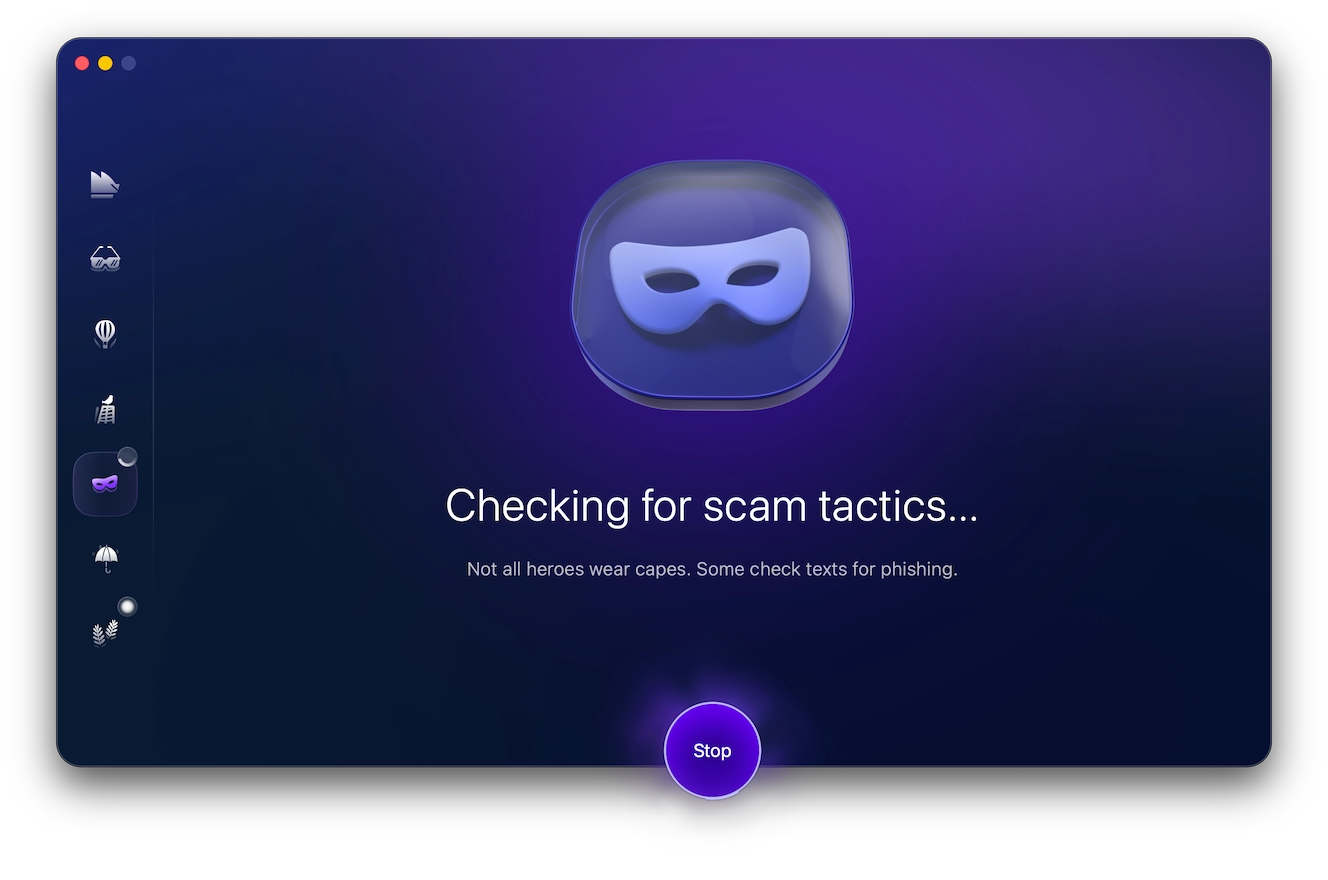
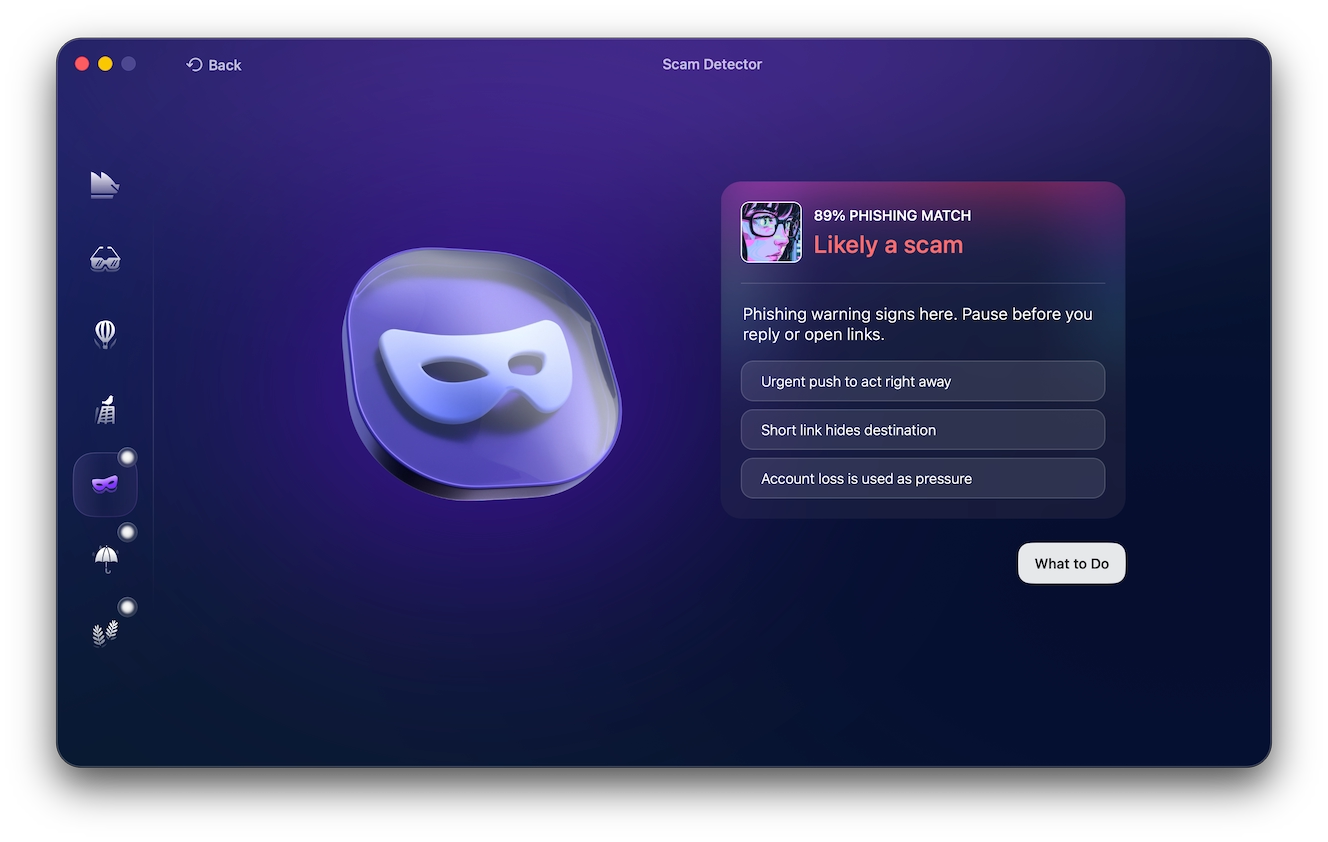
It’s natural to worry about your child’s safety when it comes to online gaming platforms. Fortunately, Scam Detector can help you identify potentially malicious messages being sent to your child, such as fake Robux offers or attempts at phishing for personal information.
Based on common scam indicators, Moonlock can analyze the content of a message and determine the likelihood that it is associated with a scam. Install Moonlock on your Mac and try it now with a 7-day free trial to help keep your child safe.
Now let’s focus on how to make the platform a safe place for your child.
Don’t make it obvious that the user is a child
Online sexual predators are going to be on the lookout for kids. Therefore, the more you can disguise your child’s age, the better.
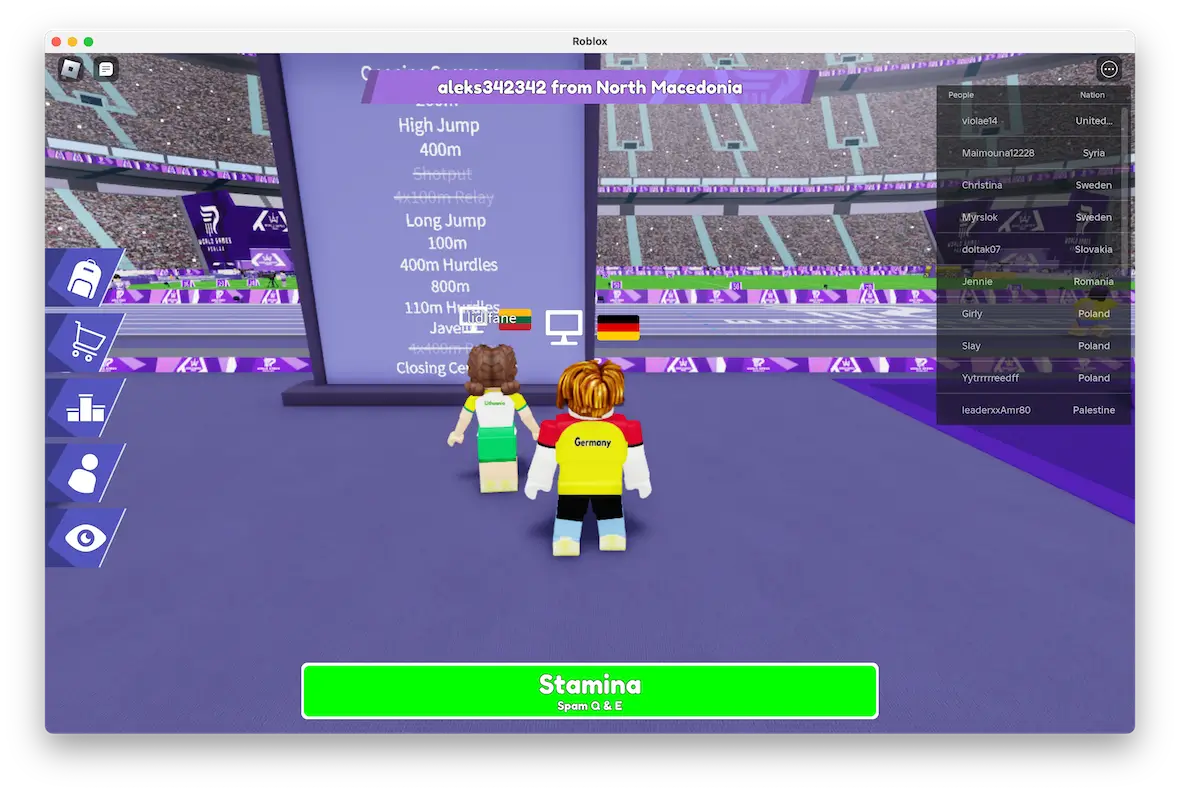
This can be anything from choosing a nonspecific username to not completing the About section in the user profile.
Don’t save any payment methods
When your kid sees the Roblox marketplace, their eyes may light up like they’ve just walked into a candy store. They will likely face some peer pressure from other players to buy certain items of high value, and for that, they are going to need real-world money.
It’s best to remove unnecessary temptations. So, unless you want to see your credit card balance explode, don’t save your payment method on the platform. If you’re going to buy something on Roblox, make the transaction for your child, then remove your payment information. Or connect a PayPal account and keep only a small amount of money in it.
Enable parental controls
Parents should take full advantage of the parental controls on Roblox. Doing so will restrict your child to a certain category of games and reduce the chances of them viewing something inappropriate (although it is not a foolproof method.)
Restrict gaming time
Set some ground rules from the start and restrict the amount of time your child can play online. You may also want to avoid allowing them to play at peak times when there will be more adult users using Roblox.
Using Roblox can be a fun family experience if you all play together and use the provided parental controls. But nothing is ever risk-free, as there will always be a small minority of users determined to ruin it for everyone else.
Fortunately, with a bit of education and research, those risks can be greatly reduced, and your child can stay safe while enjoying this addictive digital platform!
This is an independent publication, and it has not been authorized, sponsored, or otherwise approved by Apple Inc. Roblox is a trademark of Roblox Corporation.