
In response to the relentless cyber threat landscape targeting Apple users, the company from Cupertino, California, has introduced a new way to update your devices. Known as Background Security Improvements, these work for iOS, iPadOS, and macOS, and are Apple’s new way to keep up with attackers, prioritizing speed-to-patch.
Apple plays a never-ending game of whack-a-mole with cybercriminals, patching vulnerability after vulnerability, only to see criminals find new ones. Now, the company has introduced Background Security Improvements. These new updates differ from traditional, more time-consuming full software updates.
Background Security Improvements are driven by several factors. First, the cybercriminal trend to use browsers as an entry point into your Mac or Apple device. Second, a rise in the number of system and software vulnerabilities that threat actors exploit. And third, the criminal use of AI, which enhances attackers’ efficiency and speed. All this is in addition to the volume of operations on all fronts.
In this report, we look into Background Security Improvements and talk to industry experts. We explain how they work and why they are a more effective response to the current threat landscape.
First-of-its-kind Apple Background Security Improvement update rolls out
On March 17, Apple released a security patch for iOS, iPadOS, and macOS. The patch was developed for the security vulnerability CVE-2026-20643, discovered originally by the security researcher Thomas Espach. CVE-2026-20643 allowed threat actors to exploit a browser weakness, specifically on the WebKit browser engine used in Apple’s devices.
As mentioned, with cyberattacks that start in your browser becoming increasingly more popular and on the rise, this type of patching is not uncommon. What is uncommon is how Apple delivered this patch. Instead of creating a heavy stand-alone Full Security Update, the company rolled out a lightweight Background Security Improvement.
“Background updates can quietly fix bugs in Safari, WebKit, and core system parts. Web pages or media file attacks now have less time before you get the patch,” Amy Mortlock, Vice President of Marketing at ShadowDragon, told us.
“No big files or reboots are required, which enhances your security with minimum hassle or interruptions.”
Background Security Improvements, as of today, will only be rolled out for WebKit browser engine vulnerabilities. Webkit browser engine vulnerabilities impact Chrome, Safari, Firefox, Edge, and in-app browsers in social media like Instagram.
Why Background Security Improvements focus on the WebKit Browser Engine
There are several types of cyberattacks that leverage WebKit browser engine vulnerabilities, and more are expected, as these exploits have become popular on the dark web.
Some types of cyberattacks exploiting browser security gaps include malicious browser extensions, ClickFix attacks that deploy multi-stage stealers, and advanced commercial spyware like Pegasus or Coruna, which are more prevalent across Apple devices than originally thought.
“Regular patches secure your device against spywares, website-based account thefts, malicious ads, and tricks that steal cookies or tokens from other tabs,” Mortlock from ShadowDragon told us.
Browsers running on your Mac remain within an isolated sandbox environment by default. However, attackers can use vulnerabilities to break free from those environments by using different techniques. Once free from these browser environments, they can access your files, photos, passwords, browser data, and crypto data.
How to turn Background Security updates “On” or “Off”
While we don’t recommend that you turn off these new types of updates, you have the option to do so.
To turn on or off Background Updates on your Mac or iPhone:
- Go to Settings > Privacy & Security > Background Security Improvements.
There, you can toggle the Automatic Install button to “Always On” or “Always Off.”
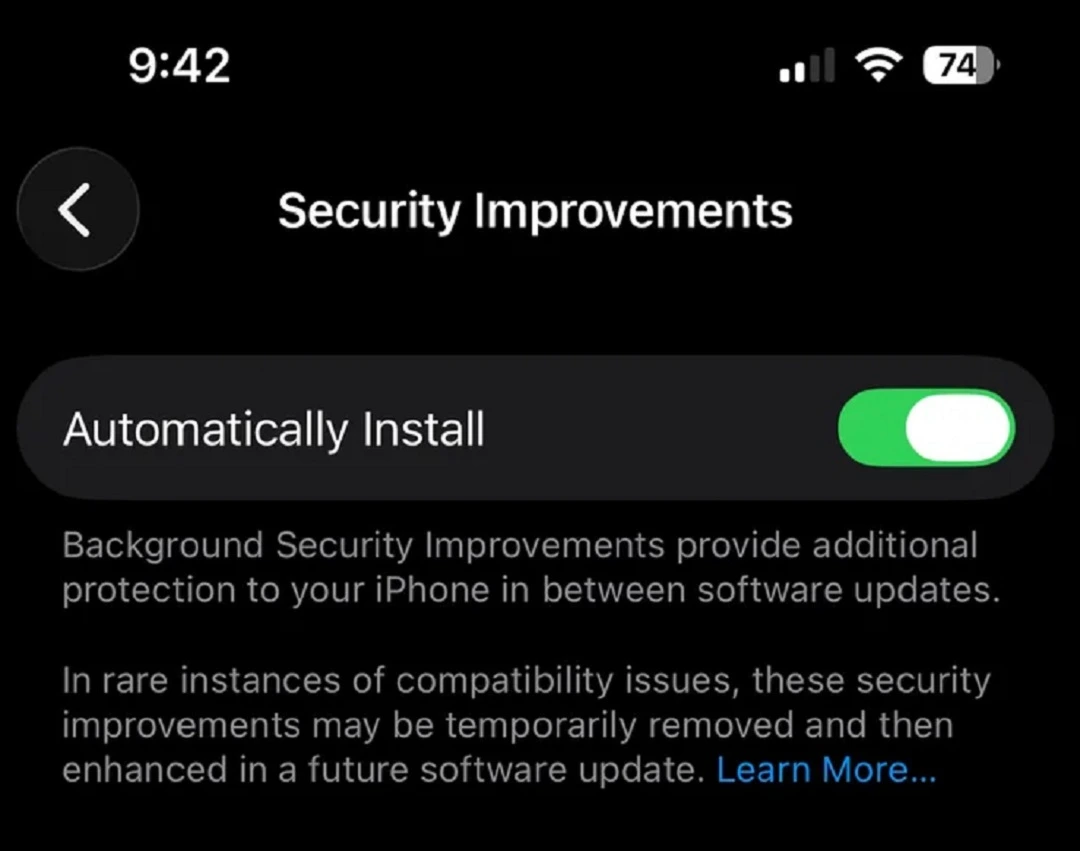
If you have these set to “On,” you might occasionally see a notification saying “Safari was updated in the background,” or “Browser Restart Required.” This is because these patches require a browser restart to be fully operational.
If you set Background Security Updates to “Always Off,” your Mac will ignore these “mini-patches” and wait until the next major point-release (e.g., moving from 26.1 to 26.2) to update those libraries. Again, we do not recommend that you turn these updates off. You will miss out on security patches designed to protect you against the latest exploits. Such exploits are often already being used by hackers to carry out cyberattacks.
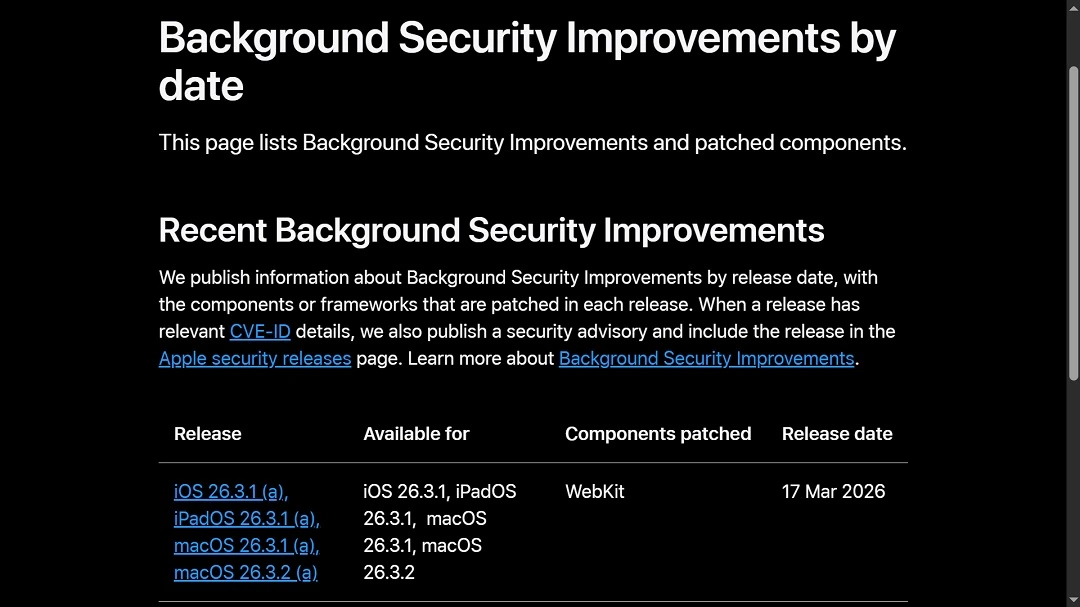
You can review the record of Background Security Updates on the official Apple page, “Background Security Improvements by date.” You might notice that Background Security Improvements are versioned starting with “a,” or “b.” These are just different versions of the same patch created for different Apple operating systems. For example, an iOS patch would start with the letter “a,” while the same patch for macOS would start with a letter “b.”
Background security updates on your Mac will happen without you knowing it, unless your Mac has under 10% battery.
What are cryptexes? And why does Apple use them for rapid updates?
Apple explained that Background Security updates will be developed when a minor update, not a full system upgrade, is required. These minor updates on Mac will show up on the Preboot volume, “through symbolic links in /System/Cryptexes/,” the company said.
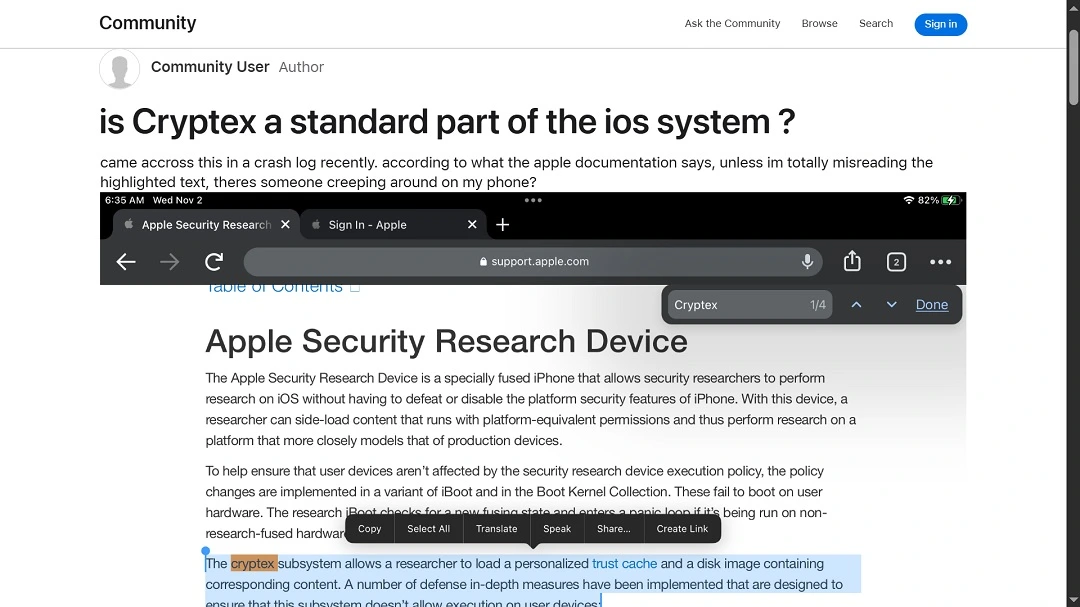
So, what exactly are cryptexes? Cryptexes were introduced silently by Apple in iOS 16 and macOS 13 (Ventura) in late 2022. A cryptex is a secure “digital container” that holds parts of the operating system separately from the main system files.
Think of it like a removable drawer in a locked cabinet. Apple can swap out the drawer (the cryptex) to update its contents without having to unlock or rebuild the entire cabinet (the OS). From the start, cryptexes have been an engineering tool that Apple used to do updates, load tools, and do research without modifying the entire OS.
Back in 2023, Apple used cryptexes to roll out Rapid Security Responses (RSR) updates. RSR updates strangely went quiet at the end of 2023, 2024, and 2025, but cryptexes remain in the OS.
RSR updates seem to have evolved into Background Security updates. And while seeing a tech disappearing and coming back is not very encouraging, it means Apple has used this type of security patching before.
How cryptexes fit into Apple security
As mentioned, cryptexes are a key part of Apple’s modular security architecture. Instead of the operating system being one monolithic block of code, it is split into a core base system with additional components delivered as Cryptexes.
- App cryptex: Contains system apps that can be updated independently of the full OS
- OS cryptex: Holds certain critical system components, allowing Apple to patch parts of the OS without a full system update
- Safari cryptex: Delivers updates to the Safari web engine (WebKit), enabling rapid security patches without requiring a full OS upgrade
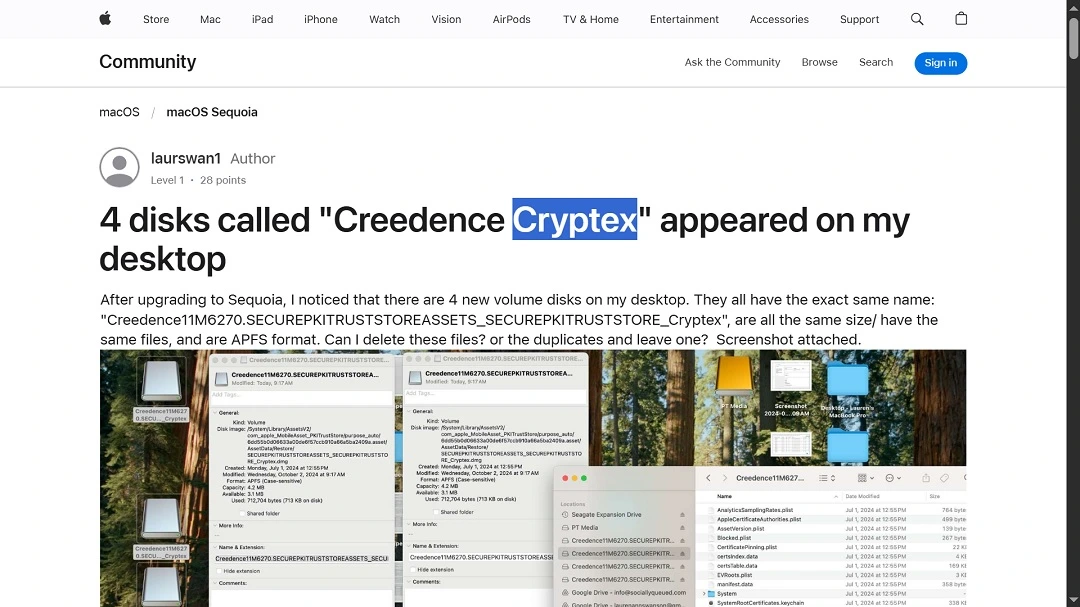
It must be noted that while developers of apps that are hosted on the Apple App Store cannot access cryptexes, some security developers whitelisted by Apple security programs can.
Will Background Security updates also disappear silently in the night, just like Rapid Security Responses did? We sincerely hope not.
How can I protect my Mac from zero-day vulnerabilities?
Zero-day vulnerabilities can get quite technical, requiring advanced skills to exploit and patch. However, you do not have to hold a PhD in computer engineering to deal with them. No matter your technical skill level, there are several tools at your disposal, as well as actions you can take to be better protected against zero-day risks and threats.
Leave automatic update configurations across the board “Always On”
Leave Background Security updates, System updates, and App updates always on to get the latest security patches for your devices. If you want to leave them off, make sure you manually update your device and apps from time to time.
“Apple is improving device security so that it is on par with how modern threats work: fast, constant, and web-focused,” Mortlock from ShadowDragod told us. “Users should keep the feature on and let it run in the background. It is like a quiet layer of security above the strong passcode, Face ID, and user diligence.”
Get the Moonlock antivirus app. It catches what macOS security misses.
Gatekeeper and TCC, Apple’s built-in security for Mac computers, are not ironclad. Different types of malware and threats can and do bypass it on a daily basis.
To improve your defenses, get the Moonlock app. It will check every file you interact with silently in the background, notify you about it, and move it to Quarantine if it finds anything suspicious. You can then check out Quarantine in your own time and safely learn more about the threats your Mac encountered and remove them from your computer for good.
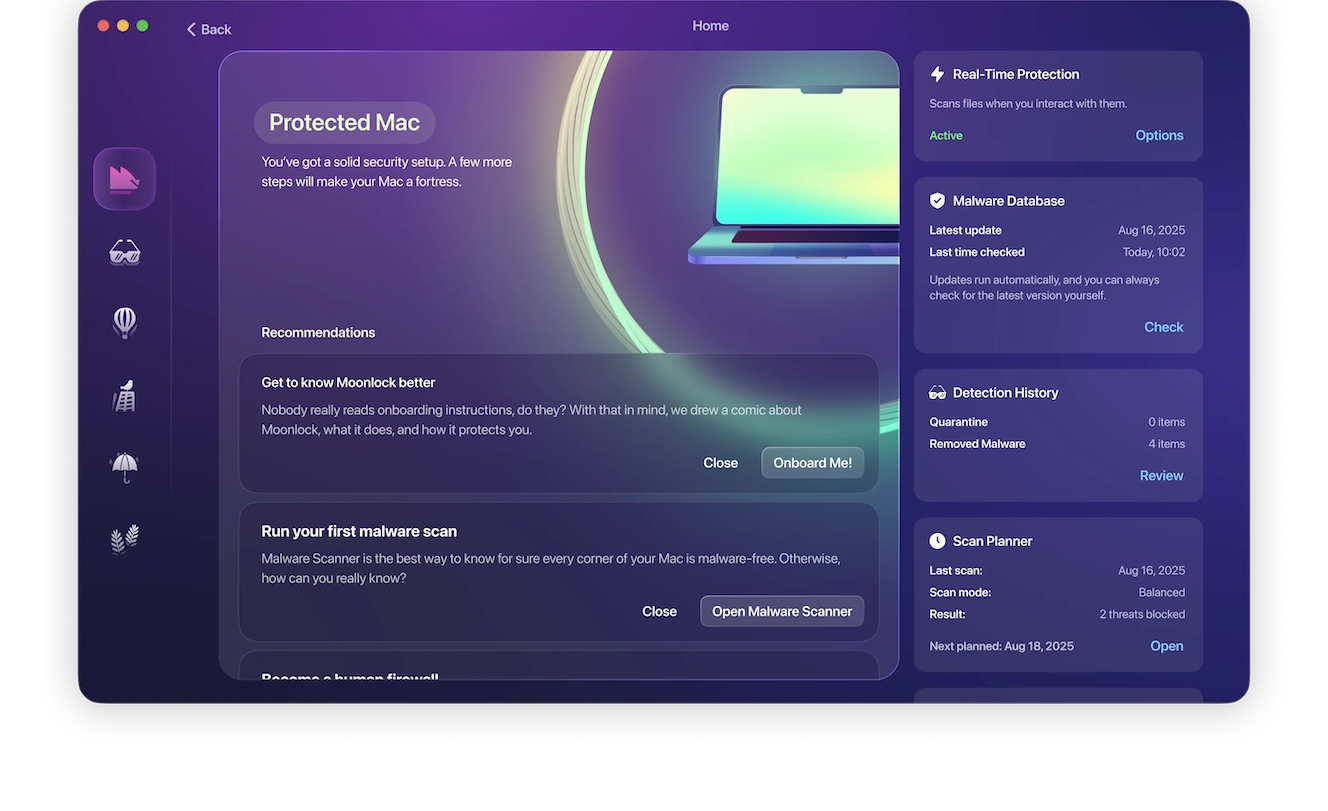
The Moonlock app’s malware database is not just AI-powered; it is constantly updated to deal with new, emerging threats by a team of in-house security specialists that collaborate with known companies in the Apple security environment. Therefore, the app can catch threats even before a new Apple Background Security update is rolled out. You can try Moonlock for free with a 7-day free trial.
Keep on top of Mac-focused cybersecurity breaking news
While being plugged in to the cybersecurity news channels 24/7 isn’t necessary, checking the latest developments periodically is. By keeping up with the techniques that cybercriminals, scammers, data brokers, and developers of unwanted apps use, you can recognize the signs of a threat and stay clear of it before even interacting with the exploits that need patching.
Final thoughts
Background Security updates are a clever way to update your Mac or other Apple device. Apple has been working on the technology that drives these new types of updates for a couple of years now, so they should have a good handle on them.
The company is trying to respond with much-needed speed to unpatched vulnerabilities that cybercriminals and other bad actors leverage. Having the ability to issue minor changes without coding a full system update should give Apple an edge in the CVE patching game.
This is an independent publication, and it has not been authorized, sponsored, or otherwise approved by Apple Inc. Mac and macOS are trademarks of Apple Inc.