Apple’s latest iOS release for developers, currently in beta testing mode, includes a new feature that has been 15 years in the making: end-to-end encrypted RCS. This feature would finally provide the highest security level that messaging platforms like iMessage or WhatsApp offer to users. However, there is a catch.
Apple’s latest developer iOS includes the new and updated RCS, but it has limitations
Currently, when you send a message on your iPhone or your iMac via Messages, and you do not use iMessages or send it to another Apple device, it is not encrypted. This means they can be intercepted using cybercriminal techniques like man-in-the-middle attacks. It’s why the FBI warned last year that Chinese hackers could intercept your messages. The implication is that to stay safe, you should stop texting.

Quick test: Would your Mac catch this?
On April 22, Apple released iOS 26.4.2 for developers with new features to be tested in beta mode. One of the features presented in this iOS version immediately stands out. The RCS end-to-end encryption would finally bring end-to-end encryption to all messages, not just those sent with iMessage or between Apple devices.
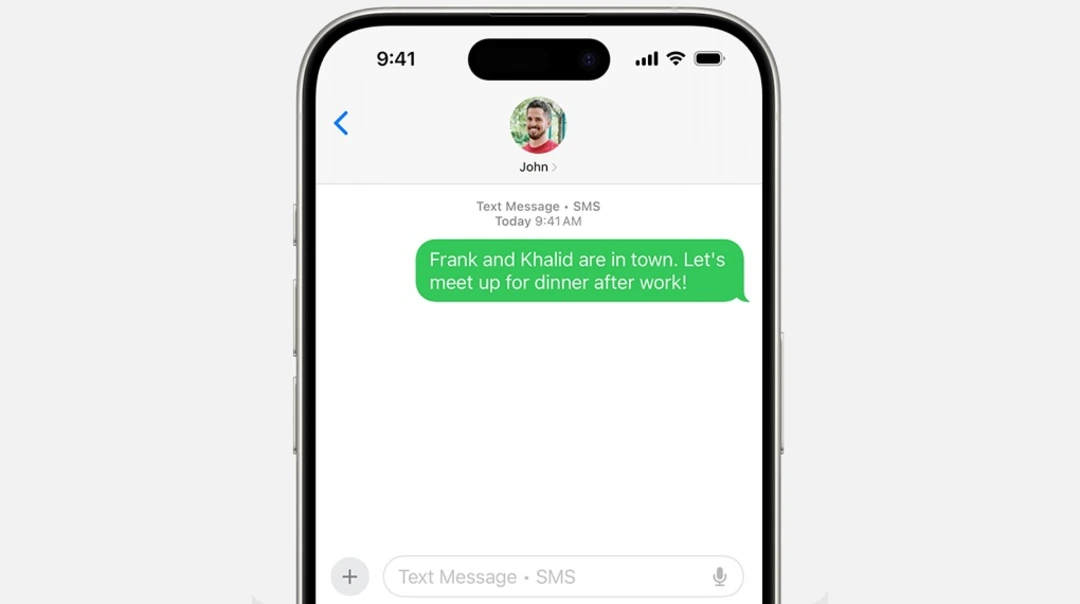
Why am I seeing a green bubble if my messages have the new RCS update?
As mentioned above, there are certain conditions that have to happen for your messages to be end-to-end encrypted. The new RCS protocol would finally bring a solution to that.
In theory, the new RCS, which Apple has been developing with GSMA—the nonprofit worldwide industry organization that represents 750 mobile carriers and 400 companies in the broader mobile ecosystem—will modernize a tech layer that was developed in the late 80s: SMS or Short Message Service. However, Apple has a long way to go between RCS theory and testing to actual global rollout.
At the time, the RCS function, which was released in the latest beta iOS 26.4.2 for developers, has several limitations. These limitations include:
- It is available only to a select group of testers.
- It is not compatible with all devices.
- It is not compatible with all networks or carriers.
On the plus side, the feature does provide end-to-end encryption for messages sent between iPhone and Android, and it is expected to become widely available for all users in upcoming iOS updates.
The limitations that the RCS has today, over time, are expected to be bridged. But green bubbles still mean “not safe.” If you see that green bubble when you send a message, the message you sent was not end-to-end encrypted. Blue bubbles, on the other hand, mean your message is encrypted.
Why SMS messages aren’t as safe as encrypted communication
The reason why your messages are not encrypted when you use SMS, instead of iMessage or send texts to another Apple device, is simple. Encrypted end-to-end communication platforms like WhatsApp and iMessage do not use the mobile or telco infrastructure that SMS does.
Here’s what’s actually happening when you text via iMessage, through WhatsApp, or from an Apple device to another Apple device:
- Your message is encrypted on your device by the app, and the decryption key is configured for it to be only available to the sender.
- The message is then either sent over the internet to Apple or Meta (the owner of WhatsApp) cloud servers and edge infrastructure. The message is sent via telecom or mobile carriers’ antennas and infrastructure, via 4G or 5G, and delivered to the sender. (The mobile carriers in this case do not have the decryption key and cannot see the content of the message.)
- The message reaches its destination, and the receiver’s app, which is the only one that has the decryption key, unscrambles the message for it to be read.
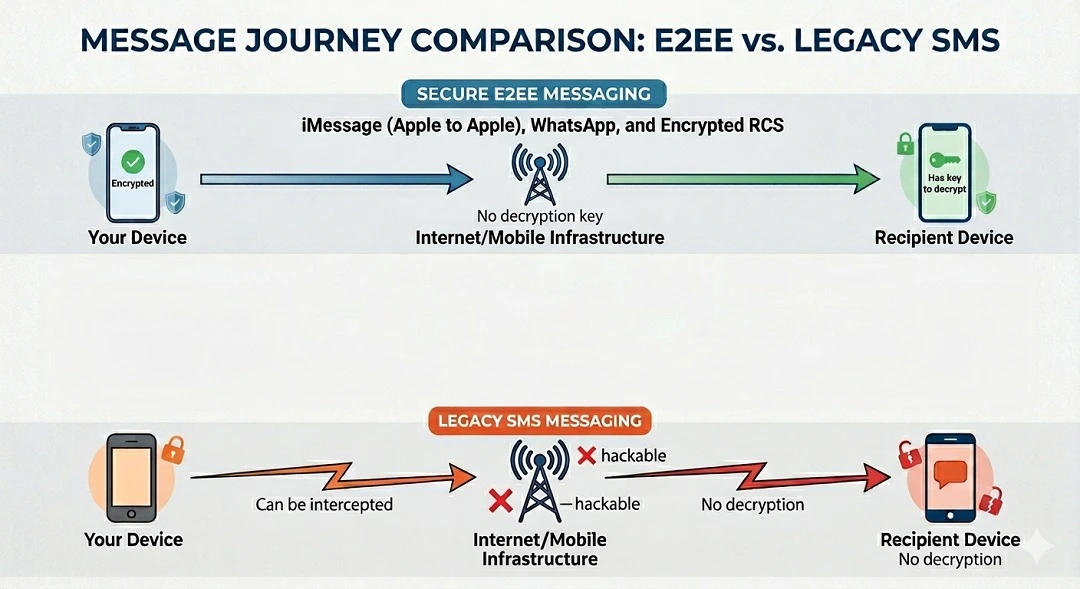
By contrast, messages sent over SMS—which, as mentioned, is a technology that was developed back in the late 1980s, when compatibility between devices was prioritized over security—have no encryption. This means the telco infrastructure that is carrying that message for you can read it.
Today, this is a problem. If hackers position themselves in the middle of that message traffic, they can easily intercept your messages. Or they can hack into mobile infrastructure and read your messages because they are not encrypted.
The new RCS, developed by GSMA, is supposed to bring that legacy infrastructure into the 21st century. But the RCS is, as mentioned, not yet fully functional and not yet fully updated. It is being tested and has gaps.
So, when will my messages be encrypted, and how will I know before I send them?
At the time of this writing, if you are not using iMessages, WhatsApp, or Apple-to-Apple messaging, you will not know if your message is end-to-end encrypted until you send it. At that point, the color of the bubble will tell you.
When the new RCS rolls out, messages sent over your iPhone or your Mac using SMS RCS will be end-to-end encrypted. However, this will depend on the telco or mobile network, compatibility issues (e.g., your device and other devices’ models, versions, and features), and the carrier you are using.
“End-to-end encryption is in beta and is not available for all devices or carriers,” Apple said in its recent release.
Again, the problem is that you will not know if these conditions are met until after you send the message. So, from a user perspective, it’s pretty random. Some days, you might see blue bubbles. Other days, you might see green ones.
The good news is that if the green bubble does come up, you now know the reasons why your message may not have been encrypted. And there is more good news. The latest beta iOS 26.4.2 is a clear sign that Apple is working on this issue and that the new RCS is coming to average users.
How can I stay safe from non-end-to-end encrypted messages?
Below, you’ll find some suggestions, tips, and tools you can use to keep safe from non-encrypted messages.
Stay off non-end-to-end encrypted communications channels
Unfortunately, this is the best defense you have today against non-encrypted messages. We’re still waiting for RCS to be rolled out and tested, and for all devices, carriers, and networks to be universally compatible with this new tech stack. In the meantime, it’s a good idea to use only fully end-to-end encrypted communication services.
Get Moonlock. If you use your Mac for messaging, it will keep it safe from malware and threats.
Chances are, if you synced your Mac to mirror your iPhone, you either frequently or daily use your computer to send messages. And some of those messages may not be safe. They could contain links to malicious sites, malware, or the start of a cyberattack. Fortunately, the Moonlock antivirus app is designed to keep your Mac safe from such threats.
Moonlock will run silently in the background, checking every file you interact with. If it detects suspicious signs or malware signatures, it will notify you and move the threat to Quarantine. In Quarantine, the threat is completely isolated and cannot harm your Mac or access your files. You can then check Quarantine, learn more about the threat, and remove it from your Mac on your own time.
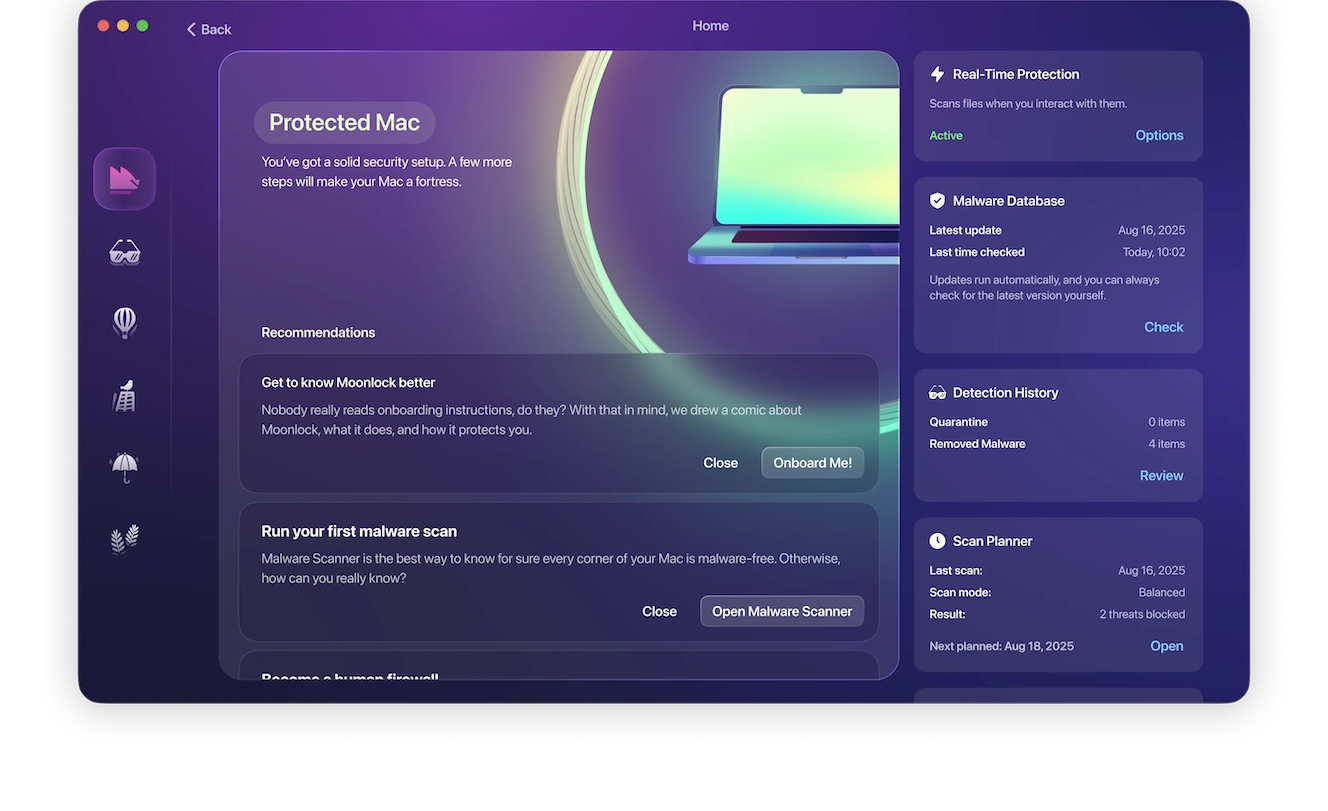
Try Moonlock for free today and access premium security features for your Mac for free for 7 days.
The app also has a built-in VPN for safe browsing. And, through Security Advisor, the app helps you build good digital habits to increase your privacy and security levels. The app can also scan your current Mac settings and guide you on how to turn your default Mac security configurations up to the highest.
Final thoughts
Until Apple fully rolls out the new RCS, you’ll still be on the hook, waiting to see what color that bubble turns out to be. Because of the current limitations, you might see green, or you might see blue. Keep up with cybersecurity news to learn how RCS evolves to provide you with universal end-to-end encryption and keep messaging through secure communication channels.
This is an independent publication, and it has not been authorized, sponsored, or otherwise approved by Apple Inc. Mac, iPhone, and iOS are trademarks of Apple Inc.