
Apple recently introduced new features for Find My and Maps. These, combined with new tools for My Wallet and Apple Pay, are designed for streamlined, seamless experiences. But risks linked to location sharing, tracking, data exposure, and payment scams are very real. Here’s how to navigate these new Apple privacy controls safely.
A closer privacy and security-focused look at Apple’s new features
On June 9, 2026, Apple announced new features and experiences across Wallet, Find My, and Maps.
The background theme across all these features is making the technology more seamless. However, that seamlessness comes with a tradeoff. As the tech on your Apple devices innovates, it shares and exchanges more data and expands your digital surface. This means opportunities for scammers and cybercriminals.
New Find My scams and location sharing risks
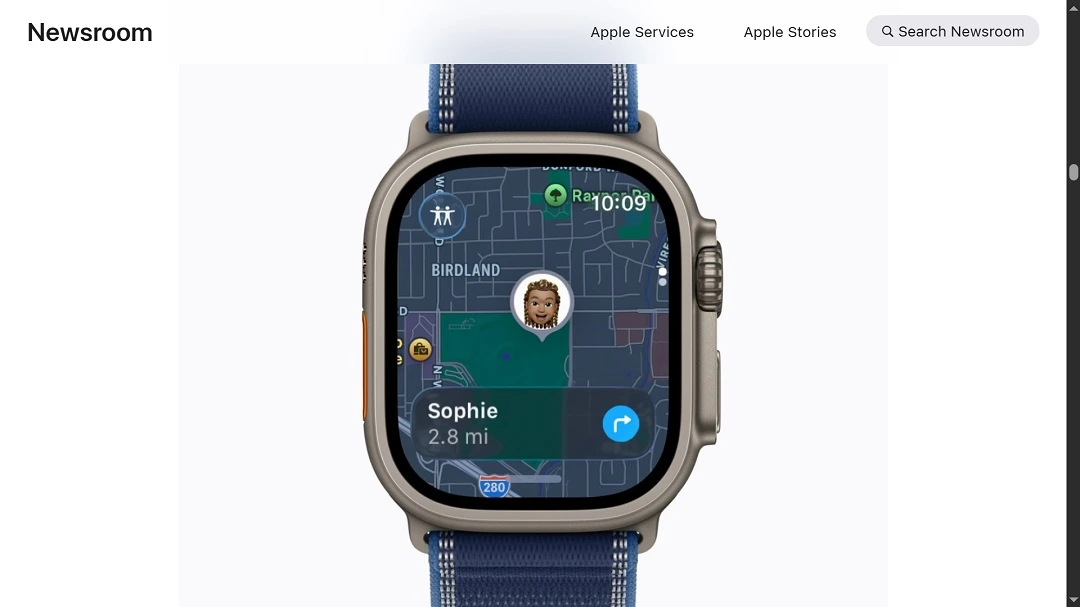
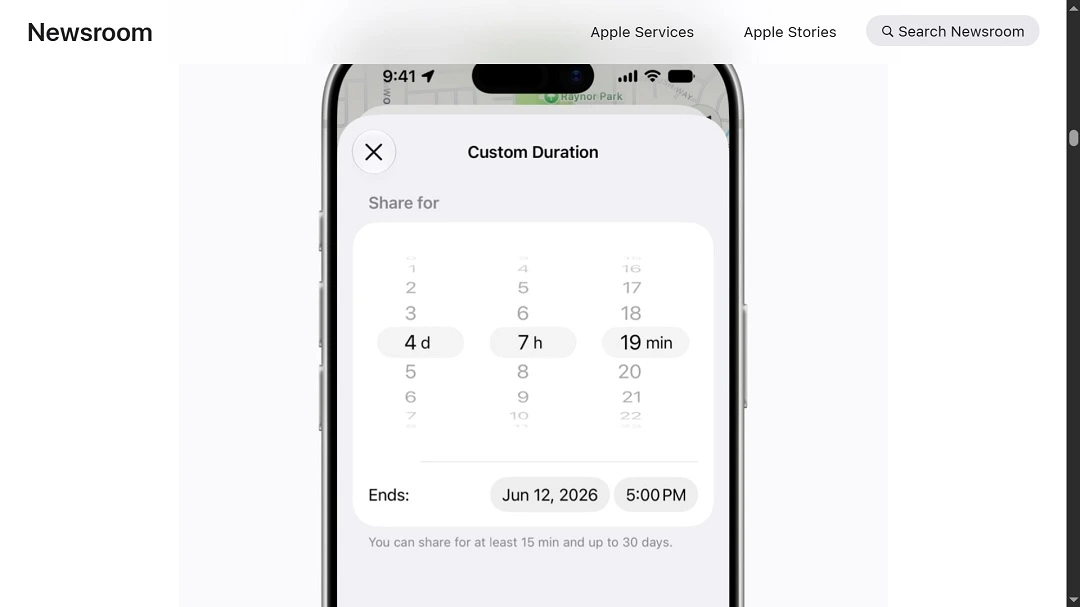
The new Find My controls will now allow users to customize the duration of location sharing and who they share their locations with. On Apple Watch, Find My will also become the main interface for users to locate their friends and family, devices, and items.
Unfortunately, Find My and location sharing have been targeted by cybercriminals and scammers in the past. The tech has also been questioned by researchers.
For example, in March 2025, George Mason University researchers found a way to use Apple’s Find My network that would allow hackers to track any Bluetooth-enabled device. Additionally, iPhone thieves have also been impersonating Apple by using fake Find My messages. These messages are designed to trick users into giving away their credentials.
The real risks associated with Find My
“The new location-sharing features are genuinely useful, but they expand your attack surface,” Elmer Morales, the CEO of koderAI, a multi-agent AI coder in beta, told us.
The risk is not Apple, Morales explained. “The risk is the people you share with and the habits you build around sharing.”
“Duration-limited sharing is smart; the problem is, most users will set it once and forget it,” he added.
Morales’s advice? Regularly audit who has access to your location. Treat location data the same way you treat your passwords.
“It (location sharing) is sensitive. It is persistent, and once someone has a pattern of your movements, they know more about your life than you realize,” said Morales.
It (location sharing) is sensitive. It is persistent, and once someone has a pattern of your movements, they know more about your life than you realize.
Elmer Morales, the CEO of KoderAI
“One big thing on Find My is that users need to understand that the convenience cuts both ways,” Lewis Barry, Principal Security Architect and Microsoft MVP at Inforcer, told us.
“Sharing your location is useful in the majority of cases, but it’s easy to forget who you have shared it with or how long it’s been active.”
Barry said you should try to treat it more as temporary access, and only share it when you really need to.
“Set limits when possible and check back every now and then to see who has visibility,” said Barry. “The risks aren’t really technical, just more people leaving things on longer than they intended.”
Apple Maps’ new Local Lists: Built with “privacy in mind”
For Maps, Apple announced Local Lists. Local Lists allows users to find locations and businesses through Apple Maps.
“Using intelligent insights from what’s trending, Maps surfaces locally relevant collections of places—from trending restaurants to great spots to take kids—so it’s easy for users to find what they are looking for,” Apple said.
“All insights are derived with privacy in mind and never tied to individual users,” Apple added in its press release.
We asked experts what they thought Apple meant by “privacy in mind” and “never tied to individual users.”
Barry explained that with something like Apple’s privacy-first insights in Maps, it usually means the data is aggregated and not tied directly to you as an individual.
“That’s honestly a good thing, but it doesn’t automatically mean that no data is being used at all,” he added.
The feature works based on patterns, using data on what people are doing, where they are going, and the data being grouped, not individual.
“From a user’s POV, it’s a lot less about avoiding it and more about understanding that ‘private’ typically means anonymous and not invisible,” said Barry.
Morales agreed. When Apple says Local Lists are built with “privacy in mind,” it “means Apple is using aggregated, anonymized behavioral data to surface recommendations rather than tying insights to individual profiles.”
Morales went on to explain, “In practice, that is meaningfully better than what most platforms do.”
“But ‘privacy in mind’ is not the same as ‘no data collected,’” said Morales. “Users should understand that aggregate behavioral signals are still signals.”
The risks of anonymized data are real
Anonymized data refers to information that is collected, used, and sold by data brokers and the broader digital advertising world on a daily basis. Cases exist in which anonymized data bought from data brokers is used to track individuals and groups.
In April, 2026, we reported on a Citizen Lab investigation that found that governments around the world are using a service called Webloc, a geolocation surveillance system. The surveillance software uses anonymized data to map, track, and identify individuals and groups. It can even construct individual profiles.
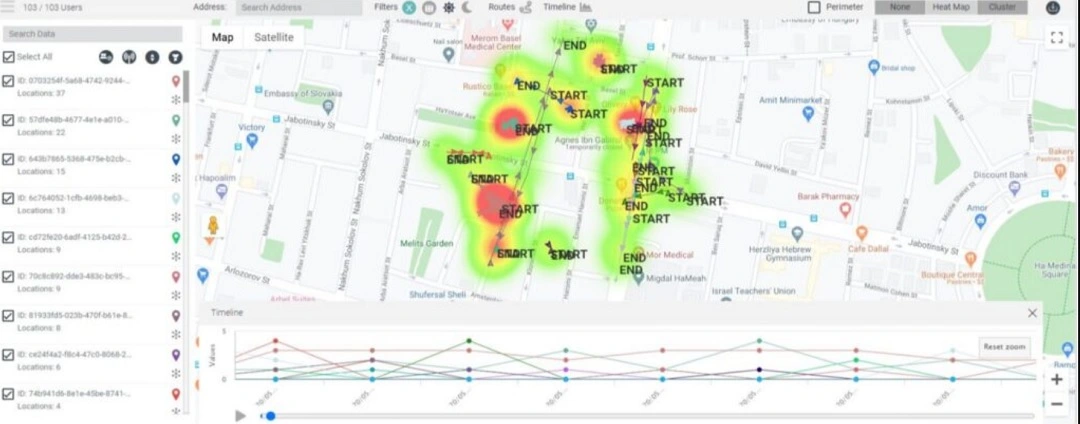
The Department of Homeland Security of West Virginia, the Texas Department of Public Safety, the Los Angeles Police Department (LAPD), the Dallas Police Department (DPD), and several other state police departments in the US use the software. Countries in Europe, according to the Citizen Lab report, were non-transparent about their use of Webloc.
Anonymized data can also be de-anonymized or re-identified by cybercriminals and used to launch more successful cyberattacks and phishing campaigns.
There are ways in which companies can mitigate the risk of re-identification of anonymized data. This includes data minimization and data masking techniques, including redaction, shuffling, scrambling, and synthetic data substitution. Apple has not commented on how it plans to secure anonymized data sets for Local Lists or any of its new features.
Tap into the new features of Apple Wallet
The Apple Wallet will make it even easier for users to split bills, manage passes, and scan data with their iPhone camera. It also makes Apple Pay and Tap to Pay even more seamless. And users will even be able to use Apple Pay to add funds to an eligible debit card directly in Apple Wallet or when checking out online.
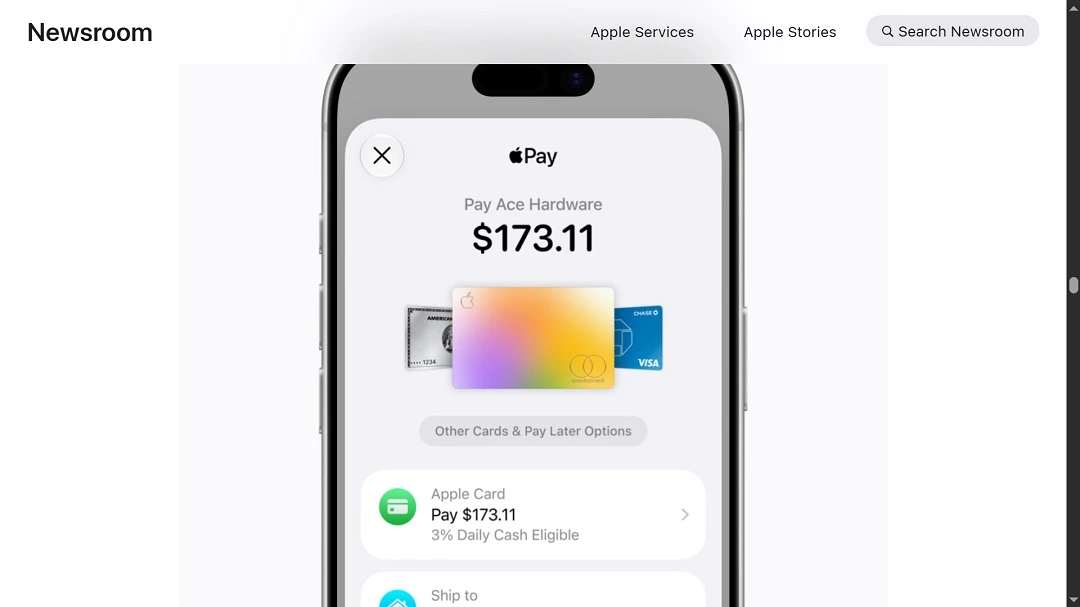
Apple explained that tens of millions of merchants of all sizes in over 50 countries and regions today accept contactless payments with just an iPhone, no additional hardware needed. This network is expected to grow.
“With just a tap, customers can connect to a participating merchant’s iPhone for a more personalized and faster in-store purchase experience that allows for secure sharing of information, such as email and other contact information, shipping address, loyalty rewards information, and more,” Apple said.
Apple Pay scams, risks, and experts’ tips to stay safe
Apple Pay scams are among the most popular scams targeting Apple users. They are wide-ranging and target millions.
The volume of scams is significant. But in 2025, Apple said that Apple Pay eliminated over $1 billion in fraud.
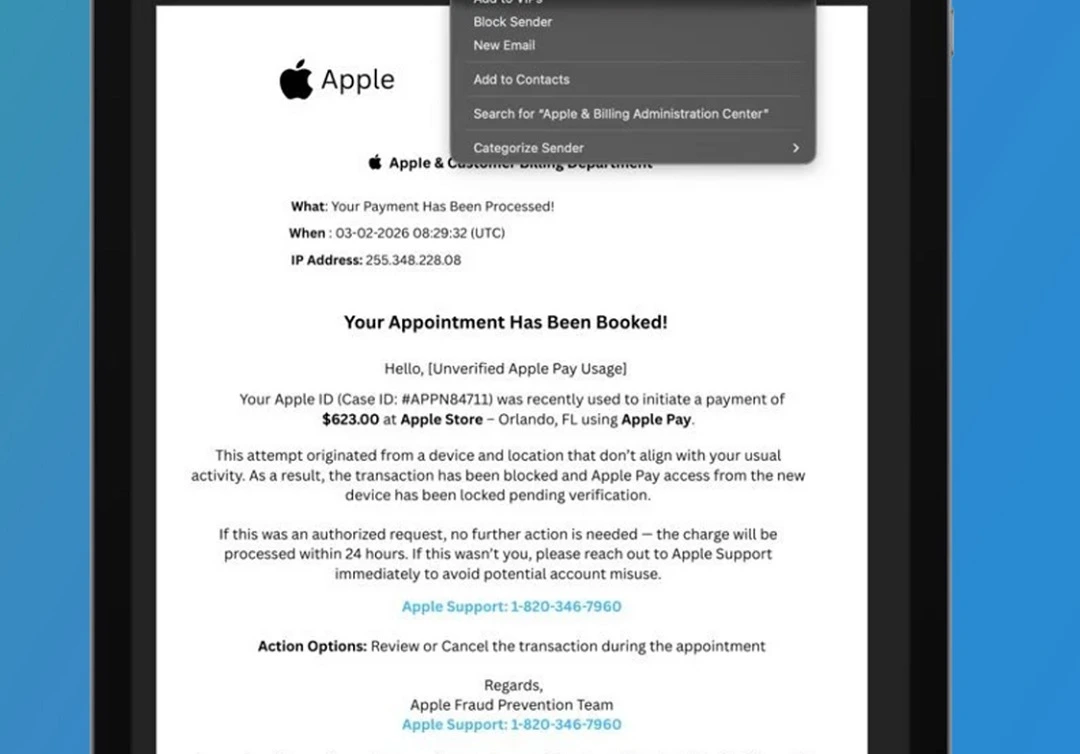
Scams include fake Apple Pay messages, phishing emails, fake problems with your account, and fake calls. Scammers often ask users for personal data, credit card details, account credentials, or verification codes to add credit cards to their own wallets or hack into accounts.
Besides scammers, what are the risks of all this financial and sensitive data tap-tap-tapping? How can you navigate this tech safely?
“Convenience features that reduce friction also reduce the moment of pause where you catch a scam,” said Morales.
“Pointing your camera at a card to save it is fast and easy, which is exactly what makes it dangerous in social engineering scenarios,” he added.
Morales recommends that you never scan a card or QR code handed to you by someone else, sent to you digitally, or displayed in a public place. Only scan cards you physically own and retrieve yourself.
All these new Apple features are now available for testing by Apple Developers. They will roll out to users in 2027 this fall, with possible regional and compliance availability.
How to protect your privacy and keep your Apple devices safe
There are several things you can do today to mitigate the risks that come with technology that is overly seamless.
Minimize your digital surface and data sharing
As technology evolves, the amount of data that users can share with a click, over the air, or even contactless, increases dramatically. Limiting your app usage and the amount of sensitive data you input into your devices is a good way to mitigate the risks.
Watch those privacy controls closely
Privacy controls on apps, like location-sharing features, are sometimes hard to find or buried deep in sub-menus. Learn where privacy controls are, how to customize them, and how to switch them off. A feature that limits the amount of time you share a location is great. But if it is not used correctly, it serves no purpose at all.
Don’t assume that seamless tech is always risk-free
Just because a technology makes something simple doesn’t mean it is free of risks. It’s worth learning not only how the tech on your computer, phone, and other devices works to make your life simple, but also how it protects your data from scammers and criminals.
Get Moonlock. It comes with a built-in Scam Detector and will keep your Mac free from malware.
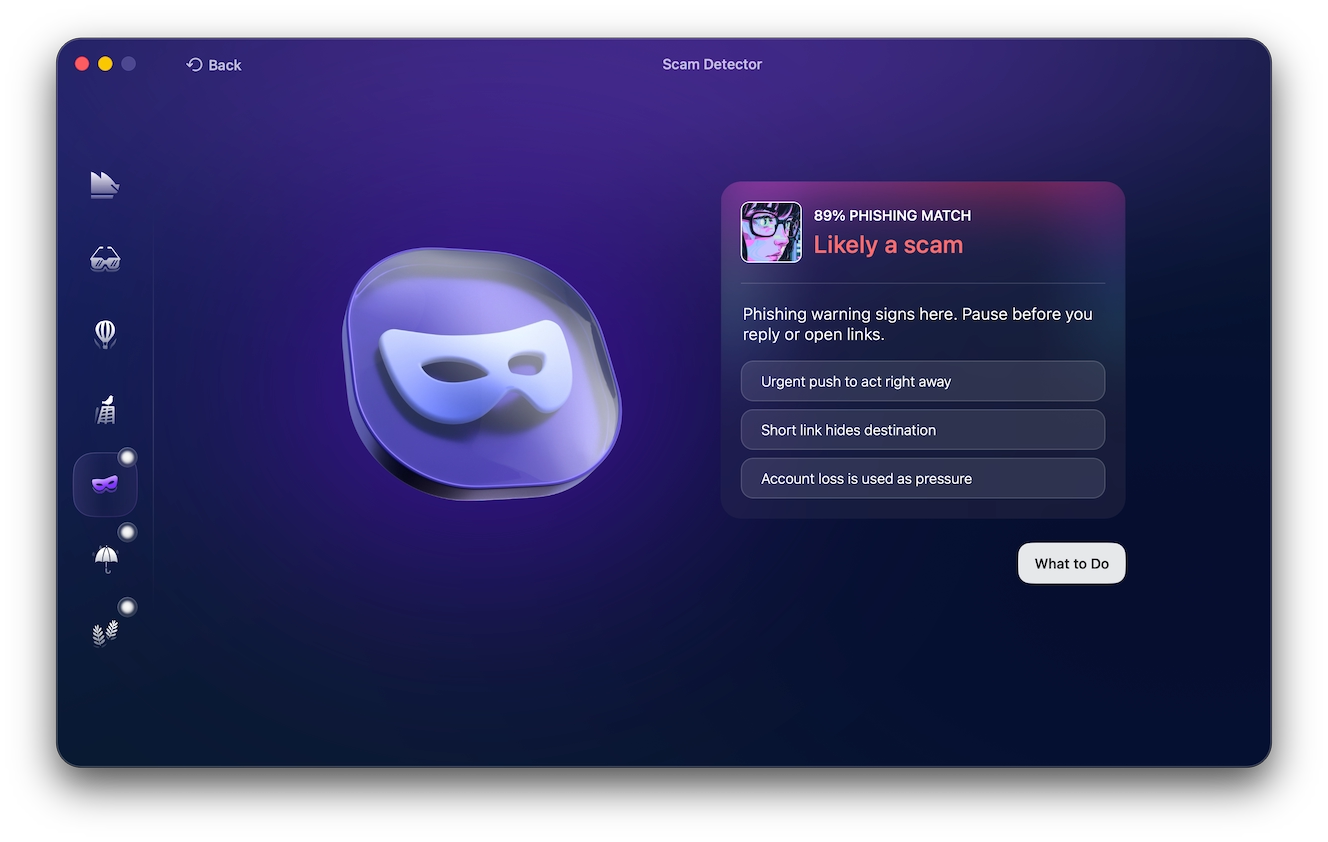
With most scams and cyberattacks starting with a phishing message, email, or text, a scam detector can go a long way.
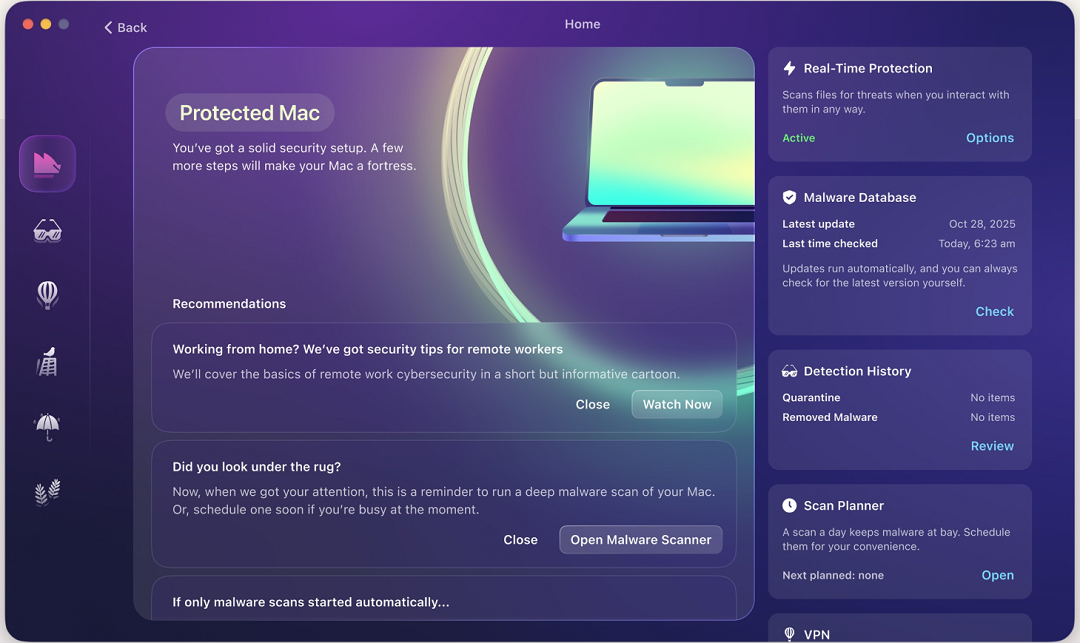
The Moonlock security app not only keeps your Mac safe from malware through Real-Time Protection and its Malware Scanner, but it also ships with a built-in Scam Detector. All you have to do is copy and paste the message you want to check into the Scam Detector. It will then tell you if it’s safe or dangerous, and why.
You can check out and test-drive Moonlock for free for 7 days.
Final thoughts
Balancing tech speed, innovation, design, and experiences with privacy and safety is a big challenge.
As more users and more devices become connected, and as new features emerge, the digital attack surface expands dramatically. This gives cybercriminals and scammers new opportunities. To stay on the safe side of things, follow the tips in this report, learn more about your tech, and stay up to date with cybersecurity and privacy news.
This is an independent publication, and it has not been authorized, sponsored, or otherwise approved by Apple Inc. Apple Pay, Find My, and Apple Wallet are trademarks of Apple Inc.