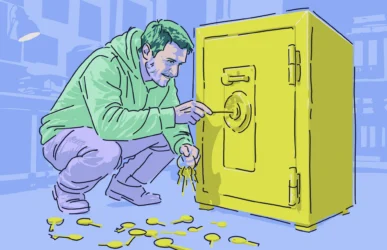
Scammers who know exactly how Apple Support works are abusing the system and turning it against Apple users to steal their account data. This new scam combines automated legitimate Apple phone calls, SMS, and device notifications with calls from scammers impersonating Apple Support, making it extremely realistic.
Here’s how the scam works and how Apple users should respond.
How the “new” Apple Support scam works
On November 15, Eric Moret, Product Manager for Broadcom Software, published a report on Medium detailing how a simple text message rapidly became one of “the most sophisticated phishing attacks” he has ever seen.
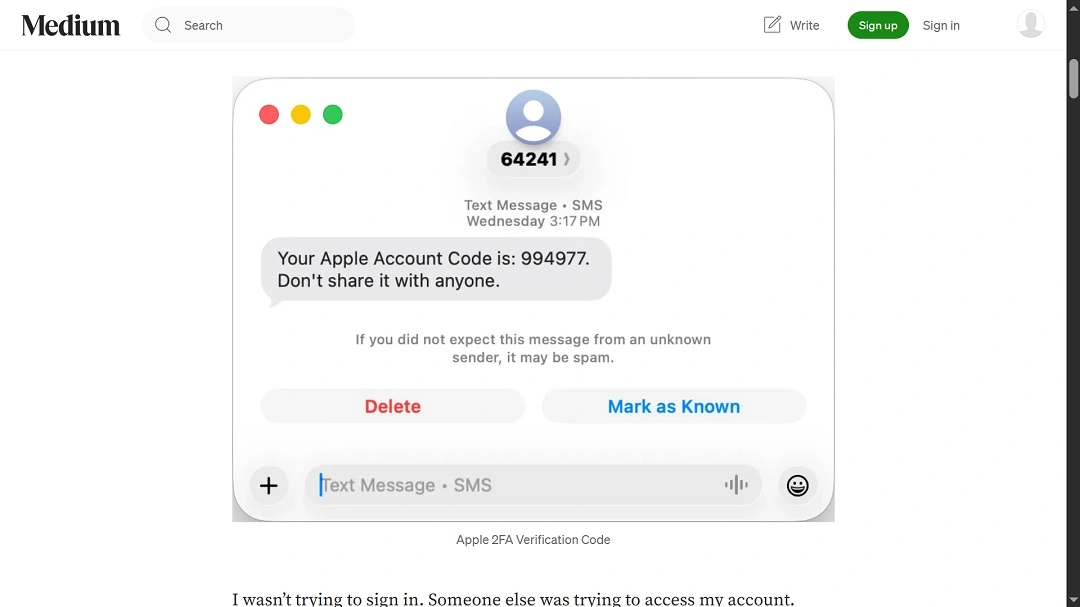
The scam works in several steps, some of which involve the scammers’ abuse of the Apple Support system.
The first thing scammers do is attempt (and fail) to sign in to an Apple user’s account. This triggers several SMS messages delivered to the user’s phone, as well as pop-up notifications on any Apple device the user may have. The message is from Apple itself, warning the user that someone is trying to break into their accounts.
What happens next is the first red flag. Users get a call from a legitimate Apple number. However, it’s a number that the scammers are spoofing. The caller then claims to be from Apple Support and puts pressure on the user by telling them that his or her account is under attack.

Protect your Apple Account from stealers
To continue the plot, scammers open a legitimate Apple Support ticket on behalf of the user being scammed.
“We’re opening a ticket to help you. Someone will contact you shortly,” the caller who claimed to be from Apple tells victims, according to Moret.
A 25-minute nightmare call that unfolds slowly
Next, about 10 minutes after the first call, victims get another call from the same number. This time, it’s a different scammer claiming to be following up on the attack and asking the victim to verify an email regarding the Apple Support ticket that the scammers created on the user’s behalf.
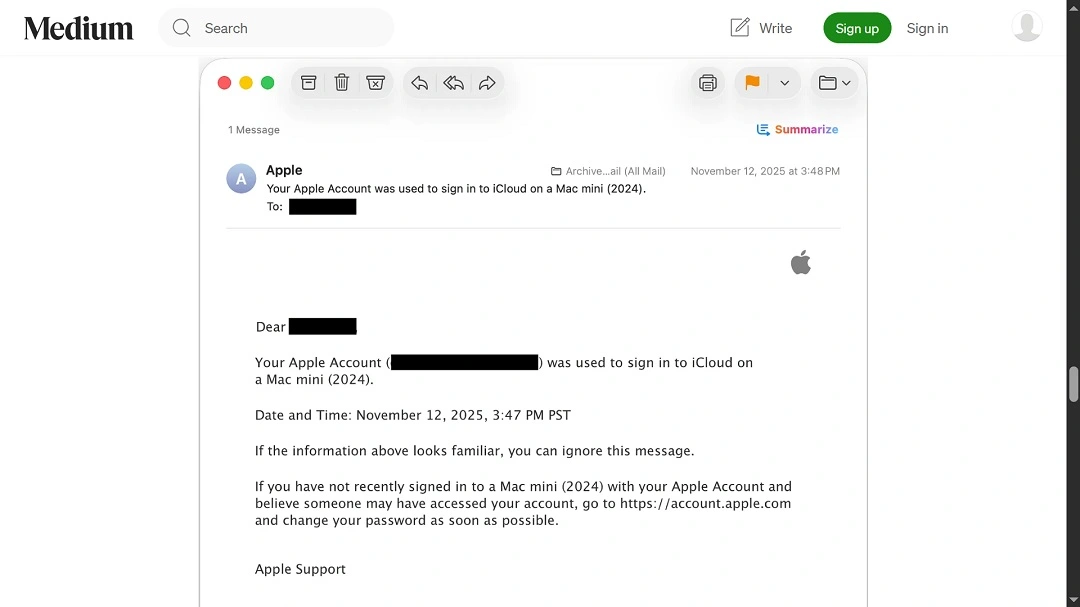
Because the ticket is a legitimate ticket that the scammers generated, and the email that the victim gets is a real Apple Support message, scammers establish trust and walk the victims through a fake verification, checking case numbers and email senders.
“This gave them massive credibility,” Moret said. “Apple’s own systems were sending me official emails confirming their case number.”
Now that the scammers have established trust, they move on to the tricky part and ask victims to reset their iCloud password, all the while guiding them through the process, but never asking for passwords or the 2FA code that Apple provides users to reset iCloud passwords.
The trap is set with a legitimate 2FA message
Once the scammers get the victim to reset their password, they inform them that their account is now secure, and they will soon receive a text with a link to close their case.
This is when scammers send a fake text message with a link redirecting the user to the malicious phishing site https://appeal-apple[.]com.
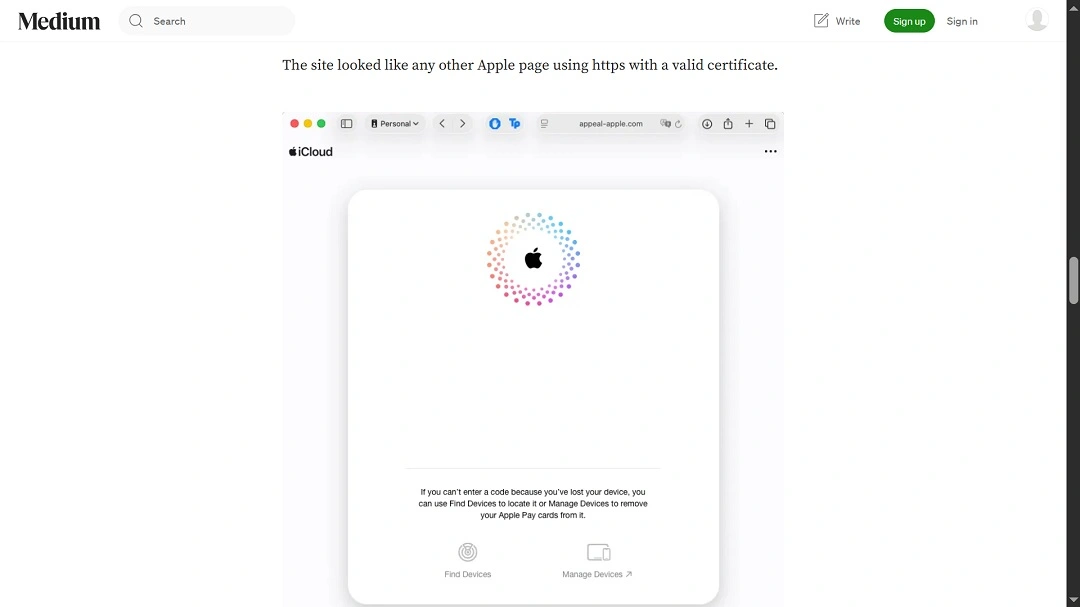
The URL and design of the site, as seen in the image above, impersonate Apple and feel legitimate. On the site, victims are instructed by the scammer on the phone to supply some data, including the Apple Support ticket number, while the system pretends to be running checks and securing the iCloud account (which it is not doing at all, because it’s a fake page).
After the charade of account security checklists, the caller tells the victim that they will receive a 2FA message. Given that this is a legitimate Apple 2FA, the user is likely to comply right away. The scammer then asks the user to type the 2FA code into the fake phishing site. This is the moment they steal the 2FA and breach the victim’s iCloud account.
How to avoid the theft of your Apple Account
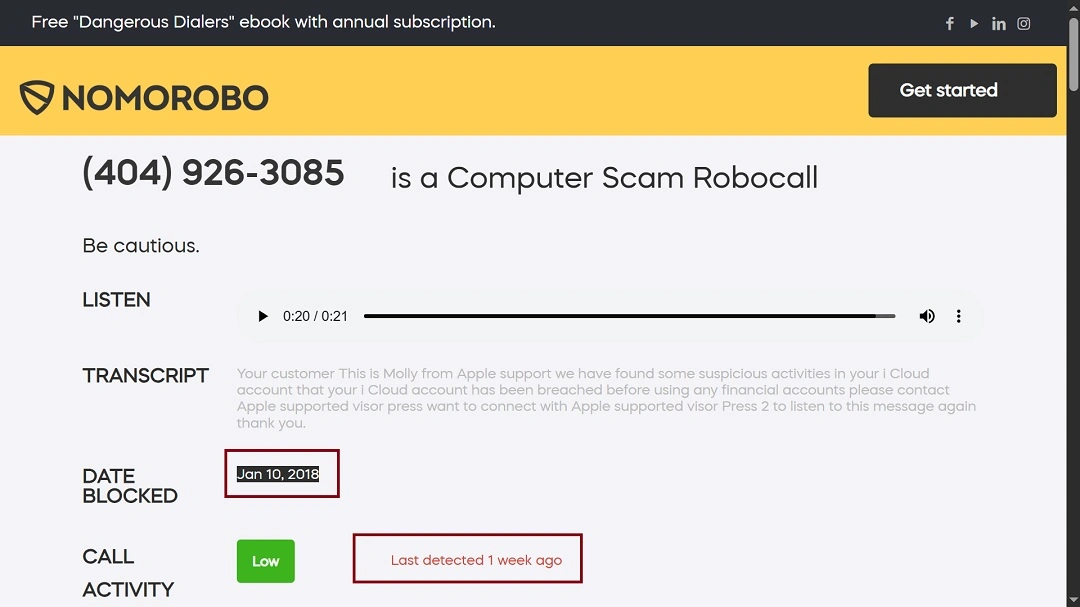
These types of Apple Support scams are not new, despite having been modernized. In fact, the same phone number, (404) 926-3085, which belongs to a real Apple Store in Atlanta, Georgia, has been spoofed by scammers since at least 2018, as the image below shows.
In 2025, anti‑fraud observers reported that phishing attacks impersonating tech companies remain among the most common scam types, including Apple iCloud scams. Here’s how you can protect yourself.
Be suspicious of calls and messages
To avoid falling for these types of scams, follow Apple’s official advice. Be suspicious of any calls, SMS, and messages that you receive. Also, be aware that scammers can abuse Apple’s own Support and security mechanisms and messages to convince users to give away their passwords and 2FA.
Never give your passwords or codes to someone over the phone. If you want to talk with Apple Support, contact them through their official page instead. Users should also use two-factor authentication and keep contact information secure and up to date. Never download software from untrustworthy sources, and report any scam or phishing to your local authorities. Also, report it to [email protected] or [email protected].
Use Mac security software to detect stealers
A common way for cybercriminals to get hold of users’ account data is to plant stealer malware. Use an antivirus tool like Moonlock to run regular scans and block the malware before it’s able to steal any data.
Change your Apple account password
If you were caught off guard and fell for this scam, reset your iCloud password immediately and sign out of any device signed in to your iCloud account by following Apple’s official guide.
Final thoughts
Some scams involve simple robocalls that raise red flags right away. Others, like this one, are more sophisticated and involve a well-thought-out scammer script using Apple’s own system of user security against them.
If online scams were easy to detect and avoid, they wouldn’t exist. Unfortunately, as reports show, new waves of Apple impersonation scams are emerging, some of which are more sophisticated than ever. Overall, it’s important never to underestimate a scammer.