When someone gets a snap, it feels more personal than an email or a standard text message, especially when it appears to come from a friend or an account that looks familiar. Someone is trusting you with a message that doesn’t stick around. Scammers rely on that trust.
What are Snapchat scams?
Snapchat scams are deceptive schemes that use Snapchat chats, fake accounts, phishing links, or impersonation to steal money, login access, personal information, or private content.
Snapchat is a natural target because quick conversations, fake accounts, and stolen profiles can make scams feel familiar. More recently, AI has added another risk, as fake profiles look more realistic and scam messages sound more natural.
Snapchat scams follow the typical playbook
Most Snapchat scams follow the same emotional path as other common scams: hook, trust, trap, vanish.
The hook might be a fake flirtatious message or a friend asking for help, which the scammer uses to then gain your trust by posing as someone familiar or attractive. They may also be just someone hard to ignore.
The trap is embedded in the request, whether it’s a Snapchat code text, payment, fake age verification link, phishing page, private photo, or login details. Once the scammer gets it, they may block the victim, lock the account, or use the profile to target friends.
Here are some signs you may already be a victim:
- You are suddenly locked out of your Snapchat account.
- Your friends receive strange messages, links, or money requests from your account.
- Your personal information or contacts change without your approval.
- Someone threatens to leak images or expose private chats, or they keep asking for payment.
How dangerous are AI threats on Snapchat in 2026?
AI makes Snapchat scams harder to verify because the fake material can be created from scratch. A scammer can generate a realistic face and build a profile with several matching photos.
The bigger risk is synthetic blackmail, in which a scammer uses legitimate public photos to create a fake explicit image. They then threaten to share it as if it were real. Tools like voice cloning can also make impersonation scams feel more convincing, especially when a scammer pretends to be a friend in trouble.
Most common Snapchat scams
The most common Snapchat scams usually fall into a few categories like those listed below. Some start inside Snapchat, while others begin on dating apps, texts, emails, or fake websites before moving into the app.
1. Snapchat phishing scams
Snapchat phishing often starts with a fake warning about a locked account or suspicious activity. The scammer then sends a link that may open a page that appears to be Snapchat’s website. In reality, it is a convincing fake. The URL can be the giveaway that it’s a scam.
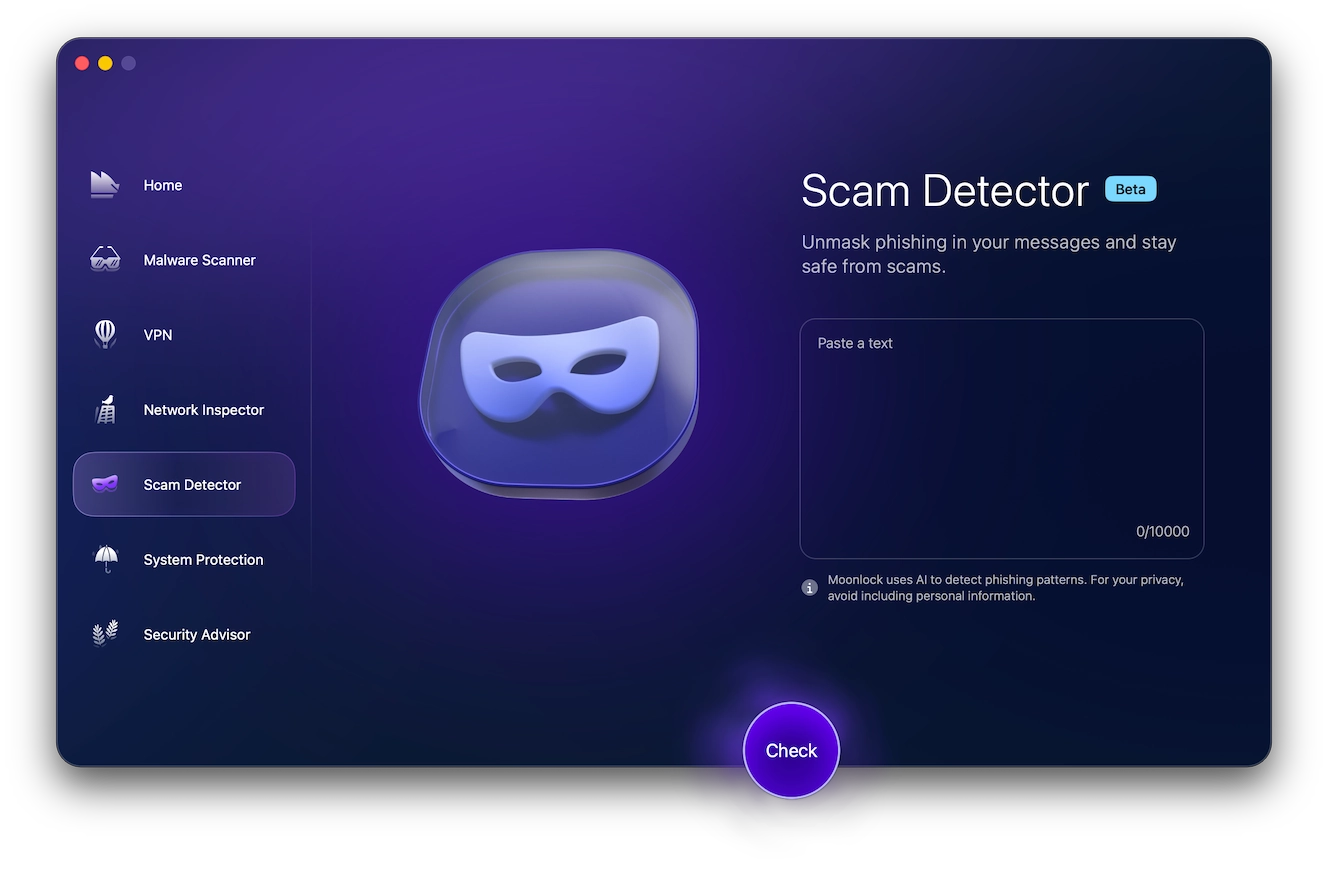
Phishing is one of the most common dangers of Snapchat. If a Snapchat-related message feels suspicious, use Moonlock’s Scam Detector before clicking. Sign up for Moonlock’s 7-day free trial. Open the Scam Detector and paste the suspicious email/message/chat into the tool. Then click Check and review the scam probability score.
2. Sextortion and blackmail scams
A Snapchat blackmail scam may begin with flirting, catfishing, hacked content, or a fake explicit image. The scammer then threatens to send the material to family members or followers unless the victim pays.
In one 2026 DOJ case, prosecutors alleged that a man posed as Snap Inc. by text, asked thousands of people for Snapchat access codes, and used some of those codes to access accounts.
Do not pay. Payment can lead to more demands. Instead, save screenshots, stop replying, and report the account.
3. Romance scams and catfishing red flags
A Tinder or Bumble Snapchat scam often starts on a dating app before the person asks to move the conversation to Snapchat. From there, the scammer may push for private photos or send a fake age verification link (which may collect card details, passwords, or identity information).
The warning signs of these scams usually show up very quickly. The scammer suddenly gets intense, will avoid video calling, asks for secrecy, or turns the conversation toward money or sexual content.
4. Sugar daddy or sugar mommy scams
Sugar daddy and sugar mommy scams promise money, gifts, or a monthly allowance. The scammer may ask for bank details or a gift card as “proof” of loyalty to them. In another version, they send money from a stolen card or compromised account, then ask the victim to send part of it back.
A good rule to follow: If someone sends you money, don’t touch it for at least 30 days. Until that money has cleared, it isn’t yours.
5. Friend account recovery fraud
This Snapchat code text/OTP scam works because it appears to come from someone familiar. A friend says they are locked out and asks for a code that Snapchat sends to your phone. The problem is, the account may actually belong to a scammer who has already hacked them.
Never share one-time passcodes or login links; if a friend asks for help, call them directly.
6. Fake job, investment, and money-making scams
These scams pitch easy cash, whether through sponsorships, paid promotions, or influencer work. The scammer may ask for a deposit or request account access to “set up” the opportunity. Remember, a real job or investment offer will not require a Snapchat password, gift card, or recovery code.
7. Premium Snapchat fraud
“Premium Snapchat” is not an official Snapchat feature. Rather, it is a phrase often used by scammers to sell private adult content. They then disappear after payment or send users to fake sites to collect financial details.
8. OnlyFans scams on Snapchat
A Snapchat OnlyFans scam may involve a fake content creator account that is offering discounted access or private content. These accounts often use stolen/AI-generated images or copied material.
9. Fake giveaway and contest scams
Fake contests offer cash, concert tickets, or gift cards. To claim the prize, the victim is asked to verify their identity or pay a fee. Real giveaways do not need Snapchat passwords or one-time codes.
10. Celebrity and brand impersonation scams
Scammers copy celebrities, creators, brands, and executives. Snapchat itself once reported a payroll phishing incident where an email impersonated its CEO. For public figures, their accounts should have a Snap Star badge. It is also important to compare the account with a verified presence elsewhere.
11. Fake product scams and counterfeit deals
A fake product scam on Snapchat may advertise designer goods or collectibles at unusually low prices. Once engaged, the seller of these items pushes for quick payment and then will block the buyer or ship a counterfeit item.
How to recognize a Snapchat scam
A Snapchat scam usually asks you to hand over something that protects your account. This can include anything from a one-time code, password, or login link. The message may also push you to keep the conversation private or open a shortened link that hides the real website.
A more reliable way to spot a scam on Snapchat is with Moonlock’s Scam Detector tool. Here’s how it works:
- Start your Moonlock 7-day free trial.
- Download Moonlock and open the Scam Detector.
- Paste the content of the suspicious snap or message into the text box.
- Hit Check.
- Based on the content, Moonlock will determine the likelihood that the message is associated with a scam and provide recommendations on how to proceed.
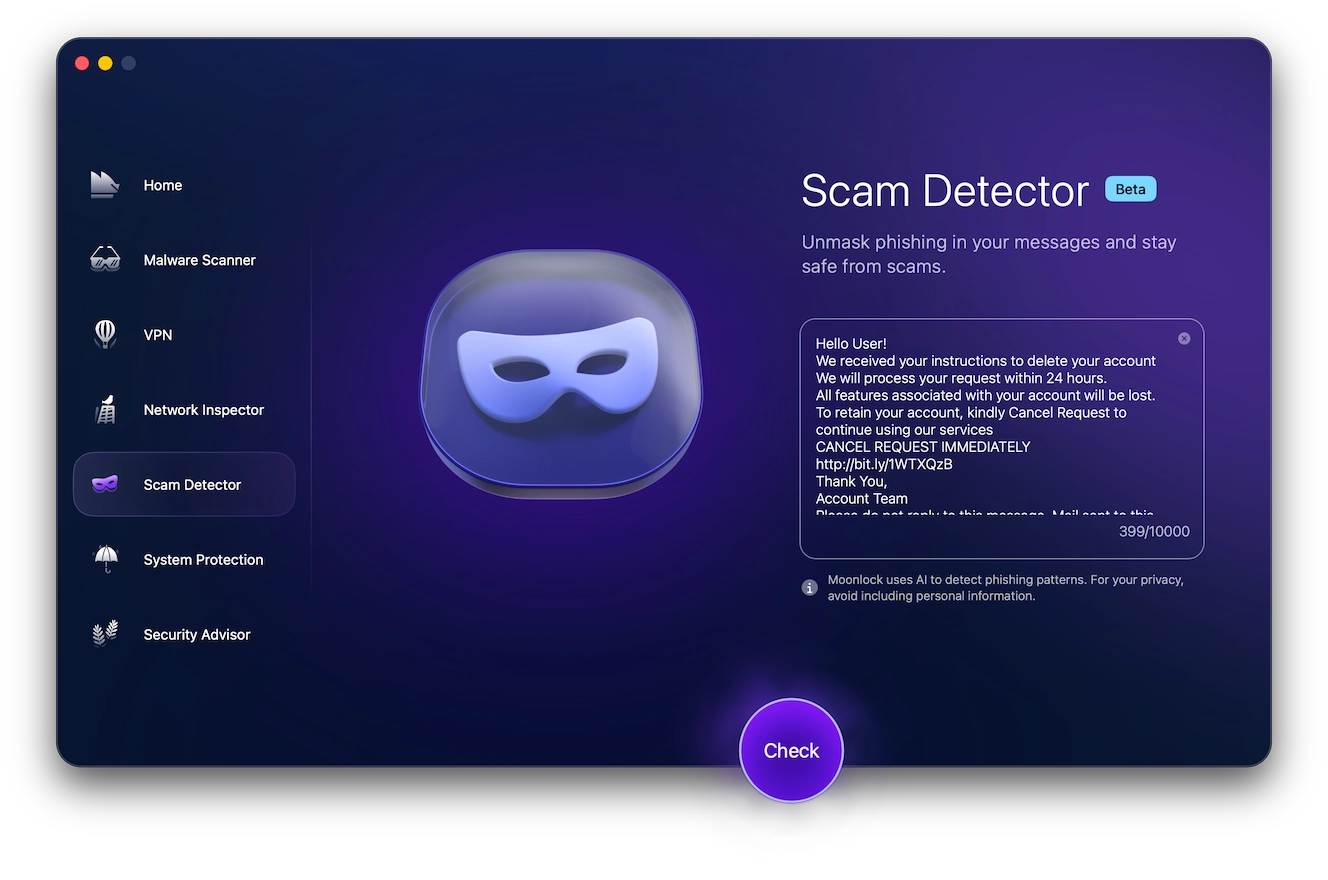
The Moonlock Scam Detector bases its evaluation on common telltale signs of scam content. Below, you’ll find a few red flags you can use to spot fake Snapchat content.
9 ways to spot a fake Snapchat account
- Check the Snap score. A very low score can be suspicious if the account claims to be active or well-known.
- Look for a Bitmoji. Many real users personalize their profile.
- Check for the Snap Star badge. “Public figures” without one aren’t real public figures.
- Review the photos. Watch for stolen images, inconsistent faces, or overly polished/edited pictures.
- Read the messages. Odd phrasing, rushed requests, or sudden pressure can point to a scam.
- Keep an eye out for bot behavior, as repeated scripts and irrelevant replies are common.
- Review all friend requests. Zero mutual friends or an unfamiliar location can be a warning sign.
- Question fast offers. Money, gifts, adult content, or investment pitches should raise concern.
- Verify information elsewhere. A real friend will be able to confirm their identity through another channel.
What do you do if you fall for a Snapchat scam?
It’s best to avoid a Snapchat scam entirely. But if you find yourself the victim of one, here are a few vital steps to take:
- Save screenshots before blocking the scammer.
- Report the account in Snapchat.
- Change your password.
- Verify your email and phone number.
- Review active sessions.
- Remove unknown devices.
- Turn on 2-factor authentication.
- If money was involved, contact your bank or payment app.
Fraud can be reported to ReportFraud.ftc.gov, and online crime can be reported to ic3.gov. For sextortion involving minors, contact NCMEC or the FBI. For image-based threats, use TakeItDown.NCMEC.org for under-18 cases and StopNCII.org for adults.
Run a malware scan
If you think you may have engaged with a Snapchat scan, your Mac could be at risk. Fortunately, a dedicated antimalware tool can help. Moonlock’s Malware Scanner tool can help detect malware that found its way onto your Mac as a result of a Snapchat scan.
Here’s how to scan your Mac for malware:
- Download Moonlock, free with a 7-day trial.
- Open Moonlock and click on the Malware Scanner.
- Choose your scan type and hit Scan.
- All detected threats will be moved to Quarantine, where they can no longer harm you or your device.
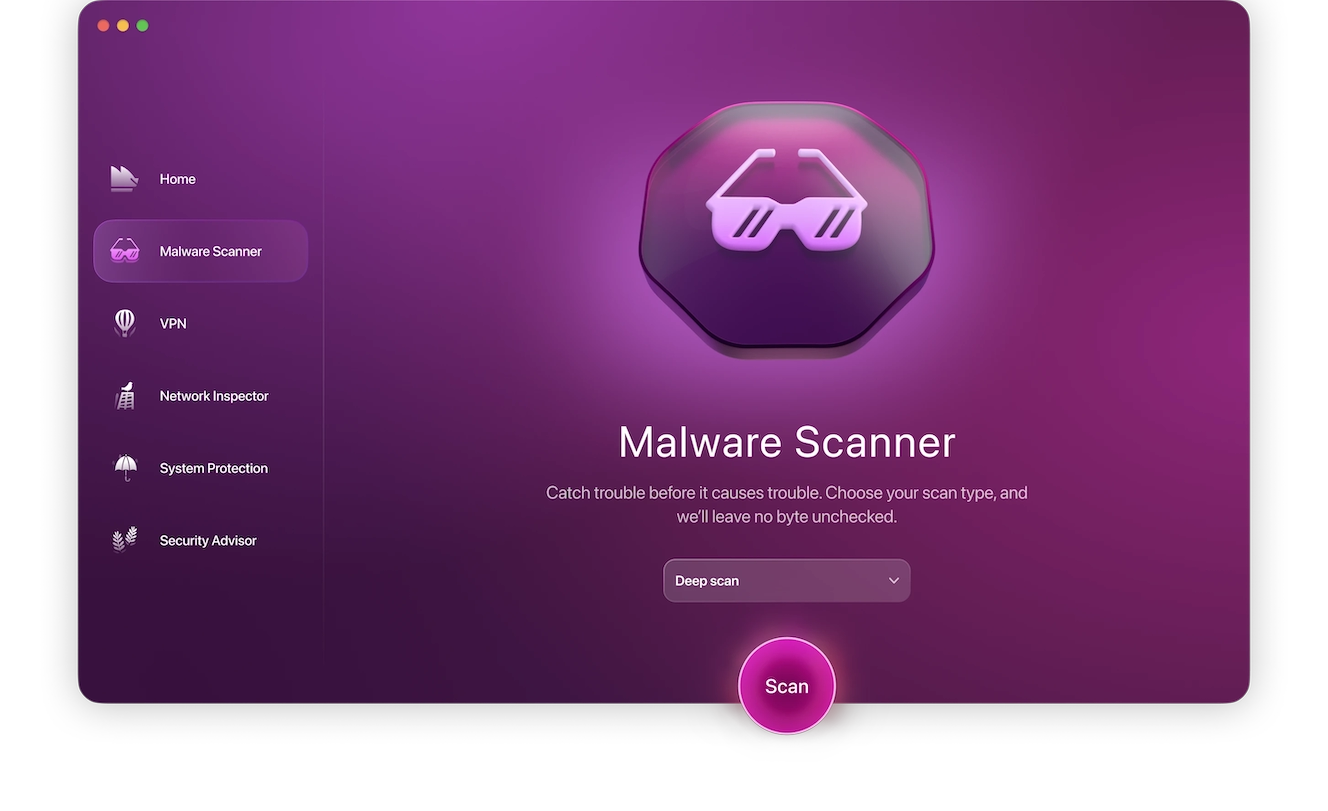
Once threats are safely in Quarantine, you can review the results and remove them from your Mac for good, ensuring a safer Snapchat experience.
Ways to protect yourself from Snapchat scams
A few changes in app settings and habits can stop many scams early. Here are a few options to consider:
- Use a strong and unique password.
- Turn on 2-factor authentication with an authenticator app like Google Authenticator.
- Never share passcodes/login links/passwords/recovery codes.
- Keep your email and phone number up-to-date.
- Remove any sessions you do not recognize.
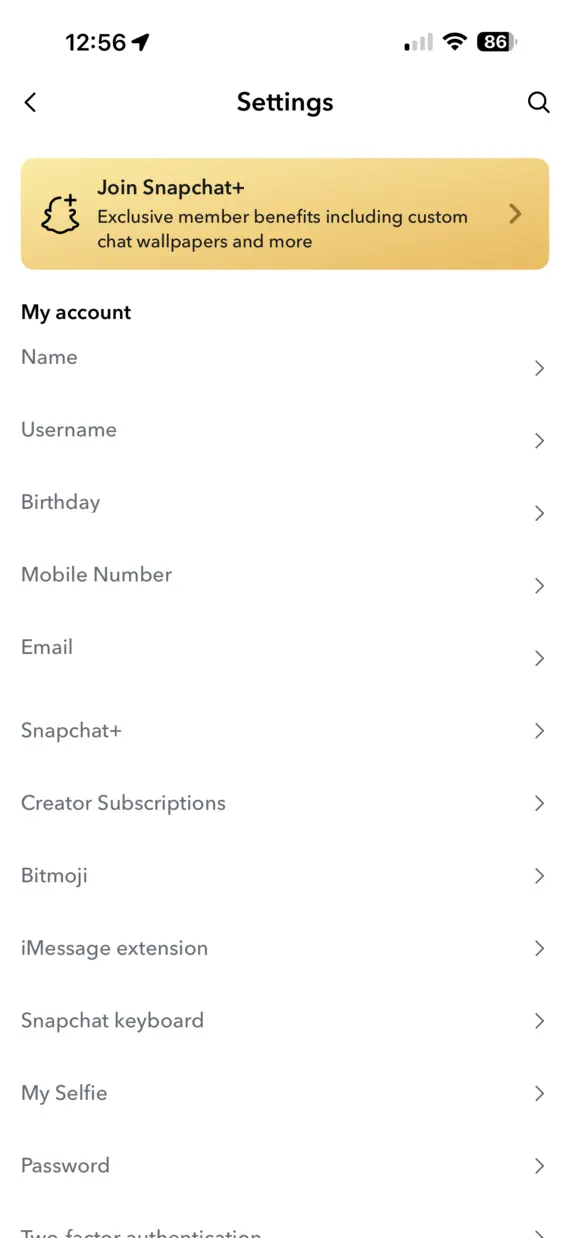
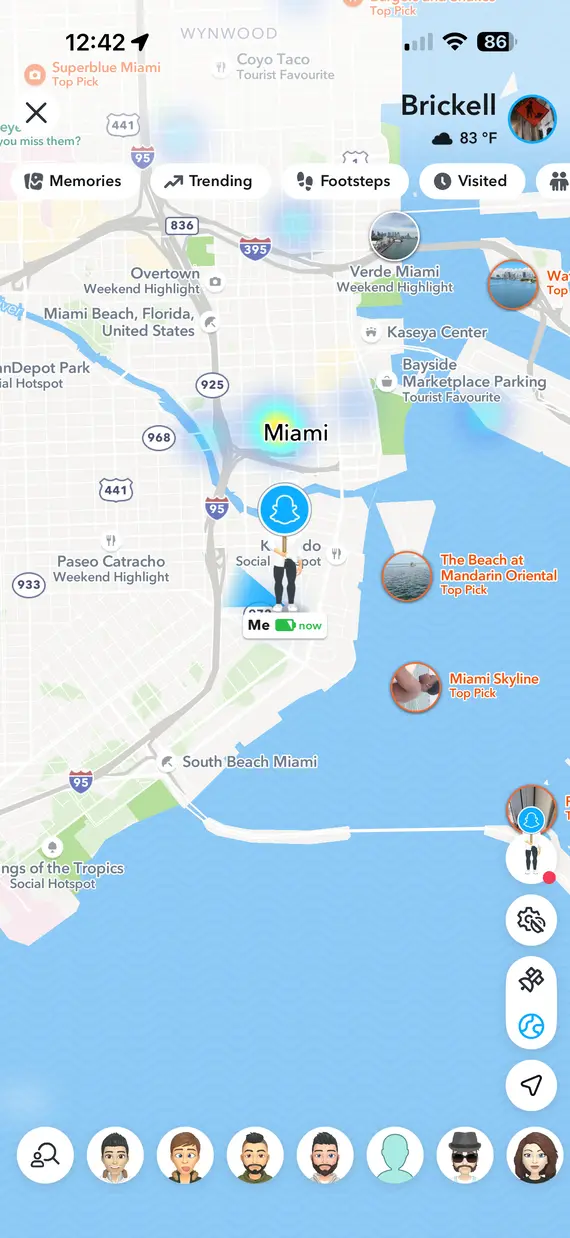
- Limit who can contact you/view your Stories or see your location.
- Use Ghost Mode on your Snap Map to protect your location.
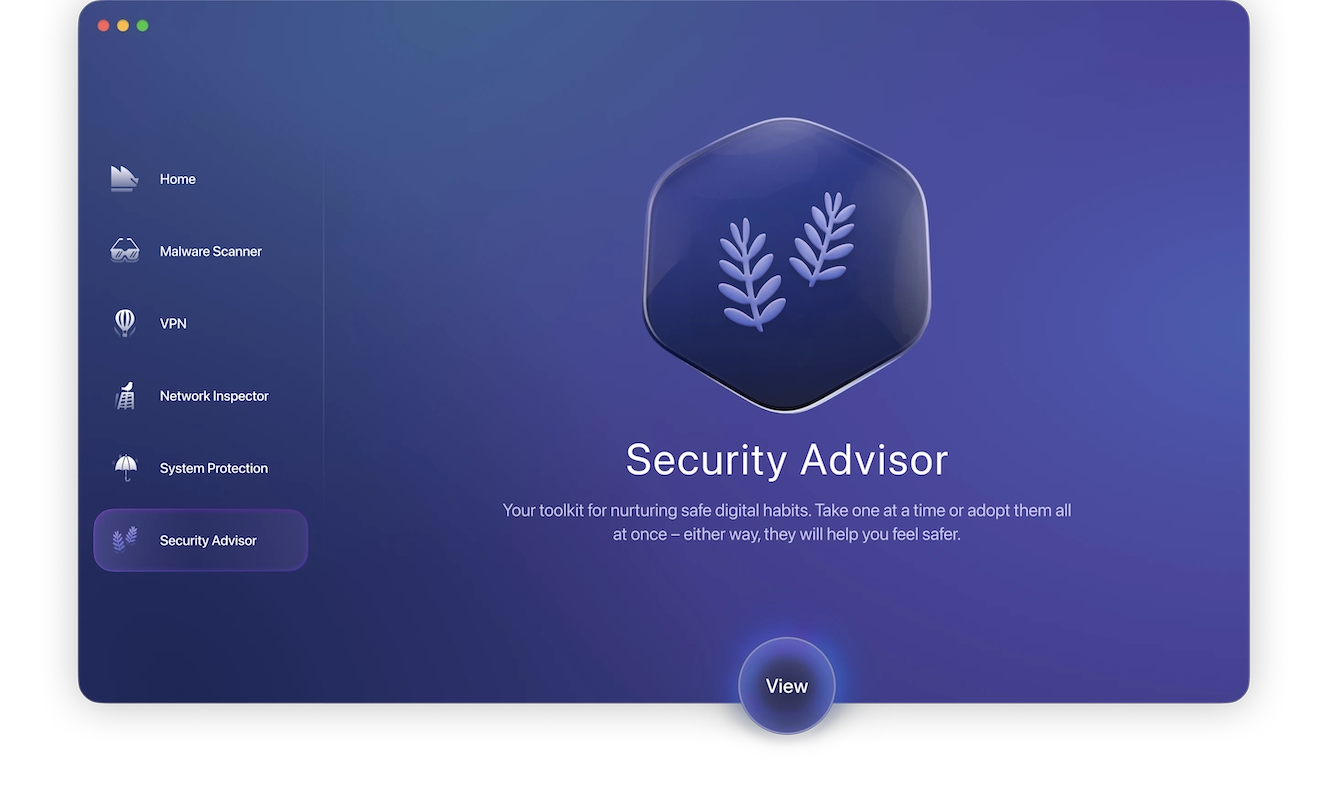
- Use Moonlock‘s Security Advisor on your Mac. It helps flag reused passwords, risky pop-ups, public Wi-Fi use, and loose app permissions.
Snapchat scams work best when victims react quickly, so be sure to pause, check the account, and protect your codes before responding.
This is an independent publication, and it has not been authorized, sponsored, or otherwise approved by Snap Inc. Snapchat is a trademark of Snap Inc.