




Whether it’s managing emails, calendar events, generating daily briefs, or organizing your documents, AI agents promise to be the future of computing. By leveraging the popularity of OpenClaw hub, the most popular AI agent platform, which has over 2 million active users, cybercriminals are going on an agentic AI rampage, with a wide range of malicious activity reported.
But one of the attackers jumping into this new agentic AI attack surface immediately stands out. It is none other than the Atomic Stealer—aka AMOS—going after Mac users once again. This AMOS stealer campaign might be on the cutting edge of technology, but, fortunately for users, its techniques are nothing new. Let’s dive in.
An old dog with no new tricks jumps in on the AI agent frenzy
The March 13 Weekly Threat report from CYFIRMA highlighted an AMOS campaign as one of the most popular pieces of malware in use. The CYFIRMA report is based on data collected from various forums where cybercriminals discuss malware to be used in live cyberattack operations in the wild.
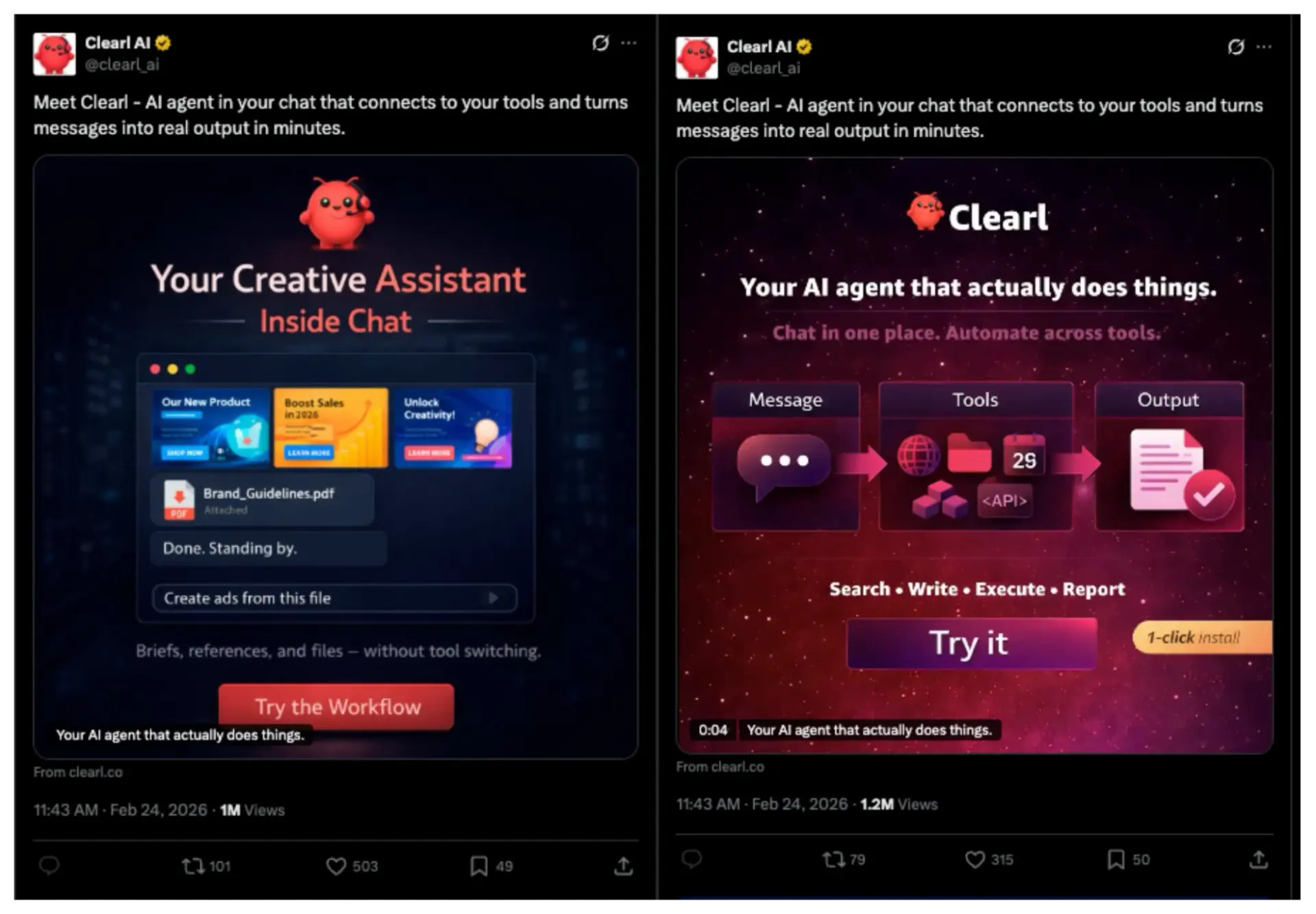
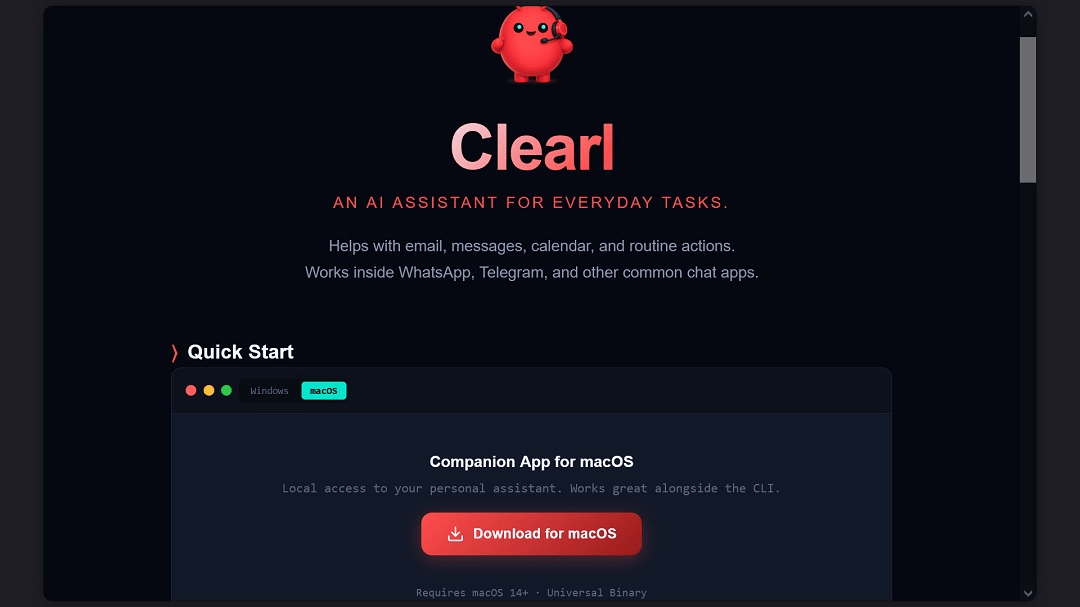
This new AMOS campaign is impersonating the OpenClaw AI assistant. Intel471 reported that the site being used to distribute this AMOS payload is clearl[.]co, although there could be other sites.
As a quick reminder, if AMOS breaches your Mac, it can steal your data, files, browser passwords, and crypto wallet data.
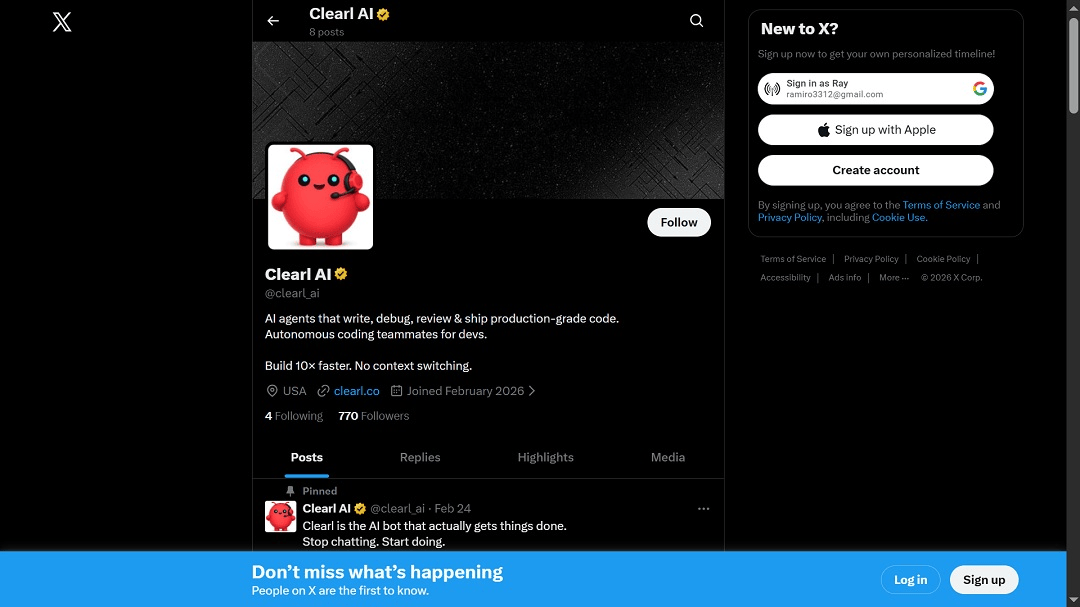
The attackers also have an active X account where they promote the malicious site. The X account was created recently, in February 2025. Both the X account and the malicious site were active at the time this report was filed.
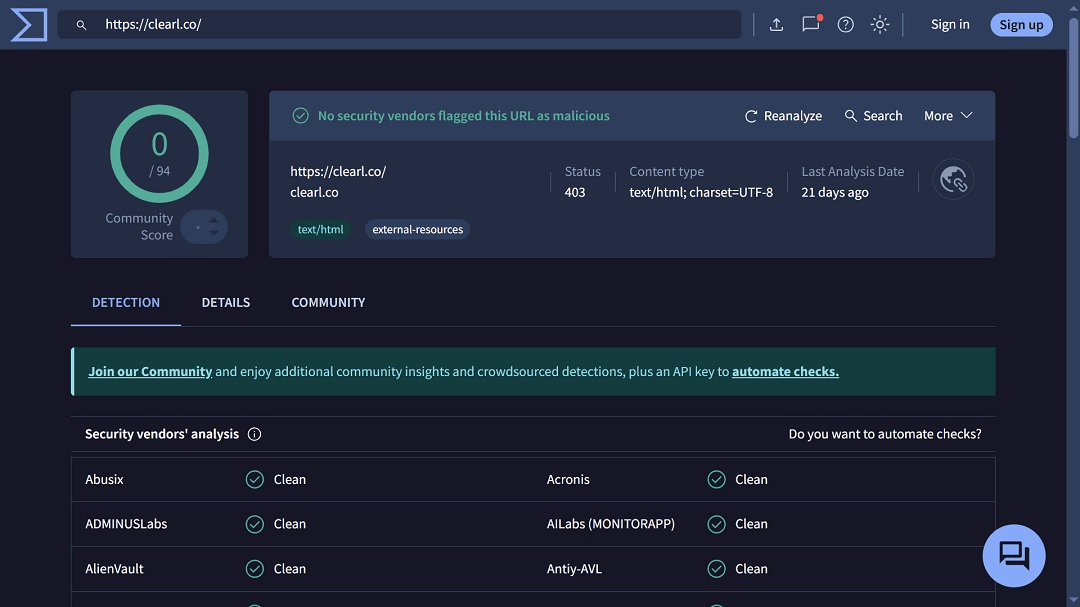
Data from VirusTotal shows that the site clearl[.]co is completely undetected by all major anti-malware engines. This means that the infrastructure of this AMOS campaign is still intact.
Data from Intel471 also shows that the threat actors behind this campaign have made significant efforts to distribute this new AMOS payload among Mac users, with one post on X reaching 1 million views.
How the AMOS attack that imitates OpenClaw works
AMOS stealer operators use several social engineering techniques to trick you into installing the malware on your computer. This campaign is no different. The attack relies on your trust, which it manipulates by impersonating OpenClaw, a popular website.
CYFIRMA reported that the AMOS payload is presented to users as a legitimate software installer. The name of the download file is Cleal_AI.dmg. Within this disk image is an application bundle named Clearly AI.app and supporting folders and files typically found in macOS disk images.
“This structure is designed to resemble a normal macOS application package, thereby reducing suspicion from users during installation,” the CYFIRMA report reads.
How does AMOS bypass Gatekeeper and other built-in Mac security?
CYFIRMA analysis of the AMOS payload used in this campaign reveals 4 MITRE ATT&CK techniques used by the malware to bypass your Mac’s built-in security control tools, like Gatekeeper.
1. User execution: Malicious file (T1204.002)
In this technique, attackers rely on users to open malicious files because the auto-execution of malicious files is usually blocked by Mac computers. This is usually done via instructions that mislead users and guide them through the installation of the malware.
The malware is distributed as a .dmg (disk image) file, disguising itself as popular Mac software and creating a false sense of legitimacy. Users might double-click the file or follow the prompt to “Open anyway.”
2. Obfuscated files or information (T1027)
The technique T1027 is when attackers hide the malware’s true intent from static analysis tools like XProtect. In this AMOS campaign, the binary may be encrypted or packed with custom XOR loops or junk code. Security software apps or antivirus software you might have running on your computer fail to detect the malware, as it is obfuscated.
3. Masquerading: Invalid code signature (T1036.001)
Malware developers that use this technique may spoof or steal legitimate software data signatures from valid developers or companies like Apple or Adobe. The result? Instead of seeing a high-level “Malicious Software” warning, the user might see a more common “Unverified Developer” message. This makes the malware look like a harmless niche app rather than a virus.
4. Subvert trust controls: Code signing (T1553.002)
This technique is the technical bypass of the malware. By using spoofed, stolen, or copied legitimate software developer signatures, the attackers not only trick the user but also bypass the technical architecture of your macOS.
Reports like this one from PaloAlto Unit 42 show that malware targeting Mac users uses scripts to remove the Quarantine Flag (com.apple.quarantine) from itself once users perform the initial “Right-Click > Open” maneuver to bypass Gatekeeper.
By stripping this flag, the malware “subverts” the trust control, and your Mac now thinks the file is a trusted local app.
How to keep safe from Mac threats linked to OpenClaw and AI Agent technologies
Below, you’ll find some tips and helpful information to help you navigate the agentic AI era more safely.
Malware can bypass your Mac’s built-in security. Try the Moonlock app.
Your Mac security is strong, but not ironclad. While macOS malware relies on tricking you into installing it on your computer, it is also coded for technical bypasses of your Mac’s built-in security controls, like TCC and Gatekeeper. To add a valuable layer of security to your Mac, download the Moonlock app. Its anti-malware engine is continually updated to detect the signature of the latest malware, like AMOS, and many others.
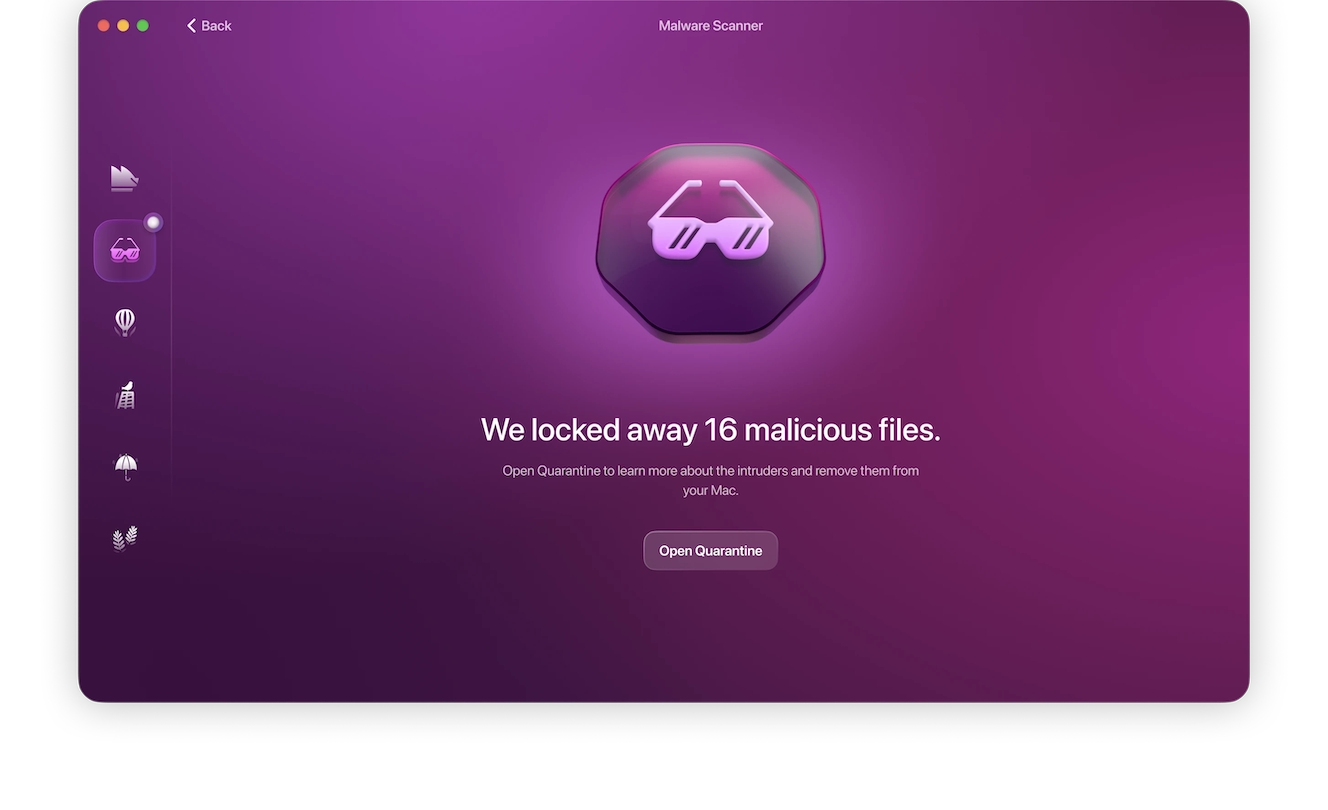
The Moonlock app will run smoothly in the background and check every file you interact with, moving suspicious ones to Quarantine, where you can learn more about them and remove them on your own time.
You can try out Moonlock for free with a 7-day trial.
When you automate, limit the access you grant
Automation is great, but by its very nature, it implies that you are handing control over to machine processes. When you give that control away, the risks are numerous. If your AI agent has access to your entire computer and all of your accounts, the risks are even greater.
If you do decide to automate tasks, make sure to limit the access you give the AI agent. Also, ensure that security and privacy controls are in place when automating.
Be aware that the AI agent hype is being abused by cybercriminals
VirusTotal recently reported that hundreds of resources on OpenClaw, known as “Skills,” are malicious. The company said that OpenClaw began as an ecosystem for AI agent innovations but quickly became a supply chain attack surface where criminals distribute and host droppers, backdoors, infostealers, and remote access tools disguised as helpful automation.
Simply being aware of the fact that cybercriminals are abusing the trust you may have in AI agent platforms like OpenClaw is a major step in the right direction.
Pause, breathe, and think before clicking or downloading
A good piece of advice that cybersecurity experts give all the time is to simply take a 5 or 10-second pause, breathe, and think before clicking or downloading files online.
As mentioned, malware relies heavily on social engineering. By pausing for at least a couple of seconds and considering the risks, you can avoid common attack techniques that only work if you are in a rush or not paying close attention.
Double-check websites, social media posts, links, and other signals
To avoid falling for impersonation campaigns, you can double-check website URLs, whether you found them via online search, saw them in sponsored search results or ads, or came across them on social media. Checking this information to see if it is official can help you pivot to the real digital resource you are looking for and avoid malware.
Final thoughts
AI agents are the next big thing in tech, and they are all over the place, rising to the top in every industry. So, unless you are living under a rock, you will come across agentic technologies sooner or later. Knowing that cybercriminals are aware of the hype, keeping up with Mac security news and new threat campaigns, and learning the techniques in play are good strategies if you are planning to leverage these new emerging technologies.





