




Security researchers are reporting on 2 new macOS threats. While there is little information on these new campaigns, let’s dive into what we know and how you can keep safe.
Mosyle finds 2 new pieces of Mac malware going after Mac users
On Apr 22, 9to5mac ran a report on two Mac threats based on details shared by the Mosyle Security Research team. Mosyle is a mobile device management MDM security company that focuses on Apple devices.
The 2 macOS threats were dubbed Phoenix Worm and ShadeStager. The first is a stager, which gains a foothold on Mac computers and can be used for later breaches and attacks.

Stop the latest malware from infecting your Mac
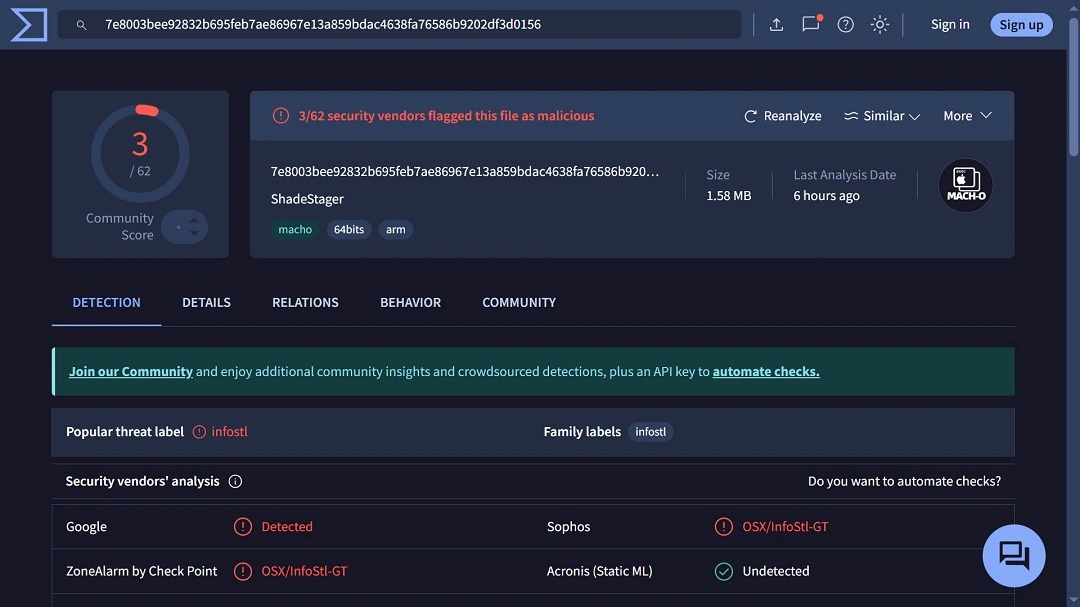
ShadeStager, on the other hand, is coded to steal credentials with a focus on usernames and passwords from developer platforms like Amazon Web Services (AWS), Microsoft Azure, and others.
Mosyle said that the threats are unconnected, but they show just how sophisticated Mac malware is getting.
What is Phoenix Worm, and what can it do?
Phoenix Worm, not to be confused with the Phoenix Backdoor (attributed to the Iranian state-supported hackers), is a new macOS stager.
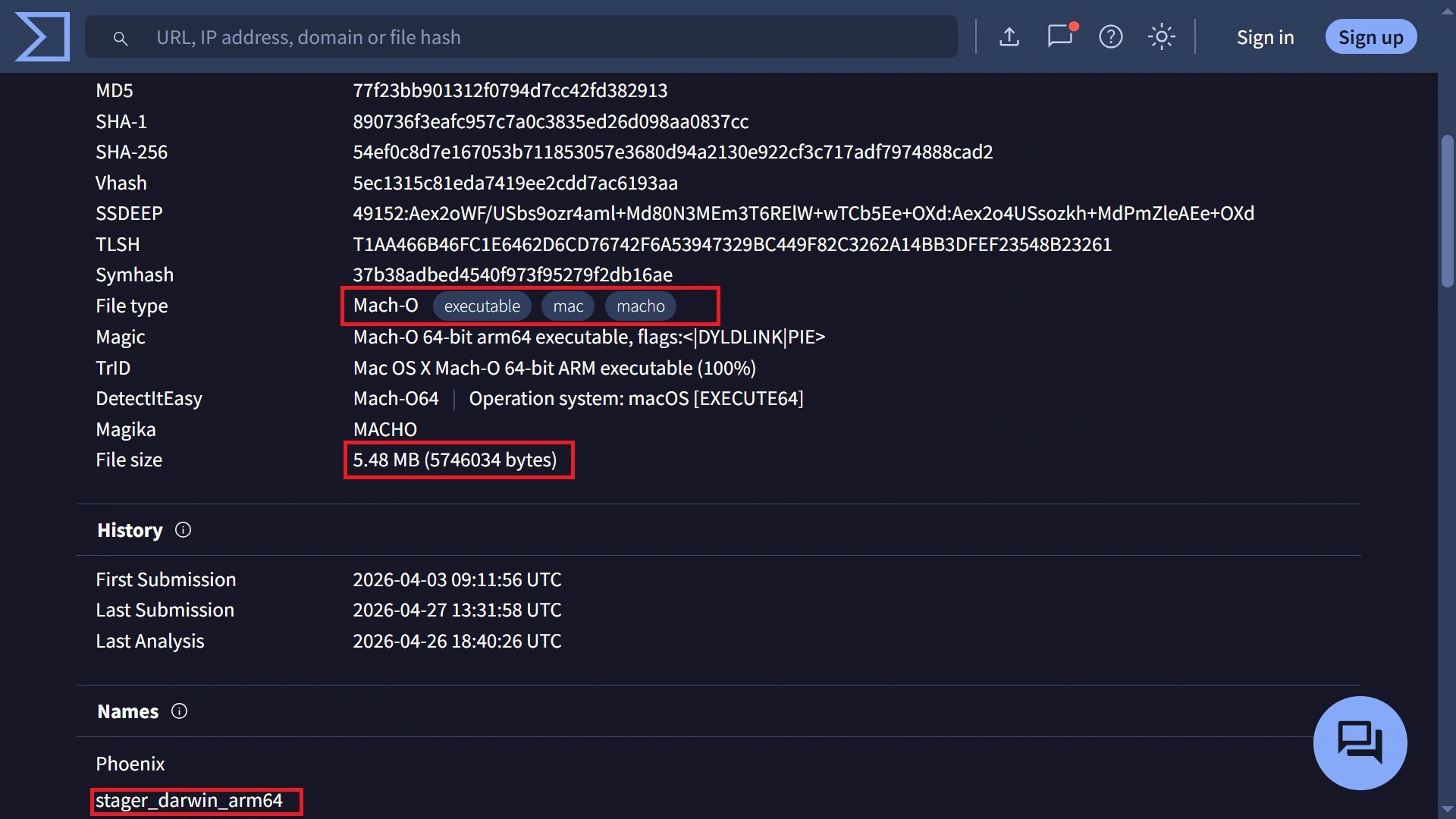
Mosyle said that Phoenix Worm is currently flying under the radar of most security engines. The malware is coded to breach your Mac, establish persistence, evade detection mechanisms, and install an encrypted C2 communication channel that attackers operate and control.
This type of malware is usually found as the first payload in macOS infostealers. Once a stager is mounted on your Mac, attackers can send and receive commands and data.
Stagers differ from backdoors because they are more agile and lightweight, and they are not fully equipped with the more complex features that backdoors have, such as advanced data extraction. Mosyle said that the threat is likely part of a broader kit.
Mosyle reports that this new Mac malware can generate unique identifiers for infected systems and transmit system data back to attackers. The malware also supports remote upgrades and additional payload execution.
The original file name of the malware on Virus Total is “stager_darwin_arm64,” as shown in the screenshot above. “Darwin” likely refers to the core Unix-like operating system that underlies macOS, iOS, watchOS, and other Apple operating systems, and “arm64” is a term that refers to the 64-bit version of the ARM architecture used in Macs with Apple Silicon chips.
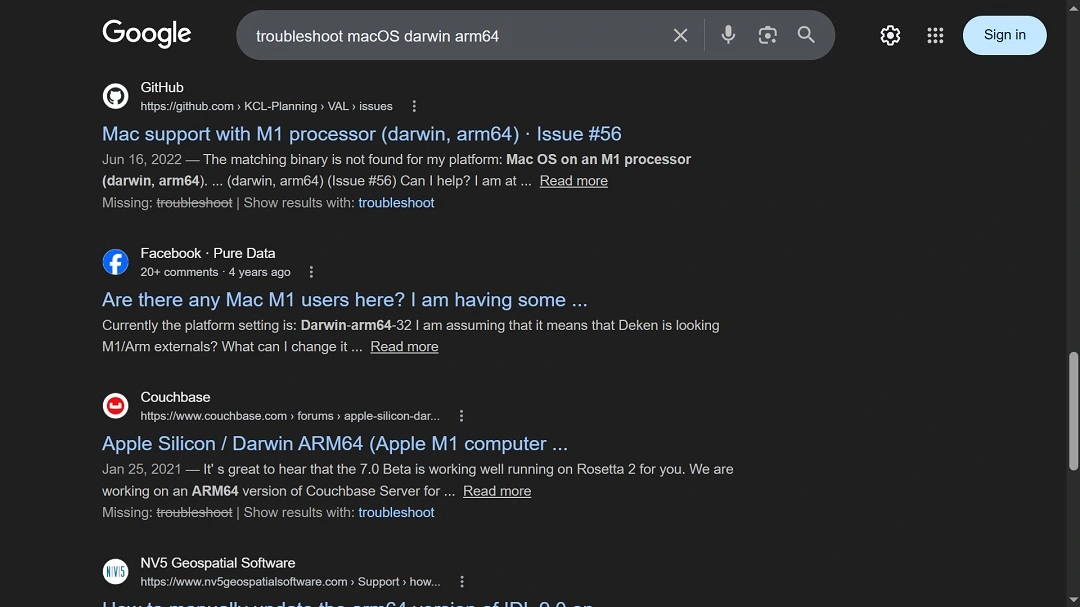
The file name and the terms found within it are linked to a common macOS troubleshooting issue that Mac developers commonly have, as shown in the image above—a Google search of what a user could type in when searching for solutions online.
This could mean that the malware was distributed as fake ClickFix instructions. But besides ClickFix, this malware could have been distributed via poisoned developer repositories, like maliciously altered GitHub code or other developers’ platforms, or other popular channels.
ShadeStager, Mac malware going after Mac developers’ passwords and secrets
On the other hand, ShadeStager is malware that steals your credentials. It focuses on developer environments and cloud infrastructure, with a focus on the following:
- SSH keys and known hosts
- Cloud credentials from AWS, Azure, and GCP
- Kubernetes configuration files
- Git and Docker authentication data
- Full browser profiles across major browsers
“It also runs extensive recon on the host, pulling user and privilege info, OS and hardware details, network configuration, and environment variables tied to cloud and SSH sessions,” said Mosyle. “Everything gets structured and exfiltrated over HTTPS, with support for command execution, data exfiltration, and file downloads.”
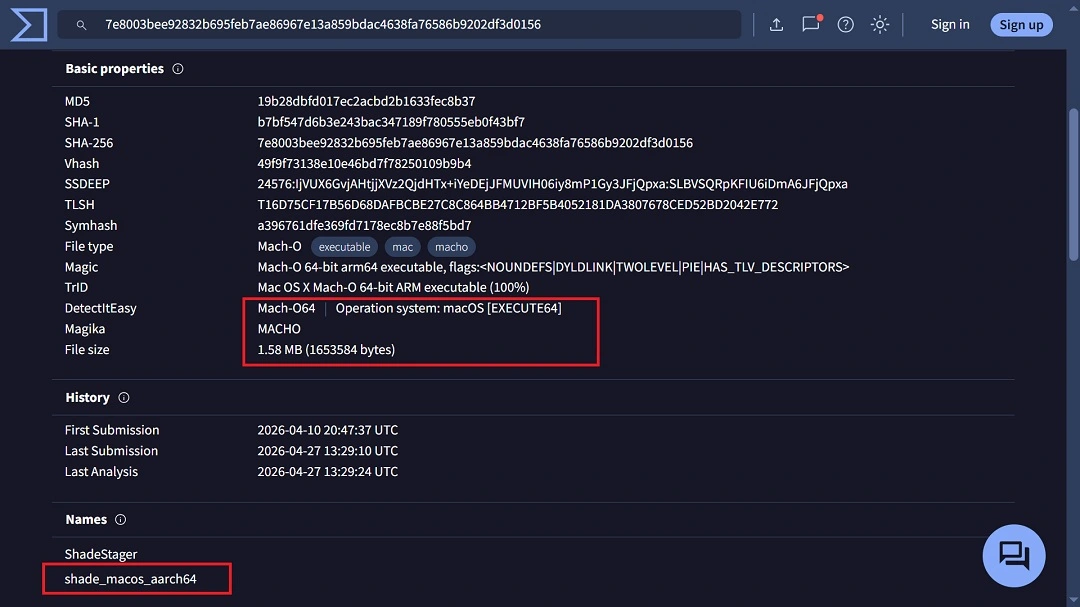
While the 2 threats are not connected, both pieces of malware have very low detection on security engines.
How to stay safe from new Mac malware
New pieces of macOS malware, like the ones Mosyle recently came across, make headlines practically every week. Some of them gain traction, while others fade away. All are significant to your Mac security if they can breach it. But how can you keep up with the pace? Below, you’ll find some tech tips, suggestions, and advice on how to do exactly that.
Get Moonlock. The app keeps up with all emerging malware, so you don’t have to.
The Moonlock antivirus app is constantly updated to keep up with new threats and malware signatures. This is great news for you, because it means that you do not have to stay updated with every single piece of breaking macOS cybersecurity news.
Moonlock runs silently in the background and only demands your attention when it detects suspicious activity or malware. The app is checking every file you interact with, including Terminal commands and emails, so everything that needs to be checked is checked. If it notices that something is off, it will notify you and move the threat to Quarantine.
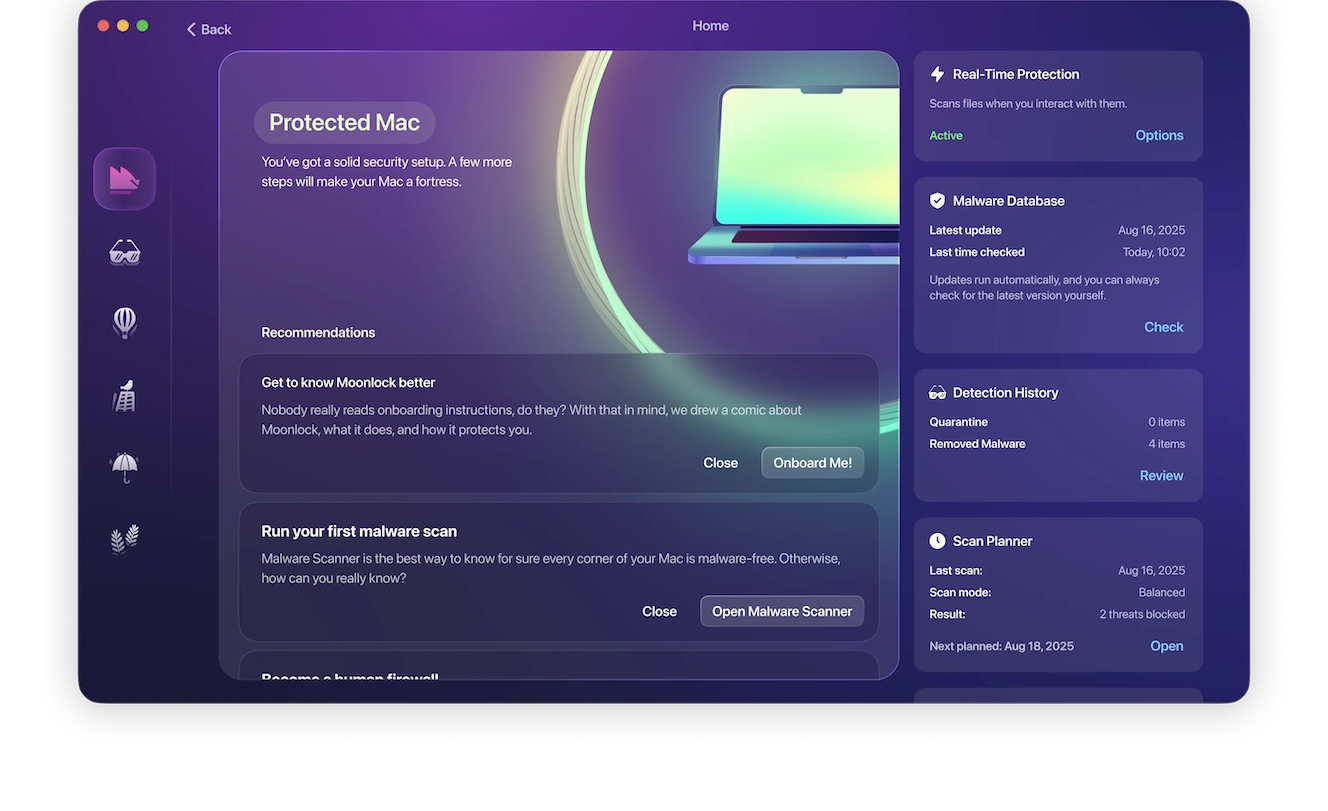
In Quarantine, the threat is completely isolated, so you can leave it there as long as you want. When you are ready, you can check Quarantine to learn more about what shady files your Mac came across, then delete them from your Mac completely.
Our advice? Download the Moonlock app and take it for a test drive for free to see how it feels.

The app also comes with a built-in VPN for safe browsing and a panel that can scan your current Mac security settings and guide you on how to turn those up to the highest level. Plus, through the Security Advisor, the app will give you tips to develop smart and healthy digital habits. You can try it for free and see how everything works.
Keep your Mac and apps updated
If you want to get the latest security patches for your Mac and your apps, keep them updated. Security teams at Apple, as well as makers of individual apps, are constantly patching vulnerabilities that attackers exploit. By keeping your Mac and your apps updated, you can get enhanced protection from the latest threats.
Enable MFA on your high-value accounts and secure your crypto with biometrics
Enabling multi-factor authentication on your most-used accounts goes a long way toward securing your data. You can use passkeys, authentication apps, or biometrics to secure them. Keeping your main crypto wallet off your Mac and enabling that device with biometrics is also a good idea.
Final thoughts
Whether it’s stagers or credential stealers, new malware and new social engineering tricks will continue to emerge. Follow the tips in this report for a safer digital well-being.
This is an independent publication, and it has not been authorized, sponsored, or otherwise approved by Apple Inc. Mac and macOS are trademarks of Apple Inc.





