
Certificates are the main security tech standing between you and a secure site. When certificates are weak, forged, or stolen, they can be used by threat actors and cybercriminals to launch cyberattacks. Less than 90 companies in the world, known as Certificate Authorities, issue the certificates used by everyone online, worldwide. Of these, to date, only 37 issue certificates trusted by Apple, Microsoft, Chrome, and Mozilla. But that number is going down.
One of those companies has fallen from grace after issuing incredibly weak intermediate certificates that were used in over 30,000 certificates. Let’s dive in to understand the eMudhra certificates incident, what it means to you, and how you can stay safe.

Give your Mac another line of defense
eMudhra shuts down certificate business after large-scale incident
eMudhra, a trusted global certificate authority, has announced it will shut down its global TLS certificate service after announcing it had issued 8 intermediate certificates with private keys so weak that they could be hacked in milliseconds, according to Security Researcher Scott Helme. According to eMudhra, over 30,000 certificates were estimated to have been impacted.
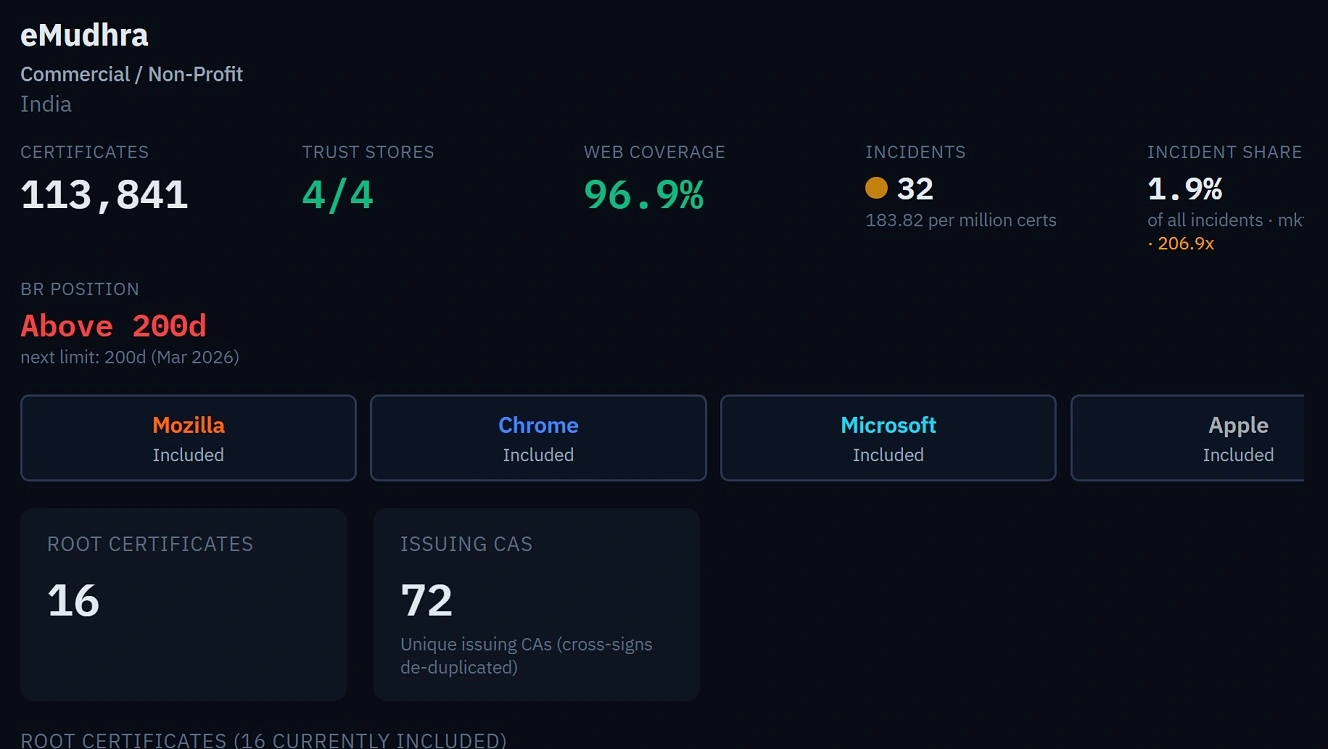
To date, there is no evidence that any cybercriminal or threat actor has exploited this vulnerability. Apple, Microsoft, Mozilla, and Chrome are now blocking browsers from these certificates, and a macOS update has been promised.
However, a lot of other users are exposed. This includes, according to Helme, those who use Terminal, curl, sh installers and self-updater tools; CI/CD pipelines like GitHub/GitLab, or Jenkins; server-to-server API calls including payment providers, webhooks, OAuth token exchanges and cloud SDKs, and IoT, embedded and OT devices including cameras, routers, cars, medical devices, smart appliances, payment terminals and industrial controllers. Windows code signing is also exposed, adds Helme.
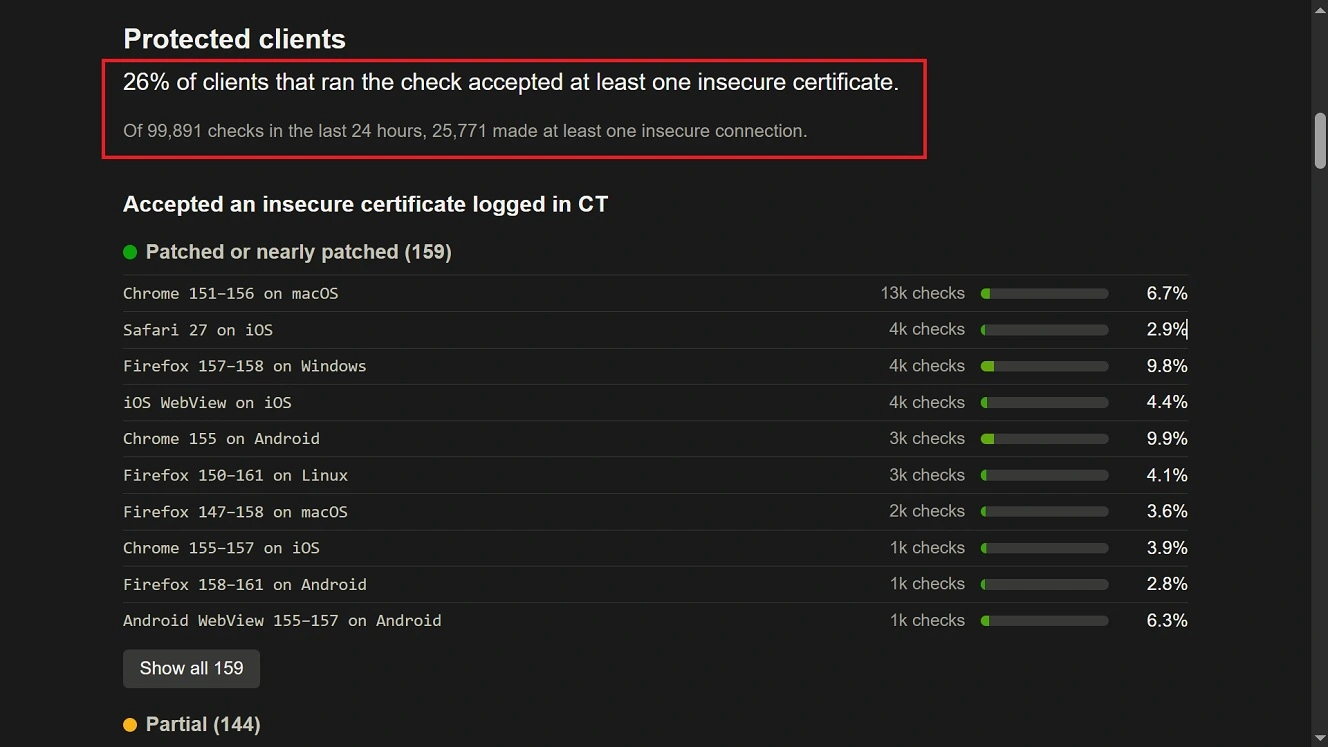
Apple released an official press release addressing how developers and those in these industries should manually revoke or remove certificates.
As mentioned, a weak certificate—or a stolen certificate—can be used by threat actors to launch cyberattacks. They can also be used to intercept and reroute your traffic or impersonate a trusted online organization.
A little context on the certificates that secure the online world
While certificates can be issued by any organization or company for internal use, certificates trusted by the main 4 browser vendors, Apple, Microsoft, Google, and Mozilla, are typically TLS certificates.
TLS certificates are the main authentication and encryption technology protecting users who access websites, mail account servers, and anything else that runs on a browser. This also applies to non-browser online services for developers or specific industries like banking or fintech.
These TLS certificates are digital data files that authenticate a website’s identity, enable the HTTPS protocol, and encrypt data transmitted between a web browser and a server.
TLS certificates have a public and private key. The public key is available to anyone, while the private key is supposed to be encrypted. When a connection shows that the keys match, the user knows they have connected to an authentic site.
You can check out the certificates of any site by clicking on the browser padlock icon “Connection is Secure.” This allows you to review the certificate details.
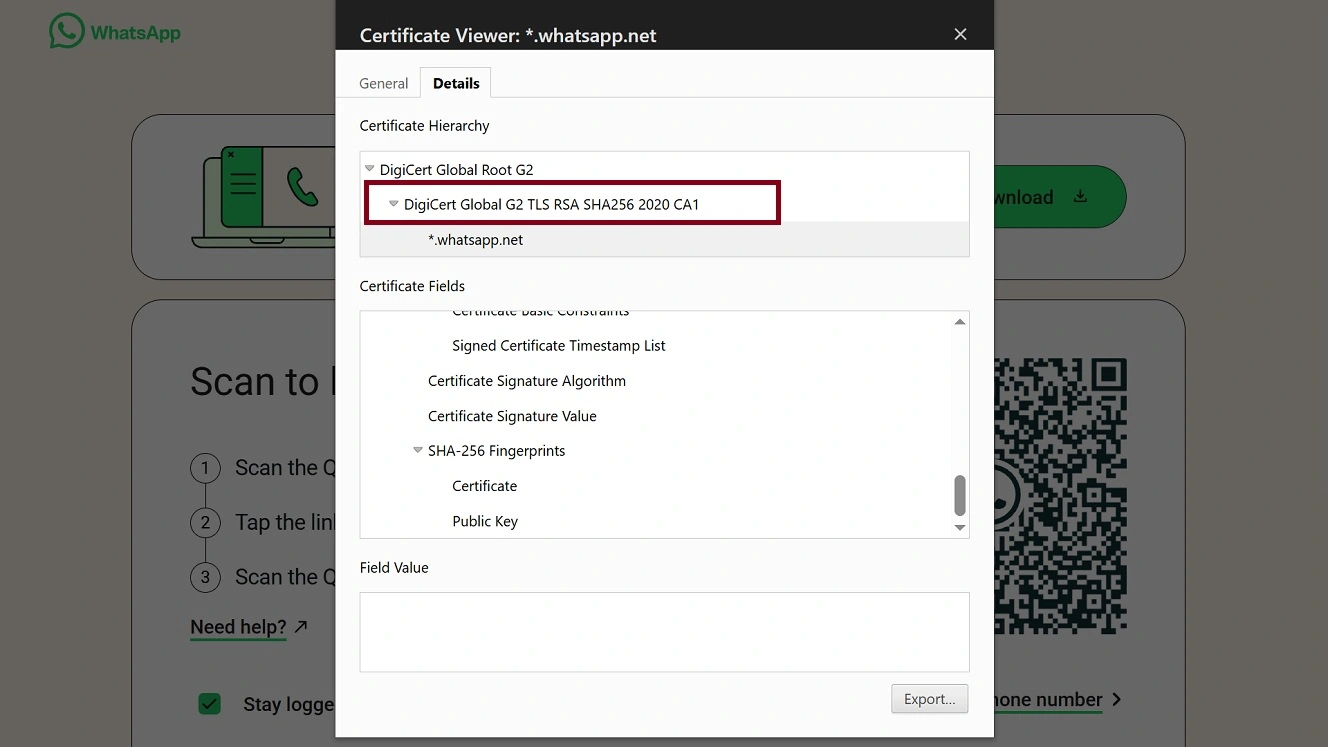
The private key of a TLS certificate not only checks a web server to see if it is genuinely owned by the organization it claims to represent, but also scrambles data in transit using public-key cryptography (asymmetric keys for handshaking and symmetric keys for session data). Certificates are also used to meet data protection rules like GDPR or HIPAA.
According to My SSL, as of 17 October 2026, there are 75 Certification Authorities (CAs). Only 37 are trusted by the root programs of all 4 major browser companies.
Root programs, owned by vendors like Apple, Microsoft, Chrome, and Mozilla, define which root certificates are trusted by their operating systems and browsers.
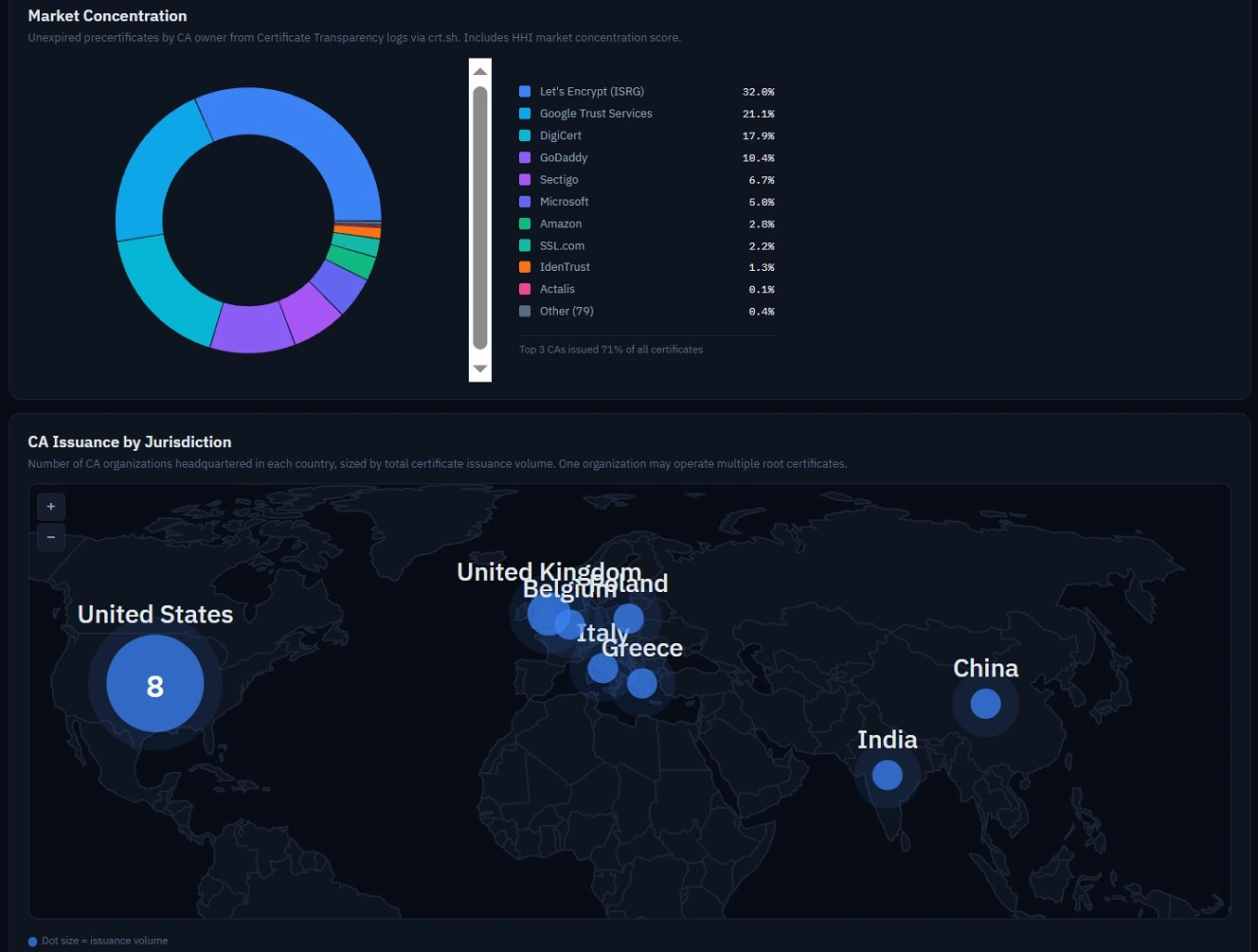
The WebPKI Observatory says the top 3 CAs issued 71% of all certificates. And 5 CAs control 88% of all publicly trusted certificate issuance, with Let’s Encrypt (32%), Google Trust Services (21%), and DigiCert (18%) ranking as the top 3.
Companies obtain these certificates when registering a site and enabling HTTPS through their hosting provider. Usually, this process, including renewal of certificates, which have an expiration date (in the case of the affected eMudhra certificates, they expire in 2039), is almost automatic.
As mentioned, private enterprise CAs, government PKIs, and internal certificate authorities can also use their own internal certificates.
Who governs and regulates global Certification Authorities?
Certificate Authorities are self-regulated and go through root programs managed by big tech, which set the rules and trust scores.
The Public Key Infrastructure Consortium (PKI) says Certificate Authorities and browsers jointly set additional rules through guidelines and requirements approved by the CA/Browser Forum. These apply to all CAs around the world. Additionally, the CA Forum, which is a voluntary group, has its own standards, meetings, and conference calls.
What happened with the eMudrha certificates?
On October 17, eMudrha notified the Root Program Teams that 8 of its intermediate certificates had compromised keys. Firefox and Chrome began blocking these certificates on October 17, Microsoft on October 20, and Apple products on October 22.
The private keys of the certificates that should be encrypted were so weak that they could easily be hacked by virtually anyone. eMudhra says the incident happened due to a “mistake.”
As Scott Helme noted, one of the eMudhra keys was just the number 4 (image below).
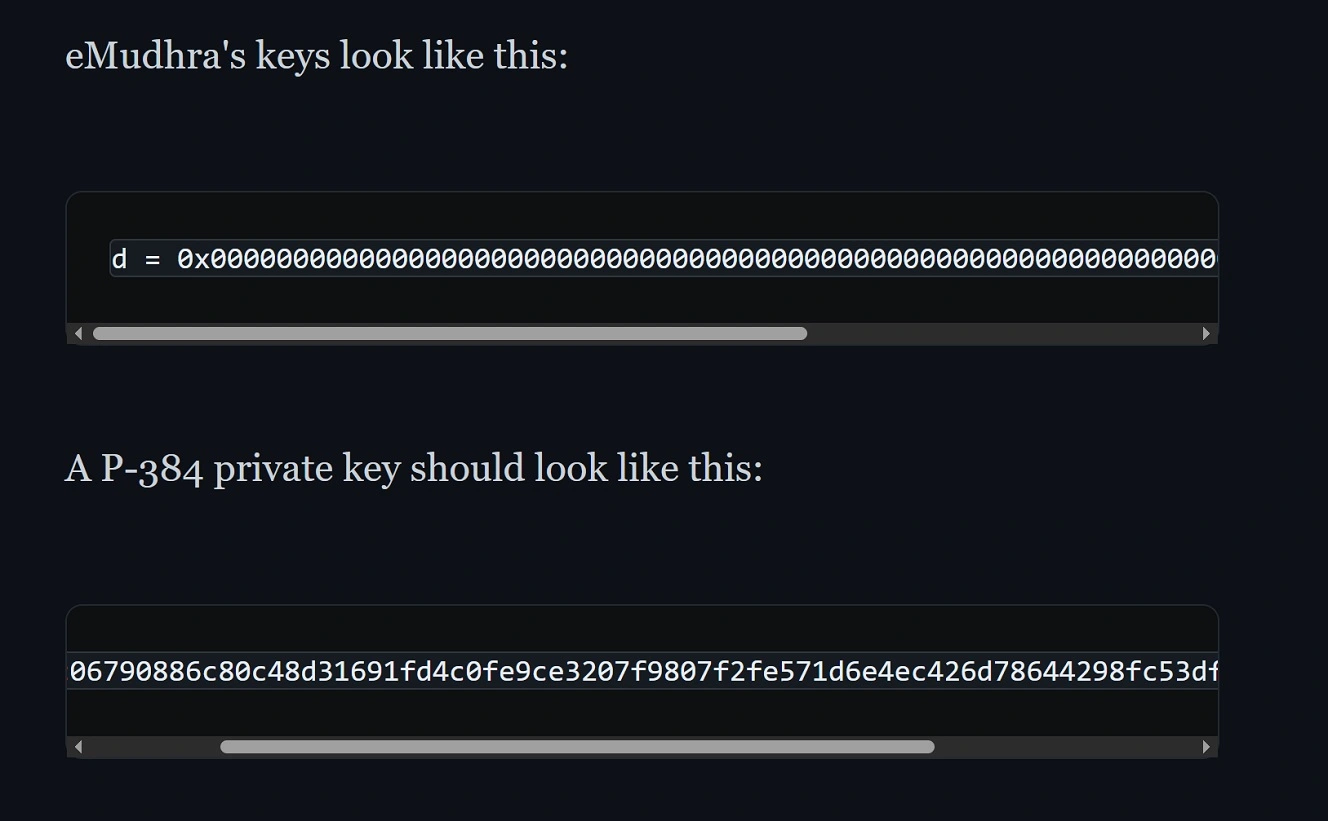
ArsTechnica explains that a normal size of a private key (NIST P-384 elliptic curve cryptography) is roughly 384 bits of entropy, a size allowing almost 2384, or a number with 116 digits, different possibilities. The private key sizes of the compromised keys ranged from 3 to 8 bits.
“Astonishingly, the private keys were 4, 56, 66, 115, 155, 156, 230, 237,” says ArsTechnica.
The affected certificates are intermediate certificates. This means they are used to create other certificates. In this case, about 30,000.
Browsers that are updated are now blocking these certificates, but as mentioned, other non-browser services are impacted, including developers’ environments.
Do cybercriminals and threat actors run certificate exploits and cyberattacks?
Yes. Cybercriminals and threat actors exploit certificate vulnerabilities. Or they use stolen or forged digital certificates to target users in different types of cyberattacks, including ransomware and stealer attacks.
Using certificate techniques, they can intercept communications in man-in-the-middle attacks, steal sensitive data, including credentials, session cookies, or financial data, and create fake sites that impersonate known trusted brands or organizations.
On May 19, Microsoft Threat Intelligence reported that Fox Tempest was abusing Microsoft Artifact Signing to generate short-lived, fraudulent code-signing certificates to appear legitimately signed. Fox Tempest acts as a malware-as-a-service (MaaS) threat actor, making its tools available to operators/cybercriminals.
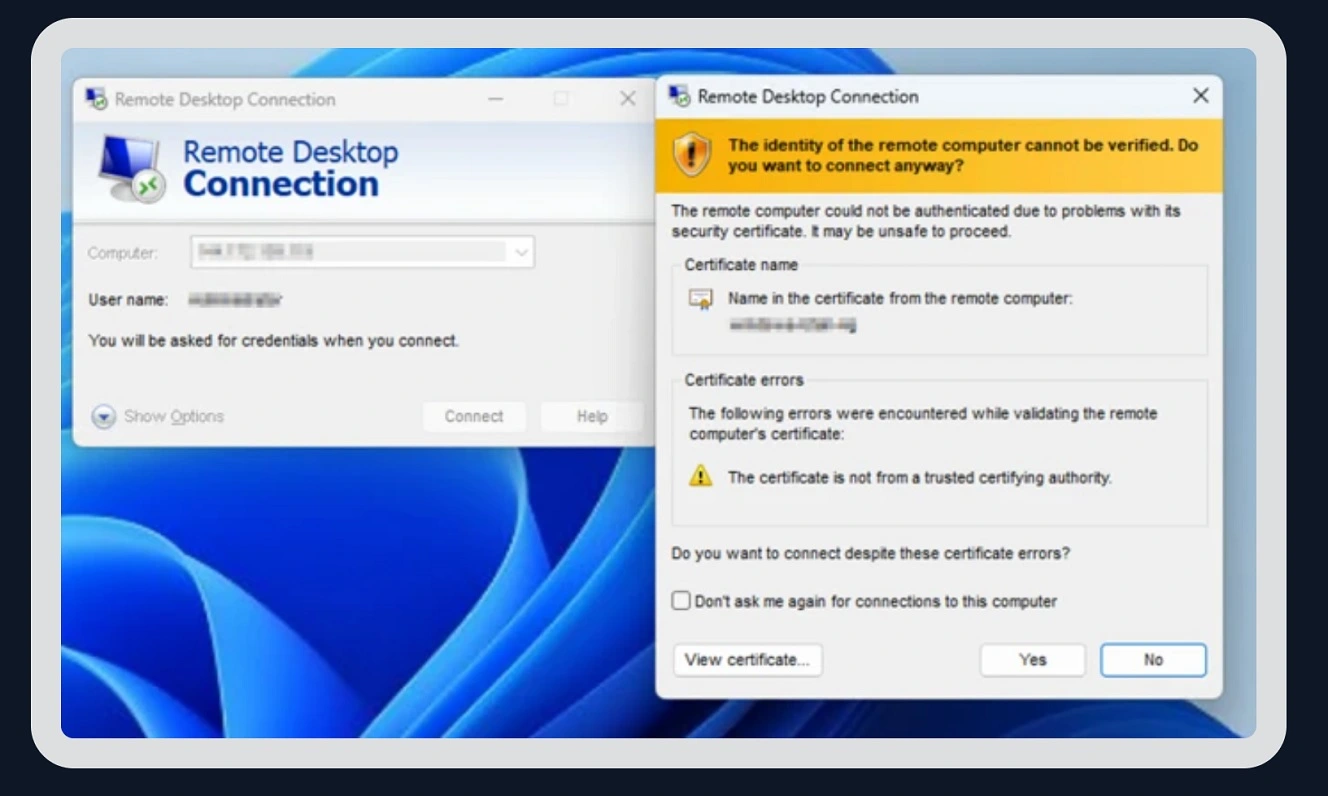
Fox Tempest created over a thousand certificates and established hundreds of Azure tenants and subscriptions to support its operations, Microsoft said. Fox Tempest operators have been documented to distribute Rhysida ransomware and malware like Oyster, Lumma Stealer, and Vidar.
In another incident, on October 6, 2026, Google reported that threat actors hijacked 3 top-level domains and used their control to mint counterfeit TLS certificates for Google and other large organizations.
Google says that during the hijacks, attackers modified authoritative DNS records and obtained unauthorized HTTPS certificates. These covered several Google domains, as well as domains belonging to other organizations. The company did not mention which domains were affected.
And in April 2026, an attacker posing as a customer breached into DigiCert support workstations via chat and stole code signing initialization codes. 60 certificates had to be revoked. Some of these certificates were used to sign Zhong Stealer, a Windows stealer that targets the fintech sector.
What can you do to stay safe?
The average user who does not use Terminal has nothing to worry about regarding this incident. All affected certificates are now being blocked by the top browser companies. However, certificates can be used by cybercriminals, developers, and others.
Here’s what Apple says you should do
Apple says that if you don’t use Terminal, you don’t need to do anything. Those who do use Terminal and tools included with macOS or the Xcode Command Line Tools, like curl and git, should check certificates against /etc/ssl/cert.pem and follow this guide.
Apple also promised a future update that will patch this vulnerability.
Everything else is a different story: A long cleanup lies ahead
Scott Helme says that while mainstream and updated browsers are likely absolutely fine, everything else is a different story.
Helme says the issue affects “most non-browser TLS clients (so basically, everything else, with default settings), things like curl, Python, Node, Go, Java, git, package managers and every script and daemon” as well as CI/CD pipelines, server-to-server API calls and IoT, including medical devices, payment devices, industrial controllers, and some routers, cameras and cars.
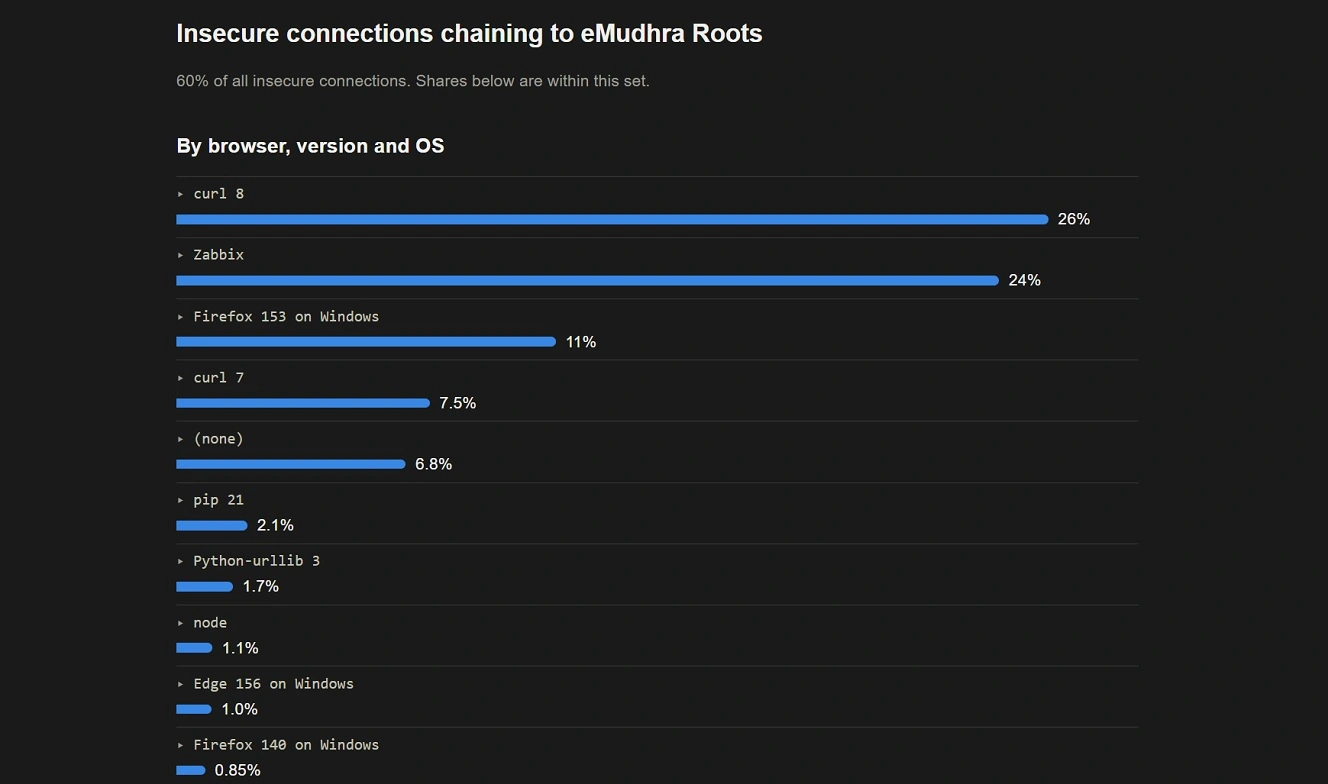
“This will be a massive cleanup job, bigger than Heartbleed,” Filippo Valsorda, a cryptography engineer and a cryptography maintainer for the open-source Go programming language, told ArsTechnica.
“There will be a very, very long tail, IoT devices, Docker containers, forgotten Linux machines, unmaintained CLI tools that shipped their own copy of the roots (which is common in some ecosystems, like Python), says Valsorda. “Also, Linux distributions are still rolling out updates. Some of them are not ready yet, and then system administrators will need to apply them to a lot of machines.”
ArsTechnica says the eMudrha “threat remains far from over, because it will be hard and time-consuming to update other key parts of the internet, such as Linux distributions and embedded and Internet of Things devices.”
If you work in these fields, manually removing affected certificates is the way to go.
Get Moonlock. It checks everything for malware, including Terminal scripts.
In addition to certificate flaws or vulnerabilities like the eMudhra certificates, cybercriminals and threat actors actively forge, steal, or manipulate certificates to target users with malware.
The Moonlock antivirus app can help you mitigate the risks of malicious or weak/flawed certificates. Moonlock can also help macOS developers who work with Terminal.
Once Moonlock is installed, Real-Time Protection will run silently in the background, checking everything you interact with for malware and threats. This includes emails, online sites, downloads, and Terminal commands.

If Real-Time Protection detects anything suspicious or a threat, it will tell you what it is and why it’s dangerous. It will then move it to Quarantine, where you can learn more about the threats your Mac has encountered on your own time.
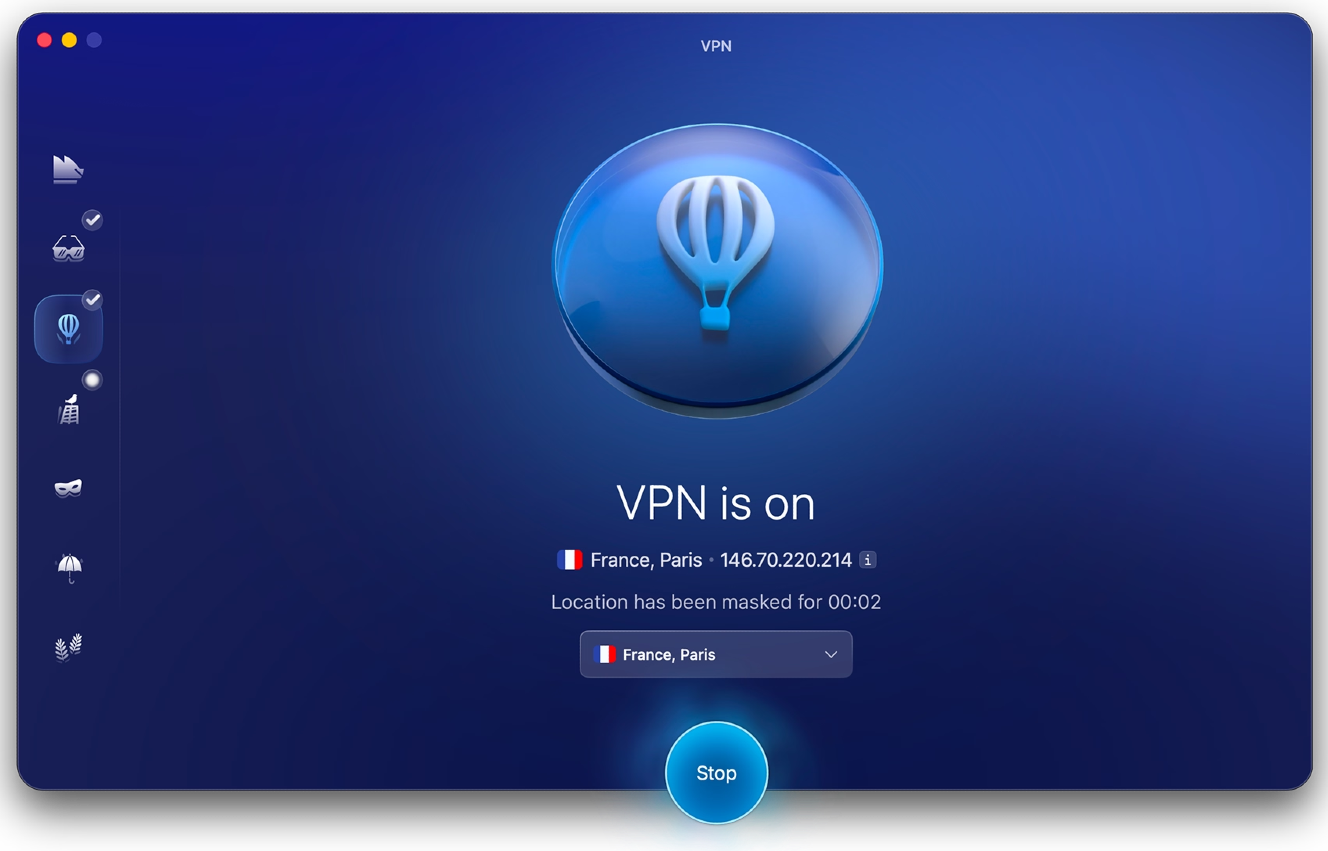
To add some layers of Mac defense, Moonlock ships with a built-in VPN for safe browsing. It also has features like a Network Inspector, which you can use to block servers in specific countries, and System Protection, which scans your Mac’s settings and guides you on how to turn them up to higher levels.
You can check out and test-drive Moonlock for free for 7 days.
Final thoughts
Behind that famous padlock icon found on the top left of your browser lives a complex world. Certificates can be flawed, forged, stolen, and manipulated. If you are a developer, be mindful of the risks. Staying on top of news and manually removing affected certificates can go a long way toward securing your work, data, and device.
Average users can also take action by learning more about certificates and how they affect their security. Use this information to make more informed decisions that better protect your privacy and security.
This is an independent publication, and it has not been authorized, sponsored, or otherwise approved by Apple Inc. Mac, Safari, and macOS are trademarks of Apple Inc.