
Do you consider yourself something of an ethical hacker? Or are you a Mac user, GitHub/Reddit post-threat-warner? When you cross paths with a Mac scam or threat campaign, do you feel the need to get hands-on instead of running the other way? If so, this report is for you.
VirusTotal just rolled out macOS Mirage. It’s safe, free, online, and can break down modern Mac threats in detail.
Let’s get into the nitty-gritty of this new feature.
Where can I scan macOS Apple Silicon malware in detail, safely and for free?
Until now, if you uploaded a macOS Silicon malware sample to VirusTotal, the sample would be scanned, but the full picture was usually lacking. Why? Because the VirusTotal sandbox environment was not built for Apple Silicon. Instead, it was built for older Apple Intel Macs.
This was a big problem because most modern Mac cyberattacks target Apple Silicon. But those days are over.
Today, you can upload any macOS malware sample to VirusTotal and delight in the findings, go deep into the behaviors, and check out what the malware is gunning for. And all that info is free (including screenshots and cool graphs for your malware and threats community warning posts).
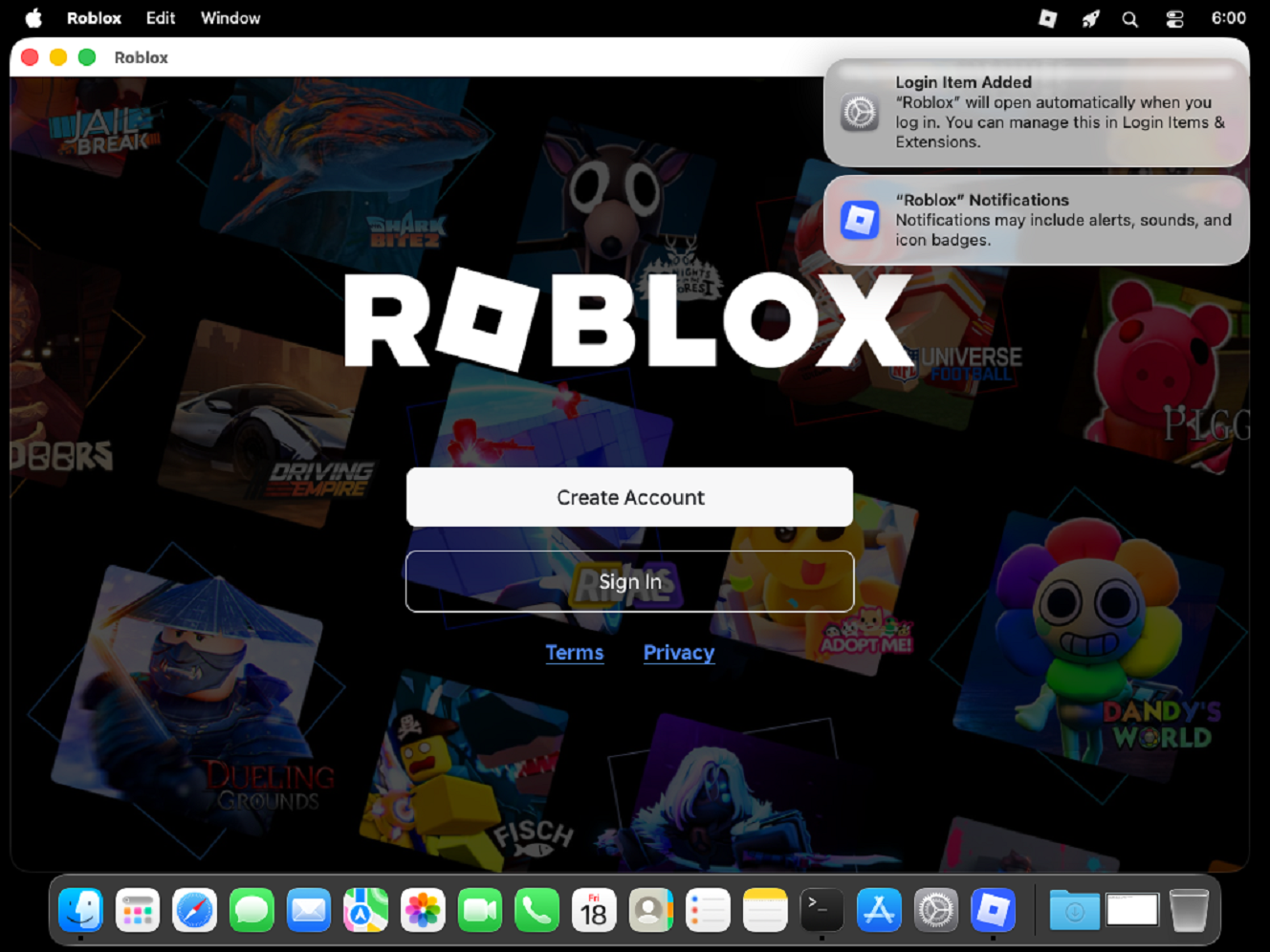
Older Macs Intel (x86_64) cyberattacks are still around. However, as VirusTotal explains, ARM64 malware samples are different from Intel malware. The company describes this malware as native ARM64 binaries, multi-stage social engineering installers, credential-harvesting AppleScripts, and evasive infostealers.
macOS Mirage is built from the ground up and provides high-fidelity behavioral telemetry and automated Sigma behavioral detections mapped to MITRE ATT&CK, completely free for anyone with an online connection.
Interactive Live Analysis, a feature where you can interact with the malware in the sandbox in real time, is the only feature in macOS Mirage reserved for paid VirusTotal customers.
How to use VirusTotal macOS Mirage for free to scan malware samples
To use macOS Mirage, all you have to do is:
- Go to www.virustotal.com.
- Choose File to upload a sample, or choose Search to paste a malware sample hash.
This is the same VirusTotal interface as before. However, the built-in macOS Mirage will automatically pick up if the platform detects that what you are scanning is Apple Silicon malware.
It will then return the full report on the sample. You can navigate through the Detection, Details, Relations, Behavior, and Community tabs to get a lot of information.
For example, by clicking on Behaviors and scrolling down, you can access the Full Reports tab, also worth checking out when scanning a macOS malware sample. Next to Full Reports, you can see Download Artifacts, and below that menu, you get the Mitre Signatures and Sigma Rules results.
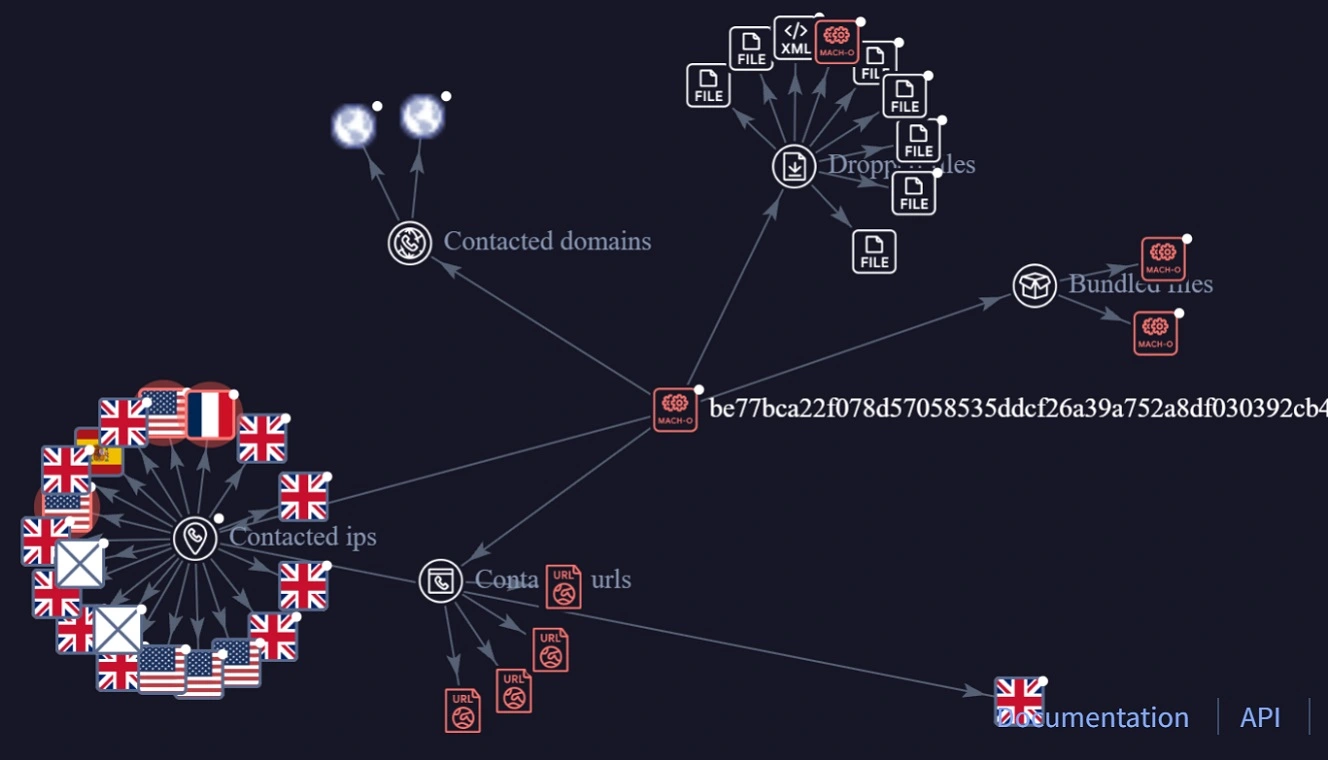
By creating a free account on VirusTotal, you can also access another pretty cool feature: the Graph Summary.
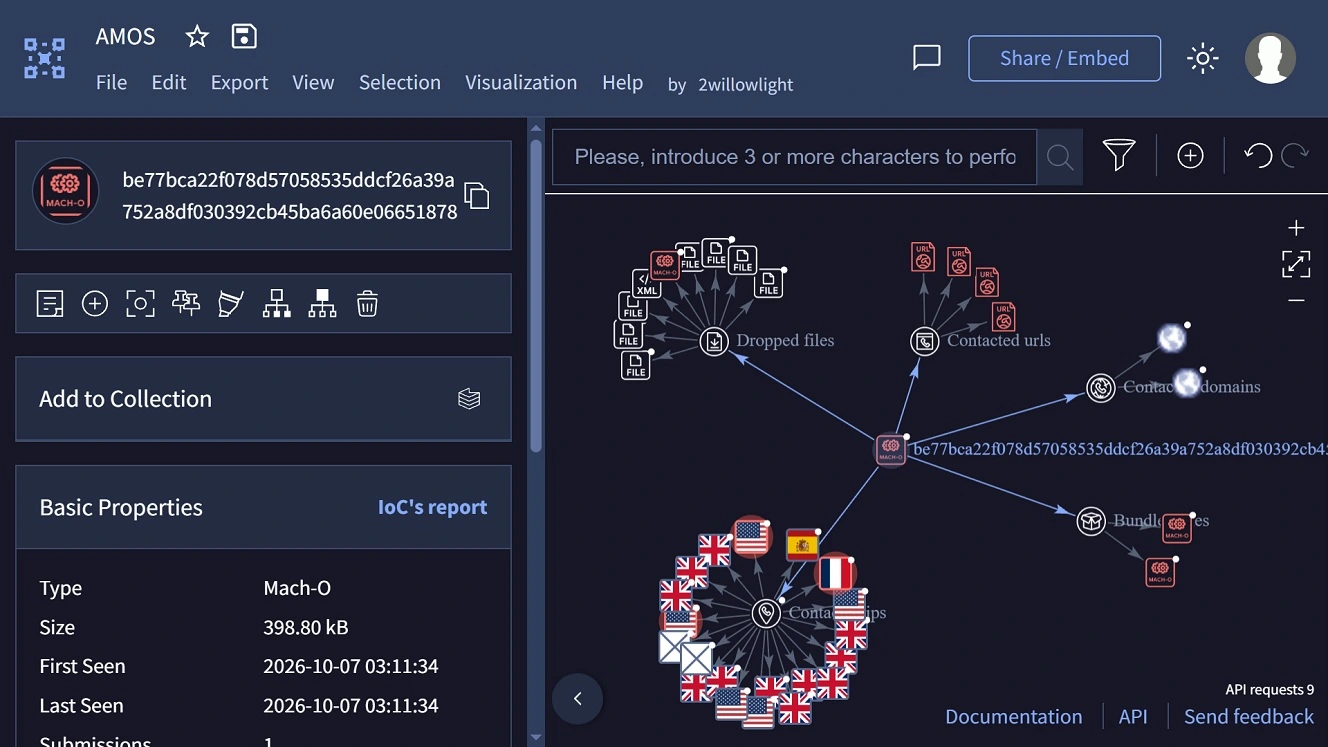
To find it, log in to your VirusTotal account, go to the Relations tab, scroll down, and click on any item on the Graph Summary at the bottom of the page. A new window will pop up, showing you how much activity a macOS malware generates (you might be surprised, if not shocked, by the results), including what files it drops on your Mac, the bundled files, and what IPs, URLs, and domains the malware is contacting.
What else can macOS Mirage do?
VirusTotal explains that analyzing modern macOS malware samples on legacy Intel hardware either fails outright or misses architecture-specific execution paths. This is why they built macOS Mirage.
Mirage runs natively on bare-metal Apple Silicon hardware with Apple’s native virtualization stack and macOS 26. This means you get the full details of the malware for every scan.
Additionally, by using Mirage, you get access to specific malware behaviors that the Apple Intel sandbox of VirusTotal, Box of Apples, can’t get. These behaviors happen at the kernel level (the core of your OS) and are common in macOS stealers that set up shop on your computer (persistence) and go for your keychains and secrets (access to sensitive credential stores).
VirusTotal adds that macOS Mirage can also pick up other modern ARM64 kernel-backed behavioral telemetry processes, including the capture of process creations, command-line arguments, and file system modifications.
Screenshots, fake password requests, and fake software and app download files (.dmgs)
For the big reveal, macOS Mirage does a great job with screenshots that help you figure out what is going on when you download and run a .dmg malware file.
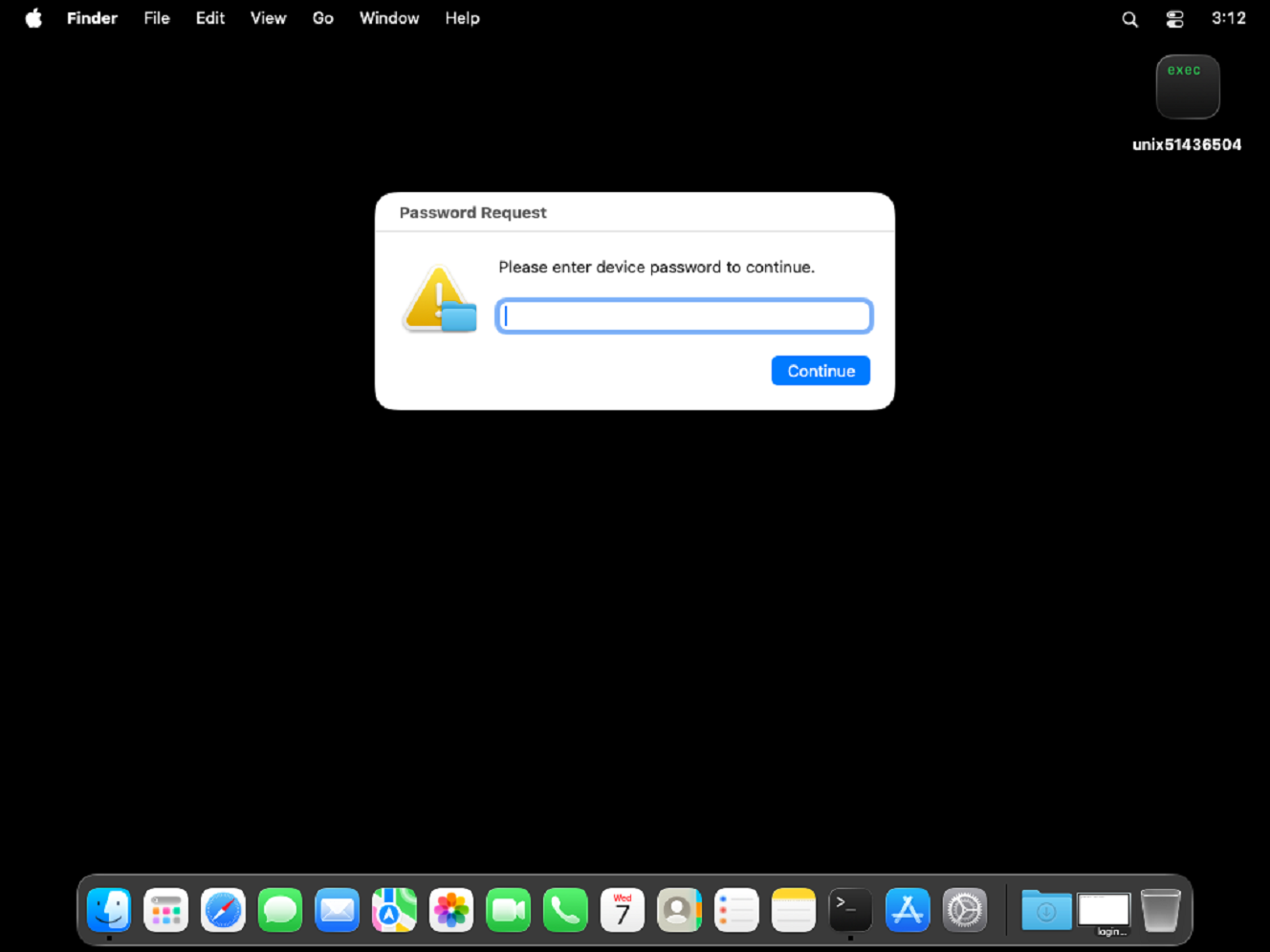
Besides ClickFix techniques, cybercriminals run a lot of campaigns where they impersonate known brands and offer you a malicious downloadable file (.dmg) remote access trojan (RAT), dressed up as a legitimate software or app installer, coded to steal your password and fetch a stealer from an attacker-controlled server, or unpack from a bundle that comes with the fake app file you downloaded.
When you run to install these .dmg files on your Mac, it triggers graphics and fake system notifications that prompt you for your password (as shown in the image above). macOS Mirage can capture screenshots of these processes using full graphics acceleration and desktop monitoring. It also captures the underlying system modifications in real time.
Besides taking those pics, macOS Mirage automatically monitors security-sensitive locations across your operating system, including:
- Persistence mechanisms: LaunchAgents, LaunchDaemons, Login Items, and cron jobs
- Shell and environment profiles: Modifications to .zshrc, .bashrc, .zshenv, and /etc/profile
- Credential and privacy stores: Unauthorized access to Keychain databases (login.keychain-db), browser cookie and credential stores, SSH keys, and the Transparency, Consent, and Control (TCC.db) database
- System and network configuration: Changes to /etc/hosts, /etc/resolv.conf, and /private/etc/sudoers
This will basically give you the full picture of, for example, a remote access trojan (RAT) fetching second and third stealer payloads and going after your passwords and data.
For cybersecurity researchers and security teams, macOS Mirage evaluates runtime telemetry against a curated library of macOS Sigma rules and maps every detection directly to MITRE ATT&CK techniques. It does this by sifting through thousands of raw file and process events.
AMOS goes for the gold, targeting hardware developer engineers
To show what macOS Mirage can do, VirusTotal highlighted the results of a recent AMOS stealer campaign. In this campaign, AMOS cybercriminal operators are apparently trying to impersonate Zoo Design Studio, a platform for engineers who develop hardware.
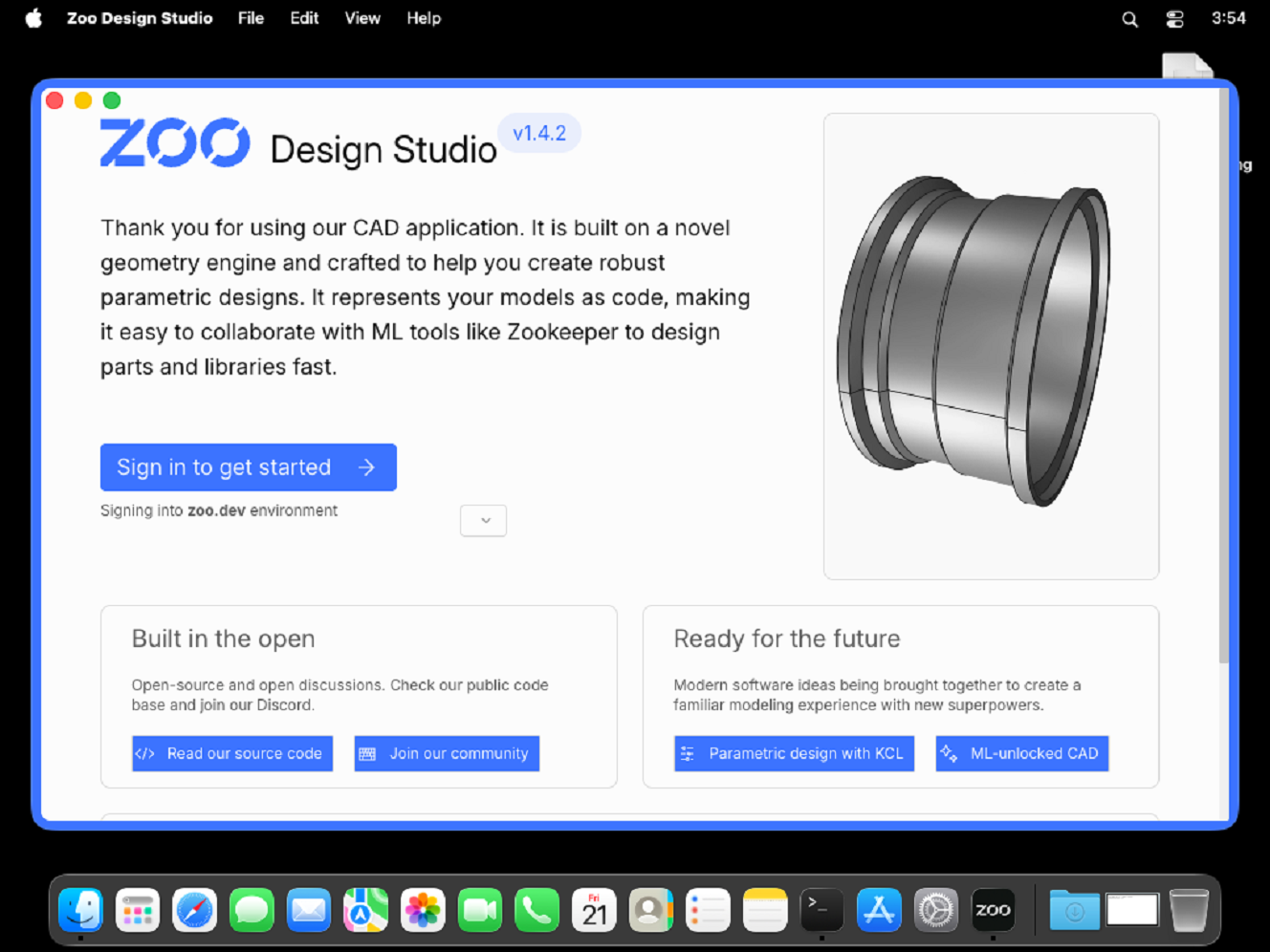
Going after high-level industry targets like engineers and developers is a common tactic in the macOS threat landscape, as attackers perceive these users as having high-value data on their Macs or on enterprise-connected machines.
The AMOS hash analyzed by VirusTotal is be77bca22f078d57058535ddcf26a39a752a8df030392cb45ba6a60e06651878. You can check it yourself here.
When macOS Mirage detonated this AMOS sample, it found that the binary (unix51436504) performs a multi-stage credential theft and persistence chain and does the following:
- AppleScript password phishing: The malware invokes /usr/bin/osascript to display a deceptive system prompt titled “Password Request,” telling the user, “Please enter device password to continue.”
- Local credential validation and LaunchDaemon persistence: It validates the harvested password against local Directory Services (dscl . authonly) and invokes sudo -S to copy /tmp/daemonplist to /Library/LaunchDaemons/com.somedaemon.plist.
- Keychain, browser and notes harvesting: The sample opens the user’s Keychain (/Users/admin/Library/Keychains/login.keychain-db), Safari cookies (Cookies.binarycookies), Apple Notes database (NoteStore.sqlite), SSH keys (authorized_keys, known_hosts), and .zsh_history, staging the stolen files under /tmp/lksopo while continuously polling the clipboard via pbpaste.
- Secondary payload download, exfiltration, and cleanup: Using ditto, the malware compresses the staging directory into /tmp/lksopo.zip, exfiltrates the archive via an HTTP POST request (curl -X POST), downloads a secondary bot payload (curl -o /tmp/binaryexe), and deletes the staging directory (rm -rf /tmp/lksopo) to cover its tracks.
This AMOS sample triggers seven distinct Sigma rules.
Some tips and advice for macOS malware hunters and Mac threat flaggers
Taking an interest in the threats and risks that exist out there in the wild is a good way to learn about your technology, strengthen your cybersecurity and privacy posture, and raise awareness, collaborate, and connect with other ethical hackers or hands-on Mac users.
The following are a few tips (or reminders) that could come in handy along the way. Take them or leave them.
Stay safe. Use Tor and sandbox detonations.
If you are chasing down malicious web domains, it’s a good idea to switch to Tor if you’re not already using the privacy-first browser. Tor will give you the anonymity you need, combined with a bunch of tools for analysis (F12) and enhanced blocking of suspicious or malicious online resources.
Additionally, if you happen to have a malware sample, do not run it on your Mac without proper safeguards. Use a virtual machine or use online free sandbox environments. This is why VirusTotal’s new macOS Mirage is a big deal. It allows you, and anyone, to check a macOS Apple Silicon sample completely free in a safe and professional way.
Level up your Mac security tech stack with layers of Mac defense
Your Mac’s built-in security tech, Gatekeeper, TCC, and other features, can be bypassed by threat actors. Leveling up your security tech stack to have some tech backup can go a long way, especially if you are an ethical hacker or just have this thing for malware, scams, and threats.
The Moonlock security app was developed to offer layers of Mac defense. Real-Time Protection, which runs silently in the background, checks everything you interact with, including emails, online downloadable files, and even terminal commands (ClickFix) for malware and threat signatures.

If Moonlock detects that anything is off, it will let you know what it is and why it is dangerous. It will also move it to Quarantine, where you can, in your own time, learn more about the threats your Mac encountered and delete them permanently.
Plus, Moonlock also ships with a VPN for safe browsing and a Scam Detector that you can use to check for scams in any email or text. There are also other features like System Protection, which will scan your Mac’s security and privacy settings and guide you through how to turn them up.
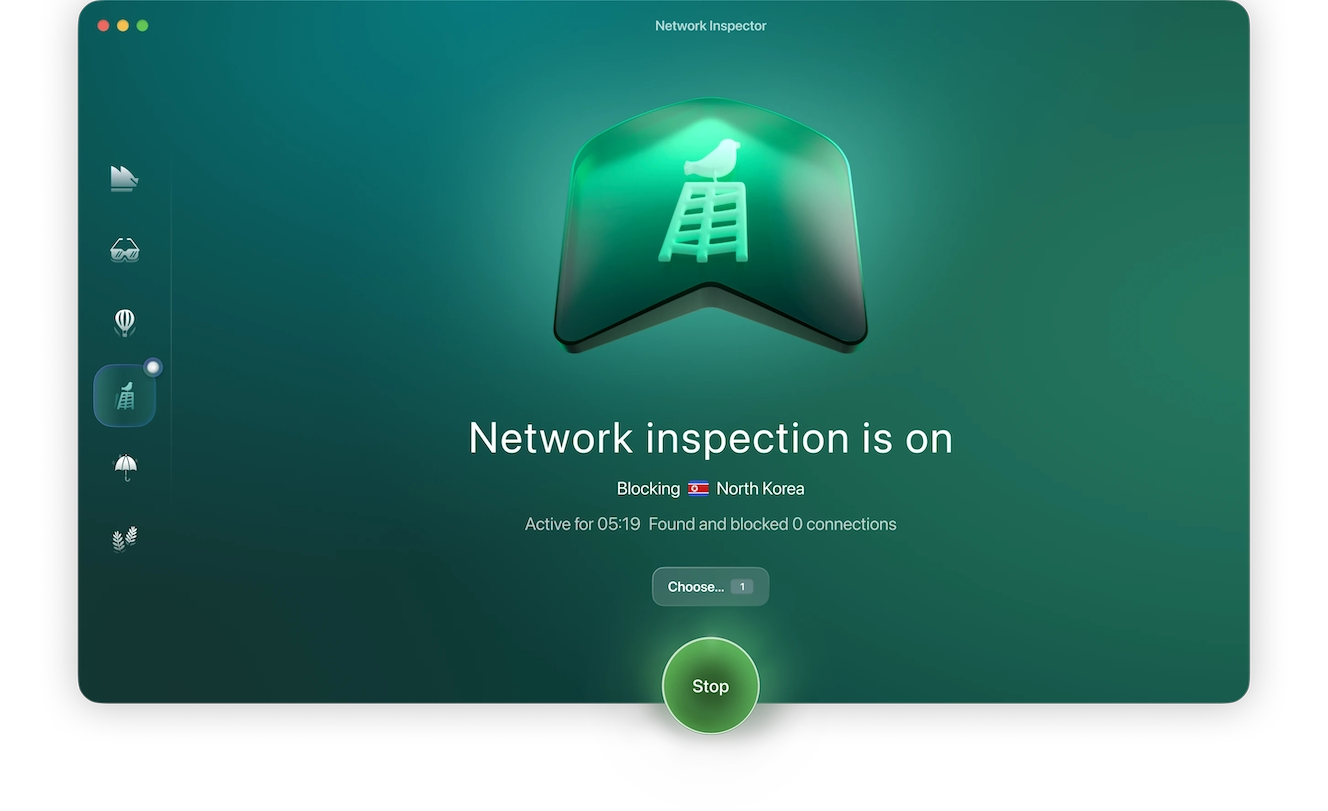
Additionally, Moonlock’s Security Advisor will give you tips on how to build safe digital habits at your own pace, and Network Inspection can block servers in specific countries of your choice.
Check it out yourself. See how it feels on your end and test-drive Moonlock for free for 7 days.
Final thoughts
If you’re a user with a do-it-yourself, hands-on approach to cybersecurity, malware, scams, and threats, you’re in good company. These users are highly active on various platforms, social media, and channels. They feed off of each other, learn, collaborate, and flag and document Mac threats.
These days, with industrialized AI-driven RATs, stealer campaigns, and other Mac malware and scams relentlessly emerging in the wild, a free and safe tool like VirusTotal’s macOS Mirage is a big win.
This is an independent publication, and it has not been authorized, sponsored, or otherwise approved by Apple Inc. Mac and macOS are trademarks of Apple Inc.