


The largest crypto heist in history just went down. Astoundingly, hackers stole $6.3 billion from Binance hot wallets by using 2 simple techniques that cybersecurity media have been warning about for years.
Binance said they froze just under half of the stolen funds, and the company will pay for the rest of the stolen funds. However, the hack leaves many questions behind, specifically related to the state of cybersecurity awareness among Mac developers who have access to high-value resources.
Let’s dive in.
The largest crypto heist in history began on a Mac… and continued on another Mac
On November 3, Binance issued a press release detailing the largest crypto heist in history. The company said it will absorb the financial impact of the stolen funds, not Binance users.
Binance says approximately $6.34 billion in digital assets were impacted by a serious security incident. And approximately $2.85 billion in digital assets have been frozen or intercepted.
“As of 31 October 2026, 98% of the impacted token assets have been replenished and are verifiable on our Proof of Reserves page,” says Binance.
Incredibly, this cyberattack used two very well-known macOS breach techniques, which experts have been reporting on for years. One of these techniques involves fake Homebrew pages that install stealers like AMOS and MacSync. The second technique involves fake interviews.

Stop AMOS and MacSync from infecting your Mac
The fake Homebrew component: Stage One
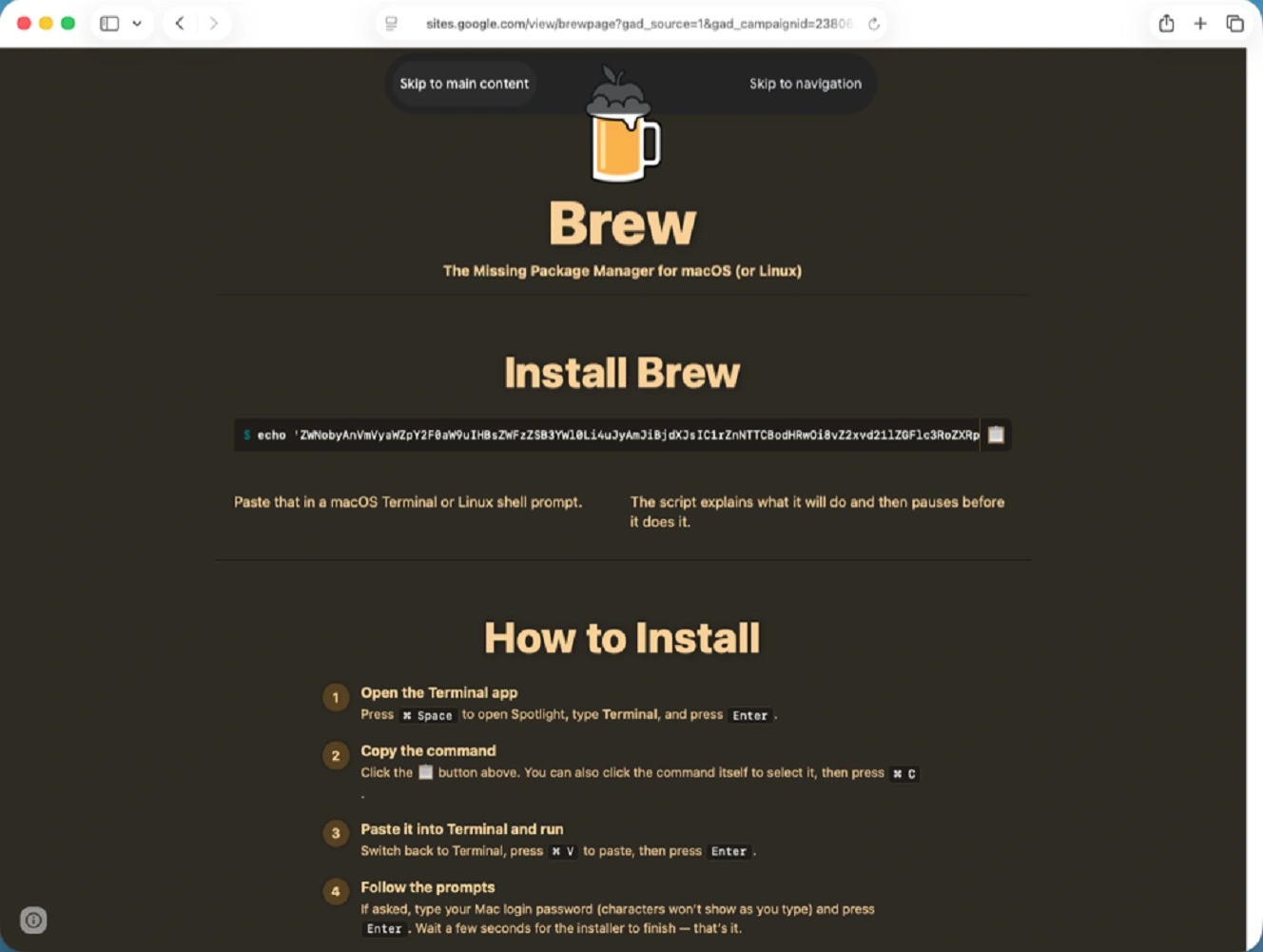
The largest crypto heist in history began in June 2026 when a Binance engineer, whom the company refers to as “Engineer A” from its Wallet DevOps team, was searching online for a popular AI coding tool. This engineer was redirected by a search engine result or ad to a malicious Homebrew installation.
While the Homebrew tactic is associated with the macOS stealer cybercriminal world, North Korean hackers have used similar techniques. The second technique, faked interviews, is historically tied to Contagious Interview. This North Korean campaign has been active for years. In this technique, they impersonate fake recruiters and offer jobs to high-level users. They then breach their Macs with fake code tests, fake video meeting apps, or malicious updates.
Binance Wallet DevOps team works with hot wallets, which are the wallets Binance uses to process billions in funds every day in transactions such as customer withdrawals. So, when you withdraw, Binance uses those wallets to send you the crypto.
For those who are not developers, Homebrew is a free and open-source macOS software. Developers and other users use it to download apps and software, a bit like an app store.
Stealers like AMOS and MacSync commonly impersonate Homebrew, creating fake pages that lure users into downloading trojan stealer malware. As mentioned, Contagious Interview hackers have also used this type of technique before, including fake pages, which users land on after searching online for specific terms.
Binance, however, links the fake Homebrew component of this heist to a MacSync cybercriminal operation.
How the Homebrew install stole sensitive data
Binance links the “tampered Homebrew installation” to a MacSync cybercriminal campaign that Sans Technology Institute reported on in May and updated in June. We reported on this MacSync malvertising stealer campaign and how it works on May 15. This is consistent with the timeline of the Binance heist.
It is unclear whether North Korean hackers were behind the Homebrew component of this heist or if it was macOS stealer cybercriminals who ended up selling the data on the dark web. Either way, when it comes to techniques, malware, stolen data, and toolkits, the lines between cybercriminals and nation-state threat actors are increasingly being blurred.
Another fact is that stealers that breach Macs via fake Homebrew installations and similar fake pages today have backdoor capabilities. These allow cybercriminals to remain hidden inside breached macOS and steal personal and enterprise data.
Binance said that its security team detected the fake Homebrew installation on Engineer A’s computer. They replaced the device and rotated all credentials. However, whoever was behind the fake Homebrew install managed to steal sensitive data. This included, Binance says, data about the role of Engineer A, as well as data about the Binance Wallet DevOps team members’ and Binance’s wallet infrastructure.
Fake Interview: Stage Two
By September, or perhaps sooner, North Korean hackers used the data from the Homebrew breach to lure another Binance engineer, Engineer B, into a fake job interview. During the interview, Engineer B downloaded what the fake recruiter called a “code test.”
The code test, apparently also downloaded via Homebrew, was a backdoor that replaced a legitimate development tool component with a malicious version. This was used to send remote commands to Engineer B’s Mac computer.
While this backdoor was sophisticated and, according to Binance, exploited a zero-day vulnerability, the “fake interview” technique is not. It has been around for years.
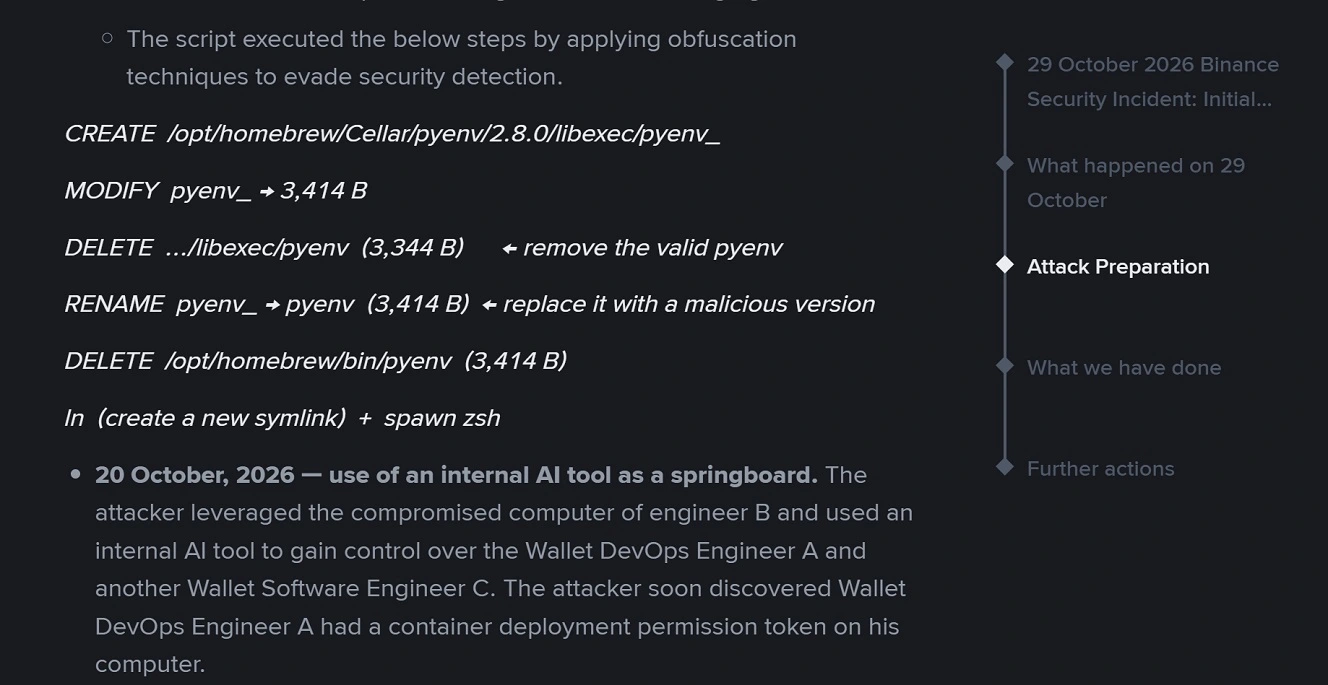
The fake coding test technique used by North Korean hackers has been active since at least March of this year. Other variations of this technique include fake Zoom updates or fake Zoom interview links.
By October 20, using the backdoor installed on Engineer B’s Mac, North Korean hackers gained control over Binance hot wallets from Engineer A and Engineer C, and discovered that Engineer A had a container deployment permission token on his computer.
Nine days later, the attackers were back and going for Binance hot wallets. On October 29, between 5:15 PM and 7:56 PM, the attacker logged onto Software Engineer C’s computer. They used the credentials stolen from Wallet DevOps Engineer A. They deployed a container and triggered a malicious script to launch the largest crypto attack in history.
In its report, TRM Labs attributes the Binance attack to TraderTraitor, North Korea’s elite hacking unit.
Stage Three: Moving the stolen Binance funds
How attackers moved the funds from Binance hot wallets is more complex than how they breached the Macs of Binance employees. Check out TRM Labs’ investigation for full technical details on this section.
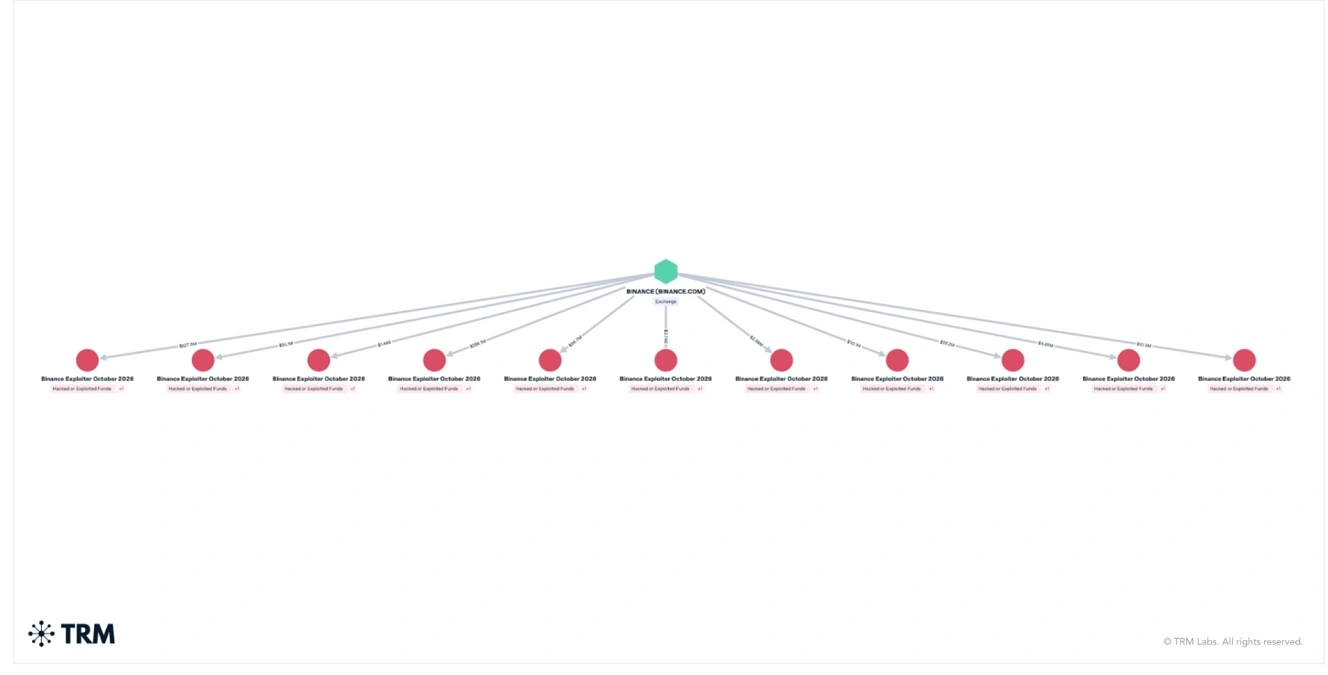
“Rather than stealing private keys, the attackers hijacked Binance’s internal wallet signing service to bypass withdrawal controls and authorize massive transfers across XRP, Solana, Optimism, Bitcoin,” Nic Adams, CEO and founder of 0rcus, a cyberkinetics company, told us.
On Ethereum, they leveraged the service to sign an EIP-7702 delegation. This temporarily granted a malicious smart contract execution rights over a Binance hot wallet, says Adams.
“Because this authorization was registered directly on-chain (functioning like a persistent, unauthorized direct debit), the attacker’s contract could keep sweeping funds independently even after Binance suspended withdrawals and severed internal systems, remaining active until Binance coordinated a multi-party computation (MPC) transaction to explicitly overwrite and revoke the delegation on-chain,” Adams explains.
As mentioned, about $2.4 billion of the stolen funds are frozen. Binance will absorb the financial impact of the rest.
Binance is no stranger to North Korean breach attempts, either. They reported that this year alone, their security team detected and prevented 57 suspected North Korea-linked cyber threat cases. In those attempts, the breach techniques used also included fake Homebrew-style pages and fake interviews.
In addition to highlighting the social engineering component of the attack, Adams says the failure was architectural.
“The failure was architectural,” says Adams. “An engineer’s machine should never have the reachability or privilege to touch a signing pipeline. Resilient infrastructure assumes the endpoint is already compromised.”
How to stay safe from fake interviews and fake installs, including fake Homebrew pages
This crypto heist leveraged sophisticated techniques when moving funds and moving laterally through the Binance Wallet DevOps team, even using zero-day exploits. However, the entire attack started with 2 very simple and highly well-known techniques. Learning how those work and leveling up your security tech stack can go a long way toward keeping hackers off your Mac.
Learn how fake macOS installs work to stay clear of stealers
Fake macOS trojan/stealer/backdoor cyberattacks, dressed up as fake Homebrew installs or other popular pages like GitHub, work in a very simple way. You search online for a tool you want to download. You find a top-of-page, SEO-poisoned, manipulated organic result, or a sponsored ad. Click on one of these, and you are redirected to a malicious webpage. There, through ClickFix instructions or malicious DMG software installation files, your Mac is breached with malware.
As a rule of thumb, do not click on ads. Triple-check sites for legitimacy before downloading any app or software from them.
If you are a developer, you also need to triple-check Terminal commands for installs or updates. You can add a backup layer by using the Moonlock security app. It will automatically check all terminal scripts on your Mac and every file you download for malware.
How the fake interview scam breaches macOS
As mentioned, the fake interview campaign linked to North Korean hackers has been around for years. This one also works in a very simple way.
You are contacted by fake recruiters via LinkedIn, email, or other channels, who lure you into a fake interview with the promise of a fake job.
North Korean hackers do their homework, so they know enough about you to social-engineer their way into convincing you. Once they establish trust, they set up a video meeting, and in this stage, they might use a couple of techniques to breach your Mac. Giving you fake coding tests to complete is one of those techniques. The fake coding tests are malicious and coded to breach your Mac.
Other techniques used by Contagious Interview include links to video meeting tools that trigger fake Zoom updates, or links that direct you to fake meeting apps that impersonate known and trusted ones.
It’s also a good idea to triple-check every job offer or contact you get from a recruiter. Be wary of any job offer for a position you did not apply to. If you do decide a job interview meeting is worth taking, make sure that anything you download during the process is legitimate.
Having a Mac security tool that checks emails and texts for scams and phishing, as well as downloads, is also a good idea. The Moonlock app’s Scam Detector can do exactly that.
Get Moonlock. It provides layers of Mac defense in case something slips past you.
The Moonlock security app was built to offer you layers of defense that help you mitigate cyberattacks. It can flag and shut down any threat you might miss.
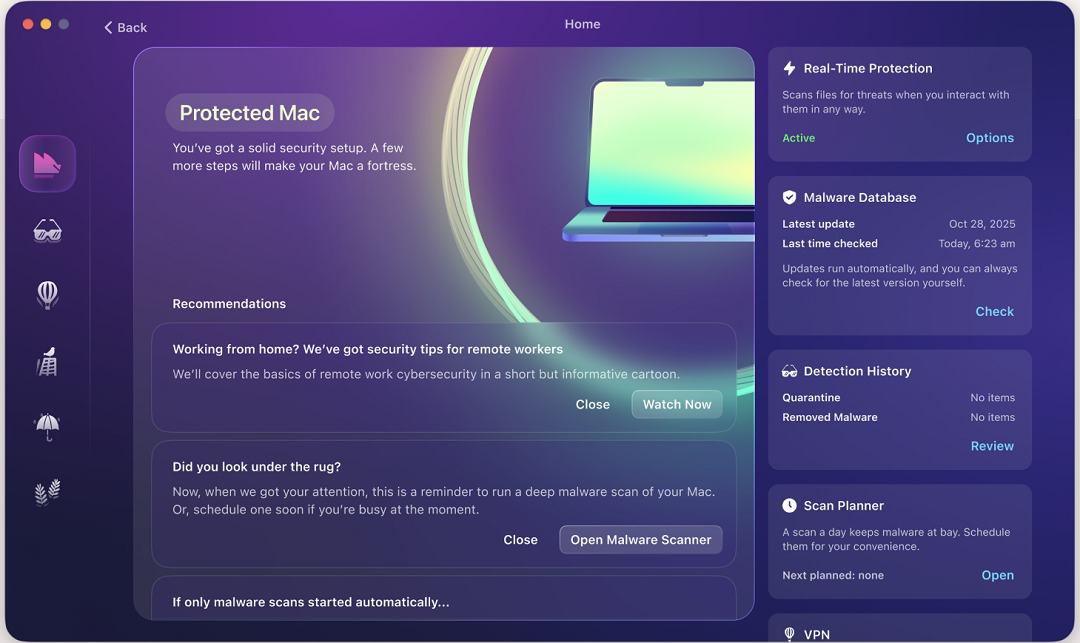
Once you download and install the Moonlock app, Real-Time Protection will run in the background, silently checking everything you interact with, from emails to file downloads to Terminal commands. If Moonlock finds a threat, it will move it to Quarantine. There, you can learn more about the threats your Mac has encountered and remove them completely from your computer on your own schedule.
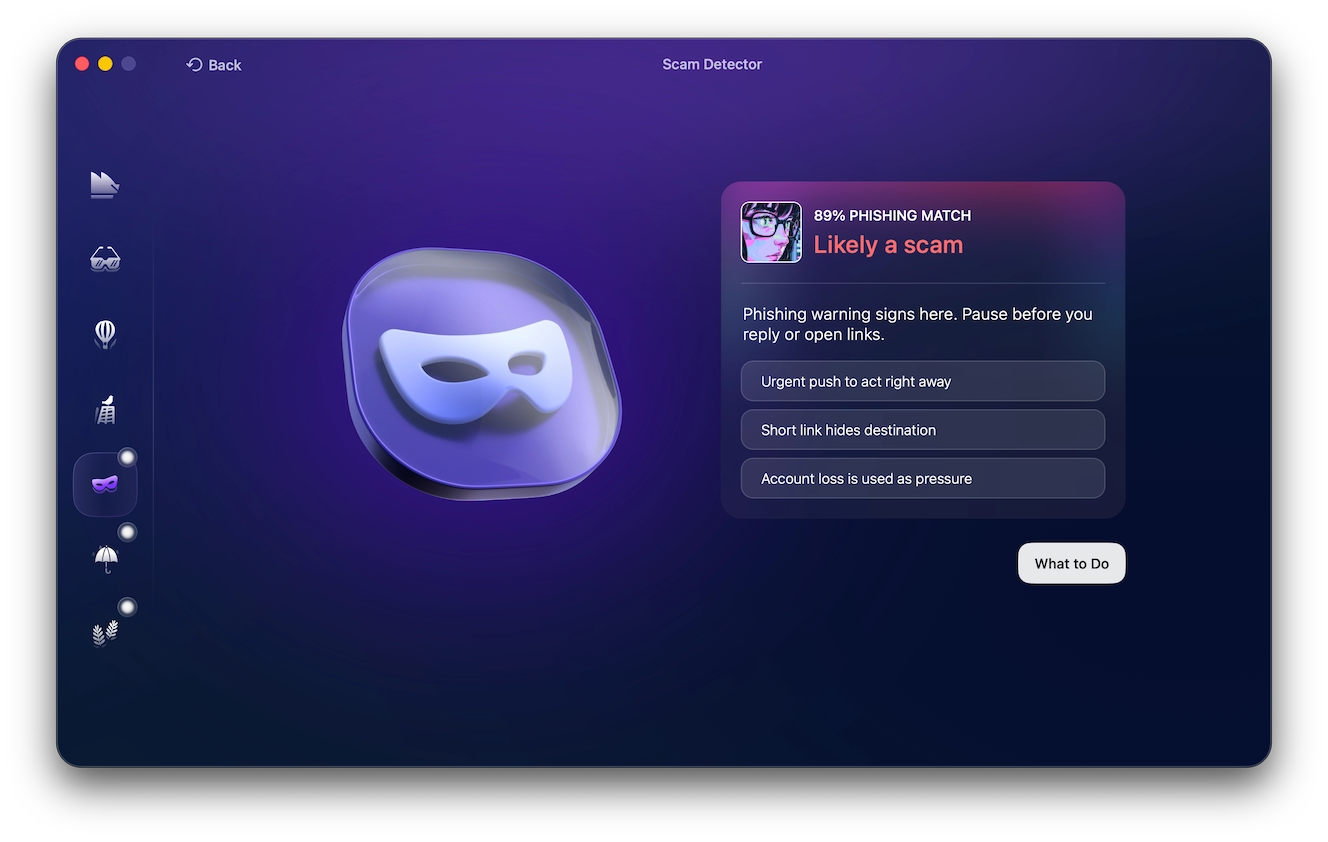
The Moonlock app also ships with a Scam Detector that you can use to check for the signs of phishing and other scams in every email and text. The Scam Detector can flag fake job offers and fake interview scams, too. If the Scam Detector flags anything dangerous, it will tell you what it is and why it is likely a scam.
Additionally, Moonlock ships with a built-in VPN for safe browsing. It can block servers in countries like North Korea through Network Inspector and can help you build safe digital habits at your own pace through its Security Advisor feature.
You can check out and test-drive Moonlock for free for 7 days.
Read cybersecurity news at least once a week, especially if you are a developer
Taking at least half an hour or even 15 minutes a week to read up on the latest cybersecurity news costs nothing and can help you avoid attackers, scammers, fraudsters, and hackers. Simply knowing how they operate and what techniques they use to trick you can make a big difference.
As Adams says, no amount of engineering/technical knowledge excuses a lack of street smarts. “At that level, staying dialed into basic threat vectors should just be the bare minimum standard of hygiene,” says Adams.
Final thoughts
By now, fake, malicious Homebrew, GitHub, and macOS software impersonation sites, as well as the fake interview technique used by North Korean hackers, should be as easy to spot as the most basic scams online. They have been used for years, and awareness among users should be high. For some reason, this is evidently not the case whatsoever.
It is still hard to believe that the biggest crypto heist in history began with a fake Homebrew page and was followed up by a fake interview campaign. That says a lot. Follow the tips in this report and keep up to date on cybersecurity news to stay safe.
This is an independent publication, and it has not been authorized, sponsored, or otherwise approved by Apple Inc. Mac and macOS are trademarks of Apple Inc.