Since at least 2024, your Apple Music app has been running half-patched. Several years back, 2 vulnerabilities were discovered that, when combined, could allow an attacker to change a key feature on your Mac that controls access to your files.
No hacker actually used these vulnerabilities in real cyberattacks, and they were given a low risk score by security organizations. However, the exploit is interesting because it goes after your macOS TCC database, which is central to your Mac’s built-in security.
It took Apple 2 years to fully patch this. Let’s dive in to understand why it matters to you.

Give your Mac an extra security layer
The Apple Music vulnerabilities that could give hackers unauthorized access
Jamf Threat Labs explains that 2 vulnerabilities in the Apple Music app, when chained together, can be used to launch a cyberattack that would allow an attacker to change your Mac’s Transparency, Consent, and Control (TCC) database and gain unauthorized access to protected data on your Mac.
Apple struggled to patch these. In 2024, they released a security update that mitigated the higher impacts of this exploit, and the recently rolled-out macOS 27 Golden Gate included a final patch for the second exploit.
The vulnerabilities are known as CVE-2024-23285 and CVE-2026-86933. Reports say that these exploits were never used in the wild by any cybercriminal group or threat actor.
Here’s what the Apple Music app exploit looks like from an attacker’s perspective:
- The attacker launches the Apple Music app.
- The Music app at this point performs cleanup operations. This deletes files from the saved application state directory (a directory that stores, for example, user session data).
- During this cleanup, the attacker runs a symlink race condition, likely using a loop coded to swap file paths right after the process begins but before it is completed, modifying what constitutes a “cleanup” by the Music app. Instead of deleting cache, the attacker redirects the Music app to delete your actual Mac TCC database. This is found at ~/Library/Application Support/com.apple.TCC/TCC.db. (As noted, TCC is the feature that allows users to access files on your Mac; you see TCC in action when an app requests access to specific folders via a popup.)
- Next, the attacker uses the Apple Music app’s Media Import feature, which includes a “Copy file” option. It runs another symlink race condition, this time redirecting the import and copy file process of the Apple Music App. Instead of importing and copying music to the app, it imports and copies a malicious TCC database, implanting it on your Mac.
- The malicious TCC database is coded by the attacker, giving the hacker access to any file on your Mac.
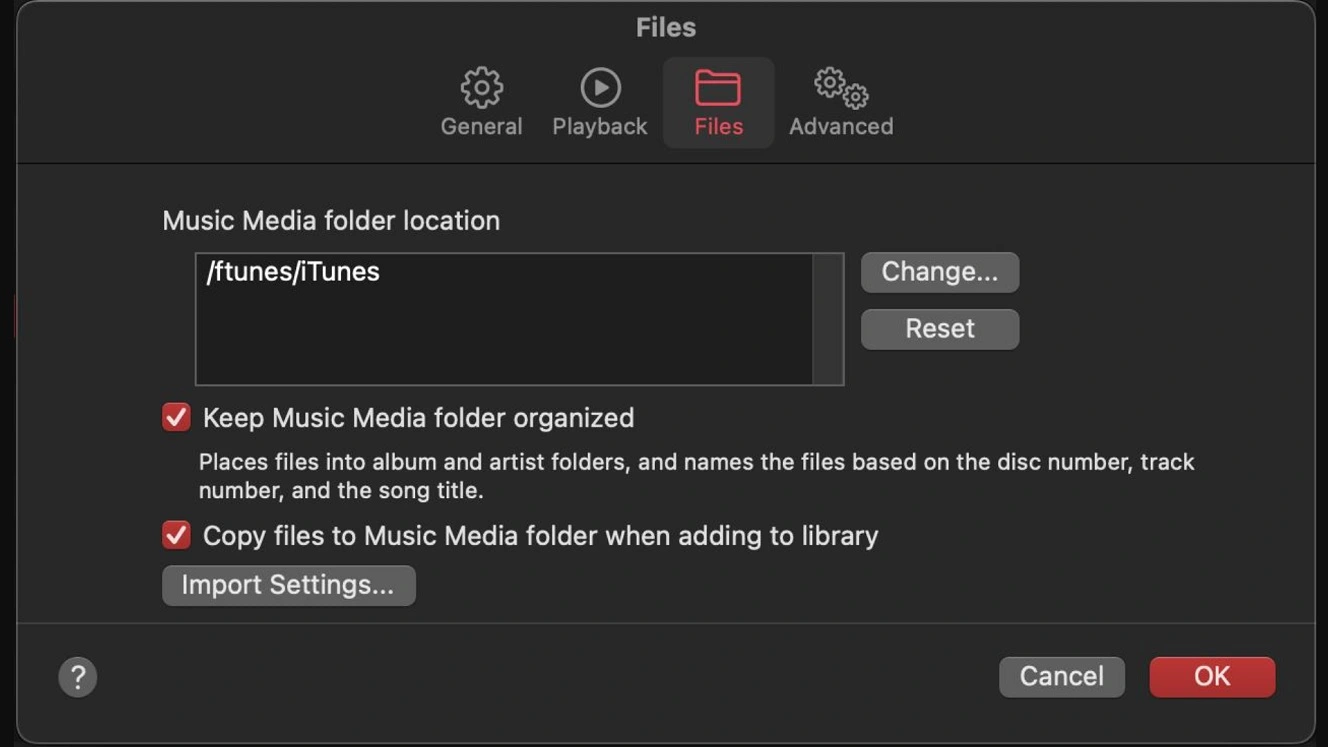
What is a symlink race condition exploit?
A symlink race condition occurs when modifications are made to the directory path of files involved in a process during the process itself. In this case, the attacker swaps the path directories of Apple’s Import Media and Copy feature right after the process starts, hence the name “race.” The attacker is racing against the process to change how it behaves.
To summarize this specific Apple Music symlink race condition exploit:
- Apple’s Import Media and Copy process starts.
- The attacker replaces or redirects a symlink (file path) involved in the process.
- The process subsequently follows the modified path, potentially accessing or modifying an unintended location.
- Instead of copying music, it copies a malicious TCC file.
Why the Apple Music app exploit matters to you
This vulnerability or exploit is interesting because it speaks to how apps behave on your Mac, what type of data they store, and how they can be manipulated for malicious purposes. Attackers should not be able to swap and change something like the TCC. But this hack shows that several things that should not be up for grabs can, in fact, be vulnerable.
Other things that should be sandboxed, for example, are an app’s application state. This refers to files and configurations stored in an app folder.
It is unclear why the TCC database itself can be deleted and swapped with another in this exploit. The TCC is one of the main defenses on your Mac, so a bug that allows an attacker to delete the database and plant a malicious version instead, using an Apple-built app like Music, is noteworthy.
Let’s look into TCC, what that is, and why that also matters to you.
TCC is one of your Mac’s main defenses. A TCC bypass is serious business.
Gatekeeper is responsible for checking that the files you download online to install an app are notarized and signed with a legitimate Apple ID developer. It is also responsible for making sure these files do not contain known malware signatures. But there is another main security feature on your Mac: TCC, or Transparency, Consent, and Control.
TCC manages what apps and processes can access files in specific locations on your Mac. You come across TCC processes, for example, when an app needs to access a folder where you store your files or when an app needs to access your microphone or camera. A system notification pops up, asking you if you want to allow that to happen. That is TCC in action.
TCC stores permissions in its database. When you give an app permission to access locations or files, the TCC database changes to enforce those permissions. In this case, the Apple Music exploit swaps the TCC database to modify permissions and potentially give attackers a TCC bypass, allowing them to access your files and locations on your Mac.
Jamf explains that TCC enforces permissions but “consistent enforcement is difficult.”
“Researchers have found multiple ways to bypass TCC over the years, revealing gaps between intended permissions and actual application behavior,” says Jamf.
“Apple responds to these findings with security updates that strengthen the operating system,” they add.
Given that malicious apps are not uncommon, a malicious app that can bypass TCC is serious business.
Another way cybercriminals manage to bypass TCC is through indirect social engineering routes. For example, macOS stealers, once they breach your computer on install, will launch a fake system password request, impersonating macOS.
The password is used by the stealer malware to access files that an app (or even malware) cannot access without your permission. Stealers have been documented asking for passwords or permissions when trying to access specific locations on a Mac where users hold valuable secrets.
The way in which stealers behave isn’t a direct TCC bypass. Rather, it is an indirect social engineering tricks that bypass TCC protections. They exploit user trust and legitimate authorization mechanisms to circumvent the protections TCC is designed to give you.
How to stay safe from vulnerabilities in your Apple devices
There are several things you can do to stay safe from vulnerabilities affecting your Mac and Apple devices.
Update your device
Updates are important. Apple is constantly working to patch vulnerabilities. Some, the company patches up rather quickly. Others, like this one, require more time to do so. On your end, be sure to keep your devices and your Mac up to date. This will give you increased protection against any exploits that are patched.
Be cautious with system warnings, permission requests, and other notifications
If you get a notification on your Mac, make sure first that it is a legitimate notification, not a fake one triggered by malware or a malicious app attempting to bypass TCC.
Additionally, if an app is asking to access specific files and locations, ask yourself if the app really needs that permission. The same goes for password requests. Make sure those are legit and called for.
Read cybersecurity news related to your device and work
Learning about your technology and the cybersecurity issues involved with your work and devices can help you spot a scam or cyberattack and prevent it from happening. Understanding vulnerabilities and exploits also gives you an edge.
Read about cybersecurity news at least once a week. This will help keep you updated on what exploits are out there and whether they are actually being used in the wild. It will update you on the threat campaigns and new social engineering tricks that scammers, cybercriminals, and threat groups use.
Being informed builds awareness, and awareness builds up your cybersecurity and privacy posture.
Get Moonlock and build layers of Mac defense.
The Moonlock Mac security app was built to offer you layers of defense. Once installed, Real-Time Protection will run in the background, silently checking everything you interact with for malware. This applies to everything from emails to web downloads to terminal commands. If Real-Time Protection flags anything, it will let you know what it is and why it is dangerous. It will then move it to Quarantine, where it is fully isolated, and from there, you can remove it completely on your own time.
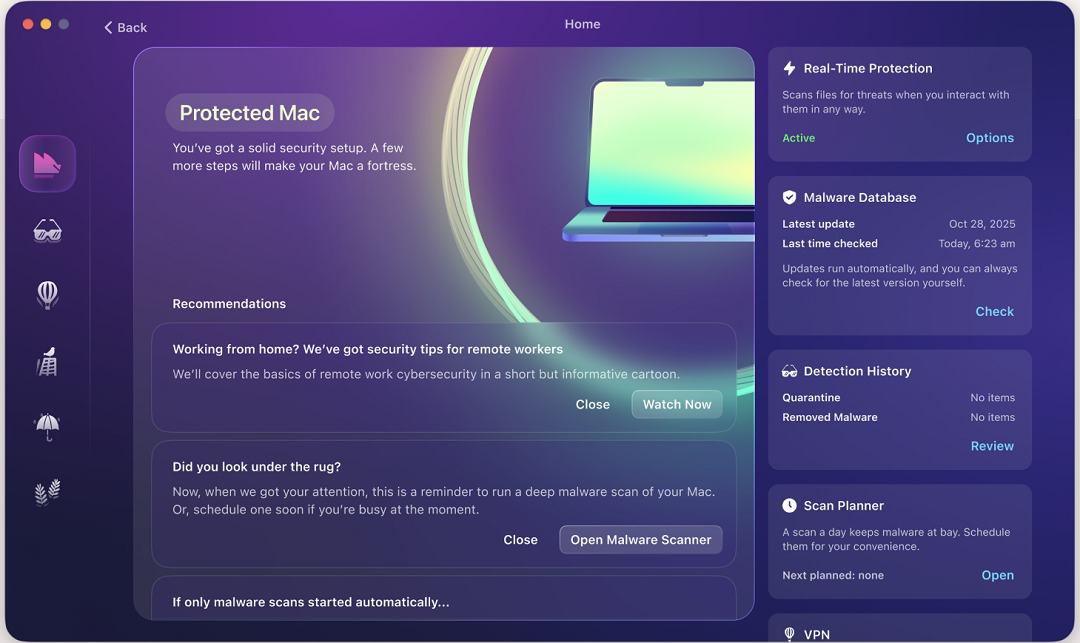
Both Moonlock’s Malware Scanner, customizable for speed or depth, and Real-Time Protection work on a constantly updated Mac threat and malware database. This means you get protection from threats even before official patches are rolled out.
To add layers of defense, Moonlock ships with a built-in VPN for safe browsing. It also includes a Scam Detector, which you can use to check for scams and phishing in any email or text. Plus, through features like the Security Advisor, Moonlock helps you build safe digital habits at your own pace.
You can check out and test-drive Moonlock for free for 7 days.
Final thoughts
While the Apple Music exploit was given a low risk score, it touches on many different and important elements of your Mac’s built-in security. Not only that, but it uses an Apple app to run a cyberattack.
From TCC to how apps behave on your Mac, what they can access, and how hackers can modify their processes using symlink race conditions, these 2 bugs in Apple Music give you the perfect opportunity to check under the hood of your macOS and learn how to strengthen it.
This is an independent publication, and it has not been authorized, sponsored, or otherwise approved by Apple Inc. Mac, macOS, and Apple Music are trademarks of Apple Inc.