
These days, if you are a Mac user, you have to be extra careful when downloading anything online. Cybercriminals are impersonating Claude, Homebrew, and Codex again. They have been running this same playbook over and over for the past few years, and this year, it got worse.
Cybercriminals run ads on Google’s network, hijack legitimate accounts, and manipulate search engine results to lure you to fake sites. There, through ClickFix instructions or malicious DMG file downloads, they breach your Mac with MacSync and AMOS stealers. These stealers go after your data and crypto.

Stop Mac stealers in their tracks
Dive in to learn how the newest campaign works, learn the 101 of macOS ClickFix, and stay clear and safe from these threats.
From lone hackers to nation-state threat actors, everyone is using ClickFix
On November 19, Cato Networks reported on a new ClickFix campaign targeting Mac users. This campaign, like numerous others, lured users to fake Claude, Codex, and Homebrew sites.
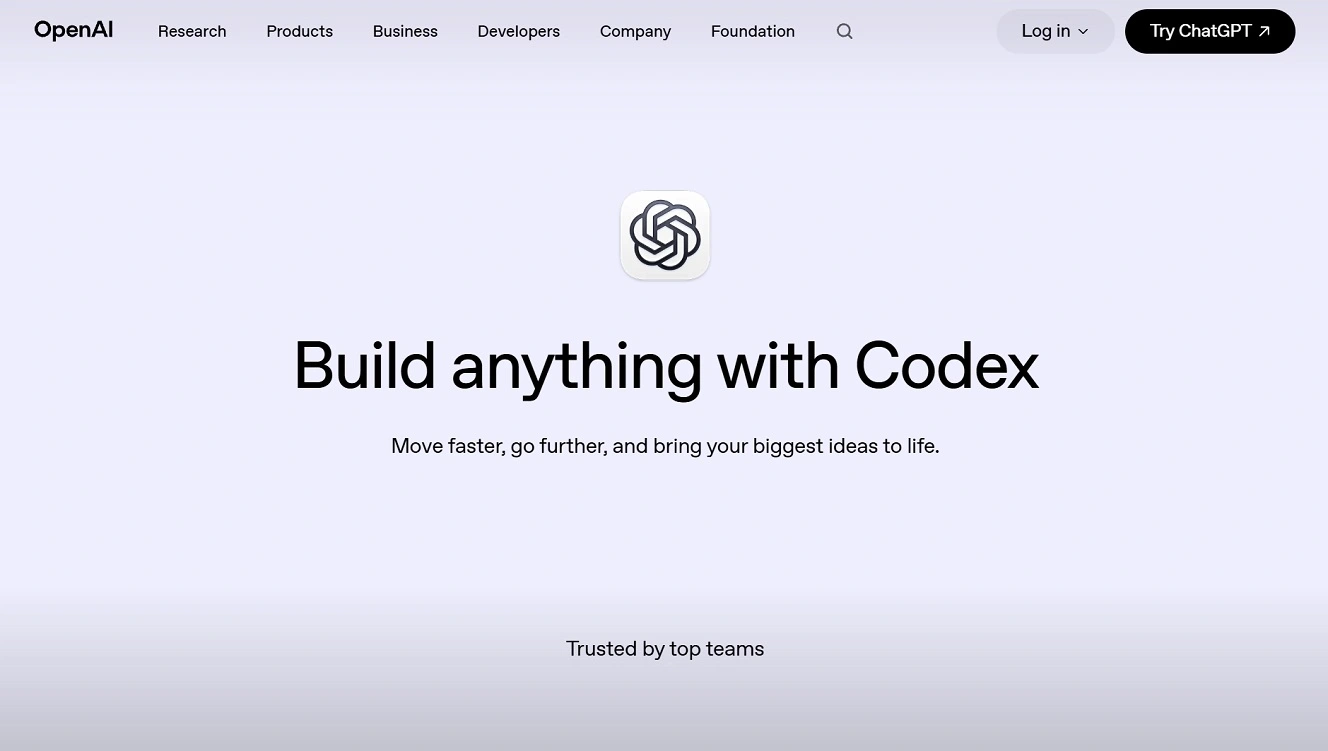
All the fake sites that were used in this campaign are now down, and so is the attackers’ C2 infrastructure. However, cybercriminals can rapidly rotate, pull down sites that have been flagged by cybersecurity media reports, and create new ones. Additionally, the same techniques are used by several groups and hackers who buy ClickFix toolkits on the dark web.
The availability of ClickFix dark web tools has made ClickFix attacks quite popular. Groups develop these toolkits, and virtually anyone can buy them on the dark web.
Besides the lone operators who buy these tools, high-volume ClickFix operations are on the rise. For example, PasteSwitch took over the HBO Max Reddit account this year in a large-scale ClickFix campaign that created hundreds of malicious sites.
Even the largest crypto heist in history, the recent $6.3 Binance hack, began with a fake Homebrew page targeting a Mac user. That incident was attributed to North Korean hackers.
This means everyone from lone hackers or operators who buy these tools on the dark web to more organized cybercriminal groups and even nation-state threat actors use ClickFix to go after Mac users. The result? Hundreds and hundreds of ClickFix websites.
Back to the Cato Network investigation
Returning to the recent Cato Networks investigation, they say that their analysis of the infrastructure used by cybercriminals in the new fake Claude and Codex websites shows a connection. However, they have not established who is behind it.
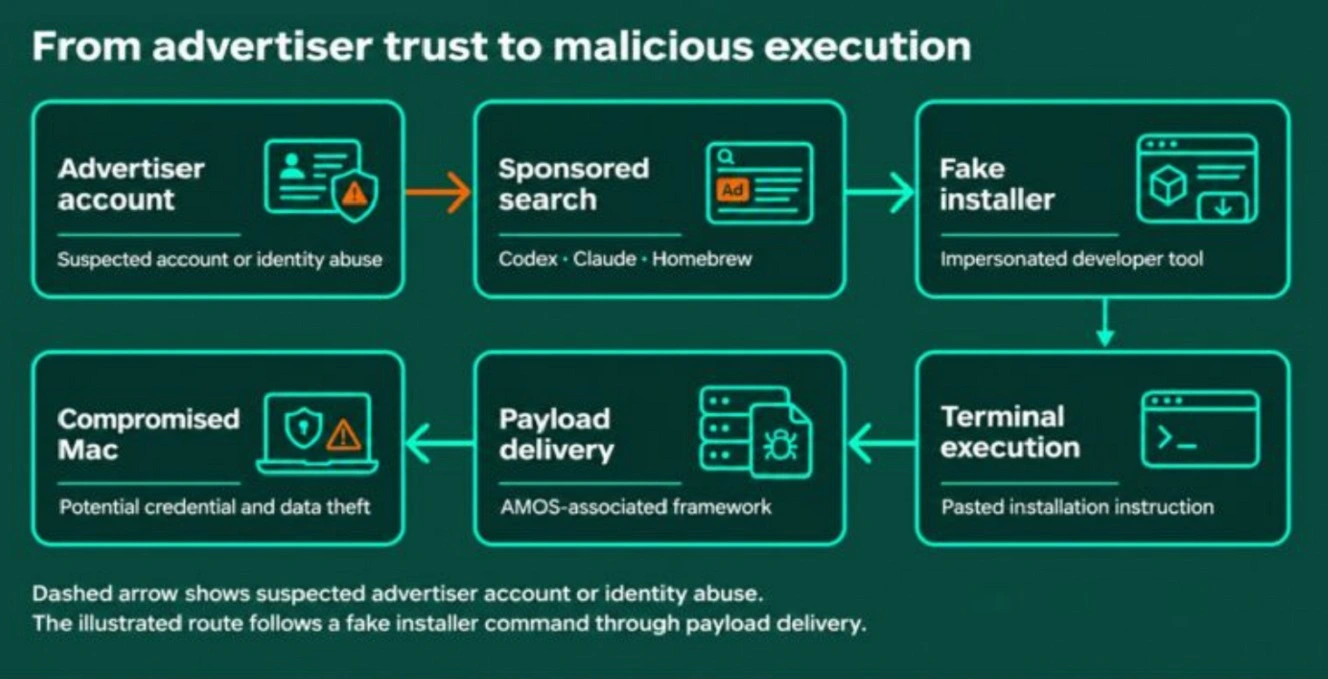
Additionally, Cato Networks uncovered other fake sites luring Mac users that they say are not connected to the Claude and Codex fake sites. This includes impersonations of Homebrew and notes on fake Cloudflare sites.
Other brands impersonated this year by ClickFix campaigns include GitHub, ChatGPT, Alfred, Mac tools such as disk cleaners, and crypto wallets.
ClickFix campaigns throughout 2026 have been rising in waves as cybercriminals put together the infrastructure and then run the ads or other resources they use to redirect web traffic to these sites.
Once you get to the fake sites reported by Cato Networks, as with most ClickFix campaigns, you are greeted with ClickFix instructions that try to convince you to copy and paste a malicious script into your Mac Terminal.
It’s not Terminal scripts — it’s DMGs too
During their investigation, Cato Networks found that besides ClickFix instructions, some sites are offering disk image files (DMGs) as fake install downloads.
The site, claude-tools[.]com, Cato Networks notes, offered a malicious DMG download that, when installed, connected the breached Mac to kmtxyn[.]com/agent to request a macOS executable that built a counterfeit Finder.app in the user’s Application Support directory.
Combining ClickFix with DMGs isn’t new. PasteSwitch recently incorporated this double malware distribution technique as well. Malicious DMGs distributed via ClickFix campaigns either come with ClickFix instructions or have stolen or hijacked valid Apple developer IDs. Using these techniques, your built-in Mac Gatekeeper, designed to flag any malicious install, is bypassed.
Cato Network also reports that the fake sites served some users malware, while others were redirected to other sites. This behavior has also been documented this year. Additionally, ClickFix cybercriminal sites can sometimes fingerprint your computer, know what OS and version it is running, and steal other data. Based on that information, they can serve you macOS malware, Windows malware (if that is what you are running), or redirect you to other malicious or legitimate sites.
A Google Ads account, likely hijacked
Cato Network reported that users were redirected to the fake Codex site via Google Ads from a US-based healthcare company. A separate note in their report says a potential data breach involving this company is being investigated.
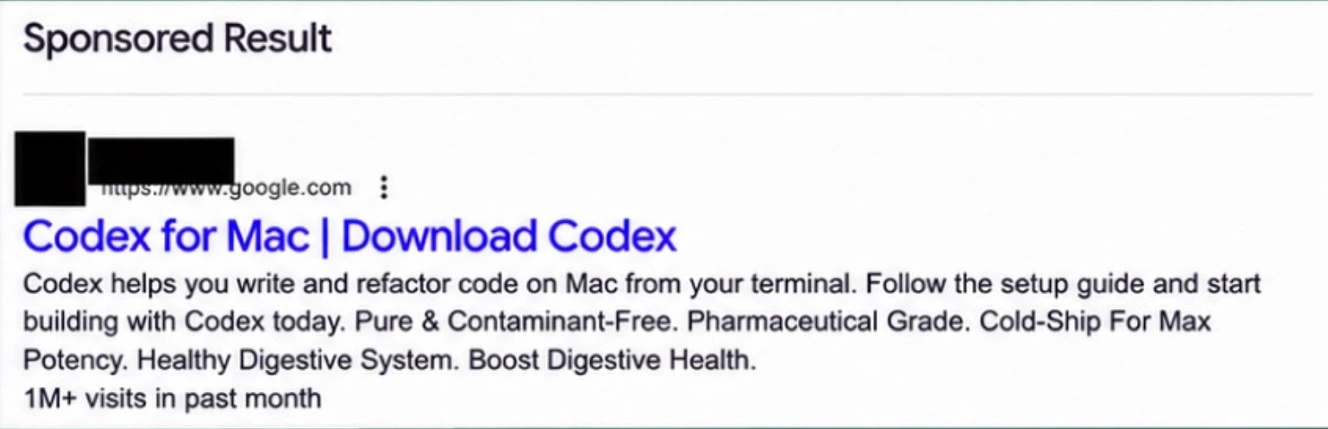
The Google Ad account belonging to the US-based healthcare company was found by Cato Networks to be promoting several health products, along with one ad directing users to the fake Codex site.
Put together, all this evidence signals that their Google Ad account was likely hijacked or taken over by cybercriminals to run the fake Codex ad.
The malware of choice: AMOS and MacSync
Cato Network reports that the malware that these fake sites are distributing includes AMOS but also mentions other ClickFix campaigns that use MacSync. Both of these stealers have become the malware of choice in ClickFix campaigns.
Once these stealers breach your Mac, they prompt you for your password using a fake system password request and steal your browser data. They can breach password managers, go into your Mac files, Notes, and clipboard. They can steal crypto wallet databases and replace crypto apps with fake ones that steal your seed or passcodes. Plus, these stealers also have a backdoor for persistence.
AMOS is one of the earliest macOS stealers, which, despite its high price tag of $3,000 on the dark web, is still heavily used.
There are several versions of AMOS and forks derived from it, and updates have ensured that the stealer is still relevant. Its source code is also widely accessible to other malware developers who often copy it.
On the other hand, MacSync is the evolution of Mac.c, a stealer that emerged in 2025 and is part of the newer wave of macOS stealers that are available on the dark web for lower prices. Initial reports found that MacSync sold for about $1,500 per month, as advertised on the dark web. Today, the malware has been highly active.
Despite both stealers having a documented dark web price tag ranging above a thousand dollars, the scale and volume of ClickFix campaigns in 2026 suggest wide accessibility of these pieces of malware.
There have been hundreds of ClickFix sites targeting macOS users this year, and most use MacSync or AMOS.
How to stay safe from ClickFix campaigns
Below are some simple tips and suggestions on how to stay safe from ClickFix attacks.
Do not click on ads
Ads are the first gateway of ClickFix stealers. Not clicking on any ads closes that gate for good.
An ad may appear legit because it comes from a legitimate verified account, but it can direct you to a malicious fake site. Additionally, the website text in an ad you see may show a legitimate or trusted website address, but when you click on it, you may land on another site, or the address may automatically redirect you to a different website.
Bottom line, if you see an ad for something you like online, instead of clicking on it, do a search online and find the original site.
Download Mac apps from legitimate sources
If you are going to download anything on your Mac, search for the legitimate original developer’s website or the original developing company. Only download apps, updates, or Mac tools from trusted, verified websites or the App Store.
Watch Terminal scripts
If you do not usually install apps on your Mac via Terminal scripts, learn how they work and how to check Terminal scripts for safety before using them.
If you are a developer or a frequent user of Terminal scripts, it’s a good idea to check each command. Look for base64, curl, or bash commands, or strings of random characters in the Terminal scripts; these are all ClickFix red flags in Terminal scripts.
Get Moonlock. If something gets past you, Moonlock will flag it and shut it down.
The Moonlock antivirus for Mac was built to offer layers of defense for your Mac and can flag ClickFix threats in real time. Once installed, Real-Time Protection will run in the background, checking everything you interact with, including Terminal scripts. If a Terminal script attempts to fetch a malicious payload, Real-Time Protection will flag it, let you know what it found, and explain why it is dangerous.
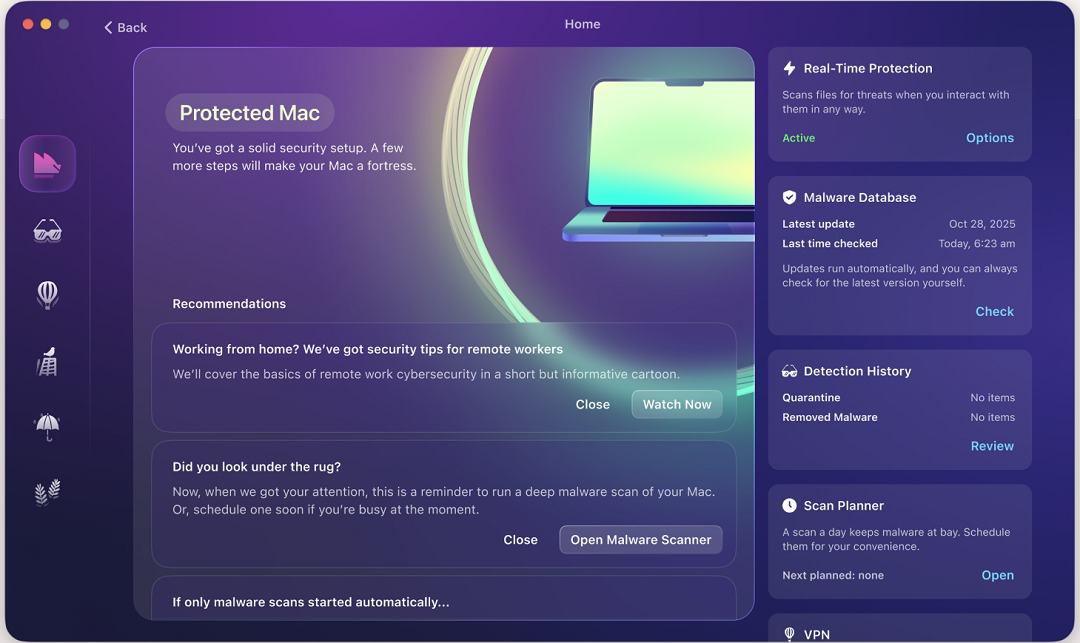
Moonlock also ships with a built-in Scam Detector and a VPN. It can scan your Mac’s settings and guide you on how to turn them up through System Protection, while offering you tips and advice that help you build safe digital habits in your time via Security Advisor.
You can check out and test-drive Moonlock for free for 7 days.
Final thoughts
ClickFix only works if you install the malware yourself after being tricked by a threat campaign online. While the ClickFix techniques vary slightly, the essence remains the same.
Keep up to date with cybersecurity news, watch those Terminal scripts, download from verified sites only, and learn more about your technology so you can steer clear of ClickFix attacks and live a safer, calmer, more productive digital experience.
This is an independent publication, and it has not been authorized, sponsored, or otherwise approved by Apple Inc. Mac and macOS are trademarks of Apple Inc.