




ClickFix, also known as “click to fix,” is a technique used by bad actors to breach macOS computers and install malware. Now, ClickFix is being automated on the dark web. For just $800, a tool named ErrTraffic is being sold “forever” and promoted online.
Why should this matter to Mac users? Because, as tools like this become more widely available, more bad actors will be using them. Here’s how ErrTraffic works and how you can keep your Mac safe.
Hudson Rock Threat Intelligence reveals how an automated ClickFix tool works: Meet ErrTraffic
Recently, the Hudson Rock Threat Intelligence Team reported that ClickFix was moving from hand-crafted manual coding efforts to a more industrialized approach. The report looked into ErrTraffic, a tool and platform being promoted on cybercriminal forums.
What can the tool do? It automates the entire ClickFix process, with a no-code approach, lowering the technical bar needed to create these types of lures.
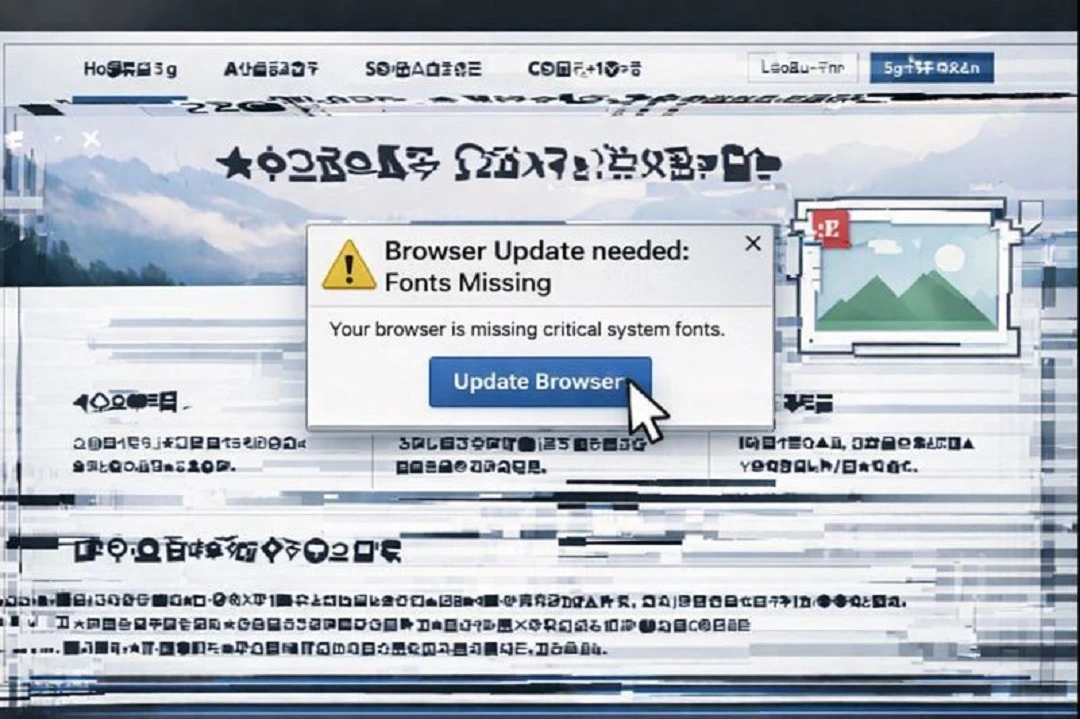
As a reminder, “click to fix” is a social engineering technique in which cybercriminals create fake browser or system pop-ups claiming that a Mac or browser needs an update or a “fix.” ClickFix tactics are used to trick users into downloading fake software and apps that have malware.
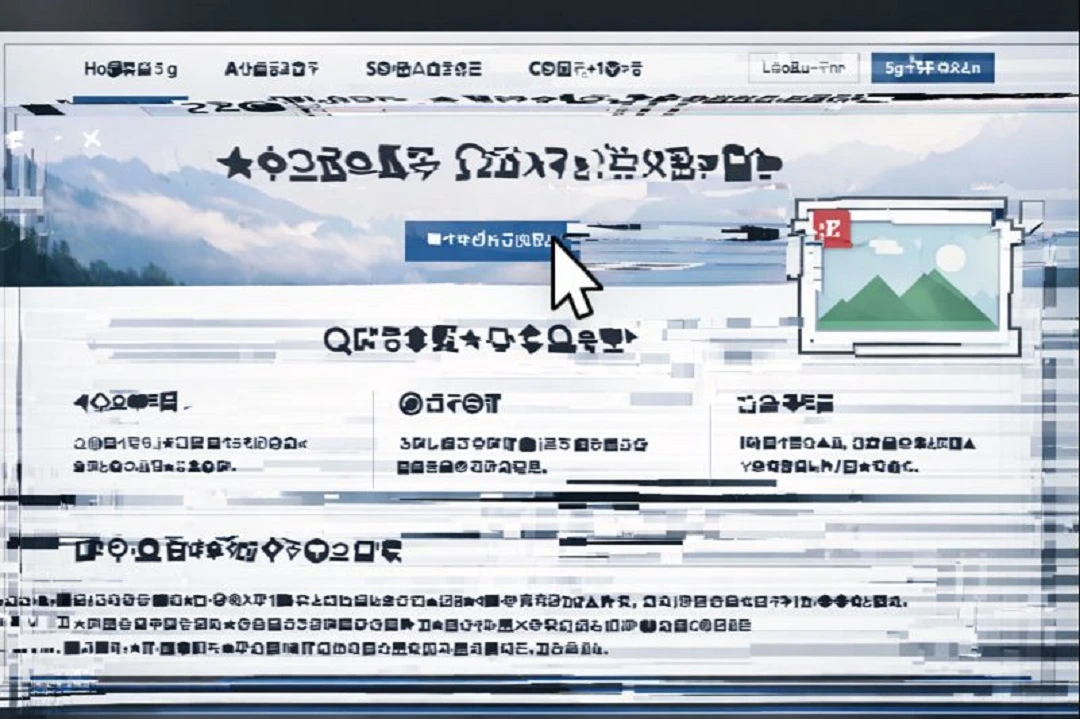
From a user’s point of view, they see a series of simple instructions to copy a script to their Mac terminal, sometimes fake update buttons (as shown in the image we generated using ChatGPT above), and sometimes a prompt to “drag this icon here.”
Before we get into how ErrTraffic works, which is unlikely to be the only tool in the market automating this type of technique, it is important to point out that any ClickFix attack—no matter how sophisticated it may be—falls apart if the user simply does not follow the fake instructions.
How ErrTraffic and other ClickFix automated tools work
The way ErrTraffic works is very simple. The tool is completely automated. Bad actors simply copy a short code on the website and connect the automated tool to the malicious site they are using to distribute malware. That small snippet of code retrieves an automated script that will operate on the website every time someone visits it.
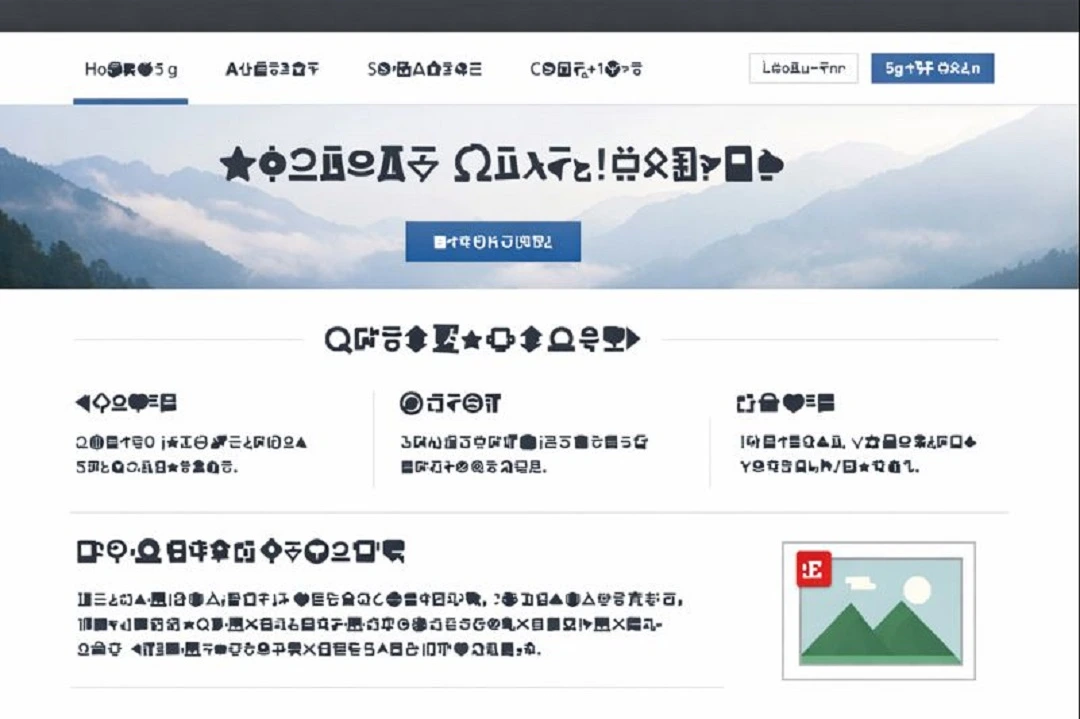
The tool creates fake broken fonts, making the screen of your Mac appear to glitch if you move the cursor over the page. It will then pop up a fake browser notification telling you that the Browser needs an update or that your Mac is “missing some fonts.” The claim is, of course, a trick meant to lure you into clicking on a button or copying a script into your terminal that installs the malware.
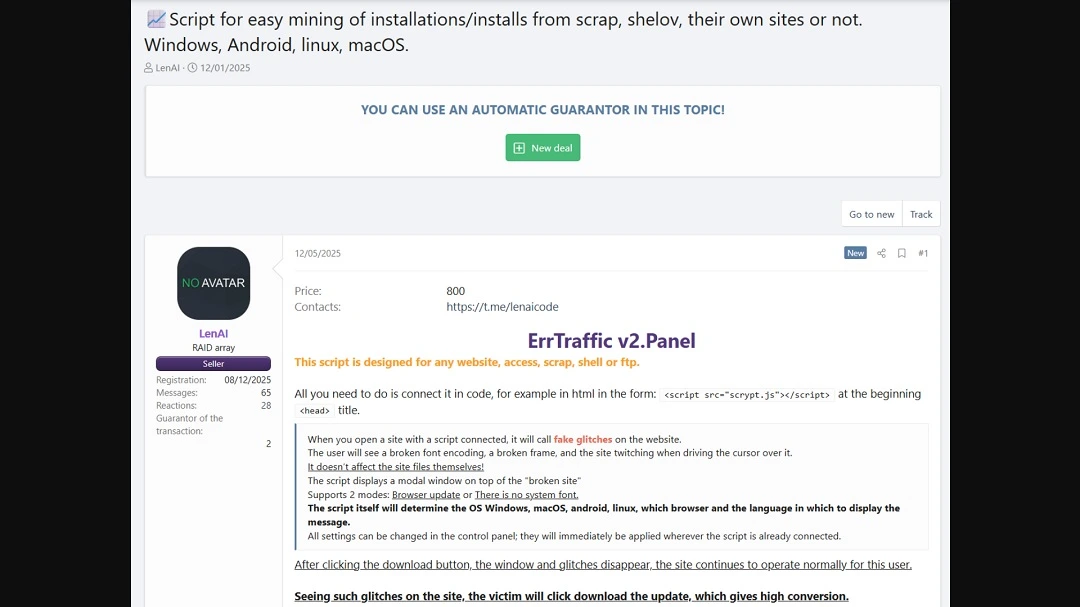
The price for this tool, according to Hudson Rock Threat Intelligence Team, is a “forever” fee of $800. Whoever is promoting the tool online says it can fingerprint (gather the system data) of Windows, macOS, Android, and Linux operating systems (OS) to deliver customized malware payloads for each OS.
The $800 price tag may seem steep, but Hudson Rock Threat Intelligence says that this tool has a 60% successful infection rate. This means 3 out of 5 people who interact with ErrTraffic end up infected with malware.
If ErrTraffic is just the beginning, the future of automated ClickFix does not look bright
While it may not look like much right now, the ErrTraffic tool is only in its second edition. The original developers are likely to continue improving this tool, and any other threat group that gets its hands on it can make additional updates as well.
All this implies that automated, industrialized ClickFix tools used to breach operating systems will continue to get better and harder to spot.
Besides automating what happens on the screen of a browser running on your Mac or other devices when you visit a malicious site that is distributing infostealers, backdoors, and other types of malware, ErrTraffic has some other notable features.
The tool, like other cybercriminal software sold on the dark web, comes with an operator C2 attacker panel. This is the main dashboard that those who buy the tool use to operate it.
The dashboard is rather comprehensive and intuitive. It shows website traffic analysis, campaign performance, real-time stats on malware payloads that were downloaded and executed, and website interactions. The tool also includes geo-blocking, IP filtering, and bot filtering. These are to avoid security researchers and online bot activity (non-human).
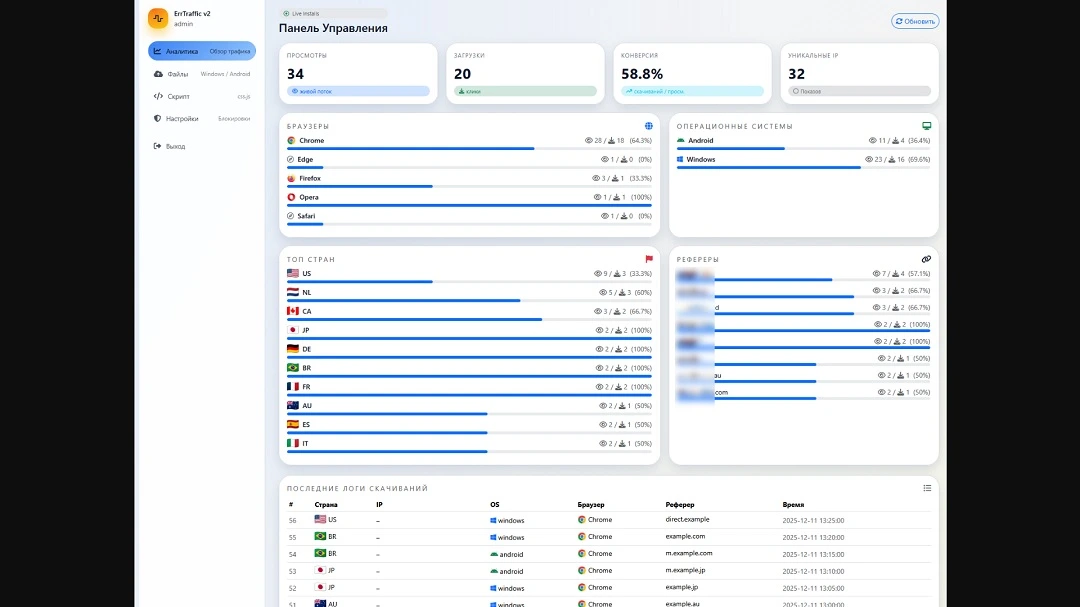
Hudson Rock Threat Intelligence reported that the panel is hard-coded to exclude Commonwealth of Independent States (CIS) countries. Screenshots of the panel list the following countries: the United States, the Netherlands, Canada, Japan, Germany, Brazil, France, Australia, Spain, and Italy.
ErrTraffic spreads through multiple web browsers and leverages “browser blindness”
According to the report, ErrTraffic can be deployed on Chrome, Edge, Firefox, Opera, and Safari browsers. It can also breach, as mentioned, most OS, including macOS. No mention of iOS capabilities is found in the report, so iPhones might be in the clear for some time.
As mentioned, this tool is only in its second iteration or second version, and it has a lot of space for updates and improvements. Black hat hackers might change the browser glitching effect and font missing lure to something more believable in the next version, so keep up with the news on ErrTraffic to get the latest on their social engineering tricks.
ErrTraffic also comes with “browser blindness,” allowing the automated ClickFix code to run without the browser seeing anything malicious. In other words, the browser becomes incapable of detecting the tool. The tool also comes with “Endpoint Detection and Response (EDR) blindness,” imitating normal user behavior to avoid anti-malware detections.
While the tool is mentioned as being promoted on “Russian-speaking” forums, this does not imply attribution. It is unknown if the tool is being promoted on English-speaking or Spanish-speaking dark web forums. It is noteworthy that this tool is available for bad actors, threat actors, scammers, and criminals operating across the globe.
How to keep safe from ErrTraffic and ClickFix lures
A lure is a form of bait, and like any bait, it only works if someone bites. Here are some simple but effective ways to avoid falling for ClickFix lures.
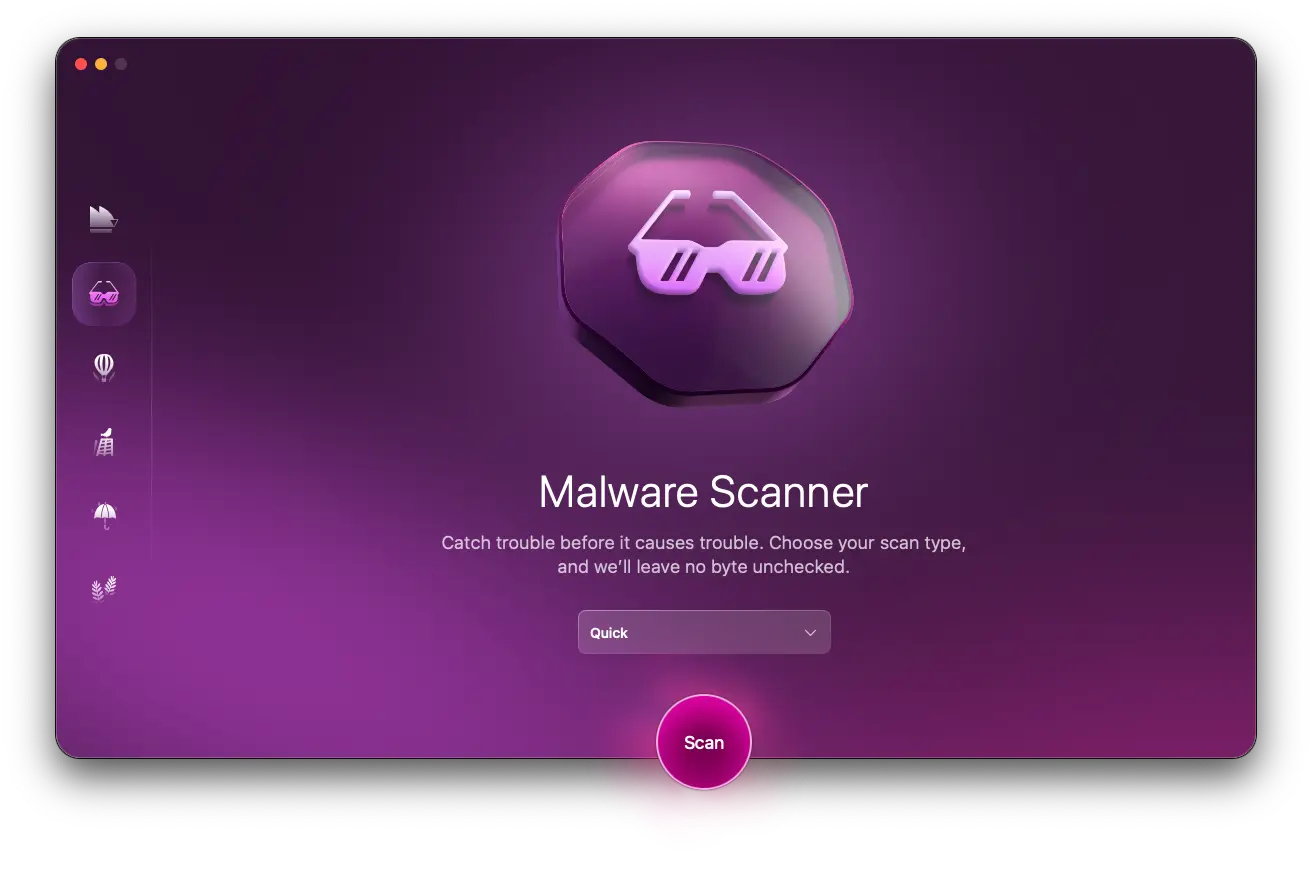
Get the Moonlock app. It adds a layer of defense to your Mac.
ClickFix techniques targeting macOS users are being used because they are an effective way of bypassing Apple’s built-in macOS security layers, which include Gatekeeper and the Transparency, Consent, and Control (TCC). This means that your Mac’s security layers aren’t always enough.
This is where the Moonlock security app comes into play. It adds a much-needed layer of cybersecurity defense to secure your Mac when built-in tools fail and scammers trick you with clever social engineering.
The Moonlock app takes a look at every file you interact with and automatically flags and isolates anything suspicious. It notifies you when this happens and moves the suspicious file to Quarantine. You can later review the file and decide if it’s a threat or not based on the information the app provides.
You can try Moonlock with a 7-day free trial.
This isn’t 1999. Mac screens don’t glitch, and browsers do not have missing fonts.
ErrTraffic tries to fool you by presenting a situation similar to what it looked like back in the 1990s if a computer user accidentally downloaded a virus on their machine. In reality, glitching monitors and missing fonts are a thing of the past. It’s very uncommon today. Anything glitching on your Mac or fonts missing should be a red flag.
Double-check and clear any Mac system or browser notifications
It’s a good idea to treat any system or browser notification on your Mac with caution. Double-check them for authenticity.
Also, keep in mind that if you download a file, software, browser extension, or app, it shouldn’t ask you for your system password. Do not type it in. Knowing how ClickFix and malware work can help keep you one step ahead of the game.
Final thoughts
As ClickFix lures become popular on the dark web, we expect to see more of them being used in the wild. At this time, ClickFix is a nascent technique with a lot of room to grow. Where these tools will take infection vectors is still unknown and will likely depend on the work of cybersecurity researchers and dark web developers. In the meantime, you can follow the advice in this report to keep your Mac safe.
This is an independent publication, and it has not been authorized, sponsored, or otherwise approved by Apple Inc. Mac and macOS are trademarks of Apple Inc.





