




If you recently downloaded software for your Mac, you might want to read this report. About 40 rather popular macOS software brands have been (and are currently being) impersonated by MacSync cybercriminals who are out to steal your data and crypto.
The industries targeted range from advanced mechanical engineers and AI security and operations to hospitality, filmmakers, creatives, and normal Mac users. While the scale of this campaign is wide, there are several things you can do to stay safe. Let’s dive in.
A large-scale stealer campaign casts a wide net on Mac users
Recently, the Daylight Security MDR team revealed details of a large-scale MacSync malware campaign targeting Mac users. In this campaign, threat actors are using GitHub as if it were a WordPress platform rather than to spread infected code.

Keep your Mac safe from stealer malware
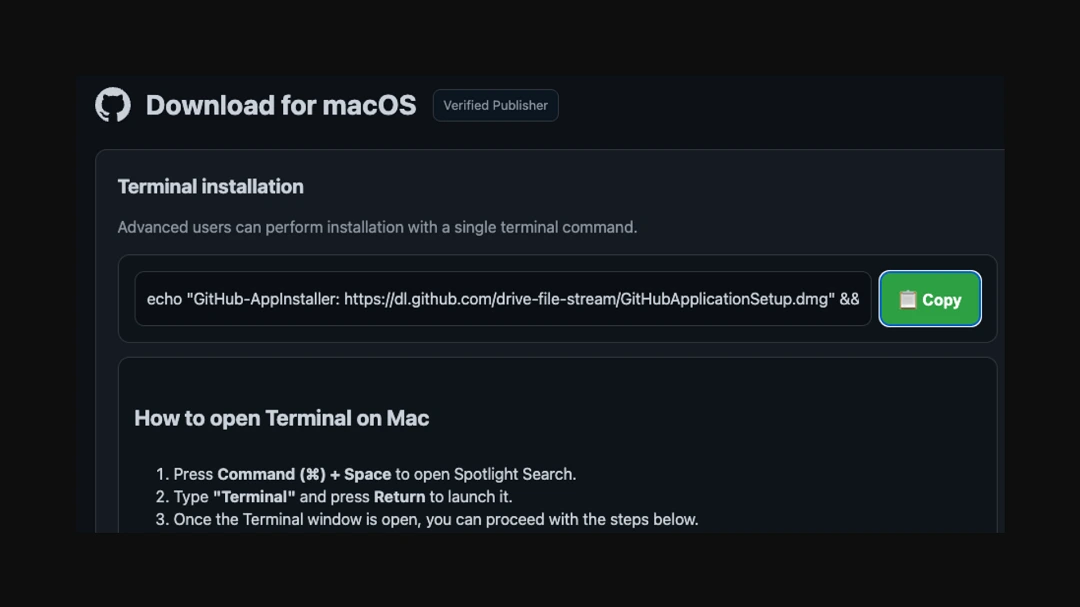
These fake GitHub pages redirect Mac users to deceptive websites via “Download for Mac” buttons. On these sites, users are tricked into installing malware on their Mac by copying code into their terminal. This technique is known as ClickFix.
The big problem with this campaign is the sheer scale of it. There are over 24 active GitHub URLs pretending to offer popular Mac software. We have seen many times before how cybercriminals create fake GitHub repositories that contain malicious code, but this is not what is happening here.
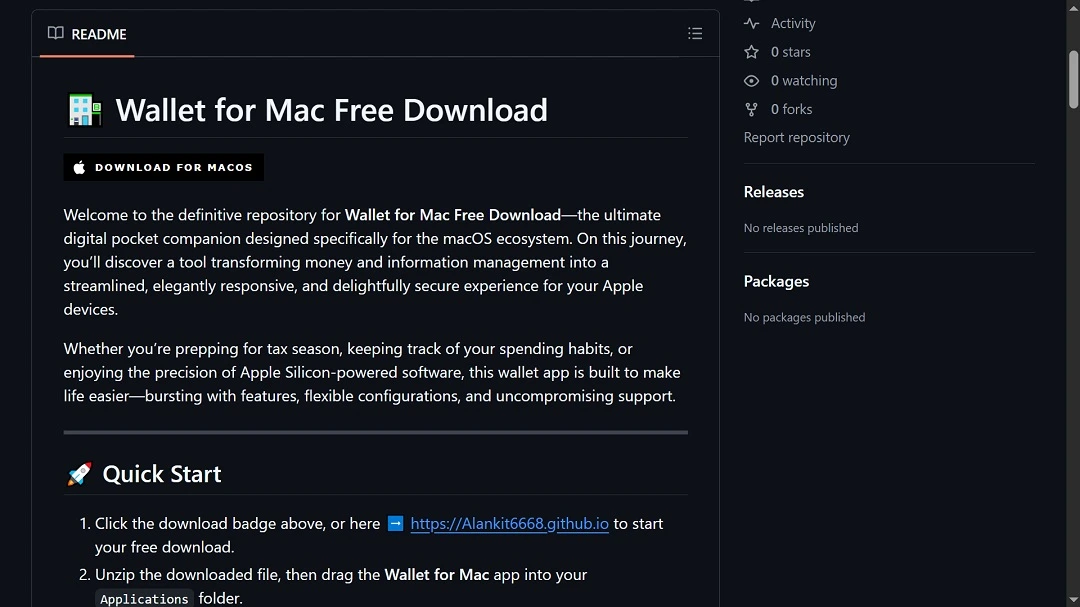
In this campaign, cybercriminals are simply using GitHub as a site that looks credible, where they can upload website-looking designs in the form of ReadMe files. By not uploading malicious code to GitHub, threat actors are not only avoiding the automated scans that occur on the platform, but also significantly expanding their attack reach, targeting most Mac users and not just software developers.
If you installed any of these on your Mac, we suggest you run a malware scan, calmly
The following are Mac software and apps being impersonated with fake pages set up on GitHub that appear legitimate and direct users via download buttons to a MacSync malware-distributing page that uses a ClickFix technique.

Security and operations:
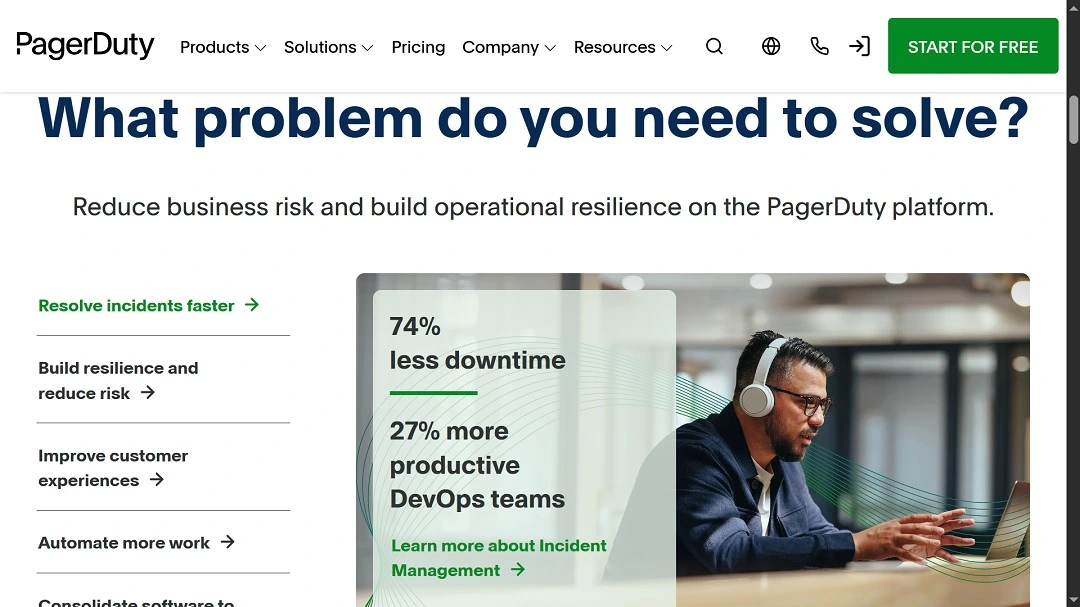
- PagerDuty: A macOS digital operations and incident-response platform that helps engineering and IT teams detect, manage, and resolve issues in real time
3D, CAD, and engineering software:
- VARICAD: CAD and mechanical engineering
- 3D-Coat: 3D sculpting and texturing
- CorelCAD: CAD drafting and design
- CrossOver (CodeWeavers): Windows app compatibility for macOS
- ATV Flash (Silver): Apple TV media management
Games:
- Absolute Farkle: Gaming
MacOS utilities, crypto, and productivity:
- Bartender: A macOS menu bar utility
- Boom 3D: An audio enhancement and system sound software
- MacDive: A disk space and storage visualization app
- PhotoMill X: A photo resizing and batch processing software
- Vallum: A macOS firewall and network control
- Mac Wallet/Wallet Vault: Crypto and credential storage
Design, creative, and media tools:
- Artisto: Video and photo effects
- AnyRec Screen Recorder: Screen capture and recording
- DesignEvo: Logo and graphic design
- Descript: Audio/video editing and transcription
- Diptic: Photo collage and layout
- Mac Premium Fonts: Typography and font libraries
Audio, music, and sound engineering:
- Imaginando (K7D): Music and audio production
- Imaginando: Sound design tools and music creation.
- Physical Audio (Modus): Professional sound modeling.
- Blue3 Organ: Virtual instrument and music plugin.
- Soundiron (Axe Machina): Virtual instruments and sound libraries.
What if you downloaded a piece of software on this list from GitHub?
If you downloaded any of these pieces of Mac software in the past 60 to 90 days from a GitHub page or are not sure where or when you downloaded them from, we suggest you scan your Mac for malware.
It is unclear how many Mac users have downloaded software from these fake GitHub pages. Again, these pages are not pretending to target developers but all types of Mac users, from professionals to the average end user.
“Beyond the PagerDuty incident, our team has identified 39 additional malicious GitHub repositories, 24 of which remain active as of mid-January 2026,” The Daylight Security MDR said. “The campaign’s activity dates back to at least August 2025, with new repositories appearing throughout January 2026.
How the new MacSync “Download this Mac software” campaign works
Here’s how the new MacSync campaign works from a user’s point of view:
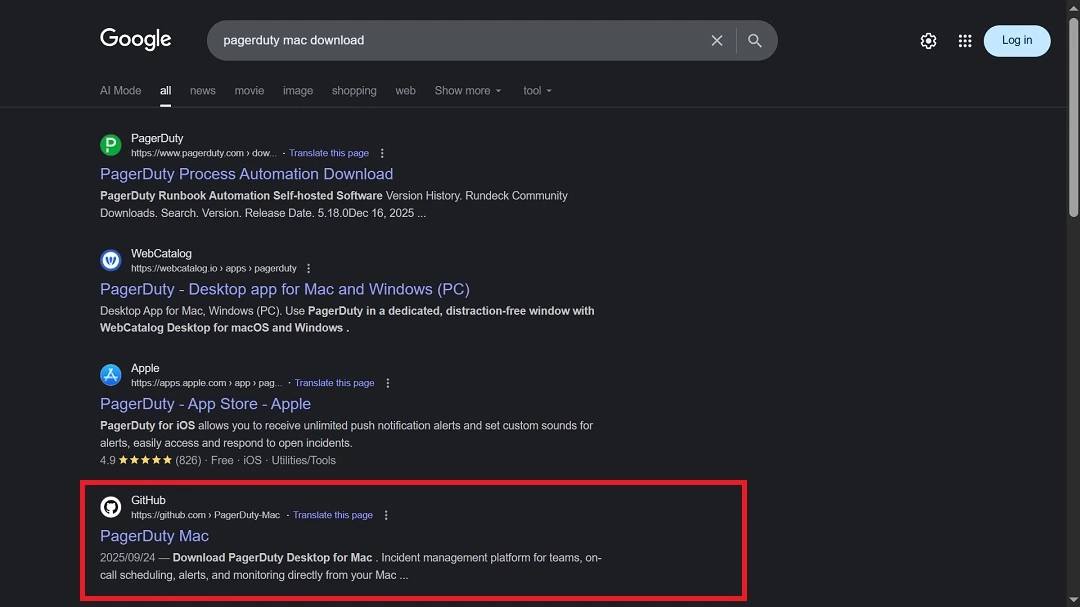
- You go online to download a specific Mac software like PagerDuty, so you type in Google “PagerDuty Mac Download.”
- Google returns several results, and in the top five, it lists a credible and legitimate GitHub page that threat actors created and positioned high using search engine optimization techniques known as SEO Poisoning.
- You click on that GitHub page, whether you know what GitHub is or not, and reach the platform. Here, the attackers have created a page that impersonates the brand, usually with a convincing-looking logo and the brand’s description in detail.
- The GitHub page has a button that reads “Download for Mac.”
- If you click that button, your browser reloads and takes you seamlessly to another site. There, on that second landing page, you get a series of simple instructions on how to install the software on your Mac. These instructions are a ClickFix technique, where threat actors try to trick you into copying and pasting the script directly into your Mac terminal.
- If you copy and paste the script on your Mac terminal, the code fetches the first malware payload, and MacSync gains a foothold in your computer.
A highly active campaign that’s difficult to shut down
Apparently, the MacSync stealer version being distributed is no different than other versions of the malware that security threat researchers have encountered in the past. This campaign is described as being highly active, with multiple GitHub accounts rotating malicious content, making it more difficult for GitHub to shut down the campaign.
What damage can MacSync do to my Mac?
As a reminder, MacSync is becoming a popular macOS stealer for several good reasons. Namely, MacSync can:
- Steal your browser data: MacSync targets Chromium- and Gecko-based browsers to extract cookies, saved sessions, and autofill data, giving attackers direct access to accounts without needing passwords.
- Find and steal your credentials: The malware pulls login credentials from the macOS Keychain and installed password managers, expanding access beyond browsers into system-level authentication data.
- Go after your cloud and developer accounts: MacSync reaches into developer environments, collecting AWS and Kubernetes configuration files (.aws, .kube) along with shell history, exposing cloud infrastructure and operational workflows.
- Target your crypto wallets: Cryptocurrency wallets and related assets are explicitly collected, suggesting that financial theft is a core objective rather than a secondary capability.
- Get your system profile and fingerprint: The stealer builds a detailed system profile, including hardware specs, OS details, and user information, storing the data in plain text for exfiltration and reuse.
- Set up show and remotely control your Mac: MacSync’s more recent version includes a backdoor. This allows threat actors to include your computer as part of a botnet (lots of infected computers) and remotely control your Mac.
How to stay safe from MacSync and Trojan malware
MacSync is trying to breach Mac users via social engineering methods, where contact with the user is cut down to the bare minimum. This means taking over websites, hosting fake content on platforms, creating malicious sites, and directing users to these online resources via malvertising, search engine poisoning, and similar techniques. Here are 3 tips to keep safe from MacSync.
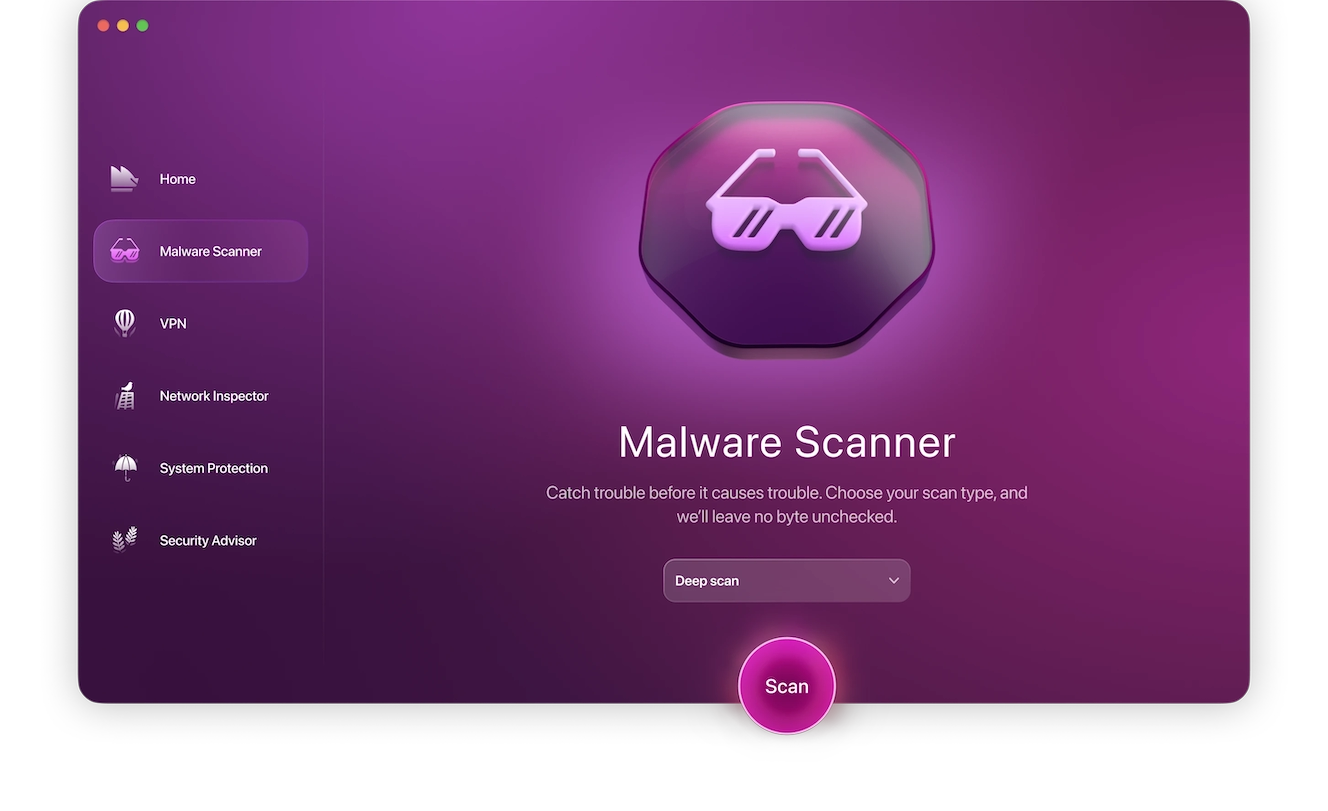
Get the Moonlock app. It’s very good at detecting and blocking stealers.
Even those with strong digital security habits can click the wrong link once, and this is when stealers like MacSync can slip through the cracks.
The Moonlock app is coded to scan your whole Mac in search of known malware variants or suspicious activity. This adds a powerful second layer of defense to your Mac. The Moonlock app also comes with a VPN for safe browsing, a constantly updated malware database, and features that help you improve your digital privacy and security.
You can check out Moonlock with a 7-day free trial.
Only download software from verified and trusted sources.
When downloading software on your Mac, make sure the source is one you trust and that the site, URL, and app maker are verified. Check reviews from other users if you are in doubt, and check the developer’s credentials. Download software only from Apple official stores, official vendor sites, or alternative app stores if you are in countries within the EU. Never download pirated or cracked software.
Reduce your digital footprint. Only download software you are going to use.
The more online accounts, apps, browser extensions, and software you have on your Mac, the larger your digital footprint will be—and, by extension, your digital attack surface. It is a healthy habit to only download software you are actually going to use. Not only will this habit help you keep your Mac decluttered and its processing capabilities in top shape, but it will also make your Mac safer. Ask yourself, “Do I really need this online account, wallet, software, app, or browser extension?”
Final thoughts
In the past, GitHub has mostly been abused to host malicious code. The use of GitHub as a platform to post website-looking designs that lure users into downloading MacSync is a new trick.
Those who are distributing stealers like MacSync will continue to find new ways to breach Mac users. Stay on top of cybersecurity news to get the latest updates, and only download software from trusted sites.
This is an independent publication, and it has not been authorized, sponsored, or otherwise approved by Apple Inc. Mac and macOS are trademarks of Apple Inc.





