In 2025, Americans lost $15.9 billion to scams, up from $12.5 billion in 2024, according to the FTC. From all reported scams, phishing and imposter scams accounted for $3.5 billion of the total losses.
Since early 2026, the FTC has also noted a spike in reports of spoofed Evite emails and text messages, often urging the user to enter their email and password in order to “Accept” the invitation. So, how do you spot fake invites before clicking?
What is the Evite scam?
The Evite scam is an online phishing attack that mimics invitation emails or text messages generated by the online invitation and event planning platform Evite. The FTC even dubbed this pattern the “You’re Invited” scam.
How the Evite scam works, step by step
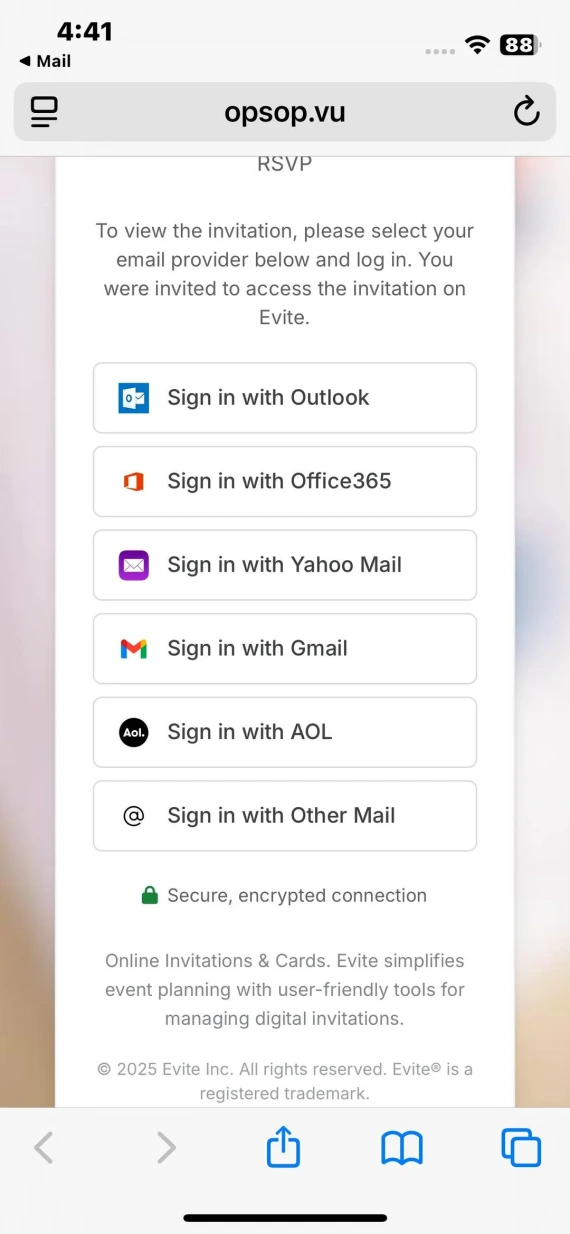
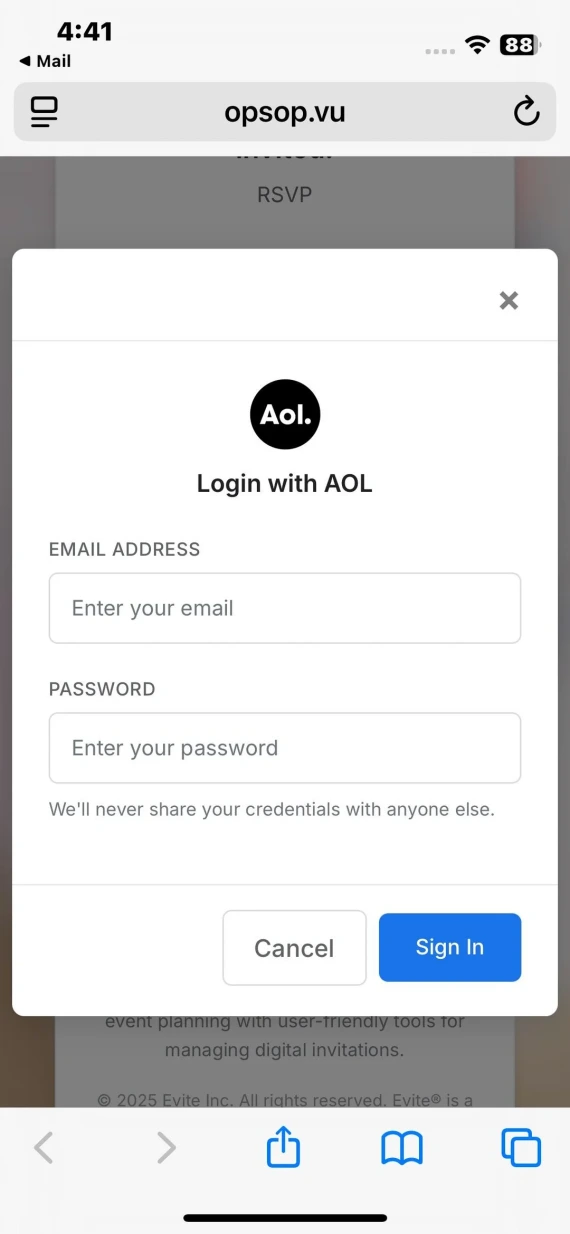
Scammers are known to get creative with how they get a scam to pass for the real thing, but all Evite scams still follow the same overall structure that you need to look out for:
- The e-invite arrives: You receive a “You’re invited” email or text message. These are often sent from a real contact’s account, which the attackers compromised.
- You click the RSVP button: Clicking the “Accept” button will either take you to a fake login page or trigger a hidden .exe file download.
- You hand over your credentials: Entering your login info or running the .exe file effectively gives the scammers access to your account, allowing them to lock you out and use it to scam your contacts.
- The damage spreads: In addition to sending out more fake invites, some scammers will target you further, sending you more malware to infect your device.
How scammers make fake Evite invitations seem real
You’re not imagining things; that Evite invitation in your inbox looks identical to the real thing because the scammers go out of their way to make it look legitimate. Here’s how:
- Account hijacking, not spoofing: Most convincingly, the invite doesn’t arrive from a fake or spoofed account but from your friend’s actual compromised account. This allows it to pass every spam filter and authentication check.
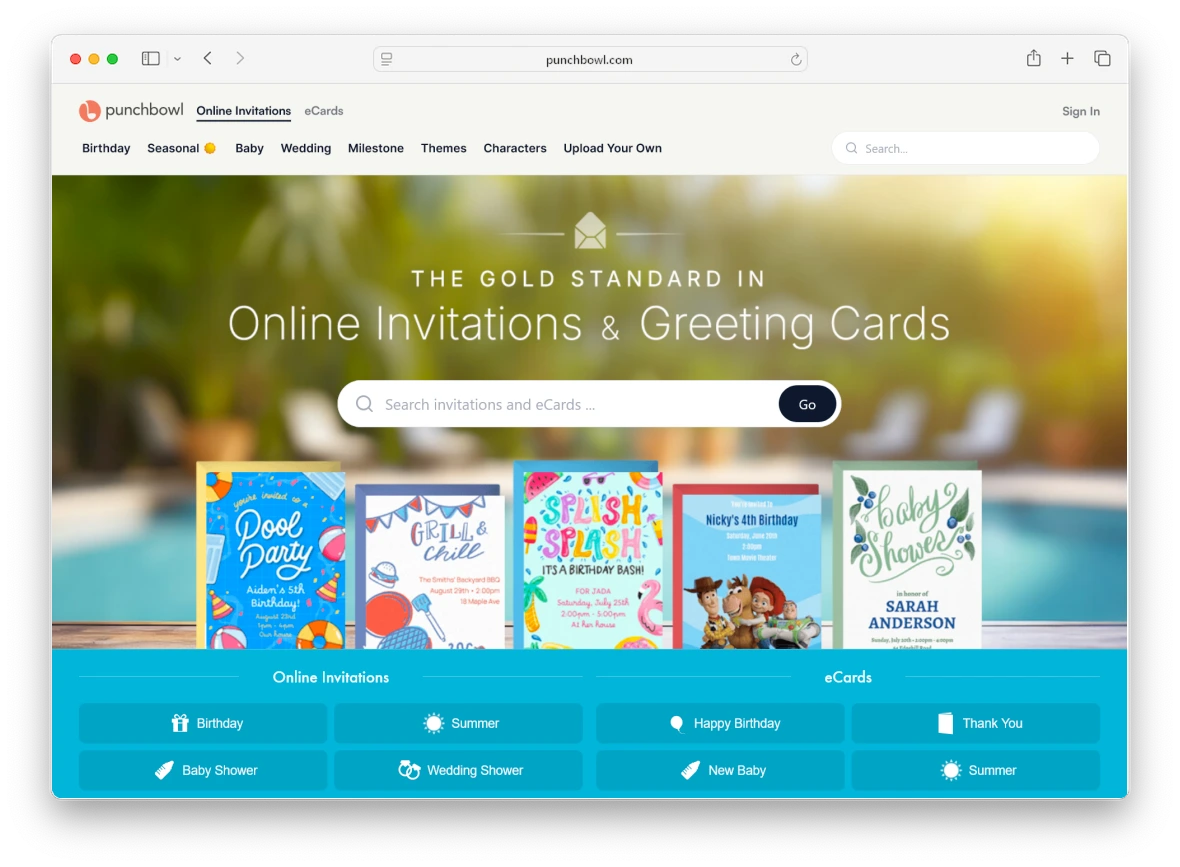
- Copied branding: Logos, fonts, and layout are identical to Evite or Punchbowl, allowing them to pass as legitimate at a glance.
- Manufactured urgency: The invite will try to rush you into RSVPing immediately by giving a tight deadline or limited places.
- Targeted language: If the scammer has an extensive profile on you, they might be able to target you with events you’re particularly interested in, increasing the chance of you clicking.
So, is Evite legit and safe to use?
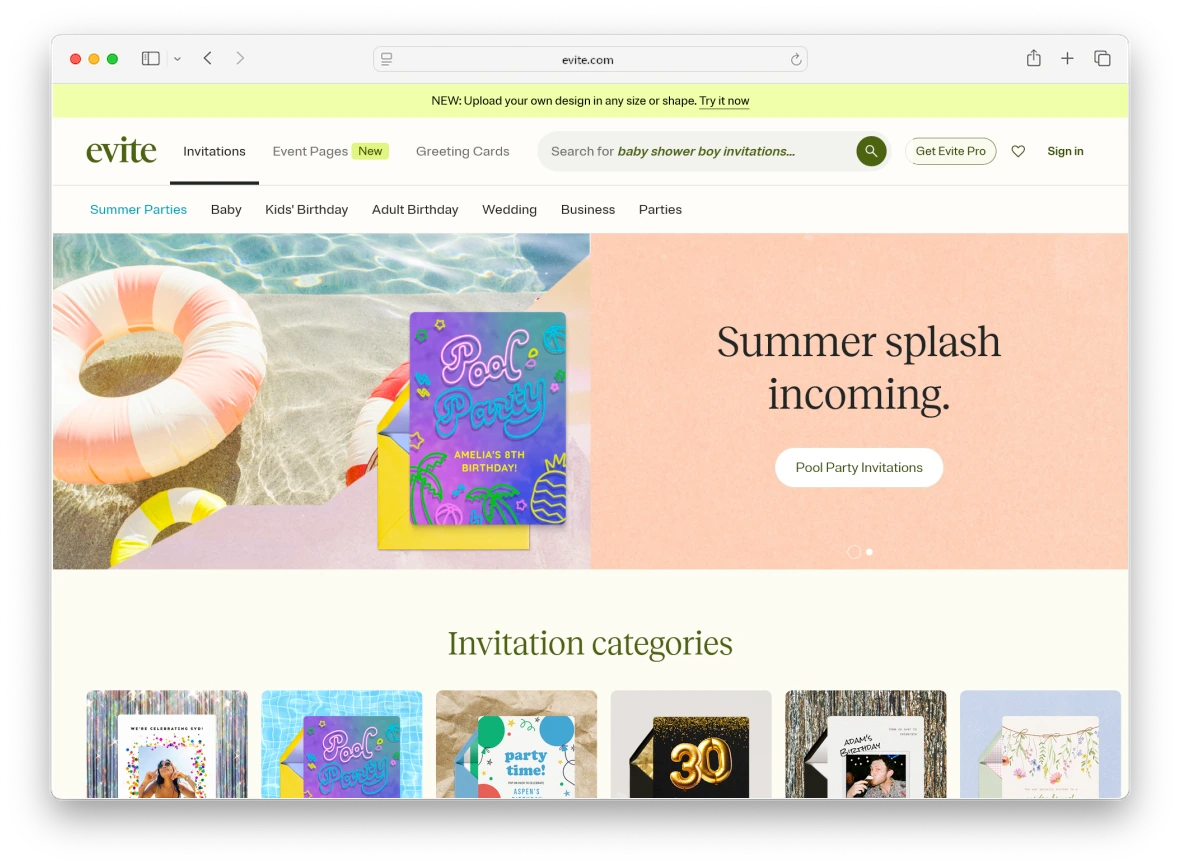
Yes, Evite is a perfectly safe and legitimate website to use to generate and send digital invitations. Any danger comes from impersonators, not the platform itself. So, how can you safely enjoy using the platform? Keep the following in mind:
- Real invitations are safe: Genuine invites, sent by people you know, are safe to open and carry no phishing risk.
- The 2019 breach is old news: Over 6 years ago, older account data on Evite was exposed, but current invites and accounts are safe.
- Verification tools should be used: Check the sender’s domain, talk with the person who sent the Evite, and run the message through a scam detector to check its authenticity.
How to tell an Evite scam from a real invitation
Spotting a fake invite isn’t always straightforward, but if you know the signs to look for, you might be able to spot a scam before you click anything. One way is to look at the overall message, how it’s worded, and whether it sounds too good to be true or suspicious.
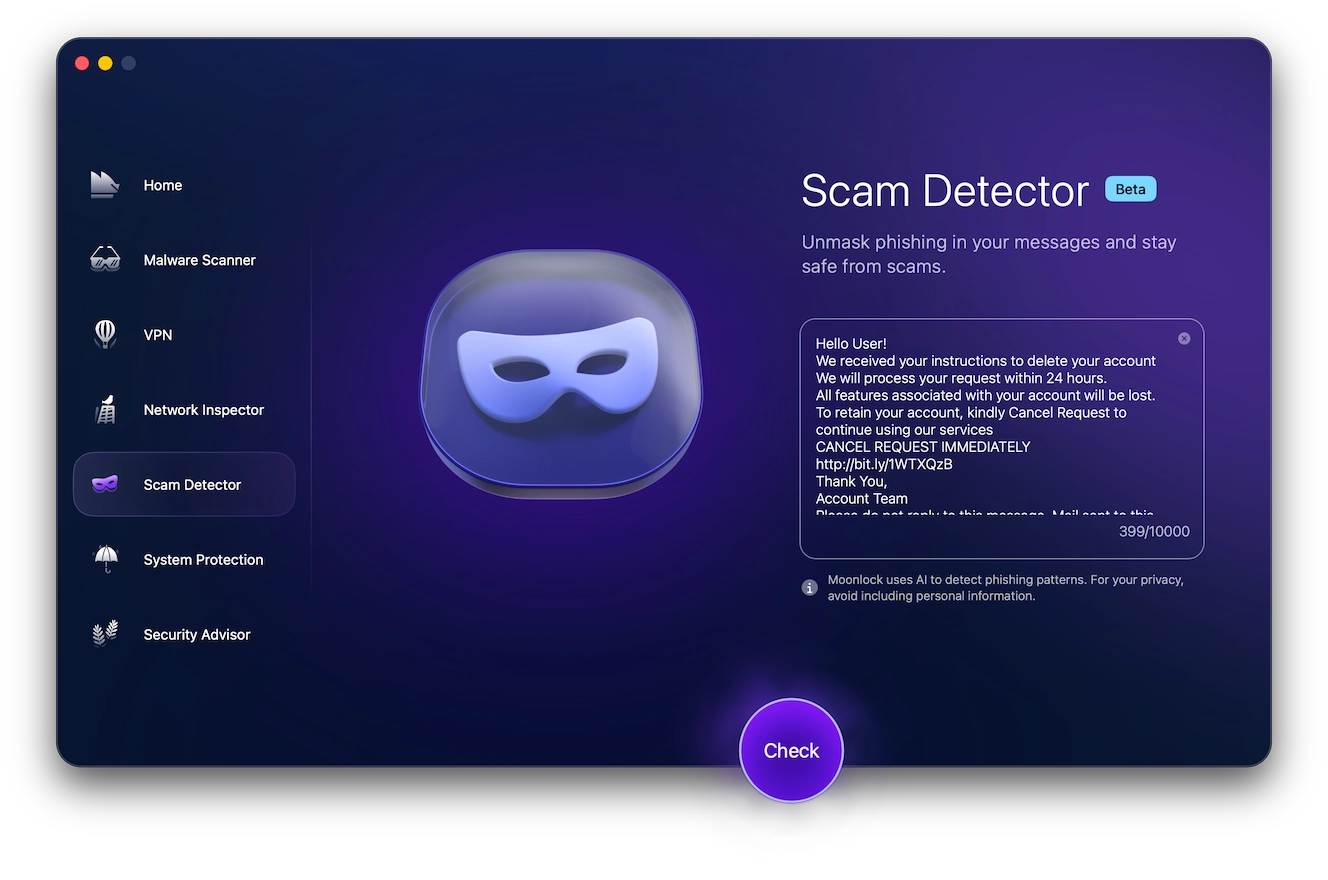
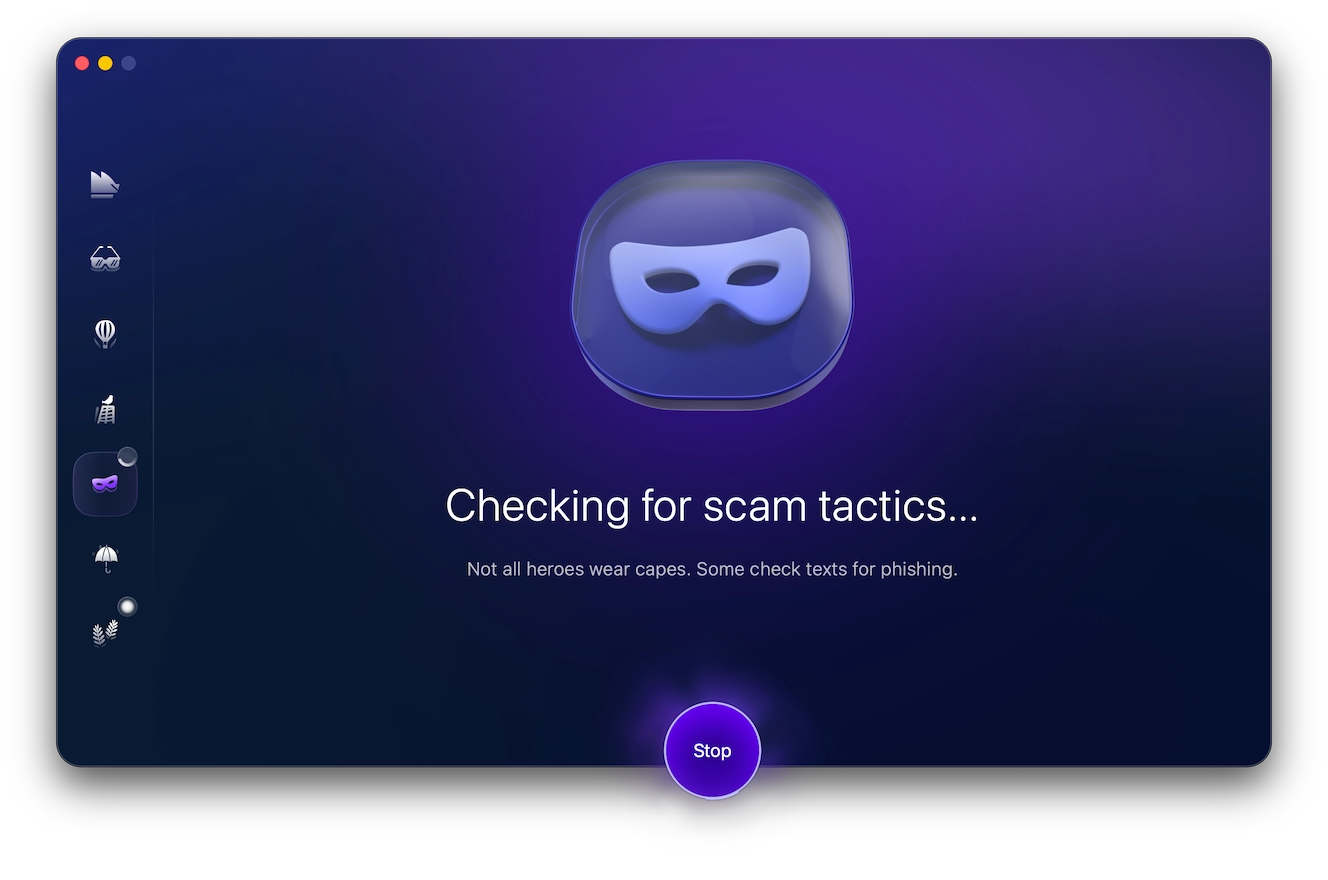
If you’re ever unsure, you can always use Moonlock’s Scam Detector as a second opinion that you can trust. It scans the text of the message or email for urgency cues and credential requests, evaluating how likely it would be for them to be asked for if the invite were legitimate. Here’s how to use it:
- Sign up for a 7-day free trial of Moonlock.
- Open the Moonlock app.
- Navigate to the Scam Detector tab on the left.
- Copy and paste the suspicious text into the detector.
- Click Check.
If Moonlock determines that the message is likely to be a scam, it’ll give you step-by-step instructions and advice on what to do to keep yourself safe online.
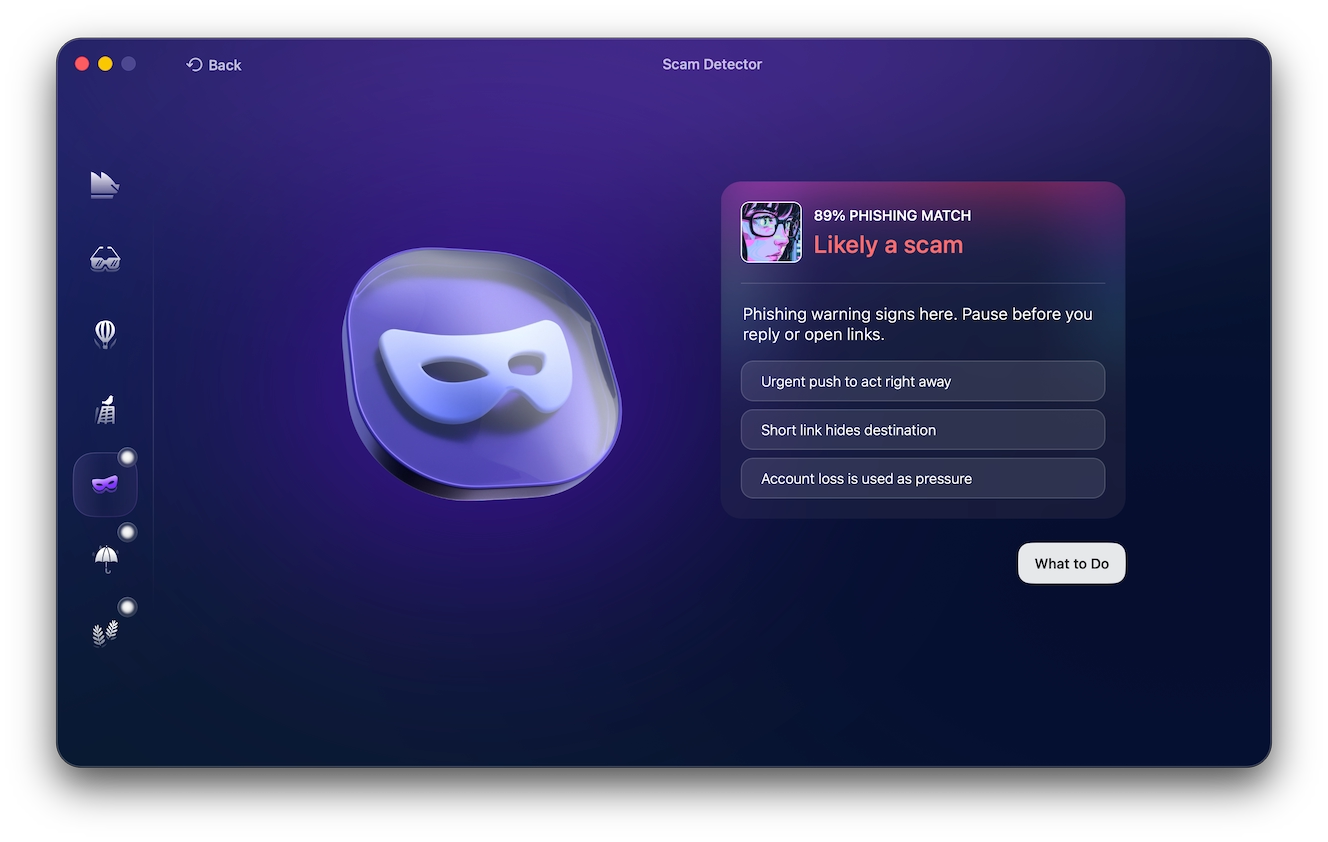
Beyond using a dedicated scam detector, watch out for these specific red flags in an e-invite:
- Sender domain mismatch: The email isn’t from evite.com or [email protected]. If it’s from any other domain, it’s likely a fake.
- Text from a random number: Evite’s real texts come from shortcode 38483. If it comes from a standard phone number or a long number, it means it’s not from Evite.
- Login required to view: Real Evite invitations don’t require you to log in to view the details of the invite. Explicitly requesting login credentials is a clear phishing sign.
- Desktop-only prompts: The message insists that you open it on a computer. This is often because the malware isn’t built for mobile devices.
- Generic greetings: Mass phishing campaigns rarely use names, dates, or believable details in their messages. A legitimate Evite invite from a friend should, at least, have your name and a date.
- Link destination: Hovering over a button or hyperlink should reveal the URL. If it’s not evite.com or punchbowl.com, it’s likely a fake. Don’t click it.
- Urgent deadlines: You’re told to RSVP within hours, or the invite claims there are a limited number of invite spaces to be claimed. This urgency is designed to stop you from checking the message for red flags.
- Sloppy or AI-generated visuals: Real Evite templates use consistent, high-resolution branding assets. Stretched, pixelated, or AI-generated visuals and logos are a common indicator of fake messages.
Evite scam text message
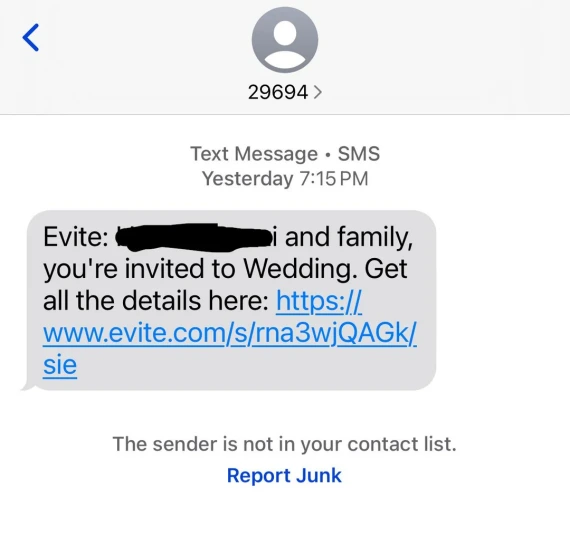
Evite text scams tend to be harder to spot than emails because there are usually fewer clues for you to base your assumptions on. They’re short and simple, mimicking the tone of an official Evite message, saying things like: “You’re invited! Tap to RSVP” or “Save the Date! Confirm attendance now.”
Similar to Evite emails, text messages will also have a built-in deadline, urging you to tap on the link before you think to check anything. But unlike emails, text message open rates are estimated to be around 98%, making them more appealing to scammers.
Evite does send legitimate text notifications to invite or remind you of events you’re interested in. However, you must apply the same checks as you do for Evite emails: Confirm the sender, confirm the link destination, and don’t hand over your personal information or credentials.
These texts usually carry a shortened link (bit.ly, tinyurl, or a domain you don’t recognize) rather than a clean evite.com URL, which makes the destination harder to verify at a glance.
What happens if you click the fake Evite link
The outcome will mainly depend on the device you were using when clicking on the fake Evite link.
On desktop, the link will likely prompt the download of a .exe file, usually disguised as an “invitation viewer” or an “invitation manager.” Running it installs malware that can give scammers remote access to your device.
Meanwhile, on mobile, the target is usually your credentials. You’ll be led to a phishing page mimicking the actual login page of Gmail, Yahoo, or a social media platform. Simply clicking on the link isn’t enough to compromise your accounts, but as soon as you enter your credentials, the website will steal them.
What makes Evite fraud so dangerous
So, why is Evite fraud so dangerous, and why does it spread so fast? Because it uses real friends and real accounts to gain a potential victim’s trust. Here’s how it works:
- It self-propagates: Each hijacked account can automatically send the scam to that person’s entire contact list, allowing the scam to expand exponentially.
- It passes authentication checks: Emails and messages from trusted contacts won’t get flagged as spam or phishing by your email providers.
- It exploits trust: Recipients themselves skip verification because the message came from a friend or family member.
Think you clicked a fake Evite link? Here’s what to do
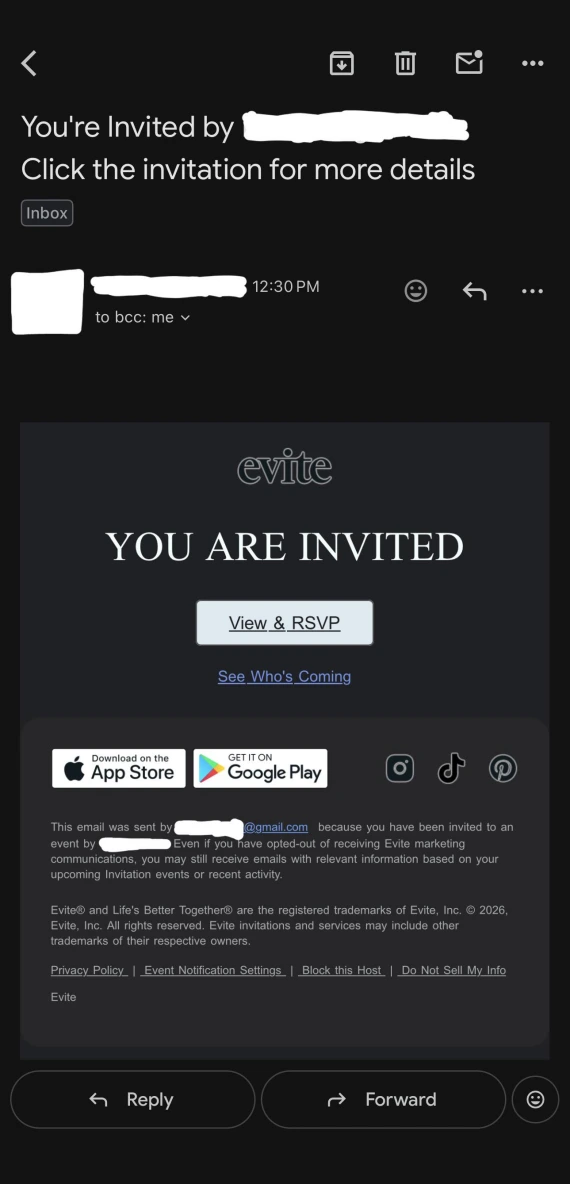
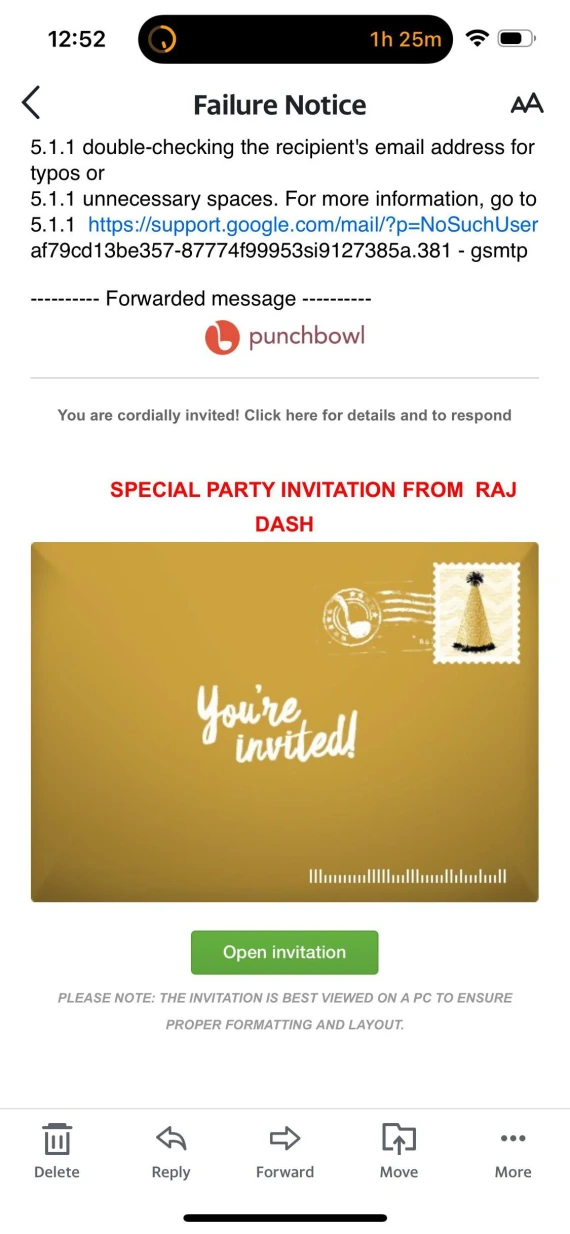
Clicking on a fake Evite link isn’t the end of the world, as long as you act quickly. Here’s what you need to do:
- If you downloaded a file, immediately disconnect from Wi-Fi.
- Change the password of your email and any account you logged into via the fake Evite link, preferably using a new device.
- Enable 2-factor authentication if it wasn’t already on.
- Force sign-out of all active sessions so the scammers get logged out if they managed to access your account.
- Check your inbox filters and forwarding rules, deleting any forwarding of emails to addresses you don’t recognize.
- Review recent “sent” messages for any emails you didn’t send yourself.
- Warn your contacts, including your family, friends, and work colleagues, about your account being potentially compromised.
- Monitor critical accounts linked to your email, such as banking, social media, or online shopping, for any unfamiliar logins or password reset attempts.
- Report the message as phishing or a scam to your email provider and to the FTC.
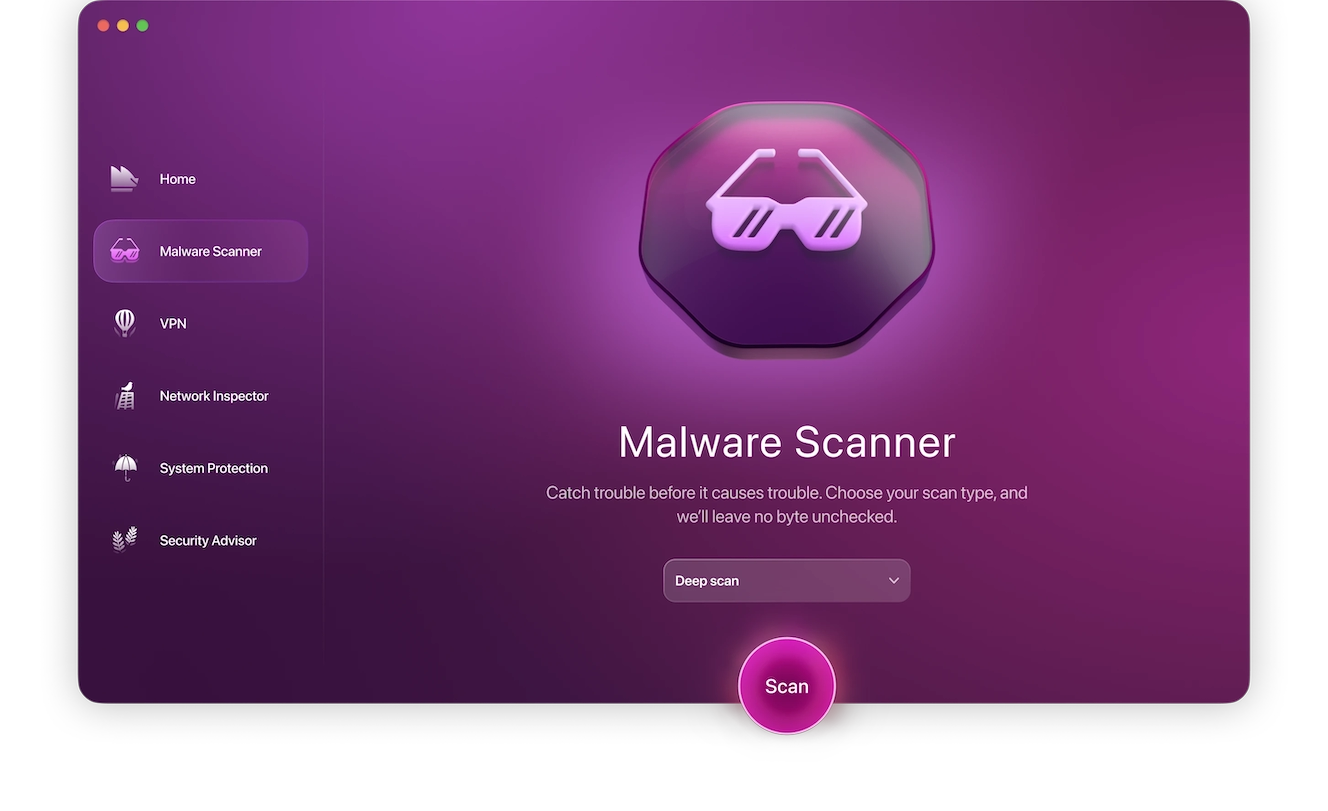
If you’re worried that clicking on the fake Evite link might have infected your Mac with malware, you’ll need to scan it as soon as possible. Running a Deep Scan with Moonlock’s Malware Scanner will let you check all the files on your device for known malware and then fully remove it.
Here’s how to sign up for a free trial and run your first scan:
- Open Moonlock antivirus and click on the Malware Scanner tab on the left.
- From the drop-down menu, click Configure. This is only needed for your first scan. Moonlock will remember your preferences for all future scans.
- In the new window, under “Scan type,” you can choose between Deep, Balanced, or Quick scans, with each type’s Speed, Depth, and Purpose listed right below it.
- We recommend opting for a Deep scan and including all the optional file formats: archives, disk images (DMG), and packages (PKG).
- Close the window, then click Scan.
It’s important to scan your Mac regularly and immediately after clicking on suspicious links. That way, if your device were actually infected, the damage would be kept to a minimum.
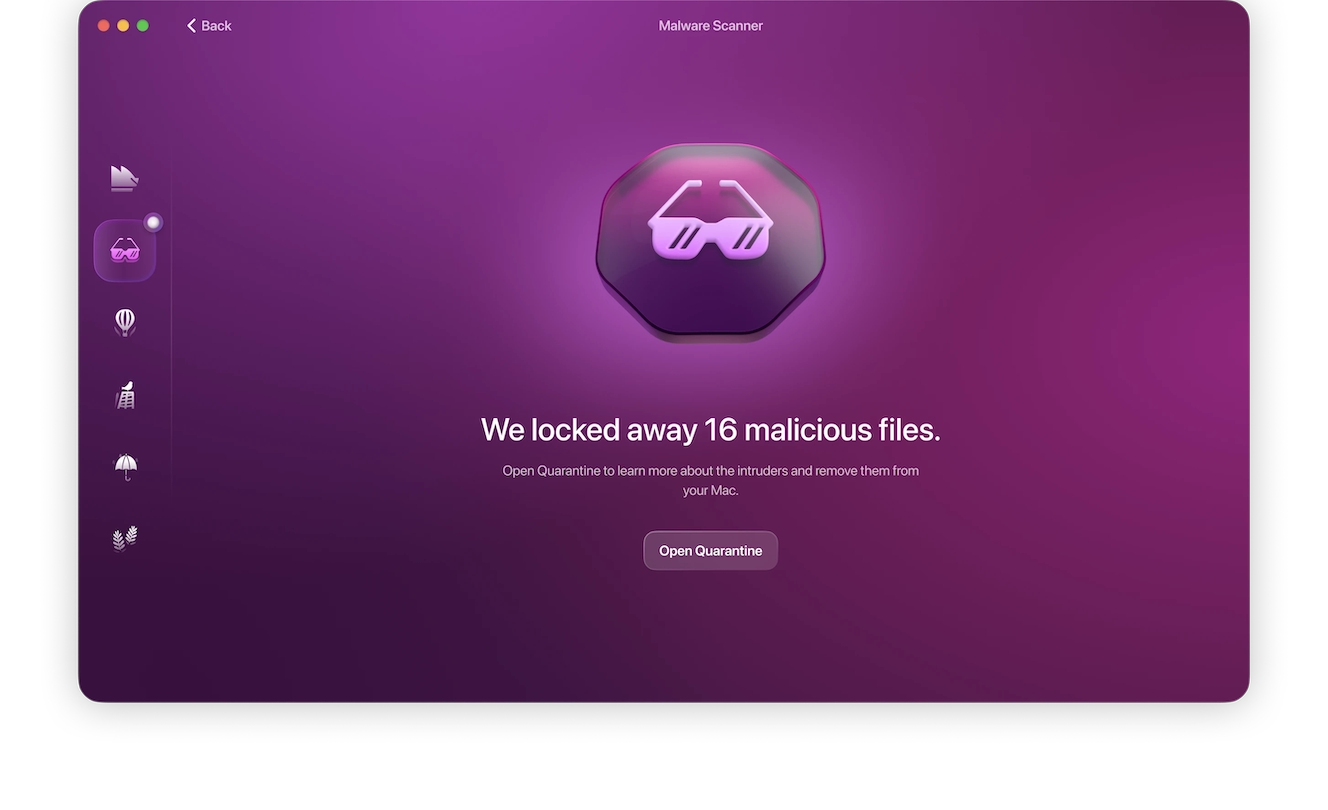
Why you might not see the scam emails in your Sent or Trash folder
Some people who have fallen victim to Evite scams and other similar types of fraud report that spam emails can be sent without showing up in the Sent or Trash folders.
This can happen when the account has been compromised through a session hijack or a hidden mail filter. Both options allow the attacker to automatically delete the evidence as soon as the spam messages are sent.
That’s why checking the Sent folder isn’t enough to rule out the risk of a compromised account. You also need to check filters and forwarding rules.
Other invitation platforms that scammers impersonate

While related to a specific platform, Evite scams are still a type of phishing scam that scammers can adapt to all sorts of platforms.
For example, Paperless Post, another online invite management platform, gets the same treatment as Evite and Punchbowl. A legitimate Paperless Post address begins with paperlosspost.com or pp.events. Safe email addresses include @paperlesspost.com, @email.paperlesspost.com, and @accounts.paperlesspost.com.
If you’re unfamiliar with a particular digital invite platform, take a moment to verify the official URL and the email addresses used by the company before engaging. Also, if you can reach out to the person sending you the invite through a different channel, you can verify its safety directly.
What else should you know about Evite scams?
Here are a few quick answers to common follow-up questions about fake Evite links and phishing scams.
Yes. Legitimate Evite text notifications come from the verified shortcode 38483 and not a standard 10-digit phone number.
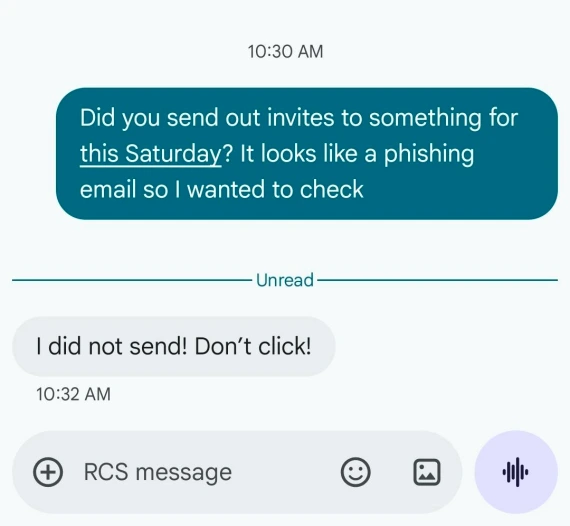
Don’t click until you verify it with your friend. Contact your friend through a separate channel, as their account may already be compromised by the scammers.
Yes. On desktop, a malicious link can prompt drive-by downloads of .exe files, usually disguised as an invitation viewer. In reality, this will install malware if it is run.
Stay one step ahead of Evite scams with these tips
If you’ve already fallen for an Evite scam, your best hope is to minimize the damage. The better option is to avoid scams altogether by adopting a few habits that keep you ahead of the threats:
- Always verify a message before clicking. Check the sender’s domain, shortcode, or URL against the platform’s official addresses.
- Never log in through an invite link. When in doubt, always search for the site address directly.
- Contact your friend separately to confirm that they sent the digital invite before RSVPing.
- Enable 2FA on your email account.
- Run suspicious messages through Moonlock before acting.
Whether it’s an Evite scam or not, scammers rely on you being overly excited and neglecting to be cautious. Before clicking on any links or downloading any attachments or files, take a few seconds to verify your surroundings; it could save you from a world of hurt later.