As one of the first apps to directly connect secondhand item sellers to buyers, Depop now has over 56 million registered users worldwide and close to 600,000 daily new listings. But wherever people are, scams follow.
So, is Depop legit? And how can you protect yourself from scammers while using the platform? From fake payment messages to dishonest buyers and sellers, we’ll be covering some of the most common Depop scams and how to spot them.
Why is Depop considered a legitimate marketplace?
Depop is a perfectly legitimate online resale market. Both the website and app are used all the time to buy and sell secondhand clothes, even if scammers make their way in here and there. It’s similar to OfferUp but only sells clothes instead of a variety of secondhand items.
Depop was founded in 2011 by entrepreneur Simon Beckerman at an Italian start-up hub. Nowadays, with more than 3 million active sellers as of 2025, Depop generates roughly $1 billion in annual GMS.
Depop keeps payments secure by processing them via trusted third-party financial services like Stripe or PayPal. It also offers its very own Depop Protection for eligible transactions as an added safeguard.
Who owns Depop in 2026?
Since it was first launched, Depop has changed hands multiple times. It was first acquired by Etsy in June of 2021 for $1.625 billion, and later, it was bought by eBay for $1.2 billion in July of 2026.
Despite the change of ownership, Depop still operates under its own name and app within eBay.
Is Depop safe to buy from/sell on?
When used right, Depop can be safe for buyers and sellers alike. Still, in order to stay safe, you need to stay within the platform’s rules and guidelines.
Buying on Depop
It’s generally safe to buy from Depop as long as the payment and messaging stay on-platform. As a buyer, you may be eligible for Depop Protection, covering non-delivery, damage, or “significantly not as described” claims reported within 30 days.
Despite the big company name, all “Depop shops” are managed by individuals or small businesses, similar to how TikTok Shop operates.
Selling on Depop
It’s safest to sell on Depop when paired with tracked shipping, preferably using a Depop-generated label, and to send within 5 days to the buyer’s address. Depop’s Seller Protection covers eligible sales up to $300, excluding off-platform transactions.
What Depop buyer and seller protection covers, and what it doesn’t
Depop Protection for sellers and buyers has strict eligibility rules, available in the US, the UK, and Australia.
For buyers
- Covers: Non-delivery, in-transit damage, misdescribed items
- Doesn’t cover: Off-platform payments, in-person transactions, some delivered-package claims
For sellers:
- Covers: Lost/damages Depop Shipping orders within regional limits
- Doesn’t cover: Off-platform payments, prohibited items, self-managed shipping
Do criminals run scams on Depop?
Yes. In fact, anywhere and anytime money is involved, you can count on scammers to try to take advantage of people.
Depop scams often involve fake listings, phishing messages, counterfeit goods, payment fraud, and dropshipping cheap items from sites like Temu or Shein. While the platform itself is legitimate, criminals still manage to make their way in to scam people.
10 Depop scams to know before you buy or sell
When browsing the platform, keep an eye out for these Depop scams, whether you’re buying or selling.
1. Fake payment links and off-platform checkout
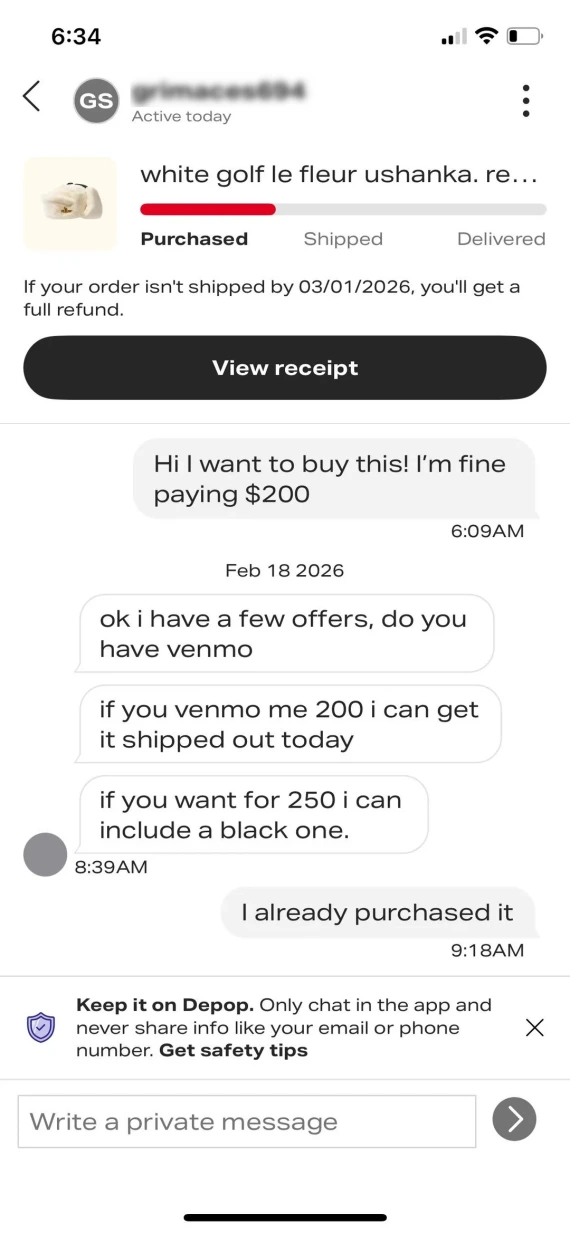
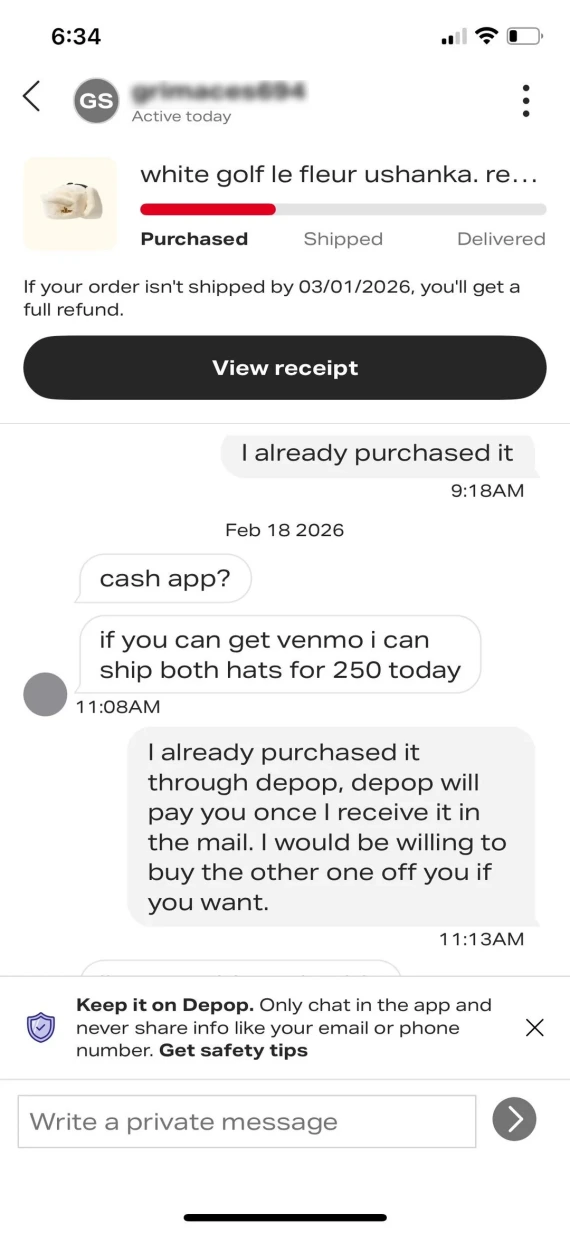
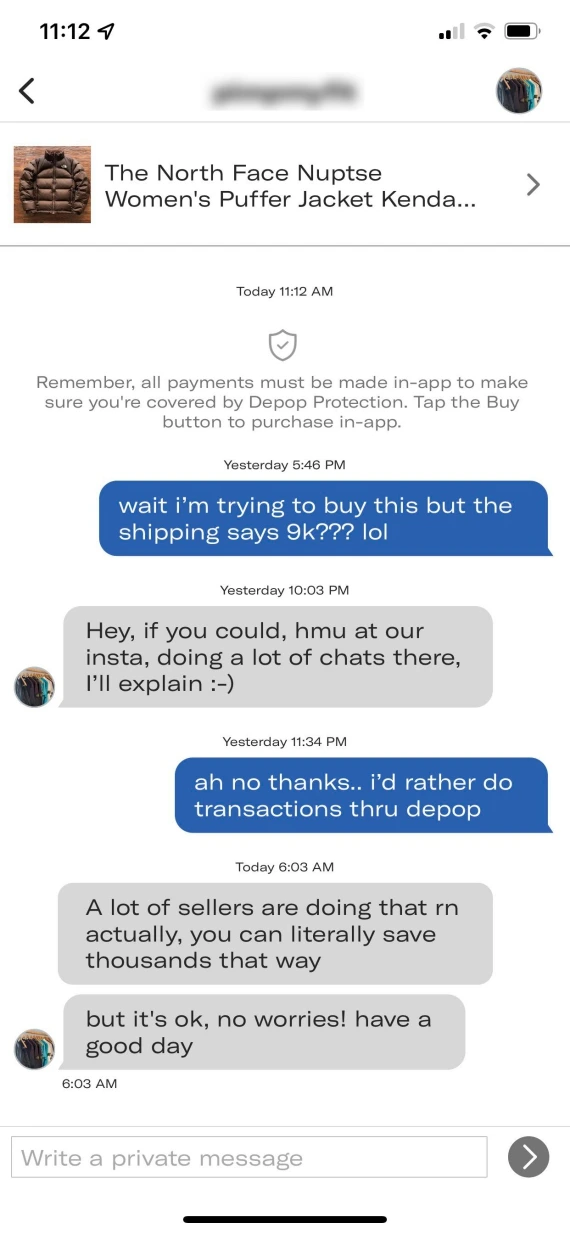
Scammers will try to get you off the Depop platform by sending you links to fake checkout pages or asking for payment via bank transfer, PayPal, or crypto. They’ll often try to lure you with special discounts or claim they want to avoid the platform’s fees.
Once the payment leaves Depop’s systems, however, buyer and seller protections no longer apply.
2. Fake payment screenshots and confirmation emails
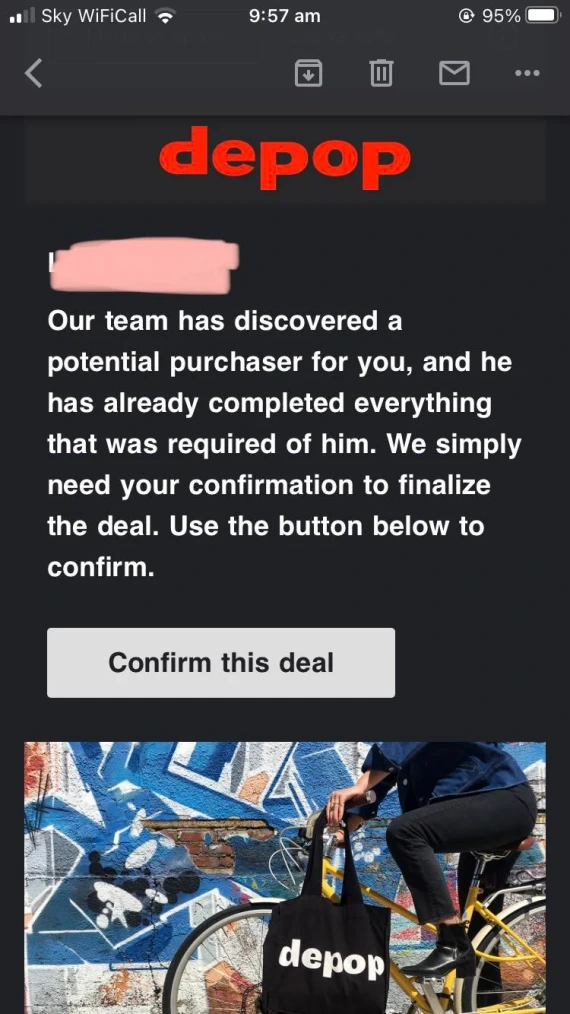
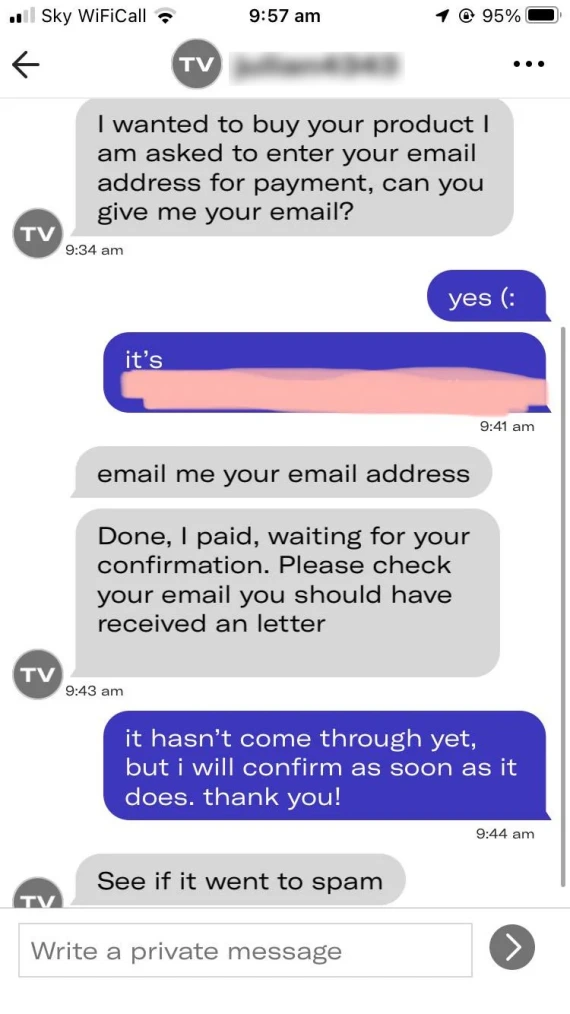
Following an interaction with a seller or buyer, you might receive an edited payment screenshot or a fake Depop scam email claiming the money was received. For sellers, this type of Depop buyer scam may convince them to ship items before they’re able to find out it’s a scam. And by then, it’s too late.
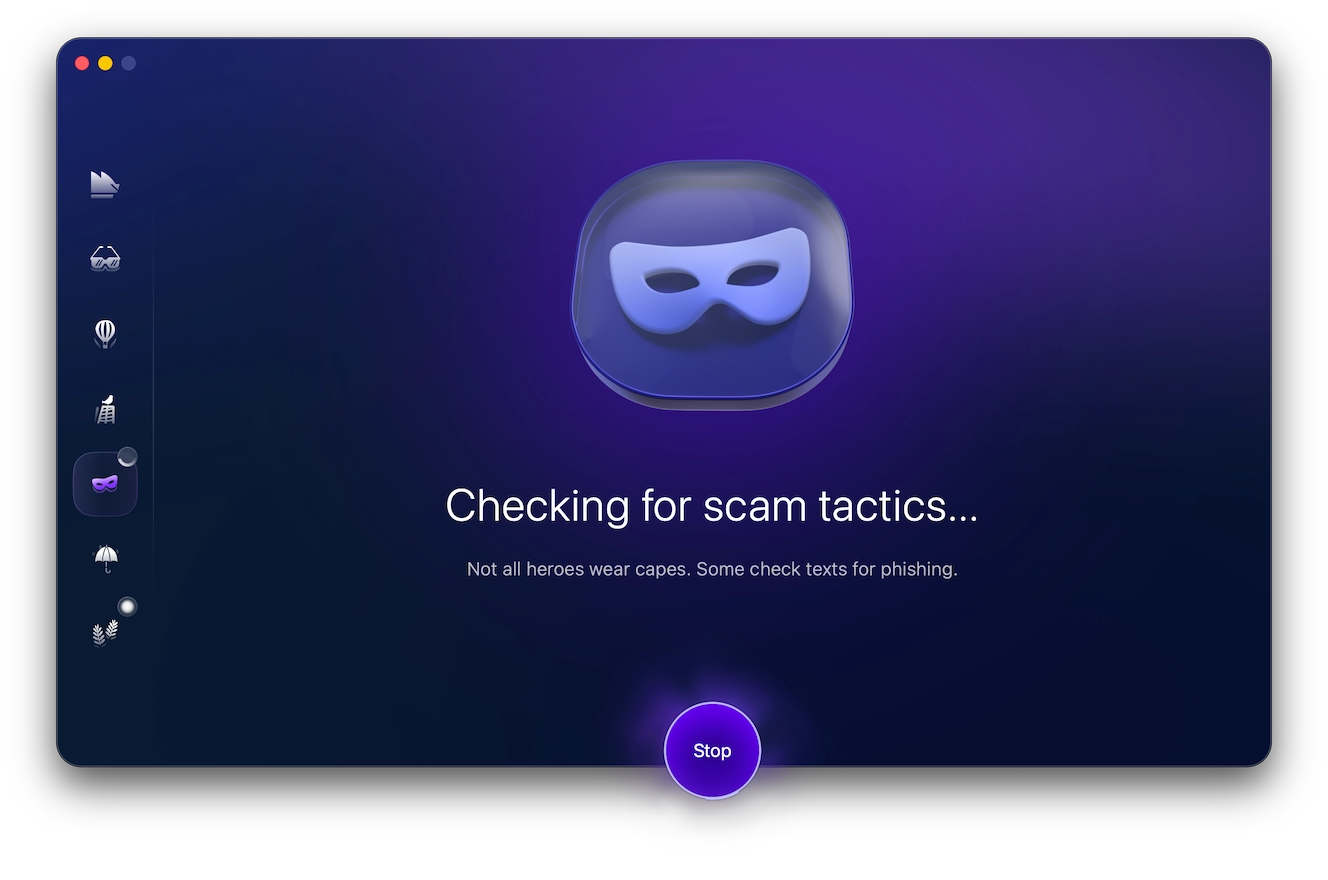
For any suspicious emails, especially ones claiming that a payment has been made or urging you to click a link to confirm a payment, check them with Moonlock’s Scam Detector to rule out the possibility of a scam.
Sign up for a 7-day free trial of Moonlock and try the Scam Detector to check the “phishing likelihood” of suspicious messages and Depop email scams.
3. Listings for items that don’t exist
Scammers might post photos stolen from other marketplaces to advertise products they don’t have. Others might use AI to create fantastical images of goods that don’t even exist.
To be on the safe side, run listing photos through a reverse image search before buying.
4. The seller who takes your money and disappears
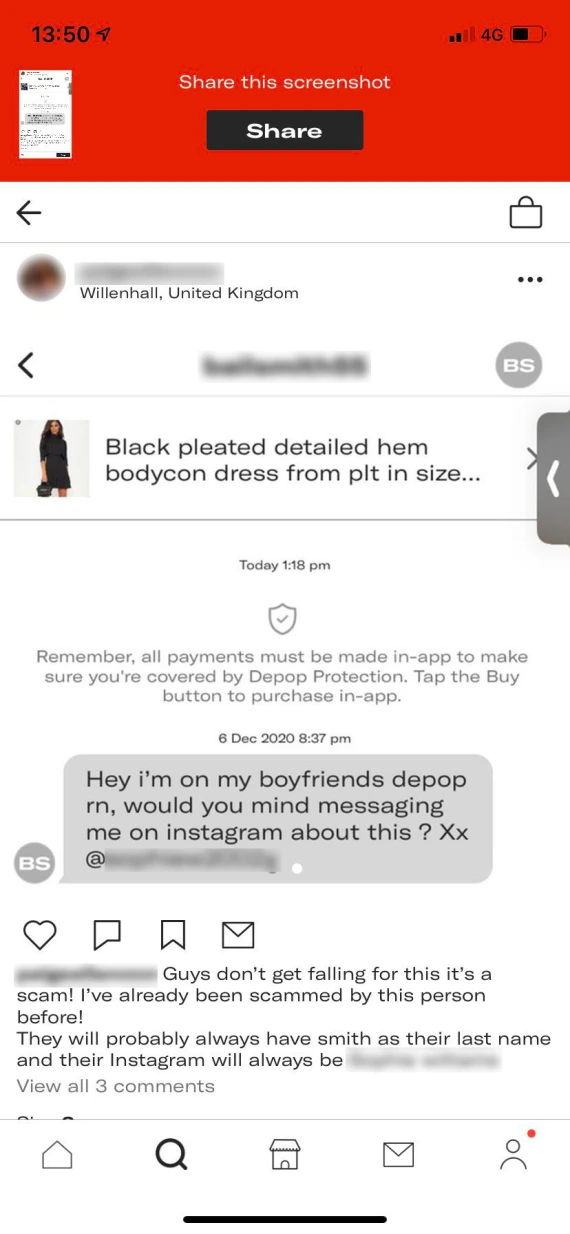
In this Depop scam, a seller accepts your payment but never ships the item. They stop replying to your messages, disappearing entirely. As long as you’ve kept communication and payment on-platform, you can report this behavior as non-delivery to get your money back.
5. The item you receive isn’t the one you bought
A bait-and-switch Depop scam is when the seller advertises a specific item, like Adidas sneakers, but then ships a pair of cheap knockoffs or an entirely unrelated item. The listing itself might look legitimate, but what arrives is completely different.
6. Counterfeit designer and streetwear items
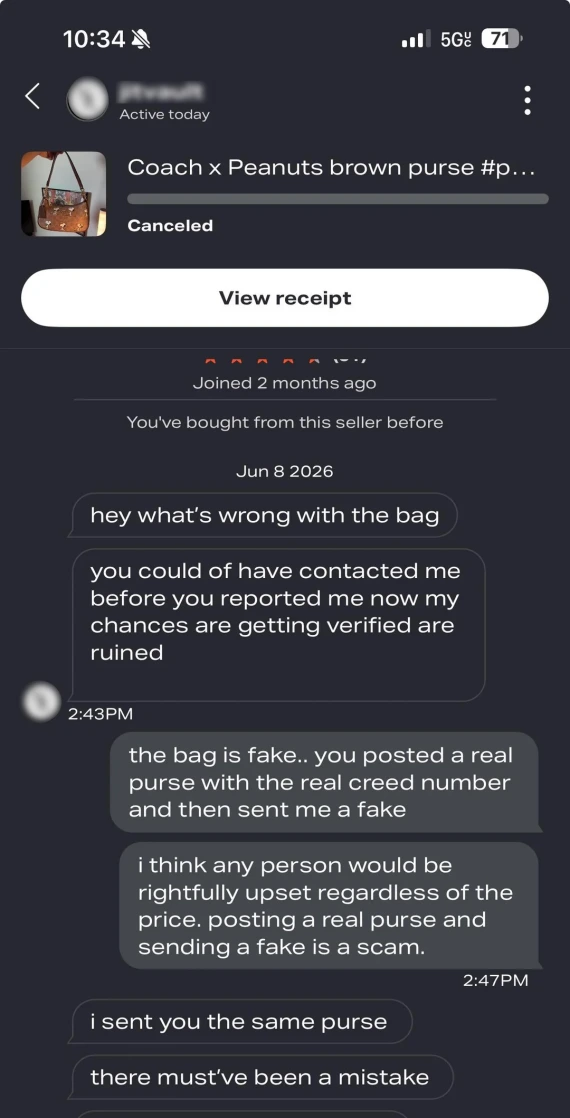
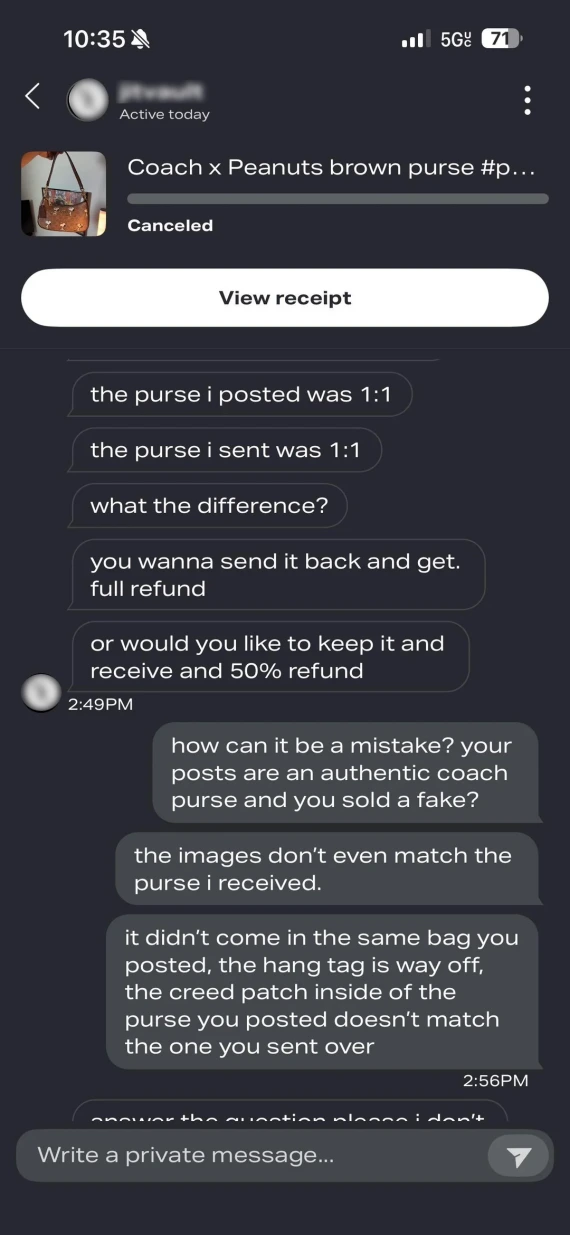
It’s important to be particularly wary of high-value designer and streetwear brand listings. Because of the strong demand for these items, scammers can list fakes and knockoffs for exceptionally high prices, which can be hard to spot based on photos alone.
7. Depop trade and swap scams
If there’s no payment exchanged in a Depop swap or trade, you won’t be able to seek Depop’s help if you send your agreed-upon item, but the other party doesn’t send anything.
For trades on the platform, Depop emphasizes the need to still use the Buy button on the platform in order for the transaction to be registered. Both people will receive an equal amount of funds. It’s also important to avoid low-balling this price, as this will be the amount you are covered for with Depop Protection.
8. The fake overpayment that asks for money back
In a Depop refund scam, a buyer may claim that they accidentally overpaid for their order, then pressure you to refund them the difference immediately.
Never do this. If the original payment method was fake or stolen, the payment will automatically reverse, and you’ll be left out of pocket.
9. Fake Depop emails and password-reset links
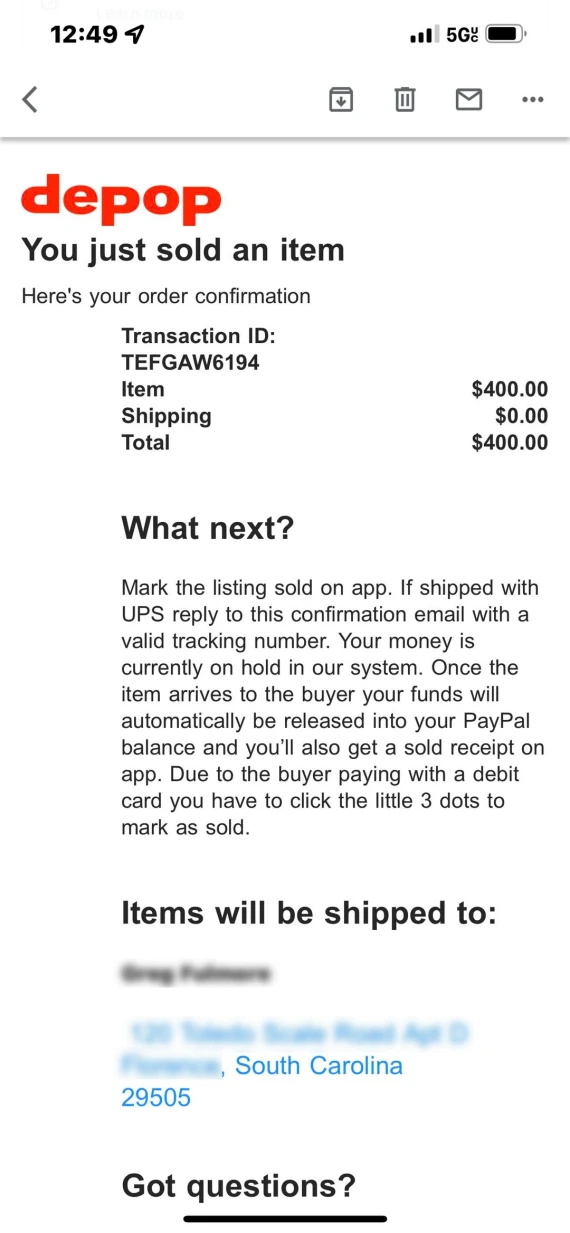
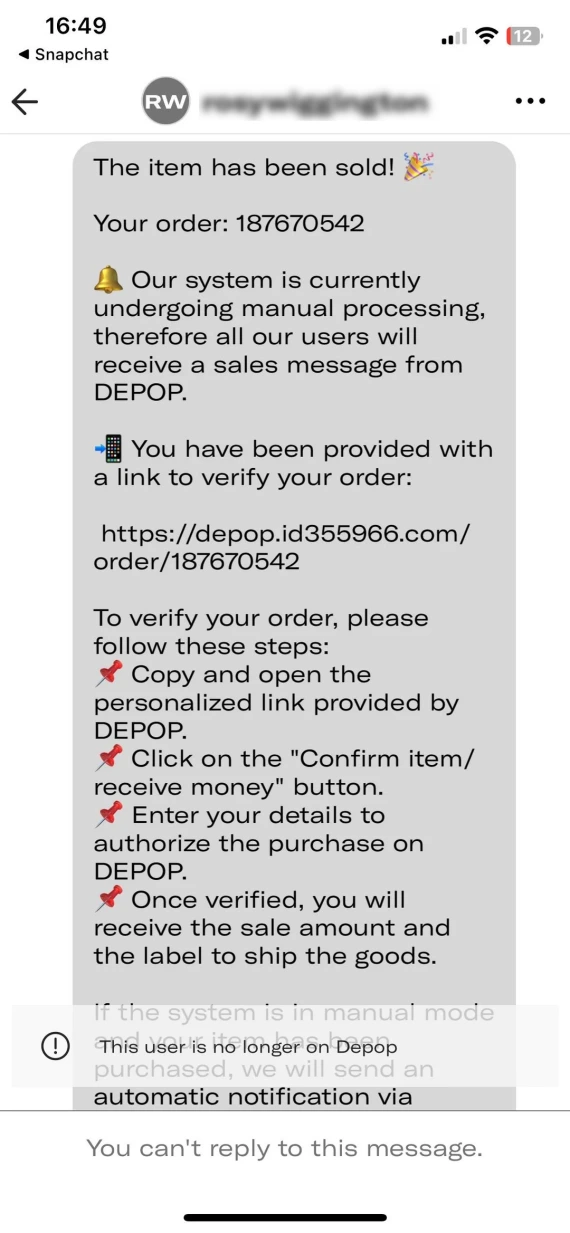
A Depop scam email may look like a perfect copy of real support emails from Depop. Scam emails usually request that you validate your payment method, verify your identity, or reset your password, leading you to a phishing page.
These Depop scams aim to steal your payment details or take over your account. Always check notifications directly in the app or website, and never click on links in emails.
10. Fake Depop jobs and work-from-home offers
It’s not just buyers and sellers; scammers sometimes impersonate Depop recruiters, offering remote job opportunities with high salaries. But as soon as they’ve got you hooked, they’ll request upfront “onboarding” fees, bank details, or personal data.
Can you trust this Depop seller? What to check first
As soon as an attractive listing catches your eye, you might be wondering how to know if a Depop seller is legit. While scammers do their best to disguise their malicious intent, if you take the time to check their account, you might be able to spot a few red flags. Here are a few tips:
- Read the reviews: Don’t just look at the overall star rating of a seller, as those can be faked with bot traffic. Also read some of the individual reviews for vague statements that don’t mention a specific product or AI-generated ones.
- Check recent activity: When was the seller last active? Do they have experience selling secondhand clothes on Depop, or is their account new and suddenly has dozens of listings?
- Reverse image search: Run product images through Google Lens or TinEye to check whether they’ve been stolen.
- Compare prices: Are designer items in great condition, yet heavily discounted compared to buying new? How do they compare to the prices of other similar items on Depop? Are they in the same range?
- Open communication: Is the seller willing to provide additional photos or videos of the item they’re selling? If not, that’s a huge red flag.
How to identify a Depop scam before you buy

Often, the key to identifying a Depop scam is in how the seller talks or how they describe the item. You can use Moonlock’s Scam Detector to check whether product descriptions, emails, or messages are likely to be a phishing scam.
Here’s how it’s done:
- Sign up for a 7-day free trial of Moonlock.
- Open Moonlock, then click Scam Detector from the left-hand sidebar.
- Copy and paste the suspicious text into the detector.
- Click Check.
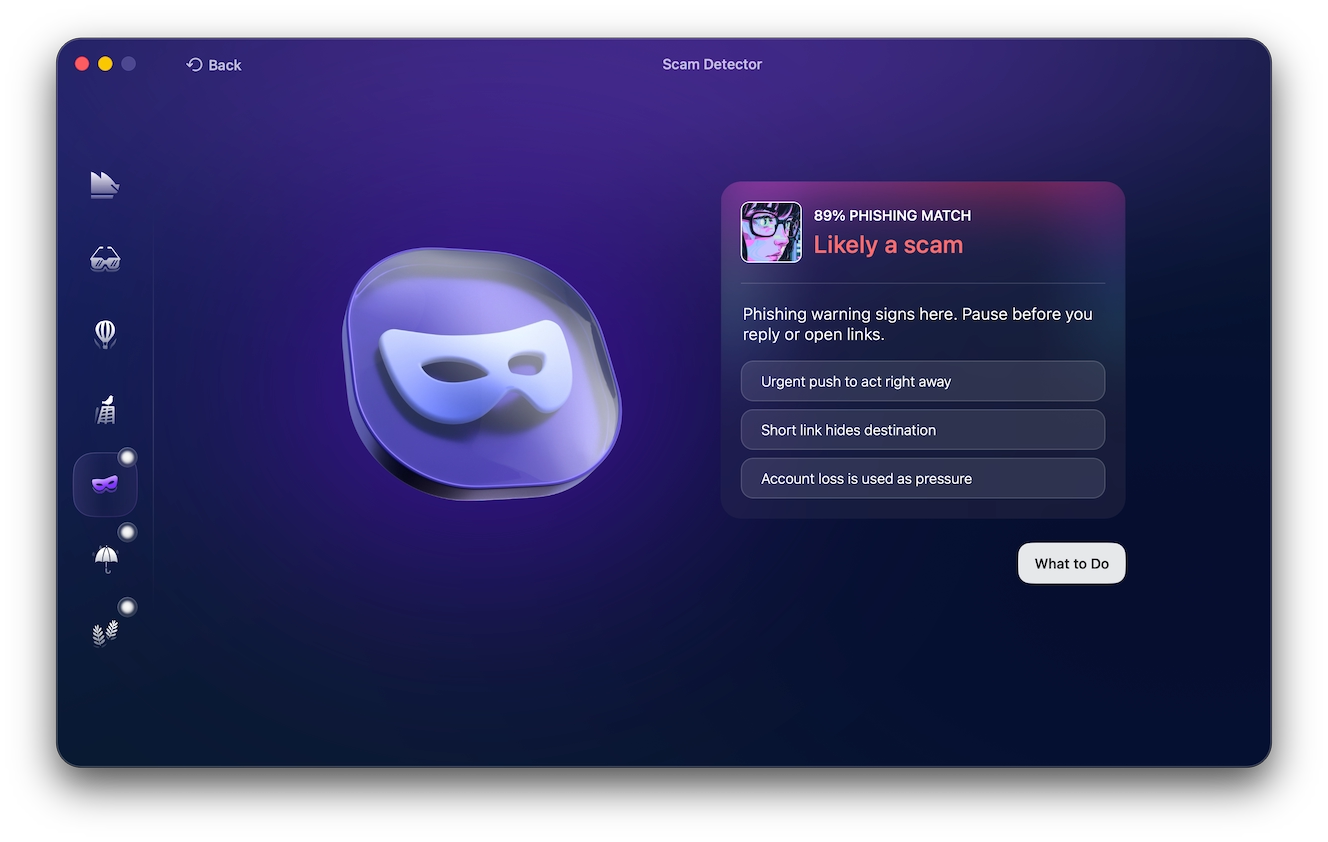
Moonlock’s Scam Detector will analyze the text for any red flags associated with scams, then give it a “Phishing Match” percentage based on how likely it is to be a scam. If the likelihood is high, you can click “What to Do” to receive actionable advice on what to do to stay safe when shopping on Depop.
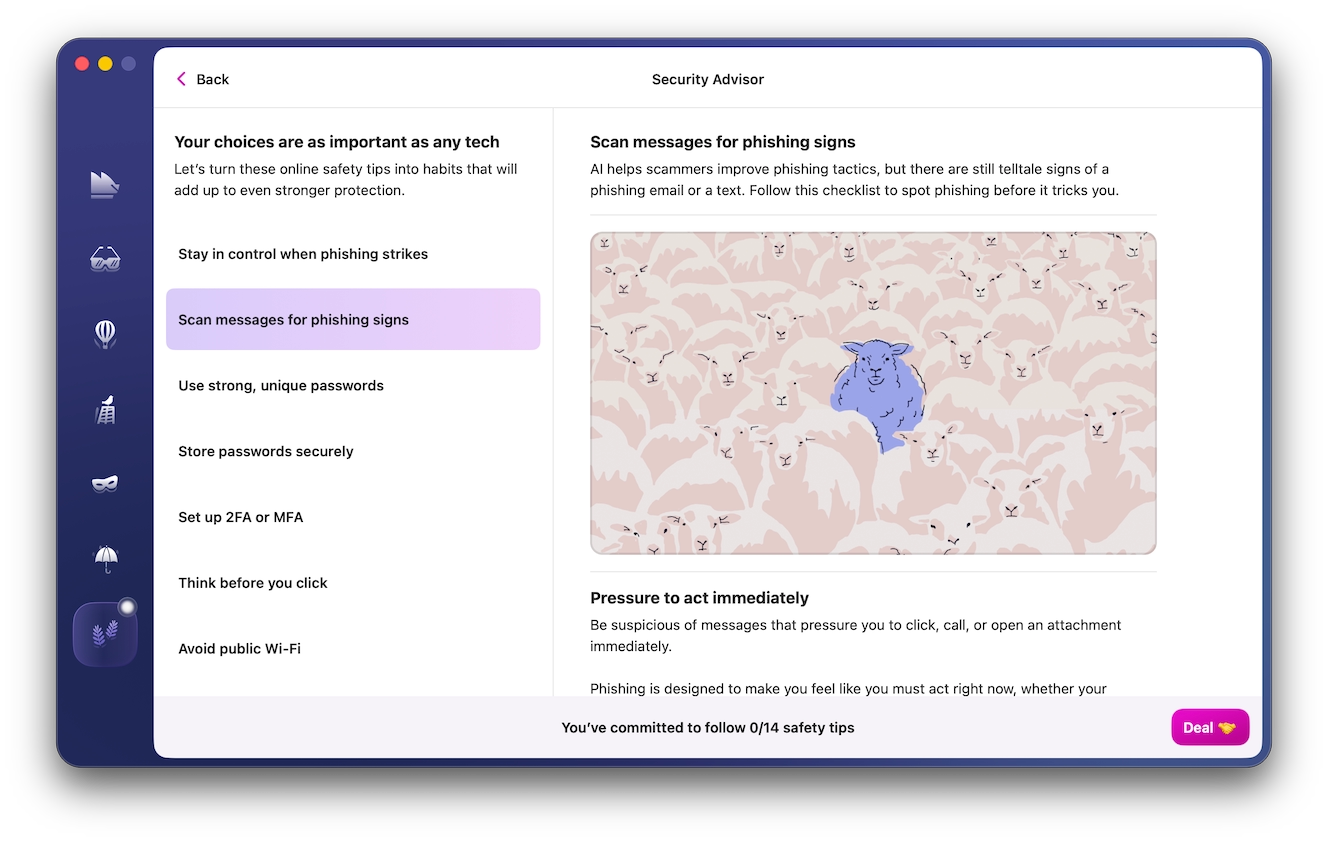
Some of the most common warning signs behind Depop scams include:
- Listing price below market value
- Stolen photos or photos of different items
- New account with little-to-no sales history
- Pressure to communicate or pay outside of Depop
- Vague answers about the condition and authenticity of the item
Scammed on Depop? Here’s what to do next
If you suspect you’ve fallen for a scam on Depop, act quickly:
- Save messages, payment confirmation, and item shipping details. Act quickly before the account, listing, or conversation is deleted by the scammer.
- Stop sending money or information, and change your password if you shared your login credentials or clicked on a suspicious link.
- Report the purchase to Depop. If you used an external payment platform like PayPal or Cash App, report it there as well, and contact your bank if you shared your credit card information.
How to report a scam on Depop
Reporting suspicious users, listings, or transactions directly through Depop is your best bet for getting an answer.
On the Depop app:
- Go to the person’s profile, then tap the 3 dots in the top right-hand corner.
- Tap Report.
If it’s through a message:
- Open the Depop app and tap Inbox.
- Tap on the message you want to report, then tap the 3 dots in the top right-hand corner.
- Tap Report.
For phishing or fake employment emails, forward them to [email protected].
Will Depop refund you if you’ve been scammed?
As long as you kept communication and payment through Depop, you may be eligible for a refund. Note that you’ll need to report non-delivery, damage, or item misrepresentation within 30 days. Here’s how to do it:
- Open the app and tap My Depop.
- Choose the item you want to refund.
- Select “My order isn’t as described.”
If you didn’t receive an item, you’ll need to submit a support ticket with Depop.
What to remember before buying or selling on Depop
Depop is a legitimate app where you can get many secondhand clothing items for a fraction of the price. But, as with any e-commerce platform, your experience is going to depend on how you use it. Always remember:
- Keep payments and messaging on Depop.
- Check profiles, reviews, photos, and pricing before buying.
- Never trust external links or screenshots you can’t verify through the app.
For higher-value or branded purchases, compare the listing’s price with typical resale values and reverse-image-search suspicious photos. Sellers should also confirm payment inside Depop before shipping anything.
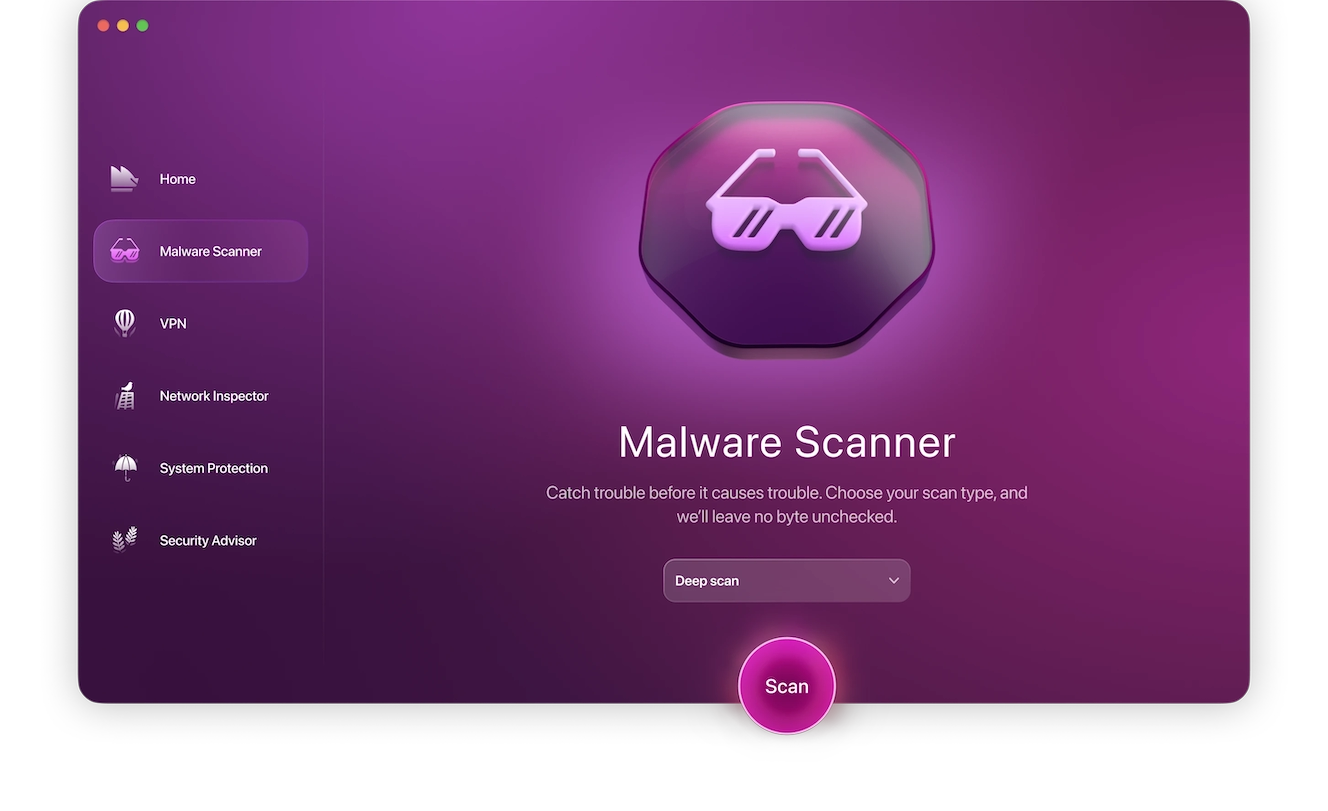
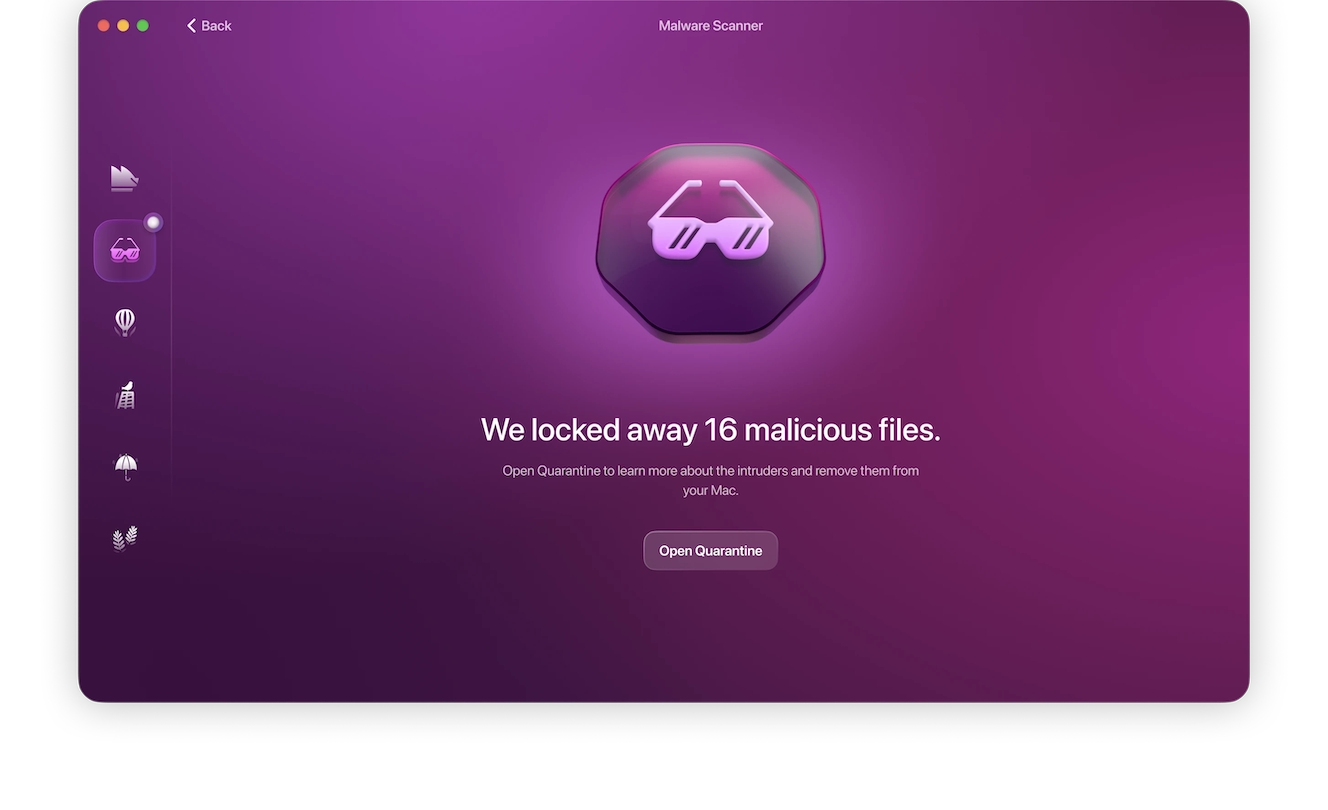
If you end up downloading an email attachment from a fake Depop email, immediately scan your Mac with Moonlock Malware Scanner to rule out the possibility of malware. Try it now with a 7-day free trial and follow these steps:
- Open the Moonlock app.
- Click Malware Scanner from the left-hand sidebar.
- From the drop-down menu, select the scan type: Deep.
- Click Scan.
Knowing the warning signs makes scams much easier to spot and avoid, leaving you to enjoy a pleasant and safe shopping experience, whether it’s an individual seller on Depop or a major retailer like Poshmark. Follow a few basic, fundamental practices, and your experience will be a positive one.