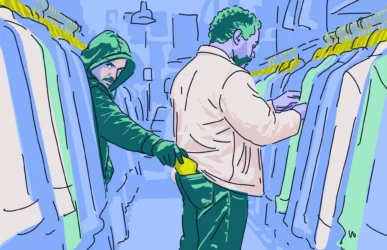
Upwork continues to be one of the world’s largest freelancer marketplaces online, with more than 18 million professionals and 784,000 clients as of Q1 2026. But when it comes to online platforms, there’s no such thing as safety in numbers, as this scale makes Upwork highly attractive to fraudsters looking for their next victim.
So, is Upwork legit? And how can you protect yourself from Upwork fraud? Let’s take a look.
Upwork is legit, so where do the scams come from?
While Upwork is legit, Upwork scams are a valid concern for anyone looking to use the platform, whether as a client or a freelancer.
Upwork itself is a legitimate, publicly traded company. Any fraud comes from bad actors misusing the platform, impersonating clients or freelancers, usually trying to move conversations and payment off the platform.
Upwork is by no means ignoring the threat these bad actors pose. In Upwork’s 2025 Market Transparency report, the platform reported processing nearly 3.1 million potential scam cases and blocked just over 550,000 potential scam jobs. It also successfully intercepted roughly 40.5 million attempted scam messages on the platform.
How Upwork’s protections actually work (escrow, milestones, payment protection)
Upwork isn’t just a job board where freelancers and clients find each other; it takes its role as the middleman very seriously.
For example, fixed-price jobs use funded milestones, where Upwork holds the project funds until work is approved. For larger projects, it also allows clients and freelancers to agree on smaller milestone payments.
Hourly Payment Protection requires the use of Upwork’s time tracker, providing relevant screenshots and descriptive memos to showcase adequate activity through a freelancer’s Work Diary.
All of Upwork’s protections are limited to in-platform client-freelancer contact. If you take communication or payment processing off of the platform, Upwork can no longer protect you from potential fraud. Freelancer fees range from 0-15%, while clients pay up to 7.99% plus a $0.99 to $14.99 Contract Initiation fee.
8 most common Upwork scams (freelancer-side)
In order to freelance safely and avoid scams on Upwork, it’s important that you become familiar with the most common types of scams on the platform.
1. Phishing and fake Upwork login pages
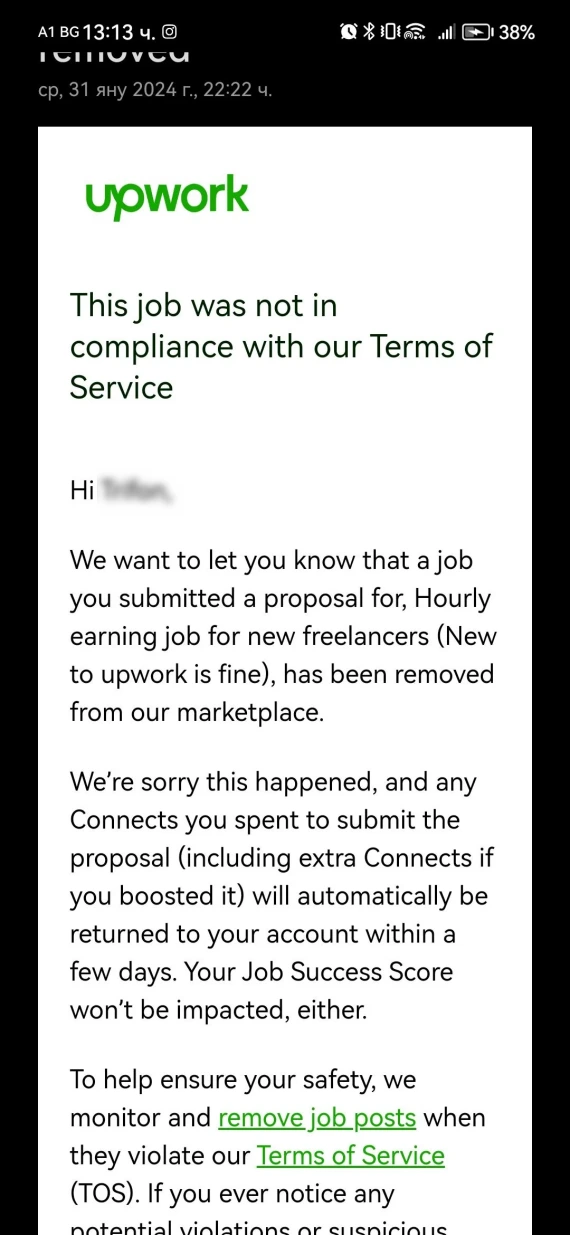
An Upwork email scam might look just like legitimate Upwork communication, often claiming that your account needs verification or will be restricted. However, if you click on the link in the email, it will take you to a fake login page designed to steal your credentials.

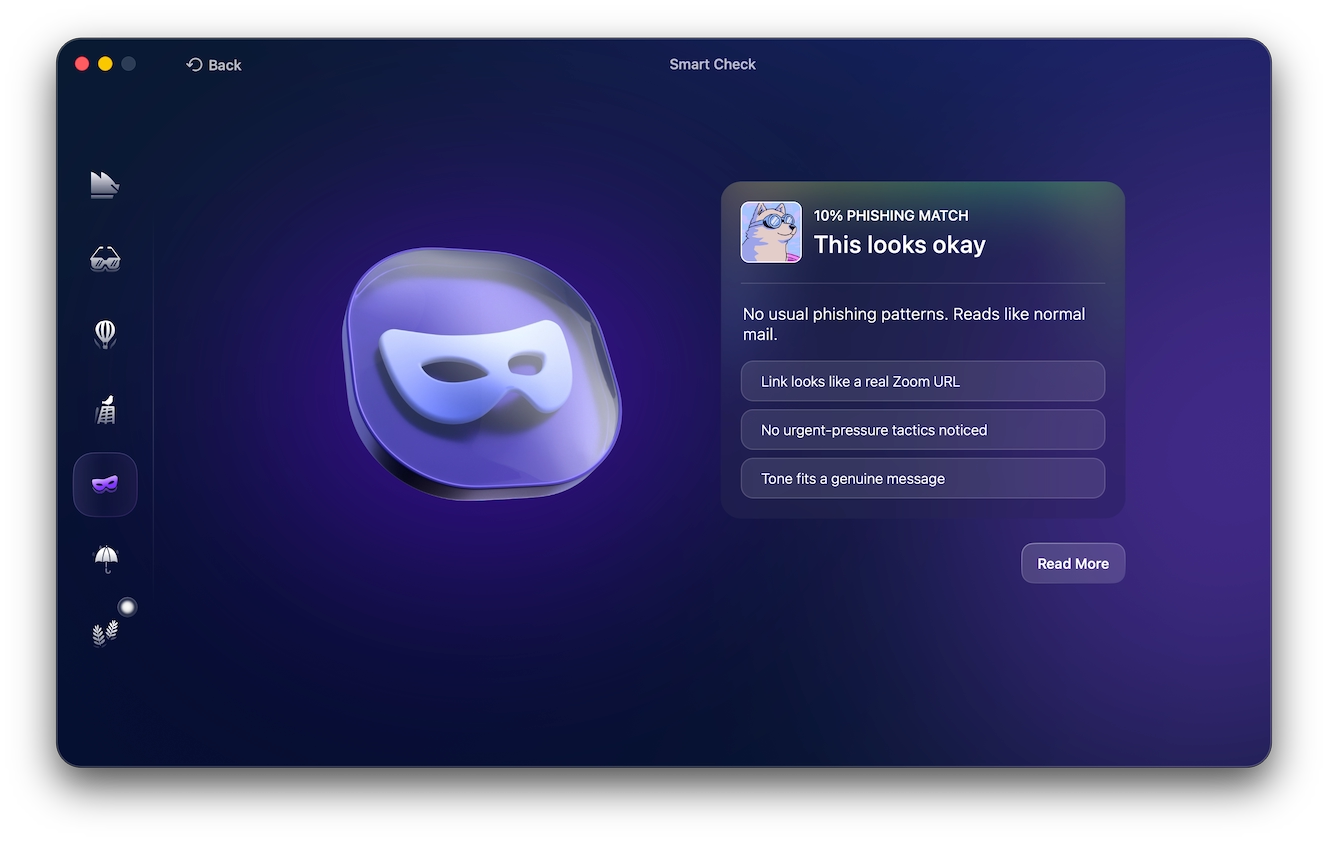
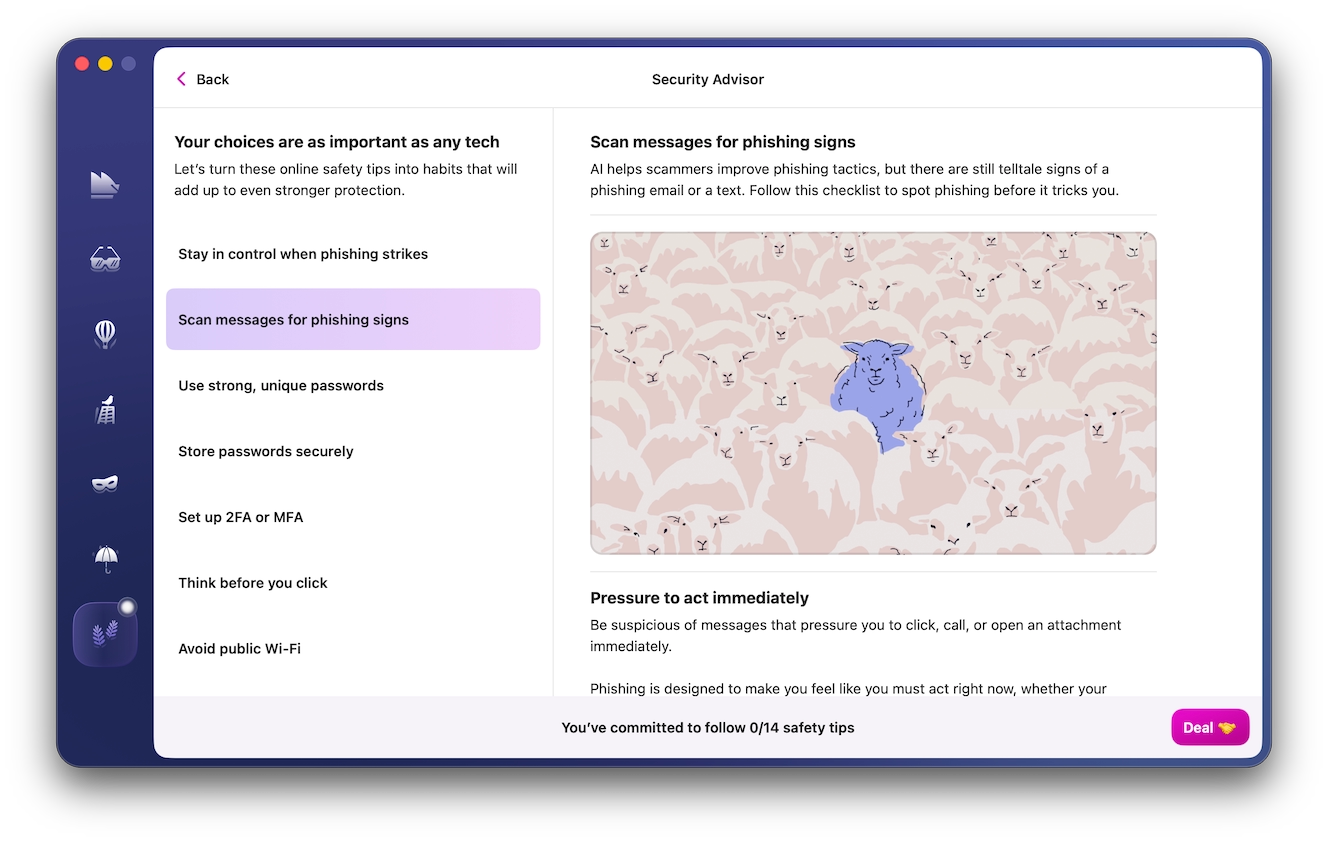
When in doubt, open Upwork directly to check for any verification requests. You can also use Moonlock’s Scam Detector to check the body of an email for the typical signs of a scam, like generic greetings or manufactured urgency to pressure you into clicking the link.
Try the Scam Detector today with a 7-day free trial of Moonlock and never fall for phishing emails and messages again.
2. Off-platform communication push
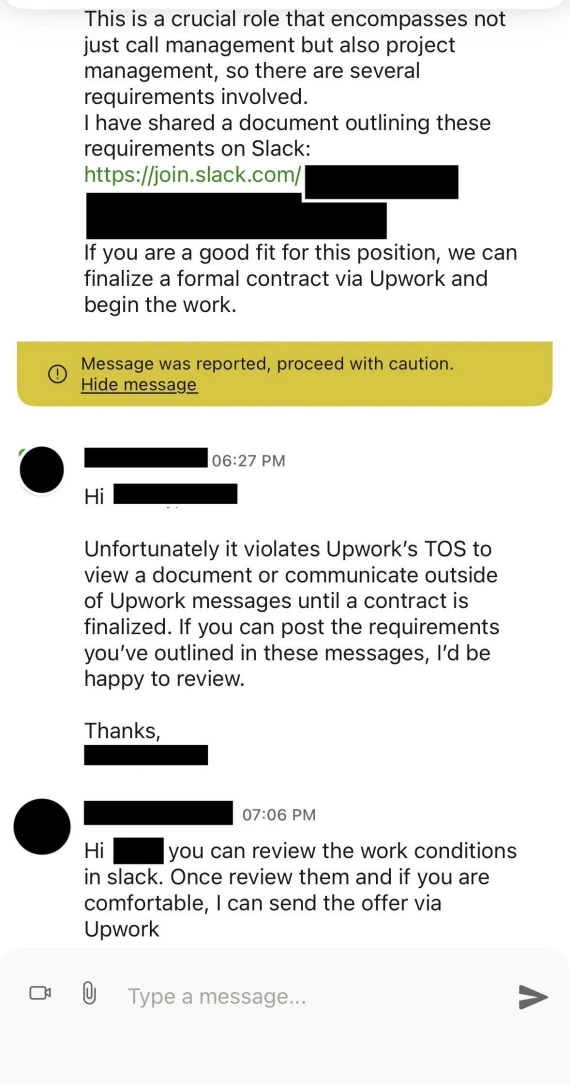
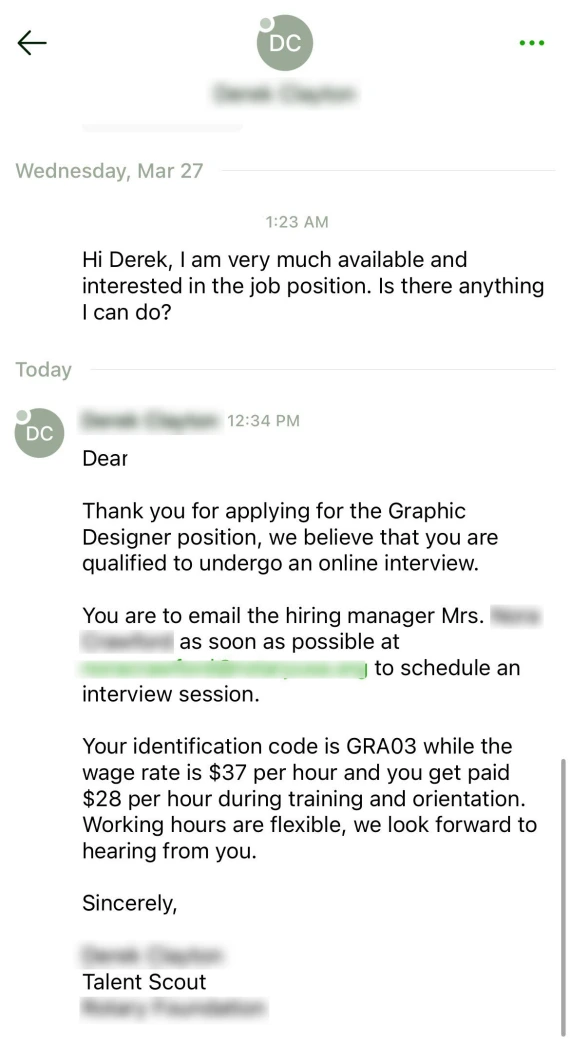
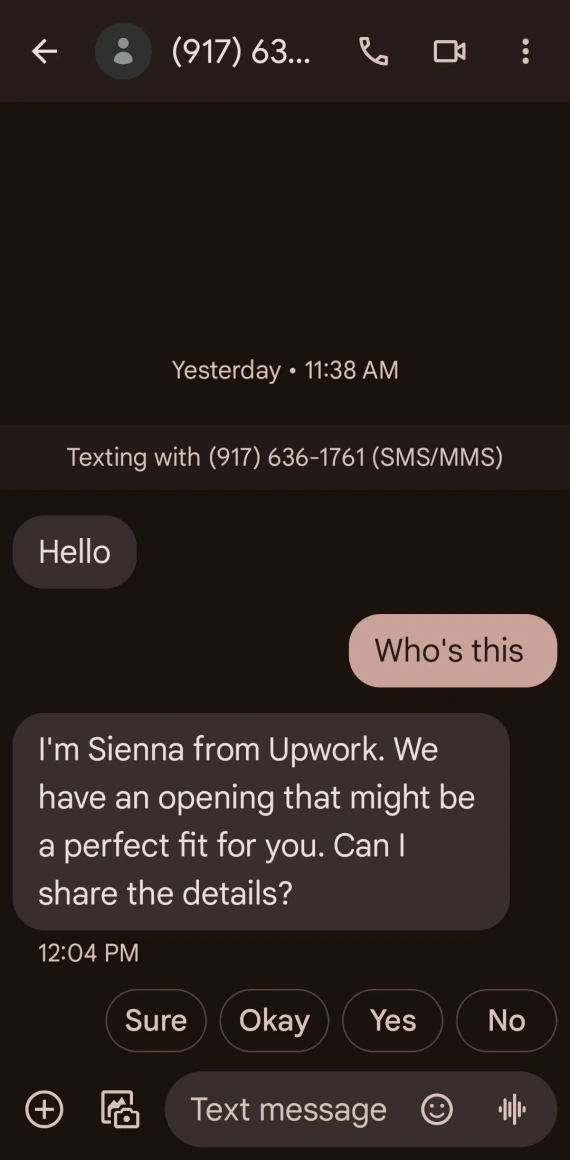
An Upwork WhatsApp scam or an Upwork Telegram scam both start with the client pressuring you to move off the platform to Telegram, WhatsApp, or email. They typically claim this is to cut costs and avoid paying Upwork’s contract fees.
Never move communication or payment off the platform. This voids Upwork’s protections, and you might not get paid for your work if the “client” turns out to be a scammer.
3. Fake check or overpayment scam
In this Upwork scam, a client may “accidentally” send $800 for a $500 project, asking you to return the excess $300. Later, the original payment bounces because it was made with a stolen credit card or a fake check.
Never refund the difference or continue work unless the payment has been fully cleared.
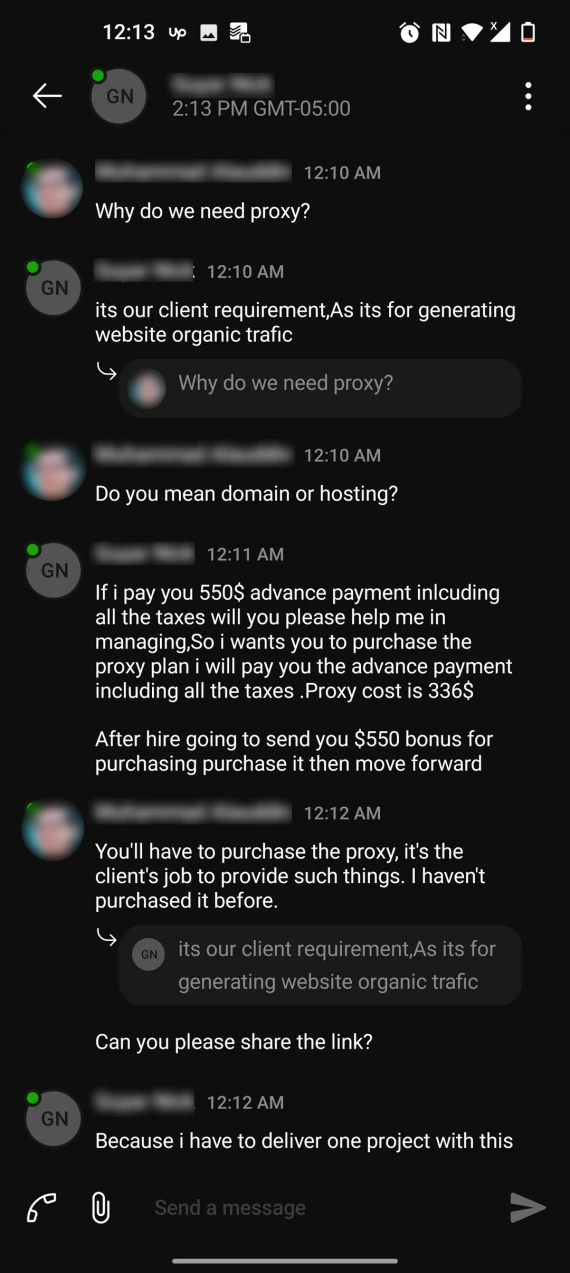
4. Pay-to-work scams
Instead of paying you to work, a client may demand you pay for “training fees,” a software license, or a background check before you can start actual paid work.
Legitimate clients on Upwork pay freelancers for work. No real client will ever ask you to pay them upfront just to get hired.
5. Free work disguised as a test task
Some scammers on Upwork disguise real work as an unpaid “test,” usually asking for a complete, usable deliverable instead of a sample. Before accepting, check whether the task is proportionate to the role and genuinely worth completing without payment, even if you don’t get the contract.
6. Crypto and fake task-platform scams
Some Upwork scammers push freelancers away from the platform’s built-in payment processing and toward crypto exchanges or separate “task” platforms, like Fiverr.
Some of these sites are legitimate. Some, however, may feature fake earnings that appear locked until you pay a deposit, tax, or withdrawal fee.
7. Upwork account rental or purchase scams
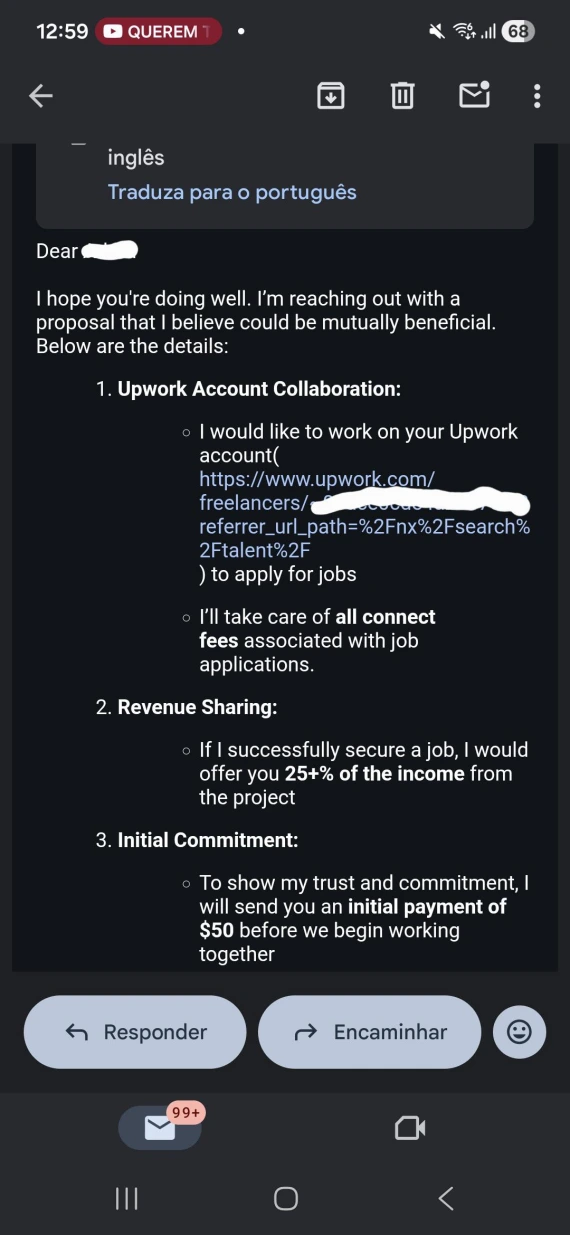
Upwork account scams work a bit differently. Instead of work, you might get an offer to rent, buy, or operate your established Upwork platform, so someone else can bypass the platform’s restrictions.
These arrangements go against Upwork’s account-sharing rules, and they’ve been on the rise lately with a 400% year-over-year increase. You risk stolen payments, identity misuse, account takeover, or permanent suspension from the platform.
8. Fake or AI-generated jobs and client profiles
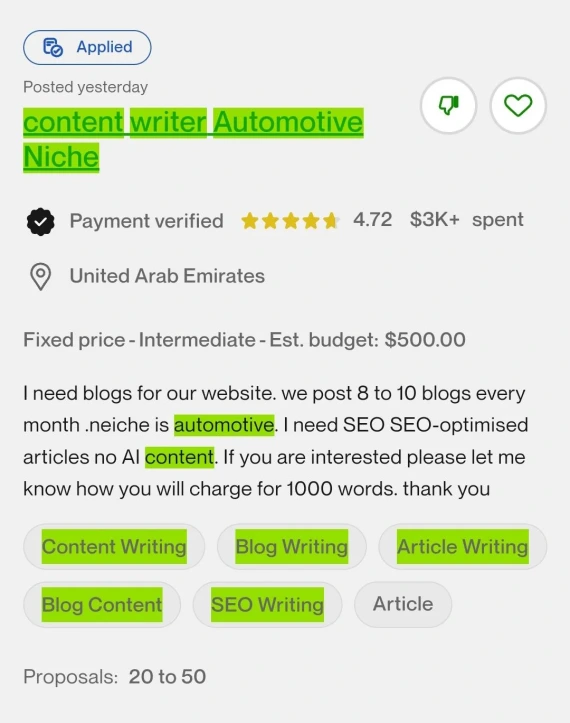

Upwork scammers may use AI-generated assets to fabricate vague listings and company history to make an account look credible.
Before accepting work from a client on Upwork, check the client’s payment verification, hiring history, reviews, and job details. Also check if they have any social media or professional presence outside of Upwork, like on LinkedIn.
Red flags checklist: what to check before applying or accepting a job
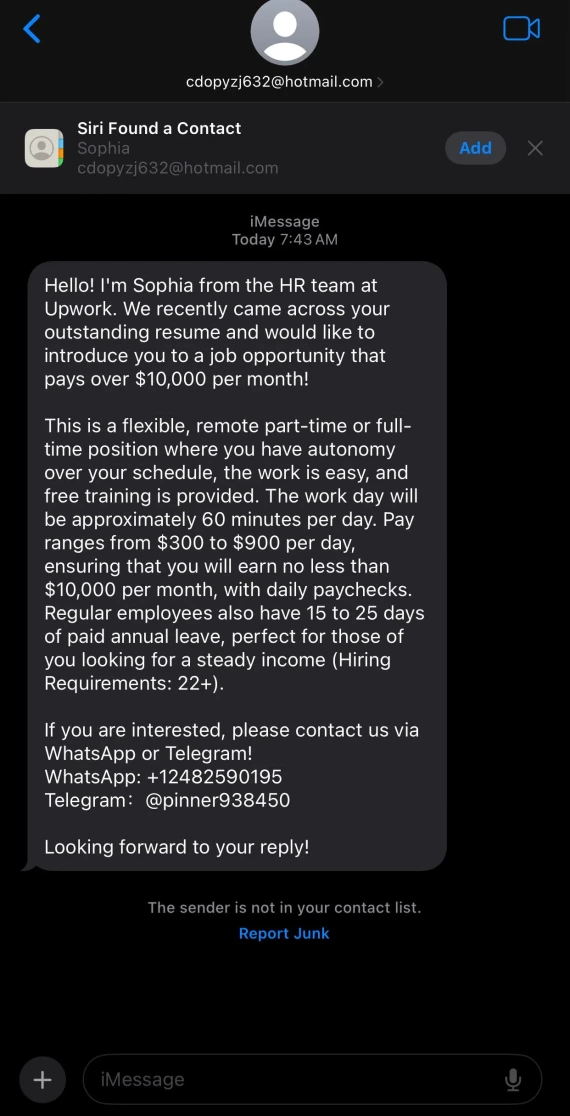
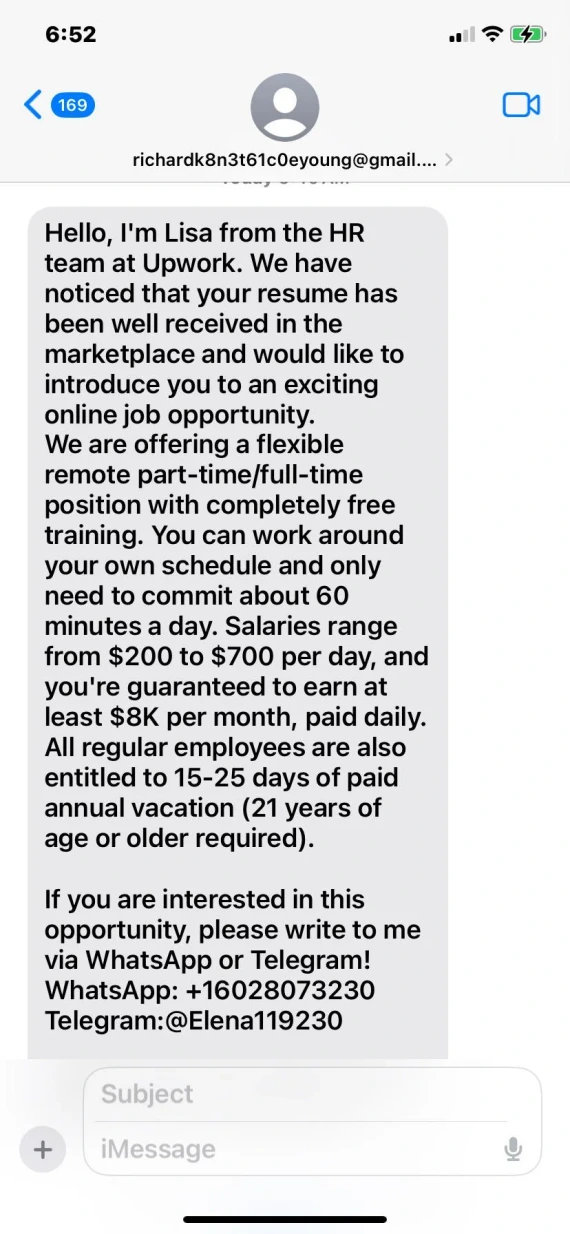
Here’s a quick checklist to help you spot Upwork scams before accepting work on the platform:
- Verified payment method: Does the client have a payment method that has been verified by Upwork on their profile?
- Total spend: This shows the total amount spent on the platform and the average hourly rate typically paid by the client.
- Inconsistencies: Be wary of a low spend rate under $100 and low hire rates under 20% despite claiming to be a “large agency.”
- Reviews and account age: Check the account’s history on Upwork and how it’s been rated by other freelancers before you.
- Behavioral red flags: If the client requests money or off-platform contact, such as via WhatsApp, be cautious. Also keep an eye out for unrealistic budgets or early requests for sensitive information.
- Unpaid work: Scammers often request “tests” that are unpaid and require many hours of work.
- Sensitive information: If anyone requests verification codes, ID, passwords, or banking information, do not proceed.
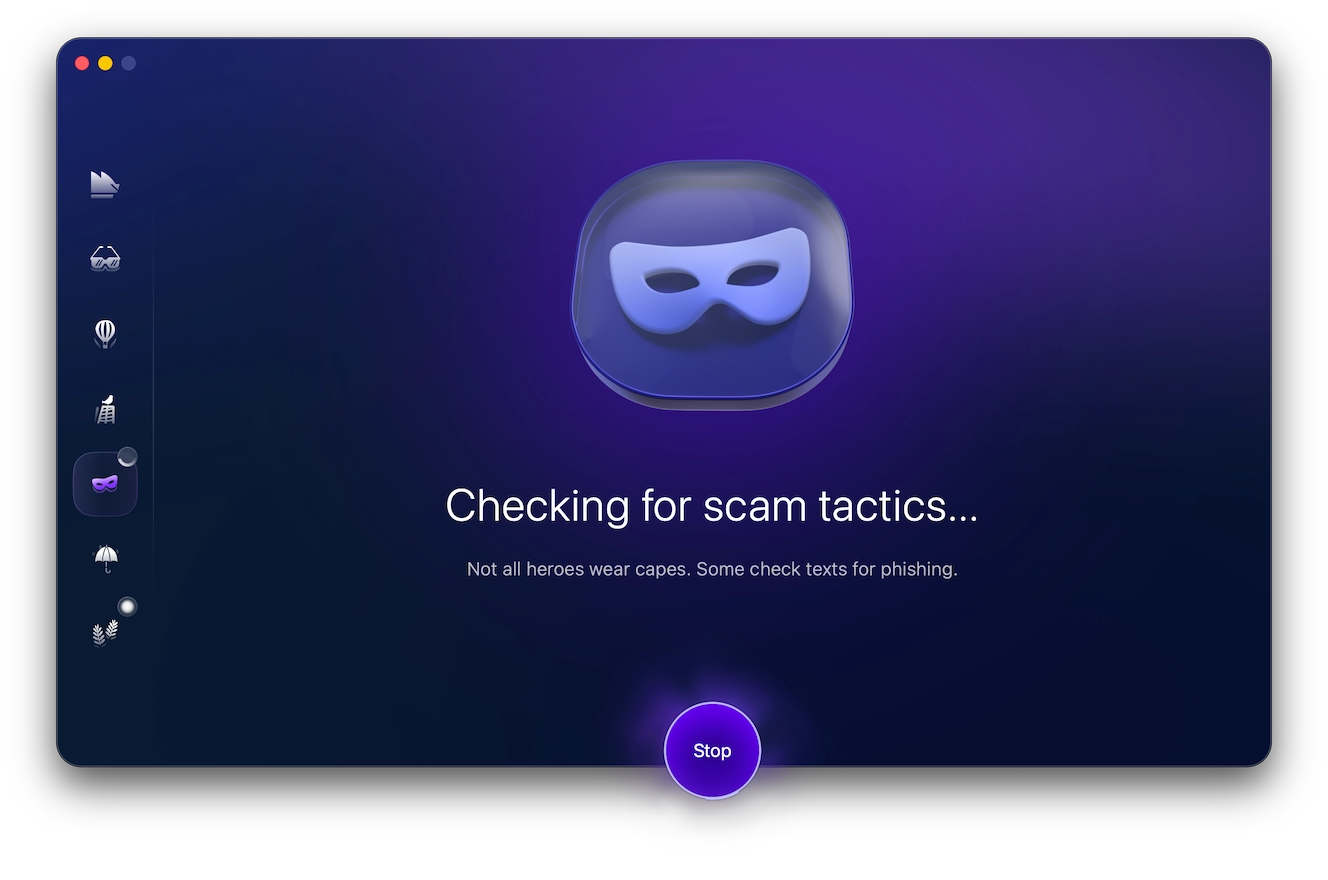
Some scammers on Upwork are better than others at disguising themselves, so it’s not always easy to spot them. Fortunately, you can use tools to help you, like Moonlock’s Scam Detector.
With a 7-day free trial of Moonlock, you can use the built-in Scam Detector to check messages and profile descriptions for the red flags of a scam. Here’s how you use it:
- Open Moonlock, then click Scam Detector from the left-hand sidebar.
- Copy and paste the suspicious text into the detector.
- Click Check.
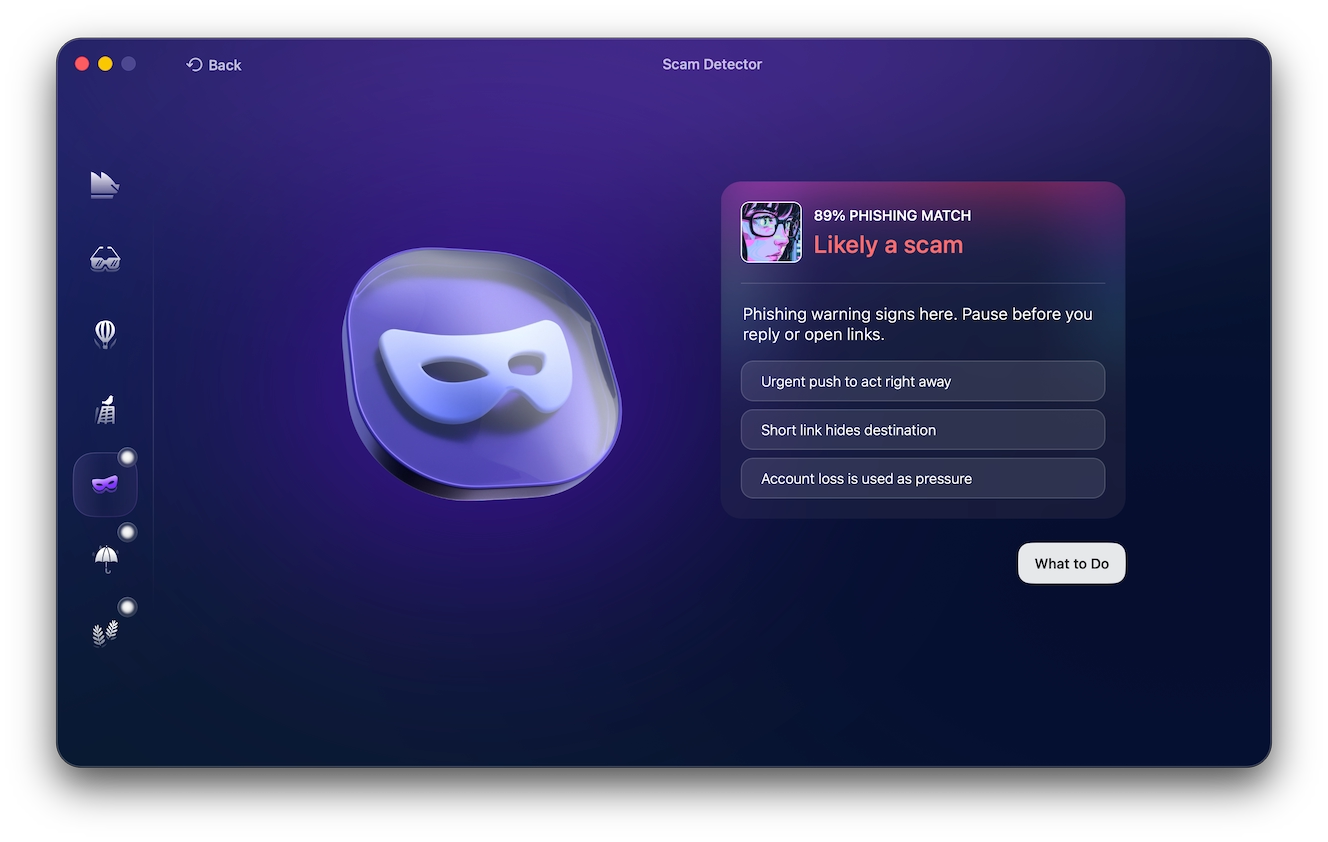
Once complete, the detector will present a “phishing match,” a percentage indicating how likely the text is to be a phishing scam. If the scan determines that it’s “Likely a scam,” Moonlock will prompt you to click on “What to Do” to get some actionable advice on how to stay safe.
Scammer psychology: why these tactics work
Upwork scammers aren’t just lying on their profiles; they’re purposefully manipulating you.
Scammers often rely on urgency, excessive flattery, FOMO, and professional language to make an offer feel valuable or credible. They’ll typically encourage you to make quick decisions, claiming they have other people vying for the opportunity.
Recognizing these manipulation tactics can help you spot scams on Upwork and other sites as soon as you lay eyes on a profile.
6 client-side scams: what to check when hiring a freelancer
Freelancers aren’t the only ones targeted with scams on Upwork, especially when, as a client, you’re the one ready and willing to pay for services.
Here are some of the most common scams on Upwork targeting clients:
- The bait-and-switch: The person you interview might not end up being the one doing the work.
- Fake profiles: Check copied portfolios, fabricated experiences, and inconsistent work history and expertise.
- Stolen work: Run articles through plagiarism detectors and images through TinEye before relying on portfolio samples.
- Deepfake interviews: Treat video as supporting evidence of a real profile, not necessarily as solid proof.
- Verify account ownership: Ask for a live portfolio walkthrough and specific project details, preferably as a screen share during the interview.
- Limit exposure: If this is your first time working with a freelancer, start with a small paid test, grant only necessary access, and revoke permissions as soon as the project ends.
What to do when an Upwork deal turns out to be a scam
If you discover a client or freelancer on Upwork has scammed you, act quickly to limit damages:
- Stop all communication, and stop sending money.
- Save screenshots, contracts, payment receipts, and messages.
- Report the user through Upwork.
- Contact your bank or card provider if the money left your account.
- Change your Upwork password and enable 2-factor authentication.
- Revoke access to shared files or workplace access.
How to report a scam on Upwork
Here’s how to report someone on Upwork when you suspect fraud:
- On a user’s profile: Click the … options menu, then select “Flag as inappropriate.”
- On a job posting: Click the flag button, then submit a report.
- On a portfolio: Click Report on the suspicious portfolio item.
- On a project: Click the flag button, then submit a report.
- In messages: Select the message (tap and hold on mobile), then choose “Report message” from the menu.
Upwork scam FAQs: Quick answers before you apply
Before you apply for an opportunity on Upwork, here’s what to keep in mind.
Yes. Upwork is legit and has many protections in place for freelancers and clients alike.
This should only be done through Upwork’s official verification process. Never send sensitive information through email, Telegram, or WhatsApp to anyone claiming to be from Upwork.
Possibly, depending on the payment method, contract, and whether you paid off-platform.
Phishing, fake jobs, off-platform communication and payment requests, account rentals, and unpaid test work are the most common varieties of scams on Upwork.
Check the profile for payment verification, work history, reviews, and hire rates.
Yes, but staying on the platform preserves evidence and gives you access to Upwork protections.
Simple ways to protect yourself from Upwork scams
Learning how to avoid scams on Upwork starts with taking a step back, slowing down, and verifying every offer:
- Keep communication and payments on-platform.
- Check client history, reviews, spend rate, and hire rate.
- Check freelancer reviews, portfolio, and work history.
- Don’t click on suspicious links, files, or login pages.
- Never share personal or payment information.
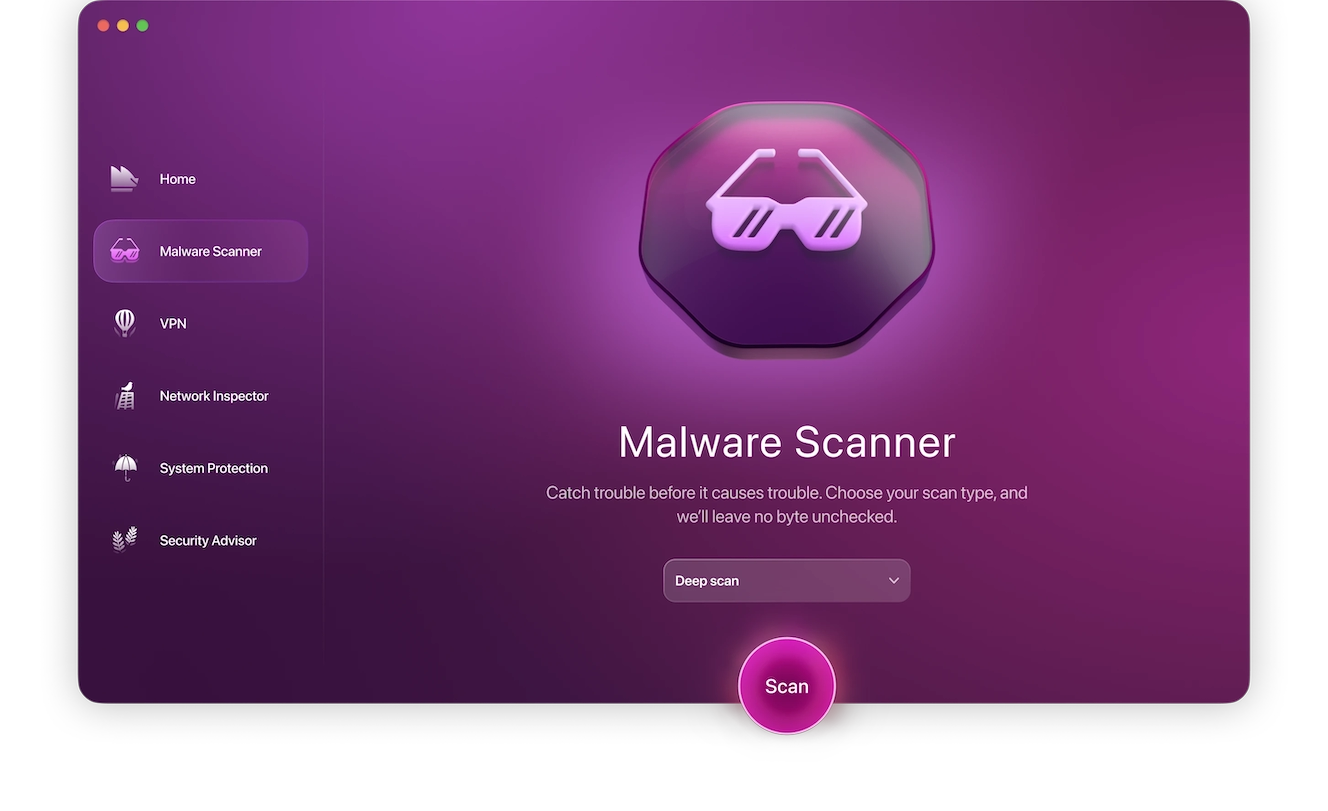
If you opened a suspicious email attachment or clicked on a link, immediately use Moonlock’s Malware Scanner to check your Mac for malware. Try Moonlock antivirus to stay safe while you look for the next opportunity on Upwork.
Even an extra minute can help you spot an Upwork scam before it costs money or access. So, never rush and always double-check critical hiring decisions.
This is an independent publication, and it has not been authorized, sponsored, or otherwise approved by Upwork Inc. Upwork is a trademark of Upwork Inc.