Since 2013, the commission-free investing platform Robinhood has grown from a brokerage mobile app to a publicly traded company with a market cap of $97.01 billion at the time of this writing. Unfortunately, the platform’s large user base makes Robinhood scams a growing concern.
Scams on Robinhood take advantage of people’s trust in the well-known investing platform, impersonating its branding and name to steal logins, verification codes, and funds. In 2025 alone, Americans lost upwards of $8 billion to investment scams. So, should you keep using Robinhood to manage your investments? Here’s how you can spot Robinhood scams and steer clear of them.
Is Robinhood a scam?
Robinhood, the platform itself, is not a scam. Founded in 2013, Robinhood is officially listed on Nasdaq as HOOD and is regulated by the Securities and Exchange Commission (SEC) and the Financial Industry Regulatory Authority (FINRA). Its brokerage entities are Securities Investor Protection Corporation (SIPC) members, and it provides protections and cash coverage up to $500,000.
What makes Robinhood accounts attractive to scammers
Robinhood’s prominent position in the finance industry makes it attractive to scammers. An account on the platform can hold cash, stocks, and crypto investments. This represents a particularly attractive target for scammers.
Many Robinhood scams begin with text messages or emails sent in bulk to people included in data breaches. Simply receiving one of these messages doesn’t mean your Robinhood account has been compromised, only that some of your contact information has been exposed.
Robinhood scam text messages (SMS phishing)
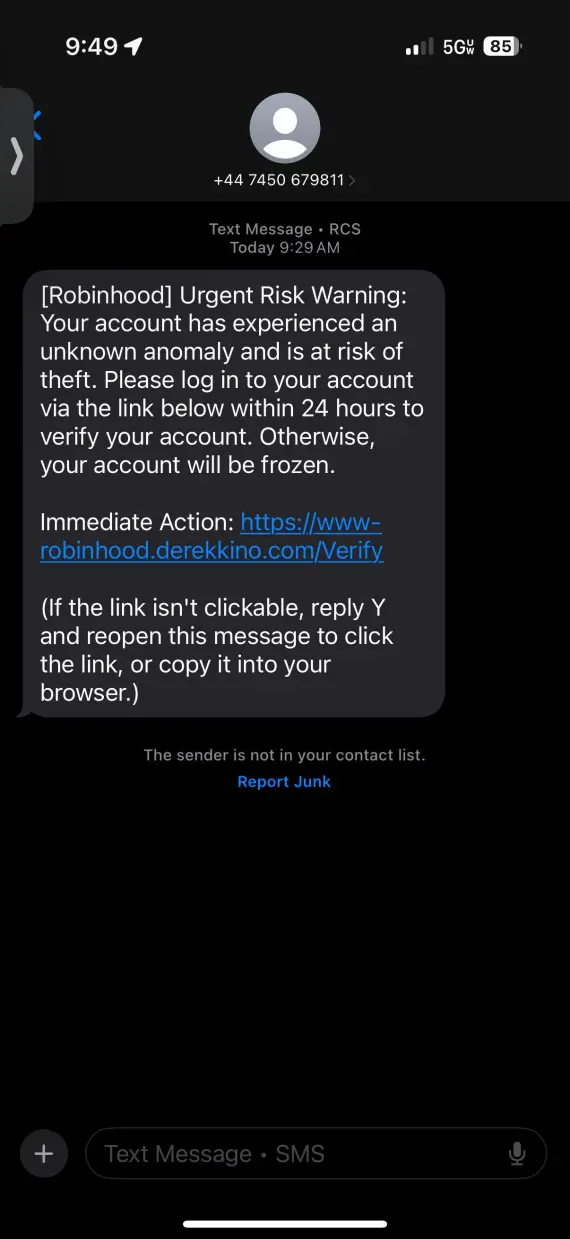
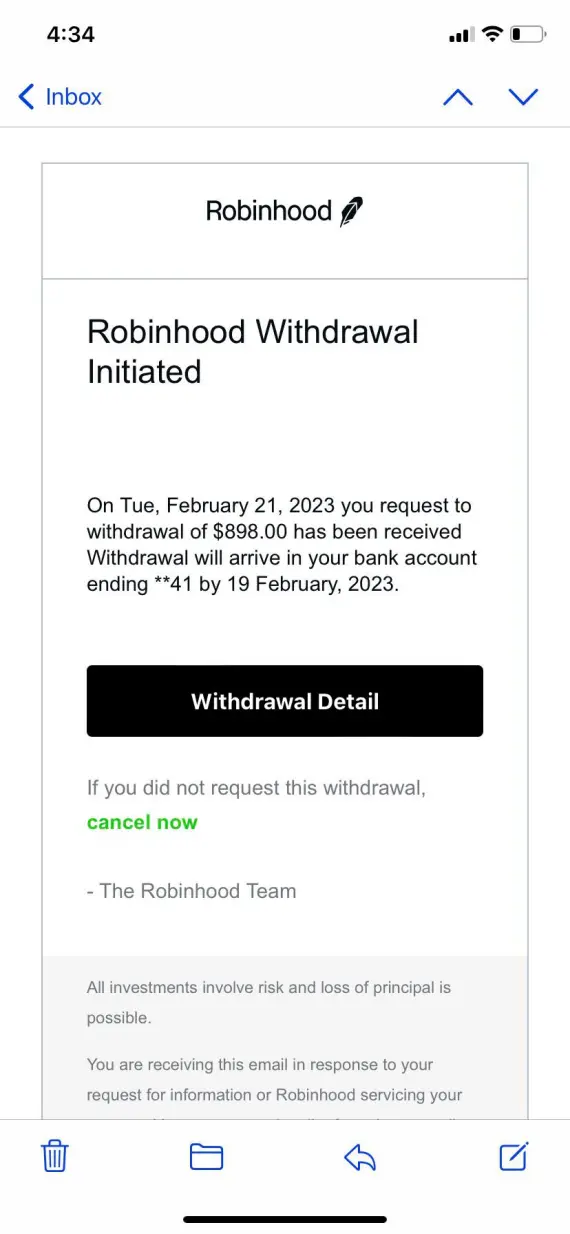
Robinhood scam texts often try to impersonate Robinhood, posing as a security alert to warn you that your account is at risk of closure or that someone is trying to log into your account.
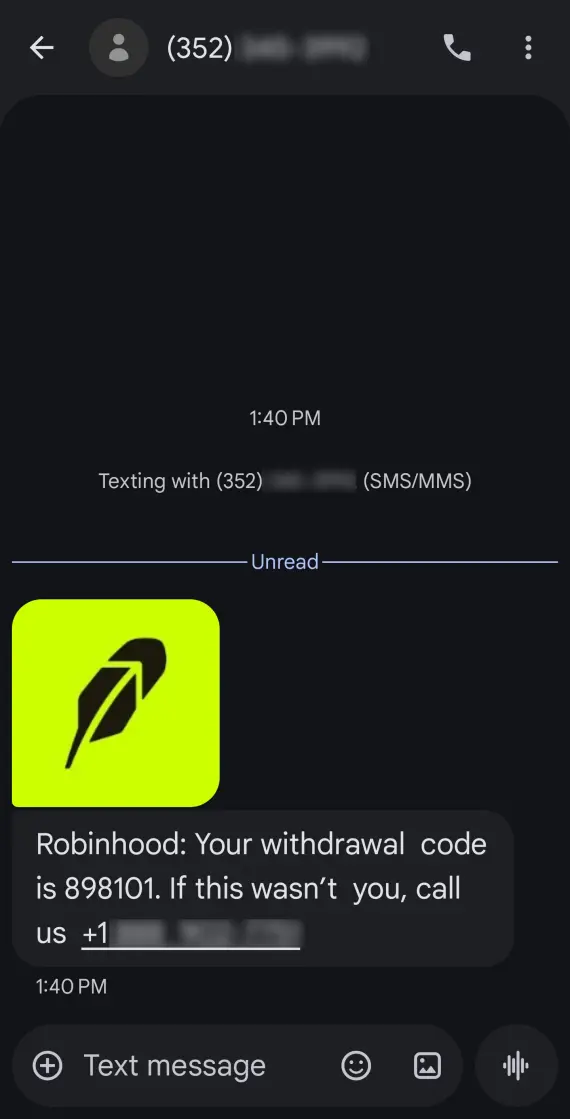
Other common Robinhood text scams may signal unusual account activity, a funds withdrawal request, or a problem with your verification code. These are all tricks to push you into reacting fast. Robinhood warns users against sharing information such as passwords or 2FA codes with anyone, including customer support impersonators.
For example, you might receive a text message that says: “Robinhood Alert: Unusual withdrawal request detected. If this wasn’t you, call xxx-xxxx immediately.” This is a classic Robinhood text message scam.
Watch out for:
- “Urgent Risk Warning” or “unusual account activity” wording
- A fake Robinhood verification code text scam, urging you to confirm or share codes
- Fake withdrawal alerts or account suspension notices
- Text messages that only give you a phone number or email to contact
- Unknown, mismatched, or suspicious sender numbers
Robinhood scam emails
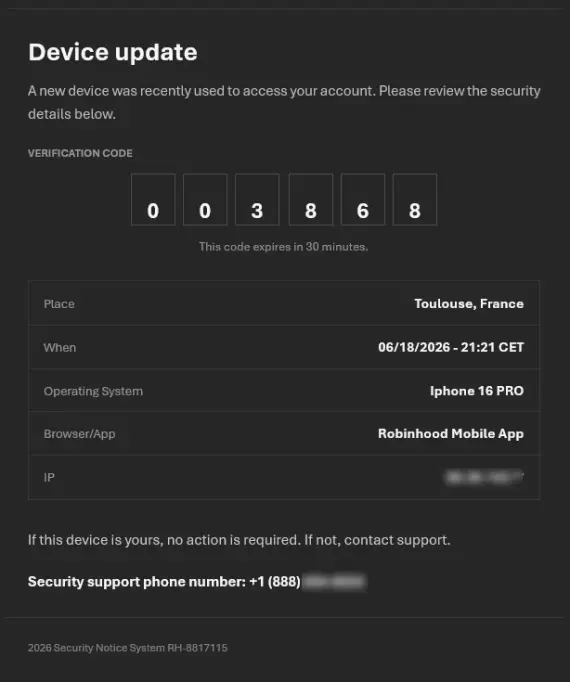
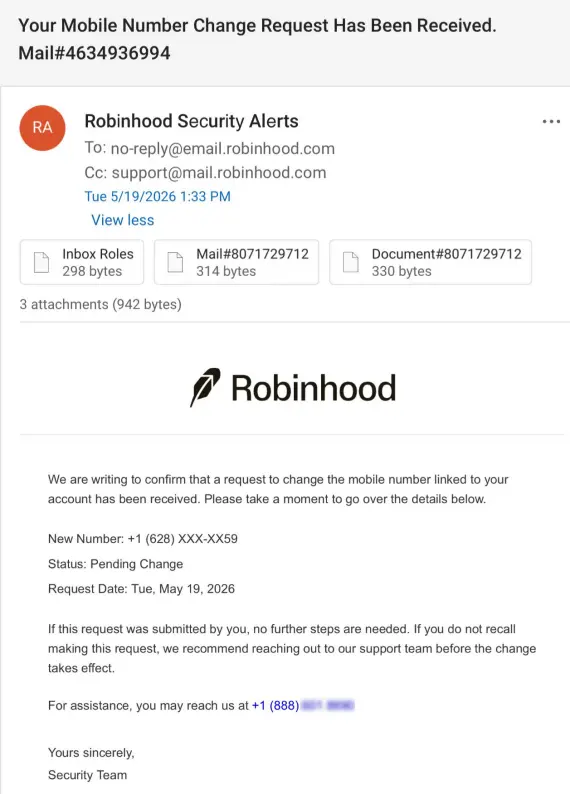
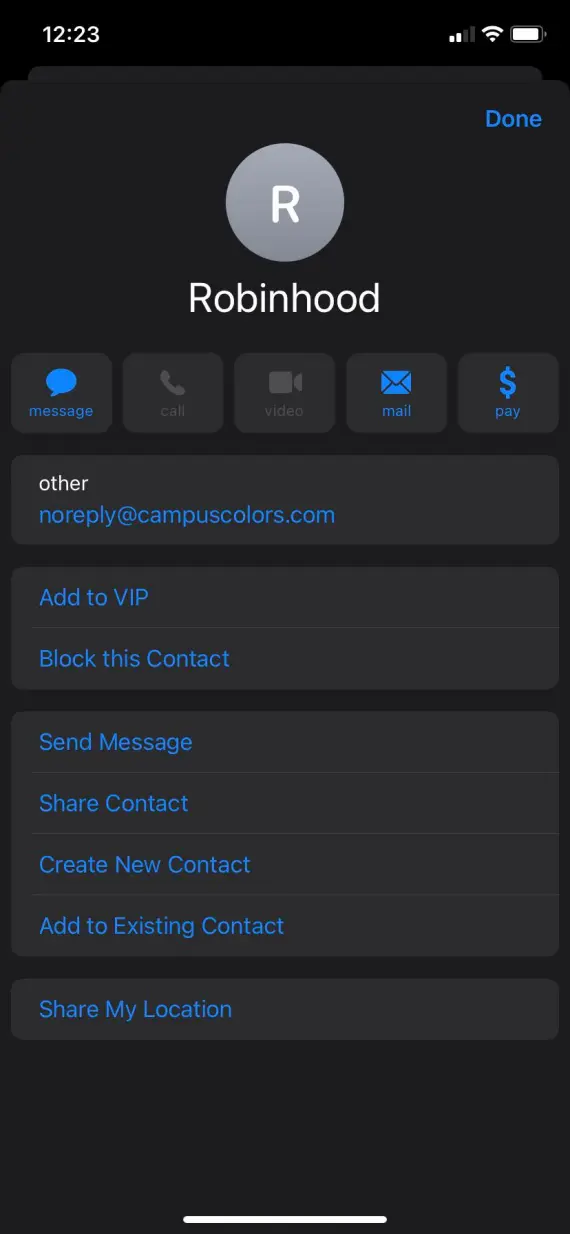
Similar to text message scams, Robinhood scam emails imitate security notices about outdated or faulty tax documents, or account activity warnings. Always check such emails for urgency, suspicious links, and sender domain match. Real Robinhood emails come from the @robinhood.com domain, with some communication coming from other approved domains such as @proxydocs.com.

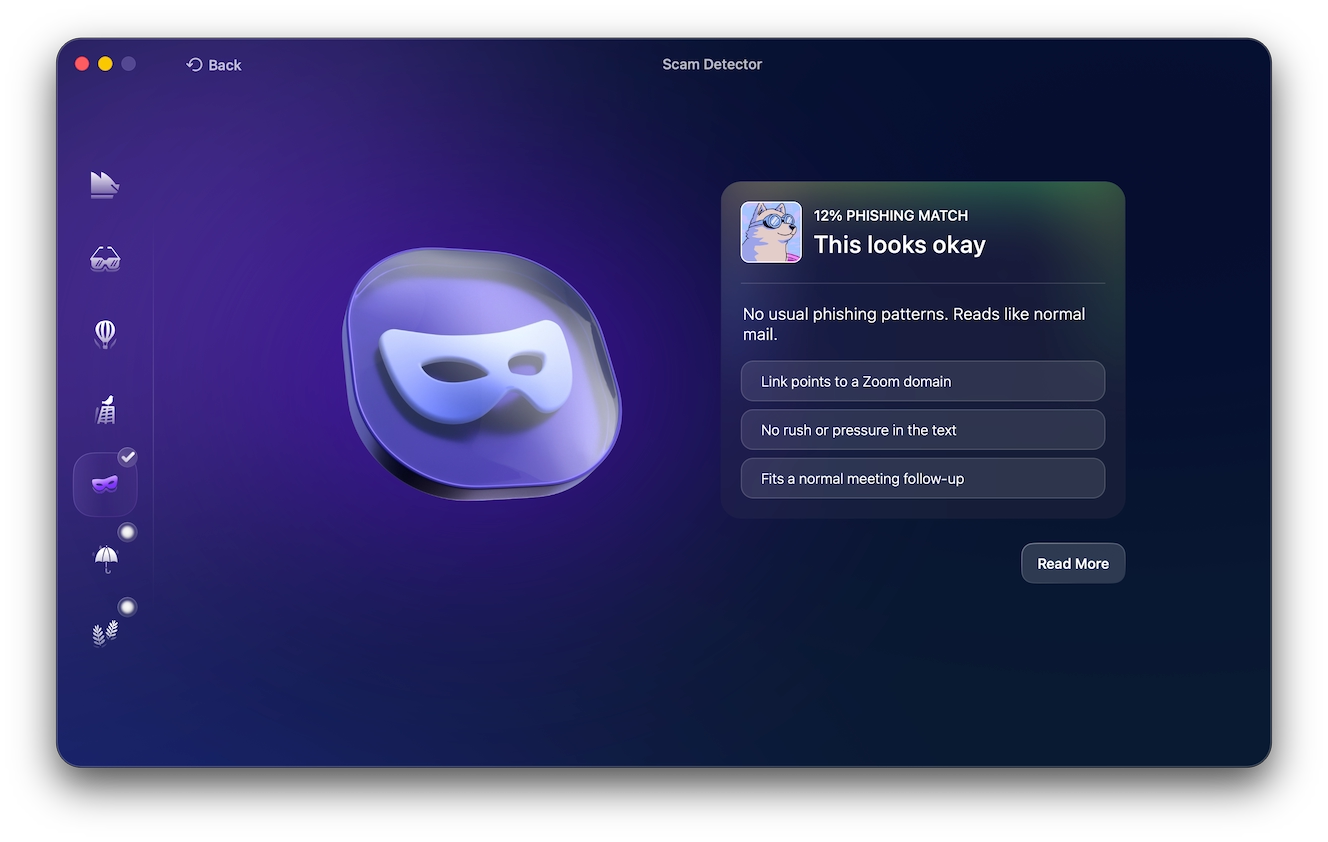
Avoid clicking on any unexpected file attachments, like .zip, .exe, or .doc files, as they may contain malware or spyware. To be on the safe side, always use Moonlock’s Scam Detector to analyze suspicious messages for phishing patterns.
Try it with a 7-day free trial of Moonlock and make it a habit to run emails and text messages through the Scam Detector before clicking on any link or downloading an attachment.
The 2026 “Your Recent Login to Robinhood” email scam: Case study
In April 2026, attackers were able to abuse Robinhood’s own signup flow to send legitimate-looking emails to platform users titled “Your recent login to Robinhood.” They did it using Gmail’s “dot trick,” where emails sent to both [email protected] and [email protected] reach the same inbox, creating Robinhood accounts with those “dot” variants and using them to target genuine users.
The messages passed SPF and DKIM, which verify authorized sending servers and cryptographic signatures. Then, by injecting HTML into the notification, they replaced parts of real Robinhood emails with phishing links.
Robinhood customers who fell for the phishing scam were at risk of losing their accounts and associated funds. A genuine sender’s address, therefore, doesn’t always guarantee a safe link.
Robinhood crypto scams
A Robinhood crypto scam is any phishing or social engineering scheme aimed at tricking you into making a crypto transfer. These scams primarily target crypto because Robinhood can’t reverse the transaction or reimburse crypto sent to a scammer.
Crypto scams can be presented as investment opportunities, scammers impersonating Robinhood support, or romance scams requesting the transfer of coins to an external wallet. The following are some of the more common types to watch out for.
Transfer and romance scams
Scammers might not even target you on Robinhood to begin with, but on social media and dating apps. They build a romantic relationship and establish trust before persuading you to buy crypto on Robinhood and transfer it to an external wallet they control.
Others pose as investment advisors on WhatsApp and Telegram groups, promising guaranteed returns. Once a transfer has been made, it can’t be recovered, and your losses are permanent.
Fake NFT giveaways and airdrops
Scammers may promote fake NFS giveaway or airdrops, asking the victim to connect to a wallet. Following these steps can expose your personal Robinhood wallet or send crypto directly to a scammer.
Rug pulls and pump-and-dump schemes
Rug pulls in particular lure you into buying tokens before the fake platform’s developers drain liquidity or abandon the coin project altogether.
Pump-and-dump schemes, meanwhile, artificially inflate a coin’s price through coordinated hype. Once its value is high enough, the initial investors pull out, leaving later buyers to handle the losses.
Robinhood phone and customer-service scams
A Robinhood support scam impersonates the platform’s customer support agents to trick users into sharing credentials, codes, or money.
Robinhood has stated that they don’t offer a direct-dial number for live agent customer support. Actual phone support is provided through a callback request made inside the app. Never listen to or believe the claims of any unsolicited support calls.
Fake support numbers
Scammers advertise fake “Robinhood Support” numbers in Google search results, forums, or social media. Calling one of those numbers will connect you to what might at first appear to be a legitimate customer support representative of Robinhood. However, they’ll soon ask for login details or remote access to your account.
Never comply. Just hang up the phone.
Fake customer service calls
Unsolicited calls from scammers posing as Robinhood support agents may claim suspicious account activity or urgent account problems. They then pressure you into sharing passwords or verification codes so they can help you “secure” your account.
Search carefully
Just because a phone number appears first in search results doesn’t mean you can trust it. Robinhood doesn’t offer dial-in customer support, so any number claiming to do so is a red flag.
If you need help with your account, request a callback directly through the Robinhood app.
AI voice-cloned phone scam calls
AI voice cloning scams have become more widespread in recent years, making fake security and customer support calls sound convincingly human. Scammers might call you claiming that your Robinhood account is compromised and trying to pressure you into giving them remote access or sharing codes to “help you.”
While it’s not always easy to tell a real call from an AI-cloned one, there are a few possible tells:
- Odd pauses or unnatural pacing of sentences
- Repetitive phrasing
- Pressure to act immediately
- Requests for credentials, codes, or transfers
Legitimate Robinhood support calls are made strictly through callbacks requested through the app. Anything unsolicited is a scam.
How to verify a suspicious Robinhood message
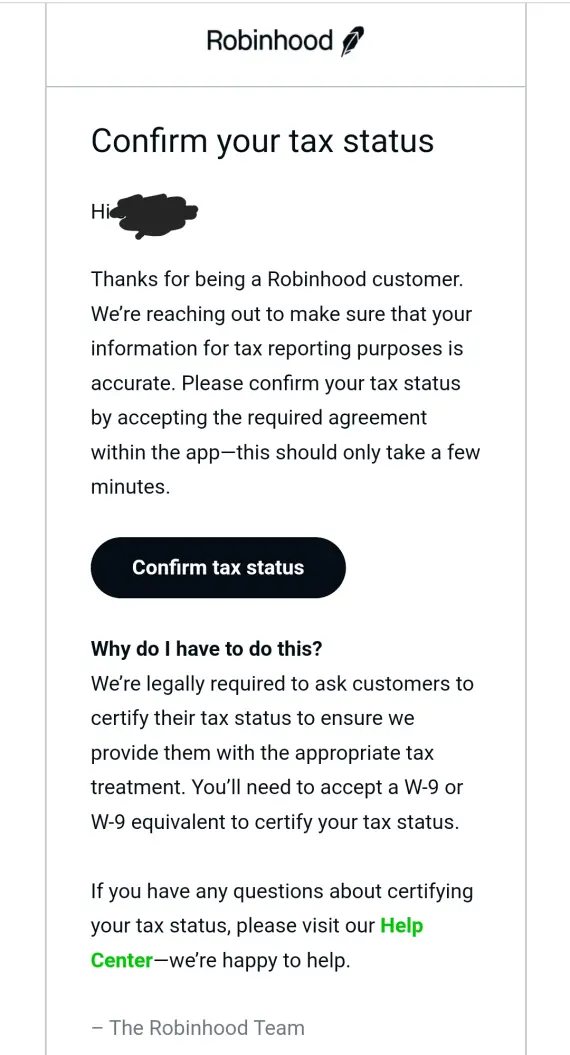
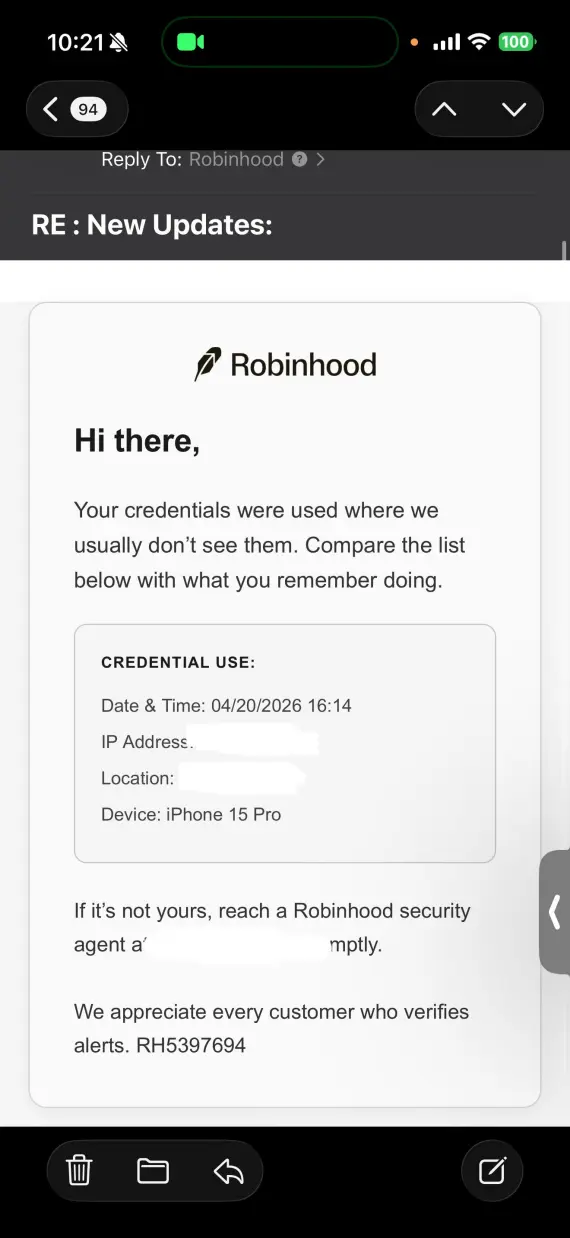
With scammers going out of their way to spoof and exploit vulnerabilities in email systems to appear legitimate, treat all unexpected texts, emails, and calls as suspicious until you can independently verify them.
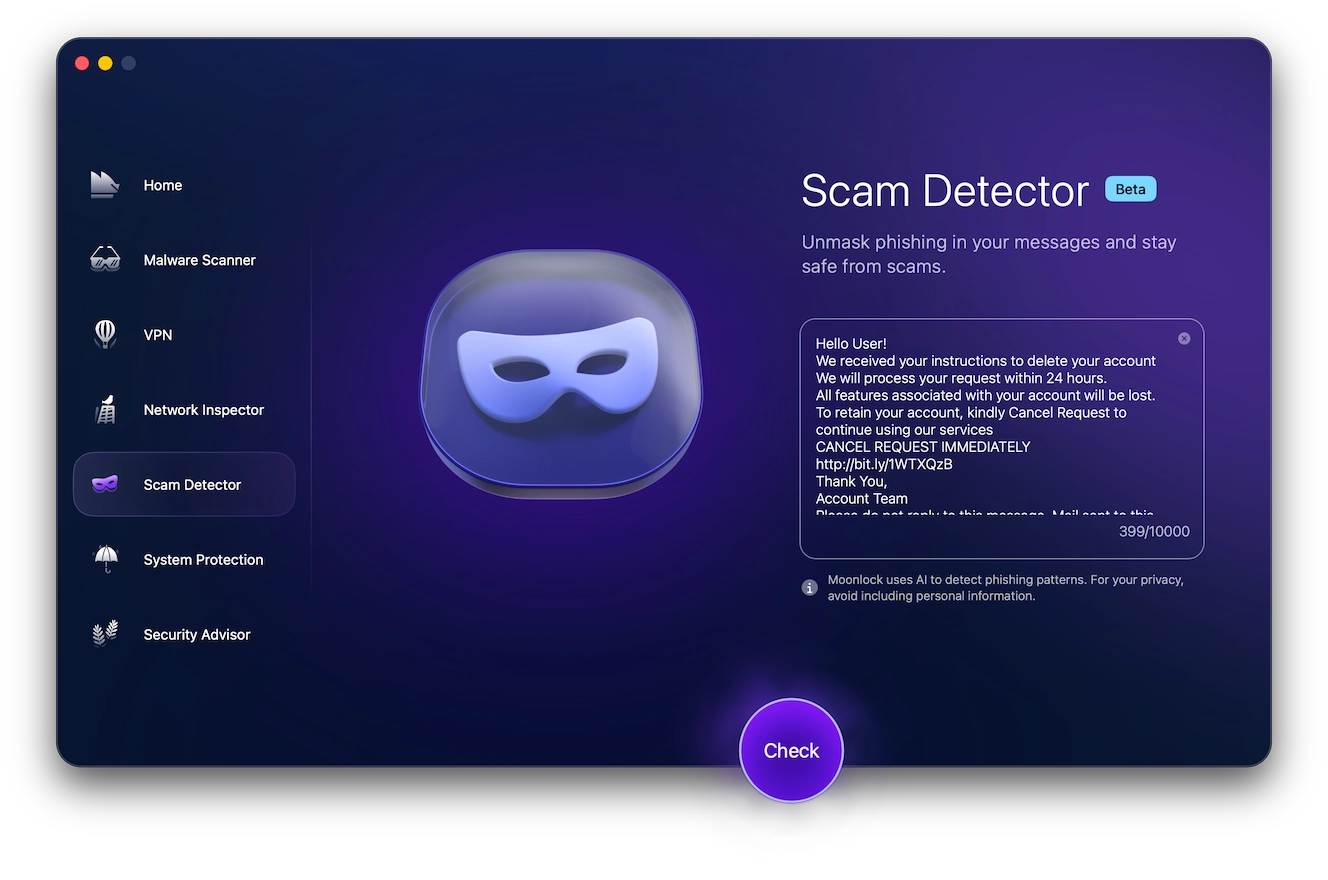
You can use Scam Detector as part of your strategy, helping you analyze suspicious wording and phishing signals before you interact with an email or text message. Here’s how to try Moonlock free for 7 days and use the Scam Detector:
- Open the Moonlock app.
- Click Scam Detector from the left-hand sidebar.
- Copy and paste the suspicious email or text message into the detector.
- Click Check.
Moonlock will determine how likely the message is to be a phishing scam and warn you if it’s likely to be dangerous.
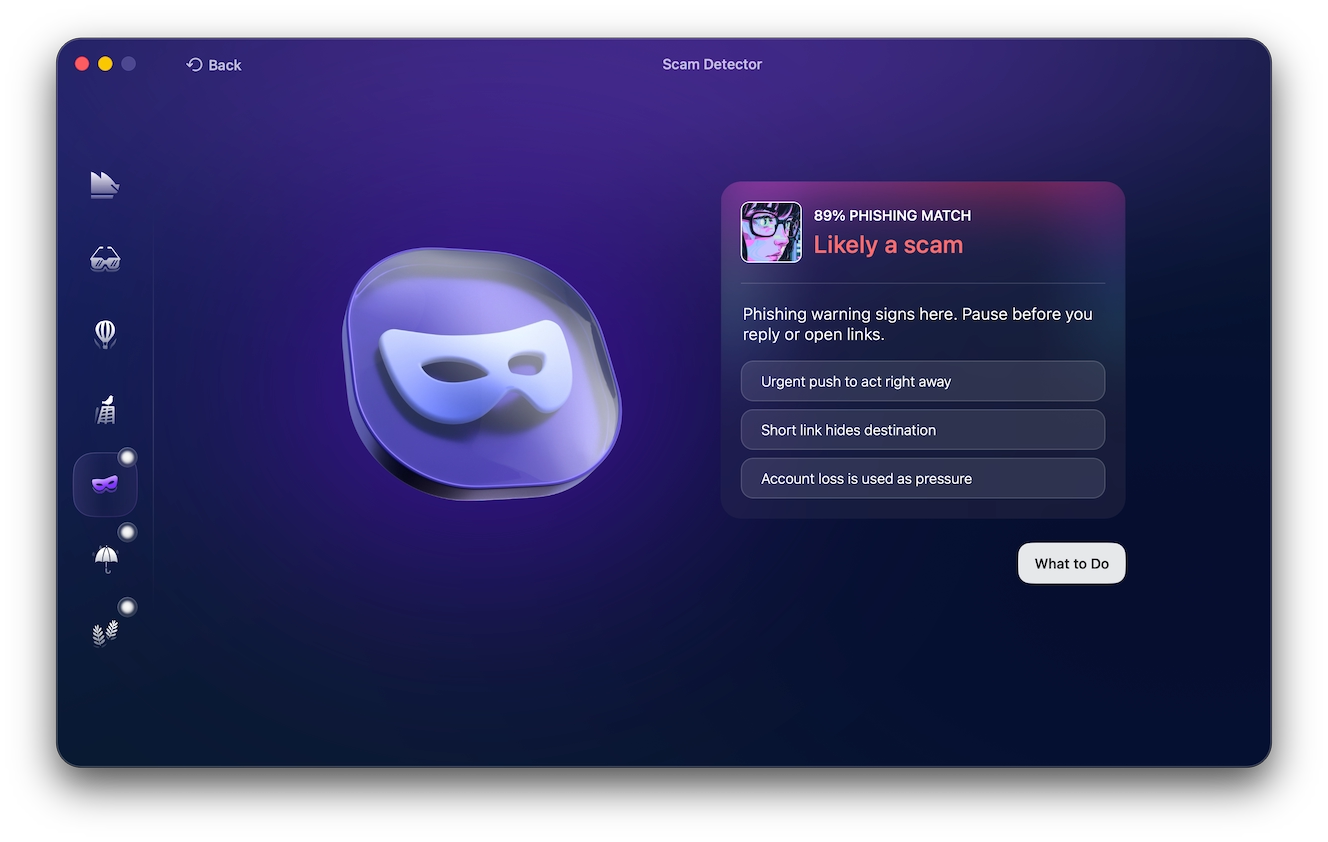
You can also verify a suspicious message directly through Robinhood:
- Open the Robinhood app.
- Check in-app notifications.
- Review recent logins.
- Check recent withdrawals and transfers.
- Inspect linked devices.
- Change your password and enable 2FA.
- Request support through the platform.
It’s important not to Google Robinhood’s support number if you’re ever in need of help. Scammers can buy ads and place fake phone numbers above legitimate search results.
Legitimate Robinhood alert vs. scam message
The Robinhood alert scam is another type of attack used by scammers. A genuine security alert from Robinhood should align perfectly with activity visible in your account and your personal information. You may be able to differentiate scam messages by looking out for:
- Sender: Verified Robinhood domain vs. random email or phone number
- Action: Review activity through Robinhood vs. call, reply, or transfer funds directly
- Links: Short, familiar links vs. long links with phishing domains and spelling differences
- Tone: Factual and direct vs. urgent or threatening
- Personal info: Never asking for credentials or codes vs. asking for 2FA codes, passwords, and funds
Why 2-factor authentication doesn’t always protect Robinhood users
Having 2FA enabled on your Robinhood account can stop many password-only attacks, but it doesn’t mean that 2FA alone is enough to defeat real-time phishing. A fake Robinhood login page can capture your password and request a verification code, relying on you to log in to Robinhood before the code can expire and effectively taking over your account.
Consequently, Robinhood verification code text scams are particularly dangerous. Scammers have been known to intercept 2FA codes sent via text messages, without the need for the victim to log in on a phishing page directly. Before logging in, always make sure you’re on the real Robinhood website and opt for an authenticator app instead of SMS 2FA.
What to do after clicking a Robinhood scam link or sharing information
Act quickly to limit the damage and restore your account. The step you take next will depend on how far things have gone. If you:
- Clicked only: Close the page and clear your downloads and browser cache.
- Entered your password/email: Change your password and review account activity and logged-in devices.
- Shared 2FA codes: Secure the account immediately, changing your password and recovery email. Contact Robinhood for support.
- Send money/crypto: Report it. Contact your bank and Robinhood to contest the payment.
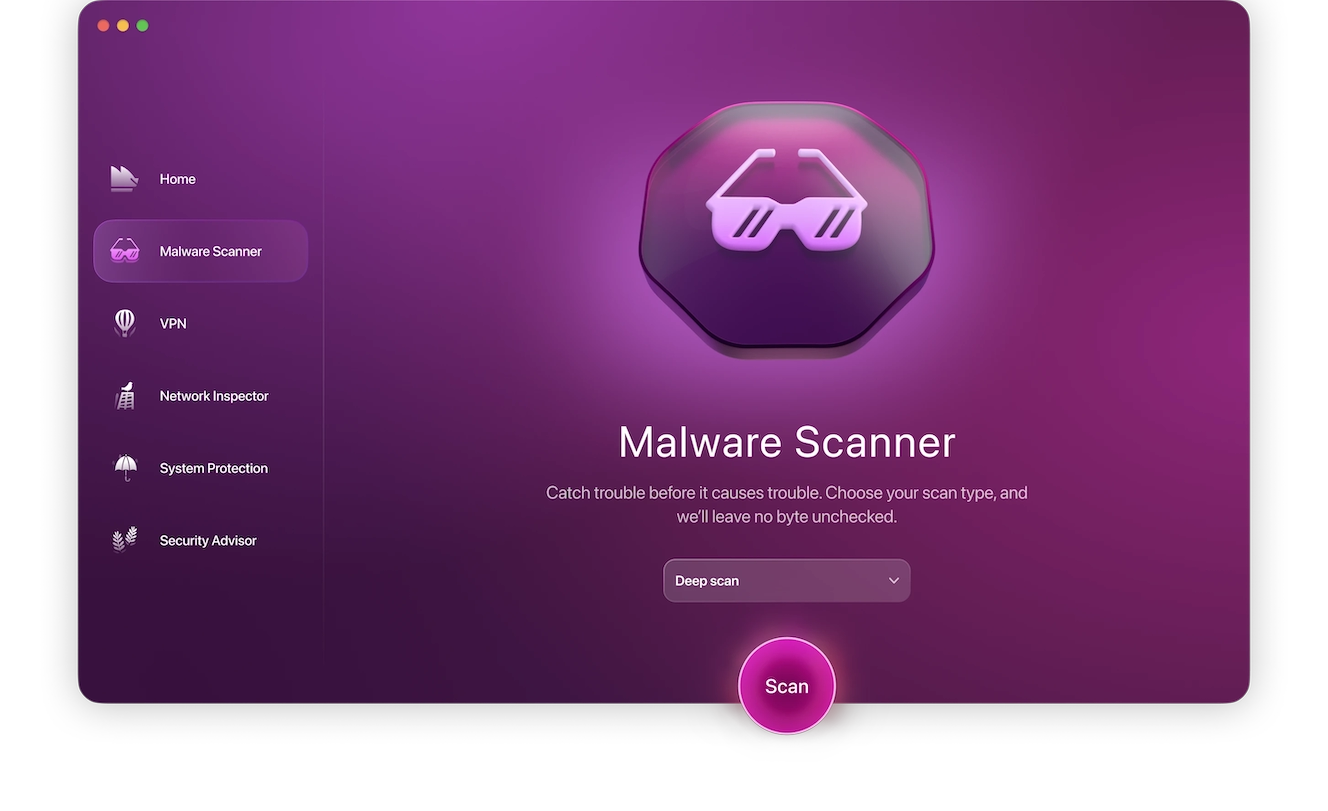
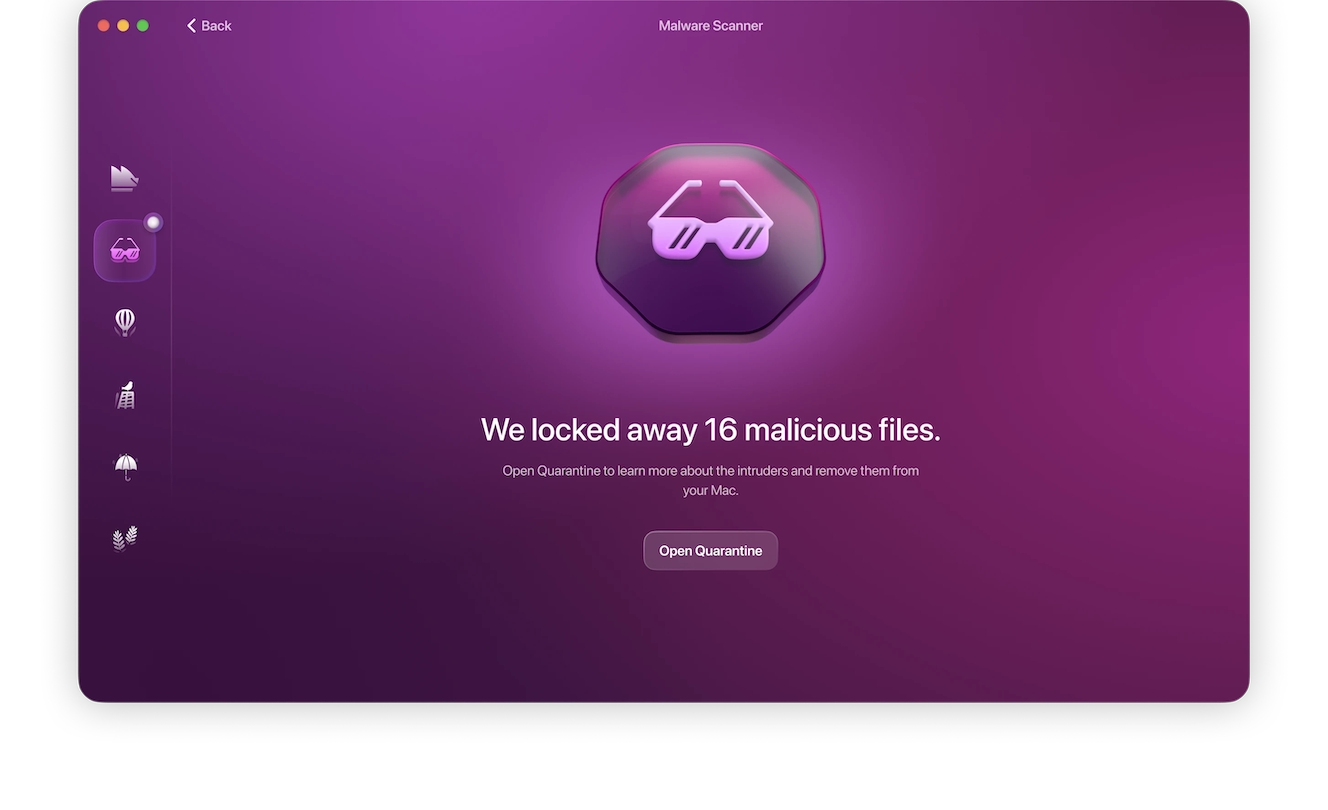
Also, keep in mind that simply interacting with malicious links could have triggered a drive-by download. It’s best to scan your Mac for malware with antivirus software. Here’s how:
- Open Moonlock, then click Malware Scanner from the list on the left.
- From the drop-down menu, select the scan type Deep.
- Click Scan.
How to report a scam to Robinhood
Report a scam to Robinhood through the platform’s official channels:
- Open the Robinhood app or website.
- Go to Account, Help, then Contact Support.
- Select the relevant security or scam issue.
- Include any screenshots or details you may have.
For any phishing attempts or emails impersonating Robinhood, forward them to [email protected].
Your questions about Robinhood scams, phishing, and fraud
Here’s what you need to know about Robinhood scams and how to spot and avoid them.
No. Robinhood support will never ask for passwords or 2FA codes.
No. Robinhood reported that no customer accounts, funds, or personal information were involved in any breach during the April 2026 phishing campaign.
Verify it through Robinhood directly. Avoid clicking on any links or attachments, or calling any phone numbers.
Recovery will depend on the type of transaction and how soon after you report it. Crypto transfers generally can’t be reversed or reimbursed by Robinhood.
Usually, yes. Receiving a scam message alone doesn’t mean your account has been accessed or compromised.
How to avoid losing money to Robinhood scams
Like all other online scams, most Robinhood scams succeed by creating a sense of urgency or threatening you into taking quick action before you’re able to verify their claims. To avoid losing money to Robinhood scams, here’s what you should do:
- Open Robinhood directly instead of using links in emails or messages.
- Never share your password or codes with anyone.
- Use an authenticator app for your 2FA.
- Verify callback requests in-app.
- Ignore “safe wallet” transfer requests.
- Double-check crypto destinations before sending.
A few extra minutes of verification can prevent the irreversible loss of funds in the Robinhood app, allowing you to continue using it for your online investment activity.
This is an independent publication, and it has not been authorized, sponsored, or otherwise approved by Robinhood Markets, Inc. Robinhood is a trademark of Robinhood Markets, Inc.