


If you’ve recently searched online for “ChatGPT download,” there is a chance that your Mac is infected with malware. Threat actors are running fake online ads directing users to a malicious ChatGPT download site. The site, active at the time this report was being written, is distributing Windows and Mac malware. Let’s dive right in.
Malwarebytes uncovers a fake ChatGPT download site that looks just like the real thing
On May 28, Malwarebytes reported that users interested in downloading ChatGPT were being targeted by cybercriminals. Bad actors were using online ads to direct users to the site openew[.]app, a site that looks identical to the legitimate ChatGPT site.
At the time of this writing, the malicious site was still active. Malwarebytes reported that when users clicked on the download for Mac, they were served with the Odyssey Stealer. The Odyssey Stealer is a fork (version developed from) the base code of the infamous Atomic Stealer (AMOS).

Keep your Mac safe from Odyssey Stealer
Instead of using ClickFix instructions, by which cybercriminals trick you into copying and pasting a script on your Mac terminal, this campaign used a standalone disk image file (.DMG) named ChatGpt.dmg. It is unclear how the malware manages to bypass a Mac’s built-in security feature, Gatekeeper. It is also unclear how many people visited and downloaded the stealer.
What we do know is that the Odyssey Stealer first prompts users for their system password. It then:
- Goes after your macOS Keychain
- Accesses browser cookies (including saved logins from 12 Chromium-based browsers, plus Firefox and Waterfox)
- Steals Telegram session data
- Scans for 16 cryptocurrency wallet directories, including Ledger Live, Trezor Suite, Exodus, Electrum, and Sparrow
The malware also searches the Desktop and Documents folders for files with extensions like .wallet, .seed, .key, and .kdbx.
![The site discovered by Malwarebytes, openew[.]app, was still live when this report was being written.](https://moonlock.com/2026/06/Still-online.webp)
“The collected data is compressed into a temporary archive and sent to a hardcoded server,” said Malwarebytes.
A closer look at an active fake ChatGPT download page
Taking a closer look at the malicious webpage, we found that the threat actors had populated the site with legitimate ChatGPT links. This includes ChatGPT’s social media, ChatGPT’s official browser extension download page, and even QR codes that, when scanned, led to the official Apple App Store ChatGPT download page, and the same for the Android QR code, which led to the official Google Play download for ChatGPT.
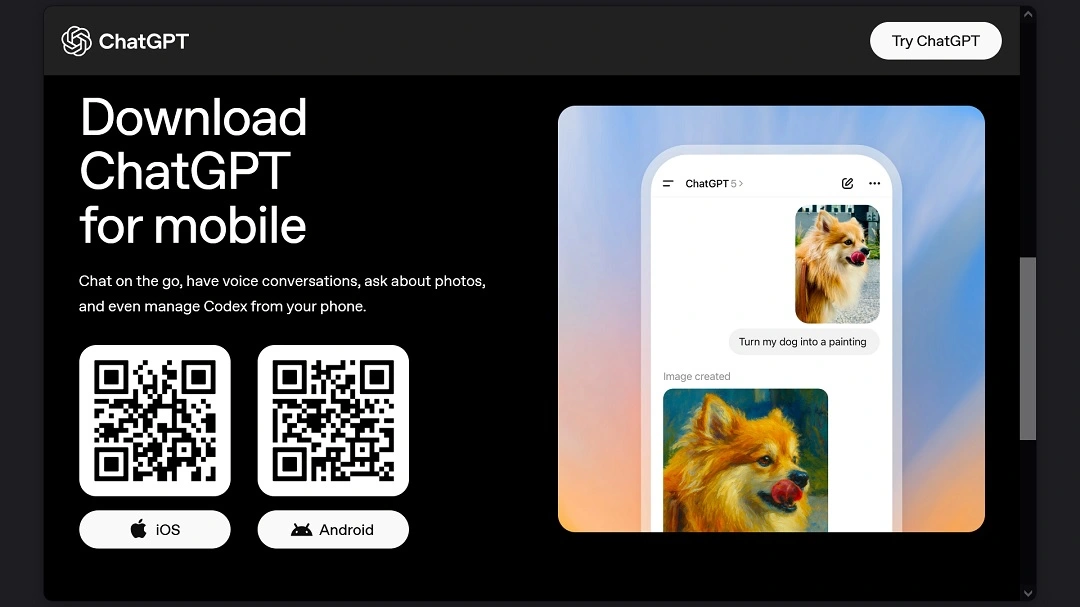
![HTML code shows that the fake ChatGPT site at openew[.]app used legitimate ChatGPT links to create a false sense of trust.](https://moonlock.com/2026/06/official-links-to-create-trust_1.webp)
The only 2 malicious download buttons on the page appear to be those to download the app for Windows and Mac. When we clicked on those, we got a fake CAPTCHA verification (screenshot below).
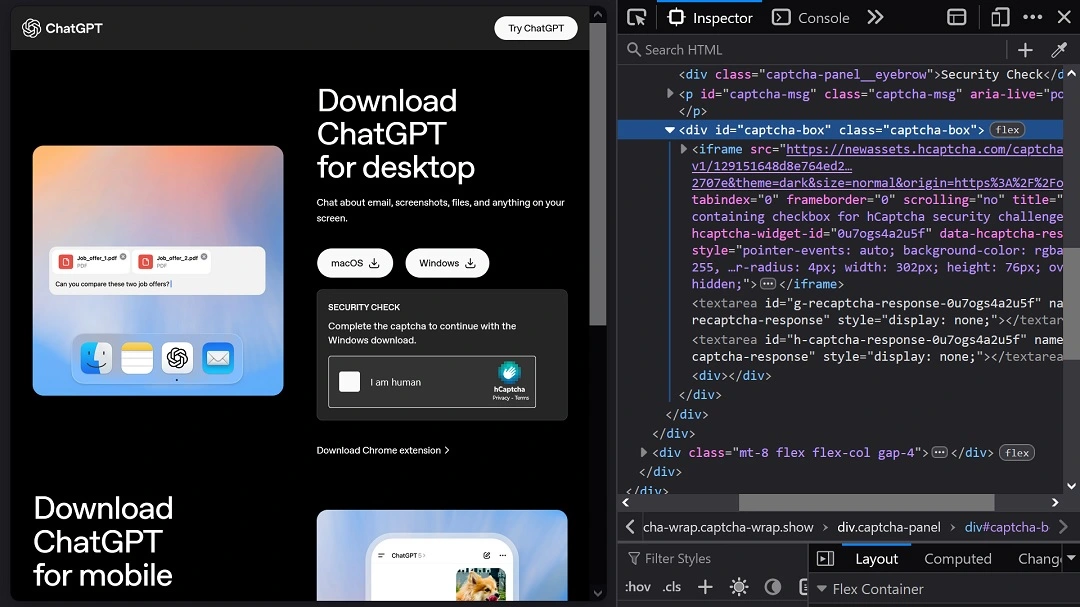
This fake CAPTCHA appears to gather system data. Instead of directing us to a download, completing the shady CAPTCHA for the malicious macOS file led us to a MediaFire error page: “file not found.” The “file not found” error could be due to a mismatch between our operating system and the version of malware being served, or it could simply mean that the Odyssey malware was removed from MediaFire.
![The "file missing" error we got when trying to download the macOS fake ChatGPT malware from the site openew[.]app.](https://moonlock.com/2026/06/missing-or-serves-this-because-it-knows-the-computer-is-not-a-mac-_question-mark.webp)
Beyond that, this means that threat actors appear to be using MediaFire to host macOS and Windows malware files. If you are unfamiliar with MediaFire, it is a legitimate free-to-use file hosting site headquartered in Texas.
A search on VirusTotal revealed that security vendors are slowly catching on to this new fake ChatGPT download threat and flagging the site as malicious.
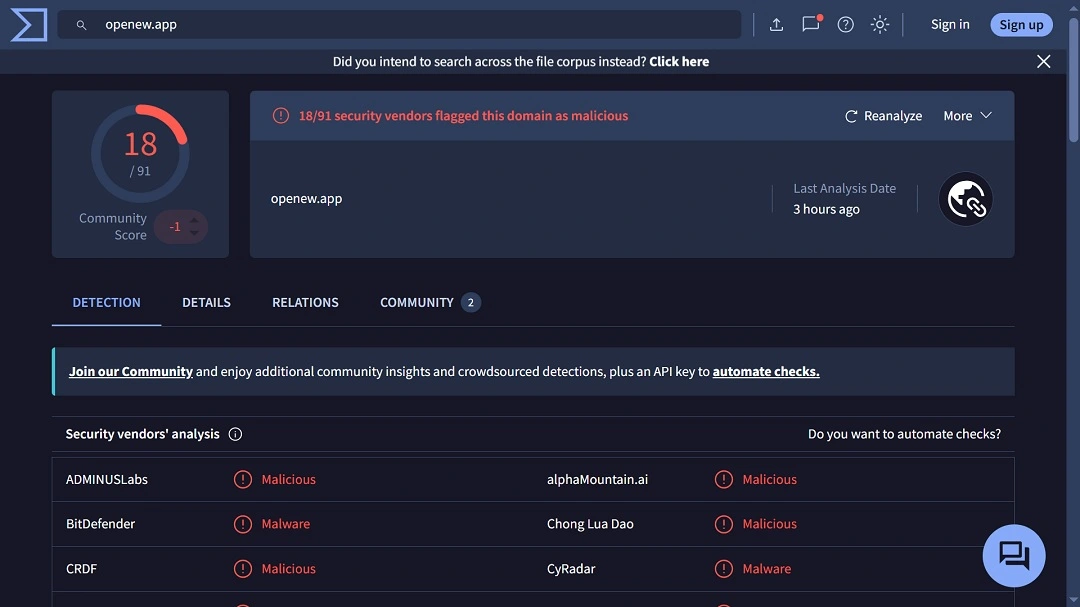
A WHOIS search on the domain shows redacted information and a registrant address in Iceland, leaving a cold trail behind for security researchers and law enforcement agencies to follow up on.
![WHOIS data on the registration of openew[.]app the site distributing Mac and Windows malware.](https://moonlock.com/2026/06/Who-is-data.webp)
Bottom line: Be careful when downloading and installing popular software online. This time, threat actors are spoofing ChatGPT; tomorrow, it could be some other popular brand.
How to stay safe from fake software download sites and the Odyssey Stealer
There are several things Mac users like yourself can do to stay safe when it comes to technical knowledge and cybersecurity awareness.
Get Moonlock. It will flag stealers like Odyssey before they can harm or breach your Mac.
Whether through social engineering techniques to trick you into installing the malware yourself or by other mechanisms, Apple’s Mac security feature Gatekeeper can be bypassed by cybercriminals. The Moonlock security app is designed to catch what your Mac misses.
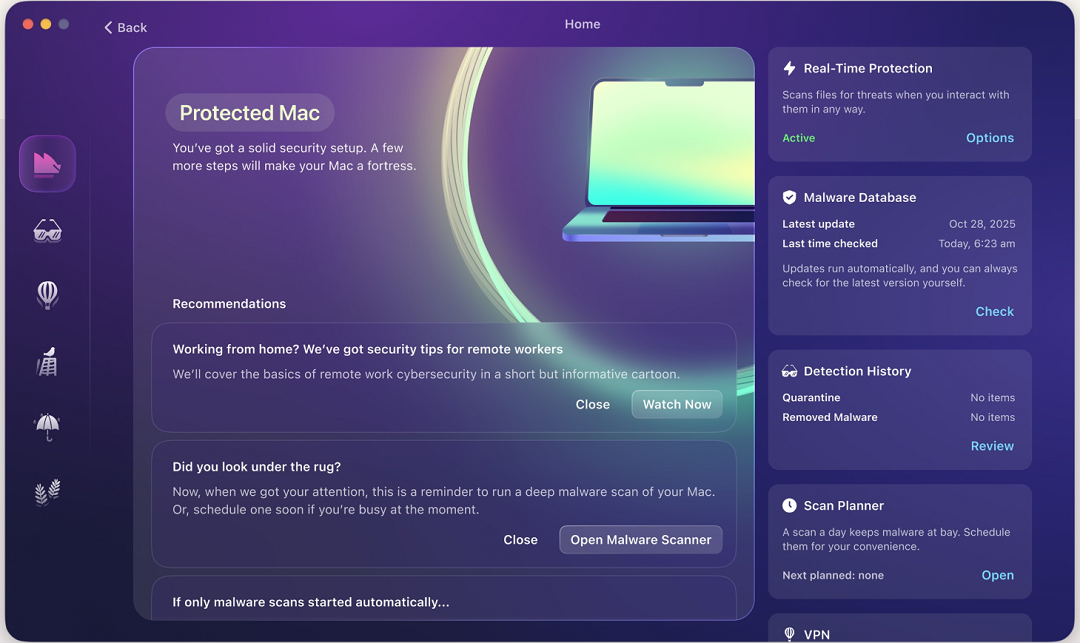
The Moonlock app is constantly updated to deal with new malware versions and comes with a free VPN for safe browsing. And with features like Security Advisor, the app offers helpful tips on how to build strong digital habits.
Check out and download the Moonlock app for free with a 7-day trial.
Only download software from official sites.
If you are looking to download ChatGPT or any other popular trending software, be aware that cybercriminals leverage the popularity and hype of software to distribute malware. The best way to go is to always use official app stores, official browser extension stores, or the developer’s verified website. Do not download software without making sure it’s an official site.
Keep your main crypto wallets off your Mac
Stealers mainly gather your data, but they are also coded to go after your crypto wallets. A good idea is to keep your main crypto wallet off your Mac on a separate device, such as your iPhone or any other smartphone. Lock both the device and the crypto wallet account with biometrics, as it’s the safest option available today. You can keep a separate crypto wallet on your Mac funded with the minimum amount if you really need it.
By keeping your main crypto wallet off your Mac, even if your computer is breached by a stealer and your crypto wallet is compromised, threat actors cannot take home all of your main holdings.
Final thoughts
Unfortunately, there is nothing notable about this new macOS threat campaign. Why unfortunately? Because it means these threat campaigns have become so common that they look familiar.
Despite this, there is still plenty you can do to keep your Mac safe. Follow the tips in this report and level up your tech and cybersecurity awareness postures for a safe and calm digital experience.
This is an independent publication, and it has not been authorized, sponsored, or otherwise approved by Apple Inc. Mac and macOS are trademarks of Apple Inc.





