



If you are into cloak-and-dagger spy stories, you will love this report. It has all the thrilling elements, including a unique hacking technique, multiple government warnings, an FBI announcement, and much more. Even if you are not into the espionage genre, bear with us anyway, because it’s vital to understand how nation-state-supported hackers are gaining access to messaging accounts like WhatsApp and Signal. Let’s dive in.
Why Russian spies are hacking Signal accounts
On March 20, the FBI warned that Russian spies were hacking into Signal accounts that belonged to high-level users.
And the FBI notice wasn’t alone. Signal itself, the messaging company abused in this phishing campaign, has been warning about the threat campaign since March 9. Germany sounded the alarm back in February 2026, and the Netherlands also issued warnings to the public in early March.
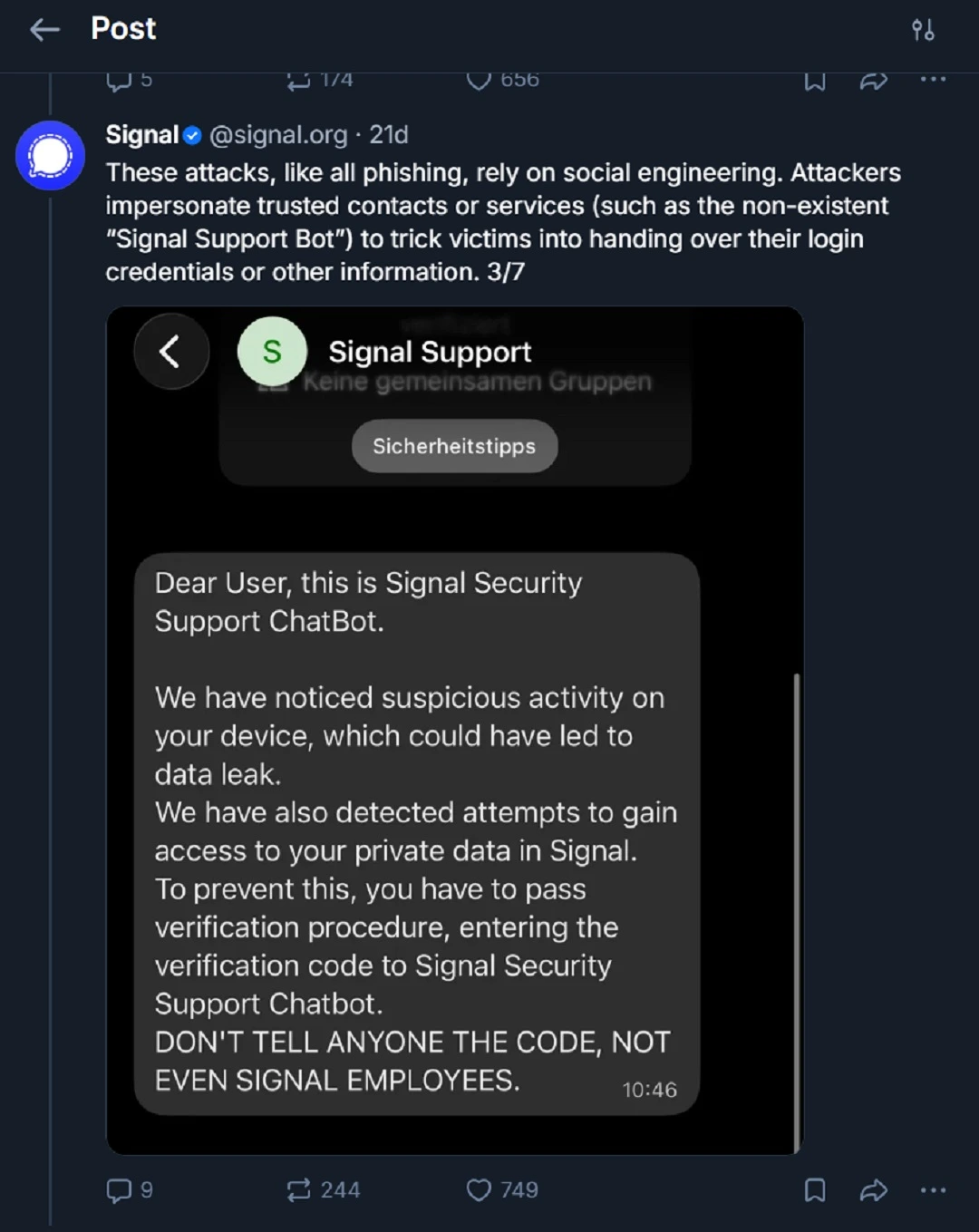
While this phishing campaign does not involve average end users—and, according to the FBI, only “targets individuals of high intelligence value, such as current and former U.S. government officials, military personnel, political figures, and journalists”—the technique in play is used by common scammers and cybercriminals.
A short note for high-level users targeted in this campaign
If you work in the sectors listed above by the FBI, take this threat seriously. Secure your Signal, WhatsApp, and other communications accounts.
If you work in high-level sectors, we also recommend that you level up your cybersecurity awareness via seminars, training, and other digital security education options. It is also important that you keep updated with cybersecurity news. You can stay one step ahead of attackers by knowing how they operate.
Cybersecurity experts also recommend that high-value users stay clear of public communication platforms and switch to more secure communication alternatives. Some alternatives are Session or Threema. This advice resonated loudly after SignalGate, as Axios reported, “boosting the demand for secure apps.”
To dive deeper into the technical details of the attribution of this threat campaign and the national security implications it has brought forward across different countries, check out CORRECTIV’s report. CORRECTIV is a prominent, non-profit investigative newsroom based in Germany.
They do not need your password to breach your account
A unique element in this threat campaign is that a nation-state threat actor, the Russian Intelligence Services (RIS), is using a technique normally put to use by common scammers. The technique involves smishing fake MFA requests.
Time and time again, cybersecurity experts urge users to secure their accounts using strong passwords. The reality, however, is that passwords fall apart no matter how strong they are if you give away your MFA. Instead of deploying advanced spyware, phishing kits, or account takeover techniques, the RIS is prompting users to do just that: give away their MFAs.
The reason why this technique is being used is unknown. Likely, the reason has to do with how effective it is. Here’s how it works:
- You get an SMS from Signal (although the technique can be used to compromise any communication messaging platform).
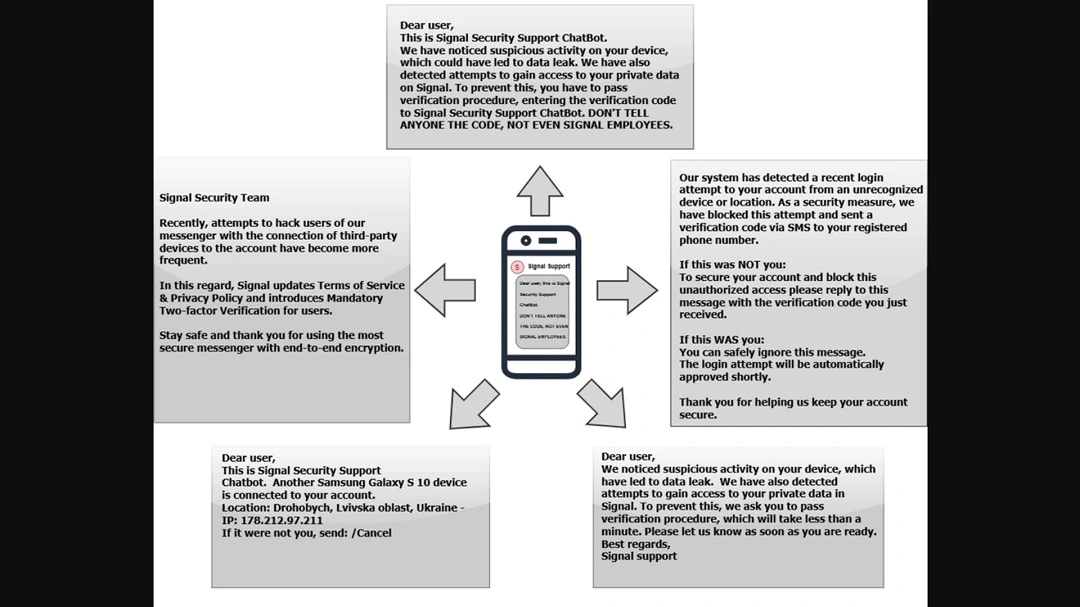
- The SMS looks legitimate. It warns you about “suspicious activity,” creating a false sense of urgency. This false emergency may drive you to take action quickly without fully thinking things through.
- You are then asked to type in your MFA code(s) or go through the verification process. In doing so, you unknowingly give the attackers your MFA.
- The hacker then uses the MFA code(s) you gave them to take over your Signal account.
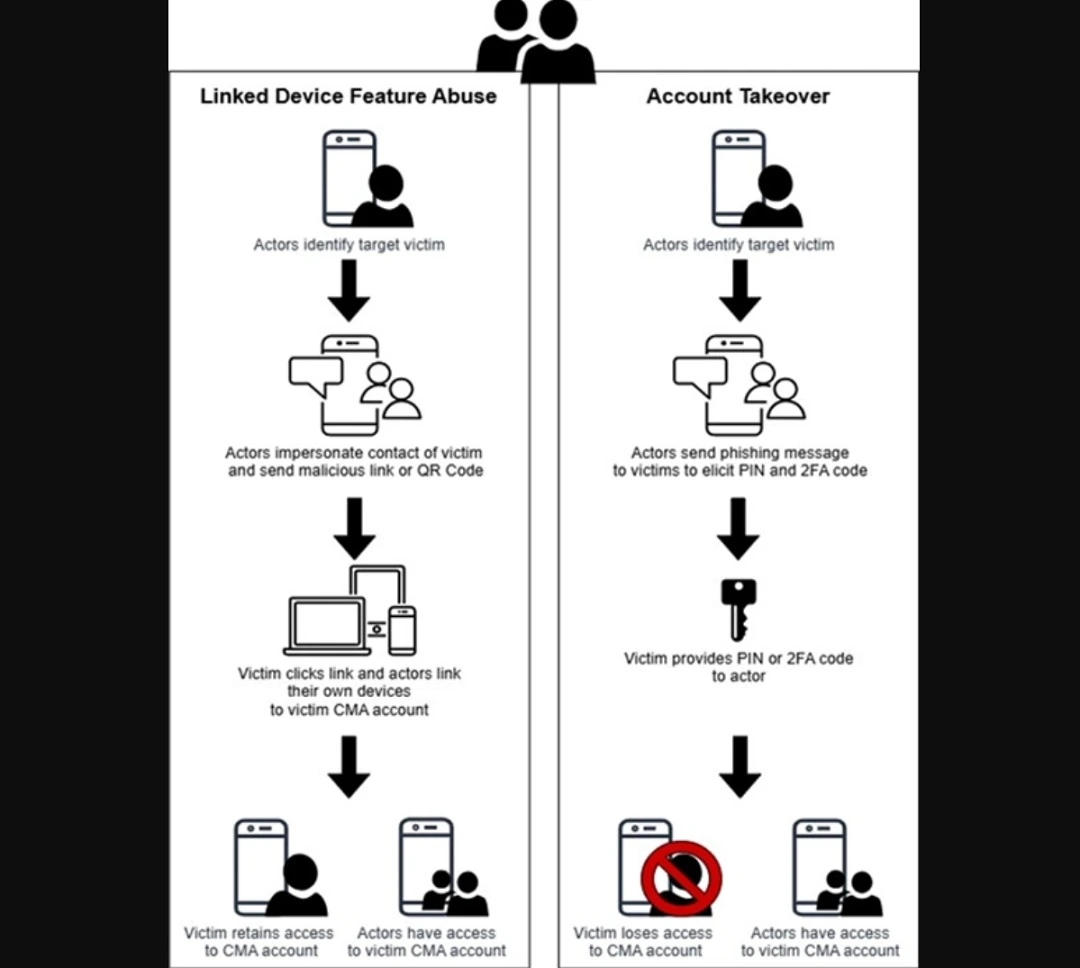
Other than crafting a genuine-looking SMS, all the threat actors have to do is try to log in to your Signal account unsuccessfully. This triggers an MFA request that will land on your phone.
While all of this sounds scary, scams involving hackers asking for MFA codes via SMS are abundant. For example, we have seen them target Amazon, which recently warned 200 million users of a phishing scam. Google users were recently targeted with an MFA scam as well. And these are just a few of the top platforms that have been affected by the technique.
What type of accounts are vulnerable to fake MFA requests?
Unfortunately, every type of online account that uses MFA via SMS, verification apps, or other types of multi-factor authentication (MFA) methods as an added layer of security is vulnerable to this type of cyberattack.
As the FBI notes, the Russian spies’ smishing fake MFA request campaign can work on many types of communication platforms. By “communication platforms,” the FBI means Microsoft Teams, Slack, Google Chat, Discord, Zoom, Telegram, WhatsApp, Apple Messages, Instagram, Signal, and many others.
Another zero-malware, zero-vulnerability exploit, cyberattack
It is important to note that this technique does not require threat actors to actually hack the encryption of a communication platform or install any malware on your device.
Signal confirmed that in this event, “Signal’s encryption and infrastructure has not been compromised and remains robust.”
The abuse of legitimate online platform and device functions to carry out cyberattacks and scams is a rising trend in cybersecurity. Threat actors use this technique because it involves no malware coding. There are no complicated CVE vulnerability exploits required. Plus, this kind of campaign can be deployed quickly and on a grand scale. The entire process raises no red flags because technology companies do not identify legitimate processes as suspicious or malicious.
It is also worth noting that much more aggressive commercial spyware exists in the market and is used by nation-state threat actors. According to reports, this type of spyware was not deployed in this campaign. The more aggressive Pegasus-style commercial spyware is designed for stealth and persistence. By contrast, MFA request cyberattacks, which do not require device infection, can be used to gather sensitive information and take over accounts.
How to stay safe from smishing MFA requests and similar threats
There are several ways to keep safe from smishing MFA requests, even if they come from high-level nation-state-supported hackers.
Get the Moonlock app to add a much-needed layer of defense
The Moonlock antivirus for Mac will run in the background silently, checking every file you interact with for malicious signatures or suspicious activity. This way, even if you fall for the first stages of a social engineering attack, the Moonlock app will flag a threat in real-time. It will then notify you and move the threat to Quarantine. You can later, when ready, examine the threats in Quarantine to learn more about them and remove them from your computer.
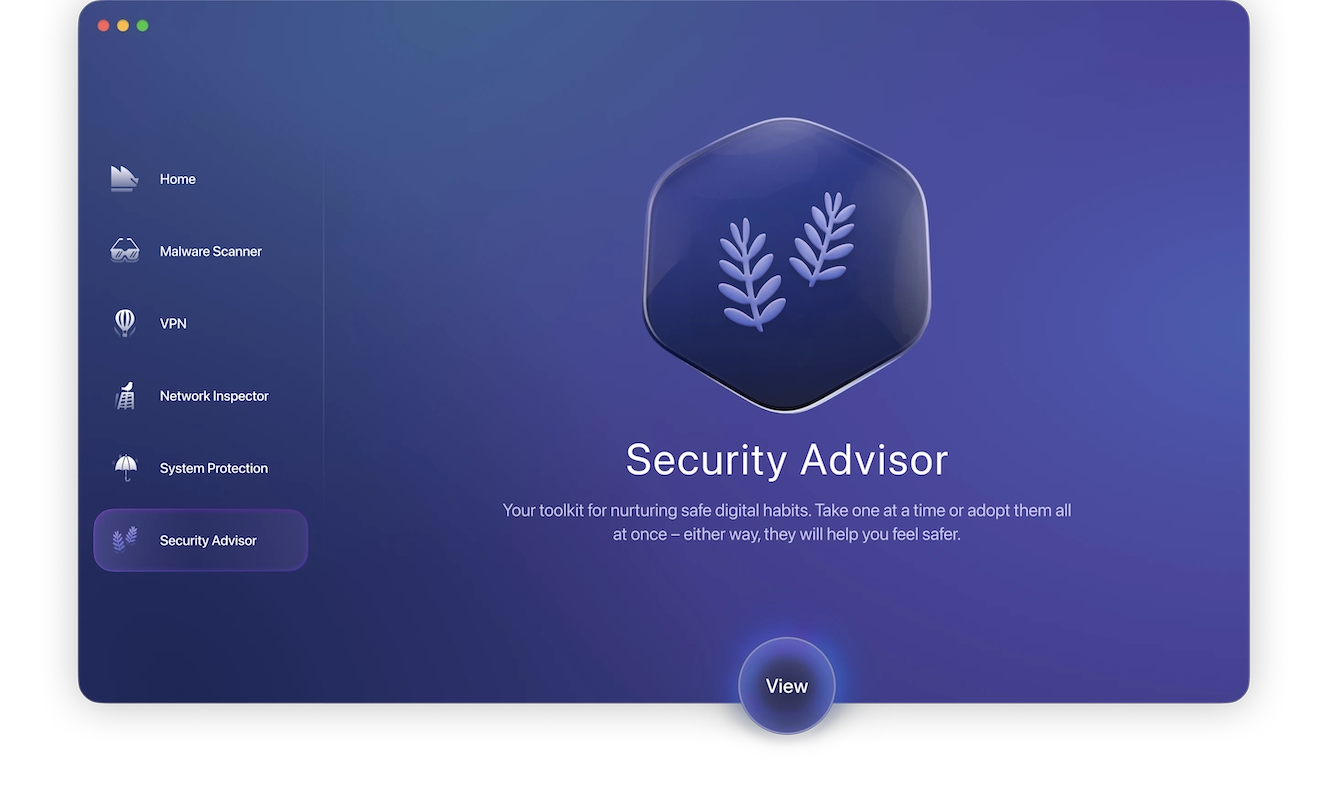
The Moonlock app also comes with a built-in VPN for secure browsing and will help you seamlessly raise the security settings on your Mac to the highest level. Another unique feature that the Moonlock app provides is the Security Advisor. With this feature, you get useful tips on how to develop and sustain good digital habits. This can be the difference between staying safe and falling for social engineering scams that are active in the wild.
You can try out the Moonlock app on a free 7-day trial.
Don’t give away your MFA
This one may sound obvious, but it isn’t. From MFA fatigue to simple smishing texts, when you receive an SMS that looks like the real thing, the last thing that may cross your mind is that someone is trying to breach your account. As a rule of thumb, treat all SMS messages as malicious, applying a zero-trust approach to your security. Do not provide your MFA codes to anyone.
Enable Biometrics passkeys across all your accounts
The most robust extra layer of security you can add to your online accounts is biometric protection. Biometrics offer 2 components of security. On the one hand, biometrics are linked to the device you have in your hands. On the other hand, they use your unique biometric data, such as your face or your fingerprint, as a passkey.
Biometric checks 2 out of 3 boxes in the common cybersecurity saying: “Something you know, something you have, and something you are.”
Note that breaching biometrics is possible but requires advanced skills, which most attackers do not use on a large scale these days.
Final thoughts
Overall, MFA smishing and phishing scams are used to target a variety of users because they are so effective. While basic cybersecurity awareness can mitigate these types of cyberattacks, the trend of using legitimate online and device processes against users continues to rise. In this case, Russian spies are using the fake MFA request scam. This has created a ripple effect, causing repercussions throughout the national and global security landscape.
To stay safe, apply a zero-trust attitude and approach to all incoming SMS and emails. Always take a moment to pause and think before you respond, click, or download anything.
This is an independent publication, and it has not been authorized, sponsored, or otherwise approved by the Signal Foundation, Meta Platforms, Inc., or Telegram FZ-LLC. Signal is a trademark of the Signal Foundation. WhatsApp is a trademark of Meta Platforms, Inc. Telegram is a trademark of Telegram FZ-LLC.





