


Several active MacSync campaigns are trying to trick you into installing the stealer on your Mac. In fact, cybercriminals are impersonating known and trusted brands and using Google Ads to lure you into fake sites that contain ClickFix instructions.
In this report, we look into the most recent of these campaigns and cover how you can spot red flags and stay safe.

Keep MacSync and other stealers at bay
Another set of MacSync threats that follow seen-before patterns
On May 12, we reported on a MacSync campaign in which cybercriminals were impersonating Claude AI and using Google Ads to infect Mac users with the MacSync stealer. This stealer, once it breaches your Mac, will steal your data and go after your crypto wallets.
Today, May 13, we report on another set of MacSync threats spotted in the wild by Brad Duncan from Malware-Traffic-Analysis. Both of these new MacSync campaigns are impersonating Homebrew installs.
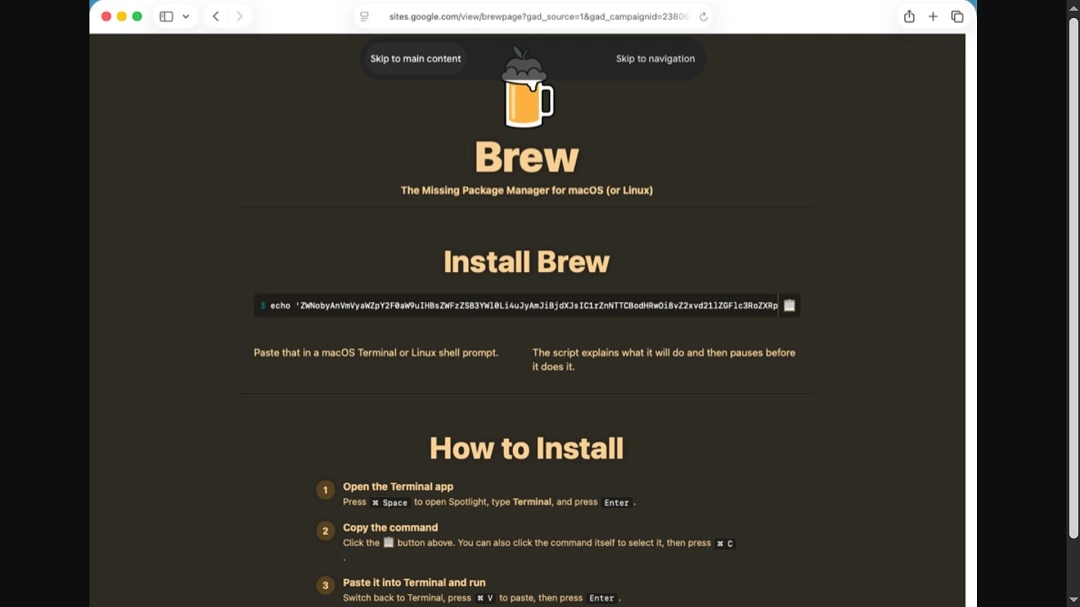
The attack chain in these campaigns is identical to countless others. This means that even if you do not use Homebrew, it’s a good idea to familiarize yourself with the setup and social engineering tricks that criminals are using. Today, it’s Homebrew. Tomorrow, it could be another piece of software you use.
While criminals have replaced the content of the malicious sites identified by Brad Duncan and removed the ClickFix instructions, the infrastructure is still in place, and ads are still running.
Our checks show active and rotating suspicious Homebrew Google Ads accounts. We have also detected the shuffling of domains and website content, possible Google Ads account takeovers, and an active and changing malicious infrastructure.
How MacSync campaigns are spreading today
From the user’s POV, these new fake ClickFix Homebrew campaigns work in the following way:
- You search for Homebrew on Google.
- You get a fake top-of-page ad.
- You click on the fake Homebrew ad and land on a legitimate-looking site that contains ClickFix instructions.
- If you follow the instructions on that page by copying the script given and pasting it into your Mac terminal, your computer will be infected with MacSync.
In addition to avoiding the fake websites, there are some red flags that you can look out for when installing software on your Mac. First, of course, is to refrain from using terminal scripts, which are not generally used to install software.
Second, keep in mind that a password request will pop up immediately after running a script. As shown by the screenshot shared by Brad Duncan below, stealers like MacSync (and others) will prompt you for your system password. Without that password, the stealer will not be able to access most of the data it is trying to steal.
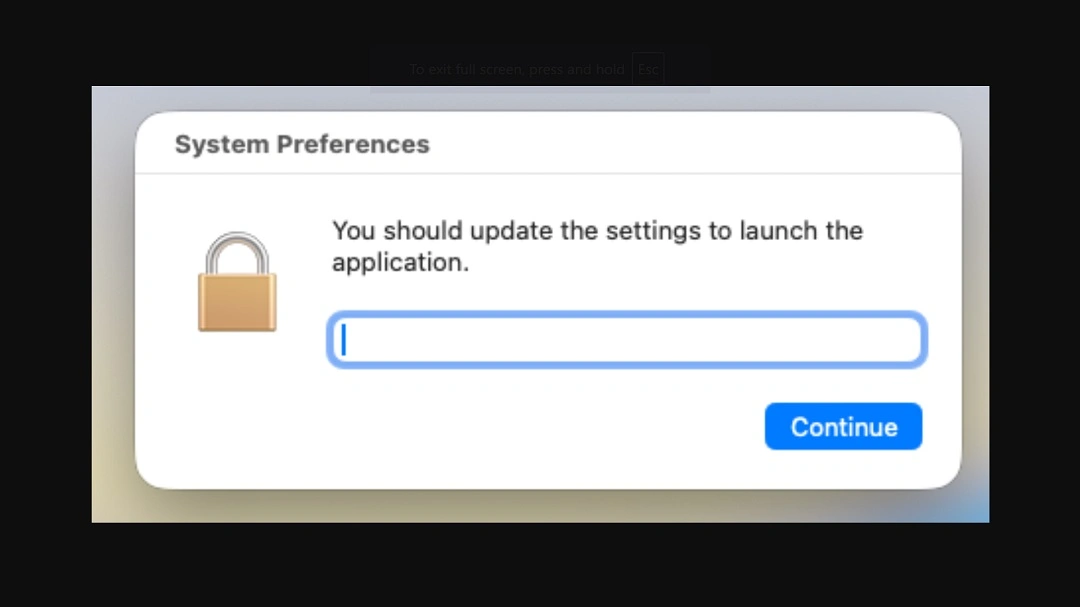
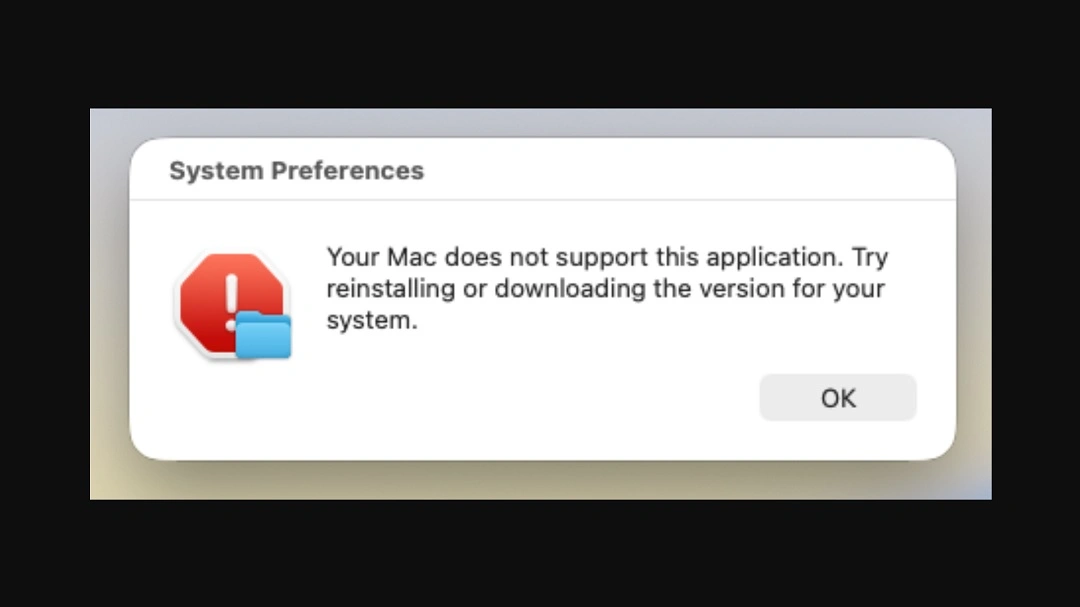
Unlike other campaigns, nothing is actually installed in this MacSync Homebrew installation—except the stealer. If you get this type of pop-up during installation, that’s another red flag.
Duncan identified 2 fake Click Fix MacSync Homebrew campaigns. One hosted malicious scripts on nycaihong[.]com, retrieving the initial malware payload from hxxp[:]//longbeachmartialarts[.]com/curl/116f3b0bd8053eead15479f4b04bd2d9bc050f282eceeec87fd7908458ad3abe. Another was hosting the malicious ClickFix scripts on hxxps[:]//sites.google[.]com/view/brewpage and the initial malware payload on hxxp[:]//glowmedaesthetics[.]com/curl/63810ee8b478575f3b2c6c46160c1fd338b213c6fc11bb0069dac9bbb7db237d.
The content of both of these ClickFix instruction hosting sites has either been changed to generic “install-via-GitHub-instructions” or removed.
Our checks into ads served by Google when users type “Homebrew” or “Homebrew macOS” show, as mentioned, that several suspicious ads are active. These ads direct users either to unrelated sites or to sites that host the exact “install-via-GitHub-instructions” instructions that the threats identified by Duncan have.
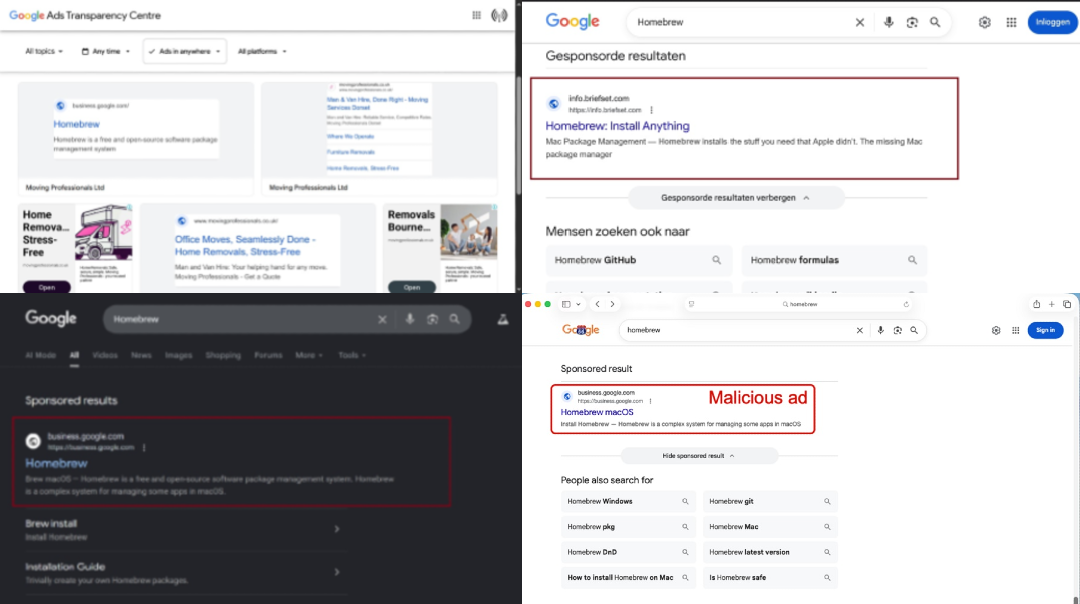
What does this mean for you? The criminals behind this MacSync campaign are not done, and they can restart this type of brand impersonation campaign.
How to stay safe from MacSync
Even if the techniques used to spread MacSync change, there is plenty you can do to stay safe. Here are some tips and good digital habits that go a long way in strengthening your cybersecurity posture with ease.
Get Moonlock. It checks every terminal script and file you interact with for stealers.
Stealers like MacSync bypass your Mac’s built-in security features using social engineering. The Moonlock security app can give you an additional security layer that catches what your Mac misses.
The Moonlock app is constantly updated to detect the latest stealers’ variants. The app will not only check every file you interact with, but also any terminal script that you run on your Mac.
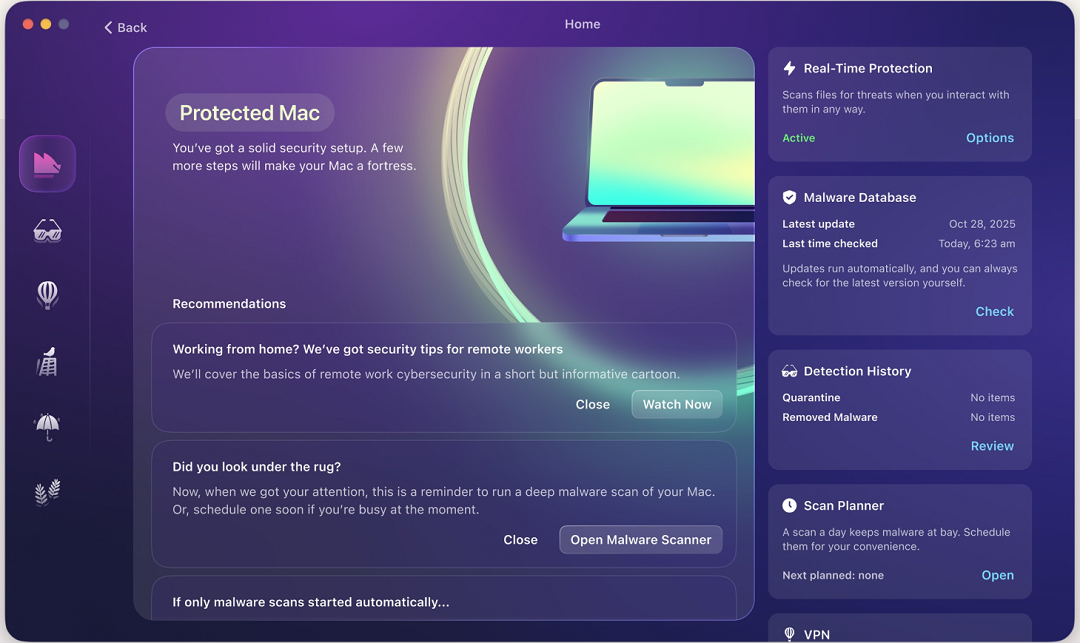
When Moonlock detects suspicious activity, it will move the threat to Quarantine, where it is fully isolated. In addition to running scheduled deep scans, you can check Quarantine whenever you want and learn more about the threats your Mac encountered.
The app also comes with a built-in VPN for secure browsing. It can block specific countries if you are traveling or concerned about how your data is treated abroad, and it will help you turn up to the max the default security and privacy settings on your Mac.
Try the Moonlock app for free with a 7-day trial.
Watch out for ClickFix and malicious Google Ads
ClickFix instructions and Google Ads are currently a hot topic in the cybercriminal world. Simply knowing this gives you an edge. If you treat any Google ad with caution and know what ClickFix instructions look like, you are already one step ahead.
Don’t enter system passwords during installs
As mentioned, stealers like MacSync will generate convincing system pop-ups that prompt you for your password and full disc access. This is not normal when installing software. Never type your system password during installs.
Final thoughts
Criminals are actively targeting you and your Mac with MacSync. Fortunately, you can use the information and tips in this report to help you stay safe.
This is an independent publication, and it has not been authorized, sponsored, or otherwise approved by Apple Inc. Mac and macOS are trademarks of Apple Inc.





