




Mac users are being targeted with malicious apps that can hijack your browser, steal your data, and install a backdoor on your Mac that allows attackers to send remote commands. Here’s how the threat works and what you can do about it.
Hundreds of ads lure users into downloading malicious apps that steal data
On June 2, Palo Alto Networks Unit 42 reported on a new malvertising threat targeting Mac users. This campaign is directing users to download malicious apps using ads on Google Ads and YouTube.
Hundreds of ads were active in this campaign, targeting users globally and in Western European markets (notably France and Germany) and English-speaking regions, including the United States, Canada, and Australia, Unit 42 reported.

Protect your Mac from adware and backdoors
The threat, dubbed FlutterBridge, is linked to the cluster of cybercriminal activity CL-CRI-1089. This group is also responsible for the previous threat campaign JSCoreRunner. For Mac users, this means that the bad actors behind these ads and apps are experienced, highly resourceful, and likely to continue distributing malicious apps using ads in large-scale operations.
The sites where users downloaded these apps appear to be no longer live. Neither do the Google Ads accounts that were used to run ads online. It is unclear how many people downloaded these apps.
Three apps were linked to this threat: Podcasts Lounge, PDF-Ninja, and PDF-Brain. It is common for cybercriminals and shady data brokers to use these types of productivity and entertainment apps in their operations.
What Mac users need to know about FlutterBridge
If you downloaded any of these apps, you should delete them and run a malware scanner on your Mac. While these apps appear to be fully functional—the PDF app, for example, works just as advertised—in the background, they are maliciously coded to carry out some sinister adware and data-gathering actions.
Here’s what these apps can do:
- Hijack your browser and redirect you to a new home page where threat actors make money out of online ads that they serve to you
- Install a backdoor that allows threat actors to read, write, and extract your data
- Reroute your web traffic via an attacker-controlled server
- Use AI summarization tools (in the PDF apps) to extract your data
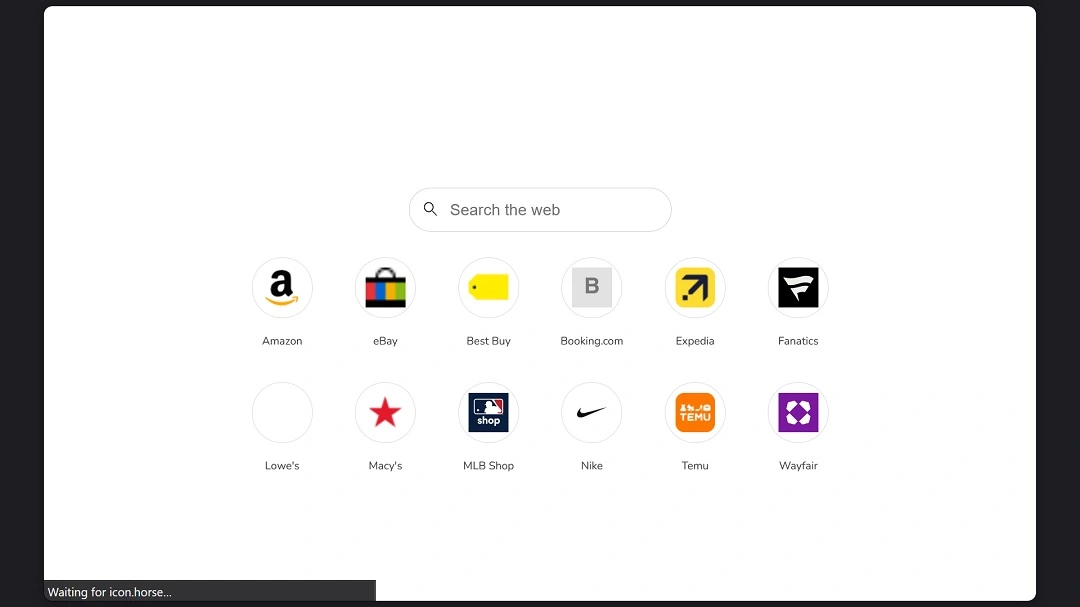
Unit 42 notes that the backdoor and malicious app show signs of being under development. In the future, this threat actor could come back with even more sophisticated malware. The data gathering (stealing) aspect of this operation is noteworthy.
How FlutterBridge threat actors bypass Gatekeeper, your Mac’s built-in security feature
The apps in this threat campaign were built using Flutter, an open-source tool developed by Google for developers. Flutter is used to build cross-platform applications from a single codebase for the web, Android, iOS, Linux, macOS, and Windows. While Flutter’s security features make it challenging for cybersecurity experts to look into the malware features of these malicious apps, Unit 42 managed to put a lot of the pieces of the puzzle together.
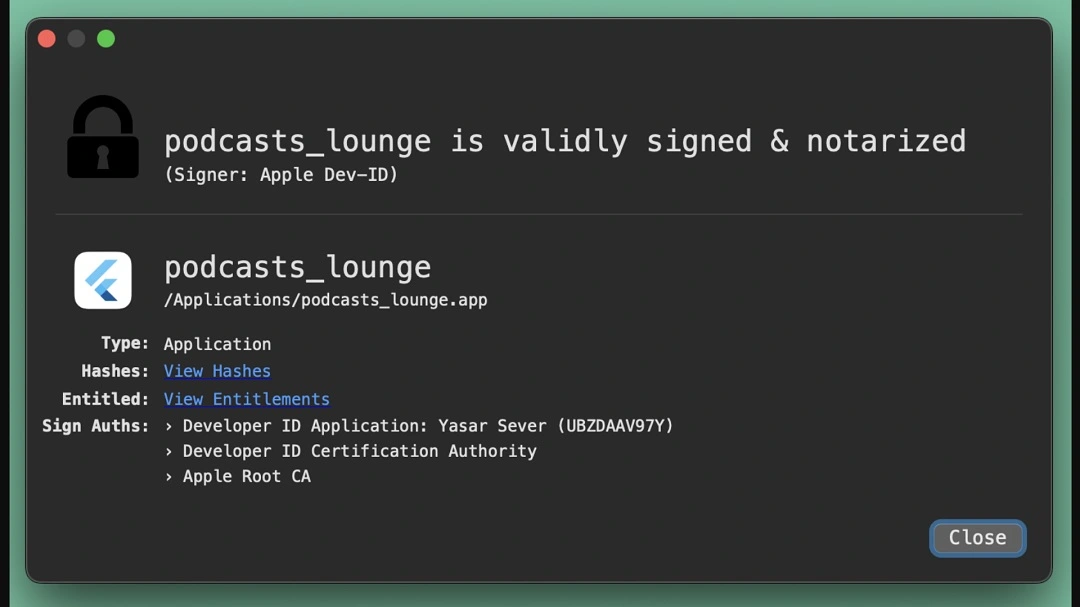
Users downloaded these apps as standalone Disk Image Files (.dmg). The apps are notarized and signed with a valid Apple Developer ID. This means the threat actors manipulated the Apple app developer ID system and managed to successfully bypass it.
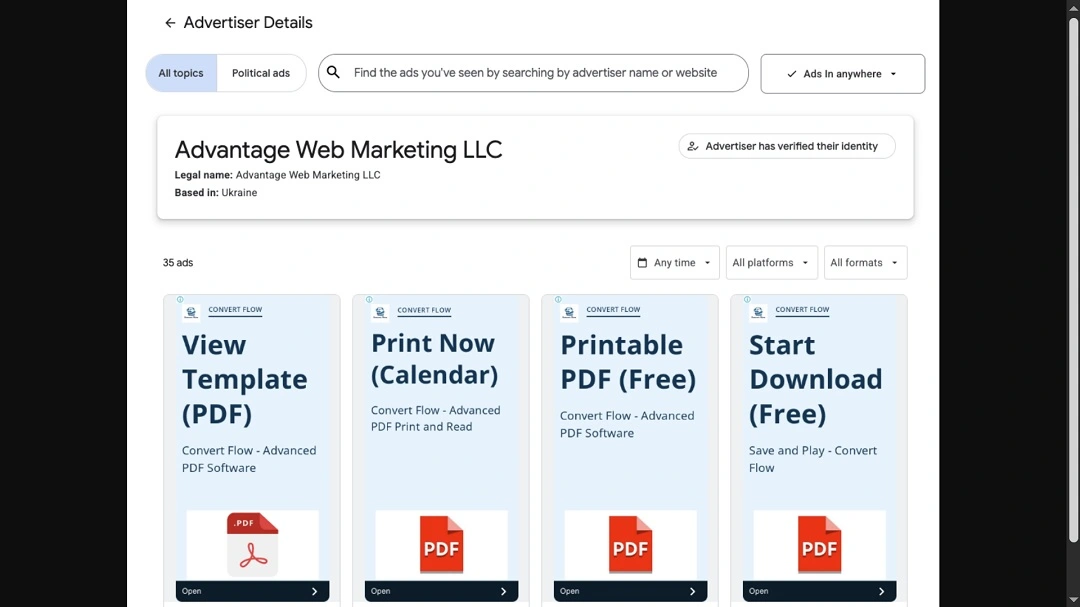
Additionally, instead of using hijacked legitimate business accounts to run ads on Google, the threat actors created fake shell companies to bypass the Google Ad security system. These shell companies were fabricated from thin air and registered in the UK and Ukraine years before this campaign began, according to the report of Palo Alto Networks Unit 42.
Palo Alto Networks Unit 42 explained that the backdoor in these apps is not coded into the app that users download. Instead, it is hosted on an external website that the app connects to. The resource on this external website can be dynamically changed by the threat actors in real time, impacting all of the apps that all users downloaded without requiring “redistribution of the app.”
Here’s what this backdoor can actually do
The backdoor can run the following commands:
- Arbitrary command execution
- File system interaction
- Environment variables exfiltration
Gatekeeper, the last line of defense for your Mac, checks all .dmg files you download for app integrity. However, as mentioned, the backdoor malware in these apps is not found in the .dmg file but on an attacker-controlled server.
Additionally, Gatekeeper also checks .dmg files you download on your Mac for valid Apple ID certificates, but in this threat campaign, threat actors got valid Apple ID certificates. This is just one very sophisticated way that criminals can bypass your Mac’s built-in security.
How to keep safe from browser hijackers, adware, and backdoors
While adware and browser hijackers align more with unwanted apps and programs, this particular threat goes beyond. It installs a backdoor and can gather and steal your data. More concerningly, the built-in web-bridged functional backdoors in these apps are being actively developed.
Additionally, the bad actors behind this threat have been linked to a cybercriminal organization. Their ability to adapt, rotate domains, build new apps, create new shell companies, and shift to new ad accounts is undeniable. Fortunately, there are still several things you can do to stay safe.
Follow the tips below to build your security tech stack and raise your cybersecurity awareness.
Get Moonlock. It will flag backdoors and malware breaching your Mac.
The Moonlock antivirus app was built to catch what your Mac misses. Through Real-Time Protection, the Moonlock app will check every file you interact with, working with a constantly updated malware signature database that allows it to flag even the most recent threats discovered in the wild.
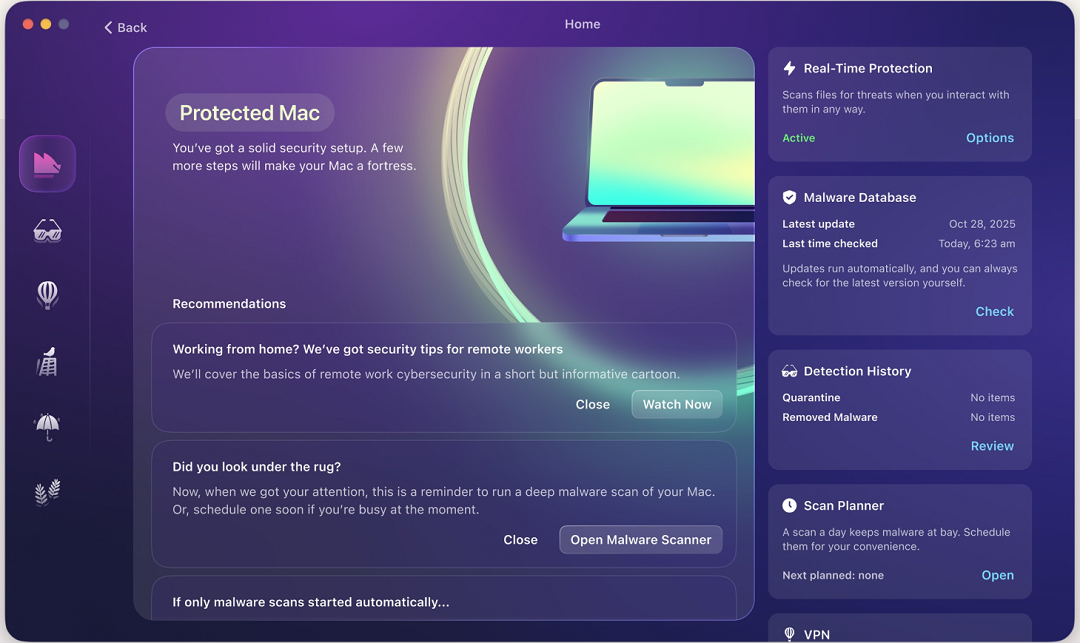
The app also comes with a Malware Scanner that will leave no stone unturned when checking your computer for malware. If the Moonlock app finds anything, it will flag it and move it to Quarantine. There, you can learn more about the threat at your leisure and then remove it completely from your Mac.
You can check out and test-drive Moonlock for free for 7 days.
Take a closer look at any online ad that interests you before you click on it
Palo Alto Networks Unit 42 noted that “despite the scale and reach” of this campaign, the attackers ran many ads with “nonsensical or poorly translated content,” as well as “generic unpolished visuals.” Before clicking on an ad on your favorite search engine, take a closer look at it. Does it look legit? Is the URL a match with the official site? Ads are actively used by cybercriminals to direct users to their malicious sites. So keep an eye on those.
Just because an app has an Apple Developer ID certification, it does not make it safe
Bad actors can find ways around the security guardrails that exist in the Apple ecosystem, including getting their hands on Apple Developer IDs. They can take over the accounts of companies or developers that have gone through this certification process, or create fake companies just to get these IDs. An app that is signed by an Apple Developer ID does not mean it’s safe.
Watch out for productivity and entertainment apps that look generic
Threat actors and scammers don’t just impersonate known and trusted brands. They also build apps that work as advertised but do shady and sinister stuff in the background. When downloading apps, choose official sites and app stores. Some good questions to ask yourself before downloading an app are, “Is it worth my data?” or, “Will my data be safe?” Pausing for even a second or two before downloading an app can go a long way.
Final thoughts
FlutterBridge is not your usual cybercriminal malware operation. However, this doesn’t make it any less concerning.
The volume of ads, combined with a backdoor and the resources and skills that this threat group has demonstrated—noted in Unit 42’s investigation—deserve your attention. Always try to learn more about how your technology works and how cybercriminals operate to build a stronger digital posture.
This is an independent publication, and it has not been authorized, sponsored, or otherwise approved by Apple Inc. Mac and macOS are trademarks of Apple Inc.





