

Are the surveys you sometimes get after shopping at Costco real? It’s not unusual for supermarkets to collect direct feedback from shoppers, but with scams on the rise, up 25% in 2025, according to the FTC, one can’t be too careful when giving out personal information. You might find yourself wondering, are these Costco surveys legitimate?
As of October 2026, Costco’s official scam alert page lists surveys as a potential risk, alongside fake giveaways and sweepstakes raffle draws. So, if you’re a frequent shopper at Costco and regularly receive emails from them, it’s important to learn how to spot a Costco survey scam and protect yourself from it.
What are Costco scams, and how do they work?
There are many types of widely identified Costco scams, including fake emails, texts, websites, and social media posts that impersonate Costco to steal money or personal information. These user reports differ from complaints about Costco as a company. Rather, the concern is about criminals using Costco’s name without permission.
So, how common is it to encounter a Costco wholesale scam? Costco currently publishes a regularly updated list of known scams that impersonate the brand, stating that “These offers are not from Costco Wholesale.” The company is often targeted by scammers thanks to its popularity, with over 145 million Costco cardholders and 931 locations across North America.
Here’s how the average Costco scam usually goes:
- Hook: The scammer offers a gift card or exclusive reward in return for completing a “Costco survey.”
- Collect: They redirect the victim to a fake website and request personal or payment information.
- Exploit: Cybercriminals use the stolen data for identity theft, unauthorized charges, or further Costco phishing attempts.
Costco survey and reward scams
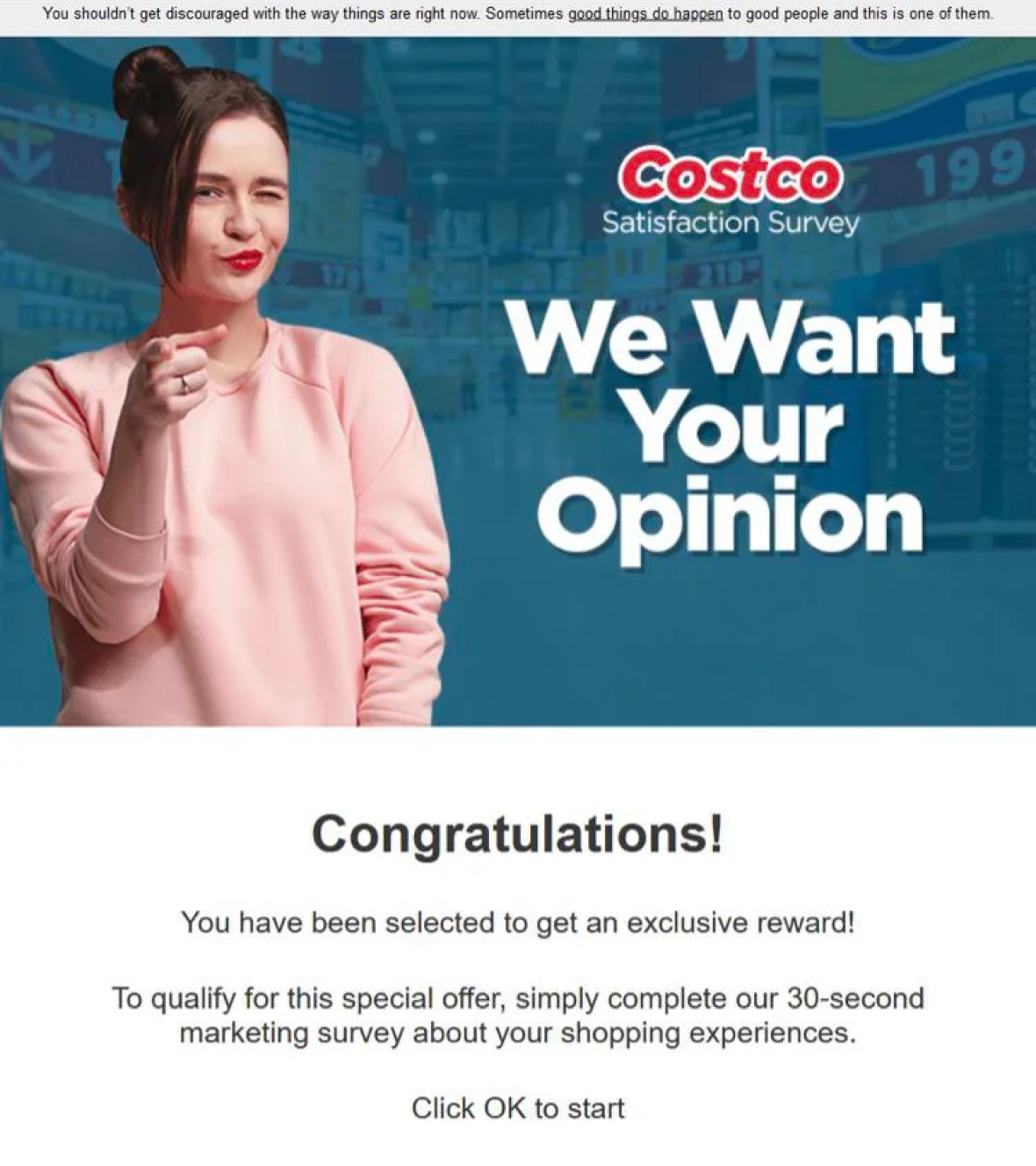
The Costco survey scam is one of the most searched-for Costco scams. This impersonation tactic promises shoppers gift cards, cash, prizes, or exclusive discounts for completing the short questionnaire online.
Fraudsters typically use fake emails, malicious text messages, and phishing websites to collect personal information. They use similar branding and language as official Costco communications to capitalize on the trust cardholders already have in the brand.
Survey texts and satisfaction survey emails
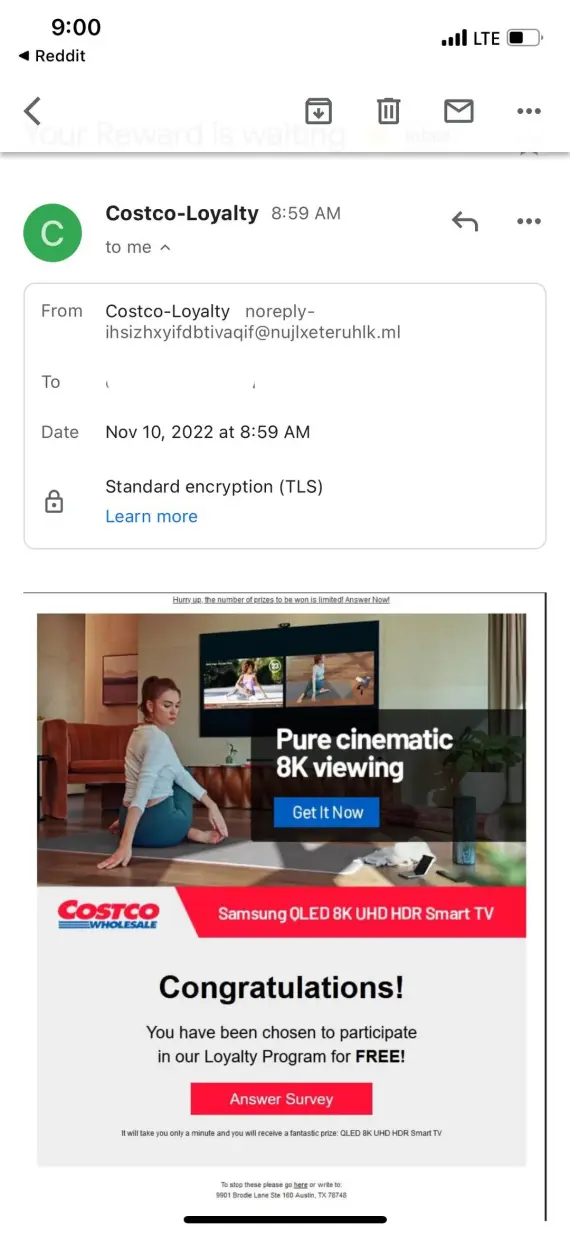
Costco scams work by using exclusive rewards to lure you through the online questionnaire. Then, they usually ask for a small shipping fee to deliver your reward straight to your door. Common lures include a $500 gift card, a free TV, a tool set, or a mini cooler.
Paying this fee could lead to your card information getting stolen or triggering a recurring subscription. Never give your password, card details, or Social Security numbers to anyone claiming to be from Costco online.
In 2021, AARP reported the case of a victim facing unexpected charges after paying $5.95 for Costco shipping. Costco states that it “does not send text messages with respect to the 2% Executive Reward.“
Loyalty reward and membership cancellation texts
Fake Costco text scam messages, when targeting Costco cardholders, may promise loyalty rewards tied to “your order” or threaten to cancel your membership unless you complete a mandatory survey.
Costco lists both loyalty-reward texts and membership-expiration notifications among known scams. Here’s what you should do if you receive such messages:
- Don’t click links or reply.
- Check your account through Costco’s app or official website.
- Report the message or email to the FTC.
- Delete the message.
Free TV, gift card, and exclusive giveaway offers
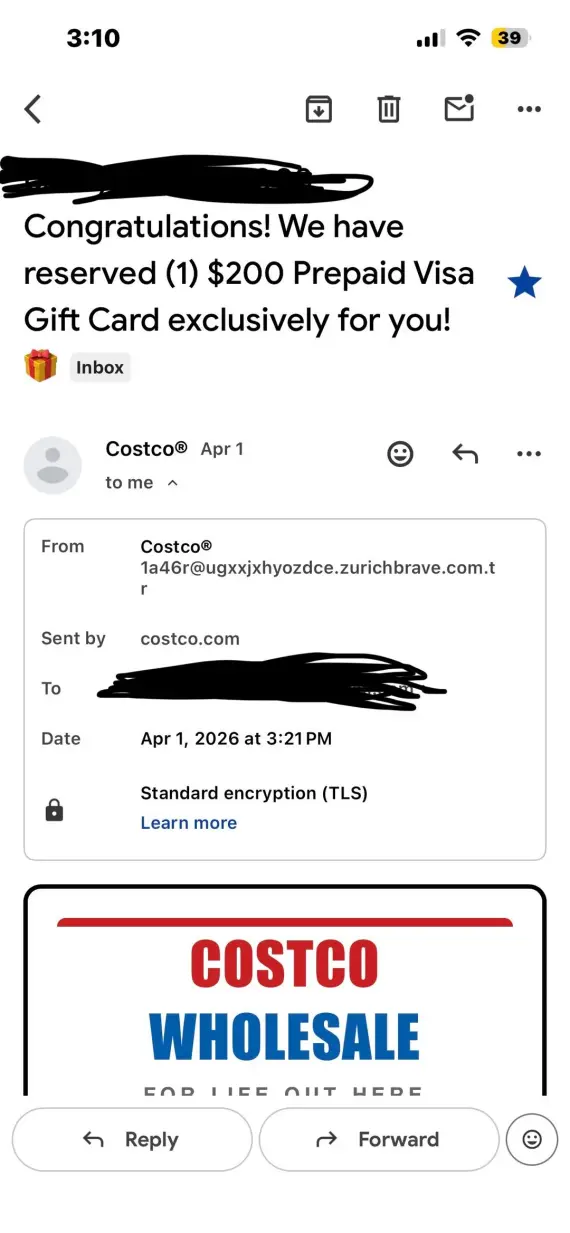
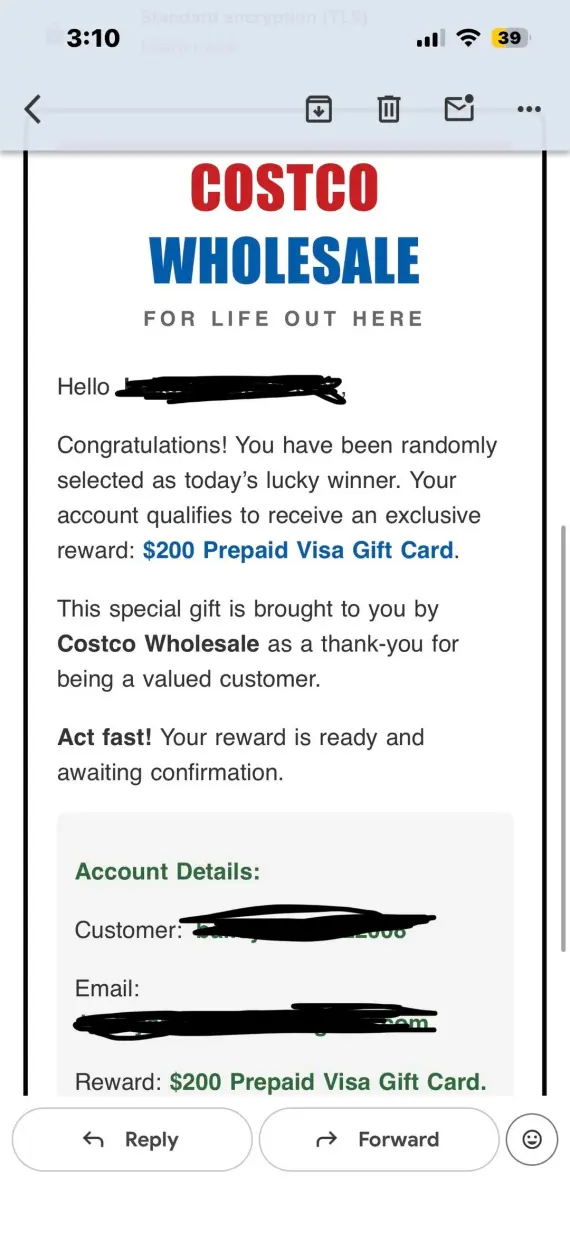
Fake Costco giveaway scams promise free TVs, gift cards, exclusive giveaways, or travel credit to participants. Costco has confirmed that these promotions are a scam.
Legitimate Digital Costco Shop Card emails come from the official Costco email address [email protected]. As a rule of thumb: there are no email-only online giveaways by Costco, so don’t click on any links and never give away your card or personal information.
The 2026 YETI beach lounge wagon survey reward
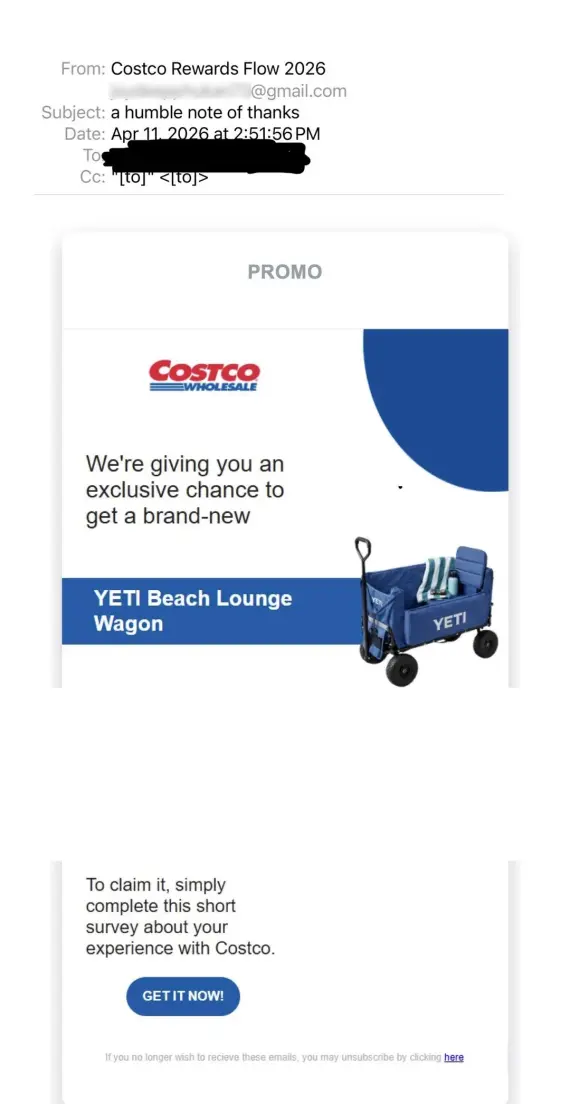
Another Costco scam that made its way around was the Costco YETI Wagon scam. This one used a fake survey to promise participants a YETI Beach Lounge Wagon in exchange for their feedback. Victims were then asked to pay shipping, potentially triggering hidden subscriptions and extra charges.
Costco confirms that the promo is fraudulent. Similarly, other Costco scams promise Samsung TVs, iPhones, and Dell Laptops.
Holiday giveaway scams
Many holiday-themed Costco scams exploit seasonal shopping excitement through fake Christmas food box giveaways and “exclusive” Black Friday promotions.
Scammers sometimes take advantage of the prevalence of offers in specific seasons to lure victims in with a free Christmas dinner box, or a limited-time-only $1,000 Costco gift card.
Costco phishing emails
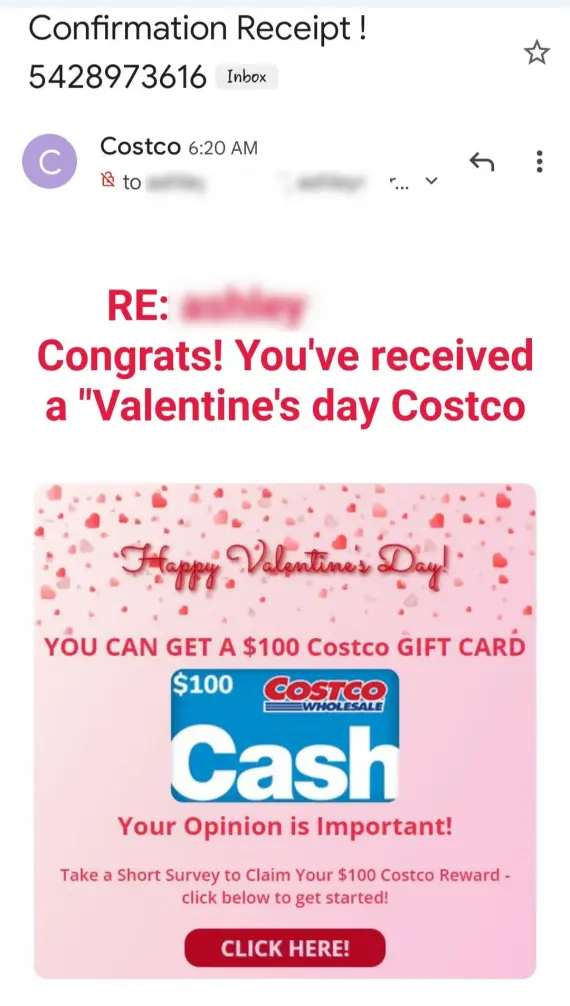
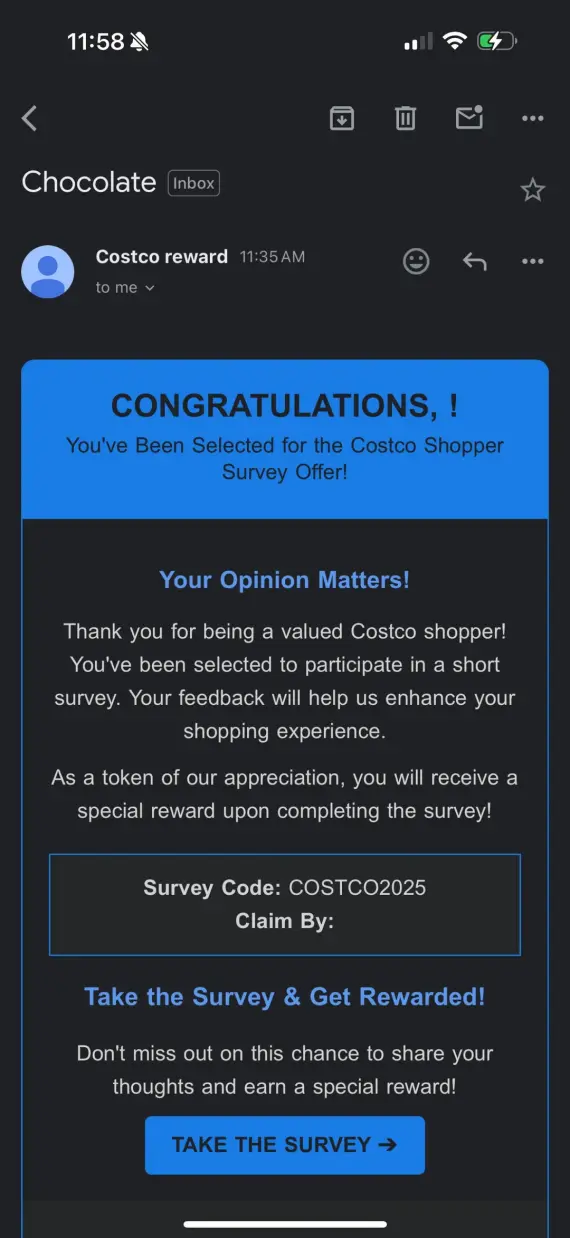
Costco phishing emails impersonate Costco in order to steal login credentials, payment details, or personal information. They often use fake rewards or urgent warnings about account suspension to get you to act quickly and before examining the email.

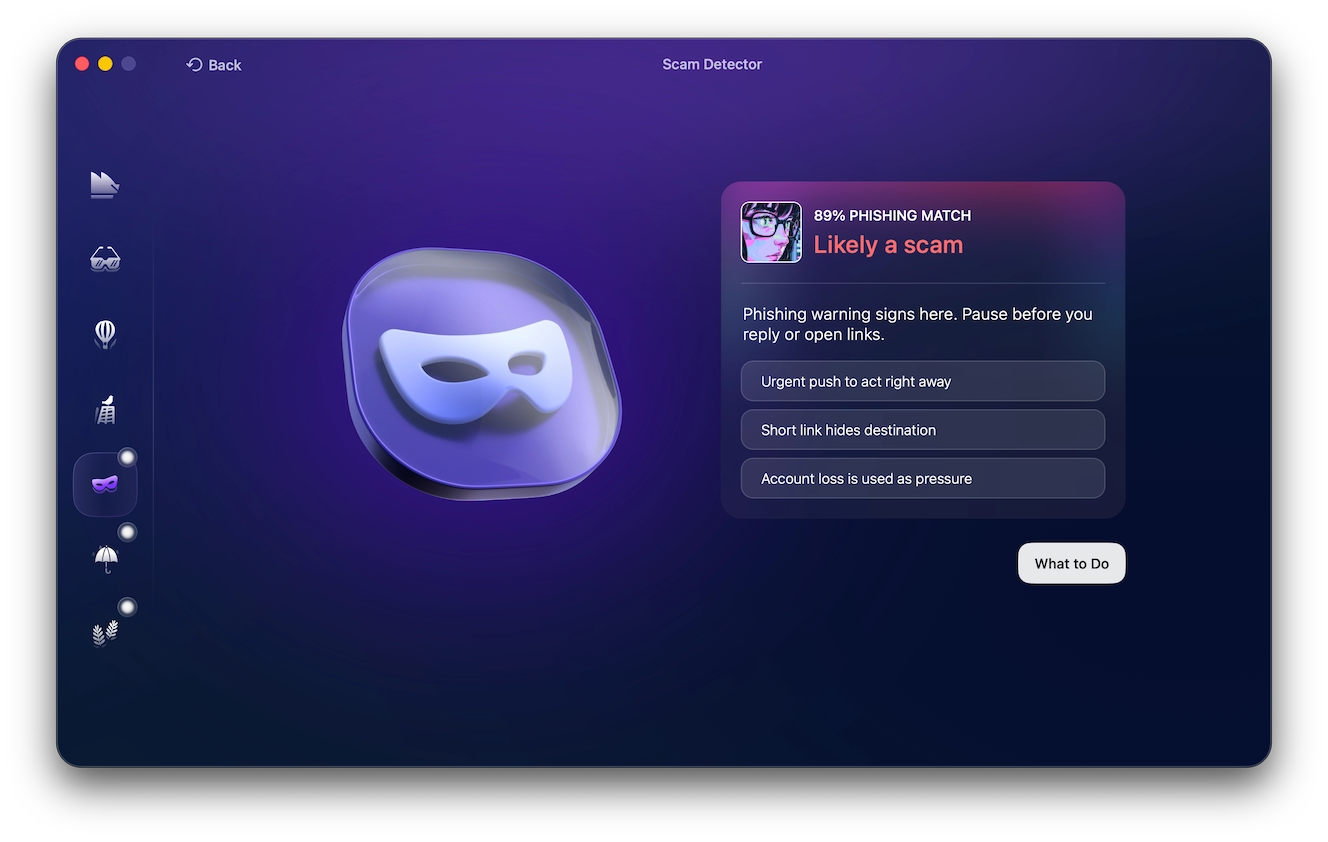
Costco scam emails can sometimes be indistinguishable from legitimate Costco communication. So if you’re ever unsure about the authenticity of an email, use Moonlock Scam Detector to get an expert opinion.
By signing up for a 7-day free trial of Moonlock, you can use the built-in Scam Detector to check emails for signs of a scam or malicious links in the email. Here’s how to do it:
- Open Moonlock, then click Scam Detector from the left-hand sidebar.
- Copy and paste the body of the email into the detector.
- Click Check.
Moonlock will analyze the text and determine if it’s a Costco email scam or a legitimate notification.
Fake order confirmation and cart notification emails
A fake Costco scam email may include confirmation of an order you never placed, instructing you to call back using a fake phone number in the email to cancel the order. Others display a fake “your cart is full” pop-up to create urgency and prompt you to click through the email.
Never take the information in an email at face value. Instead of following an email link, log in directly through the Costco website or app to check your order history. For order verification, call Costco’s official online order support at 1-800-955-2292.
Membership expired and billing issue emails
Costco membership scams create a sense of urgency by using threats like “membership suspended,” then directing you to a phishing page designed to steal login credentials and card details.
Legitimate notifications and updates about your Costco cards come through your Costco account, warehouse, or phone. Always verify any concerns you have directly with Costco and not through emails.
Executive member reward emails
Costco phishing emails can promise an Executive Member reward in exchange for clicking a link or providing personal details, usually through a survey or questionnaire. This is a scam because Costco’s only reward program is its 2% annual reward that’s mailed with the renewal notice, and can’t be claimed through emails.
Costco text message scams
A Costco text scam uses fake text messages, impersonating Costco to claim surveys, unclaimed rewards, or membership problems. These Costco scam text messages typically contain links that lead to phishing websites designed to steal personal and payment information.
The FTC warns that such unsolicited messages from major brands, like Costco, are scams.
Overcharge reimbursement texts
On the known scams list, Costco lists overcharge reimbursement texts as fraudulent. These messages claim you overpaid and invite you to claim a refund by clicking a link. The phishing link will then ask for the credit card to “refund” to, but instead it steals it.
Any refunds issued for items purchased at Costco will be refunded to the same card used to make the payment; Costco won’t ask for your card information a second time.
Here’s an example of the sort of message you should watch out for: “We detected an overcharge on your recent Costco purchase. Click here to claim your refund.” Don’t click the link. Contact Costco through official channels.
Fake delivery and USPS texts tied to Costco orders
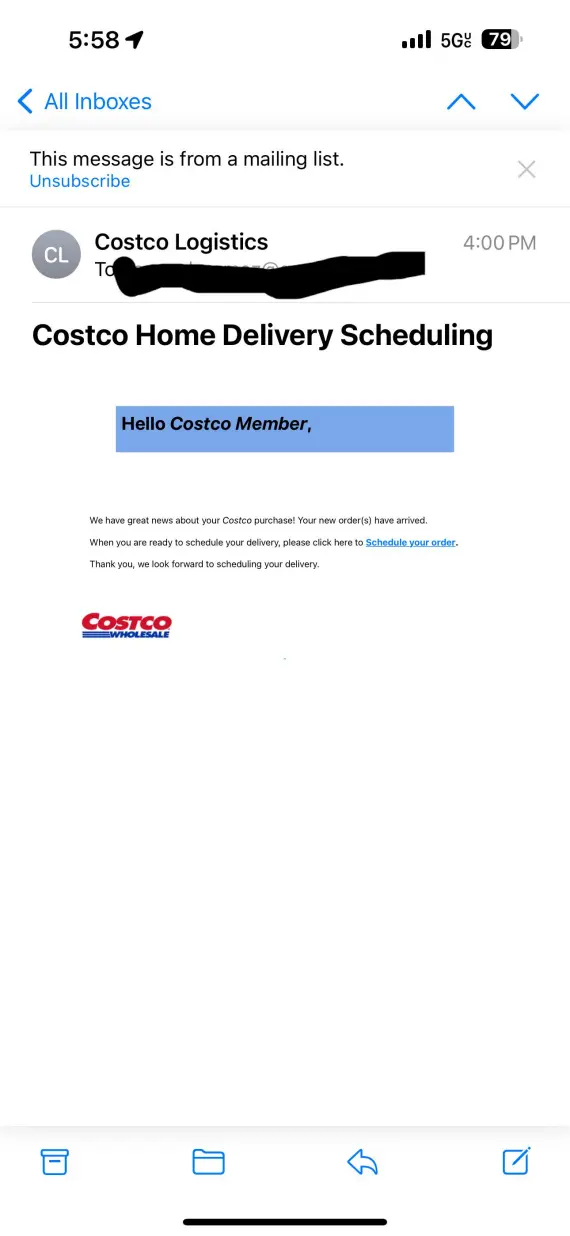
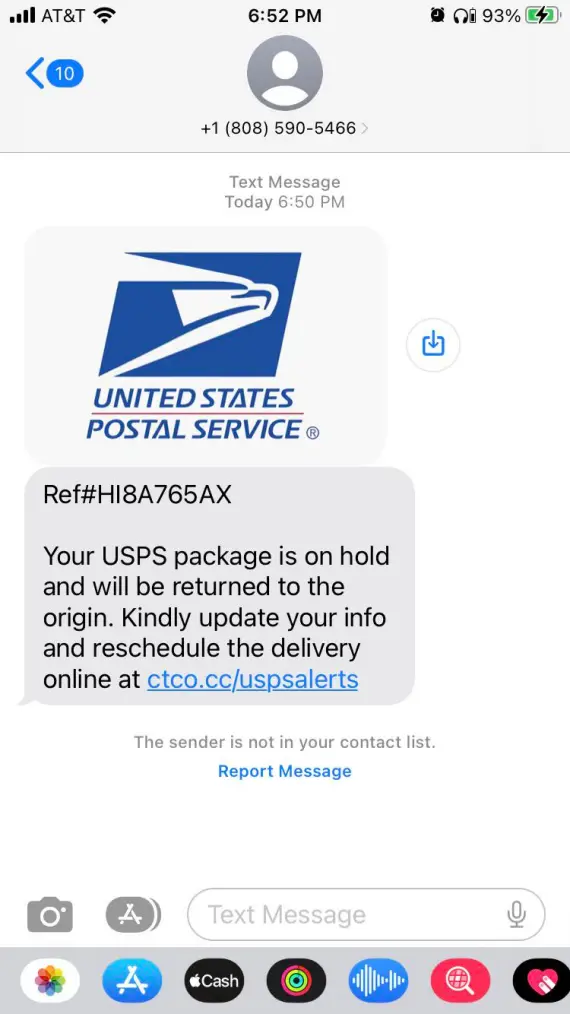
Fake parcel delivery texts may claim a Costco order is delayed or needs a redelivery fee before it can reach you. The FTC warns that the USPS won’t contact you unexpectedly about packages, nor will they demand redelivery repayment.
For any packages you’re expecting from Costco, check tracking details directly through the Costco app or website, or through the official USPS website.
The AnyDesk refund scam
The use of third-party software is slightly less common in Costco scams. In some cases, scammers use AnyDesk in Costco refund scams to gain remote access to your computer, under the pretext of processing your refund.
It usually goes like this:
- You receive a fake offer for a refund.
- The scammer instructs you to install AnyDesk on your device.
- The scammer manipulates the displayed refund amount.
- You’re pressured to return the supposed excess.
Not only will you need to contact your bank to try to reverse the payment, but you’ll also need to disconnect and uninstall AnyDesk as fast as possible. On your Mac, disconnect from the internet and revoke the remote access software’s Screen Recording, Accessibility, and Full Disk Access permissions under System Settings > Privacy & Security.
Fake Costco websites, clone sites, and scam ads
Costco scam websites copy the exact layout and content of the legitimate site to trick users into giving away their login credentials or payment information. The giveaway is in the URL, whether it’s an alternate spelling like C0stc0 or Costtco, or added words like costco-deals.
These fake sites are often sponsored as ads, appearing at the top of the search results for Costco. And you can’t rely on the HTTPS padlock, because this only confirms that the connection is encrypted. It doesn’t verify the validity of the website itself.
If you’re using the website instead of the app, type Costco’s address directly in or use a saved bookmark. Avoid Googling it and clicking on the first result.
Costco scams on social media
On social media, Costco scams include impersonation pages and accounts, giveaway posts demanding shares or clicks, and “deal hunter” accounts requesting gift card deposits to secure your discount.
Costco finds scams may disguise fraudulent promotions as bargain-hunting content. Check profile history, verification, and links against Costco’s official website.
Costco gift card and Shop Card scams
Costco gift card scams work in one of two ways:
- Gift cards as prizes: Scammers offer fake Shop Cards as rewards for completing surveys or signing up for fake deal programs at Costco.
- Gift cards as payment: Scammers impersonating Costco demand payments for subscriptions or shipping fees through gift cards.
Fake Costco Shop Cards and Digital Shop Cards are common lures. Scammers favor them because payments are difficult to reverse. Costco will never require you to use gift cards to pay fees.
Costco job and recruiting scams
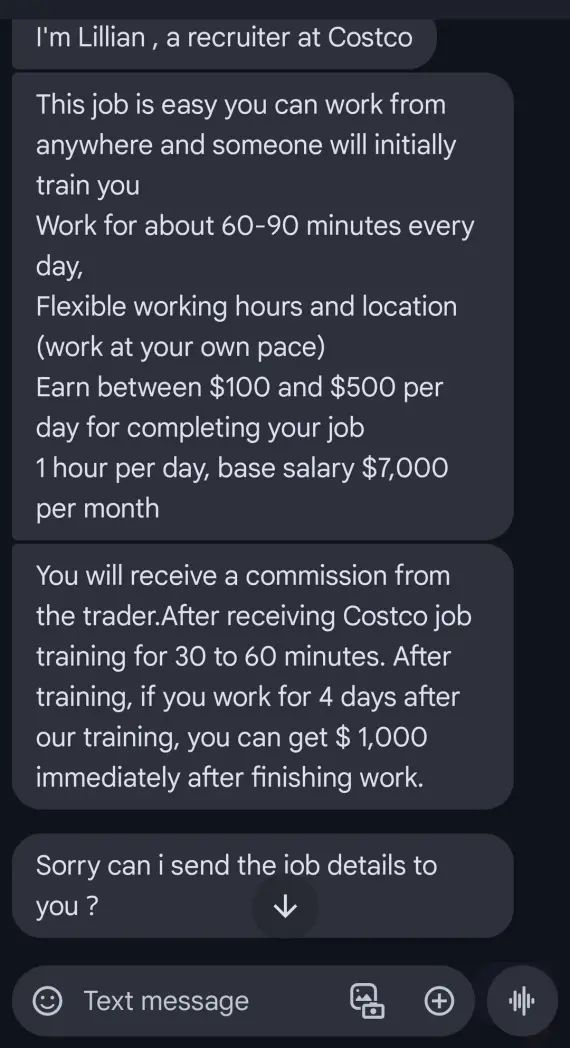
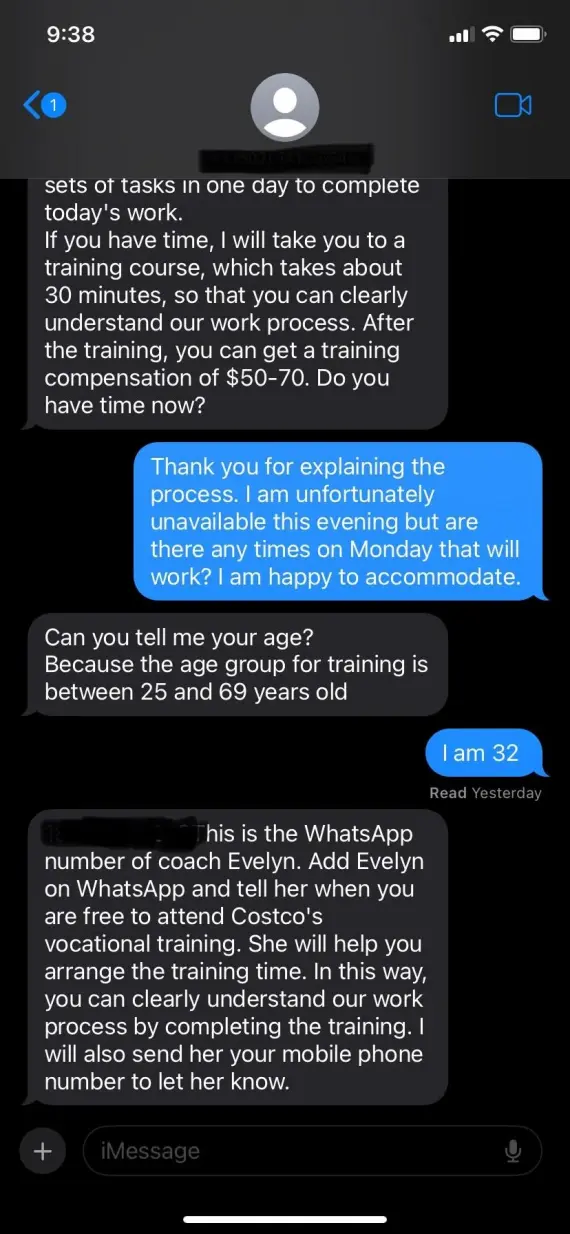
Fake employment offers from Costco promise remote work paying $250–$500 per day, usually under a generic name like “Costco Recruiting.” Red flags of a Costco job scam include:
- Unsolicited texts or emails
- Unusually high pay
- Vague job description
- Requests for upfront “onboarding fees”
For any jobs at Costco, check the careers page on the official website.
Costco phone call scams and the real Costco phone numbers
Scammers are also known to take more direct approaches, like spoofing caller IDs to mimic official numbers. Costco phone call scams typically follow the same script: claiming suspicious account activity, large orders, or offering a big gift card.
Costco’s official US member services number is 1-800-774-2678. Verify any claims made on the phone directly through your account on the Costco app or website, or by visiting the nearest warehouse instead of trusting a phone call blindly.
Red flags that give away a fake Costco message
Spotting a Costco scam before it costs you your money or personal information depends on how good you are at detecting the red flags.
Costco never asks for:
- Gift cards as payment: Valid payment methods will be listed on your local Costco website.
- Passwords through unsolicited links or on the phone: Only share your password through the official Costco app or website.
- Fees to claim unexpected prizes and rewards: If you win something, it’s completely free.
- Remote access to your device to solve account issues: Any account difficulties should be solved by the Costco support agent themselves without needing to access your device.
Common scam warning signs:
- Urgent threats or countdowns: If there’s an issue with your account or billing, you will have time to contact Costco directly and resolve it. Don’t click on random links in emails
- Suspicious domains or misspellings of the official Costco website
- Unexpected rewards that seem too good to be true
- Requests for sensitive information like your Social Security number or payment information
- Unexpected email attachments or shortened links
These warning signs can help identify Costco scam emails, texts, and fake websites before you engage.
How to check whether a Costco message is real
Before you follow the instructions in an email claiming to be from Costco, it’s important that you first verify its legitimacy:
- Check the sender: Digital Costco Shop Cards may legitimately arrive from [email protected].
- Inspect links: Look for misspellings or unusual domains.
- Verify claims: Check orders, membership status, and rewards through your official Costco account.
- Use the official app: Install it only through Costco’s verified listing in the Apple App Store or Google Play Store.
- Use Moonlock Scam Detector: Run suspicious emails through Moonlock Scam Detector to check for underlying signs of a scam.
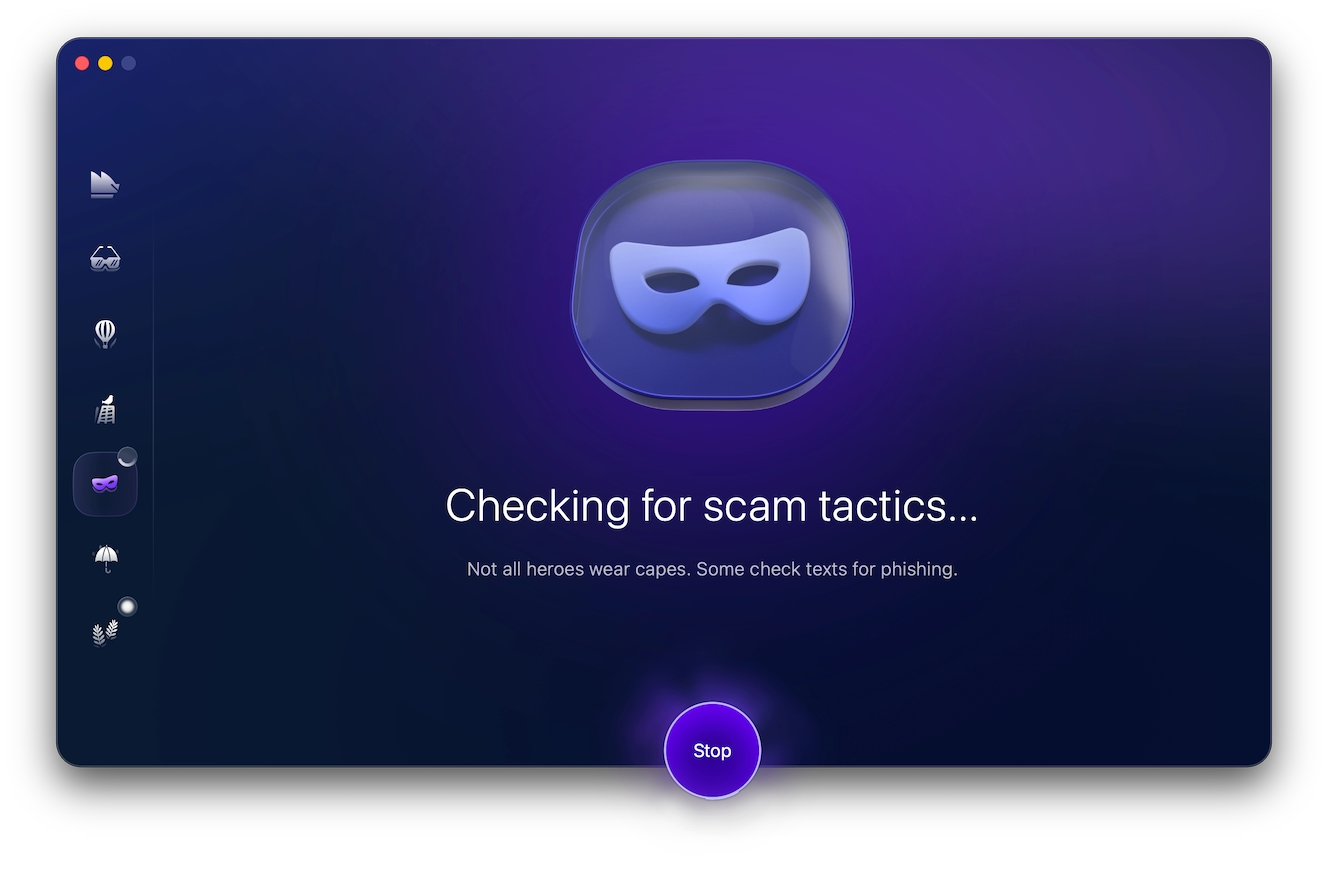
Sign up for a 7-day free trial to use the built-in Scam Detector and check all suspicious emails before interacting with them.
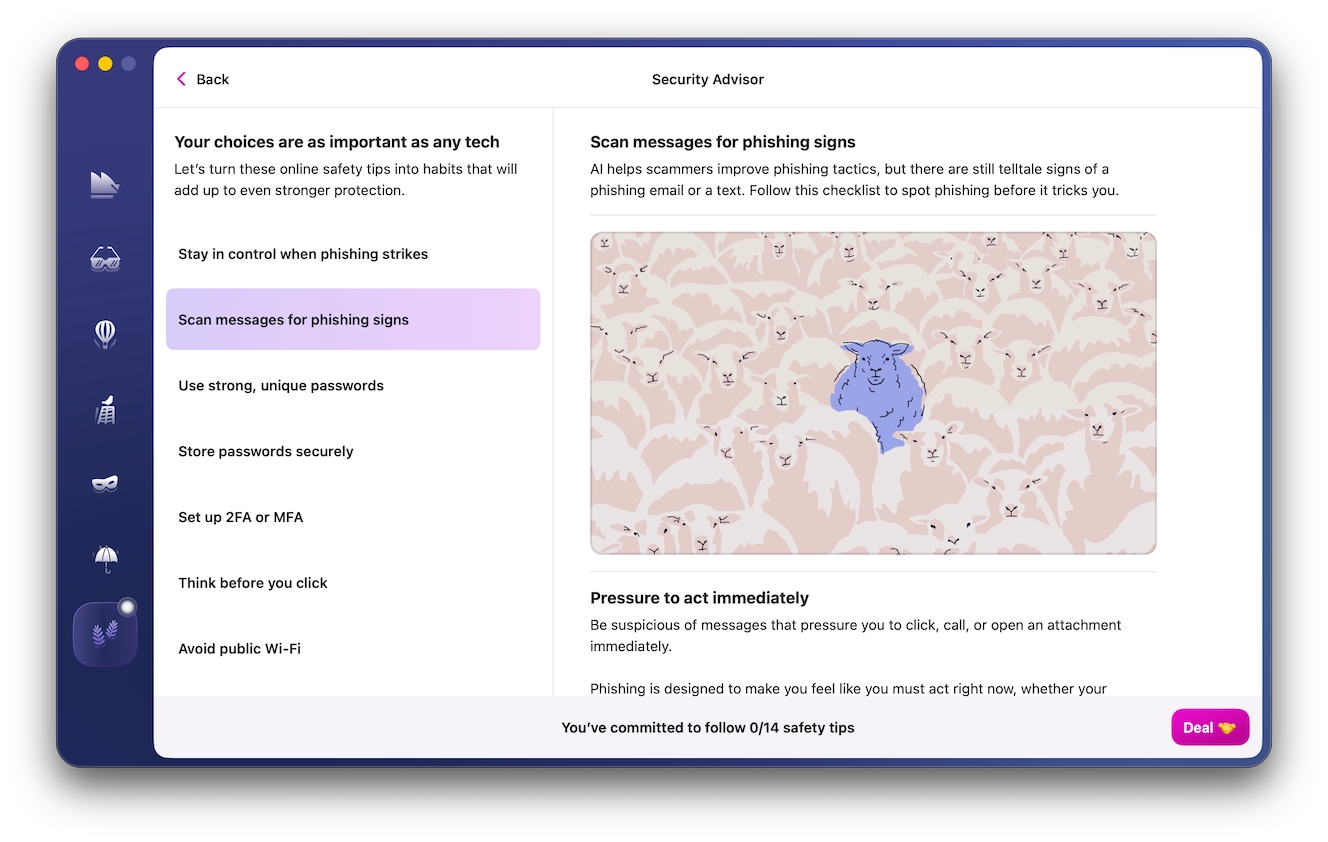
Once it’s done, Moonlock will give the email a Phishing Match score out of 100, indicating how likely it is to be a phishing scam. If Moonlock determines it’s likely to be dangerous, click on “What to Do” to get actionable advice on staying safe from phishing.
Steps to take if you fall for a Costco scam email, text, or phone call
If you fall for a Costco scam, act quickly to limit potential damage:
- Contact your bank to freeze affected cards and dispute unauthorized charges.
- Change all compromised passwords and enable 2-factor authentication.
- Delete any downloaded files or remote access software.
- Report the scam to the FTC and send phishing texts to 7726 (SPAM).
- Report any suspected identity theft to the FTC or local authorities.
How to report a Costco scam
Costco scams are no different; report phishing emails, calls, websites, or text messages to protect yourself and other shoppers from future scams:
- Costco: Report impersonations through Costco’s official Preventing Fraud page.
- Phishing emails: Forward suspicious emails to [email protected].
- Scam texts: Forward suspicious texts to 7726 (SPAM).
- FTC: Report fraud using the FTC’s official form.
- Financial fraud: Contact your bank or card issuer to contest unauthorized transactions or compromised cards.
Costco scams FAQs: Surveys, texts, giveaways, and suspicious links
Still unsure whether a Costco offer is legit or a scam? These answers should help you navigate tricky emails.
Some Costco surveys are legitimate, but unsolicited surveys promising huge rewards are common Costco survey scams.
Costco may send legitimate account notifications, but unsolicited reward and free-gift texts are common phishing attempts.
No. Unexpected offers promising expensive prizes for completing surveys are common Costco scams.
Yes, this is Costco’s official US member services number.
Close the page, avoid further interaction, run a security scan, and monitor your accounts for suspicious activity.
How to protect yourself from Costco scams
Protecting yourself from Costco scams online is mainly reliant on adopting new security habits:
- Verify senders: Check email addresses and phone numbers. Verify them against official ones published on the Costco website.
- Avoid links: Visit Costco.com directly. Verify claims directly in the app or website and don’t click on any links in emails.
- Use strong passwords: Regularly change your passwords, don’t use the same password in multiple places, and enable 2-factor authentication.
- Check website URLs: Watch for misspellings and unusual extensions.
- Never pay upfront: Legitimate prizes don’t require you to pay fees or shopping costs.
- Never share private details: Never share your password, Social Security number, or payment information via email, text, suspicious links, or phone numbers.
- Verify promotions: Check Costco’s official website or app for recent promotions before participating.
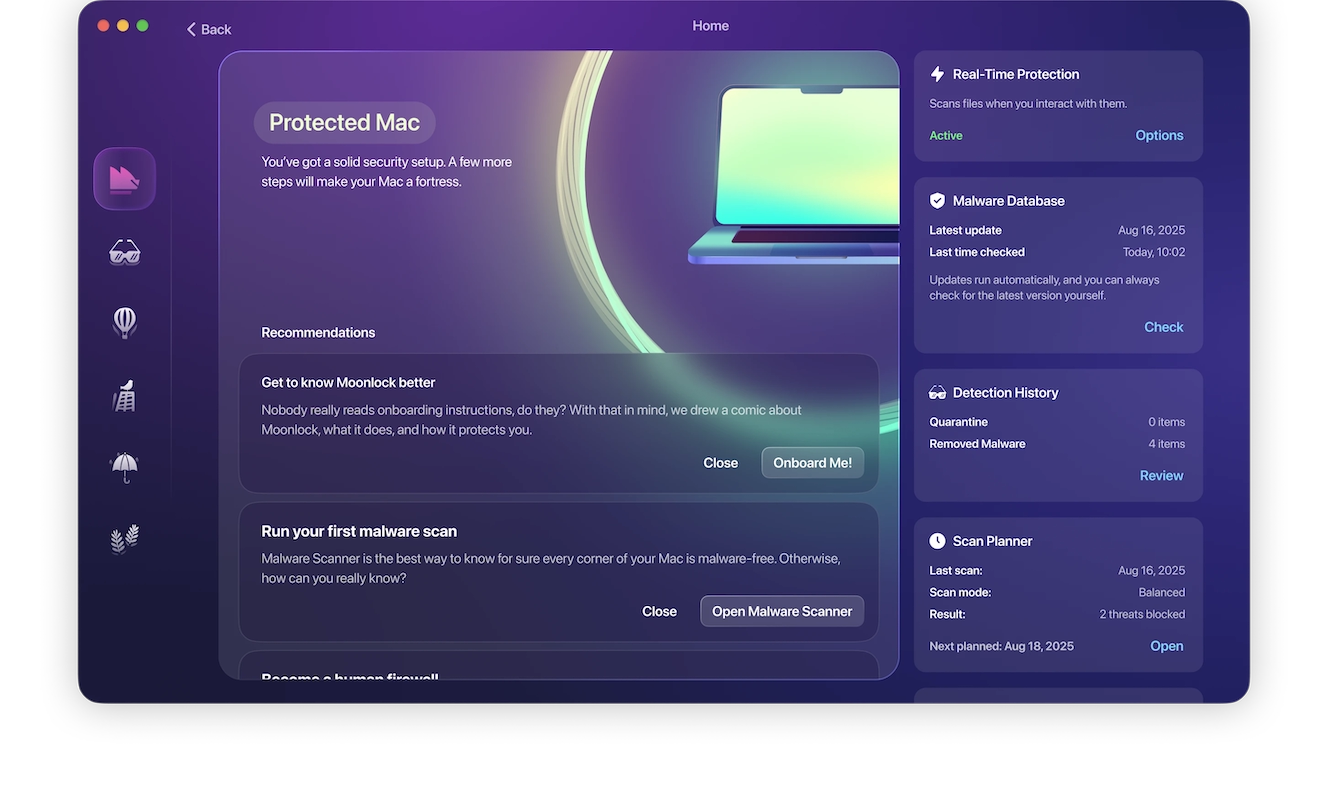
But as scammers get more creative with how they trick people, you shouldn’t have to rely solely on your skills to stay safe online. Using specialized security tools like Moonlock for Mac can help you flag suspicious downloads and warn you if your email was included in a recent data breach.
By signing up for a free trial of Moonlock, you can enable features such as real-time protection or schedule Deep Scans ahead of time to make sure your Mac is always safe.
At the end of the day, if a Costco offer seems too good to be true, it’s likely a scam. Always verify the safety and validity of links and offers on the official Costco website or app before engaging with them.
This is an independent publication, and it has not been authorized, sponsored, or otherwise approved by Costco Wholesale Membership, Inc. Costco is a trademark of Costco Wholesale Membership, Inc.