


Should you be using Shopify-powered websites for online shopping in 2026? Shopify is one of the leading cloud-based e-commerce platforms, processing over $378 billion in merchant sales in 2025, a 29% increase from 2024.
But just because Shopify is legit and used by millions of live stores doesn’t mean scammers can’t exploit the platform to commit fraud. Understanding how these Shopify scams work can help you spot them and stay safe while shopping online.
Is Shopify legit and safe?
Yes, Shopify is legit. It’s not a fake company, and its business is legitimate, generating $11.56 billion in revenue in 2025. But is Shopify safe? Unfortunately, Shopify scams represent an issue with the platform, targeting shoppers and merchants alike.
Shopify guarantees user safety by maintaining PCI DSS compliance, offering on-site Shopify Payments, and publishing regular SOC 2 and SOC 3 reports. The company also provides built-in fraud analysis for some eligible orders as one of many safeguards designed to reduce the risks of every transaction.
Third-party Shopify ratings remain mixed. G2 rates Shopify a 4.5/5, and PCMag also rates it at 4.5/5, but Trustpilot shows 1.3/5 for Shopify’s main platform. These reviews reflect the different experiences individual people and businesses have with the platform and do not reflect the performance of individual e-commerce stores.
Shopify has fallen victim to security incidents in the past, with the 2020 event being the most notable. Business Insider reported that 2support employees at the company allegedly accessed merchant transaction records and exposed customer data. Shopify promptly terminated the support agents’ access and notified the relevant authorities of the incident.
Why scammers use Shopify
Shopify has a long history of attracting scammers because it’s an all-inclusive solution for running an online storefront. Common reasons may include:
- Scammers can easily and cheaply launch professional-looking online storefronts using templates and stolen product photos.
- Shopify’s familiar checkout experience makes the store appear legitimate to unsuspecting customers.
- The ease and affordability of advertising the scam website on social media.
- Fraudsters can impersonate Shopify to send fake emails or exploit genuine order notifications to trick victims into sharing information or sending money.
Shopify scams that target shoppers
When shopping on a Shopify-powered website, you may encounter different types of scams if you’re not used to spotting them.
Fake Shopify stores
Fake stores can impersonate known brands or pretend to be a legitimate business themselves. Here’s how it works:
- They use social media ads and promote unrealistic discounts to attract buyers.
- Buyers think they’re getting a deal, paying $80 for a $300 jacket.
- The victim would either receive a counterfeit item, the wrong items, nothing, or have their payment details stolen.
- The storefront vanishes soon after, making reports and refunds hard to go through.
On Shopify Community forums, many buyers have shared their experiences with some fake stores, citing mismatched card descriptors and vanished storefronts.
Cloned and impersonated stores
Scammers create fake Shopify stores by copying the layout and branding of legitimate sellers. Many even go so far as to steal product photos and descriptions in order to appear indistinguishable from the real website.
So, when the scam occurs, customers might end up blaming the real brand for undelivered orders or counterfeit goods instead of the scammer.
Fake Shop app receipts and invoices
In June of 2026, GenDigital reported scammers impersonating known digital services brands like Norton, McAfee, Apple, and PayPal. Users would receive legitimate-looking payment notifications directly in-app, sometimes along with a tracking number.
Here’s how this scam goes:
- A fake invoice appears in the Shopify app.
- The receipt lists a fake “support number” to contest the purchase.
- You’re pressured to share payment information or install remote-access software.
Never call numbers on invoices for purchases you didn’t place yourself, even if they appear in the Shopify app. Verify charges directly with your bank or connected payment method through their website or apps. And never install remote-access software on your Mac, even if asked to by the “fake” support agent.
How to tell if a Shopify store is legit
A quick check of the store’s credibility can help you identify scam Shopify stores and avoid giving them your personal or payment information. Follow this quick, 60-second check:
- Check the domain age in WHOIS.
- Verify contact details and business information.
- Reverse image search the products.
- Check the store name on Reddit and third-party review sites.
- Check its ads in the Meta Ad Library.
For a more thorough check of the storefront:
- Avoid new websites: Using WHOIS can help check the registration date of the website. Stores created a few days or a few weeks ago with no established business history are suspicious.
- Unrealistic discounts: Compare prices of similar items across different retailers. A store offering steep discounts of 70–90% on popular products is likely a scam.
- Stolen product images: Run a reverse image search using Google Lens. Identical photos appearing on unrelated e-commerce stores or more established brands may mean the photos have been copied or stolen.
- Missing contact info: Look for the business’s physical address, working phone number, and business email. Generic emails or ones connected to Gmail or Outlook accounts are likely to be fake.
- Suspicious return policies: Check for vague wording or contradictory conditions on the store’s refund and return policies.
- Fake reviews: Look for repetitive wording or unusually positive reviews that have nothing to do with the product.
- No independent reputation: Search the store’s name on Reddit, Trustpilot, and other review sites and forums. Search the store’s name alongside terms like “Scam” and “complaint” and check for concerning patterns.
- Suspicious payment methods: A store only accepting wire transfers, cryptocurrency, or gift cards is likely to be a fake store, as none of these methods are reversible.
- Poor website quality: Look for inconsistent use of fonts, pixelated images, spelling mistakes, or “Lorem ipsum” in the product descriptions.
- Pressure tactics: Countdown timers, discount pop-ups, and “limited stock” of items when checking a product page.
- Impersonation: Someone may claim to be a subsidiary of another known brand, using the same or a similar logo as the original company to gain user trust.
Shopify scams that target store owners
Shoppers aren’t the only ones targeted by scammers on Shopify. As a seller, you might also face the risk of account takeover, phishing, or fraudulent chargebacks if you’re not careful.
Scam emails and texts pretending to be Shopify
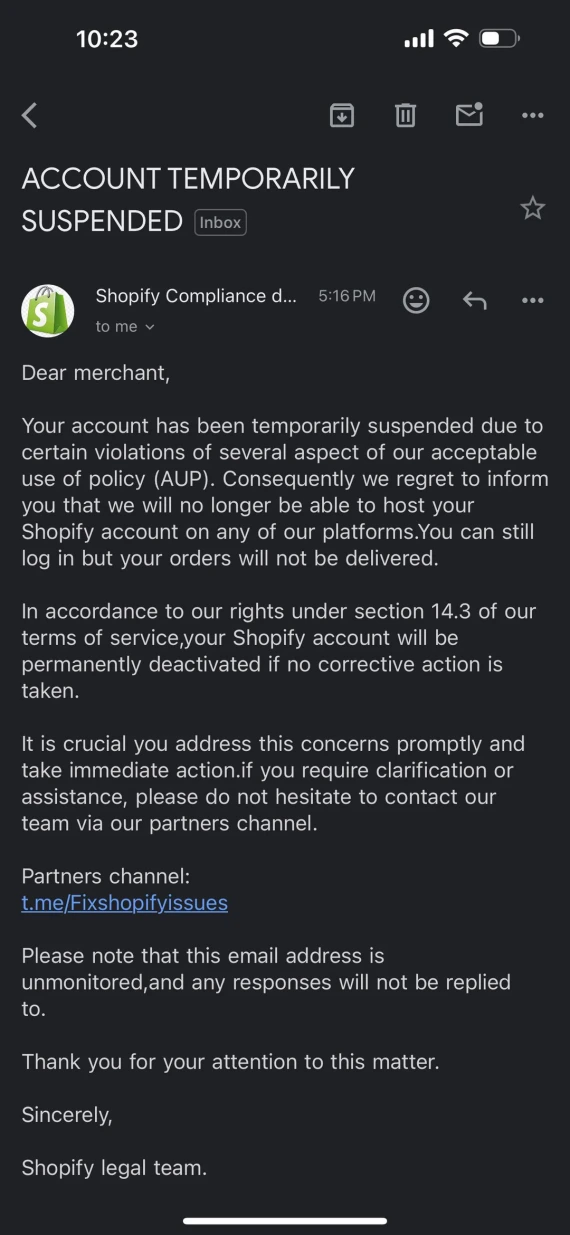
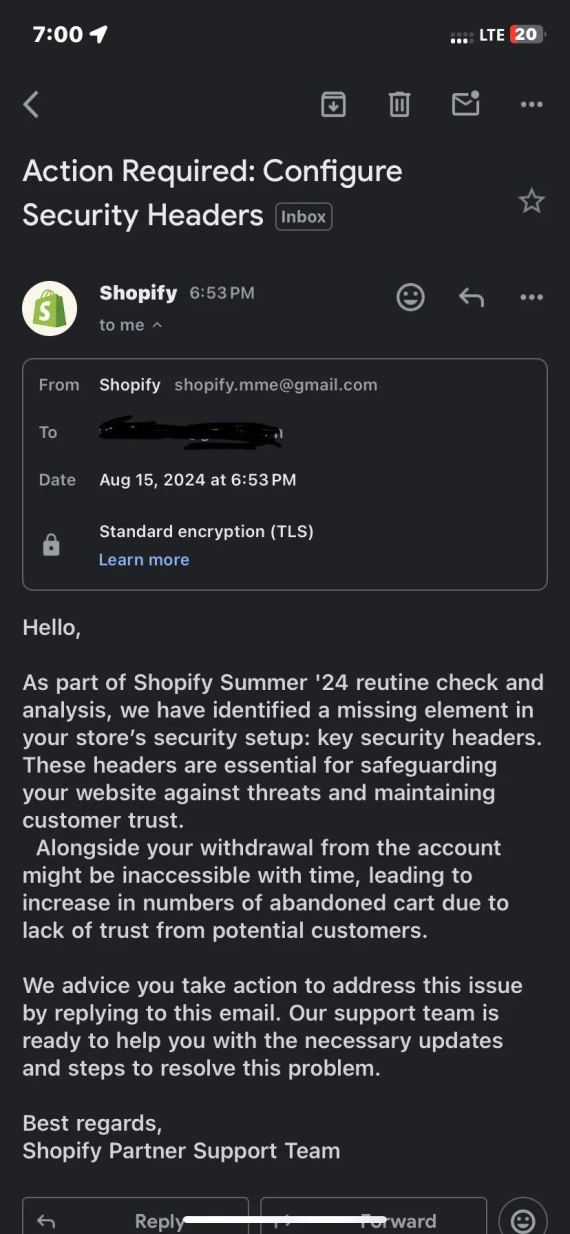
Scammers impersonating Shopify send fake emails and texts to merchants designed to steal their account login credentials or payment information. Common lures include:
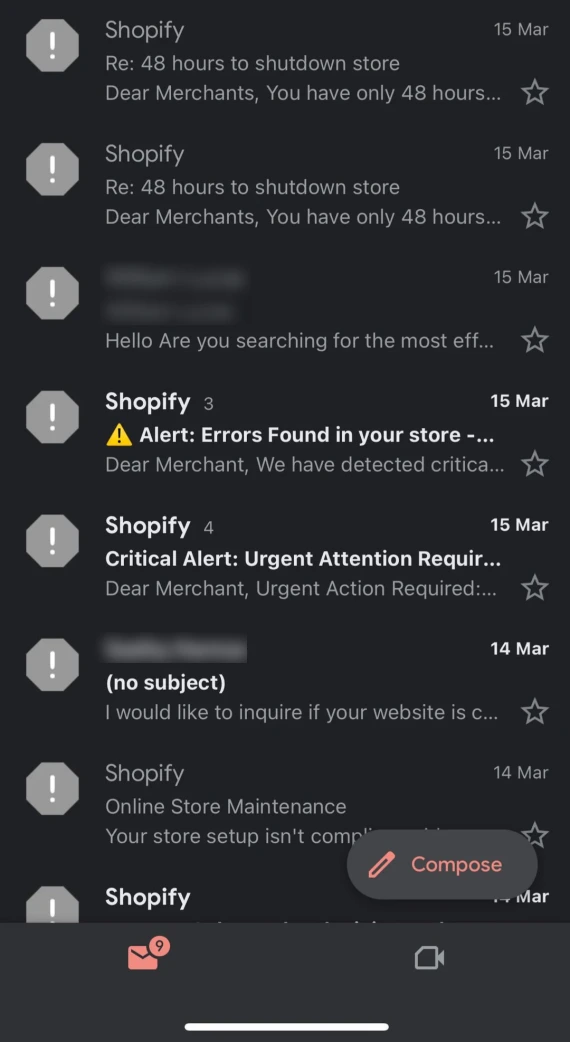
- Fake store suspension, pressuring you into verifying your account
- Payout on hold, requesting banking details to release them
- Trademark complaints pretending to come from other brands
- Warnings of the store’s domain expiring and requesting immediate payment
- Sending fake compliance warnings, typically citing malware or suspicious robots.txt settings
Merchants using Shopify reported that these scam emails often have buttons or links saying “reply HELP” or “reply Assist” to get them to interact with the Shopify scam emails.
One way you can spot these fake Shopify emails is by checking the following:
What a real Shopify email looks like:
- Real emails come from the official domains: @shopify.com, @email.shopify.com, @em.shopify.com, and @shopify-billpay.melio.com.
- They include links to verifiable Shopify services.
- The email will provide specific account information that can be independently verified in the Shopify app.
Warning signs of a fake Shopify email:
- An email claiming to be from Shopify with a Google, Yahoo, or Outlook address
- Threats of store suspension or payout hold
- Pressure you to act quickly or click in-email links
Never share verification codes, click unexpected links, or reply to suspicious messages. Report suspicious emails by forwarding them to [email protected].

Use Moonlock Scam Detector to check emails for hidden patterns of a phishing scam if you’re ever unsure. Sign up for a 7-day free trial of Moonlock and install it on your Mac, then:
- Open Moonlock, then click Scam Detector from the left-hand sidebar.
- Copy and paste the suspicious email or text into the Scam Detector.
- Click Check.
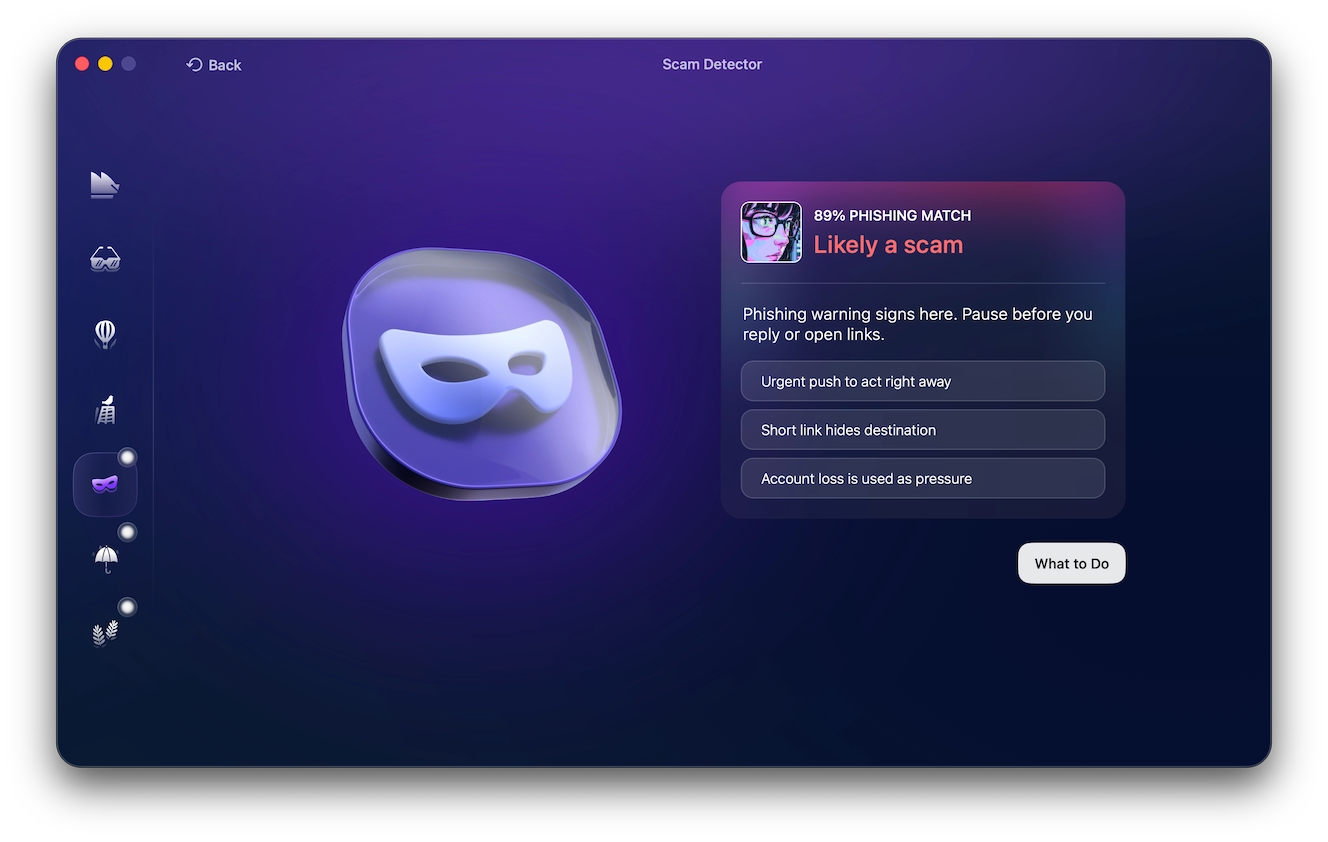
Moonlock will analyze the message for signs of a scam, giving it a “Phishing Match” out of 100 to let you know how likely it is to be a scam. You can then click “What to Do” for some actionable advice on your next step.
Fake support calls and verification code scams
In Shopify scams involving fake support calls, a scammer impersonates Shopify representatives, often calling merchants unsolicited about urgent security problems, suspended accounts, or frozen payouts. They then demand that you hand over your login credentials or payment information to resolve the issue.
Shopify will never ask for passwords, codes, or payment information over the phone. By giving them to the scammer, you risk losing access to your Shopify account or payment method.
Account takeover and subscription bombing
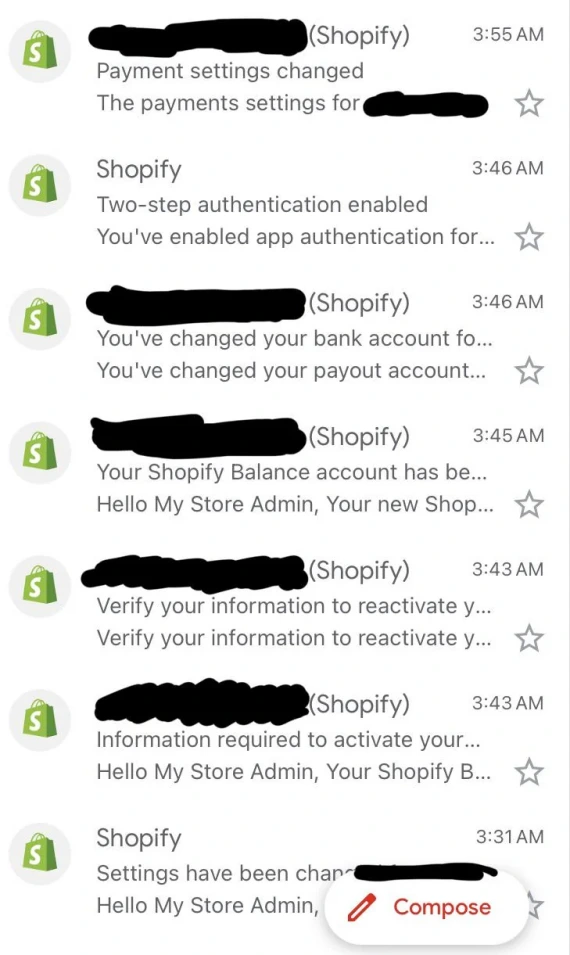
If the scammer’s target is your merchant Shopify account, they might opt for methods like subscription bombing to hide legitimate account takeover alerts from Shopify:
- The scammer compromises your merchant’s password or recovery code.
- They sign you up for thousands of spammy newsletters to flood the inbox.
- They trigger a Shopify password reset.
- Security alerts get buried in your inbox.
- They access the store and change payout details.
In early 2026, Lost Girls Vintage store suffered this same attack. Their inbox got flooded with thousands of newsletter emails, causing them to miss a Shopify email about someone using a recovery code to access a Shopify account. Even though they have 2FA enabled on the account, by the time they responded, more than $33,000 was stolen from their account.
To protect yourself from such attacks, use unique email passwords, enable 2-step authentication, and secure the payout settings on your merchant Shopify account.
Chargeback fraud and triangulation
Friendly fraud is a type of Shopify chargeback scam where a genuine customer places an order, then falsely claims it never arrived or disputes the payment made. For example, they buy and receive a $150 jacket, then dispute the payment with their bank or PayPal to get their money back, but they keep the jacket.
In a Triangulation scam, the buyer was never legitimate. The scammer uses a stolen credit card to buy a product from your store, leaving you with a chargeback when the actual card’s owner reports the payment as fraudulent.
Red flags may include mismatched billing and shipping details or names. To protect yourself, keep records, IP data, customer messages, and package tracking as dispute evidence.
Fake orders, overpayment and return scams
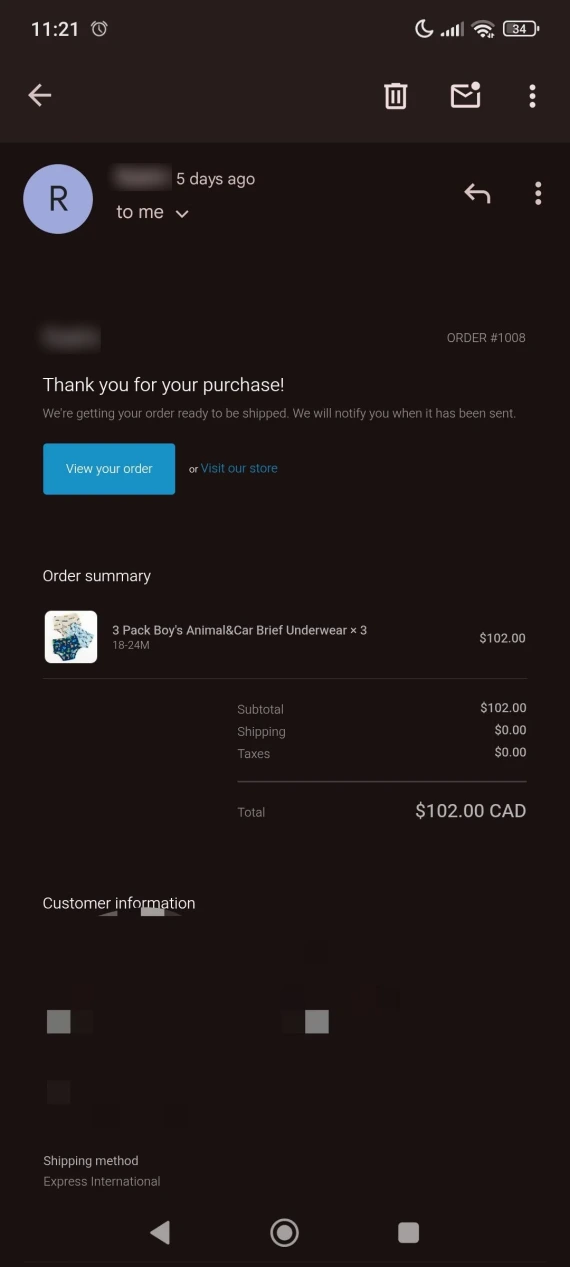
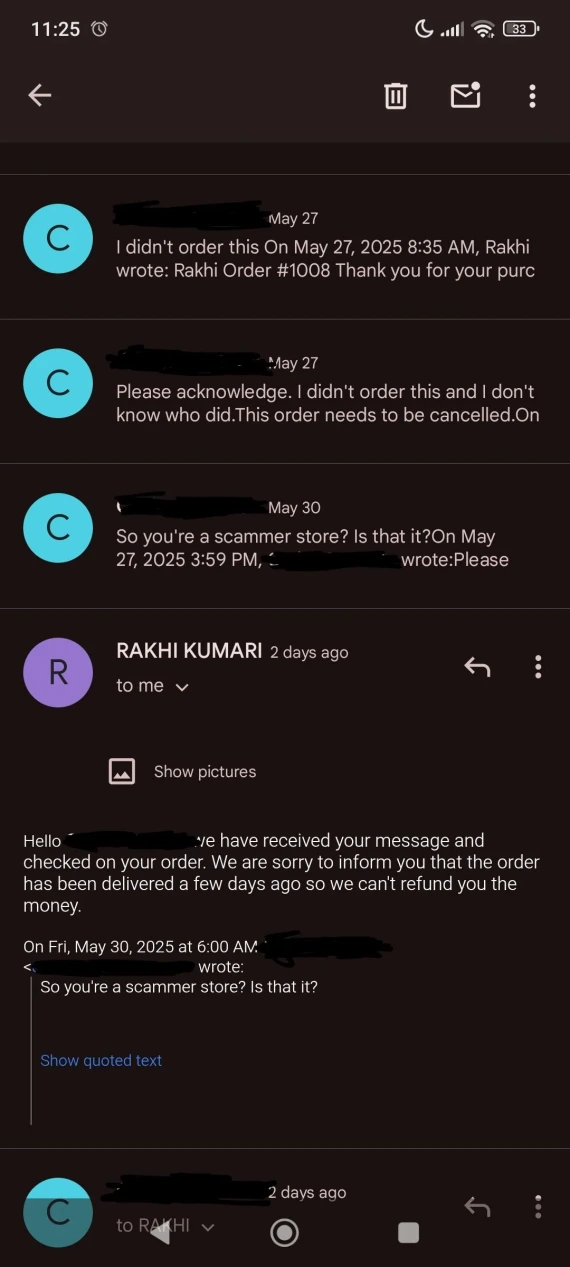
There are ways you can spot fake orders, overpayment, and return scams targeting you as a Shopify merchant:
- Fake orders: Scammers use stolen cards to place expensive orders, then trigger a Shopify fraud dispute. Always review high-risk orders before fulfilling.
- Overpayment: A buyer sends excess money, then requests a refund. Never refund the excess amount before the payment is confirmed in your account.
- Return switching: A customer buys a $200 jacket but returns a cheaper counterfeit. Thoroughly document your products and inspect returned items before refunding.
Fake apps, themes, and extensions
Malicious actors can create fake Shopify apps, themes, and browser extensions designed to steal any information you input into them. You can usually spot them due to their suspicious download links or unknown developers, as official Shopify products are only sold directly through Shopify.
Even if they’re non-fraudulent, third-party apps may expose customer details, order records, and merchant information (if poorly secured), so avoid using them when possible.
Fake experts, coaches, and agencies
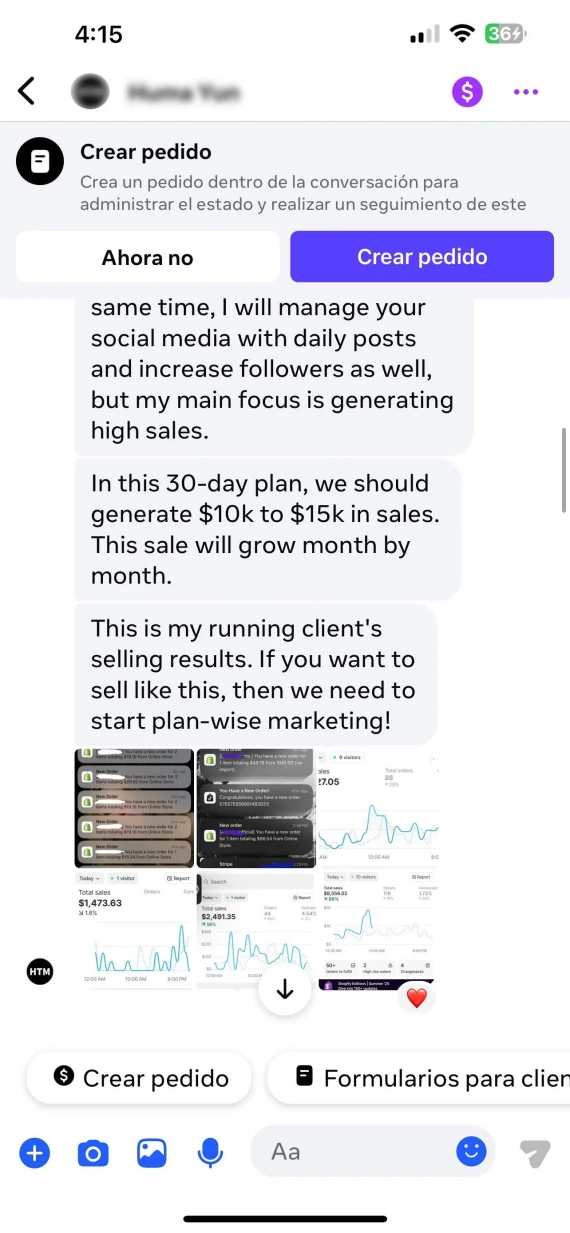
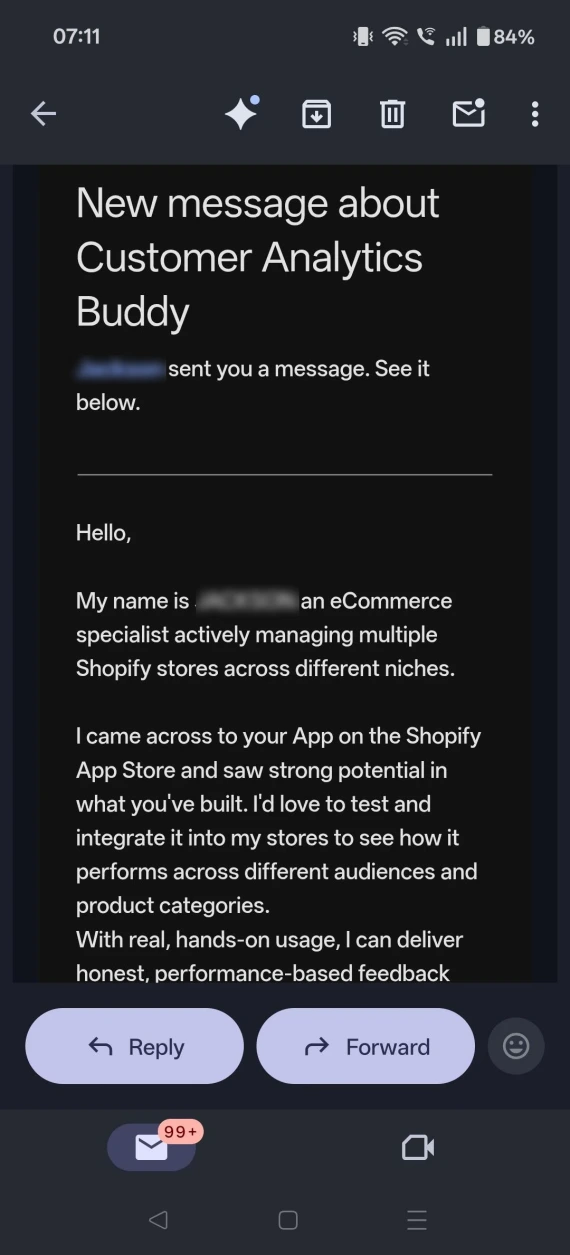
There are also Shopify scams that involve “experts” or agencies sending unsolicited messages claiming that they can guarantee store sales. They’ll pressure you to pay upfront and then request store access.
Merchants on Shopify Community have reported losing $1,000 or €2,500 in some instances. For help with sales, only reach out through the official Shopify Partner Directory, and ask:
- Can you provide client references?
- What does your fee cover?
- Can you demonstrate previous results?
Supplier and dropshipping scams
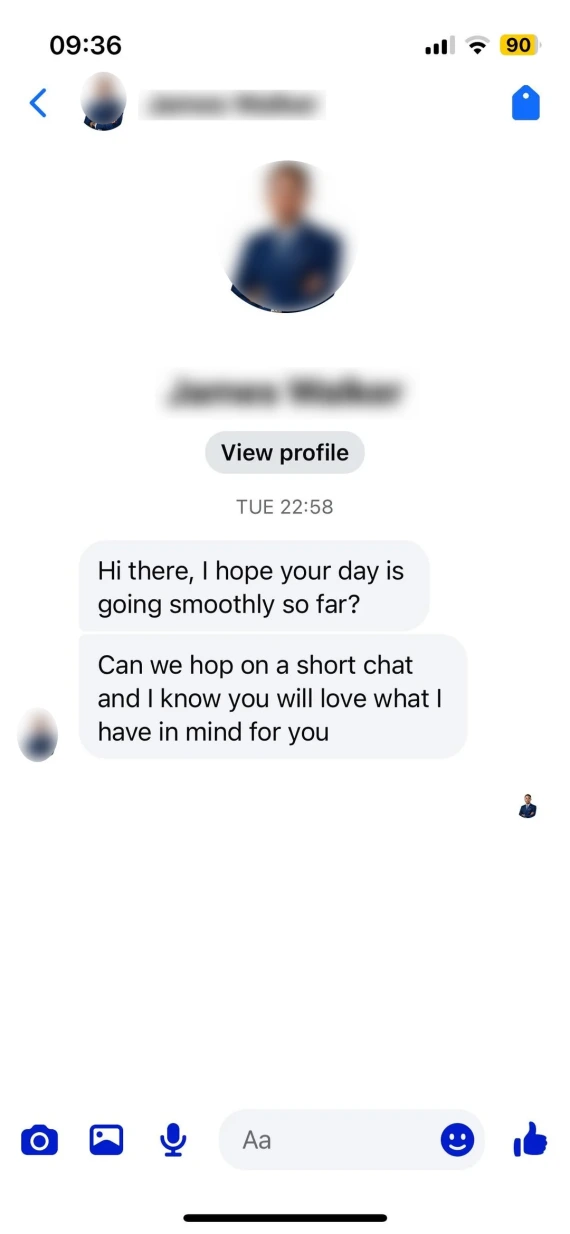
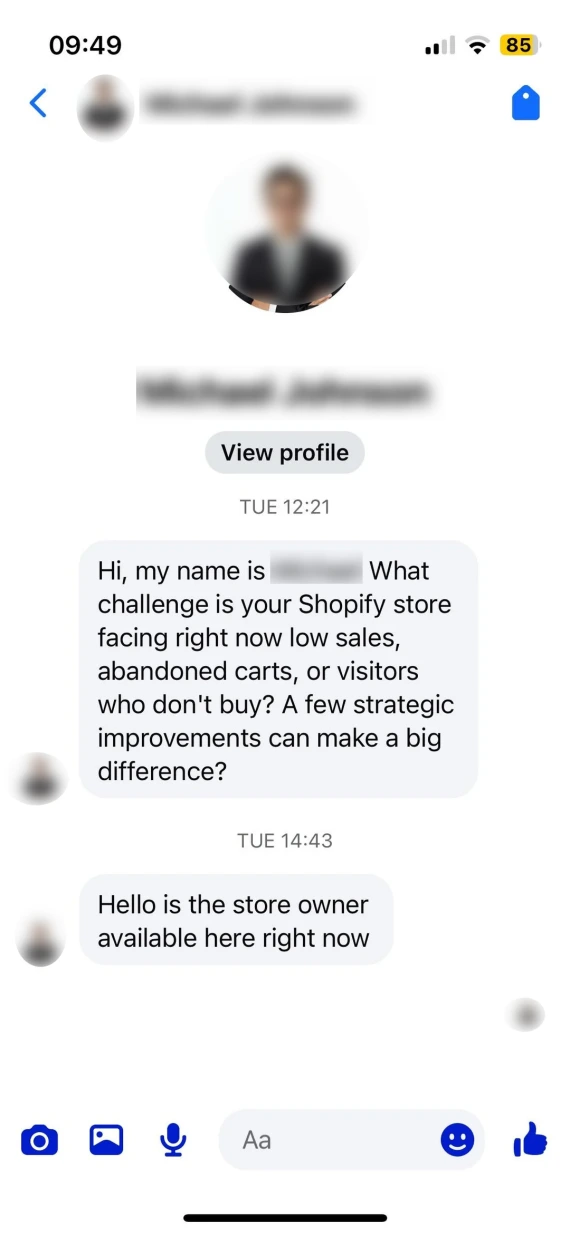
Shopify supplier scams can involve fake wholesalers, counterfeit products, and dropshippers who disappear after the payment clears.
Here’s how you can vet potential suppliers before paying:
- Verify the supplier’s business registration and contact details.
- Request product samples.
- Check reviews and references on independent sites.
- Place a small order to test shipping times and return policies.
Watch out for suppliers demanding upfront monthly fees or pressuring you to pay off-platform. You should also ask to verify the inventory, including quantity and quality, before proceeding.
SEO spam, fake malware warnings, and Meta scams
To get their stores higher up in search results, scammers flood their storefronts with SEO spam, inject malicious links, or send fake malware warnings demanding payment to clean up your device.
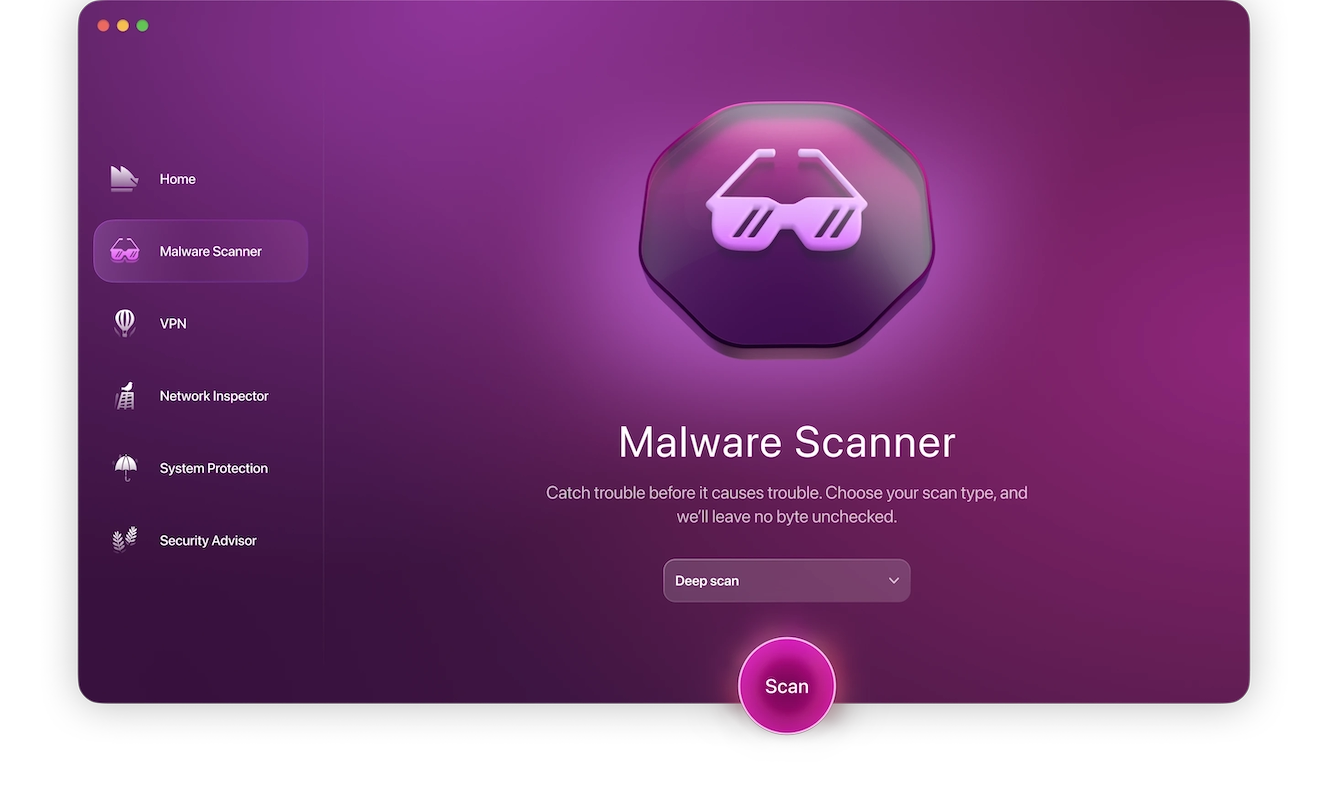
If you’re worried about your Mac being infected with malware, don’t click on their “clean up” links. Instead, sign up for a free trial of Moonlock, and use the built-in Malware Scanner to check your Mac for malicious files. Here’s how to do it:
- Open Moonlock, then click Malware Scanner on the left.
- From the drop-down menu, choose between Quick, Balanced, and Deep scan types.
- Click Scan.
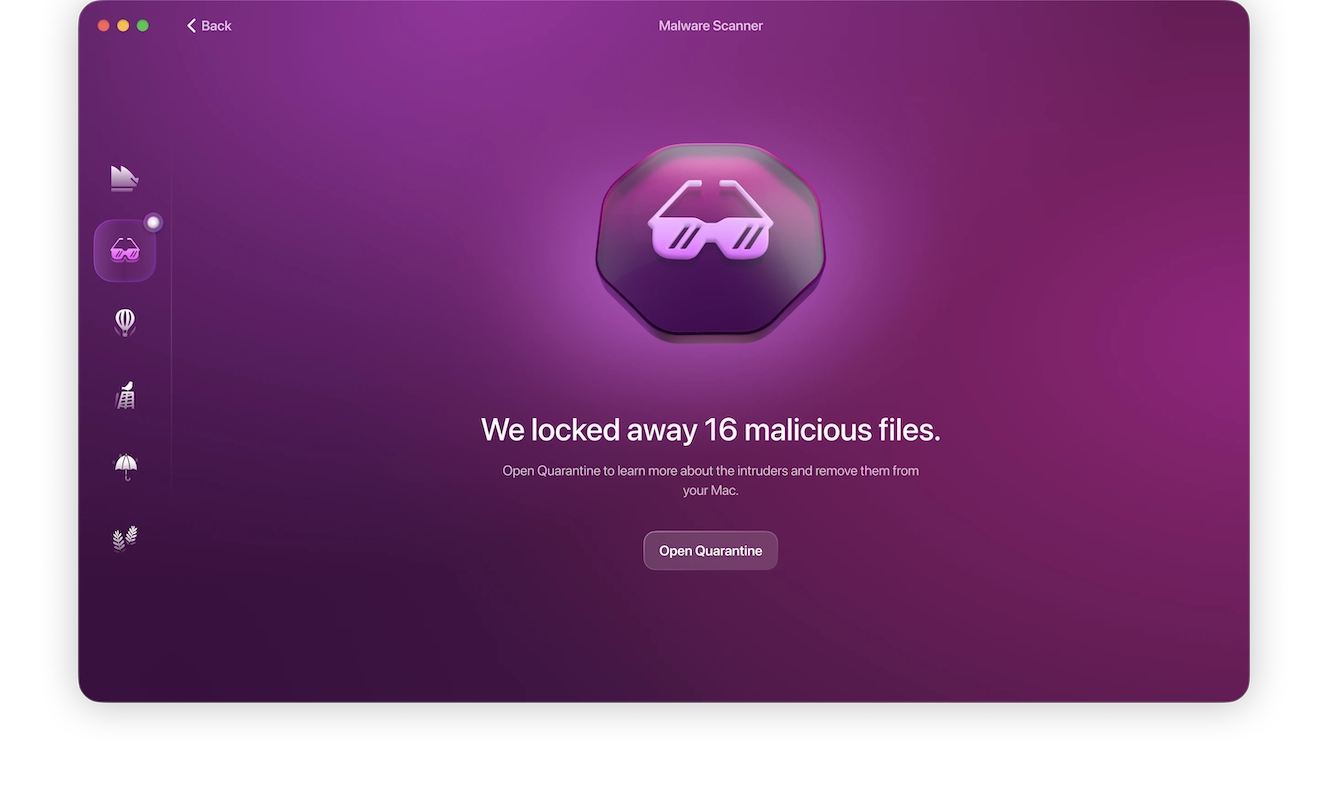
Moonlock will scan all your files, looking for any suspicious or malicious files. If it finds any, it’ll allow you to fully and safely remove them from your Mac.
Shopify fraud also targets Meta Businesses, usually by sending out fake policy-violation alerts that are phishing scams designed to steal your credentials.
What Shopify can and cannot do about scams
If you experience a scam on Shopify, you can use their fraud-reporting tools to take action against stores violating its policies. But there are limits to what Shopify can do for you.
What Shopify can do:
- Investigate the reported storefronts
- Review suspicious activity and violations of platform policies
- Provide tools to report scams and dispute fraudulent transactions
What Shopify can’t do:
- Guarantee refunds
- Decide on credit card chargebacks
- Disclosure of seller details to buyers
Using the Shop app doesn’t guarantee safe purchases 100% of the time, but it can offer some eligibility and safety checks to the stores on it. But, according to user reports, Shopify will not disclose seller identities to buyers for privacy reasons.
What to do after getting scammed on Shopify
If you got scammed on Shopify, you need to quickly report the incident to limit financial losses and maximize your chances at a favorable resolution:
- Contact your bank to freeze the compromised card or contest the fraudulent payment.
- Change passwords, enable 2FA, and revoke access on all compromised accounts.
- Save receipts, emails, screenshots, and transaction records as evidence.
- Report the store to Shopify.
How to report a Shopify scam
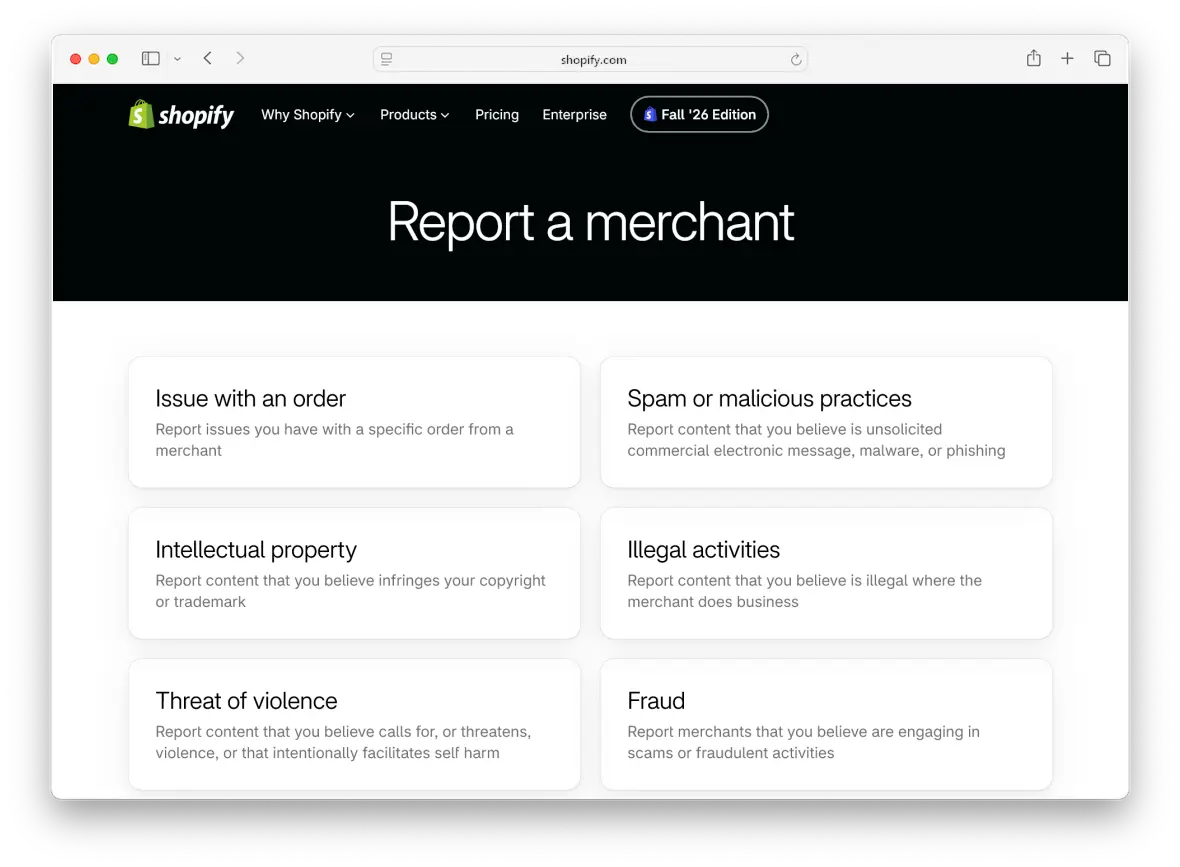
To report a Shopify scam, follow the instructions listed in Shopify’s official channels:
- Visit Shopify’s “Report a merchant” page.
- Select Fraud from the list.
- Log in to your Shopify account and follow the steps to submit evidence.
- For Shopify phishing emails, forward them to [email protected].
Can you get your money back after a Shopify scam?
A refund is possible, but it’s not always guaranteed. It depends on how your money was taken.
For fraudulent or unauthorized transactions, contact your bank or card issuer to dispute the payment. Similarly, purchases made through PayPal may qualify for buyer protection if you can provide evidence of fraudulent behavior.
Shopify can’t help you get your money back if you pay off-platform or send the scammer crypto or gift cards.
Steps to take if a Shopify store owner was scammed
If you’re a merchant on Shopify and suspect you’ve been the target of Shopify fraud, you need to act immediately to protect your store and potentially recover funds:
- Contact Shopify Support to report the compromised accounts.
- Secure your account by changing the email and password and enabling 2FA.
- Check payout details and restore them if they were changed.
- Review staff accounts, apps, and orders for signs of unauthorized transactions or activity.
- Preserve the evidence through screenshots to dispute transactions with Shopify and your bank.
How to avoid Shopify scams before you lose money
Just because scammers sometimes use Shopify for fraud doesn’t mean you need to swear off using the platform completely.
For shoppers:
You can still use the Shop app for your purchases safely if you take the time to:
- Check independent reviews.
- Verify URLs.
- Avoid unrealistic discounts.
- Use protected payment methods.
For store owners:
Here’s how to keep your storefront operational and safe on Shopify:
- Enable 2FA on your merchant account.
- Verify Shopify Support communication.
- Vet third-party apps and extensions.
- Monitor payout and account activity.
For your Mac and browser:
- Avoid clicking on links or suspicious email attachments or downloads.
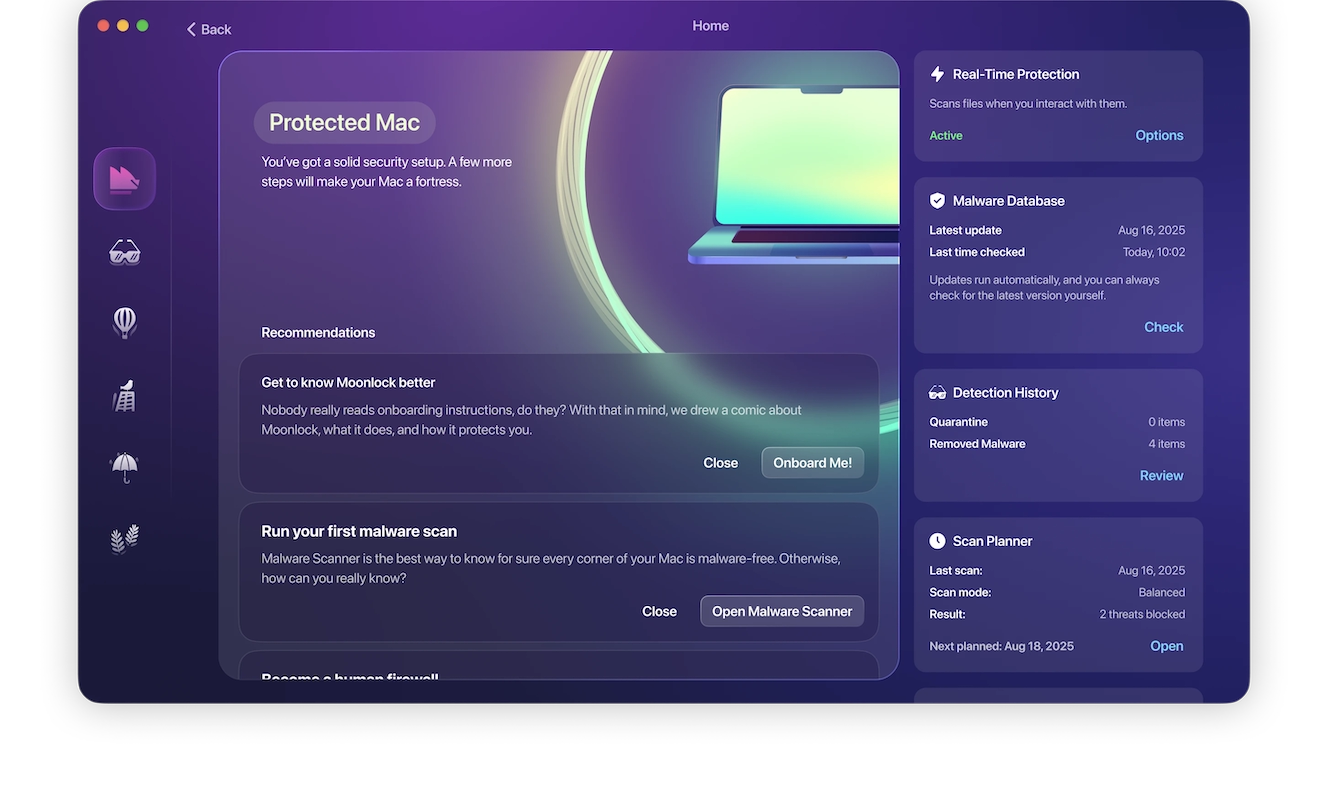
- Consider using the Moonlock antivirus to detect scams in suspicious texts or emails and keep your device proactively protected against malware.
- Enable real-time malware protection and schedule scans to protect against malware and spyware.
Shopify is a legitimate platform for an e-commerce store and isn’t a scam, but individuals on the app can sometimes use it to scam others. With a few precautions, you can use Shopify as a shopper or merchant without getting defrauded or scammed.
This is an independent publication, and it has not been authorized, sponsored, or otherwise approved by Shopify Inc. Shopify is a trademark of Shopify Inc.