


One type of scam that’s been making the rounds lately is known as the MetaMask scam. In this scam, a phishing email tricks you into revealing your Secret Recovery Phrase or approving malicious transactions into your crypto wallet to steal it.
MetaMask campaigns include fake account verification emails, fake 2-factor authentication emails, and suspicious activity notifications reported on January 5, 2026, in addition to portfolio phishing campaigns in October of the same year.
This article will explain how the MetaMask scam works and your realistic recovery options if you fall for one.
Does MetaMask ever send emails?
Yes, MetaMask sends legitimate notifications and wallet updates through emails. But malicious actors are known to impersonate MetaMask, sending fake emails demanding urgent action or sensitive information.
Legitimate MetaMask email senders
MetaMask uses specific email addresses for different categories of support tickets, community notifications, marketing, and wallet-related notifications.
To check whether an email really came from MetaMask, you need to check more than just the display name:
- Gmail: Click the downward-facing arrow next to “to me” at the top of the email.
- Outlook: Click the sender’s name or email address.
- Apple Mail: Click the sender’s name.
Legitimate MetaMask senders include:
- Support tickets: [email protected]
- Community notifications: [email protected]
- Marketing: [email protected]
- Cyrpto Life Card: [email protected], [email protected], and [email protected]
- Immersive: [email protected] and [email protected]
Real support emails from MetaMask don’t include generic information; They must use the correct address, specify the support ticket you opened, and follow your latest support contact.
Why MetaMask cannot send unsolicited emails
MetaMask is self-custodial, meaning you don’t need an email address when creating a wallet. In other words, MetaMask doesn’t have your email and can’t contact you unsolicited. Simply signing in with Google or Apple will not trigger a wallet confirmation email, and MetaMask contacting you at an address you never shared with them is a warning sign.
Scammers can obtain your email address through data breaches, public sources, or data brokers before sending you a standard phishing email. In fact, this is how the majority of phishing schemes work, and it isn’t limited to MetaMask.
Common MetaMask email scams
Common MetaMask scams use fake security alerts, urgent account verification requests, and fraudulent support tickets to steal your wallet credentials. But how do you know if you’ve received a MetaMask scam email? Learning how to spot these phishing scams can help you avoid losing your crypto funds.
Fake wallet verification and support ticket emails
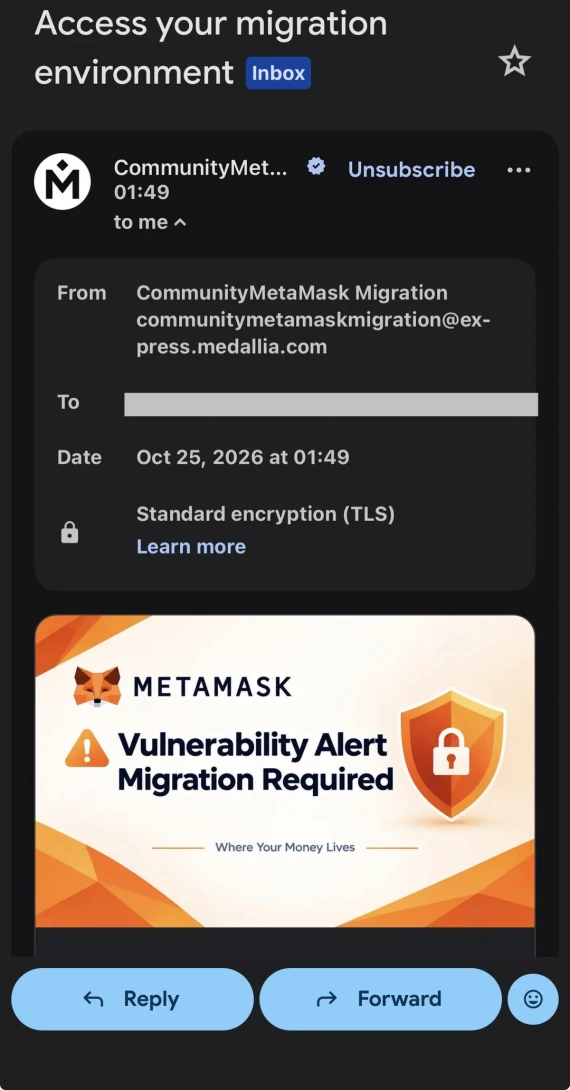
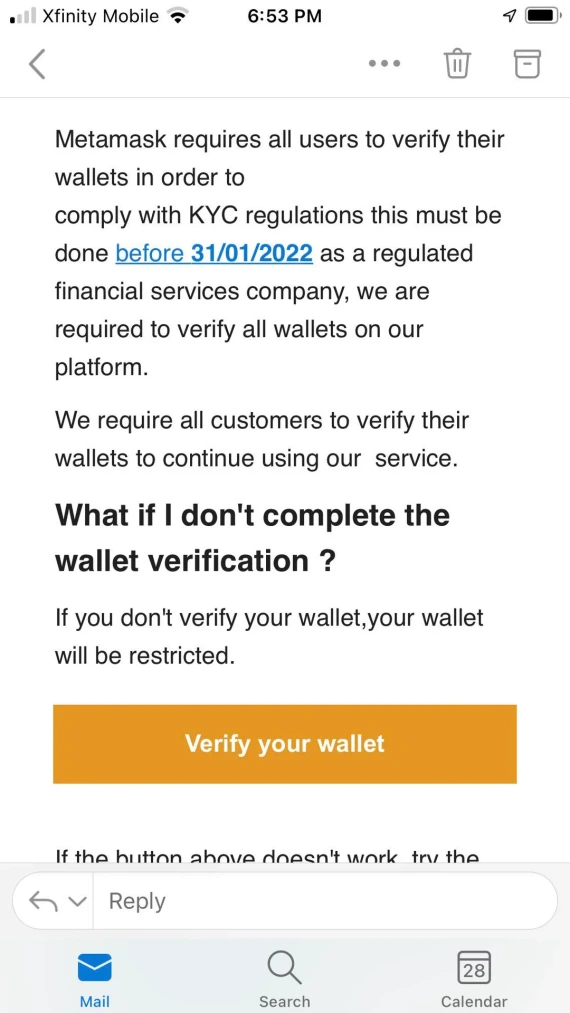
In December of 2025, Fox News reported on a MetaMask email scam campaign that used the subject line “Wallet Verification Required.” The emails closely copied MetaMask’s branding and used a misleading Zendesk-style sender when pressuring users to “verify their wallet ownership.”
There was a similar variant of this scam in July of 2022, where Halborn documented the use of fake support tickets and the intentional misspelling of the sender as “Metamaks.” The verification link in the email led to a malicious website requesting the wallet’s Secret Recovery Phrase.

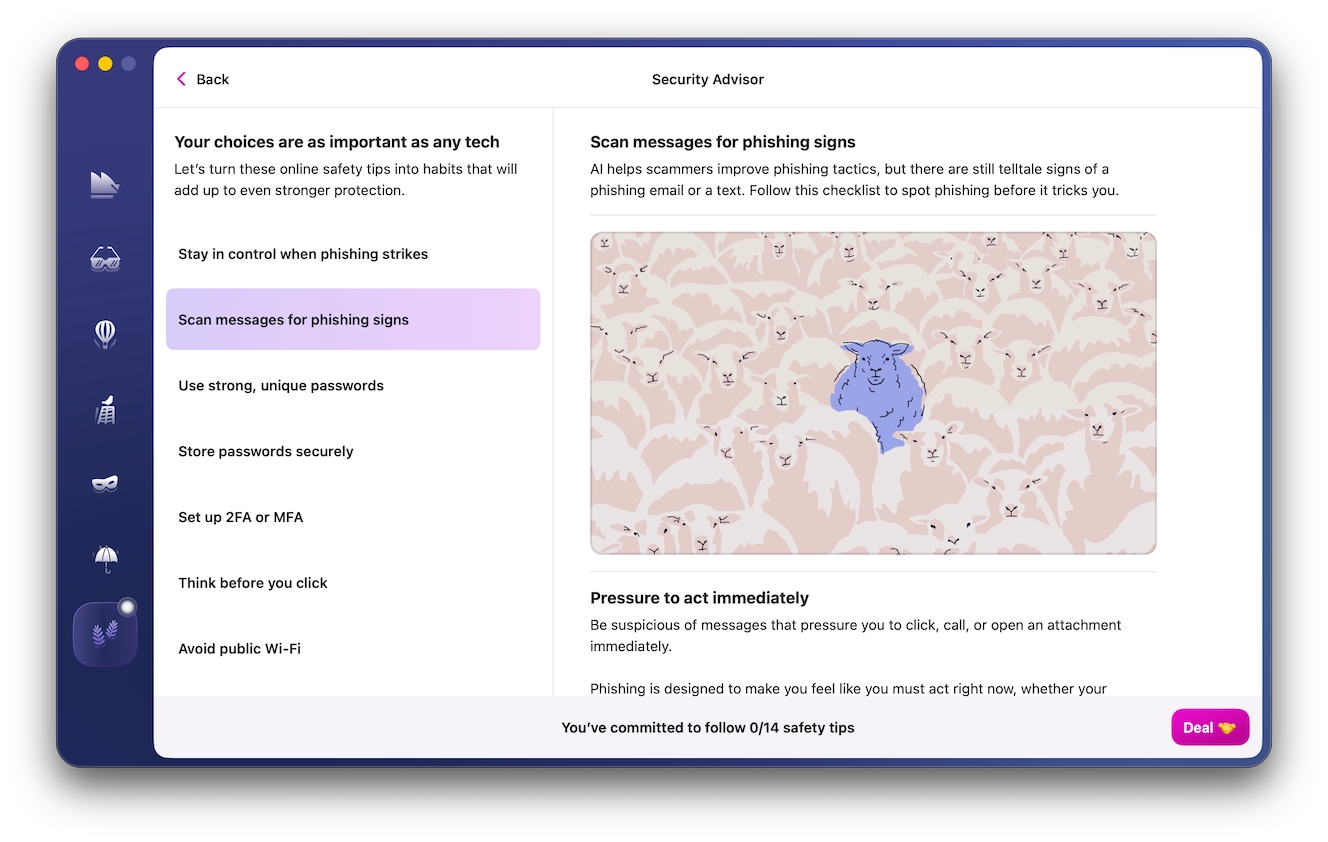
Such phishing scams can be detected and avoided with the help of Moonlock Scam Detector, which uses AI to identify the common patterns of phishing emails and malicious links. Here’s how you scan an email:
- Sign up for a 7-day free trial of Moonlock.
- Open the app, then click Scam Detector from the left-hand sidebar.
- Copy and paste the body of the suspicious email into the detector.
- Click Check.
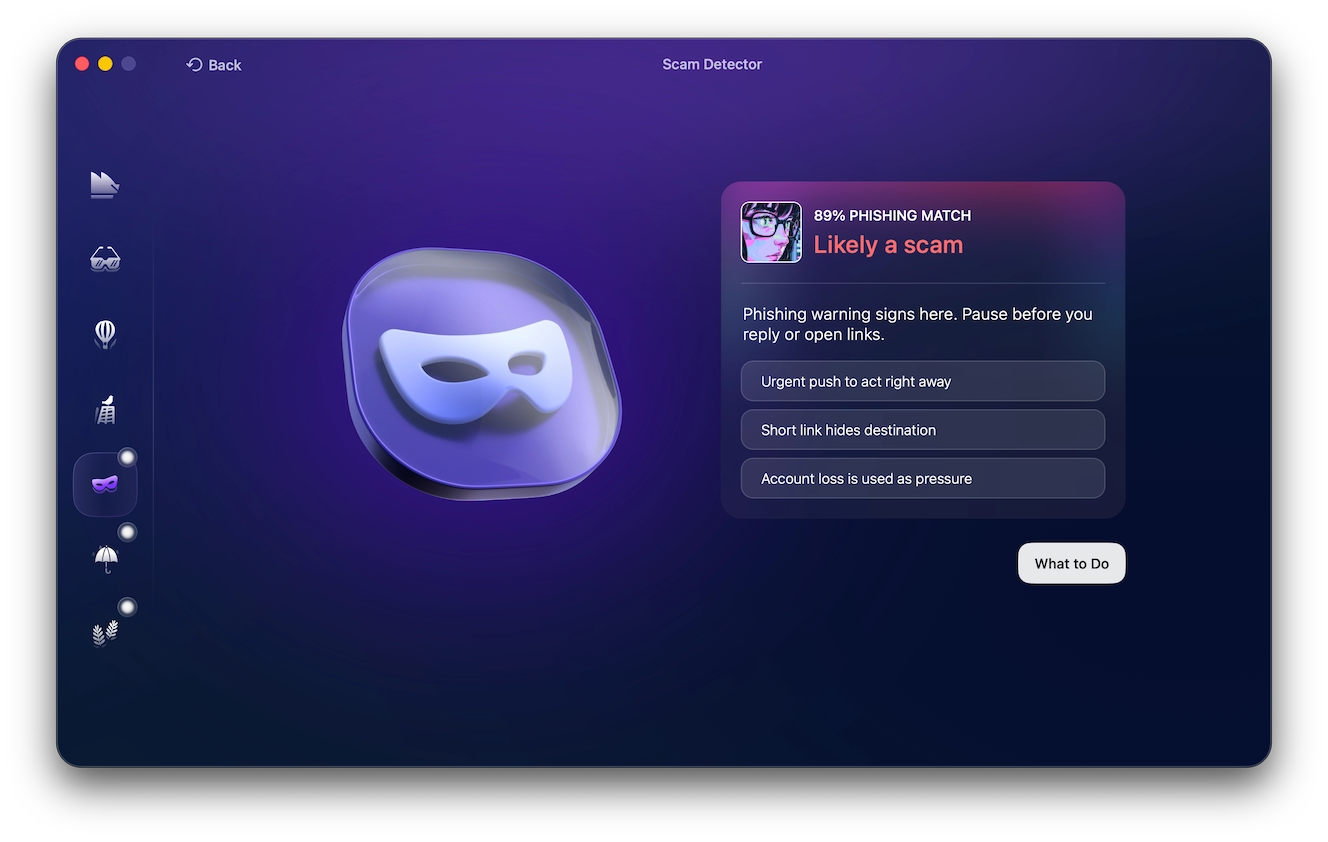
Moonlock will analyze the email, then produce a “Phishing Match” score out of 100, judging whether the email is likely to be a phishing attempt. Click “What to Do” for advice on how to proceed after facing a phishing email.
Fake 2FA security verification emails
January 2026, SlowMist flagged a MetaMask phishing email campaign targeting users by asking them to enable 2-factor authentication for their wallets. The emails worked by using lookalike domains, like “mertamask,” to direct users to fake verification pages requesting their Security Recovery Phrase.
An earlier incident of similar nature occurred in March 2024, where MailGuard reported fake MetaMask emails claiming unusual account activity and threatening to restrict user wallets. The links led to a fake MetaMask page designed to harvest wallet passwords.
MetaMask’s Help Center confirms that it will never request you to confirm your wallet or account through email, or request your Secret Recovery Phrase.
Fake KYC and identity verification emails
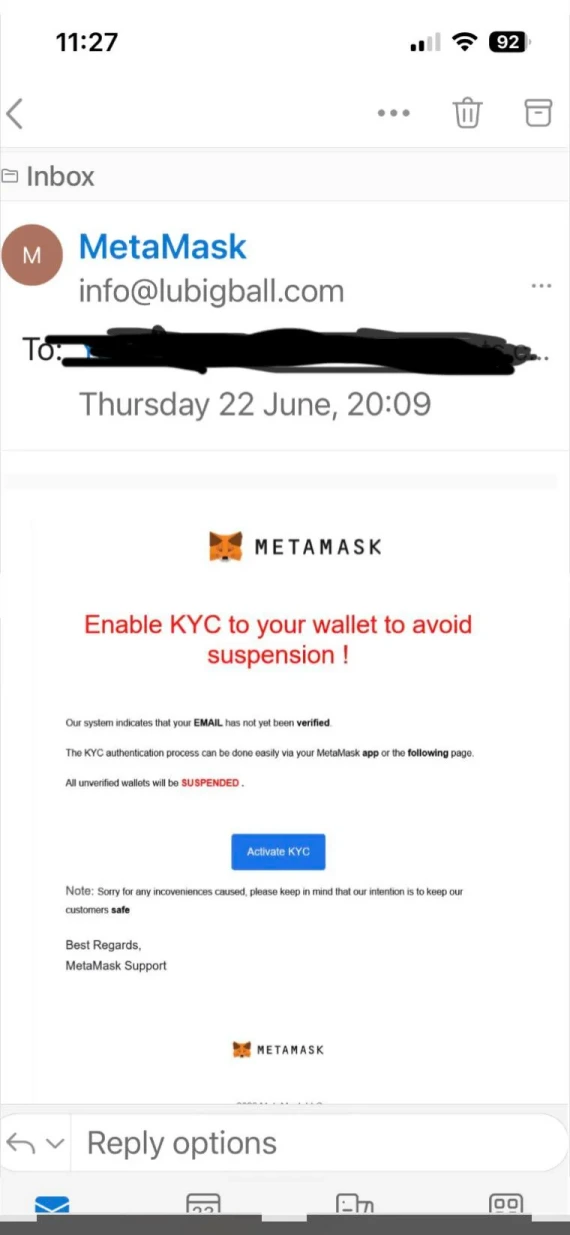
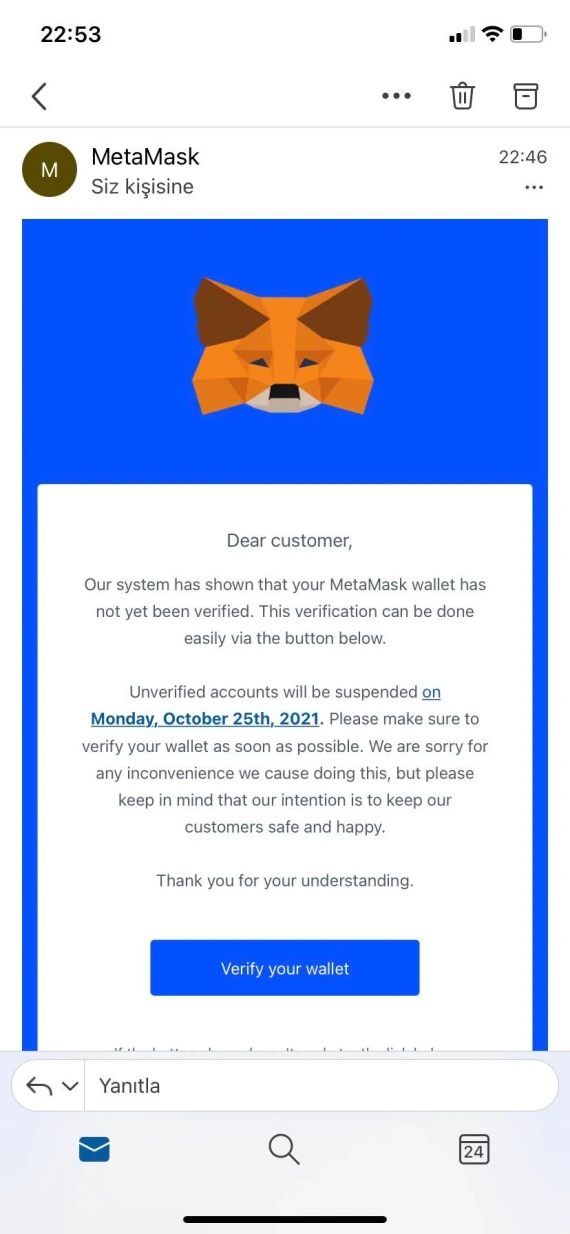
MetaMask email scams typically claim that you must complete Know Your Customer (KYC) checks to verify and retain access to your Wallet. Scammers will use phrasing like “complete KYC to keep using MetaMask” or “Verify your identity to avoid suspension.”
These claims are false for the simple reason that MetaMask has no wallet-level KYC requirements to begin with for ordinary wallet use.
MetaMask states that any platform or person asking you to complete KYC is a scam. MetaMask will never email you unsolicited because they don’t hold personal information like your email.
Fake $MASK token allocation emails
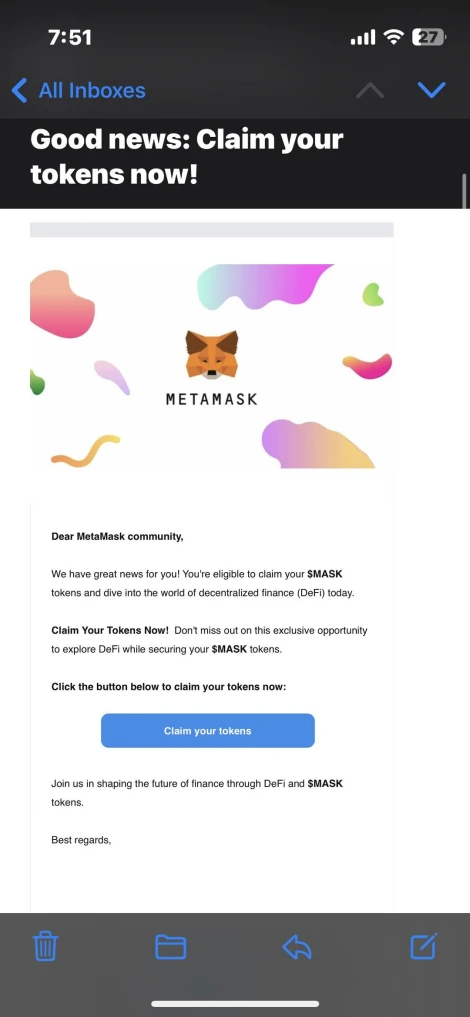
In June 2026, PCrisk documented a malicious email campaign impersonating MetaMask and falsely claiming a new MetaMask $MASK token. They promised eligible wallets would receive an allocation of the token during the first distribution phase.
Clicking through the email took users to a fake website that worked in three separate stages:
- A registration form requesting email and wallet address
- A “congratulations” screen with a “Receive 500 MASK” button
- A fake “Import Wallet” page requesting the user’s Secret Recovery Phrase
While MetaMask did introduce a Rewards program including token allocations, the campaign that PCrisk identified was a scam and isn’t tied to MetaMask.
Fake ETH withdrawal and “action required” emails
PCrisk documented a series of fake “ETH Withdrawal Confirmation” emails claiming that the recipient had received 0.022139632 ETH in August 2025. But clicking the “Accept Ethereum” button directed users to a fake MetaMask phishing site.
A variant of the same scam was reported earlier in February of the same year by PCrisk and MalwareTips. It used “ACTION REQUIRED!!” to warn users of suspicious login attempts and demand wallet connection for verification purposes.
The email used fabricated IP addresses, locations, and browser details of the supposed suspicious login attempt to trick users into acting fast. But clicking on the verification link took users to a MetaMask lookalike page requesting their private keys.
Fake bonus and reward emails
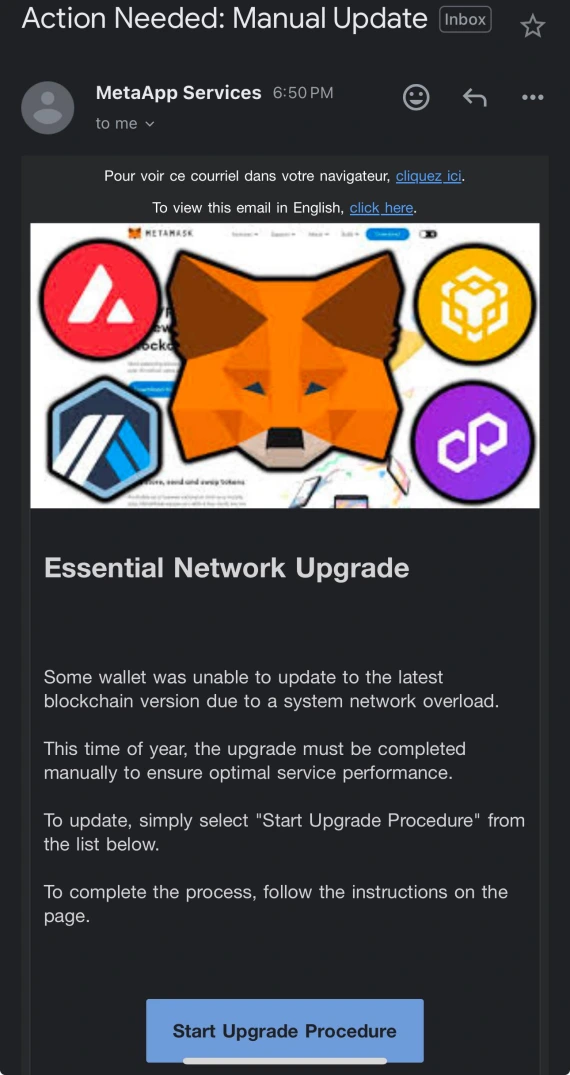
In September 2024, MailGuard covered a MetaMask email scam that promised users a $250 virtual card bonus by clicking the “Claim Now” button. The emails mimicked MetaMask’s branding, using the sender name “Meta Drop.”
After going through a series of steps to “Connect Your Wallet,” the final step requests that the user scan a QR code to authorize a web service to initiate the transaction.
This scam works differently from the usual recovery-phrase theft, by instead seeking transaction permissions. If the user follows through with the QR code authentication, the scammers might be able to move funds without ever needing to obtain the user’s Secret Recovery Phrase.
Older variants that keep returning: Wallet blocked, upgrade, and suspension emails
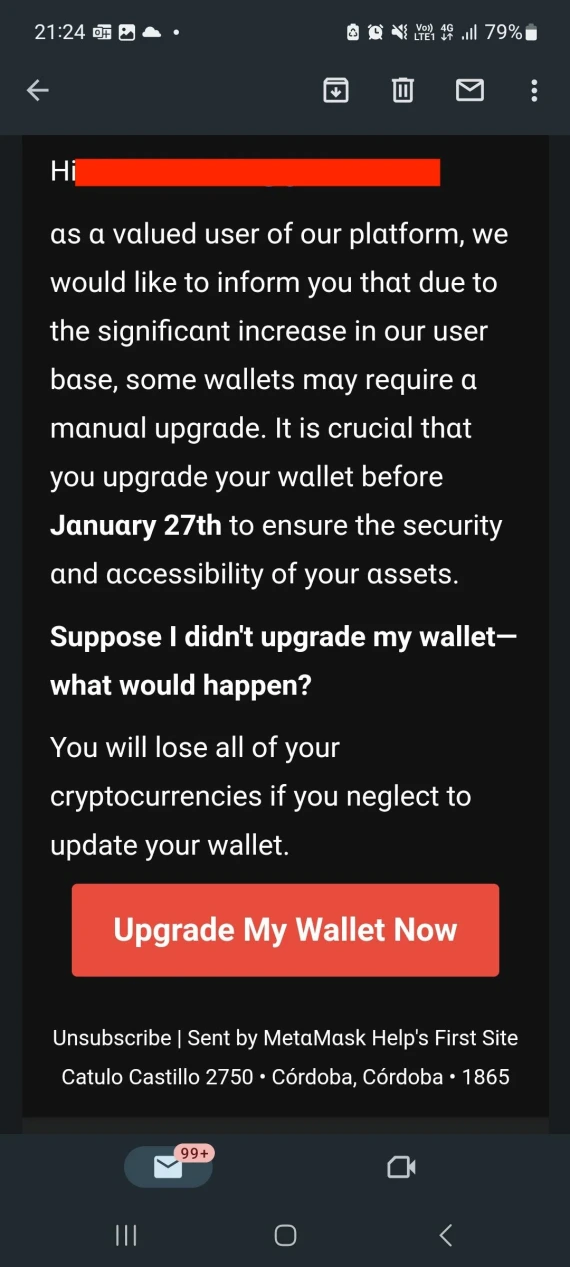
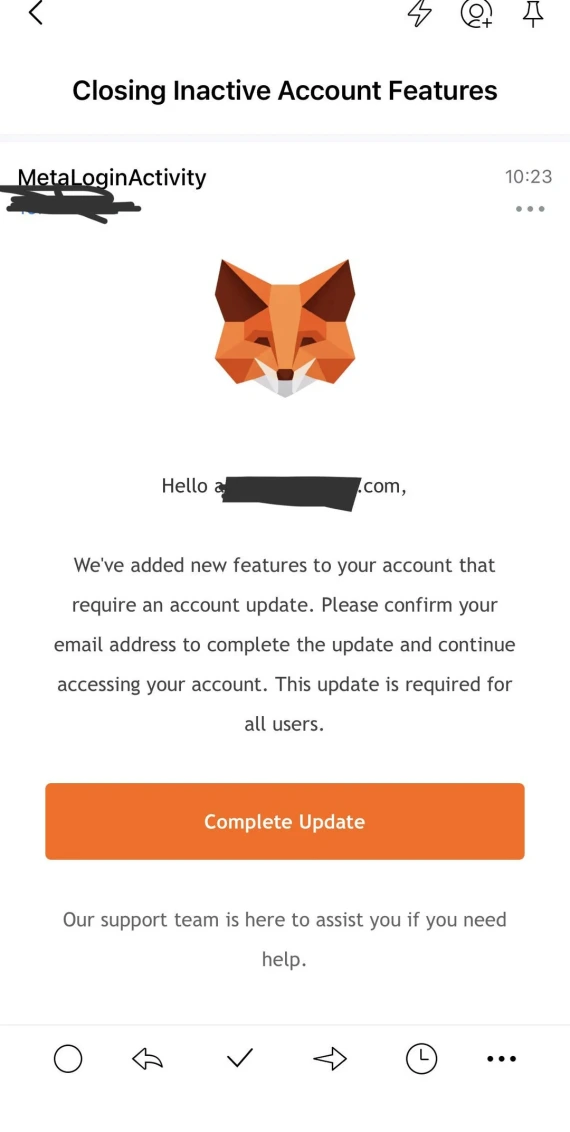
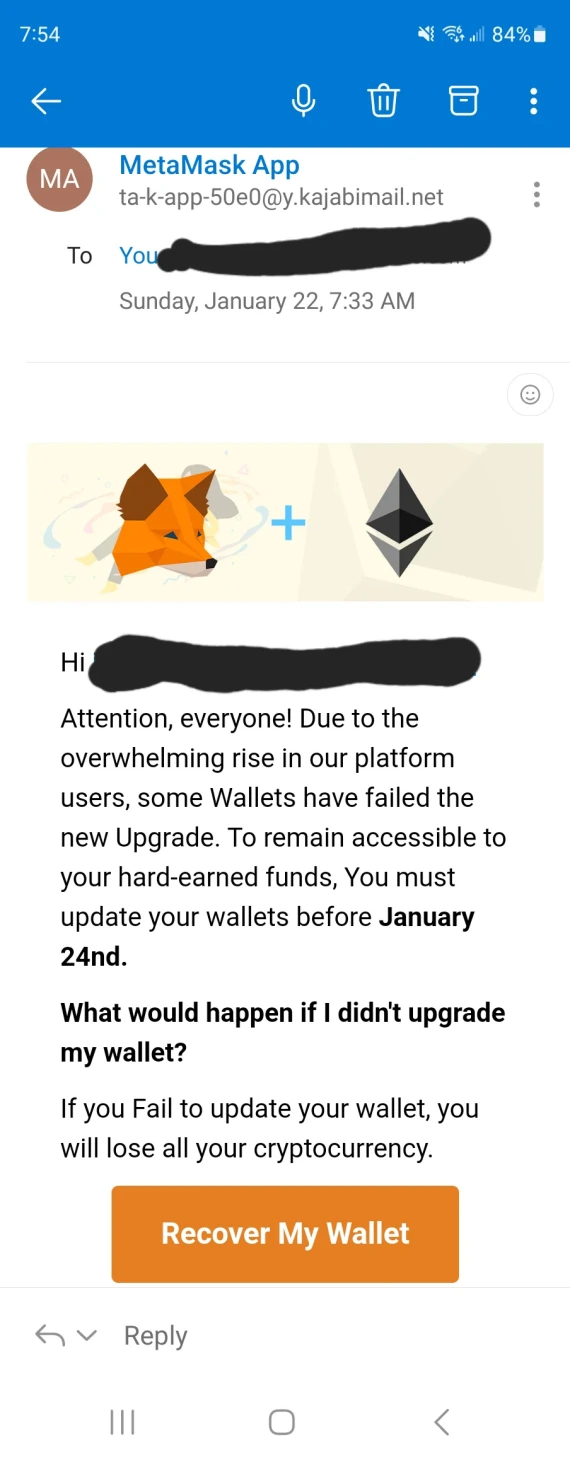
Just because a particular phishing example happened a few years ago doesn’t mean it can’t return. In May 2023, the FTC warned of phishing emails claiming that your MetaMask wallet is blocked and threatening users with crypto loss if they don’t act immediately.
Similarly, in 2022, Trend Micro documented scam variants involving wallet suspension threats, security alerts, and fraudulent Ethereum upgrade requests. Following the links in the emails led users to phishing websites designed to steal recovery phrases.
These MetaMask scams recycle old templates; dates, sender addresses, and domains are often the only changes.
Other MetaMask scams to watch out for
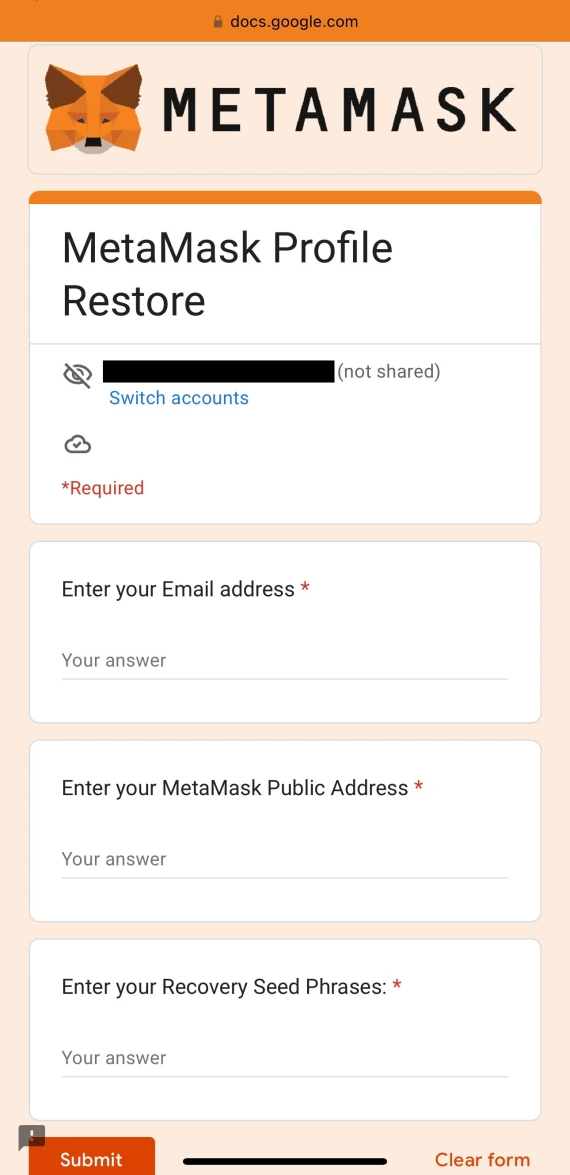
Email phishing isn’t the only way scammers target MetaMask users. Other common tactics include:
- Fake support: Impersonators may offer help and request recovery phrases. MetaMask has no option for phone support.
- Fake airdrops and NFT airdrops: Claims of free tokens lure victims toward malicious links or approving transactions.
- Address poisoning: Lookalike addresses trick users into sending funds to scammers instead of the intended recipient.
- Fake extensions, apps, and ads: Clones are designed to mimic legitimate MetaMask products, but they actually steal credentials or recovery phrases.
- Rug Pulls: Developers abandon projects after taking investors’ funds. Scammers disappear after generating hype around a crypto project.
How a MetaMask phishing email steals a wallet, step by step
While the exact mechanism can differ from scam to scam, the average MetaMask scam typically follows these steps:
- The bait: Attracting the user’s attention using an alarming or attractive email title, usually warning of suspicious activity or account suspension, or promising free tokens.
- The redirection: The user is pressured or lured into clicking a link that takes them to a phishing website that looks like MetaMask.
- The theft: The fake site will prompt the user to enter their Secret Recovery Phrase or approve a malicious transaction to their wallet.
- The drain: Attackers import the wallet or exploit the owner’s granted permissions to transfer funds.
Techloy reported a MetaMask incident where the attackers were able to access a wallet and drain its funds within minutes of submitting the Secret Recovery Phrase.
There are no zero-click exploits when it comes to crypto wallets. If you receive a phishing link but don’t click or download anything, you’ll stay safe. There is, however, a risk of malware or spyware already being on your device, which could enable access to your wallet.
Red flags that give away a fake MetaMask email
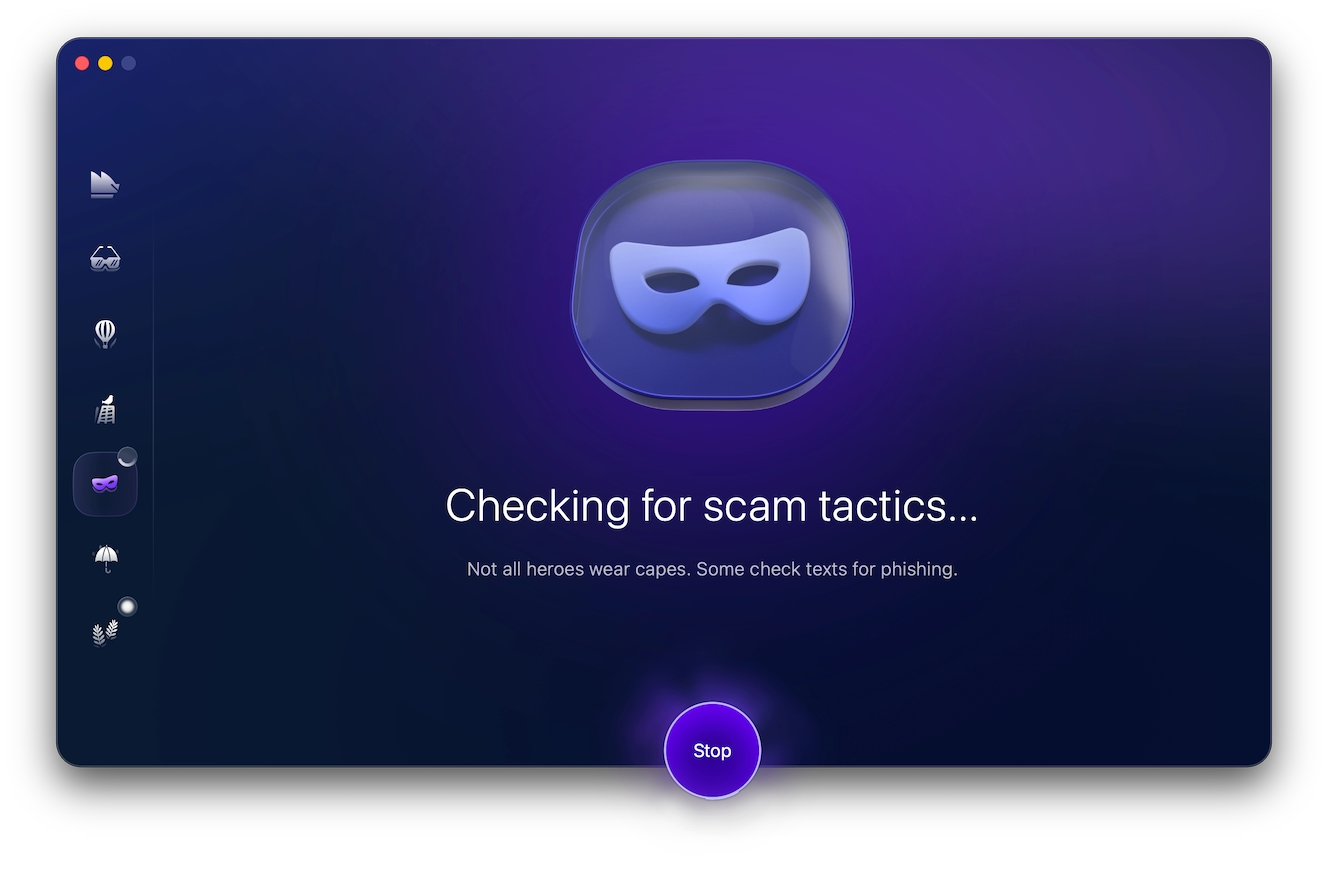
Even the most legitimate-looking phishing emails can be spotted and avoided if you know what to look out for. With the help of specialized tools like Scam Detector, you can simplify the process with a simple copy-and-paste:
- Open Moonlock, then click Scam Detector on the left.
- Copy and paste the suspicious email into the detector.
- Click Check.
The Scam Detector is included in the 7-day free trial of Moonlock, allowing you to check suspicious notifications, messages, and links before clicking to make sure they’re safe.
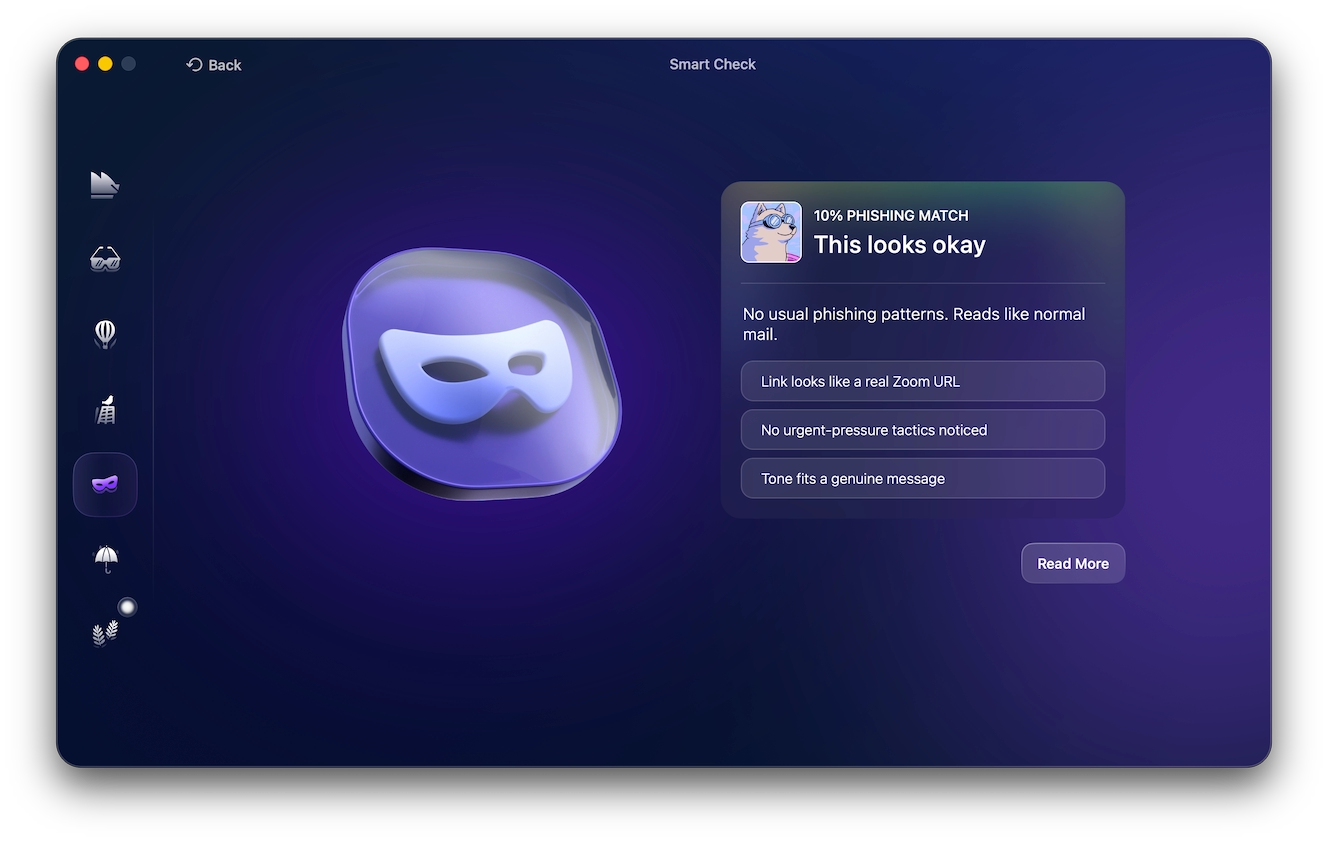
You can also catch red flags by knowing what MetaMask will and will not send over email.
What MetaMask never does:
- Request your Secret Recovery Phrase or credentials
- Send unsolicited account security notifications
- Demand KYC or a wallet upgrade
- Require you to connect your wallet through an email link
MetaMask scam warning signs:
- Hides the real sender behind a familiar display name.
- Creates urgency or threatens fund loss.
- Claims your wallet is blocked or suspended.
- Requests sensitive information or wallet verification.
What to do with a suspicious MetaMask email
If you receive an email claiming to be from MetaMask but haven’t interacted with it yet (nothing clicked):
- Don’t reply to the sender, and avoid any links, attachments, or QR codes.
- Check the sender’s address against MetaMask’s official list of legitimate addresses.
- Contact MetaMask Support with the scammer’s address, website, and other mediums.
- Report the scammer’s public address on the block explorer.
- Mark the email as phishing in your email client and delete it.
What to do if a link in a fake MetaMask email was clicked
If you clicked on a suspected MetaMask phishing email but didn’t enter any credentials:
- Immediately close the phishing website.
- Check your device for drive-by downloads.
- Scan your device for malware.
- Check your wallet for unfamiliar connections or permissions.
If the page was only opened
According to MetaMask’s security guidance, opening a phishing page isn’t enough to have your wallet keys stolen. Here’s what you need to do:
- Close the webpage.
- Check your device for drive-by downloads.
- Scan your device for malware.
- If you clicked Allow, remove the site from Safari or Chrome notifications.
- Review wallet activity for unfamiliar transactions.
If the Secret Recovery Phrase or a private key was entered
If you entered your Secret Recovery Phrase or private key, assume the wallet is already compromised and act quickly:
- Create a new wallet using a trusted device.
- Transfer all your crypto assets to the new address.
- Revoke token approvals where possible.
- Avoid reusing exposed recovery phrases.
If the wallet was connected or a request was signed
Connecting alone doesn’t necessarily expose the funds in your wallet, but signing a malicious access request might. Here’s what to do:
- Remove the suspicious website’s wallet connection.
- Use a trusted token approval checker to revoke approvals.
- Check wallet transactions and unfamiliar permissions.
- Transfer the remaining assets to a secure wallet.
If a fake update, app, or potential malware was installed (Mac checks)
Scammers can also gain access to your wallet by tricking you into installing a fake MetaMask app, extension, or software update. On a Mac, check your device for potentially fake software:
- Browser extensions: Inspect Chrome by typing “chrome://extensions” into the address bar, and Safari through Settings > Extensions, to remove anything unfamiliar or suspicious.
- Applications and downloads: Check for recently installed apps and suspicious files, deleting anything unfamiliar.
- Login Items: Open System Settings > General > Login Items and remove any unfamiliar entries.
- Configuration Profiles: Open System Settings > General > Device Management (Profiles on older Macs) and check for unexpected profiles.
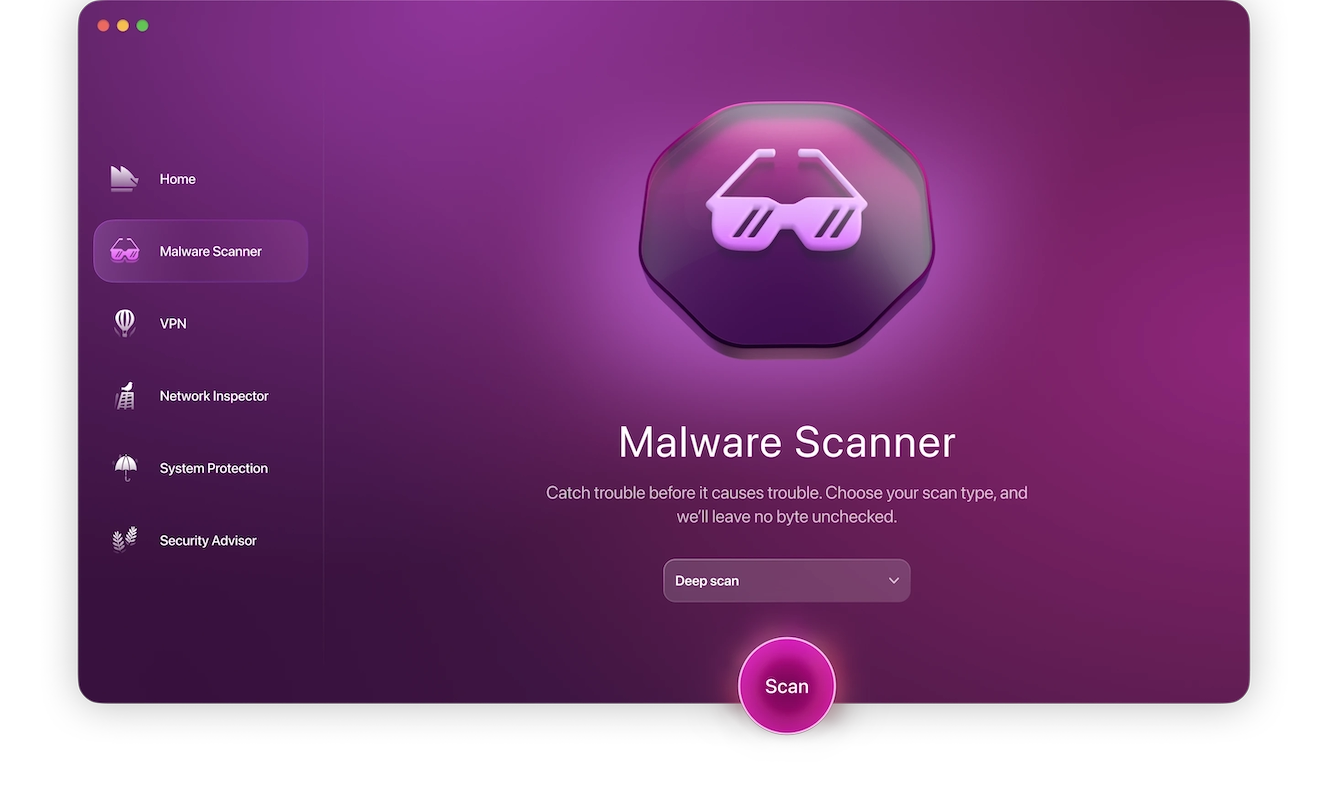
In addition to manual check-ups, you’ll also need the help of a trusted security app like Moonlock to scan for things like spyware, keyloggers, or malware in general:
- Open Moonlock, then click Malware Scanner on the left.
- From the drop-down menu, click Configure.
- In the new window, under “Scan type,” choose between Quick, Balanced, and Deep, and enable optional files.
- You’ll only need to do this once; exiting the page will save your preferences for all future scans.
- Click Scan.
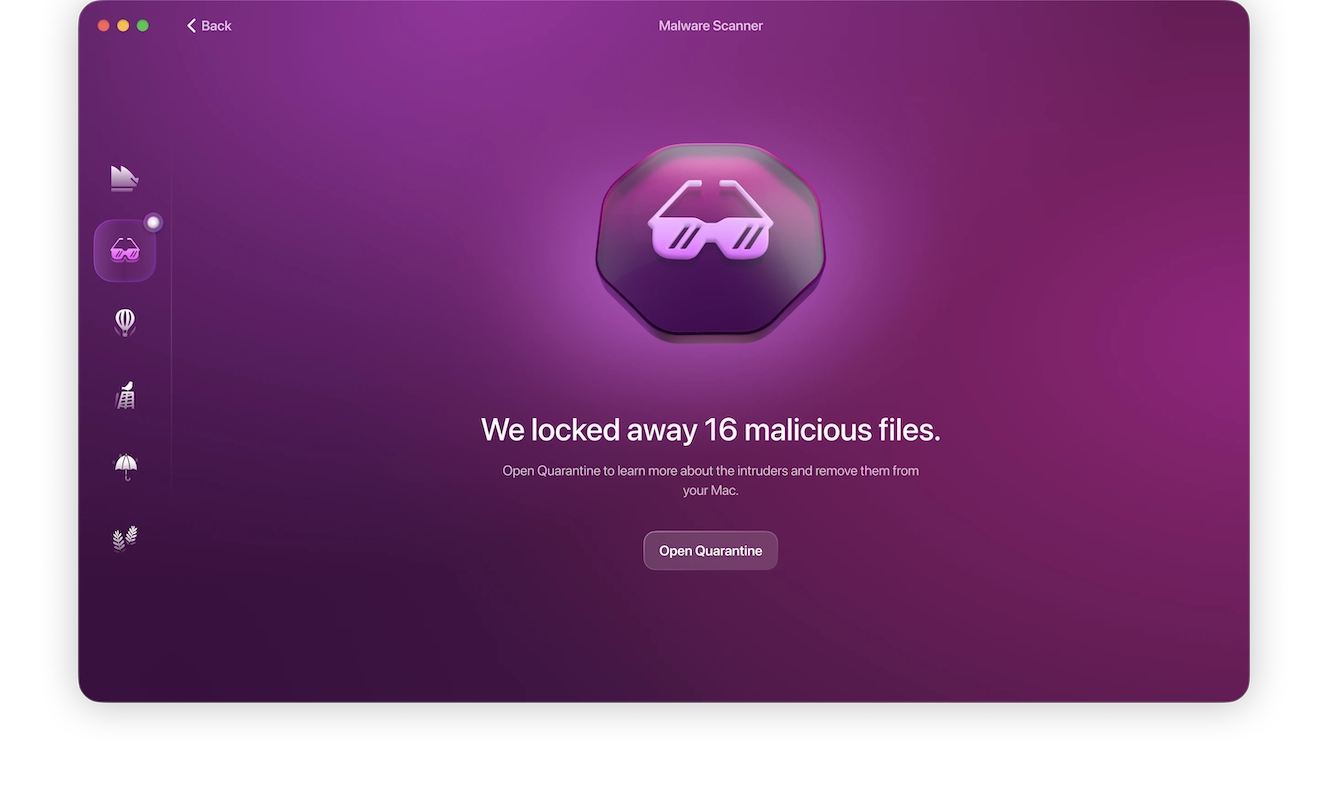
Moonlock will search through the files on your device, looking for anything potentially malicious to isolate it in Quarantine. It’ll then give you a summary of its findings, allowing you to fully and safely remove any malware it discovers on your Mac.
If a password or other login was entered
If, after entering a potential phishing page, you entered login credentials:
- Immediately change your password using the real website or app.
- Enable 2-factor authentication.
- Sign out of all sessions and revoke access to unfamiliar devices.
- Check recovery details for any changes.
Can you recover stolen MetaMask funds after a scam?
Usually, no. Scammers target crypto wallets because blockchain transactions are irreversible, and even MetaMask can’t get your stolen funds back.
- Report the theft to crypto exchanges and local authorities.
- Save all transaction hashes, wallet addresses, emails, screenshots, and URLs.
- Never pay any “recovery agent.” Those “$300 unlocking fees” are also a scam.
How to report a MetaMask email scam
Reporting scams to MetaMask can help protect you and other users from future scams using similar tactics:
- Collect evidence of the scam, including the email address, wallet address, transactions, URL, and screenshots.
- Submit the details to MetaMask’s Support.
- Report financial fraud to the FTC and local authorities.
Be aware that MetaMask has no official customer service phone number, and anyone offering you support via phone is an immediate scammer.
How to protect a MetaMask wallet from scams and email phishing
Protecting yourself from MetaMask scams doesn’t require that you be a cybersecurity expert, but you should adopt a few essential security habits:
- Never share your Secret Recovery Phrase with anyone or store it online.
- Check the sender’s full address and avoid clicking on unsolicited links or attachments.
- Use official sources to download apps, software, and browser extensions.
- Regularly check and revoke unnecessary token approvals.
- Keep your apps, browser, browser extensions, and OS up to date.
- Bookmark trusted websites and avoid using links in emails or searching on Google.
At the end of the day, you’re responsible for the safety of a self-managed crypto wallet. And a single MetaMask scam can cost you your crypto assets permanently. Before interacting, verify requests, links, and URLs, and never give away credentials and recovery phrases.
This is an independent publication, and it has not been authorized, sponsored, or otherwise approved by ConsenSys Software Inc. MetaMask is a trademark of ConsenSys Software Inc.