If you subscribe to Spotify to listen to your favorite music ad-free, you may be familiar with reminders to renew your subscription or update your payment information via email. This email approach is where Spotify scams often take place. Is Spotify a scam? No. But in a Spotify scam, fraudsters may trick users into opening an email that appears to be from Spotify so that they click on a malicious link and enter their payment details and/or login credentials.
Is Spotify legit? Yes. Spotify is a legitimate audio streaming service that offers more than 100 million songs and millions of podcast episodes, paying out billions of dollars in royalties to artists and creators each year. In this article, we will cover several Spotify scams, how they work, and the steps you can take to spot and avoid them.
Why scammers target Spotify accounts
Scammers are well aware that Spotify is a popular streaming service with nearly a billion monthly active listeners and over 300 million users who pay for the ad-free Spotify Premium subscription.
Due to its vast pool of potential targets, they take advantage of accessing accounts by finding stolen credentials and personal information from data breaches or phishing attacks. This cuts down on some of the legwork for scammers to exploit Spotify users for their financial gain.
How to verify a suspicious Spotify scam email or text
Scammers can make a Spotify email scam look legitimate with Spotify branding and urgent language. Before you interact with the message, check the sender and URL carefully.

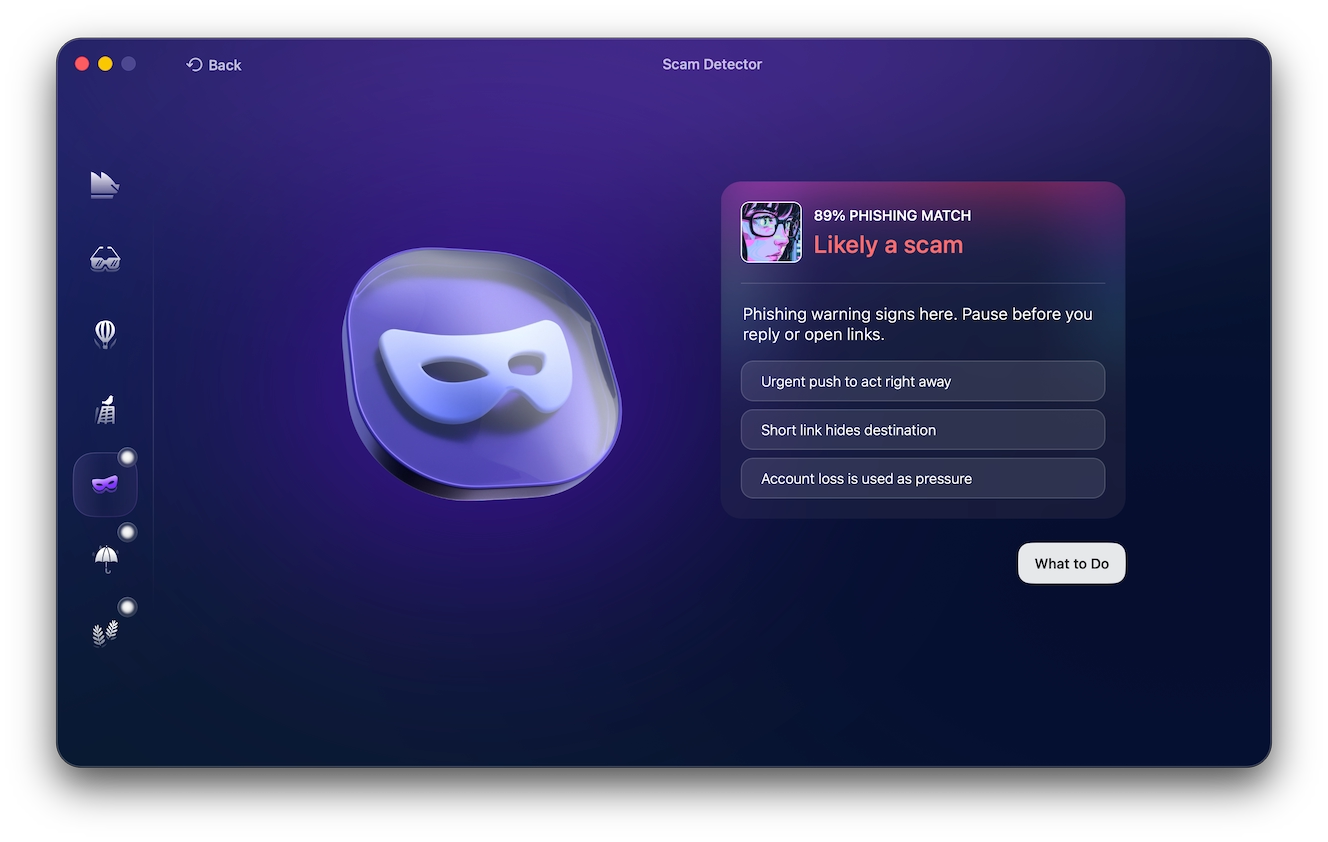
Moonlock’s Scam Detector can add another layer of protection by analyzing suspicious emails and texts for signs of phishing, social engineering, and other scam tactics. It can help you assess a message before you click a link, reply, or share personal information.
Use Scam Detector when a message feels suspicious but looks convincing. The tool can help you identify scam indicators that you might otherwise overlook, especially when scammers use polished language and realistic branding.
How to use the Scam Detector
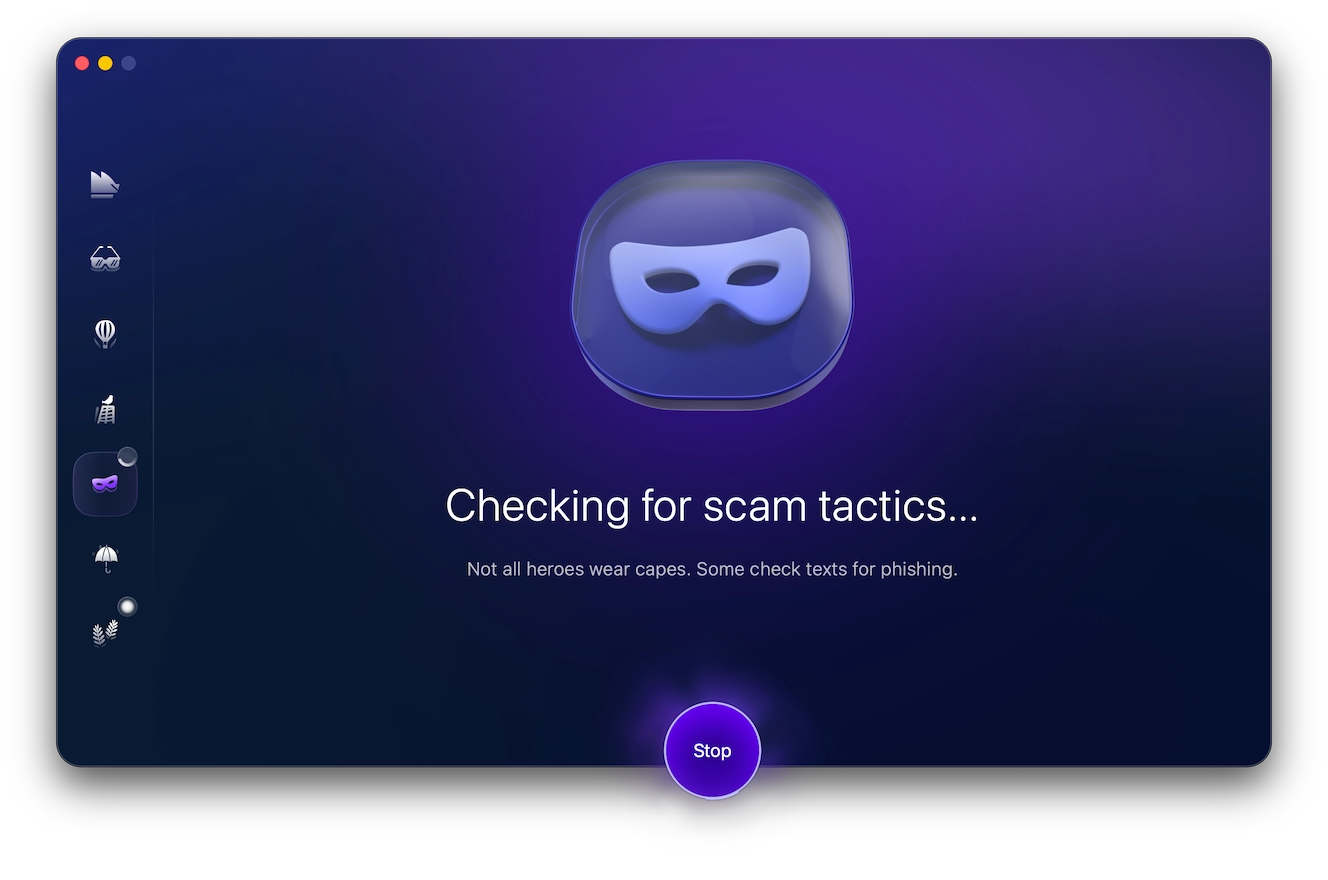
If a message looks suspicious, don’t interact with it. Here’s what to do:
- Try Moonlock’s Scam Detector for free
- Install the app
- Copy the suspicious email or text message.
- Paste the message into Moonlock’s Scam Detector.
- Click Check and review the assessment.
- Follow the tool’s recommendations before interacting with the message.
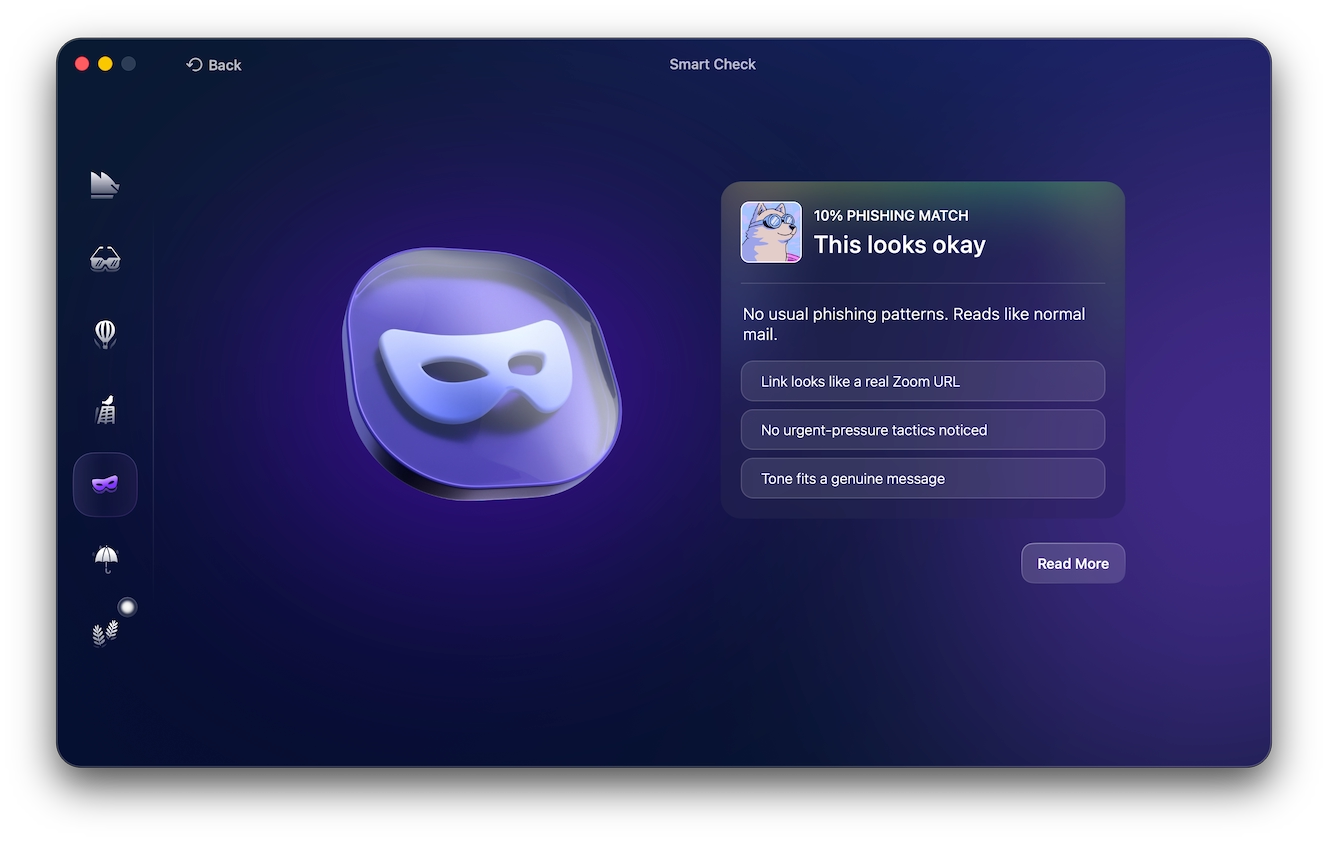
Always open Spotify directly through the official app or website and check your account there. This approach helps you avoid Spotify phishing links designed to steal your login or payment information.
Signs that someone is trying to hack your Spotify account
A Spotify scam email or other suspicious activity can indicate that someone is trying to access your account. Watch for changes you didn’t make or activity you don’t recognize, such as:
- Your email address or password changes without your permission.
- Someone adds, deletes, or changes your playlists.
- Unfamiliar music starts playing.
- Your subscription or account settings change unexpectedly.
- You receive a login notification you don’t recognize.
- Spotify stops accepting your usual password.
- You notice unfamiliar third-party apps connected to your account.
Don’t rely on spelling or grammar mistakes alone to alert you to a potential scam. AI tools now help scammers create polished messages, making Spotify fraud harder to spot through writing errors alone. Always verify the sender, the links, and your account activity before taking action.
8 Spotify scam types to watch out for
The following are some popular Spotify scams to look out for, along with how to spot them and prevent them from making you a victim.
Spotify text and SMS scams: Fake premium offers and account-expiry messages

A popular Spotify scam text message offers you free or discounted Premium through a link. A Spotify Premium scam may promise a discount or a free subscription, attempting to trick you into providing your login or payment details. Both of these examples use urgency to make you click without thinking. Beware of shortened URLs, suspicious domains, messages with offers that come out of nowhere, domains that don’t seem to match the sender, and any requests to log in to pay for something.
Spotify does send legitimate SMS for login codes for phones and mobile-payment confirmation. However, if someone asks you to log in to your account or to claim an offer by clicking on a link, don’t take the bait. Log in to Spotify yourself and take a look at your account. A recent Spotify Community report shared that the “update your account details or lose access” messages they were receiving were confirmed to be bogus by a Spotify moderator.
Fake and unofficial “enhanced” Spotify apps
Third-party apps promoted on social media sites or forums might promise to unlock Premium or block Spotify ads for free. Take extra caution, since the majority of these unofficial apps come with threats like malware, identity theft, and tracking. Only download Spotify from its official channels, including platforms like the Apple App Store, Google Play, and Spotify’s official website.
Malicious browser extensions
The Spotify web player has various extensions that claim to enhance the features of the audio streaming app or eliminate ads. However, unofficial extensions can include bad extensions that have the ability to spy on your keystrokes, track your browsing habits, and/or access your account information without your knowledge.
If you install an extension, check that the publisher is a trusted one and that the permissions it is requesting are appropriate to the extension’s functionality. Never install an extension that asks for unnecessary information, such as your browsing history or the contents of the pages you’re visiting. If you don’t recognize one of your extensions, uninstall it and check your installed extensions from time to time.
Spotify email phishing: Fake billing, suspicious-activity, and account-suspension emails

Spotify phishing emails typically declare that an issue has been detected, your payment was unsuccessful, your account will be suspended, or you qualify for an upgrade or discount. Whatever the case, these Spotify email scams have one thing in common. They attempt to get you to click on a link.
The email may appear genuine. Once opened, however, it often includes a link that points to a fraudulent site prompting you to provide login or payment information. According to Spotify, a legitimate email will be sent from an email address ending in @spotify.com. Be aware of addresses and links with domain names similar to legitimate ones but slightly off, such as spotify-account[.]com as opposed to accounts.spotify.com.
If phishing or social engineering techniques are used in an email, Moonlock’s Scam Detector can also be useful for detecting them. Before opening any links or responding to any Spotify email scam, use the free trial of Moonlock to check it out the Scam Detector.
Credential stuffing
When scammers get a username and password from a data breach and use the information to access platforms such as Spotify, it’s referred to as credential stuffing. If you sign in with the same login information on a number of accounts, then the individual who accesses one account could also access your Spotify account.
Use a long and unique password for Spotify, and don’t use the same password anywhere else. NIST suggests that when using 1-factor authentication, the minimum password length should be at least 15 characters and does not recommend passwords that require certain combinations of characters.
At the moment, Spotify has only allowed 2-step verification for Spotify for Artists accounts. Logging in with an authenticator app or SMS confirms login identification as described in Spotify’s 2-step verification guide.
Playlist and podcast scams
Playlists and podcasts are another way scammers can lead listeners to a malicious site, fake giveaways, or bogus offers. A new Spotify scam involves several minutes of fake, AI-generated podcasts that invite listeners to click a link in the description for “free” content. The ultimate aim is to shift victims off of Spotify and to obtain their personal, payment, or login data.
Beware of short (AI-voiced) video clips, obscure descriptions, unfamiliar links, offers for free Premium or money, and urgency to make fast purchases. Never click on strange links or download files in random playlist descriptions or podcast notes. Check the offer by entering Spotify’s official website address into your browser instead of clicking the link.
Fake Spotify job and “song reviewer” scams
Fake recruiters may contact you with offers to make easy money by reviewing songs or playlists. They may reach out through an unsolicited DM or email claiming that they are looking to hire you as a music or playlist reviewer. They could also pretend to be a Spotify representative and ask you to pay an investment, training, or verification fee before you can get started. Any request for personal documents, financial information, or payment during an unsolicited hiring process is a major red flag.
Spotify’s legitimate job openings are listed on its official Spotify Jobs site. Always check the Spotify Jobs site to verify a job before responding to a recruiter or providing personal information.
Fake playlist placement and streaming promotion fraud
Spotify playlist placement scams target artists by promising guaranteed playlist placements or streams for a fee. Spotify warns that services promising streams or playlist placements are scams and may use artificial streaming or bots. Paying for fake engagement can result in lost money and consequences for the artist’s music. Legitimate promotion focuses on reaching genuine listeners rather than guaranteeing a specific number of streams.
What to do if a Spotify scam tricked you into sharing your details
The actions you take after a scam will depend on the information you provided. Act quickly if you entered a password or payment details. Here’s what to do:
- Just clicked a link? Close down the page and do not download anything or input any information. If you downloaded something or think you have malware, conduct a security scan of your device.
- If you already provided a scam site with your Spotify password, change your password ASAP and change it in any other place you used the same password. Make sure to log out of Spotify on all devices and delete unknown third-party apps from your Spotify account.
- If you input your payment or card details, contact your bank/card company immediately to report that the information may have been stolen. Be alert for any suspicious activity and follow your bank’s guidelines.
How to report a suspicious Spotify email
If you receive an email that looks suspicious and claims to be from Spotify, don’t reply, click any links, or download attachments. Here’s how to proceed:
- Send the message to [email protected].
- Delete the scam email.
- If you already interacted with the email, reset your Spotify password and secure any other account that uses the same password.
If you receive a Spotify phishing email, report it directly to Spotify in this manner.
What Spotify will never ask you to share by email
Spotify says it will never ask for sensitive information through email. Be suspicious if a message asks for:
- Your Spotify password
- Payment or credit card information
- Social Security or tax identification numbers
- Payment through a third party
- Downloads or attachments from the email
Protect your account from the next Spotify scam
Keep your OS and security software up to date, use a unique password, and uninstall unfamiliar third-party software. Log out of Spotify when using public or shared devices. If you were targeted by a Spotify link scam and think there may be malware on your device, run a scan with the antivirus before continuing to use it.
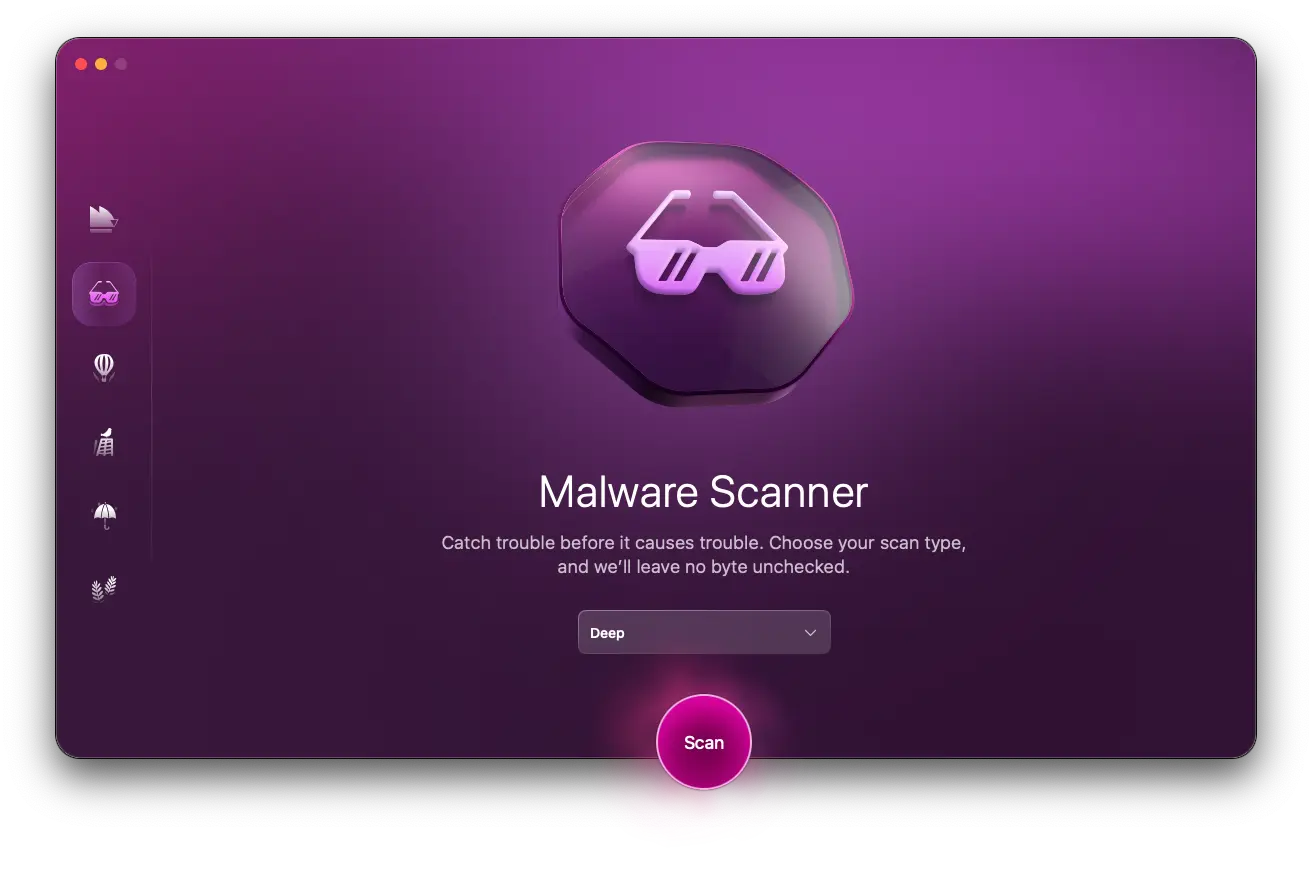
To use Moonlock antivirus, follow these steps:
- Open Moonlock and click Malware Scanner.
- For a comprehensive scan, select Deep Scan.
- Click Scan and review the results.
- Detect and quarantine any threats.
Spotify scams can come in the form of emails, SMS, spoofed apps, browser extensions, and fake promotions that trick you into giving your account and payment information to scammers or infecting your device.
Being aware of the warning signs and independently confirming messages can help prevent you from falling victim to Spotify fraud.
This is an independent publication, and it has not been authorized, sponsored, or otherwise approved by Spotify AB or Spotify Technology S.A. Spotify is a trademark of Spotify AB and its parent company Spotify Technology S.A.