With a reported 90 million daily users, Discord is all about community. This free platform not only functions as group forums for public and private servers, but also as a popular choice for in-game voice chat for video gamers, as well as private direct messaging. This community-first, social atmosphere is exactly why a Discord scam can feel more personal than a random spam email.
What is a Discord scam?
A scam on Discord is an attempt to use the platform’s features to steal account access, money, personal data, or control of a Discord server. And the users are prime targets because they expect a certain level of trust within their Discord communities.
Discord’s 2026 Transparency Report shows how large the problem is: From March 2025 to March 2026, the platform took action on more than 3 million accounts under Deceptive Practices, which includes phishing, malware distribution via Discord, credential theft, financial scams, and fraud.
How do Discord scams work?
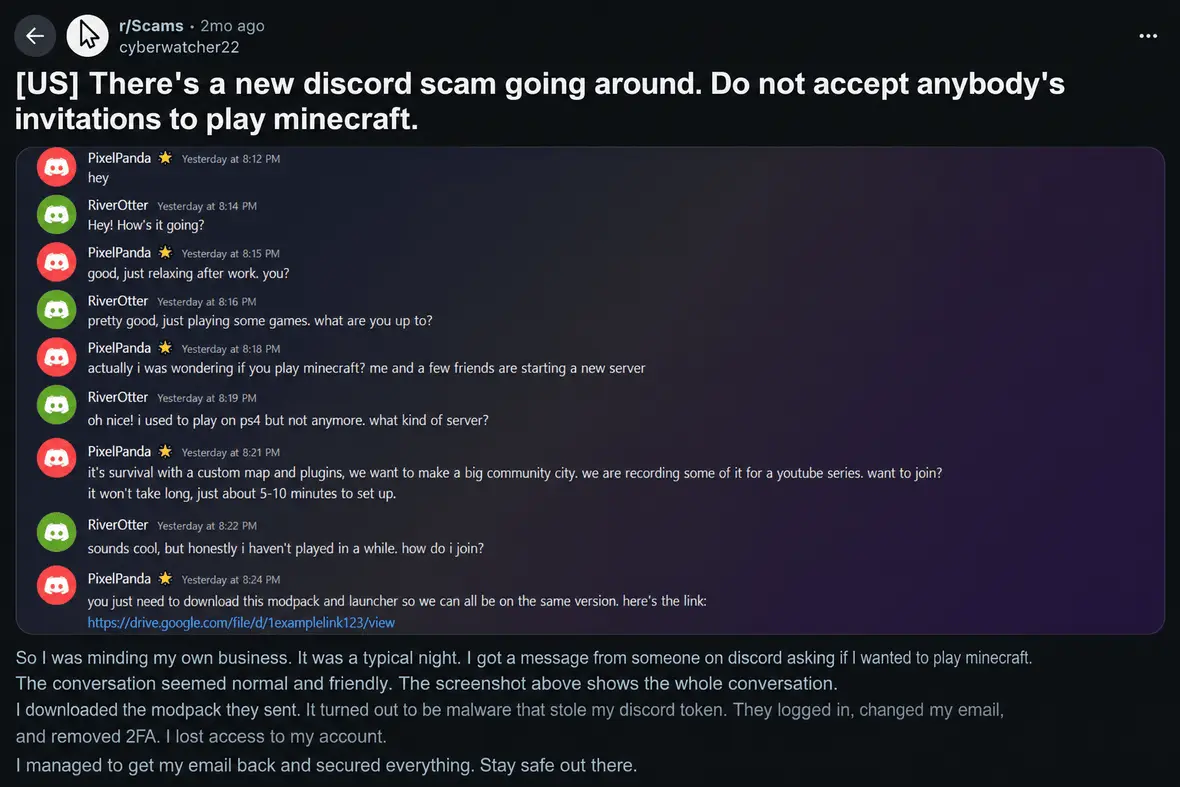
Most Discord scams use social engineering before they use anything technical. The scammer typically offers a reward or invents a problem only you can solve. Then they push the user toward an action like clicking a link or scanning a QR code.
Discord tokens are one reason that account theft can move so quickly. A token helps keep a user logged in. If malware steals it, or if a user exposes it during a fake support process, an attacker may be able to act through that account and send more Discord scam messages to friends or servers.
Common delivery methods of the Discord fraud include:
- Direct messages
- Compromised friend accounts
- Scam bots
- Phishing emails
- Server invites
- Off-platform messages that seem to lead back to Discord
The 12 most common Discord scams in 2026
The most common Discord scams are designed to copy the platform’s typical behavior. The following are some of the most common.
Discord scam messages in DMs
Discord DM scams often begin with a short message that feels casual (such as “is this you,” “can you vote,” “free Nitro,” or “try this”). The sender may be a stranger, but it might also be a friend’s compromised account.
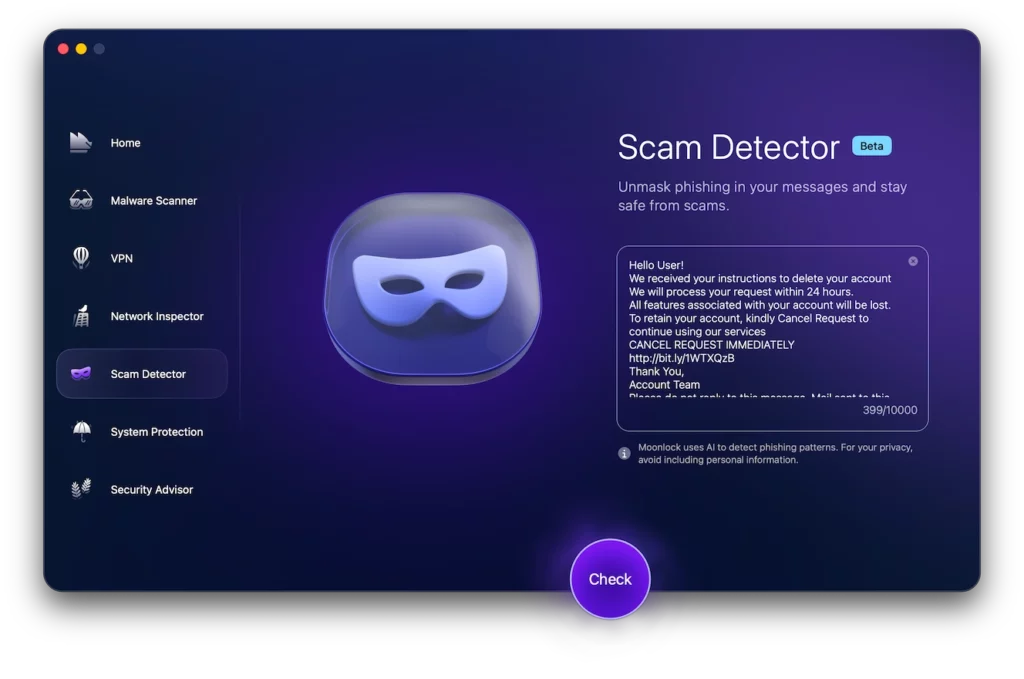
Look at the request, not just the sender. Any link, file, QR code, or account warning message can be a clue to a scam. Moonlock’s Scam Detector can help you review a suspicious Discord scam message before you click, reply, or scan anything.
Try Moonlock free for 7 days to get access. Copy the content of the DM or take a screenshot. Then open Scam Detector, paste or upload the message, and review the warning signs that it flags.
Giveaway and celebrity impersonation scams
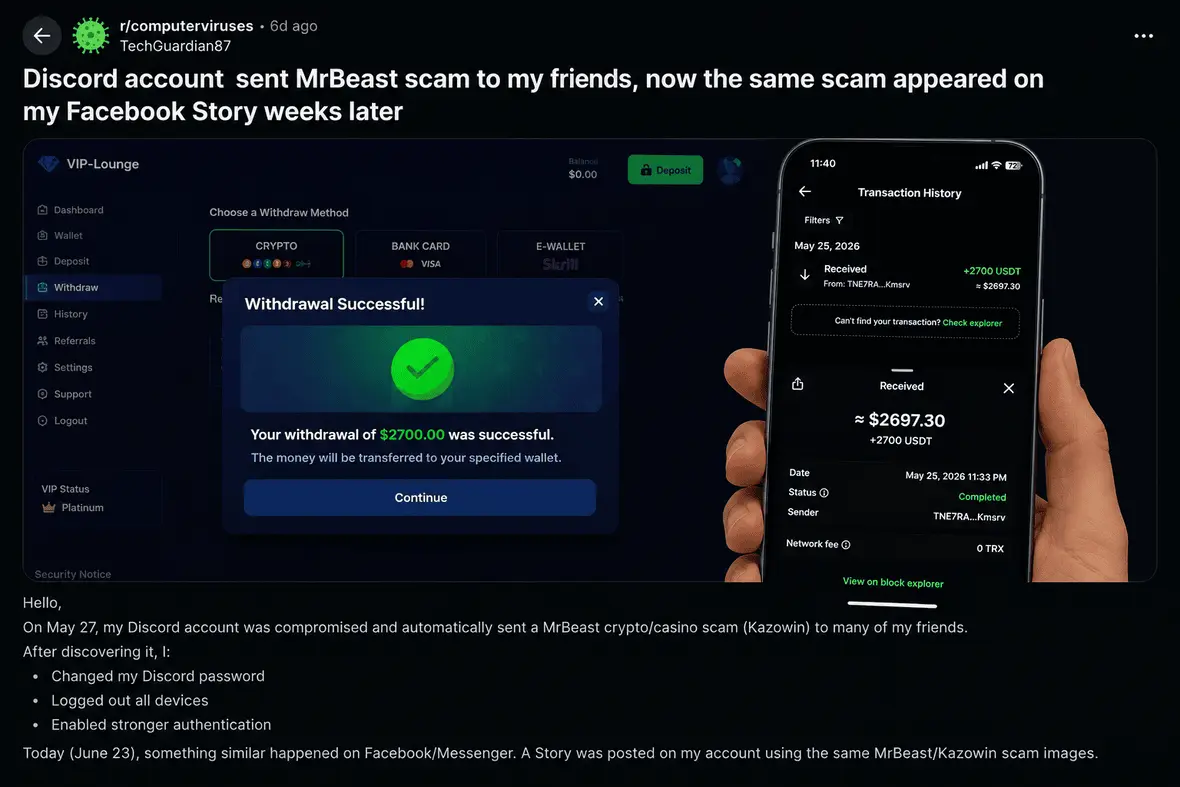
A Discord giveaway scam may use a celebrity name and screenshot (meant to bypass Discord’s text filters) or a deepfake clip to lure in its victim.
Among the most common scams are those centered around YouTuber MrBeast. This is because his public brand is tied to giveaways, which makes claims of fake prizes feel believable. Real giveaways do not require a deposit.
Discord phishing emails and fake login pages
Some scams arrive by email with a link that redirects you to a fake login page that copies Discord’s branding. A few common themes of these phishing emails include an expiring Nitro subscription, a fake report notice, or subject lines like “ALERT! Unusual account activity detected!”
Free Nitro scams
Nitro is Discord’s premium subscription option, which gives users extra perks for their accounts and servers. A Discord Nitro scam uses the appeal of Discord’s paid subscription to make a fake gift feel worth clicking. A message offering a free upgrade or surprise gift can be tempting, but be on your guard.
The “try my game” malware scam
In this scam, someone asks you to test a game they made. If you agree, they may send a file host link and a password-protected archive so the download feels more like a real developer handoff. The danger is that the “game” may be an infostealer instead of a playable build.
Researchers have connected these campaigns to malware such as Nova Stealer, Ageo Stealer, and Hexon Stealer, which can collect browser passwords, 2FA backup codes, credit card details, and crypto wallet data. That puts the rest of your accounts at risk, too, because the scam doesn’t stop at Discord.
For more on the risk of infostealers, see Moonlock’s guide on what they are and how they work.
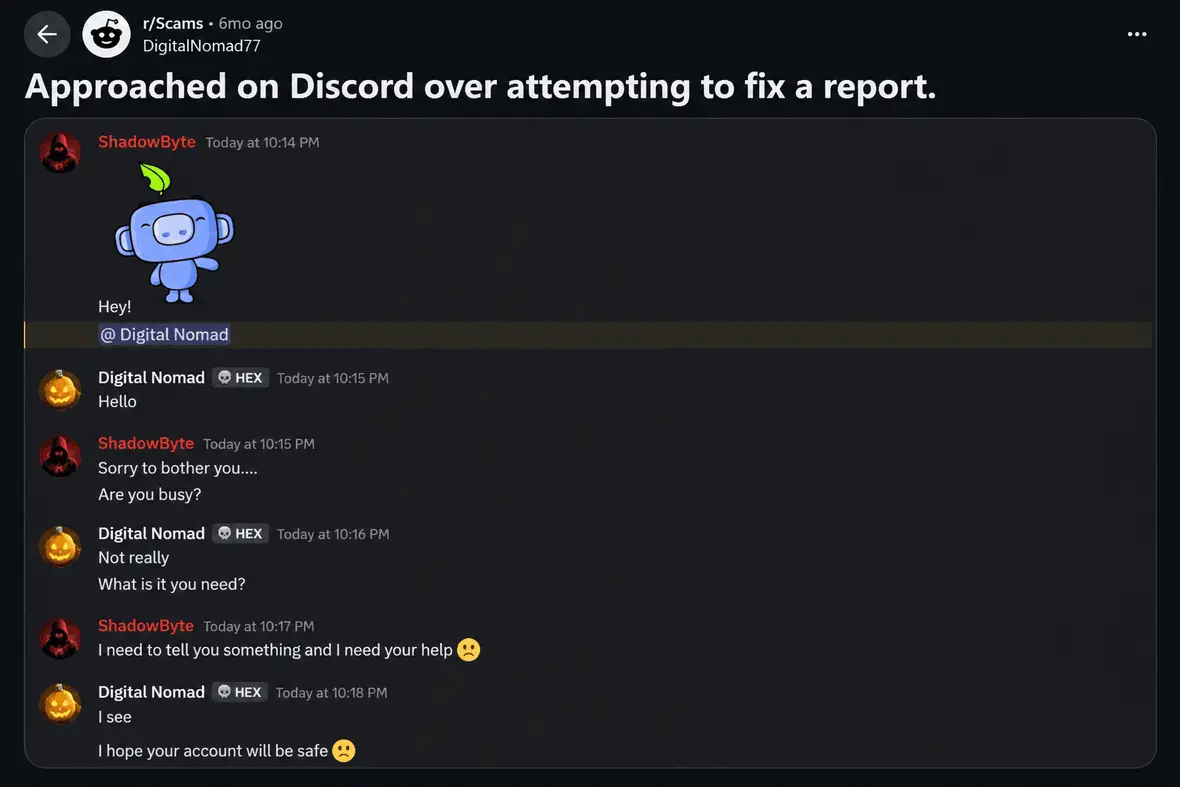
The “I accidentally reported you” scam
This Discord report scam starts when someone claims they accidentally reported your account and says you may be banned unless you contact “Discord support.” The message is meant to make a fake support conversation feel urgent and legitimate. Discord does not handle report appeals through random private messages.
Crypto and NFT scams on Discord
A Discord crypto scam often borrows the language of Web3 communities, so it may look like an AirDrop or a message from a project admin. Some scammers also compromise real admin or bot accounts, then use them to post fake announcements inside active servers.
Discord Steam scams
These scams often claim that your Steam account was reported or that a Steam gift card offer is waiting for you. Red flags include an off-platform support claim or any message saying that your skins/inventory must be moved to stay safe.
Typical impersonation scams
A Discord moderator scam may involve someone copying or impersonating the profile of an authority figure.
Use UI-based checks and look at the profile history, mutual servers, account age, and whether the message matches how that person normally writes. Real staff and real moderators do not need your personal information.
Fake server and paid role scams
Real Discord servers rarely have VIP roles or creator access perks that you have to pay to access or use. Fake servers use verification bots to push users toward malware or phishing schemes. Be careful with old invite links, which can sometimes lead to unexpected places.
Fake verification bot scams
Fake verification bots often appear in servers that show only one channel, usually called “verify.” The bot may ask you to authorize an app, run a command, or complete a “security check.”
Never paste commands into your computer’s terminal or other software just because a website told you to. A real verification process should not require system commands or unknown downloads.
QR code login scams
Discord lets users log in with a QR code, which makes QR scams a real threat. A scammer may say the code is for Nitro, verification, voting, support, or account recovery.
Only scan QR codes you generated yourself inside Discord. If a DM or server post tells you to scan a code to receive something, treat it as a Discord scam link in another form.
How to recognize Discord scams and warning signs that you’re being targeted
Discord scams usually reveal themselves through pressure. The story may change, but the push is the same. Moonlock can help you slow down that momentum.
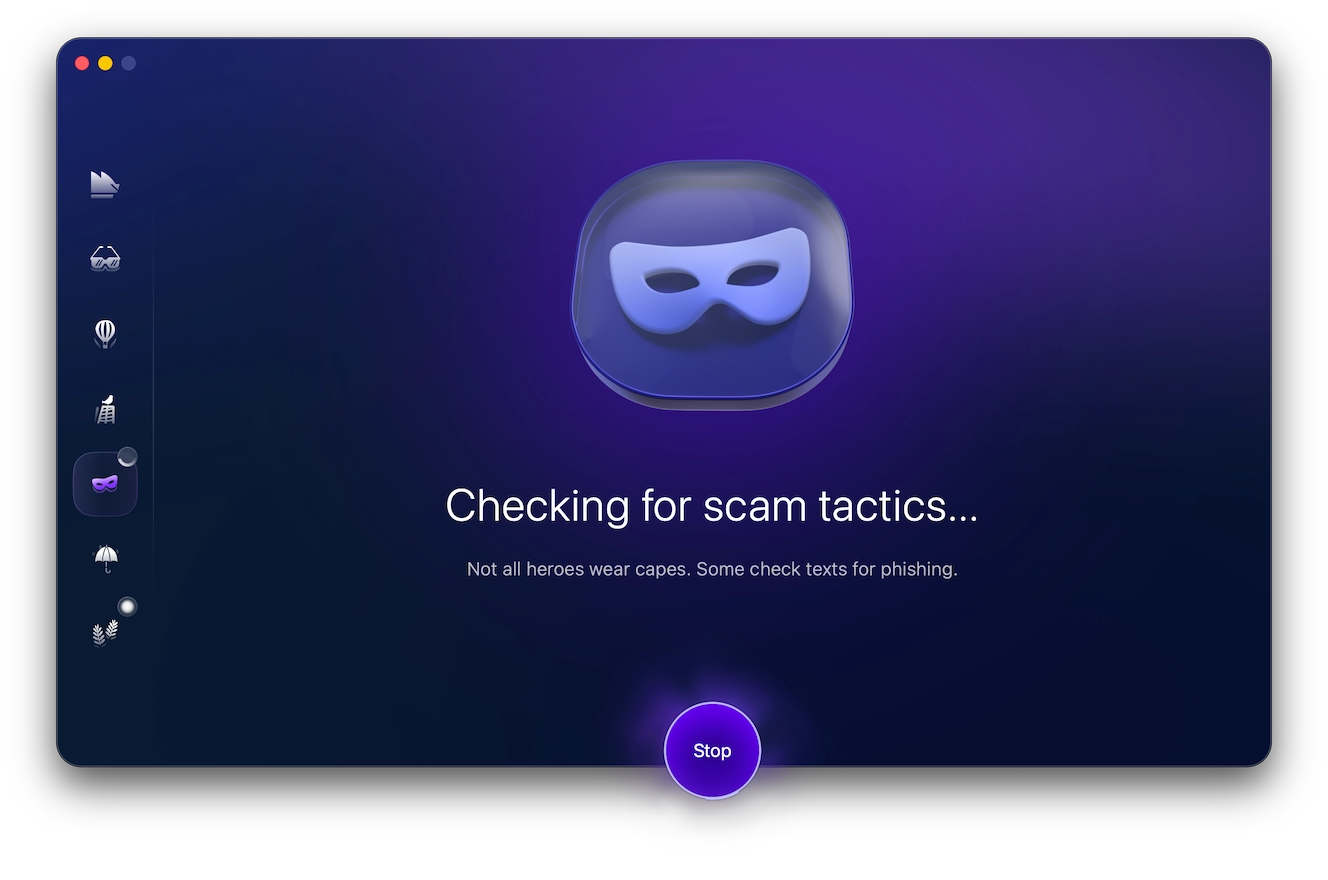
If a Discord scam message feels urgent, strange, or out of character, you can check it before clicking the link or replying. This is especially useful when the message comes from a friend’s account or a shared server. The Scam Detector can help you review the content and point out signs that may be easy to miss in the moment.
To check a suspicious Discord message:
- Open Moonlock and choose the Scam Detector.
- Paste the Discord message into the text box or upload a screenshot.
- Review any warning signs that it flags.
- Avoid the message until you verify its claim somewhere else.
Start a Moonlock trial to check suspicious Discord messages before a rushed click turns into account theft, malware, or payment fraud.
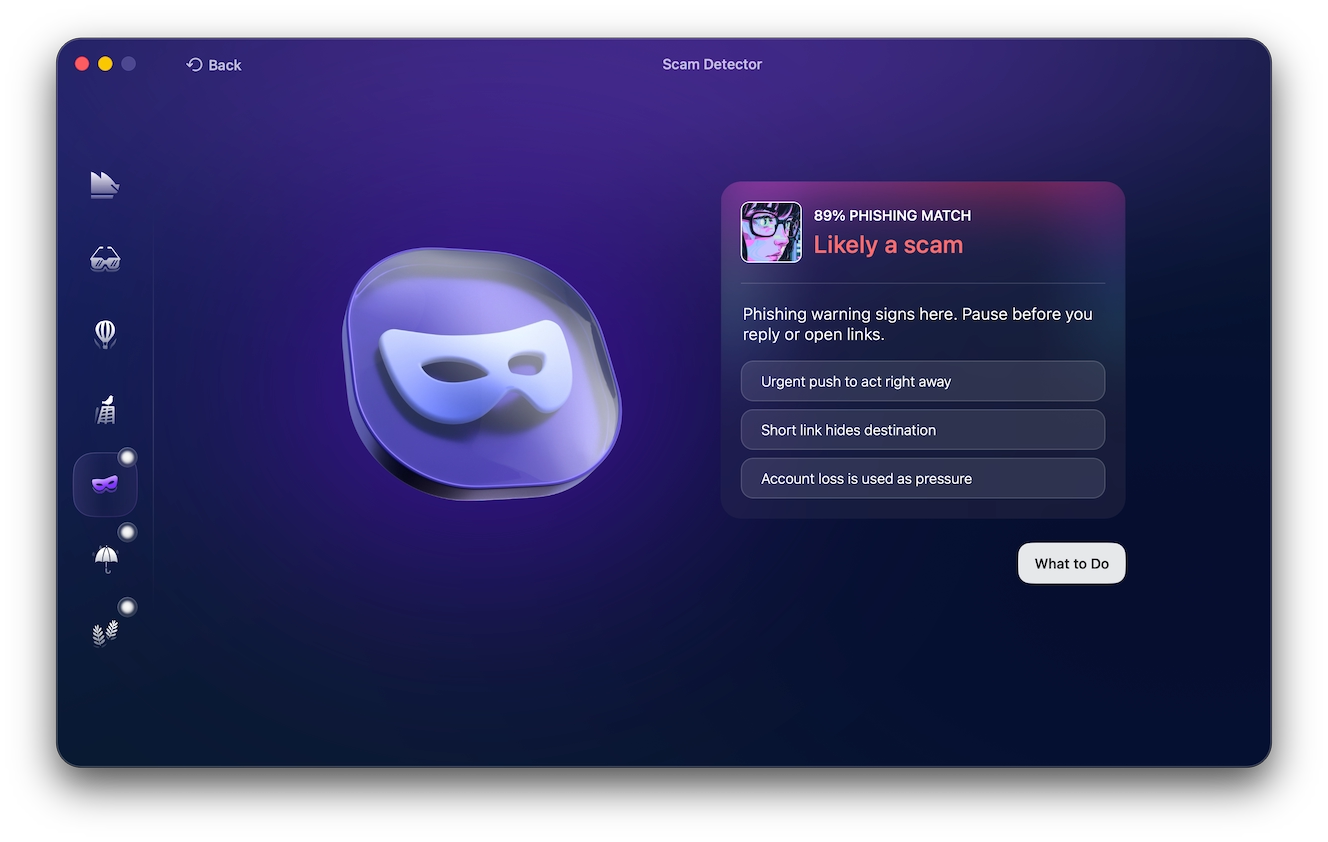
Most Discord scams don’t start with malware. They start with a conversation that feels believable enough to lower your guard. If something about a message seems unusual, take a moment to look for these warning signs before you click, download, or reply.
- Your instincts tell you something isn’t right.
Maybe the wording sounds odd. Maybe the request feels unusual. Or maybe you just have a bad feeling about it. Trust that instinct. Taking an extra minute to verify a message is far easier than recovering a compromised account later. - It tries to rush you.
If someone tells you your account is about to be banned, says you’ve been reported, or insists you have only a few minutes to act, they’re counting on you to panic. Real account issues rarely require split-second decisions. - The message asks you to click a link or scan a QR code.
It might promise free Nitro, ask you to verify your account, or claim there’s a security problem. Before following any link, ask yourself whether you were expecting it. If not, open Discord or the service directly instead. - Someone wants you to download something.
A file that’s described as a game, mod, beta, or utility can actually contain malware. Even if the download looks legitimate, it’s worth verifying where it came from before opening it. - A friend’s message feels out of character.
Hackers often use compromised accounts because people naturally trust messages from friends. If someone suddenly sends you a strange link, asks you to vote for them, or wants you to test a game, check with them another way before responding. - The offer seems almost too good to pass up.
Free Nitro, exclusive giveaways, rare in-game items, and crypto rewards are all common hooks. If claiming the prize requires you to log in somewhere unfamiliar or send money first, walk away. - The sender claims to work for Discord.
Someone introducing themselves as Discord Support or a moderator should immediately make you cautious, especially if they contacted you first. Discord doesn’t resolve account problems through random direct messages. - You’re asked for information nobody should need.
Your password, authentication codes, backup codes, or Discord token should never be shared with another person. No legitimate support agent or server administrator will ask for them.
Steps to take if you were scammed on Discord
If you were scammed on Discord, act quickly to limit the damage:
- Change your Discord password.
- Change your email password right away. Start with the email account tied to Discord, since a compromised email can let attackers reset your other accounts.
- Enable multi-factor authentication on both your email and Discord accounts.
- Remove unknown Authorized Apps from your Discord settings.
- Revoke suspicious active sessions to log out of any devices you don’t recognize.
- Warn your friends not to click recent messages sent from your account, in case it was used to spread the scam further.
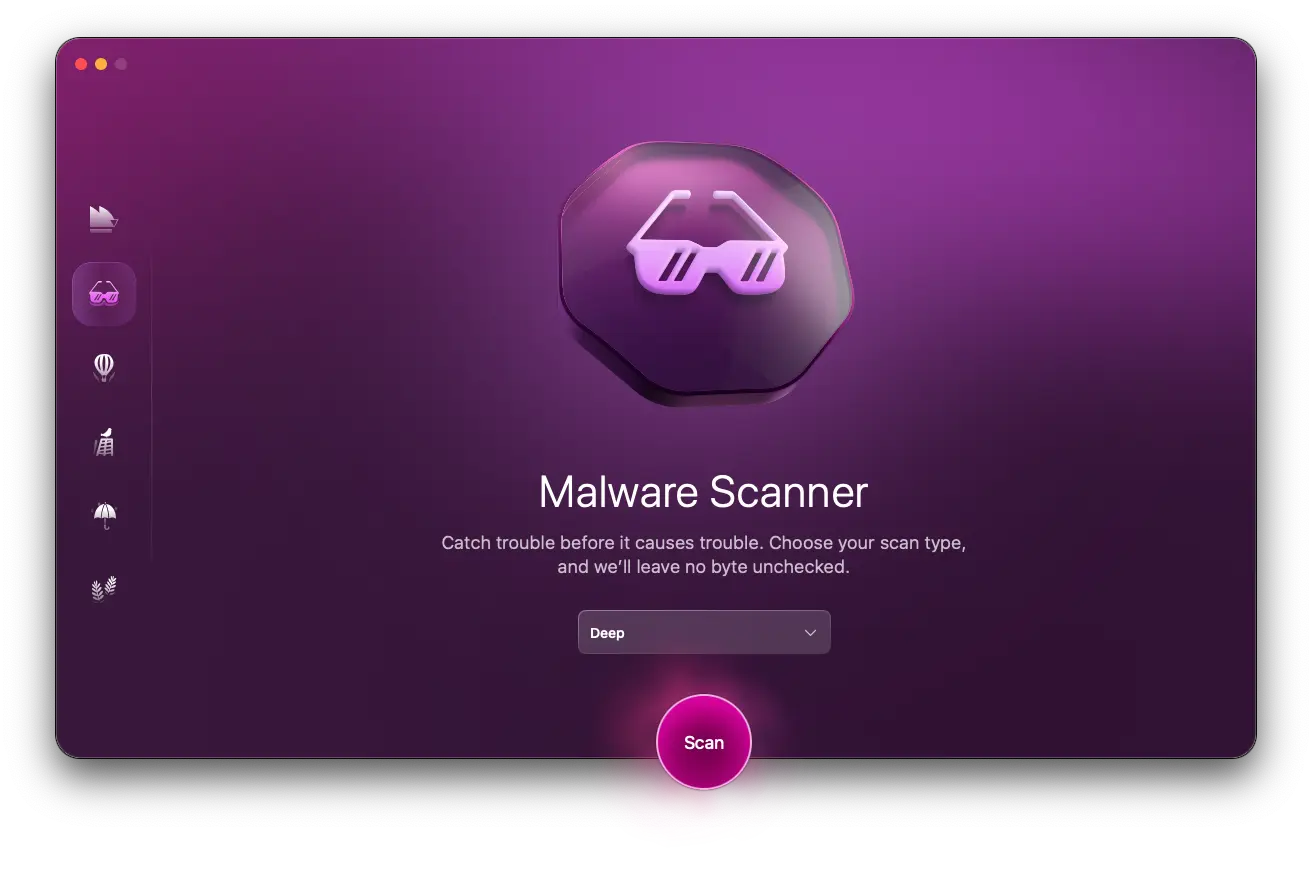
If you downloaded a file or installed a game build, scan your Mac with Malware Scanner. Try it free for 7 days to check for infostealers, keyloggers, and other threats.
How to report a Discord scam
A Discord scam should be reported through Discord’s official channels.
- On desktop, right-click the message and choose Report Message.
- On mobile, press and hold the message, choose Report, and select the abuse type.
For a compromised account, use Discord’s official hacked-account support form and forward any message links/screenshots, usernames, server names, wallet addresses, and timestamps. If any money was taken, contact your bank or payment provider.
Frequently asked questions about Discord fraud
Discord scams continue to evolve, and users often have questions about how they work and how to stay safe. Below are answers to some of the most common questions about Discord fraud, account security, and protecting yourself from common scams.
Yes. You can lose an account, money, crypto, gaming items, or personal data through Discord scams.
Discord staff will not contact users directly through the app for support-related matters.
Yes. Scammers may steal card details, drain crypto wallets, trick users into deposits, or sell stolen accounts.
Check the sender, domain, context, and destination. When unsure, open Discord or the related service directly instead of using the message link.
Tips to stay protected from Discord scams
A few habits can help you lower your risk without changing how you use Discord:
- Turn off DMs from server members you do not know.
- Use MFA on Discord, email, Steam, and payment accounts.
- Do not scan QR codes sent through chat.
- Avoid game files, mods, or launchers sent to you in DMs.
- Review Authorized Apps and remove anything unfamiliar.
- Keep your Mac, browser, and Discord app updated.
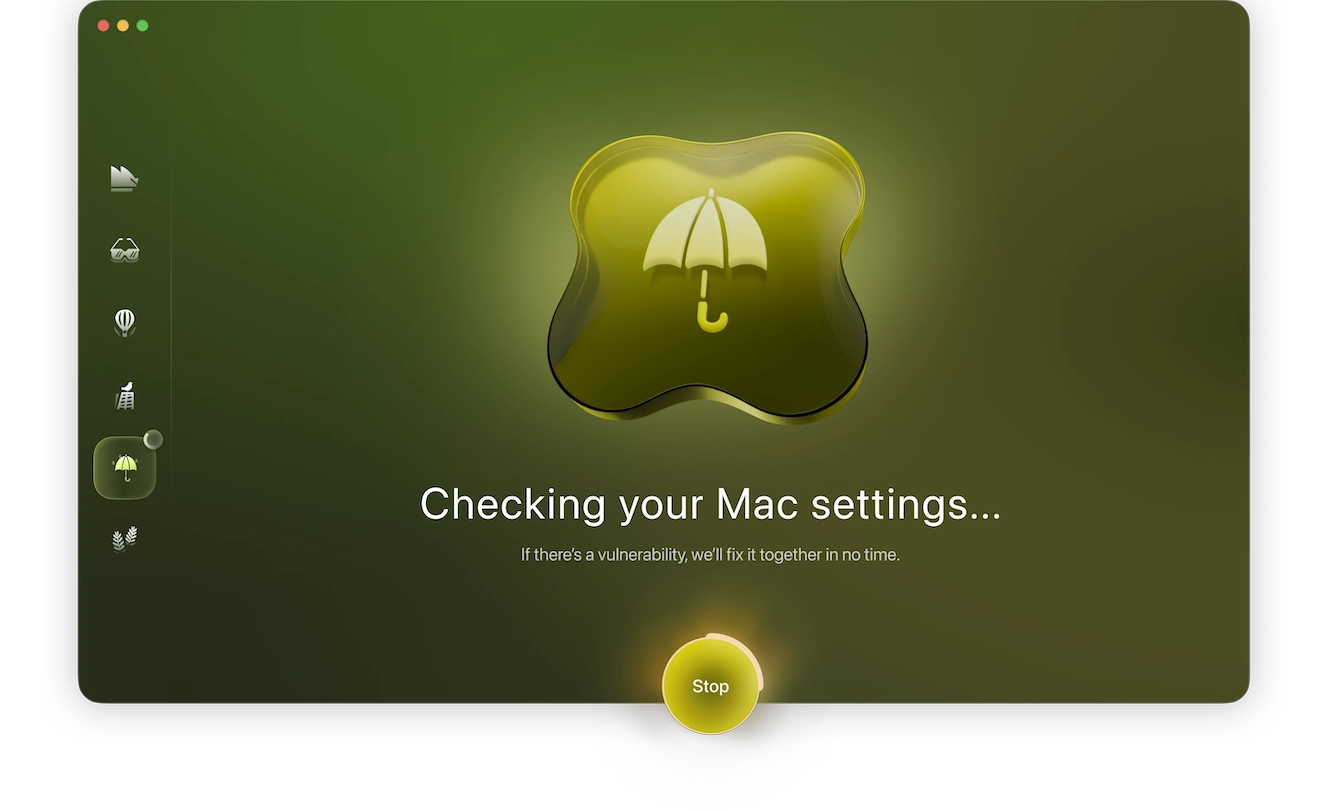
- Use Moonlock System Protection to review Mac security settings that may affect your protection.
You can also read up on similar social engineering patterns in Telegram scams and WhatsApp scams.
Above all, remember that real tech support and real communities do not need your password, a token, or a private payment in a DM. If you feel rushed to do something, verify the account elsewhere before taking action.
This is an independent publication, and it has not been authorized, sponsored, or otherwise approved by Discord Inc. Discord is a trademark of Discord Inc.