
Different types of malware vary in how they infect your device and the type of damage they do once they’re there. While some exploit your device’s computing power, others target your personal information. One notorious example is infostealer malware. But what are infostealers? Here’s a look at how these threats can affect your Mac and how to get rid of them.
What is infostealer malware?
Infostealers are a type of malicious spyware designed to secretly collect sensitive data from infected devices. They primarily target critical information, such as login credentials, session cookies, credit card details, and personal files.
Because they don’t interfere very much with your system’s operations, infostealers can be hard to detect manually. They work quietly in the background and can continue stealing your personal information for weeks or even months at a time.
The state of infostealer activity in 2026
As more people rely on their personal devices to house everything from personal files to financial and professional information, targeting said data is becoming increasingly lucrative for attackers. Furthermore, it’s no longer necessary for someone to be an expert in computer science or programming to hack a device.
What turns an average infostealer into an above-average one is a constant update cycle.
Mykhailo Pazyniuk, Malware Analyst at Moonlock
Many macOS infostealers are available for sale online and on the dark web at very affordable prices, such as mac.c.
Why infostealer attacks pose a serious threat
Infostealers go beyond what a simple adware or cryptojacker can do to your device. Depending on the type of information they manage to steal, the results could be catastrophic, including:
- Identity theft: With access to sufficient personal information and documents, the attackers might be able to steal your identity to commit fraud.
- Financial theft: Infostealers can easily swipe the login credentials to your bank account or crypto wallet to gain full control of your personal funds.
- Blackmail: By gaining access to private images and conversations, attackers might be able to blackmail you.
- Losing account access: Using your credentials, attackers might be able to fully overtake some of your personal accounts. Sometimes locking you out for good.
As with regular software, it has become crucial for stealers to add new features and provide constant improvements for their customers.
Mykhailo Pazyniuk, Malware Analyst at Moonlock
How infostealer malware reaches your device
There are many ways you might find your Mac infected with an infostealer, ranging from falling victim to a social engineering scheme to a technical exploit. Often, infostealers, like other malware, are disguised as something benign or useful.
Some of the most common infection methods include:
- Phishing emails: Emails or DMs that contain malicious links or attachments can automatically install infostealers once they’re opened.
- Fake notifications: Fake software updates or security notifications get you to click on a suspicious pop-up that installs the infostealer.
- Cracked or compromised software: Modified or cracked apps are often bundled with infostealers and malware.
- Compromised websites: Even trustworthy websites can be compromised and used to infect your device with an infostealer through malicious ads or infected web pages.
How does infostealer malware steal your data?
Once the infostealer is installed on your device, it has successfully bypassed your Mac’s first line of defense. It’s now able to silently harvest your activity data and send it to a remote server.
Here’s how it works:
- Persistent setup: The infostealer will install covert launch agents or background services to make sure it boots even after you restart your device.
- Initial system scan: The infostealer scans your Mac to identify your browser, extensions, apps, wallets, and other stored credentials.
- Data extraction: It pulls any unencrypted passwords, session cookies, autofill data, and personal files from your Mac.
- Establishing communication: Stolen data is compressed and quietly sent to attacker-controlled servers.
Once the attackers receive your personal data and information, they’re able to use it directly for fraud or blackmail, or sell it on the black market to data brokers.
What data do infostealers steal from you?
To minimize the risk of detection through excessive background and network activity, many infostealers limit themselves to specific types of data, such as:
- Login credentials: Usernames, passwords, and system Keychain
- Session cookies and tokens: Active login session cookies enable hackers to bypass two-factor authentication protection
- Financial information: Credit card details, online banking logins, and crypto wallet data
- Emails and messages: Access to inboxes, contacts, and private conversations for blackmail and identity fraud purposes
- Personal files: Personal photos, documents, or IDs that might contain sensitive information
To stay relevant in a constantly growing market, it is no longer enough just to exfiltrate the data in one shot. You need to make the thing work undetected.
Mykhailo Pazyniuk, Malware Analyst at Moonlock
How to tell if infostealer malware is on your system
While most infostealers try to be as undisruptive as possible, working entirely in secret, that’s not to say you can’t find and get rid of one if your Mac gets infected.
Detect stealer malware with Moonlock
The best way to catch infostealer malware as soon as it infects your device is by using an antivirus tool you can trust. Moonlock is an antivirus designed specifically to keep your Mac safe from all sorts of threats, including infostealers.
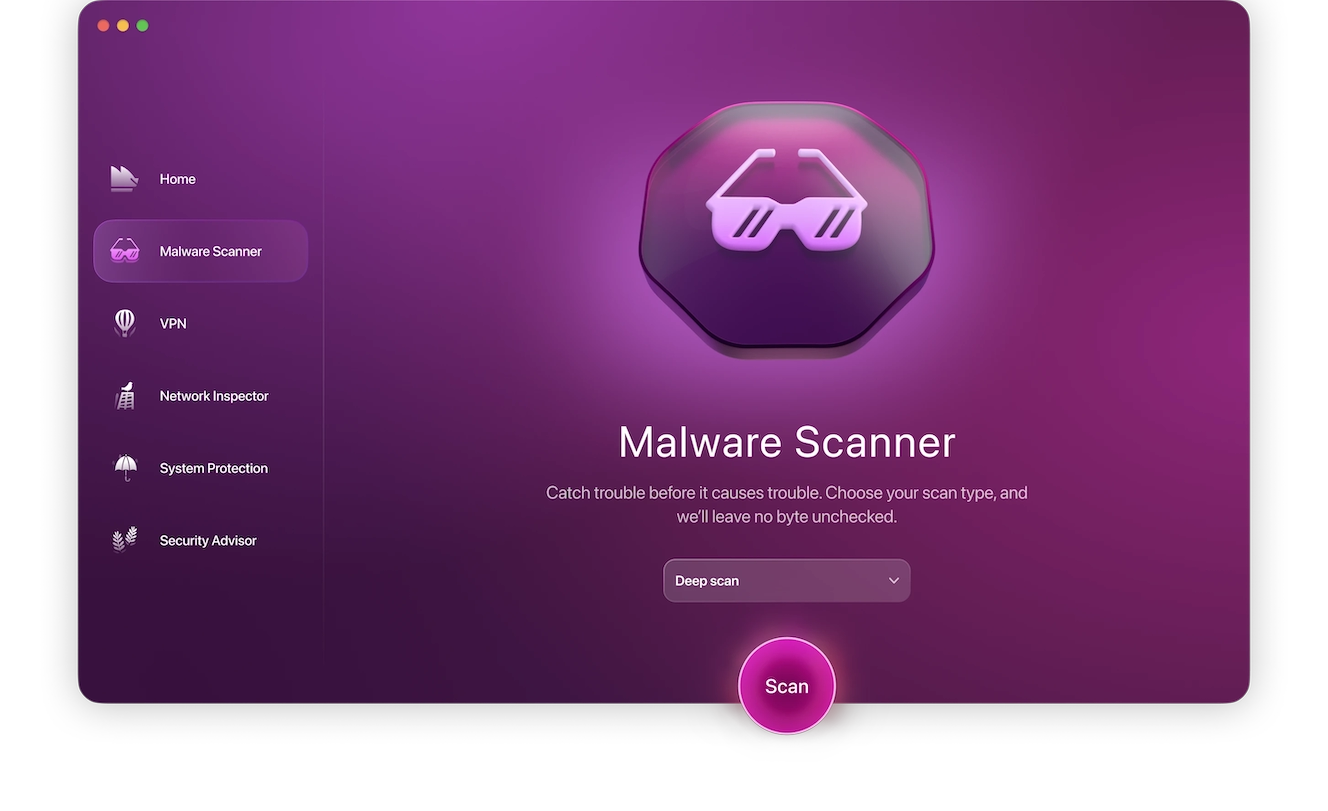
To check to see if your Mac is free of malware and security exploits, sign up for a 7-day free trial of Moonlock, and follow the steps below to complete your first malware scan.
- Open Moonlock, then click on the Malware Scanner sunglasses icon from the left-hand sidebar.
- Since this is your first scan with Moonlock, you’ll need to configure it to include all files. From the drop menu, click Configure.
- A new window will pop up. Under “Scan type,” choose between Quick, Balanced, and Deep scan. We recommend that you select a Deep scan and enable all optional files: archives, disk images (DMG), and packages (PKG).
- Once done, close the settings window. This will automatically save your preferences for all future scans.
- Back in the Moonlock Malware Scanner tab, click Scan.
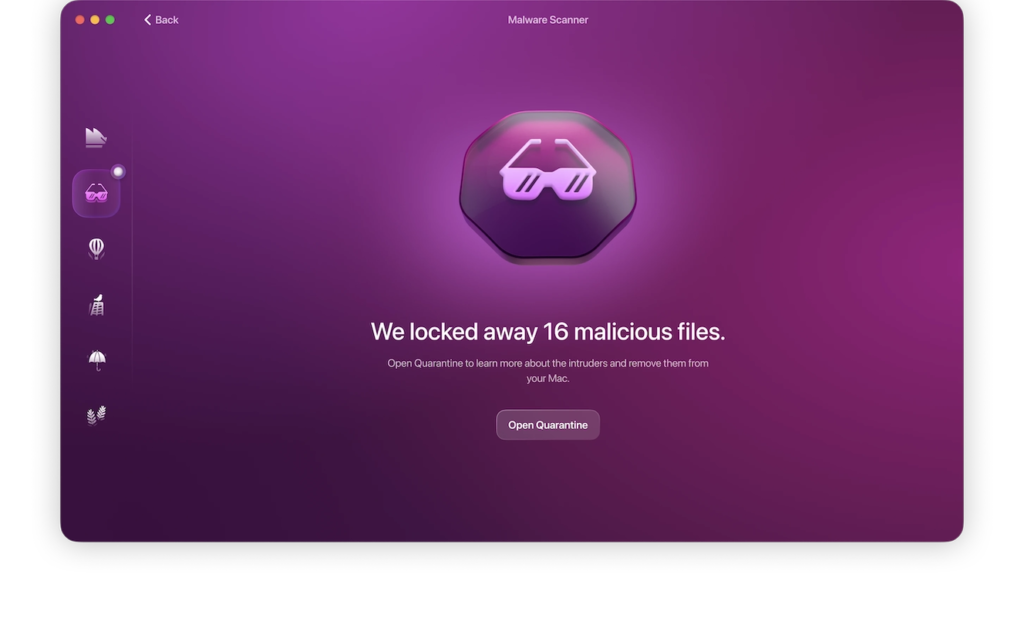
Moonlock will proceed to methodically search your device for all threats, including infostealer threats, old and new.
As soon as Moonlock finds the infostealer lurking in your files, it’ll immediately lock it up in Quarantine to stop it from stealing your data. Once the scan is complete, you can have Moonlock safely and fully remove the infostealer and any other threats from your Mac.
Common symptoms of infostealer malware
While using Moonlock is the best way to stay on top of your Mac’s security needs, don’t underestimate your own part as the owner. There are telltale signs of an infostealer infection that you should keep an eye out for, including:
- Unusual background activity: The infostealer is using up some computing resources while it’s gathering and transmitting your data. If you notice your Mac starting to feel slow or hot, or if the Activity Monitor keeps showing unknown processes using your CPU, you might be dealing with malware.
- Permission changes: New accessibility permissions, screen recordings, or disk access permissions that occur without you having initiated them might be a sign that something is running amok in your device.
- Account login attempts: Repeated login attempts to your accounts from different locations or devices are signs that someone has access to your credentials and is trying to log into your accounts.
- Spam calls and mail: An uptick in the number and frequency of spam communication is often a sign that your personal information has been leaked, potentially due to infostealer malware.
Moonlock Lab infostealer findings and additional stealer types
Infostealers represent an entire category of malware that has been utilized by malicious individuals for decades now. In fact, many of the current and past macOS stealers are the work of organized cybercriminal movements, many with roots in the Russian-speaking cybercrime ecosystem. But there’s been a rise in state-sponsored crime, like the Bluenoroff group, originating from North Korea and focusing on cryptocurrency theft.
While a skilled enough hacker might be able to create their own infostealer from scratch, a few popular examples that are more widespread than others.
Infostealer attack examples
- Atomic Stealer (AMOS) was the most popular infostealer, but its developer discontinued support, so the team likely started developing other stealers or joined existing teams.
- Poseidon Stealer, originally developed by a threat actor known as Rodrigo, was later sold or transferred to a traffic team. It is still active, but its developer has likely stopped or is in the process of stopping activity as an independent entity. Poseidon’s activity is now sporadic; we are not observing large-scale campaigns, only isolated appearances.
- Odyssey is one of the key players in infostealers (close to AMOS in scale). The project is also linked to the actor Rodrigo. After selling Poseidon, he vanished from the radar for several months and later returned with Odyssey, which remains active today. Recently, Odyssey has been distributed using signed Apple Developer certificates, significantly helping it bypass built-in macOS protections such as Gatekeeper and XProtect.
- DigitStealer is currently one of the most popular infostealers and is actively under development.
- Cthulhu Stealer and Koi Stealer are niche projects that may gain popularity over time. Cthulhu ceased operations around February 2024. Today, it does not seem likely to “gain popularity.” It is effectively dead.
- NovaStealer, currently gaining popularity, is not yet widespread. However, this stealer’s operators are testing new phishing and distribution strategies.
- MacSync (aka Mentalpositive Stealer) replaced AMOS/Poseidon at one point. The development team now consists of several people and remains active and evolving.
- SHub Stealer is an adaptation or copy-paste of MacSync. We currently lack sufficient context on this stealer and are still researching it.
- Phexia, a project that began as a macOS stealer under Mentalpositive, later spun off into a solo project. Phexia is an example of team fragmentation and the evolution of individual actors into solo operators.
How to respond to an infostealer malware infection
The trick with all malware infections, but particularly with infostealers, is to act quickly. The longer you wait, the more time the malware will have to scrape for data and send out your personal information.
Run a malware scan on your Mac
Regularly run malware scans using Moonlock to increase your chances of catching the infostealer as soon as it infects your device. Or, better yet, you can automate the whole thing.
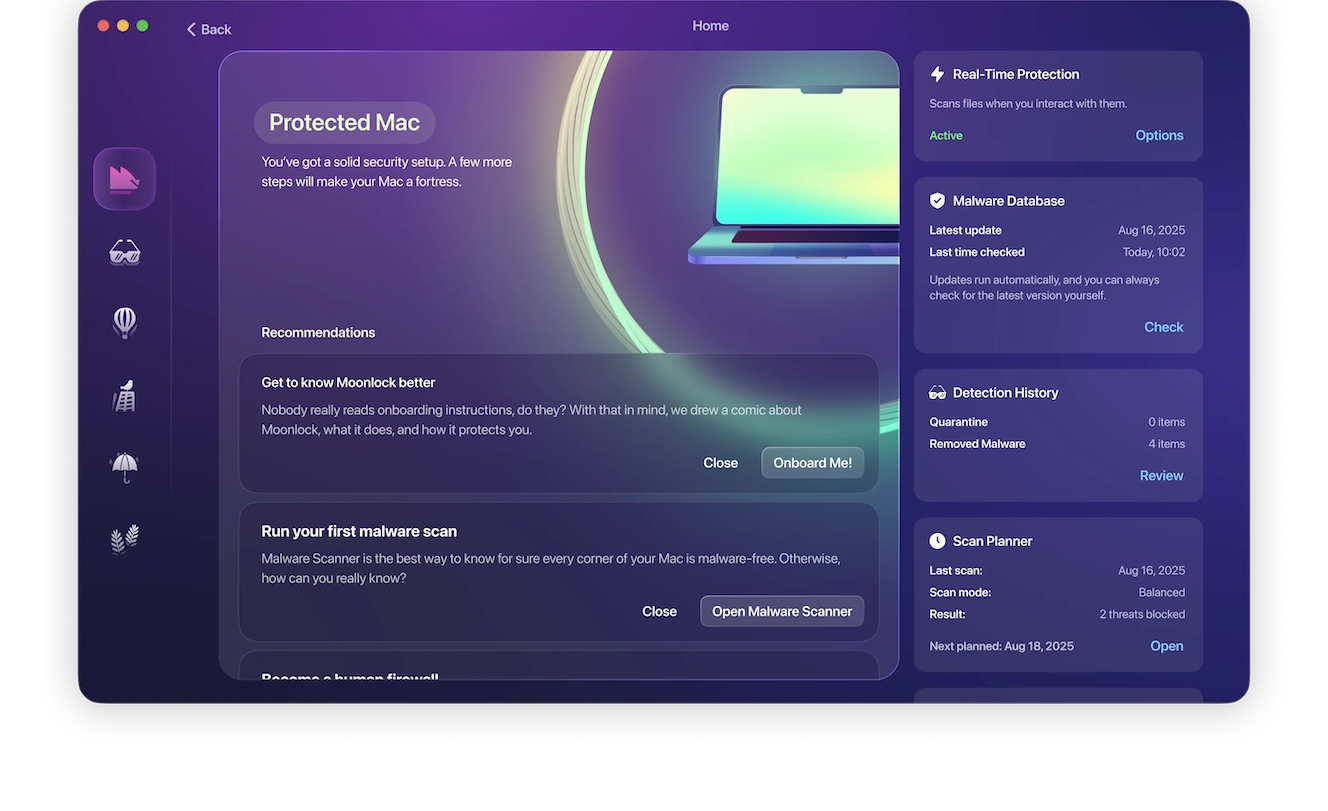
Simply open Moonlock and click Explore from the Home page. Then, from the right-hand sidebar, under Real-Time Protection, click Options. In the new window, under “Continuous monitoring,” tick the box for “Turn on real-time protection.”
Secure your accounts
If your Moonlock scan comes back positive for an infostealer, you need to make sure the attackers can’t use any information they might’ve already stolen. Immediately change the passwords on your accounts. Start with the most sensitive ones, like your bank or work email, and enable 2-factor authentication wherever possible.
You should also log out of all active sessions to kick out any third-party that might’ve successfully logged into one of your accounts.

Delete suspicious files and programs
If you’ve recently downloaded an email attachment or installed a piece of software from any non-official websites outside of the App Store, consider uninstalling these. Most malware hitches a ride on legitimate-looking files to slip past your defenses, and that includes infostealers.
How to recover from an infostealer attack and secure your accounts
Recovering from an infostealer attack is possible, but it takes a lot of work on your end. Here’s what you need to do:
- Revoke access permissions: Go through your Mac’s settings and revoke any access permissions you deem unnecessary or that you don’t remember allowing yourself. Focus on minimizing full disk access, login items, and screen recordings.
- Contact your bank or financial institutions: If you suspect your personal or financial information was compromised, reach out to your bank with your concerns and to have your credentials changed.
- Contact your family, friends, and employer: To avoid reputation damage or identity fraud, make sure your contacts know you’ve been hacked, urging them to be wary of someone messaging them under your name.
Don’t wait until it’s too late. To avoid further damage, reinforce your Mac’s defenses using Moonlock’s built-in security features to get rid of the infosteller for good and protect yourself from future attacks.
This is an independent publication, and it has not been authorized, sponsored, or otherwise approved by Apple Inc. Mac and macOS are trademarks of Apple Inc.