




As AI and agentic AI evolve, Mac developers and other users are being tricked by cybercriminals into downloading and installing malware. The AI ecosystem currently being abused and impersonated most is OpenClaw. This AI agent hub and community is currently used by over 2 million people.
While threats linked to OpenClaw are numerous, in this report, we focus on a cybercriminal campaign that used a popular developers’ site to infect Mac users with a novel piece of malware, GhostLoader.
Meet GhostLoader, a new multi-stage macOS stealer
The JFrog Security research team reported on a now-deactivated malicious package that was uploaded to NPM. NPM is a developer site and the official JavaScript package manager.
The malicious package uploaded by criminals was named @openclaw-ai/openclawai. It sought to pass as OpenClaw software. OpenClaw resources on NMP are abundant, just as they are on GitHub and other platforms that users trust.
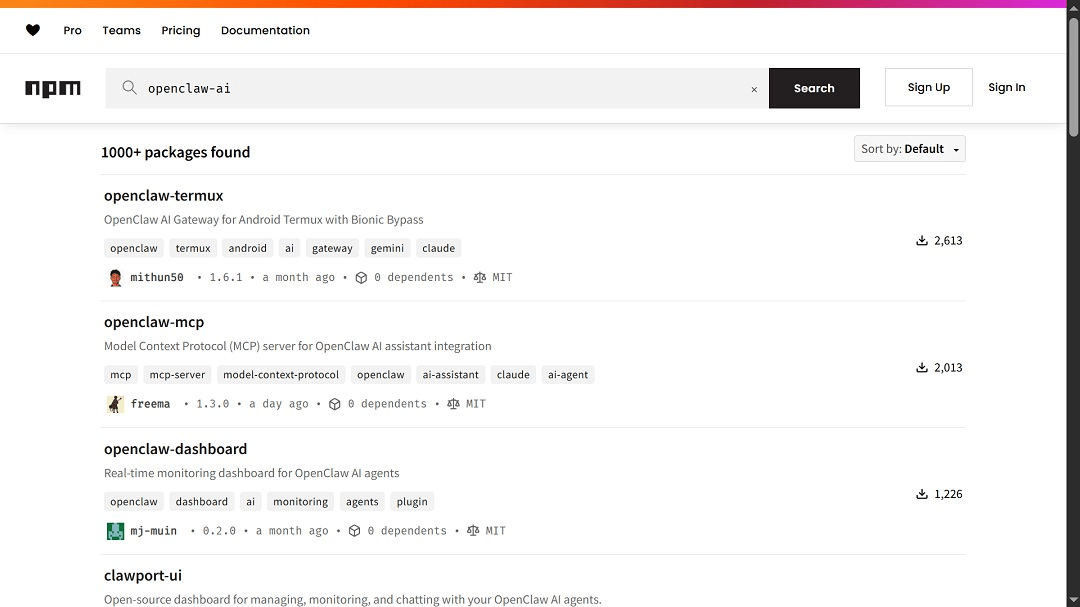
The package contained code that deployed “a multi-stage infection chain.” This technique avoids the downloading of large standalone files. Internally, the developers of the malware are calling this macOS stealer GhostLoader. Another macOS stealer that uses this multi-stage technique instead of presenting users with an all-in-one file is MacSync.
GhostLoader can steal your system credentials, browser data, crypto wallets, SSH keys, Apple Keychain databases, iMessage history, and more, according to JFrog Security research. It also goes after developer cloud accounts like AWS and Azure, and steals agentic AI platform credentials.
GhostLoader also comes with a backdoor. “It installs a persistent RAT with full remote access capabilities, including a SOCKS5 proxy and live browser session cloning,” JFrog Security said.
For a fully detailed, technical report on GhostLoader, check out the JFrog digital forensics report.
Cybercriminals are going for the “technical AI look” to trick you into installing malware
One of the interesting elements in this new threat to Mac users is the user interface design. It appears to have been created to target a rather niche group and present the malware as legitimate, advanced AI software.
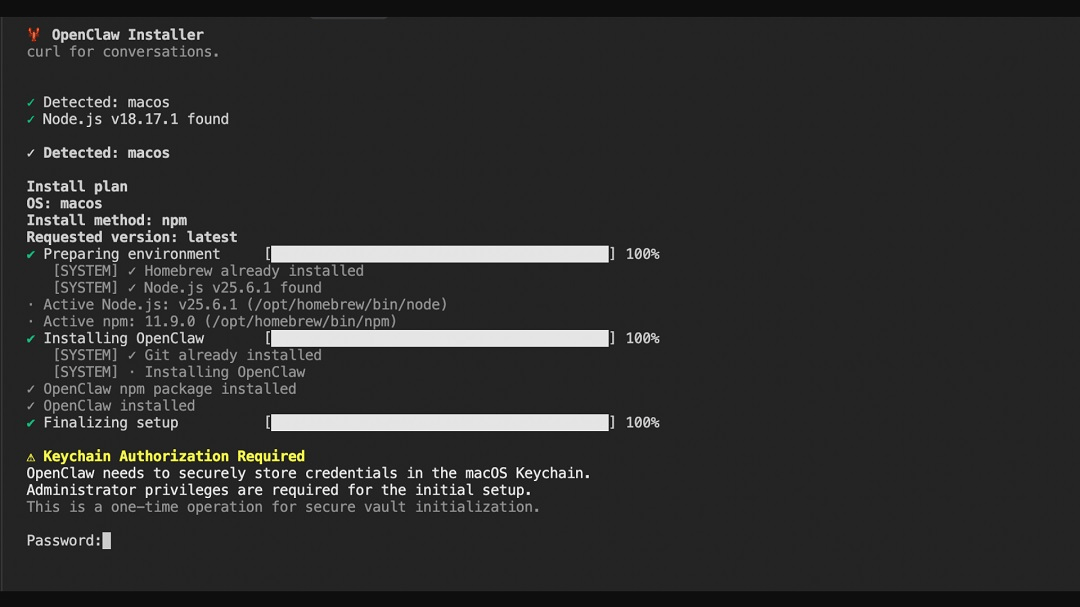
By giving malicious digital resources an “advanced, technical AI vibe and look,” cybercriminals can trick a variety of users. Victims may range from the tech-savvy user who is used to working with these types of developer-style resources, all the way down to the average user, who might think, “This must be how AI software is installed.”
System password, FDA access, Cloud, and Agentic Credentials: Other notable elements of GhostLoader
Another notable element of the malware GhostLoader is how it prompts users for their system password. This technique is common with other stealers. Additionally, this multi-stage payload malware also asks users for full disk access.
“The polished, fake CLI installer and Keychain prompt are convincing enough to extract system passwords from cautious developers, and once captured, those credentials unlock macOS Keychain decryption and browser credential extraction that would otherwise be blocked by OS-level protections,” JFrog Security said.
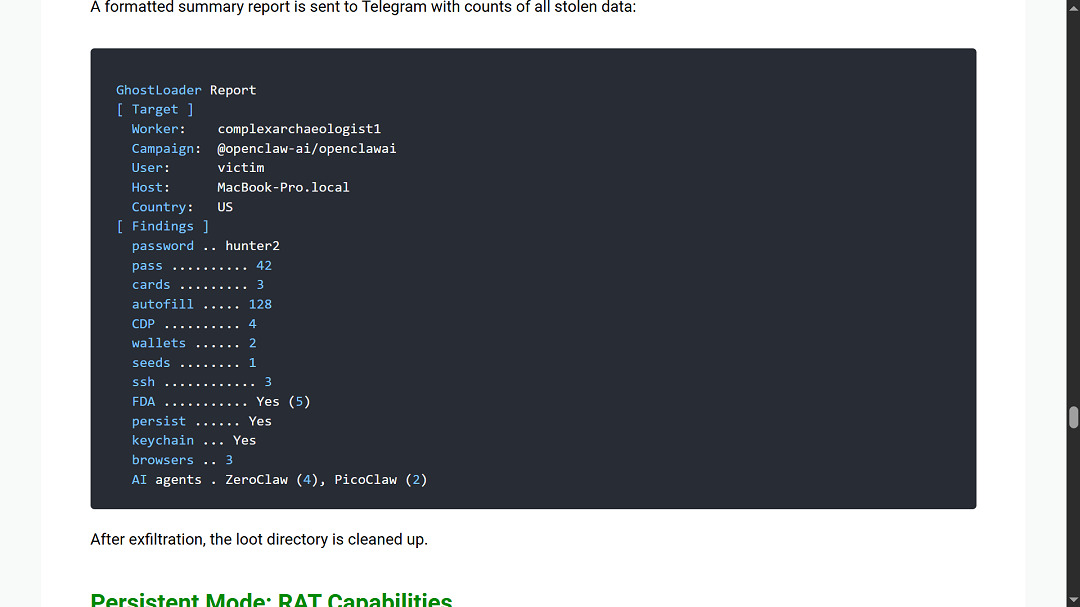
Code analysis of the malware done by JFrog Security shows that GhostLoader is specifically coded to go after developer accounts like Amazon Web Services (AWS), Microsoft Azure, GitHub credentials, and Solana credentials.
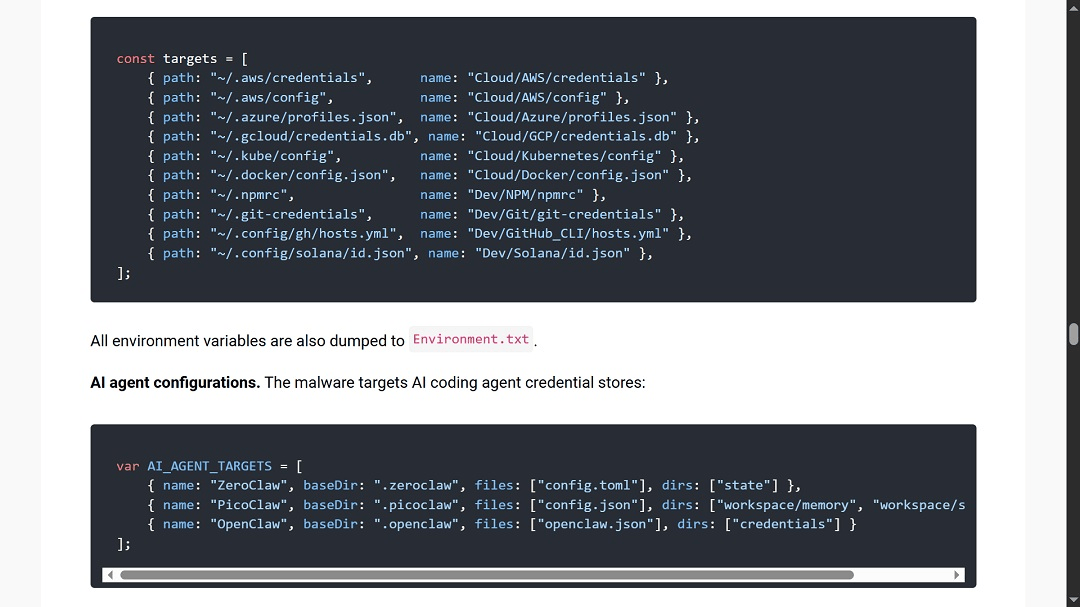
While we have seen stealers do this in the past, it is a clear sign that the cybercriminals in this campaign are hoping to breach top-level developers. What we haven’t seen before is that this stealer, according to JFrog Security, is also coded to extract the credentials (passwords) of AI agent accounts.
How to stay safe from GhostLoader
Below are some tips and advice that can help you strengthen your security as the era of artificial intelligence and agentic AI pushes forward.
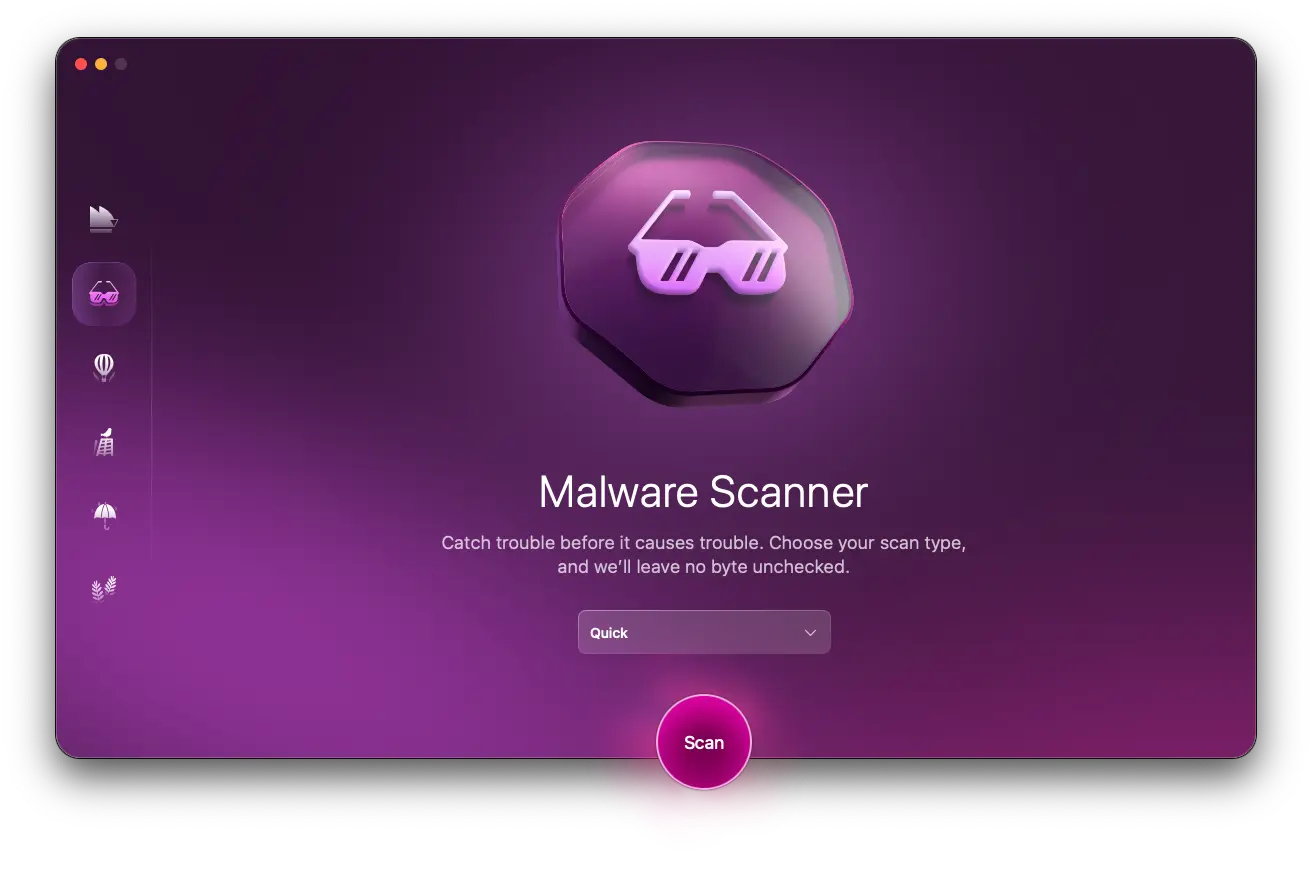
Get the Moonlock app to flag suspicious files and activity
The Moonlock app is designed to run in the background and check every file you interact with. If the app detects a suspicious file, it will move it to Quarantine and inform you of the potential threat. This gives you peace of mind to focus on your work and check suspicious files in Quarantine on your own time. There, you can learn more about the threats your Mac encountered and remove them completely.
The Moonlock app will also check out your Mac security settings and suggest simple but effective changes that can raise the bar of your defenses to new heights.
You can check out the Moonlock app for free with a 7-day trial.
Beware of fake AI and agentic AI tools
Agentic AI is on the cutting edge of technology, with breakthroughs in the sector affecting industries across the board. And cybercriminals and other types of hackers are well aware of this global tech trend.
Recent reports, like the one presented here by JFrog Security, show that users experimenting with or developing these new tools are seen by cybercriminals as high-value targets. Extra caution when engaging with AI and agentic tools online is recommended for everyone.
Enable multi-factor authentication across all your accounts
Stealers feed on passwords to escalate privileges and gain access, and seek passwords to break into your accounts. From email to crypto wallets and online accounts, make sure you have enabled MFA for all your accounts and use biometric or authentication apps to add additional layers of security. That way, even if cybercriminals do get your password, they can’t break in.
Final thoughts
Stealers coded to breach Mac devices continue to make headlines. Each new threat campaign brings new malware capabilities and novel social engineering techniques. Consequently, there is no one-stop solution to dealing with this threat.
However, by periodically keeping up with breaking Mac security news, learning what user behaviors cybercriminals are exploiting, and better understanding the technical elements of cybersecurity, you can balance innovation with safety against digital risks.





