A new macOS malware is out in the wild. While this malware does not appear to be targeting all general Mac users, it is an interesting find from Jamf Threat Labs. This malware is a backdoor. And the way it breaches Mac computers and how it is packed to be silent is something to learn from.
Let’s dive straight in.
New macOS malware creates a backdoor but does not survive a reboot
Jamf Threat Labs was looking into malware samples that researchers and other users submitted to the site VirusTotal when they came across a new macOS backdoor malware.
Jamf researchers first found just 1 sample. But this was later followed up with an update in a second sample. This malware sample, which connected to malicious online infrastructure within 2 days, noting rapid development, was first scanned on September 13.
The malware is a macOS backdoor that installs itself as a trojan: malware dressed up as a legitimate app, in this case Zoom, which tricks users into installing it. When the user attempts to install the “app,” the malware installs a backdoor (second stage).

Keep backdoors away from your Mac
This backdoor uses a C2 communication channel (active in the last scan) to connect your Mac to a malicious infrastructure. It is not coded to steal your crypto, nor is it interested in your files, data, or web browsing activity. It is not a stealer, just a backdoor.
Through this backdoor, dubbed CloudSyncD, attackers or hackers can send remote commands to your Mac computer if it is breached. Backdoors can be used to install additional malware into breached computers, gain remote access, extract data, and install spyware.
The backdoor “beacons” back and forth via the C2 channel to “check in” with attackers. It can send Base64-encoded remote commands, which, when decrypted, do not run as shell commands but are executable files (also unusual).
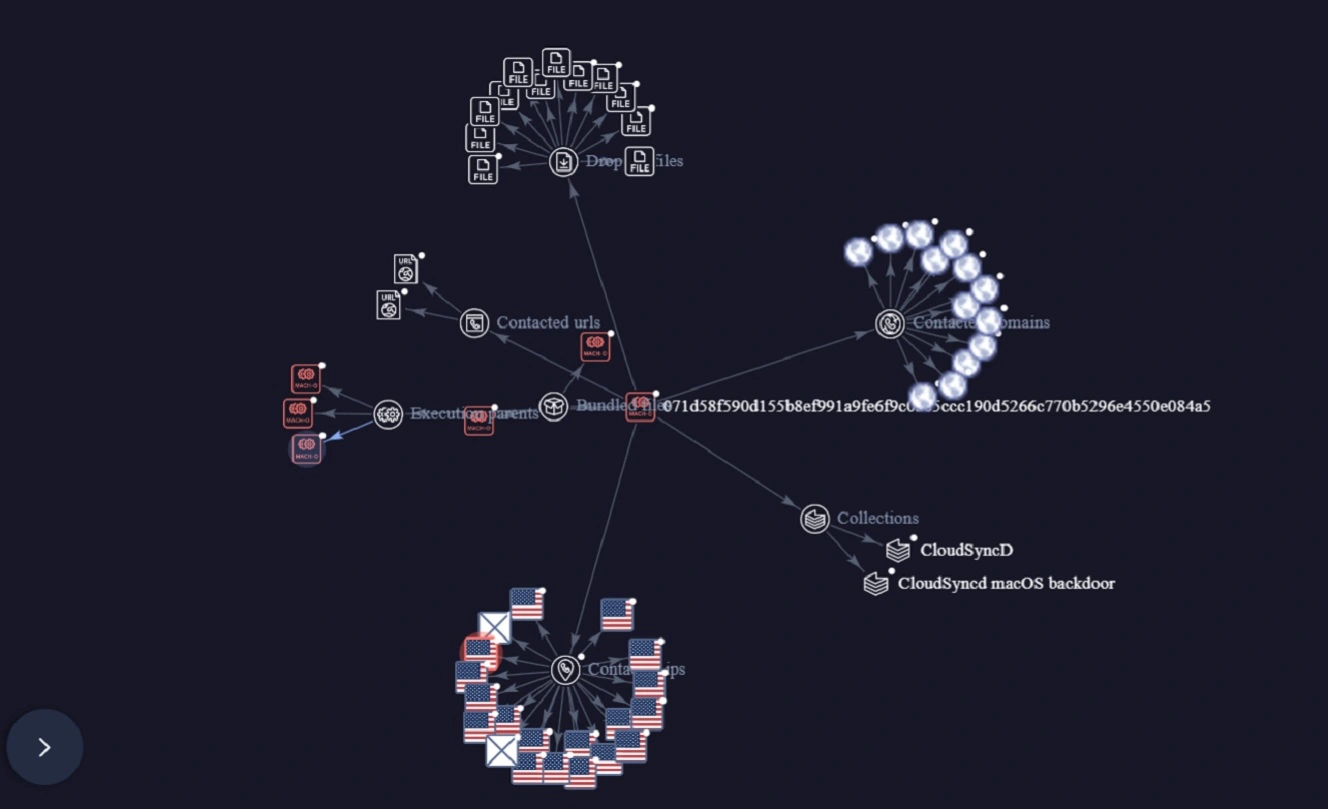
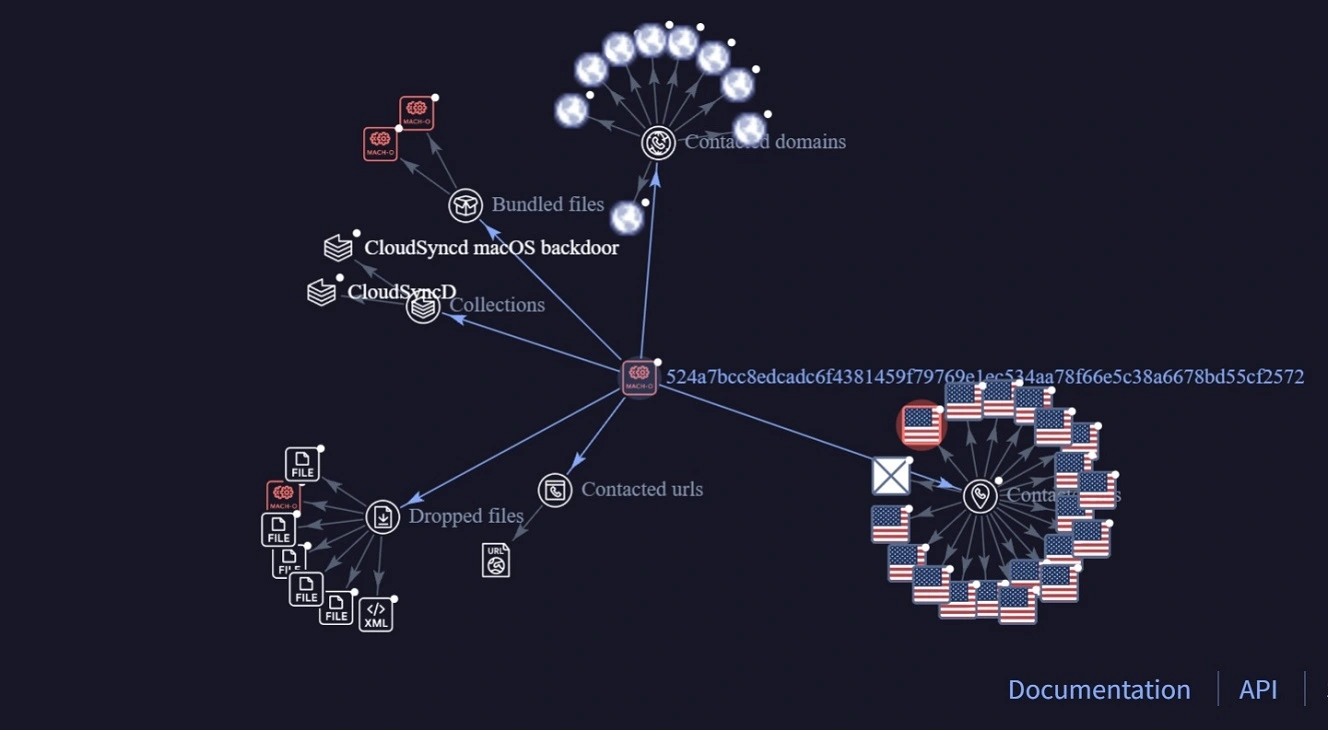
Besides that, the first payload of this malware, the fake Zoom app, does not connect online to malicious infrastructure to fetch the second payload, the backdoor. Instead, this malware bundles or packs up (for some reason twice) the backdoor into the first-stage fake Zoom application bundle.
None of these features are novel. However, they are noteworthy. Usually, modern second-stage payloads in macOS cyberattacks are fetched online and are not included in the fake apps you download. Bundling up second stages can make malware more silent, as it avoids online sites.
Another interesting component of CloudSyncD is that Jamf did not find any evidence that this trojan-backdoor can establish persistence. Backdoor persistence is always present in spyware. Even new macOS stealers like MacSync, branded as “smash and grab” malware, establish persistence. For some reason, CloudSyncD does not do that. Jamf said the malware “self-deletes.” This makes it “unlikely” to survive on a live host upon being rebooted.
As a note, fake Zoom apps have been historically tied to North Korean hackers’ Contagious Interview campaigns. In these attacks, a hacker posing as a job recruiter offers you a fake position and sends you trojanized apps. The fake Zoom apps used in Contagious Interview campaigns are coded to steal your crypto databases and your data. This malware, however, does not do that, despite backdoors having the ability to install additional malware.
Jamf Threat Labs notes no attribution information in their report. In other words, we’re not sure yet who is behind this.
If you want to get the full technical breakdown of this malware, check out the full Jamf Threat Labs report. It is an interesting read.
This is what a CloudSyncD backdoor intrusion attempt looks like
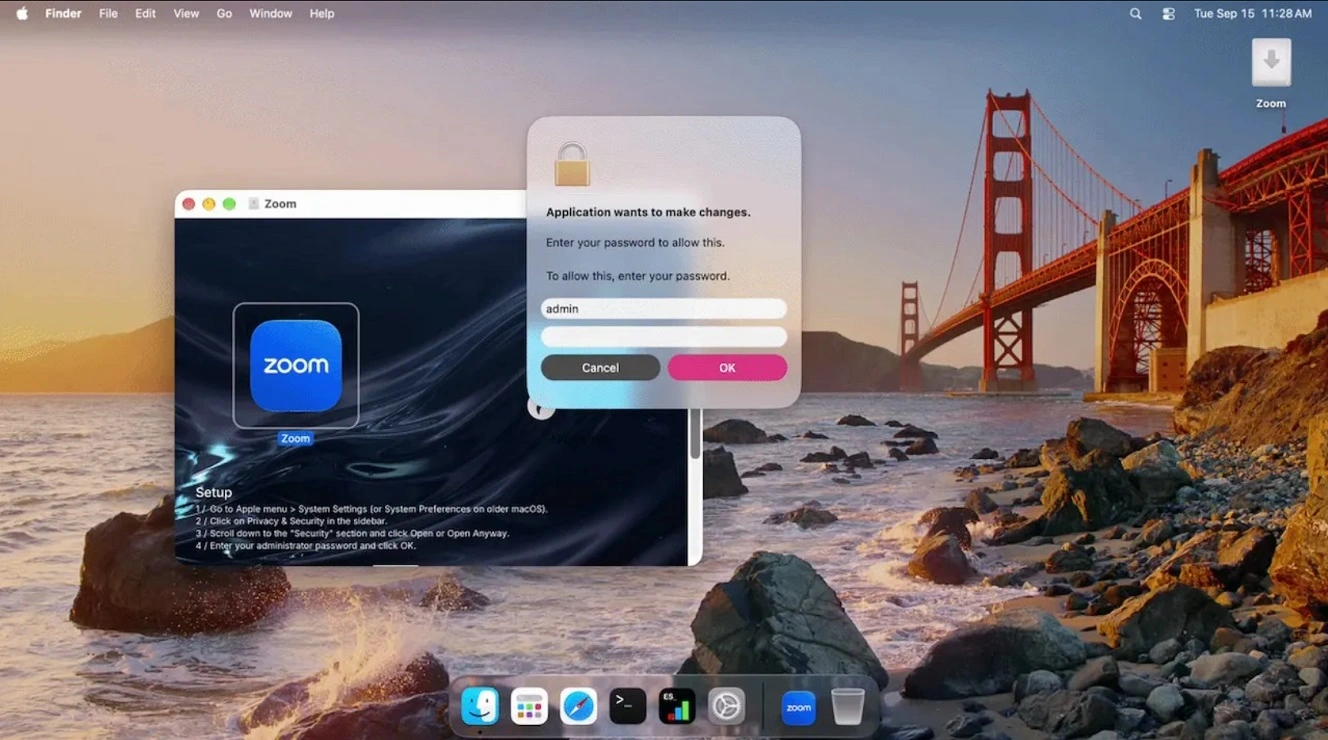
Now that you understand the technical inner workings of CloudSyncD, you might want to know what an intrusion attempt would look like on your screen. Here’s how the process unfolds:
- You download an app (Zoom) after searching online or being directed by someone to download it.
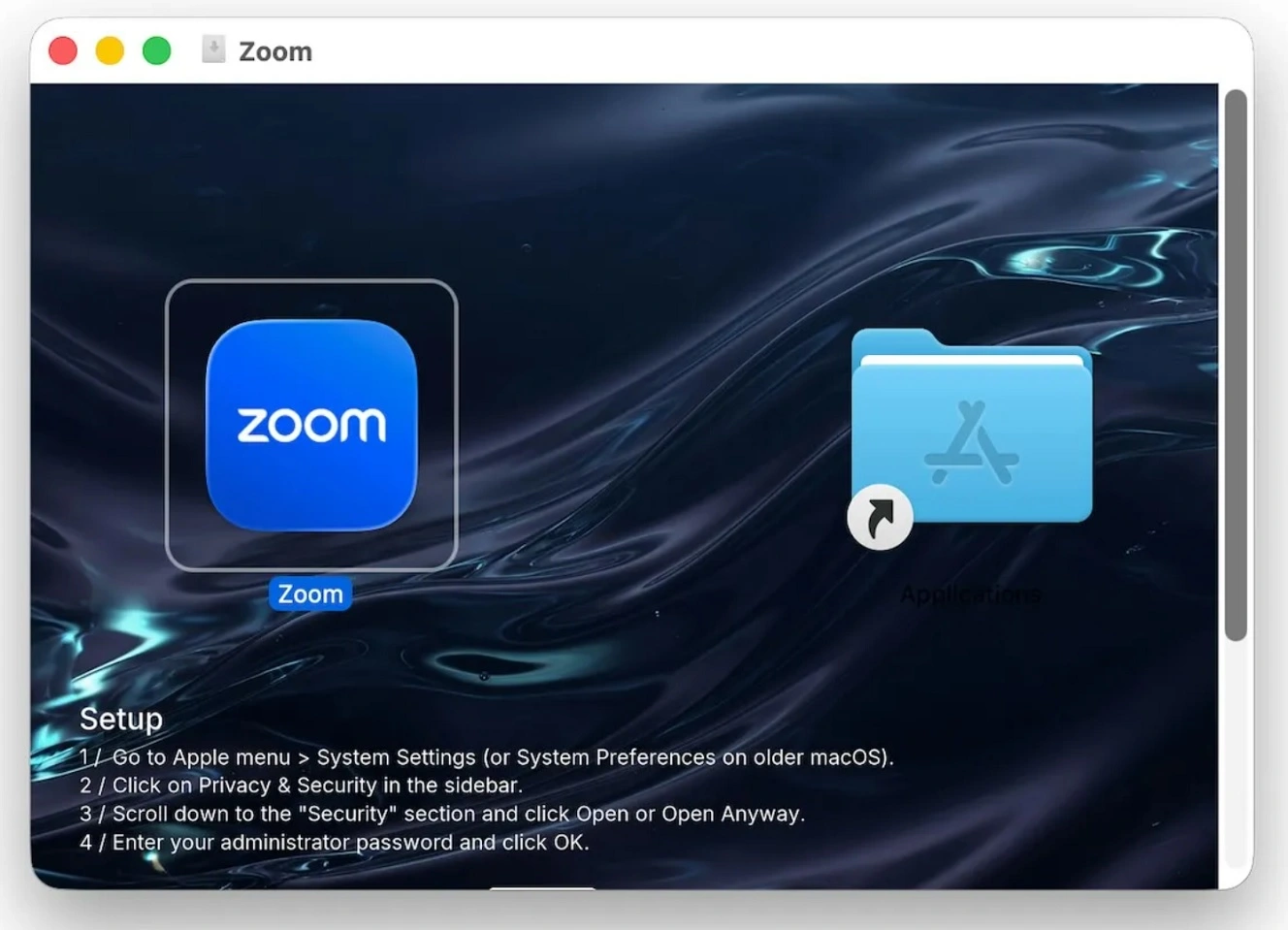
- The installer looks legitimate but includes a clear ClickFix instruction, as the image below shows. (This should be a clear red flag. Never follow ClickFix instructions)
- The Zoom app launches and immediately asks you for your password. (Curiously, this malware never extracts your password. It just stores it in a location on your Mac as encoded gibberish and uses it to bypass Gatekeeper and install the second-stage backdoor.) This is also a red flag. Legit installs do not ask for your password.
- The fake installer installs the backdoor.
- The backdoor beacons the attacker’s servers at intervals of roughly 75 to 90 seconds with jitter, up to 360 attempts. It can send remote commands to breached Macs.
What can you do about CloudSyncD and other macOS backdoors?
A new Point Wild threat report says more than half of all macOS malware included in their analysis (20,524 samples, accounting for 54.2%) are trojans and infostealers. Backdoors rank third at only 2.9% (1,093 samples). This shows that while backdoors are rare, they are being used. So, what can you do about all this?
Do not install anything that has ClickFix-looking instructions
ClickFix instructions should by now be something most Mac users are aware of. If you’re not familiar with ClickFix techniques yet, be sure to familiarize yourself with how the attacks work.
Most Mac malware cannot bypass Gatekeeper unless you bypass it yourself, whether it be via Terminal scripts, right-clicks, drop to terminal, etc. If you see a list of steps on how to install an app, it’s likely malware. Legitimate installs don’t usually come with 1, 2, 3 instructions.
Do not type your password after installs
This backdoor prompts you for your password immediately after you run the install because it needs that password to bypass your Mac security and install the bundled backdoor. Mac stealers do the same thing. However, they use your password more extensively to access and unlock things like your Keychain. So, if an app, on its first run, asks you for your password, do not type it in.
Get Moonlock. Tech stack security backup in case something gets past you.
Most macOS malware, including CloudSynD, needs to trick you to breach your Mac. Besides knowing this, it is also a good idea to have some cybersecurity tech backup, just in case something gets past you.

The Moonlock antivirus app for Mac is developed to provide layers of protection. Once installed, you can run a full malware scan. Real-Time Protection will run silently in the background, checking for malware and suspicious behavior from anything you interact with. This includes emails, files you download, and even Terminal scripts.
To add layers of security, Moonlock ships with a built-in VPN for safe browsing, and through System Protection, Moonlock will scan your Mac’s settings and guide you on how to turn from default to the highest level. Using Moonlock’s Scam Detector, you can also check any text or email for scams and phishing attempts in just a couple of clicks.

You can check out Moonlock for free for 7 days. See how it feels for you.
Final thoughts
As Jamf Threat Labs concludes, CloudSyncD is a good reminder that while macOS stealers predominate, more silent malware can fly under the radar and be used to gain further access.
There are several things that stand out and are kind of strange about this Mac malware. Among them are that it asks you for your password and uses it only to install an app (never extracting it), bundles second stages instead of fetching them online, and goes through the trouble of installing a fully functional backdoor with a beacon that can accept remote commands, only to not establish persistence, meaning it “self-deletes.”
Always seek to learn more about your tech and how malware works. A solid understanding can strengthen your security and privacy posture, and help you live a calmer, more productive digital experience.
This is an independent publication, and it has not been authorized, sponsored, or otherwise approved by Apple Inc. Mac and macOS are trademarks of Apple Inc.