




As if stealers like ATOMIC, Poseidon, Banshee, and the new MacSync were not enough, macOS users now have a new piece of malware to watch out for. This malware is being distributed via YouTube videos, one of which has been seen by more than 1.6 million people. And the threat actors behind this campaign are impersonating the legitimate macOS app DynamicLake.
This new stealer is unlike the others. Not only is it coded to run automated JavaScripts, but unlike MacSync, which leverages AppleScripts, it also downloads a bunch of payloads quietly, one by one, and finds new ways to breach Mac users’ computers. Here’s what you need to know.
Jamf finds a new, rather mysterious macOS stealer
On November 13, Jamf Threat Labs reported on a new macOS stealer, which they dubbed DigitStealer. Their report shows that whoever is behind this new malware knows their way around macOS security systems.
For some reason, the bad actors distributing this malware decided not to use existing malware accessible on the dark web, like ATOMIC or MacSync. Instead, they coded an entirely new stealer. Even more interestingly, this new stealer doesn’t borrow code from those that already exist on the black market (a common tactic among black hat hackers). Instead, it uses JavaScript for Automation (JXA) to accomplish similar stealer behavior.
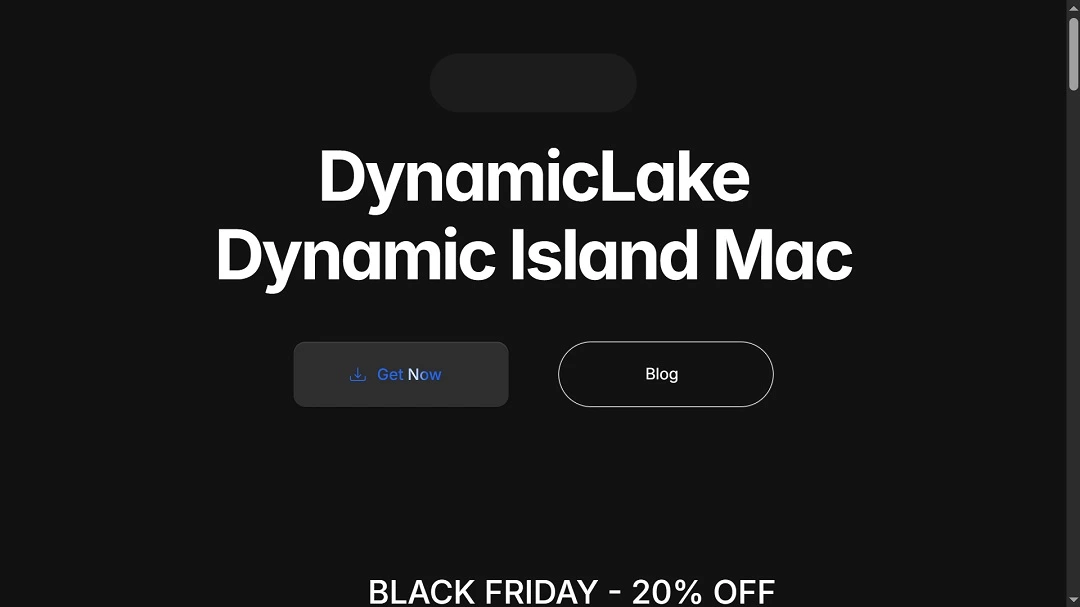
Jamf identified the malware in the file sample “DynamicLake.dmg.” This file sample was being distributed via the fake https[:]//dynamiclake[.]org website, which impersonated the legitimate DynamicLake macOS app and boosted via at least one YouTube video, which Moonlock found and is disclosed below.
DigitStealer is being distributed via YouTube videos
A look through online forums and Reddit shows that users began warning about this fake app about 10 days ago, at the time of this writing.
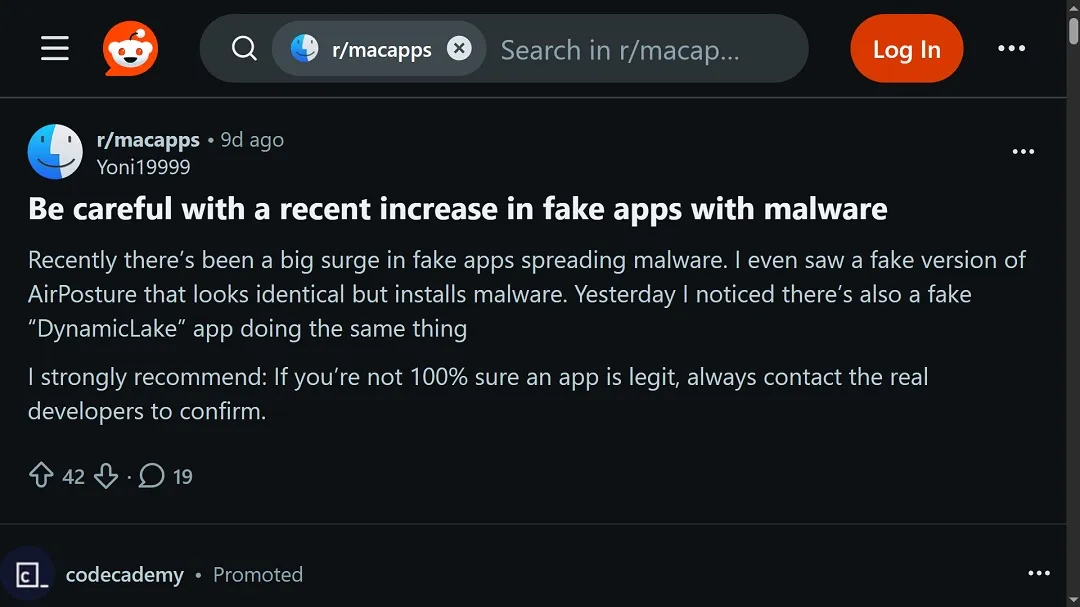
Comments made by the legitimate developer of the app being impersonated reveal that the threat actors were using what seems to be a taken-over, abandoned YouTube account to lure victims into downloading the fake app.
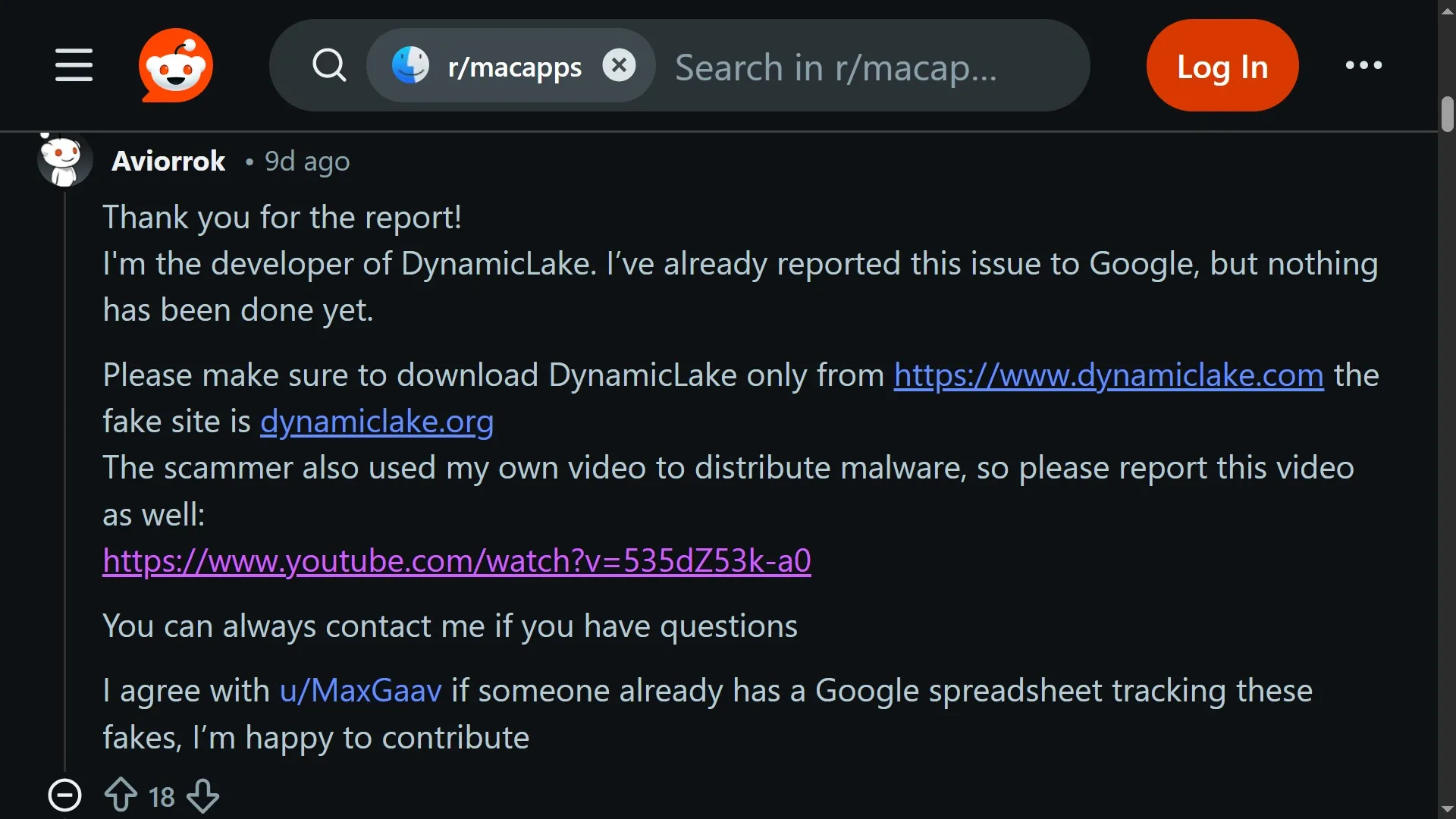
The YouTube video lure, posted by the account @reddecker on the platform on November 1, has more than 1.6 million views to date.
The high number of views in such a short time frame suggests that the threat actors created ads to direct traffic to this video, as reaching more than one million users on YouTube organically in just weeks is extremely rare for unknown accounts with few subscribers.
Running ads on YouTube — and targeting users in English-speaking regions — tends to be more expensive compared to running ads on other platforms like Meta (Facebook and Instagram). In fact, it’s usually much more expensive. This implies that the bad actors are somewhat well-funded.
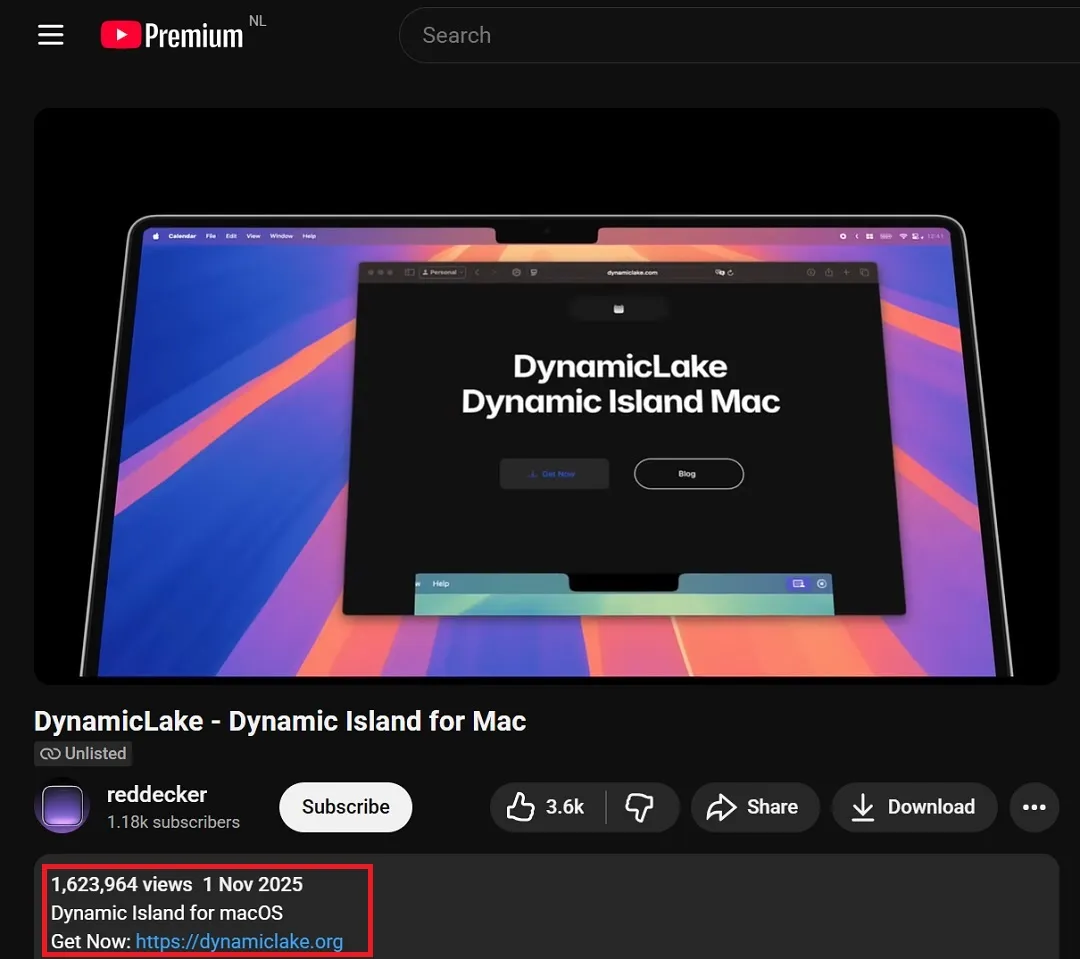
Comments in the video in English signal that the threat actors were likely targeting English-speaking regions. The comments in the video were also turned off at some point during the campaign, likely to hide comments from users warning that this was a fake app.
The notable use of JavaScript for Automation (JXA)
The sophisticated use of JavaScript for Automation (JXA), persistence mechanisms (the way in which they malware remains hidden inside a Mac), how it steals data from Mac computers, and the high-volume lure distribution method on YouTube (most likely via sponsored ads) are all signs of a highly sophisticated threat actor with knowledge of macOS and the resources and funds to launch this type of threat malware distribution campaign.
Targeting specific regions, and a curious domain registrant
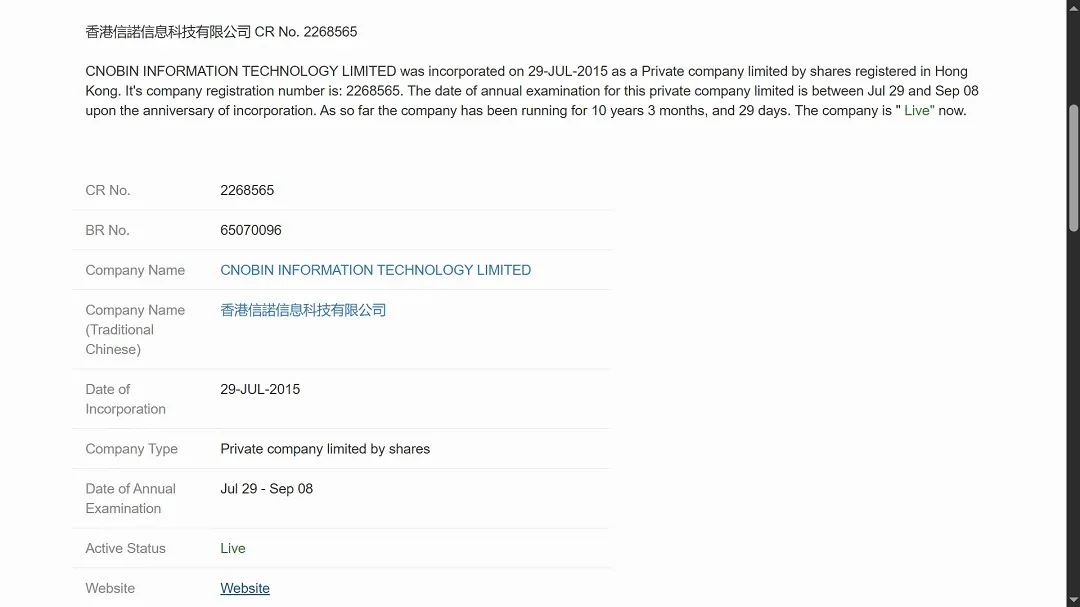
Another interesting finding is the register data of the fake domain, which points to the company CNOBIN Information Technology Limited.
CNOBIN is a Hong Kong–registered IT company that has been linked to online scams, phishing, and other digital abuses. While this doesn’t necessarily mean that the threat actors are operating from Hong Kong, it does stand out as rare.
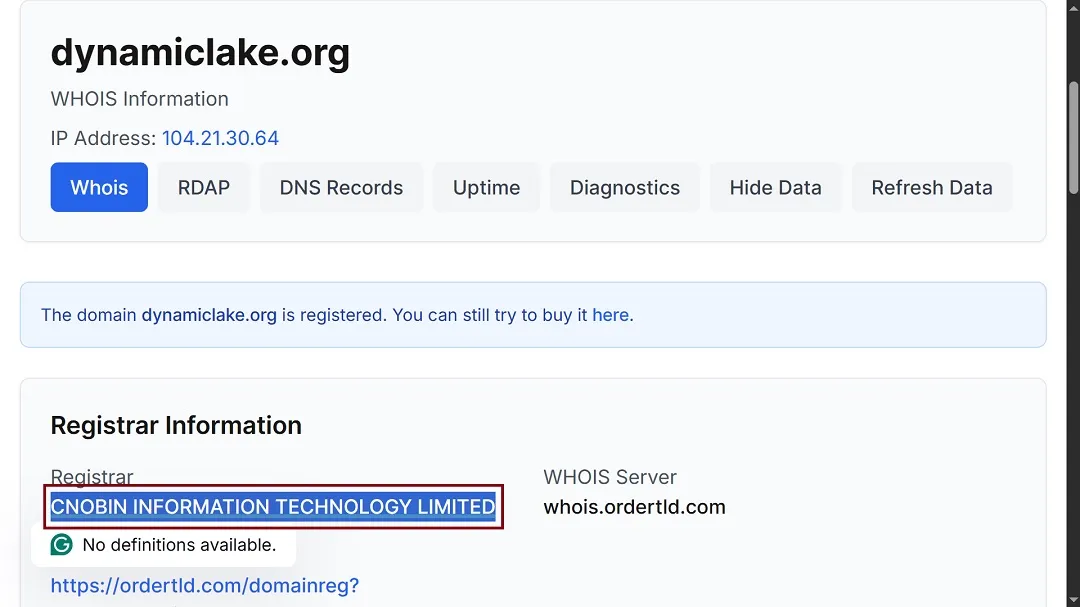
Domain register data is often used as a decoy. Criminals will link companies or regions to a malware campaign to throw authorities and researchers off the attribution trail. However, it is rather uncommon for fake and malicious macOS malware domain registrants to be listed as companies in Asia.
According to Jamf, DigitStealer is also coded not to run in specific regions, another common tactic for cybercriminals who follow unwritten rules that “prohibit” them from running cyberattacks in their own countries.
How DigitStealer breaches your Mac and what it does next
Once users reach the fake DynamicLake website, either via YouTube videos, forums, or other channels, they are offered the chance to download the fake app.
A simplified ClickFix
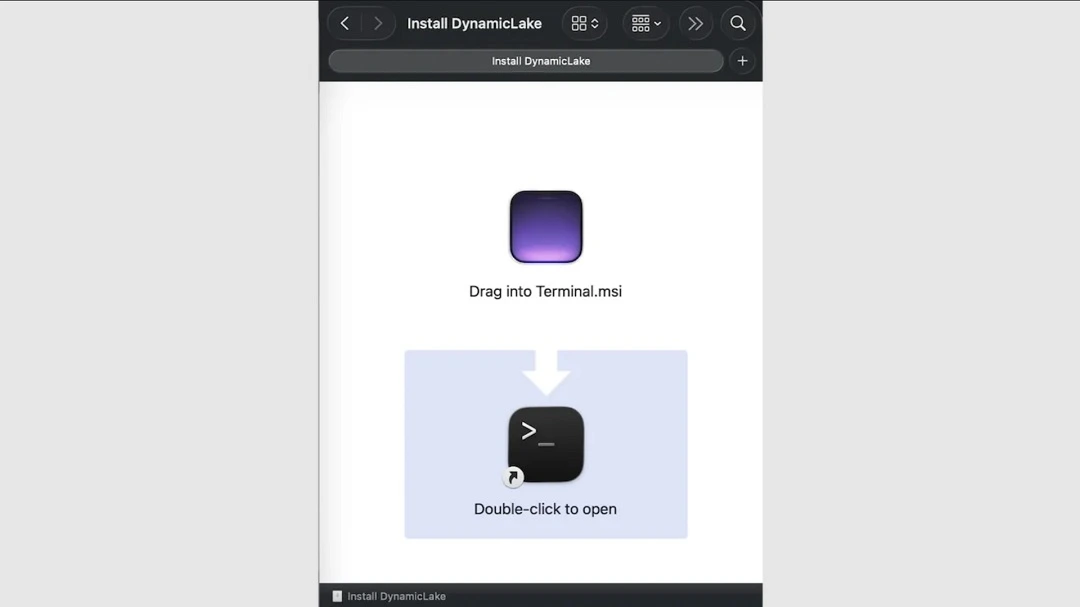
Once users click to begin the download, stage one of the cyberattack begins with a ClickFix attack.
To trick your macOS system into installing this malicious program, DigitStealer uses a simplified ClickFix attack. As the image below shows, Mac users are not given any set of instructions. Instead, they are asked to drag the file into the Terminal. This simplification is dangerous because it gives users less time to think about what they are doing.
The initial malware payload runs checks before escalating the attack
Once DigitStealer installs on a Mac, it will run several checks before executing the cyberattack in full or shutting it down altogether. These checks include making sure it isn’t running in specific regions. This is “to avoid infecting systems in regions where the threat actors may reside or wish to avoid scrutiny,” Jamf said.
The malware also checks whether it is running on a virtual machine, which is what cybersecurity researchers use to run malware when they are trying to figure out how it works. This is done to complicate the work of cybersecurity researchers.
The initial payload also checks whether the breached Mac is using Apple Silicon M2 chips or newer ones by checking for certain hardware features. This is likely done to target more financially attractive victims, as the stealer will only install itself if it finds that the breached Mac is using the newer ARM features introduced by Apple with M2 Chips or later.
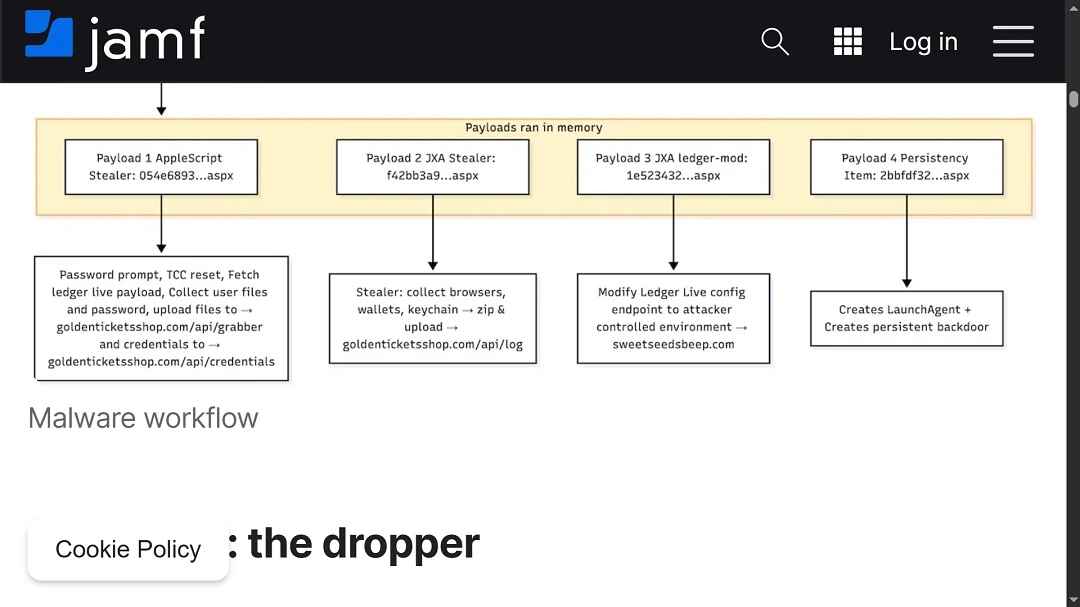
Once the initial checks are done, DigitStealer does something no other stealer on the market does. It downloads (via web connections) 4 different distinct payloads, each with advanced malware code, scripts, and indicators of compromise (IoC), coded to execute stealer-specific functions.
Payload 1: An attack aimed at Mac system passwords
The first DigitStealer payload will:
- Create a fake Mac system pop-up notification asking users for their passwords
- Search for and collect usernames and passwords across the system and upload them to the C2 server at goldenticketshop[.]com/api/grabber and goldenticketshop[.]com/api/credentials
It is worth noting that the fake DynamicLake site, as the image below shows, is no longer impersonating the Mac app. Instead, it now hosts a generic template, likely taken down by the cybercriminals and distributors of this malware.

Payload 2: Browser data, wallets, and other financial data
The first payload also triggers the second payload download. This, in turn, collects, gathers, and steals:
- Browser data
- Wallet data
- Keychains and other financial data.
Payload 3: Tweaking Ledger Live configurations
The third payload of DigitStealer targets Ledger Live. Interestingly, instead of downloading a fake trojanized Ledger Live app, this malware modifies the configuration of Ledger Live on the victim’s device, setting its endpoints to an attacker-controlled environment that operated at sweetseedsbeep[.]com
Payload 4: Persistence and a backdoor to set up shop on your Mac
To wrap things up, DigitStealer’s fourth payload will create persistence to remain hidden in the computer it breached and create a backdoor. The backdoor, coupled with persistence, is there for attackers controlling this campaign to be able to get back into any breached Mac and download additional malware, change settings, search for new files, and or remotely control the computer in other ways.
For a full technical brief on how this malware behaves, visit Jamf’s report, which includes digital forensics and analysis.
Tips to protect your Mac from DigitStealer
To steer clear of this malware, the same principles of digital security apply to Mac users.
Use a trusted antivirus tool like Moonlock
Moonlock’s Malware Scanner is designed specifically for Mac and is able to detect the vast majority of known macOS malware. With regular monitoring and deep scans, it will prevent any stealers from settling in.
Block traffic to suspicious locations
A lot of malware comes from the same handful of countries that commonly make cybersecurity headlines. Moonlock’s Network Inspector lets you block all web traffic to less-than-trustworthy locations like North Korea, so any malware can’t communicate with its servers in those locations.
Only download official apps
Never download apps without double-checking that it’s the real thing from an official source. Using the Mac App Store or the software’s official website is the way to go. And keep an eye out for typosquatting.
Store your data securely
You can limit your data’s potential exposure by following wise cybersecurity practices. For example, do not keep important data, like passwords or credit card info, in your browser.
Final thoughts
DigitStealer is a new macOS malware that seems to have come straight out of nowhere. Cybersecurity researchers who scan the dark web for new malware being developed either missed the mark, or this malware was developed in isolation and quietly, away from the macOS dark web developer community.
DigitStealer’s capabilities are sophisticated, and while this campaign is certainly financially motivated and behaves similarly to other macOS stealers, it breaks the mold in several ways. What the future holds for this stealer is yet to be revealed.





