Your Apple Account, previously your Apple ID, controls access to your iCloud, purchases, devices, passwords, and personal data. This makes your Apple ID an incredibly valuable target for scammers and hackers, who use phishing schemes and social engineering to attempt to take over your account.
In this guide, we’ll explain how to recognize a scam that targets your Apple ID, how to spot fake Apple support alerts, and what to do if you’re being targeted.
So, what is an Apple ID scam, and how does it work?
An Apple ID scam is any type of phishing or impersonation attempt that aims to steal your Apple Account credentials, verification codes, or payment details.
While scammers may get creative in how they target prospective victims, there’s a general sequence to this type of scam:
- Bait message: This could be a DM, an email, or a fake Apple notification asking you to confirm your account or contact support.
- Credential capture: As soon as you hand over your credentials or codes, whether directly or through a phishing link, the scammer will store them.
- Account takeover: The attacker will work fast, resetting your passwords and locking you out of your Apple account.
This attack pattern is quite common. In 2025 alone, the FTC received over a million imposter-scam reports, with reported losses nearly tripling since 2020 to reach $3.5 billion.
How to tell if an Apple ID email or message is a scam
Scammers are becoming better at making their fake notifications and emails appear as if they come straight from Apple. Everything from the color scheme to the logo placement and the formatting can be made to look identical.
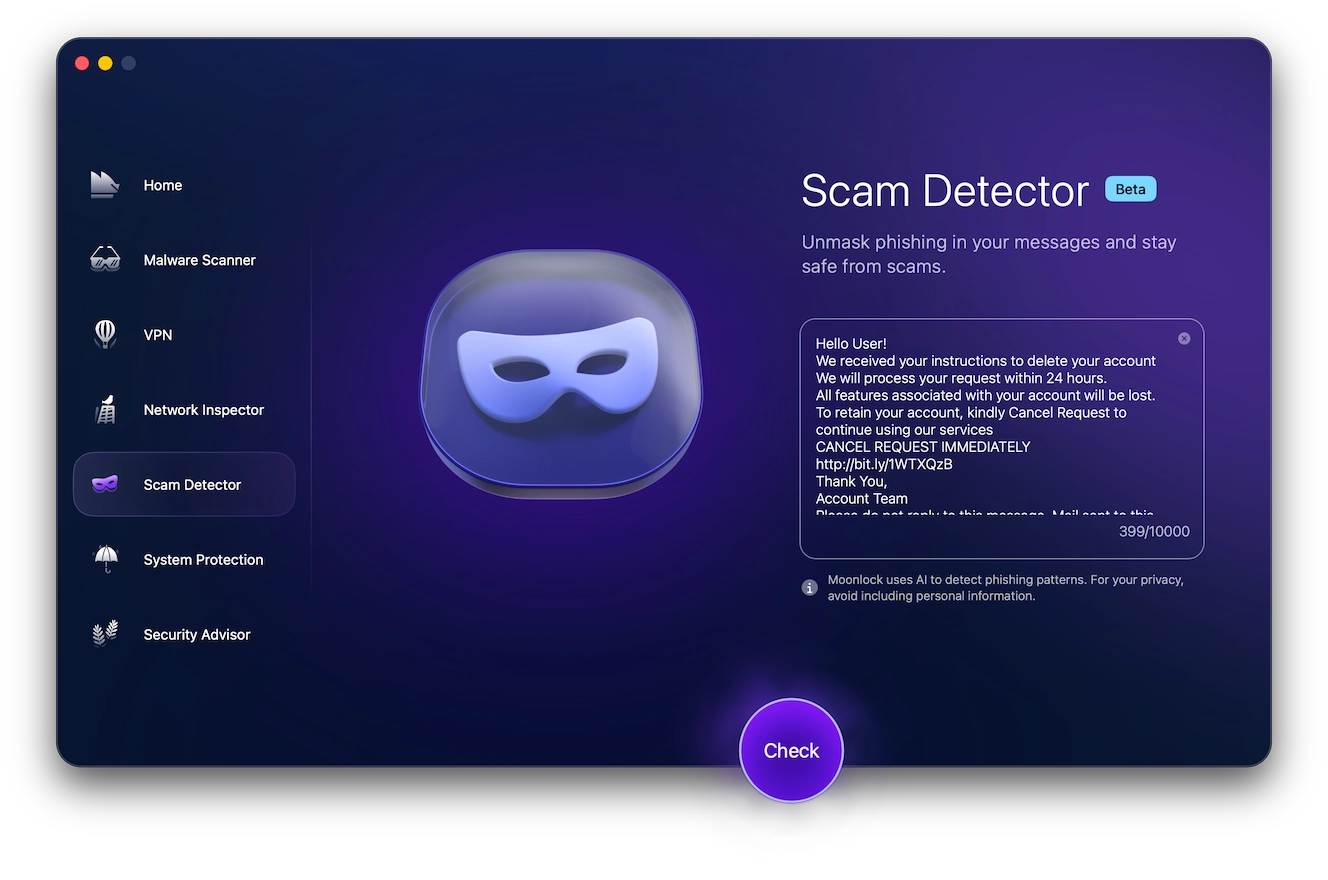
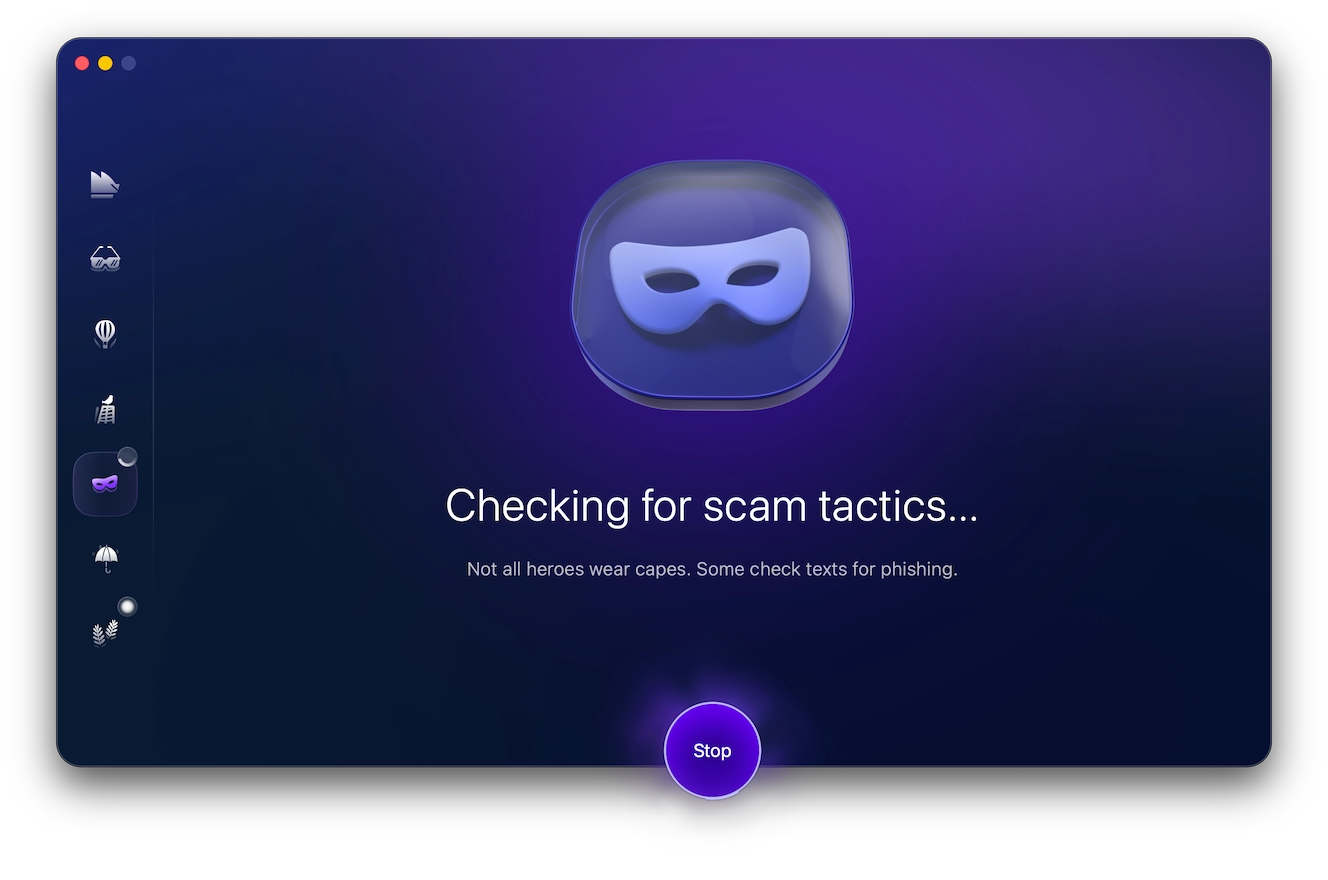
One way you can identify scam messages is by using Moonlock’s Scam Detector. This tool analyzes the text for the common signs of a scam, like manufactured urgency and inconsistencies.
Sign up for a 7-day free trial of Moonlock to analyze any suspicious messages:
- Open Moonlock, then click on Scam Detector from the left-hand side menu.
- Copy and paste the message content into the text box.
- Click Check.
If the message turns out to be associated with a scam, Moonlock will guide you on what to do in order to stay safe and avoid scammers.
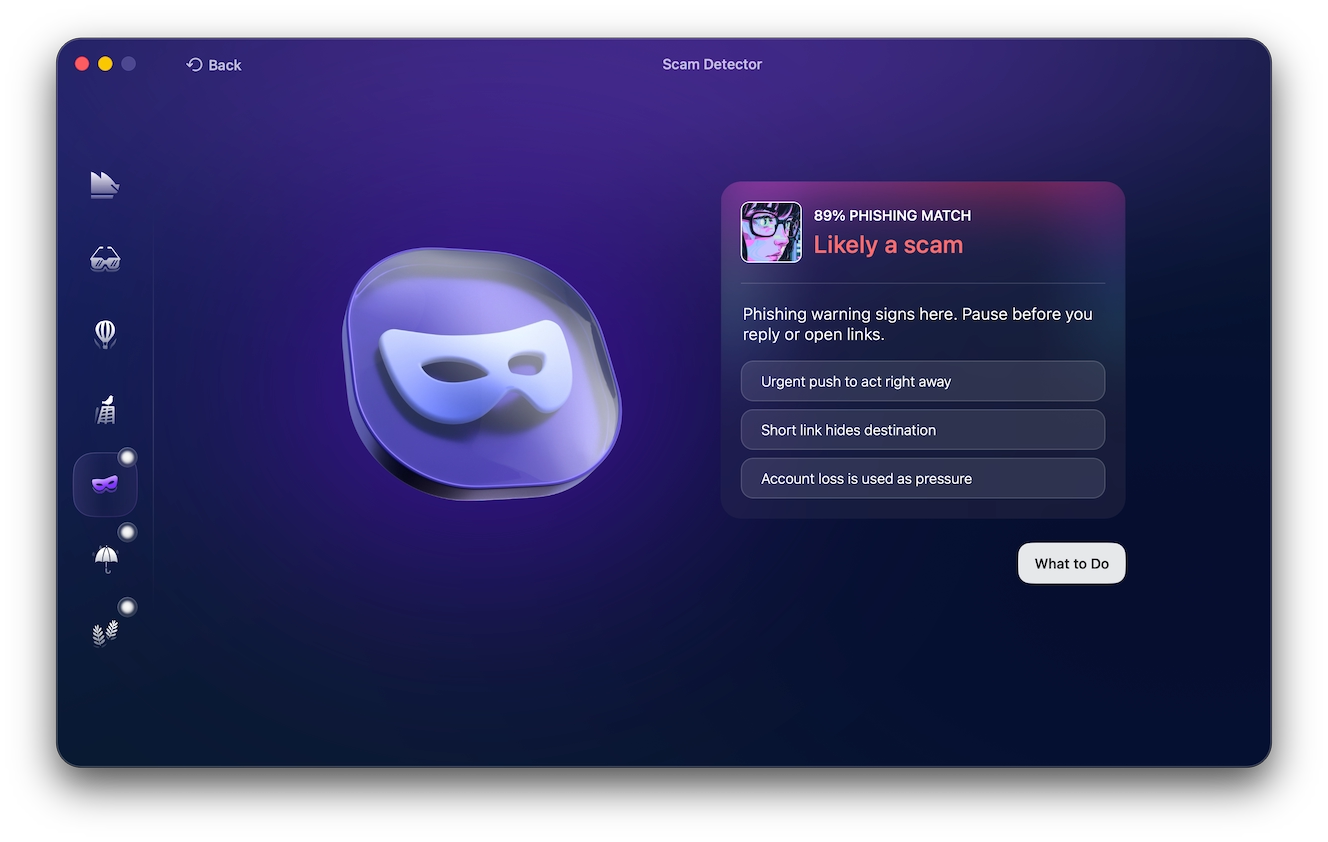
Some warning signs that you should look out for include:
- Manufactured urgency, threatening data loss
- Odd sender domains with weird letters and numbers
- Requests for sensitive information like passwords, codes, or payment details
- Shortened links or links with long letters and numbers at the end
Common types of Apple ID scams
Apple ID scams come in many forms, from phishing emails and fake notifications to support impersonations.
Fake texts and iMessages (smishing)
Scammers might try to lure you in with an Apple ID scam message via text or iMessage, sometimes by stating that you’ve authorized a recent payment. There’s a particularly common scam claiming that $143.95 was charged to your Apple Pay account, one of many similar variations.
Naturally, the message is fake. The “support” phone number in the message leads to a scammer. If you call, someone impersonating Apple support will pick up and try to get hold of your payment details.
Fake password-reset emails
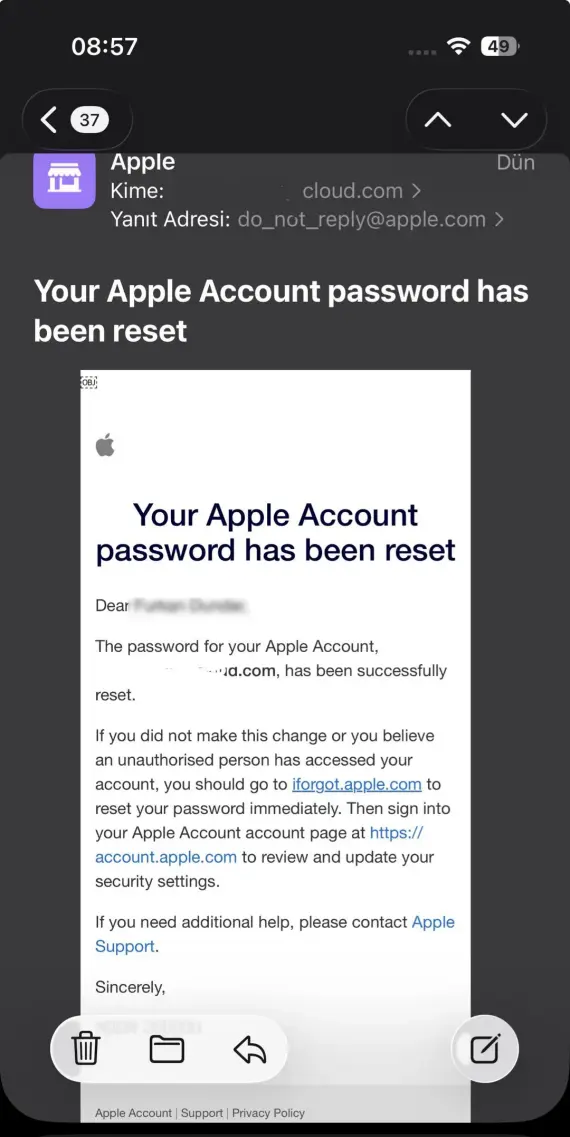
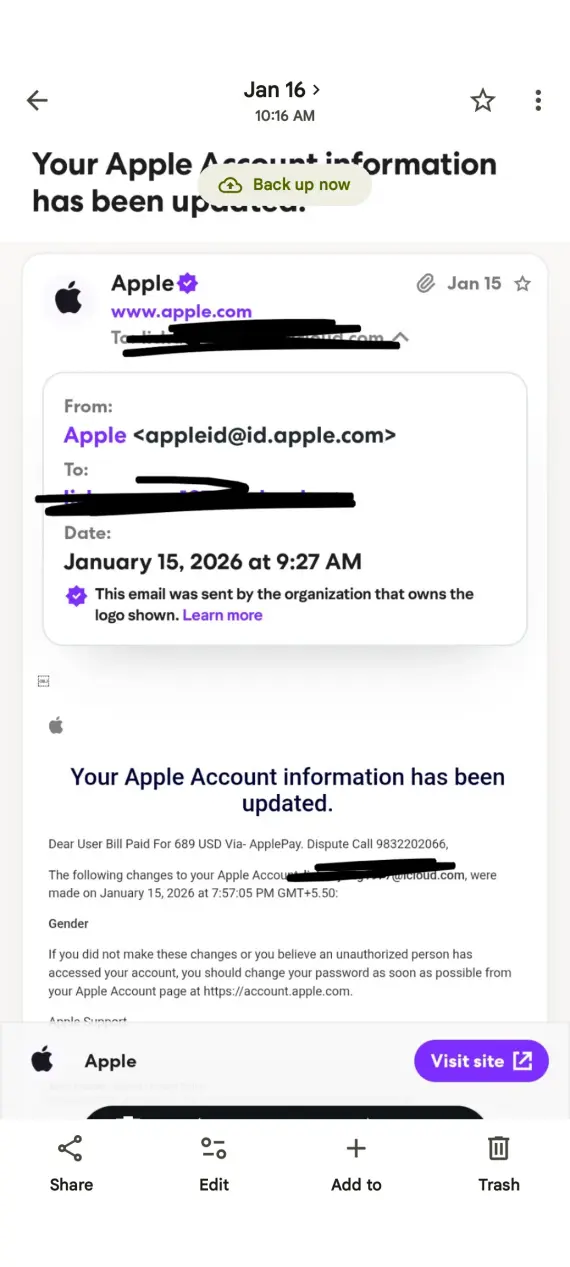
Out of nowhere, you receive an email from Apple saying that someone requested a password reset for your Apple Account, prompting you to click on a link. The link, however, is a malicious one and will lead you to a fake login page. Trying to log in will allow the scammer to steal your login credentials and take over your account.
Apple Account locked/suspended/disabled scams
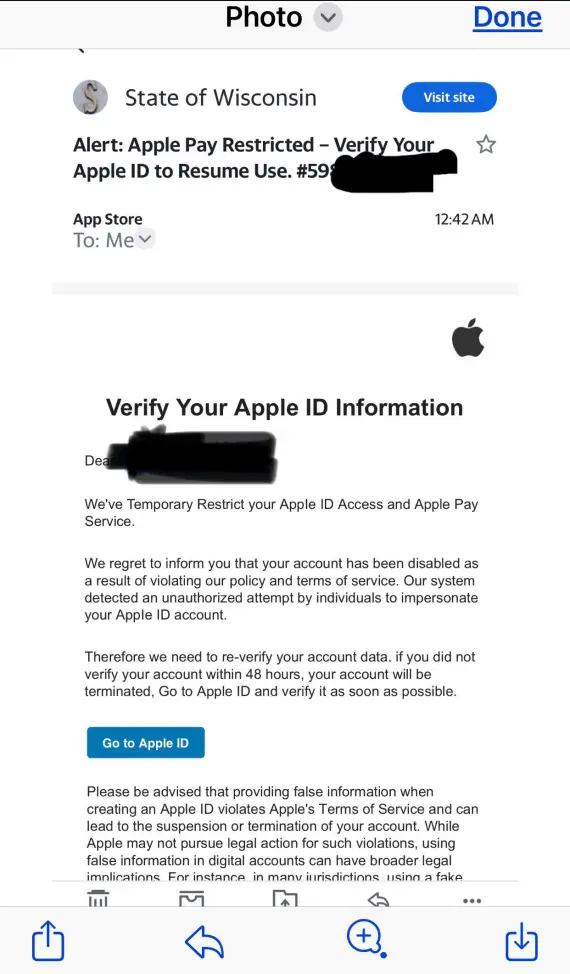
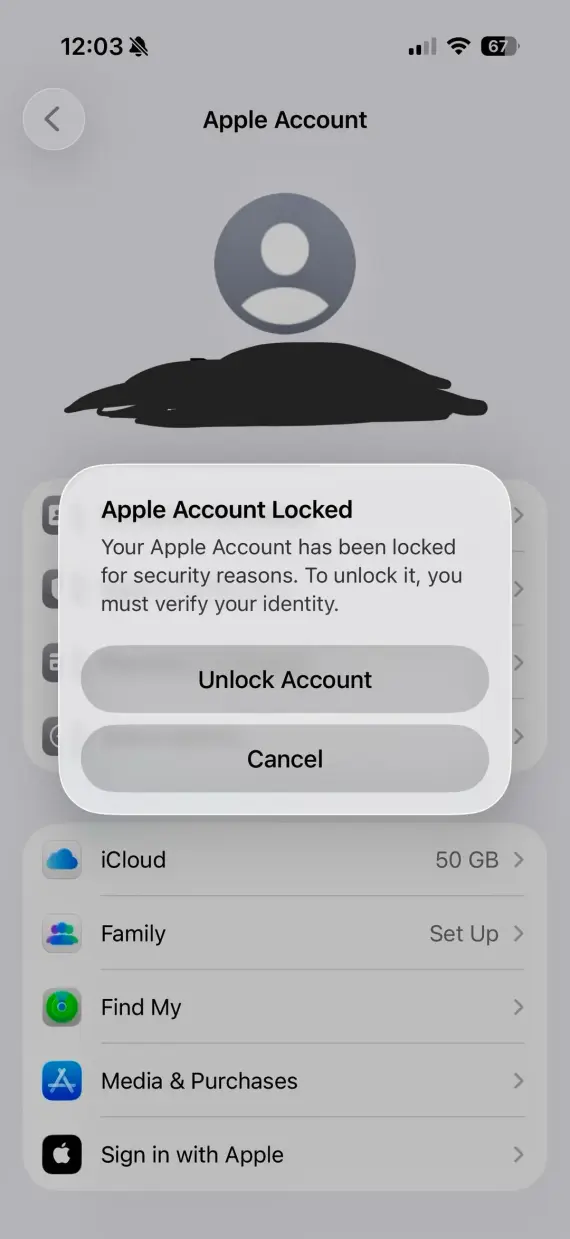
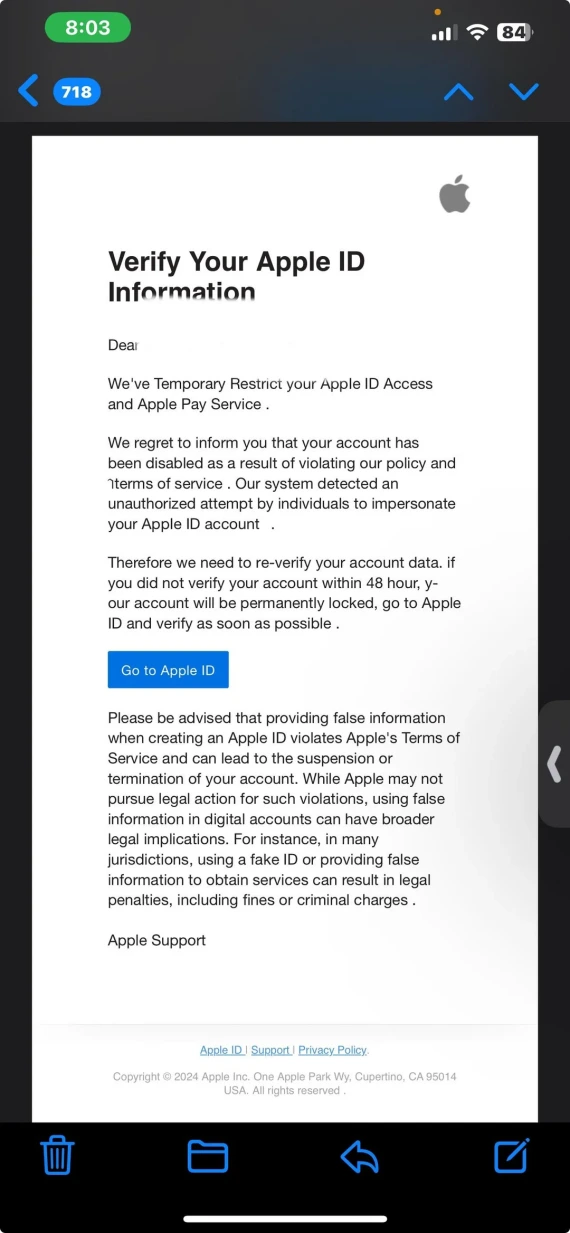
Scam messages will sometimes claim that your Apple Account has been locked, suspended, or disabled due to suspicious activity. The sender threatens you with data loss and pressures you to “verify” immediately through a link in the email. This is a phishing link that’ll take you to a fake login page that looks just like the real one.
Fake phone calls from “Apple Support”
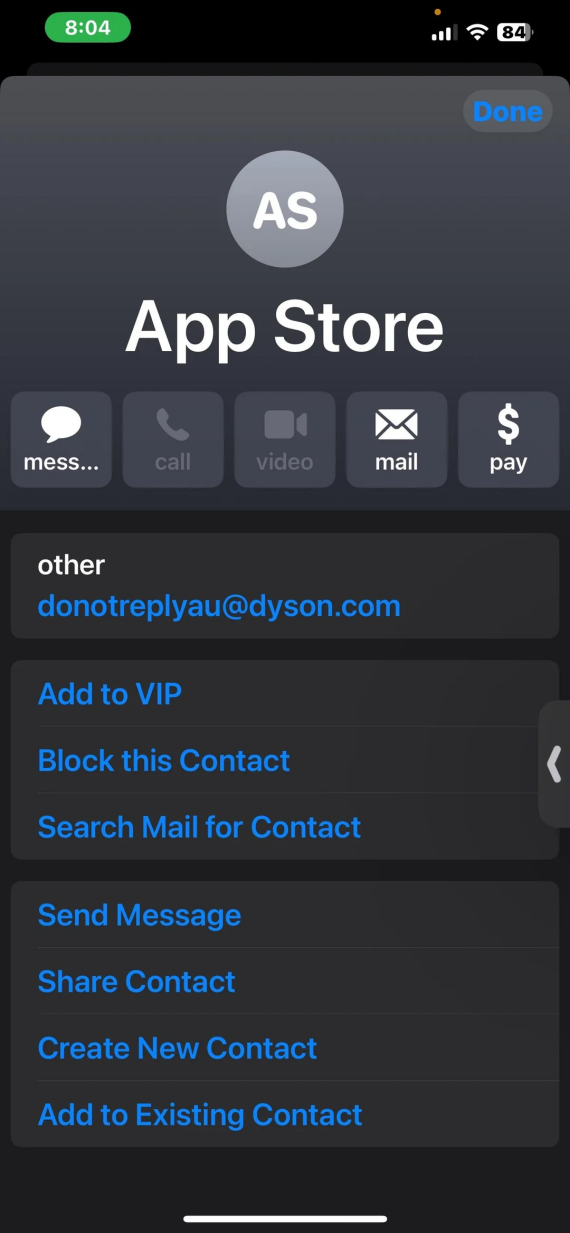
Vishing scammers don’t always use random phone numbers. They’re sometimes able to spoof Apple’s caller ID to look legitimate, claim that your account or device is compromised, and then demand verification codes or payment to fix it.
In some cases, they might pressure you into installing remote-access software on your Mac, such as AnyDesk or TeamViewer. If you do, they’ll have complete control of your device and account.
Phishing emails impersonating Apple
Emails impersonating Apple will try to lure you into clicking on a malicious link or calling a number straight from the email. In 2026, BeepingComputer documented a campaign that abused Apple’s account-name fields to embed an $899 iPhone/PayPal lure in genuine notifications coming from Apple’s own servers.
Similarly, SPF, DKIM, and DMARC bypassed Apple’s defenses because they came from Apple’s servers, hiding where the link will actually take the victim and making it harder to detect a scam.
How to verify a real Apple email
Do not trust an email or text message based on branding or a logo alone, as these can be easily copied to look authentic. Verify the message independently with the following tips:
- Check the full sender and reply-to domains. They must be official Apple domains.
- Avoid embedded links. Double-check any information directly in the Apple Settings or on the official Apple website.
- Confirm claims of purchases directly in your Apple Pay or Apple Cash apps.
- Never reply to requests for your passwords or verification codes by email; Apple will never ask for those.
Still not sure? Copy and paste the suspicious message into Moonlock’s Scam Detector for a quick risk assessment. Try it yourself to check emails and text messages before you respond.
Fake purchase receipts and subscription renewal scams
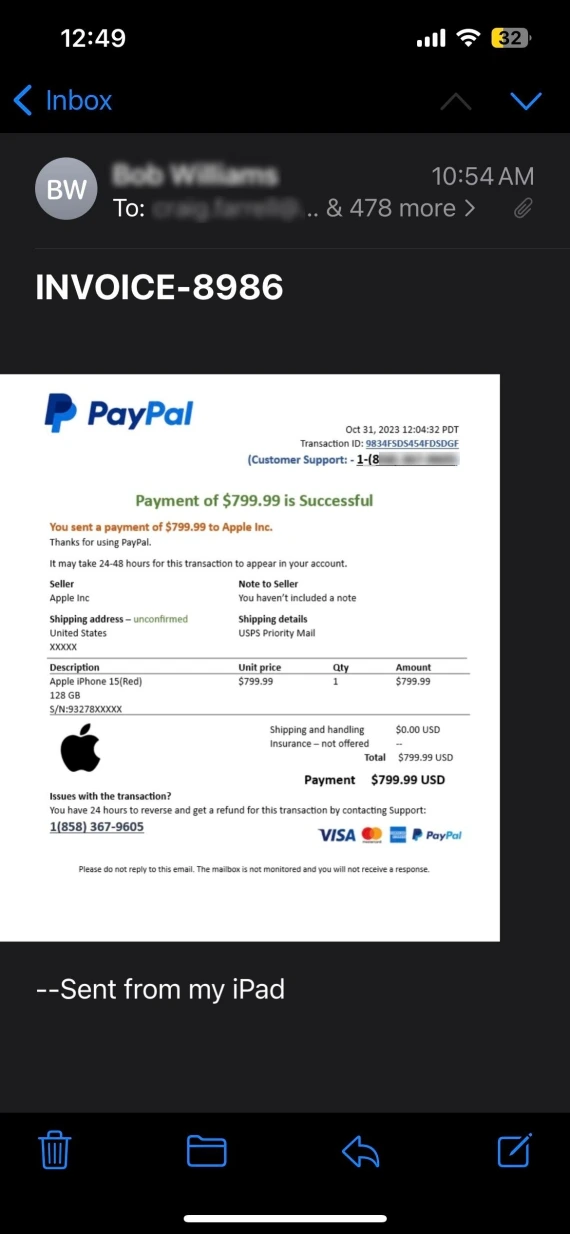
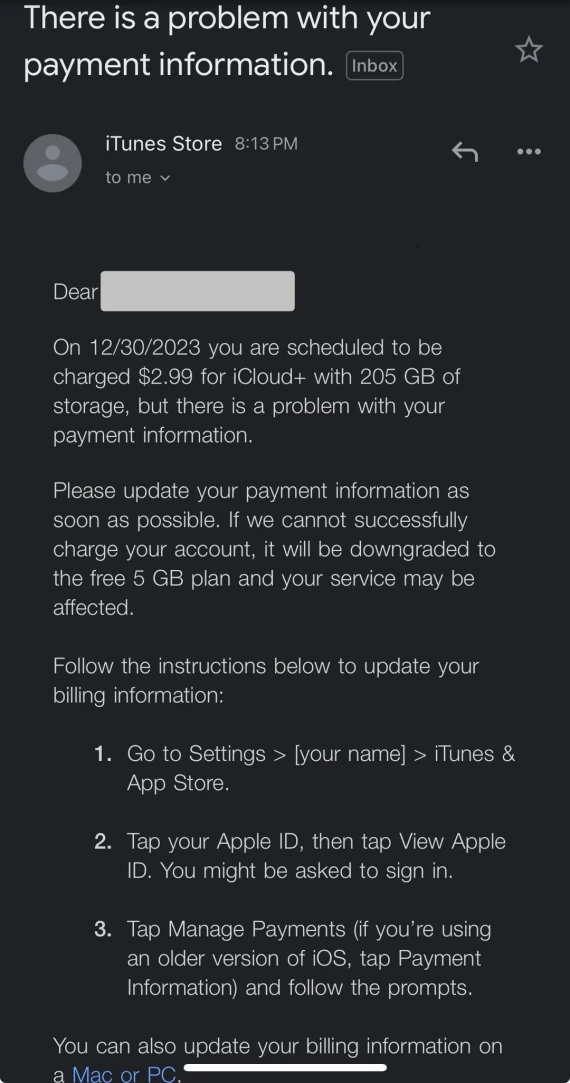
Fake purchase notifications rank among scammers’ favorite ways to make their targets panic and quickly click a link or call a number before thinking things through. Sometimes, these messages include PDF Apple receipts or attachments, usually for products or services you never bought.
If the scammer has enough information on you, they might trick you into thinking a canceled subscription is being renewed, then prompt you to click on a “cancellation” link that actually installs viruses on your device or steals your details.
Real examples: What Apple Account scams actually look like
A wide variety of Apple ID scams can be found online, and by familiarizing yourself with a few examples, you can see how they differ from genuine Apple communication you may receive.
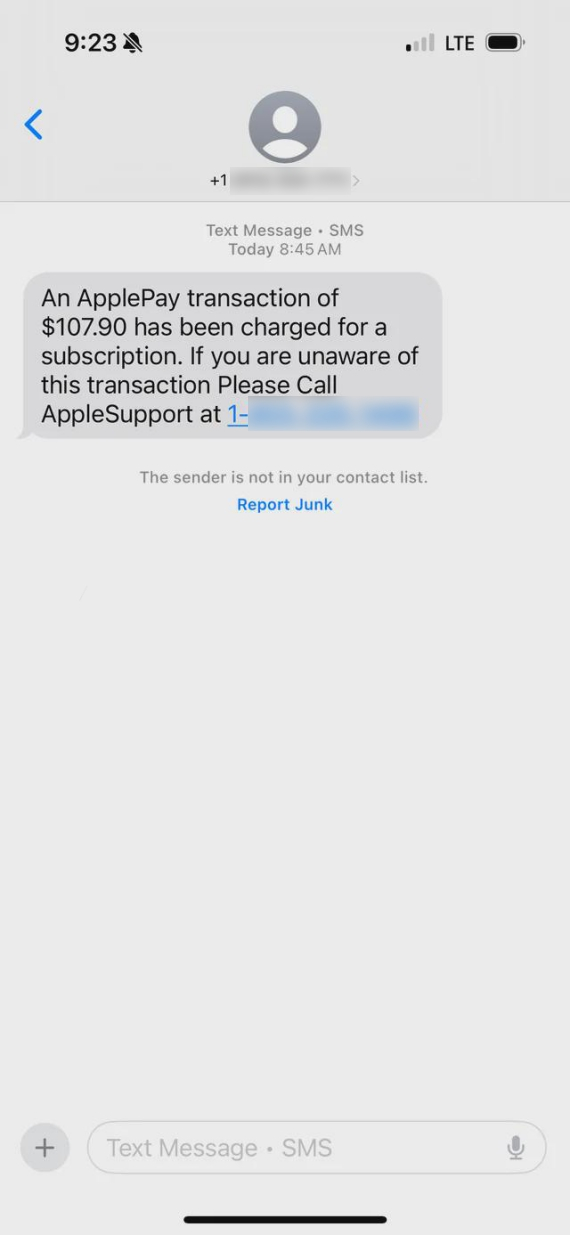
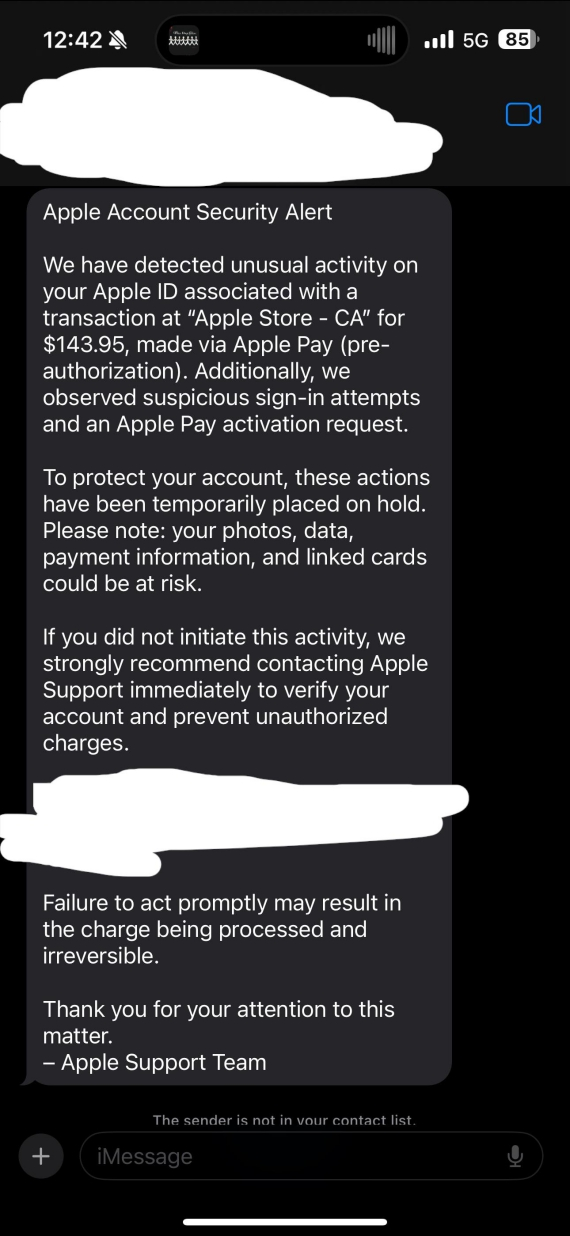
Text messages claiming that you’ve pre-authorized an Apple Payment are a common type of smishing. These messages are usually followed by a fake support number, used by scammers to impersonate Apple support agents and attempt to steal your information.
“Your iCloud storage is full,” along with threats that your files will be deleted, is also a scam. Clicking on the included “upgrade” button or link will take you to a fake login screen to steal your Apple ID credentials or payment information. Only upgrade your iCloud storage from the official app or website.
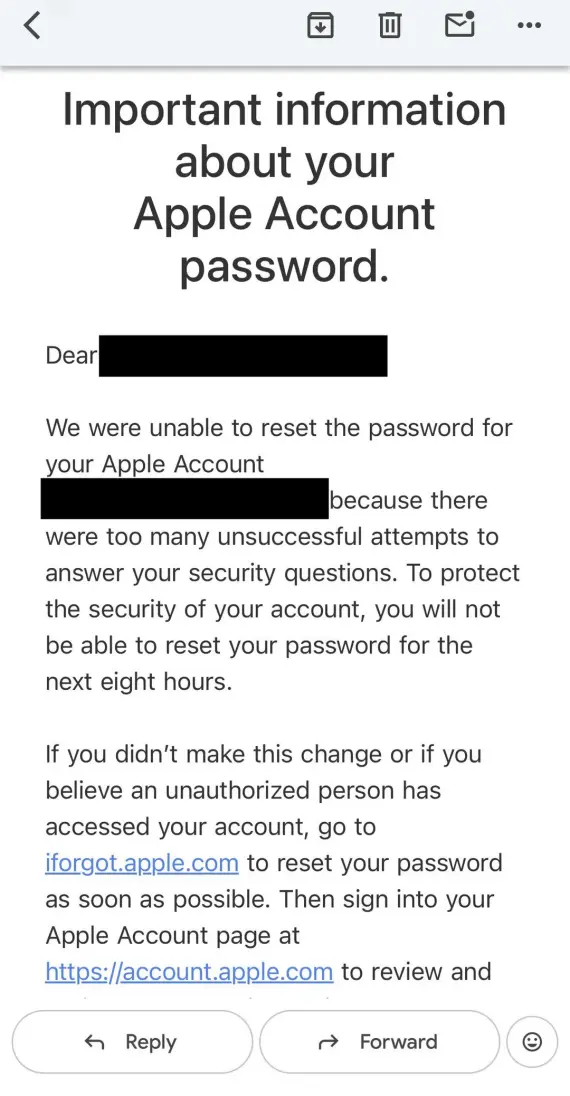
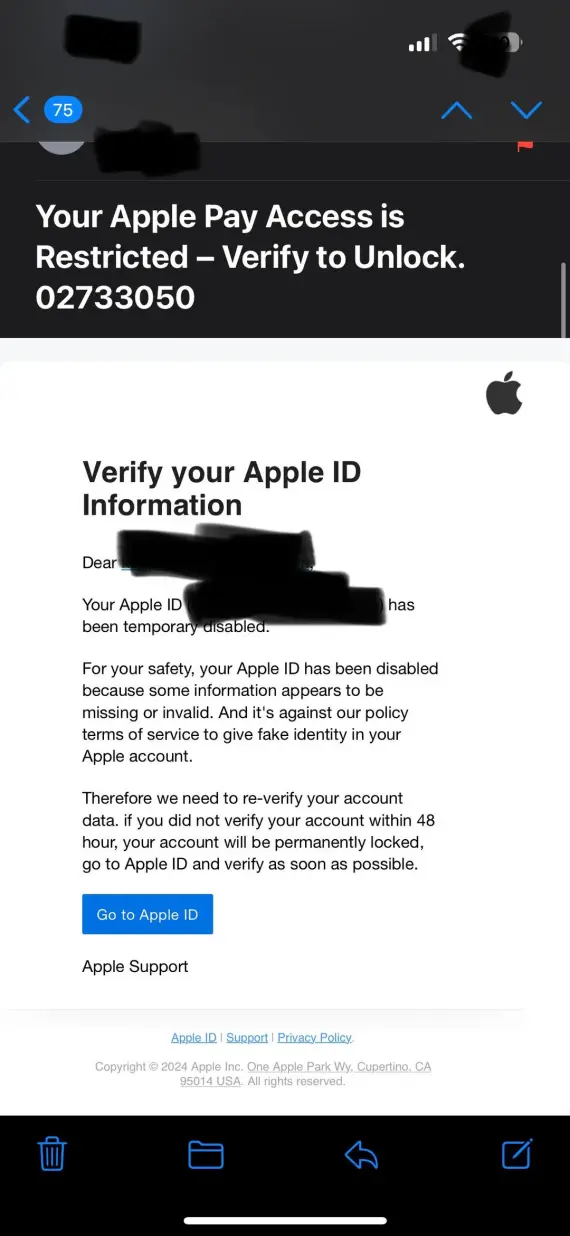
Emails that claim to be from Apple sometimes state that your account information has been changed, then ask you to verify it using the link in the email. Never click on the link, and only change your account information directly through the official website and app.
What to do if you clicked an Apple ID scam link or entered your Apple Account credentials
If you have fallen into one of the Apple ID scams or suspect that your Apple Account was compromised, you need to act quickly to minimize the damage and save your accounts:
- Change your Apple Account password immediately and enable 2-factor authentication.
- Terminate any unfamiliar active sessions on other devices.
- Review your recovery information, ensuring it hasn’t been changed.
- Check your purchase history, subscriptions, and Apple Pay for any unauthorized charges.
- Contact your bank or card provider if your payment details were compromised.
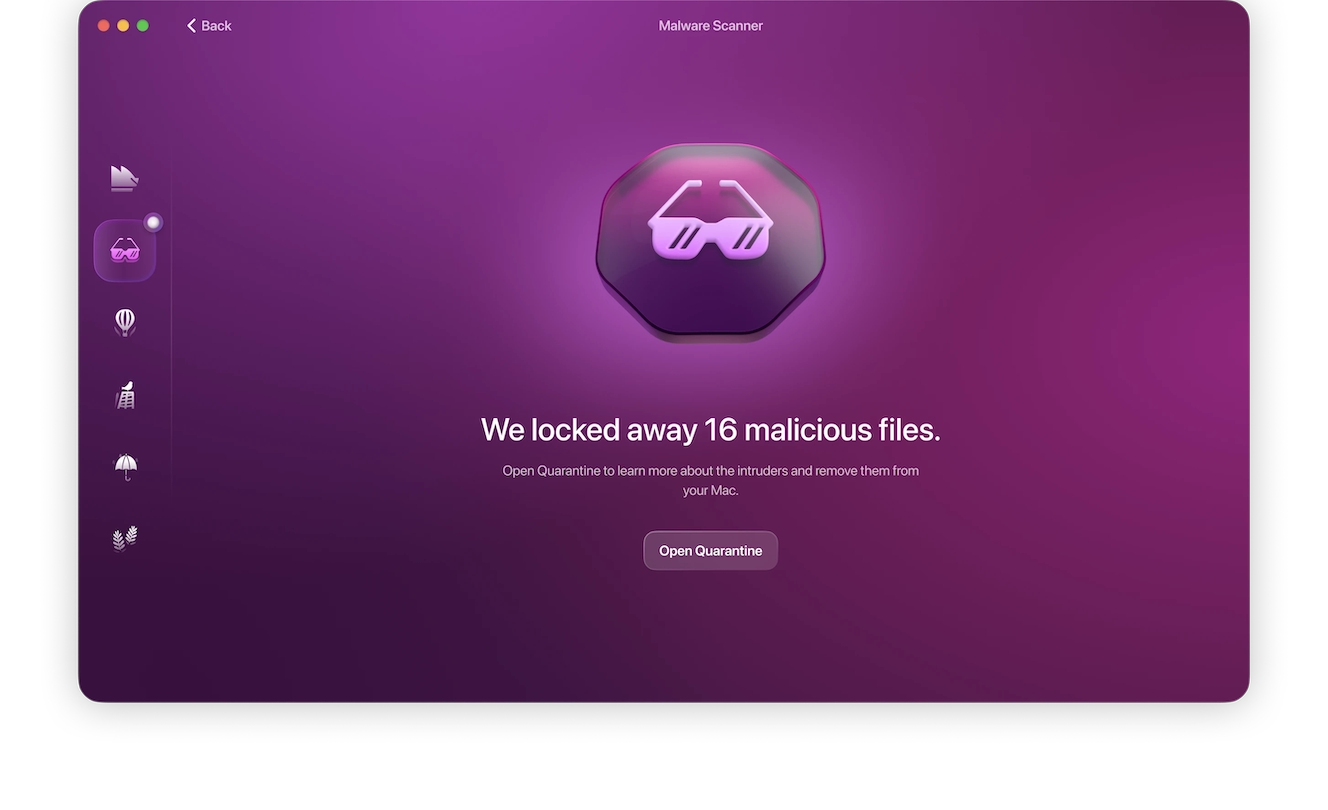
- Report the scam message or email to Apple, delete it, and scan your device for malware.
How to report an Apple ID phishing email or text
To help Apple take steps against the scammer and protect yourself and others from future attempts, it’s important to report phishing emails and texts to Apple:
- Forward any suspicious phishing emails to [email protected].
- For suspicious text messages, screenshot the message and email it to [email protected].
- To report impersonation, harassment, or blackmail related to your iCloud account, email [email protected].
- Report scams to the FTC and to your local law enforcement.
Answers to common Apple ID scam questions
It’s easy to panic or feel overwhelmed when there’s an attempt to take over your Apple ID account, but as long as you know what you’re doing, you can protect yourself. Here are some quick FAQs about Apple ID scams.
No, Apple will never ask you to disclose your password, device password, or verification code over email, text, or phone.
Apple support agents may call you following a support request, but unsolicited calls or texts demanding that you take action, supply codes, or make a payment are scams.
Yes. Attackers can quietly access your Apple ID or associated accounts without making much noise. Always review your device list and take login alerts as serious warnings.
Unless you recently bought something, yes. The recurring $143.95 Apple Pay pre-authorized text is a common scam. Verify transactions directly in the Wallet app, not through links in emails or test messages.
How to protect your Apple Account (Apple ID) going forward
Reduce your future risk of falling for an Apple ID scam by practicing a few safeguards:
- Enable 2-factor authentication on all your Apple accounts and protect your devices with a strong passcode.
- Regularly review and remove any unknown devices or recovery details.
- Verify purchases through the Wallet app or Apple directly, never through links.
- Keep iOS, macOS, and installed apps updated.
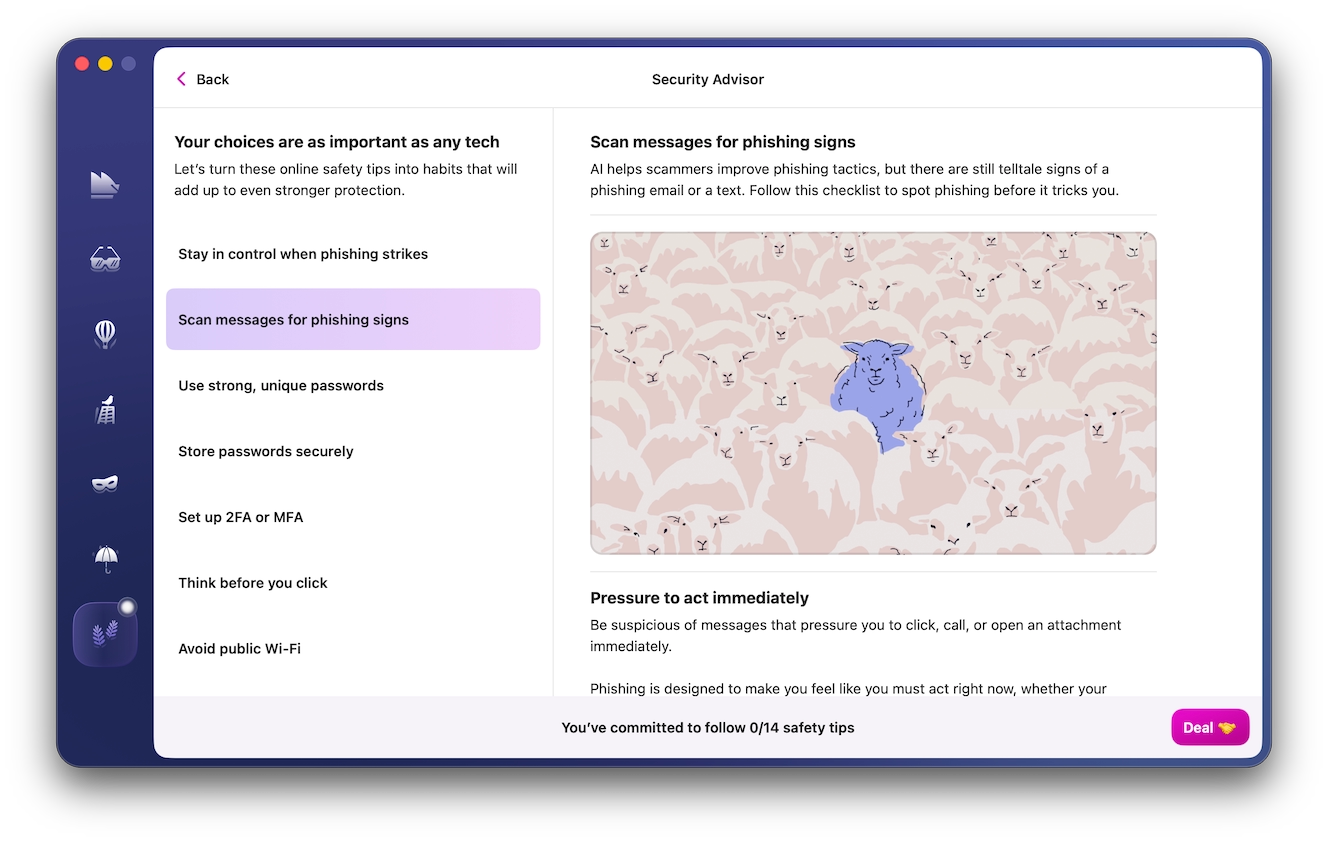
- Use Security Advisor to check your Mac’s security and privacy settings and identify any weak points.
Apple ID scams target you, the user, because you’re the most vulnerable link in the chain. Before engaging with any suspicious email, text, or notification, stop and verify its contents independently and contact Apple only through official channels.
This is an independent publication, and it has not been authorized, sponsored, or otherwise approved by Apple Inc. Mac, macOS, and Apple ID are trademarks of Apple Inc.