A new active stealer campaign is targeting Mac users, tricking them into installing new stealer malware that targets your crypto and data. The bad actors behind this threat are luring users with fake interviews and could be using other methods.
The new malware spoofs Apple’s built-in crash reports framework to access your files and data and decrypt the passwords it steals. Here’s what you need to know to stay safe.

Keep your Mac safe in the age of stealers
CrashStealer lures users via fake interviews on LinkedIn
Recently, Jamf Threat Labs reported that a new stealer, tracked as CrashStealer, was impersonating the macOS built-in crash report feature and targeting crypto, files, keychain data, and browser data.
Following up on Jamf’s report, we found that the bad actors in this campaign were using fake interviews for fake jobs posted on LinkedIn by fake companies. The fake recruiters tell those interested in the job to download a video meeting app called Werkbit. Downloading this app triggers a series of cascading events, allowing CrashStealer to breach your Mac.
![A screenshot of the CrashStealer site https://werkbit[.]org, live when this report was written.](https://moonlock.com/2026/07/werbkit_._org-different-site.webp)
CrashStealer Timeline: From first scan to active cybercriminal infrastructure operation
Jamf said they first came across a CrashStealer sample in May. Back then, it was still under development. By June, a user on Reddit reported that he was targeted by CrashStealer in a rather complex cybercriminal fake interview operation that included fake phone calls.
How CrashStealer operators trick you into installing the malware
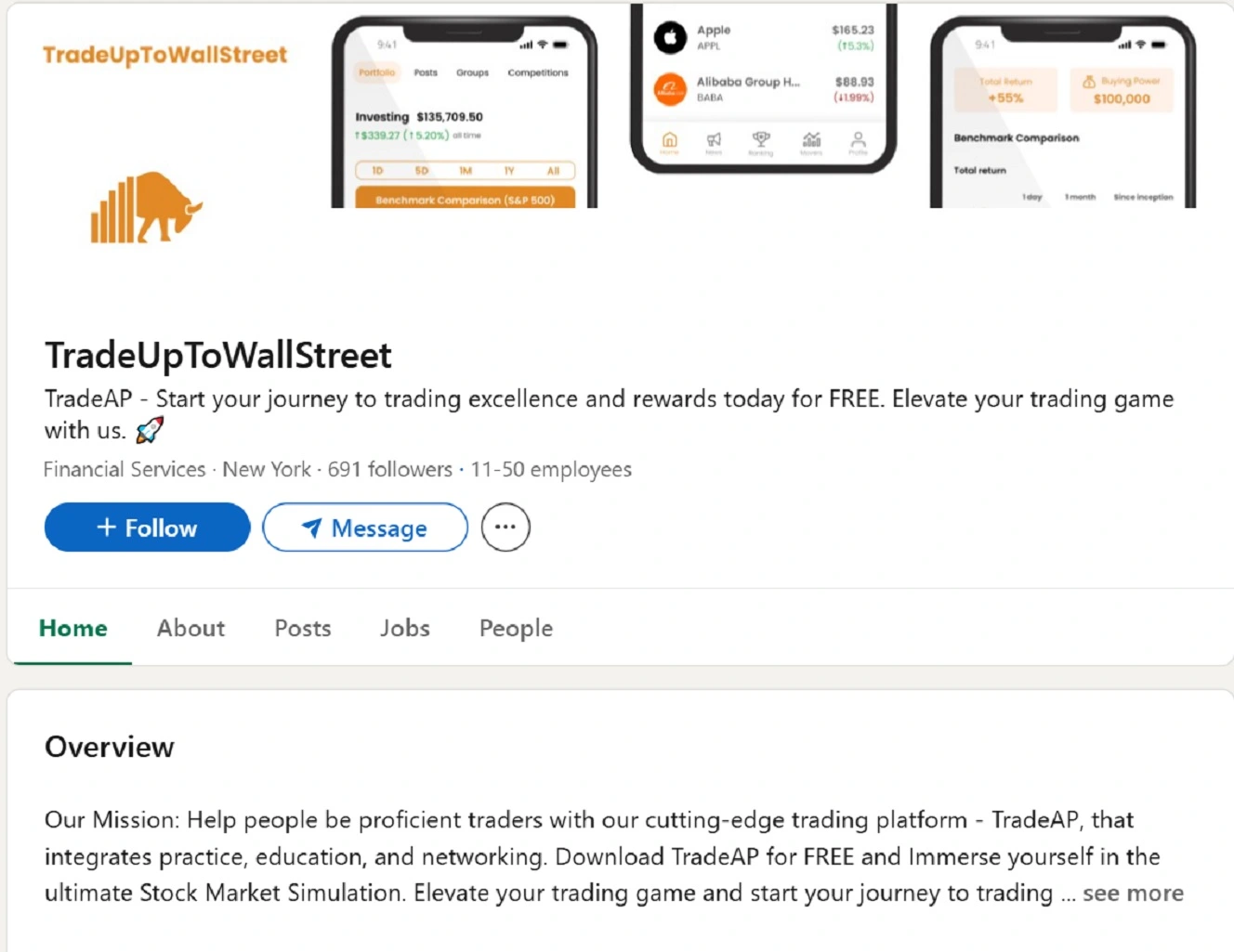
Unlike other stealers, this CrashStealer campaign does not seem to be using SEO poisoning or sponsored ads to lure users. Instead, based on Jamf’s article and users’ reports, threat actors are creating fake companies and fake jobs on LinkedIn.
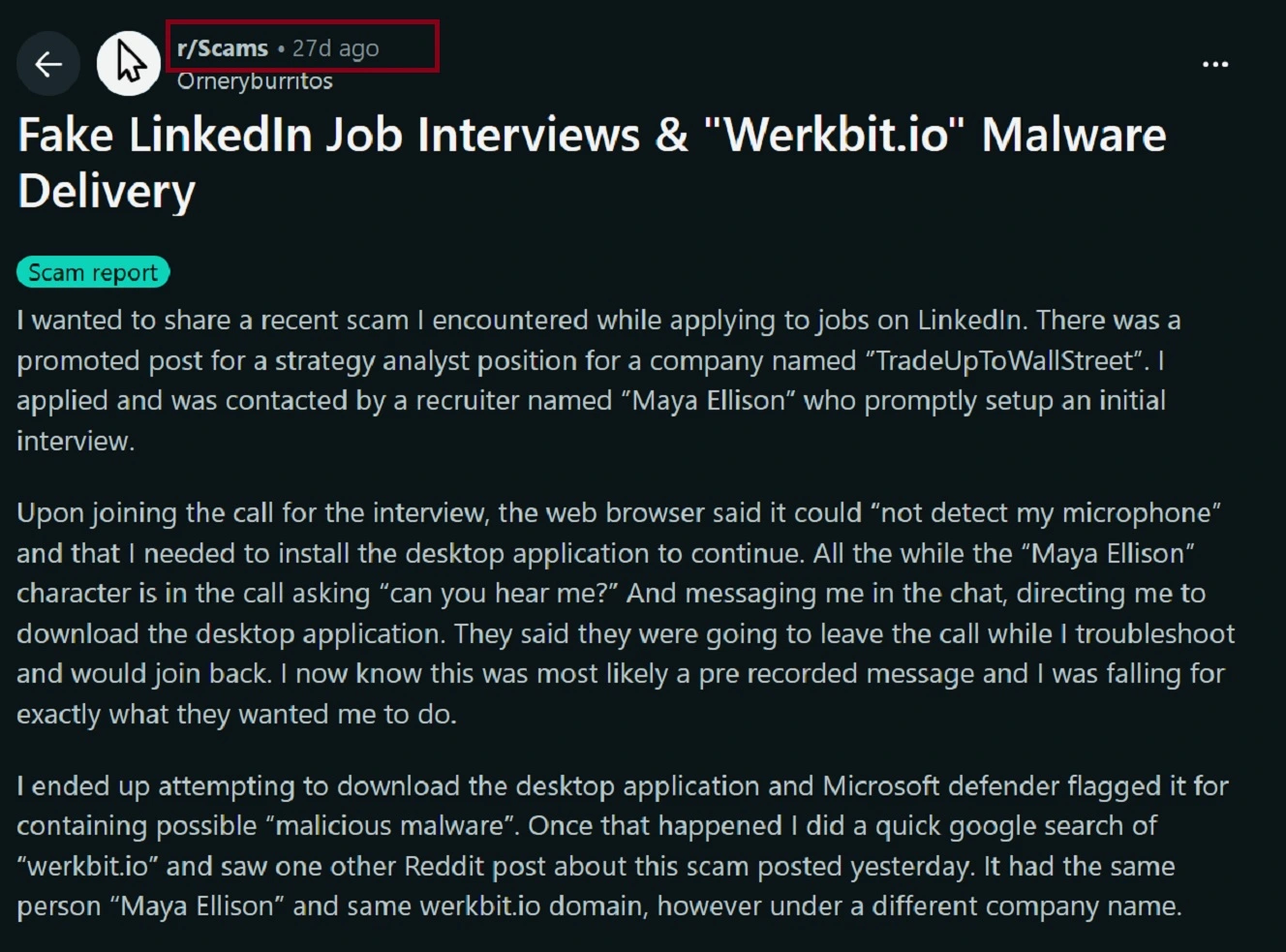
Users who were targeted in this campaign say the threat actors have even set up automated phone calls to try to trick you into installing the malware. The promise of a new job leads to a scam and a cyberattack.
Also, unlike other stealer campaigns, CrashStealer does not use ClickFix techniques to breach your computer. Instead, scammers ask users to download the fake software or meeting app called Werkbit from a website, giving them a code.
A fake meeting app used as bait
When users click on the download button on the Werkbit site and enter the code, their browser downloads a lightweight disk image Mac file. The file manages to bypass built-in Mac security tools, including Gatekeeper, because the file and app are signed and notarized with a valid Apple developer ID, specifically that of Emil Grigorov (WWB7JA7AQV).
The malicious CrashStealer file does not contain the core engine of the malware. Instead, it acts as a payload fetcher connecting your Mac with online attacker-controlled infrastructure where the real malware components are hosted, automatically downloaded, and staged (installed) on your Mac.
Threat actors created a fake site that attempts to pass as a meeting app solely to distribute CrashStealer. Jamf identified this site as: werkbit[.]io. The site was gone when we checked it. However, Jamf noted that several other sites existed in this campaign.
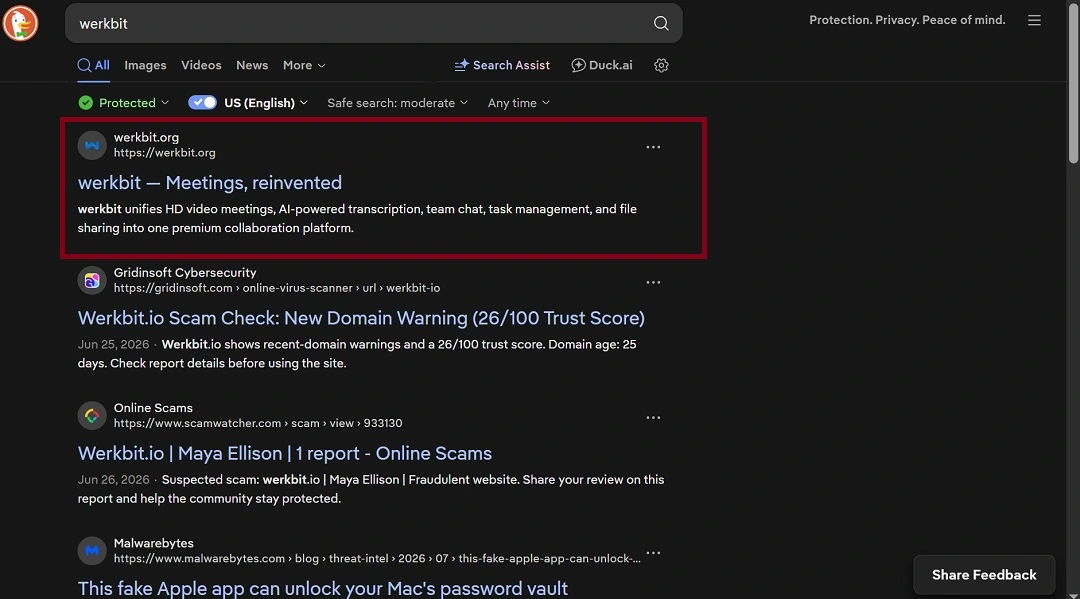
Digging a little deeper, we did a simple online search for Werkbit and came up with top-of-page results for https://werkbit[.]org, a site that has exactly the same design and attack chain.
The fake site not only offers downloads for Mac but for Windows as well.
![A screenshot of the CrashStealer download page on https://werkbit[.]org, offered downloads for Mac and Windows.](https://moonlock.com/2026/07/download-cross-platform.webp)
Jamf said that there are several domains out there distributing CrashStealer as part of a broader multi-platform campaign.
Fake interviews and stealers: Why Mac users should care
The fake job interview technique we see here is nothing new. Threat actors from North Korea have used the Contagious Interview and fake Zoom apps for years to launch similar attacks that target Mac users. This does not, however, mean that North Korean hackers are behind this campaign.
As Moonlock’s mid-2026 macOS threat report found, cybercriminals actively learn from state-sponsored threat groups.
“LinkedIn recruitment lures, fake in-call fixes, fileless execution built to dodge detection—all of it originated in North Korean operations, and now, it’s widely used in criminal kits, often improved beyond the original versions,” the Moonlock mid-year threat report reads.
What is Apple Crash Reporter on my Mac? CrashStealer’s main “thing”
Media reports indicate that CrashStealer’s main “thing” is that it impersonates Apple Crash Reporter. This brings up some interesting points that, fortunately, can help you recognize a CrashStealer attack. Let’s break it down.
The Jamf technical report explains that once CrashStealer is running on your Mac, it will create a fake Apple Crash Reporter icon. However, your Mac’s Crash Reporter is not an app. So this should be an immediate red flag.
So, what is Apple’s Crash Reporter? It’s a framework (code) built into your macOS that allows Apple to manage crash reports, collect crash information, run diagnostic reports, and collect and send feedback to Apple on bug reports that happen on your computer.
CrashStealer does not “hack” your Mac’s Crash Reporter framework at all. What it does is present itself as if it were part of those processes to trick you into typing your password. Here’s how it pulls that off.
How CrashStealer tricks its victims
Once CrashStealer installs a series of components and processes on breached devices, dressing them up as if they were part of the crash reporting framework, it generates fake macOS system notification popups that look just like the real thing. Under the excuse that “access is required,” the fake system notifications pressure you into typing in your passwords. This is not how normal software installations behave whatsoever.
Pretending to be Crash Reporter, CrashStealer will ask you for the passwords for access to your Desktop, Documents, Downloads, and removable-volume access, as well as full disk access. CrashStealer needs these passwords to access your data and decrypt your credentials, which are otherwise password-encrypted.
Bottom line: If you install software on your Mac, and you get what appear to be system notifications asking you for passwords, do not type those in.
This hard-coded technique is how CrashStealer earned its name.
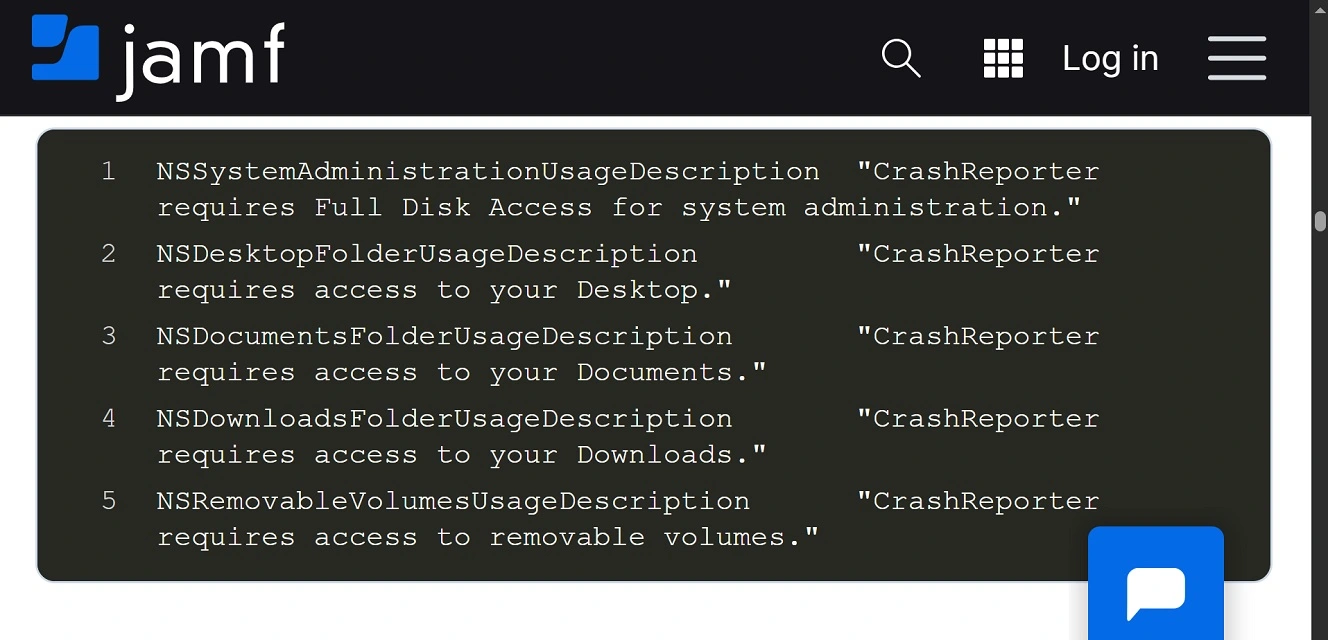
Jamf added that CrashStealer will check to see (validate) if the password you typed is correct, entering it locally on your Mac. If it is correct, the malware will use the password to unlock your login keychain.
As a reminder, your Mac login keychain, developed by Apple for macOS, allows you to store and manage passwords, certificates, and secure notes.
CrashStealer can also scan for security tools, write a second copy of itself on your Mac, and re-sign that copy to avoid security detection, establishing persistence as a LaunchAgent and, therefore, surviving reboots.
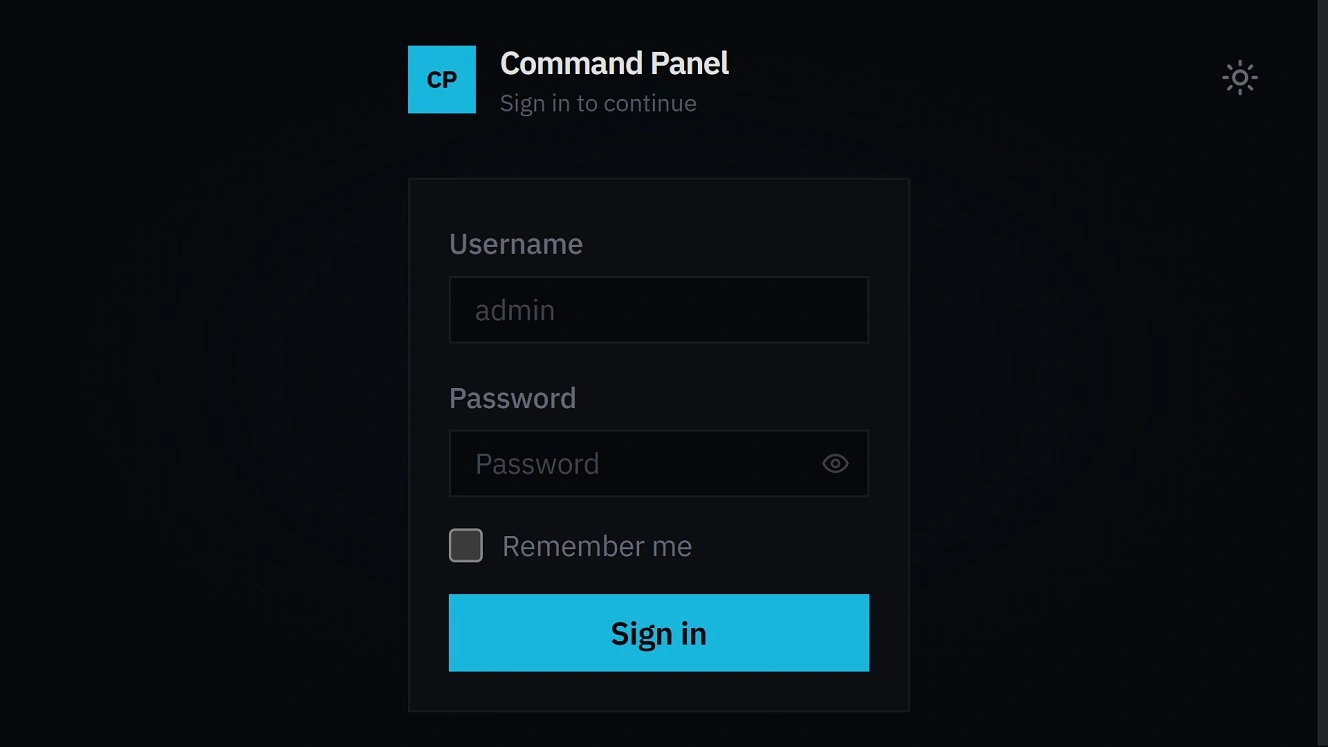
While most of the domains used in this fake interview multi-platform campaign are gone, the Command Panel of CrashStealer, used by those who operate this malware, is active.
How to keep safe from CrashStealer and other macOS stealers
Your first line of defense is to enable multi-factor authentication (MFA) on your accounts and keep your main crypto wallet off your Mac and on a separate device protected with biometrics or on a cold wallet. Other than that, there are several things you can do to stay safe from Mac stealers.
Get Moonlock. It is updated to deal with emerging threats, new stealers, and variants.
The Moonlock security app is constantly updated to keep up with new stealers, new malware variants, and emerging threats.

Once installed, Moonlock’s Real-Time Protection will run in the background, silently cross-checking everything you interact with for suspicious activity. If it finds anything, the Moonlock app will let you know what it is and why it’s dangerous. You can also run configurable scans using the Malware Scanner and optimize for depth or speed.
The Moonlock app also comes with a built-in VPN for safe browsing and a Scam Detector that can flag phishing in emails or text messages, helpful for detecting fake interview scams.
You can check out and test-drive Moonlock for free for 7 days.
Other tips and suggestions to stay safe from Mac stealers include password manager awareness, securing your crypto, and knowing when not to give your password away. Let’s look into these.
Password managers and crypto wallets can be breached
CrashStealer is coded to go after around 80 crypto wallet extensions, including the top ones, such as MetaMask, Phantom, Coinbase, Trust Wallet, Rabby, OKX Wallet, Exodus, Keplr, Solflare, and Backpack, as well as 14 password managers including 1Password, Bitwarden, LastPass, Dashlane, Keeper, KeePassXC, NordPass, Enpass, and RoboForm.
Other stealers can do the same. Do not consider crypto wallet extensions or crypto desktop applications unbreachable. The same goes for password managers. Instead, use MFA, biometrics, and keep your main crypto holdings off your Mac.
Watch out for password requests
As mentioned, CrashStealer will impersonate Apple’s Crash Reporter framework to trick you into giving away your passwords. This is not something done by CrashStealer alone; other stealers do the exact same thing using other techniques.
Your Mac passwords encrypt the data on your computer. Do not give away your passwords when installing new software.
Lures, lures, and more lures
Today, CrashStealer operators are using the fake interview technique to distribute the malware. Tomorrow, they might pivot, impersonate another brand, or use a different attack chain. So, how can you keep up?
Lures are where most cyberattacks begin. Whether via an email, an SMS, an ad online, or something else, be mindful of where a digital funnel begins to make sure it doesn’t end in the wrong place.
Final thoughts
CrashStealer is proof that the Mac threat landscape continues to be busy. Developing a new stealer, when there are plenty of those already on the dark web market, means there is demand for malware-as-a-service. This is not good news for the average Mac user.
Fortunately, the same principles that keep you safe from other stealers will hold their ground against this one. Always learn more about emerging threats and how your tech works to lead a calmer, safer, more productive digital life.
This is an independent publication, and it has not been authorized, sponsored, or otherwise approved by Apple Inc. Mac and macOS are trademarks of Apple Inc.