Public USB charging ports are everywhere: airports, hotels, cafés, and conference centers. They appear convenient. However, they’re also one of the easiest ways for attackers to compromise a phone or laptop without touching it. This type of attack is called juice jacking.
Juice jacking exploits the data connection inside USB charging ports and cables to install malware, steal data, or hijack a device session while it charges. Security agencies, including the TSA, now actively warn travelers to avoid public USB ports because of this risk.
In this guide, we explain what juice jacking is, how it works, where it happens, how common it really is today, and how to detect and remove malware if your device has already been compromised.
What is juice jacking?
The phrase “juice jacking definition” is increasingly appearing in airport and TSA advisories due to a rise in the number of attacks. Juice jacking is a cyberattack that uses a compromised USB charging port or cable to infect a phone, tablet, or computer with malware or steal data while the device is charging. The term comes from the idea that attackers “jack” both power and data from a USB connection.
Unlike a wall outlet, a USB port carries 2 channels:
- Power (to charge the device)
- Data (to transfer files, run commands, or establish trust)
If a charging station or cable has been modified, plugging in your device can trigger an automatic data exchange, often without you noticing.
How does juice jacking work, and what is its purpose?
Juice jacking works by abusing the trust relationship that USB connections create between devices. When you connect a phone or laptop to a USB port, the system may:
- Prompt for data access
- Automatically enable data transfer (on older systems)
- Allow command execution through USB protocols
A malicious charging station or cable can exploit this channel in several ways:
- The attacker modifies a public charging station or cable with a small embedded controller.
- When a victim plugs in, the device establishes a USB data session.
- The attacker’s hardware sends commands or injects malware.
- The malware installs silently or opens a backdoor.
- The attacker gains access to files, credentials, or remote control.
So, why are hackers using juice jacking? Here are a few reasons, along with the risks these attacks create:
- Silent infection: No downloads, no clicks, and no phishing are required. The device is compromised just by charging.
- Credential theft: Malware can extract saved passwords, browser sessions, tokens, and keychain data.
- Spyware installation: Attackers can install monitoring software that tracks keystrokes, messages, and locations.
- Remote access: Some payloads open persistent backdoors, allowing attackers to reconnect later over the internet.
- Data exfiltration: Photos, documents, emails, and corporate files can be copied during or after the charge.
This is exactly the type of low-friction compromise modern malware campaigns prefer.
Moonlock’s real-time protection actively monitors device behavior and blocks unauthorized system modifications before malware can establish persistence. For users who frequently travel or charge in public, this layer of runtime defense dramatically reduces exposure to USB-based attack vectors.
Where might you encounter juice jacking?
Public USB ports are the primary risk surface when it comes to juice jacking attacks. High-risk locations include:
- Airports and airplane seat chargers: Heavy traffic, unattended hardware, and constant device turnover make juice jacking in airports a significant threat.
- Hotel business centers and lobby chargers: These are often poorly maintained and rarely audited for tampering.
- Train stations and bus terminals: High traveler density and minimal security monitoring.
- Conference venues and convention halls: Attackers can seed multiple charging kiosks during large events.
- Shopping malls and cafés: Of particular concern are free “charging bars” with shared USB hubs.
Anywhere you don’t control the charging hardware, you should assume the data channel may be hostile.
Is juice jacking a real threat today, and why has it returned?
Overall, juice jacking has seen a resurgence for structural reasons. For several years, modern mobile operating systems reduced exposure by:
- Prompting before enabling USB data
- Defaulting to charge-only modes
- Locking data access behind authentication
So, what’s changed? And why is juice jacking back?
- Cheap, malicious cables and implants: Off-the-shelf USB attack hardware (like O.MG cables) can now emulate keyboards and network adapters, and can command devices.
- Corporate travelers carry high-value data: One infected executive phone can expose VPNs, SaaS sessions, and corporate credentials.
- Supply-chain and kiosk tampering is easier: Attackers no longer need permanent access, just brief physical contact.
- Users are charging more often in public: Phones drain faster, and public charging infrastructure is expanding.
Mass exploitation is still rare. Large-scale outbreaks have not been documented. However, targeted attacks are increasing. Proof-of-concept attacks are widely available, and juice jacking TSA and FCC advisories confirm that the risk is credible.
Juice jacking is best described as a low-frequency, high-impact attack vector that is uncommon but extremely damaging when successful.
Real-life juice jacking incidents and what happened
While many incidents remain undisclosed, several confirmed cases and government warnings illustrate the risk:
- Corporate traveler compromise cases: Security firms documented cases where executives’ phones were infected after charging at conference venues, leading to VPN credential theft.
- TSA airport warnings (2023–2024): TSA issued public guidance advising travelers not to use public USB charging ports after discovering compromised charging stations in major airports.
- DEF CON malicious cable demonstrations: Researchers showed that modified charging cables were capable of injecting keystrokes, installing backdoors, and opening reverse shells within seconds.
Warning signs your device shows after a juice jacking attack
Most infections are silent. But common indicators include the following.
Unexpected system prompts during charging
If your device unexpectedly asks for data access or to “Trust this computer” when you only intended to charge, that’s a red flag. Legitimate chargers don’t initiate data sessions, so these prompts usually mean a compromised cable or charging port is trying to establish a USB connection.
Repeated prompts or prompts that appear after you’ve already denied access can indicate an embedded controller attempting to renegotiate USB permissions.
Battery draining abnormally quickly
USB-delivered malware often runs persistent background processes that consume CPU and maintain network connections. This constant activity increases power draw, causing noticeable battery drain even when the device is idle.
If your device’s battery life drops suddenly after using a public charger, it may signal spyware or a remote access payload running invisibly.
Device overheating while idle
Spyware and remote access tools perform continuous monitoring and data transmission tasks that increase processor usage. This can cause the device to heat up even when no apps are open.
If your device becomes warm while sitting idle or charging after using an unfamiliar USB port, it suggests malicious background activity.
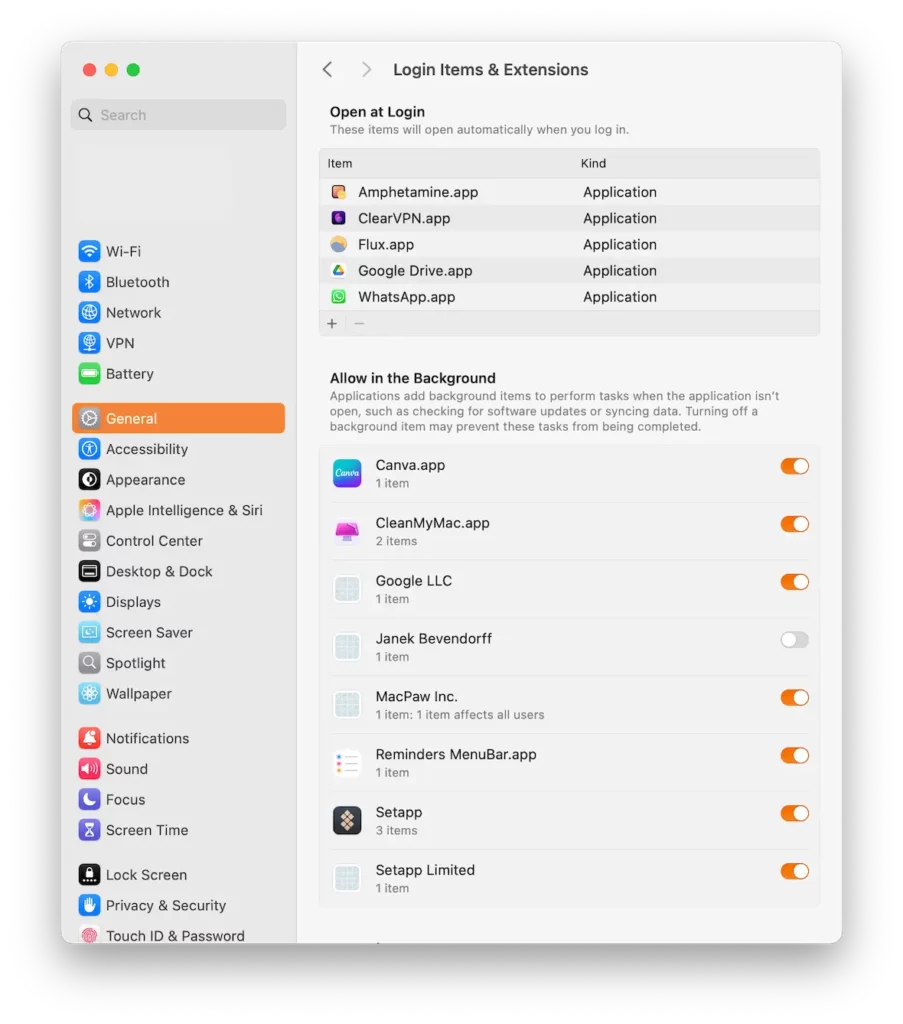
New profiles, certificates, or VPNs installed
Unauthorized profiles, root certificates, or VPNs represent a serious warning sign. They can give attackers persistent control over network traffic, suppress security warnings, or bypass system protections.
If you see profiles or certificates you don’t recognize, especially with generic names, assume that your device has been compromised until proven otherwise.
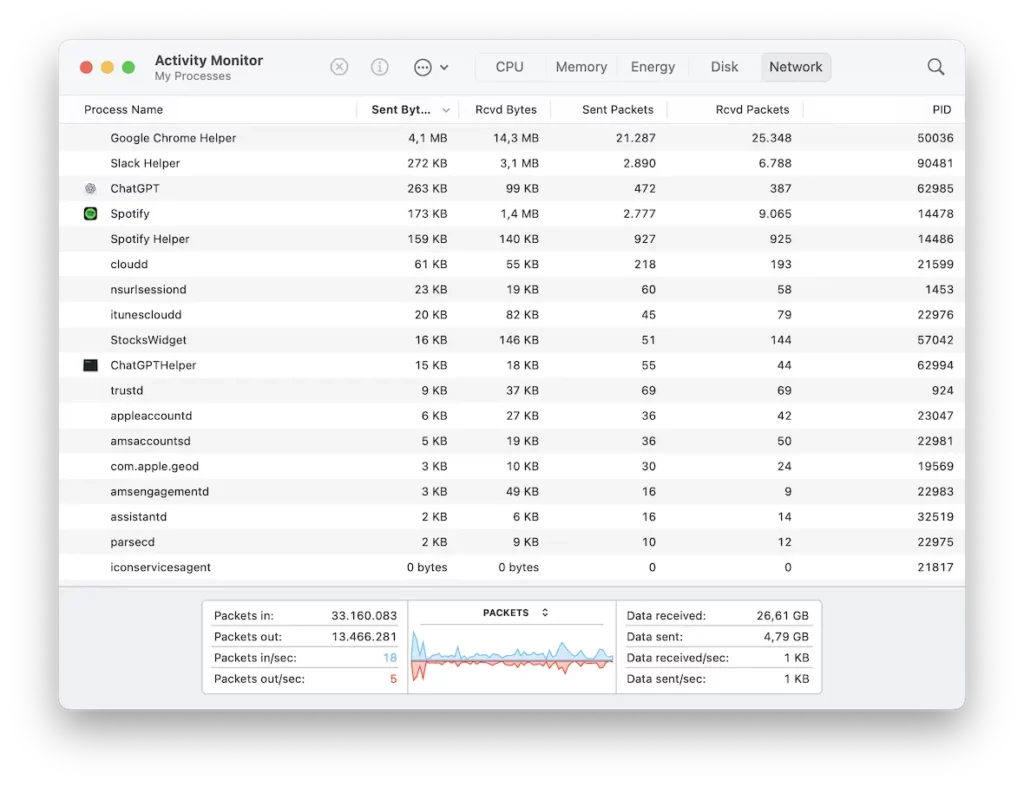
Unusual network traffic
Malware commonly transmits credentials, keystrokes, and device data to command-and-control servers. Continuous outbound connections, unexplained data uploads, or unknown IP traffic can indicate data exfiltration.
Watch out for spikes in data usage or unknown processes using bandwidth. These are high-risk indicators.
System instability or crashes
Injected drivers or corrupted system processes can destabilize the OS. This often shows up as random crashes, freezes, or unexplained performance drops.
If instability begins after charging in a public place, it strongly suggests a low-level compromise.
How to remove juice jacking-related malware from your Mac
USB-based attacks against macOS usually install persistent agents, launch daemons, or hidden profiles.
Check your Mac for malware with Moonlock antivirus
Before attempting a manual removal, scan your system with Moonlock’s malware scanner. It will identify:
- USB-borne payloads
- Spyware
- Trojans
- Other malicious software
You can try Moonlock for free for 7 days to see how it all works without any commitments.
1. Install and launch Moonlock
Download and install Moonlock on your Mac, then open the application to get started.
2. Open the Malware Scanner
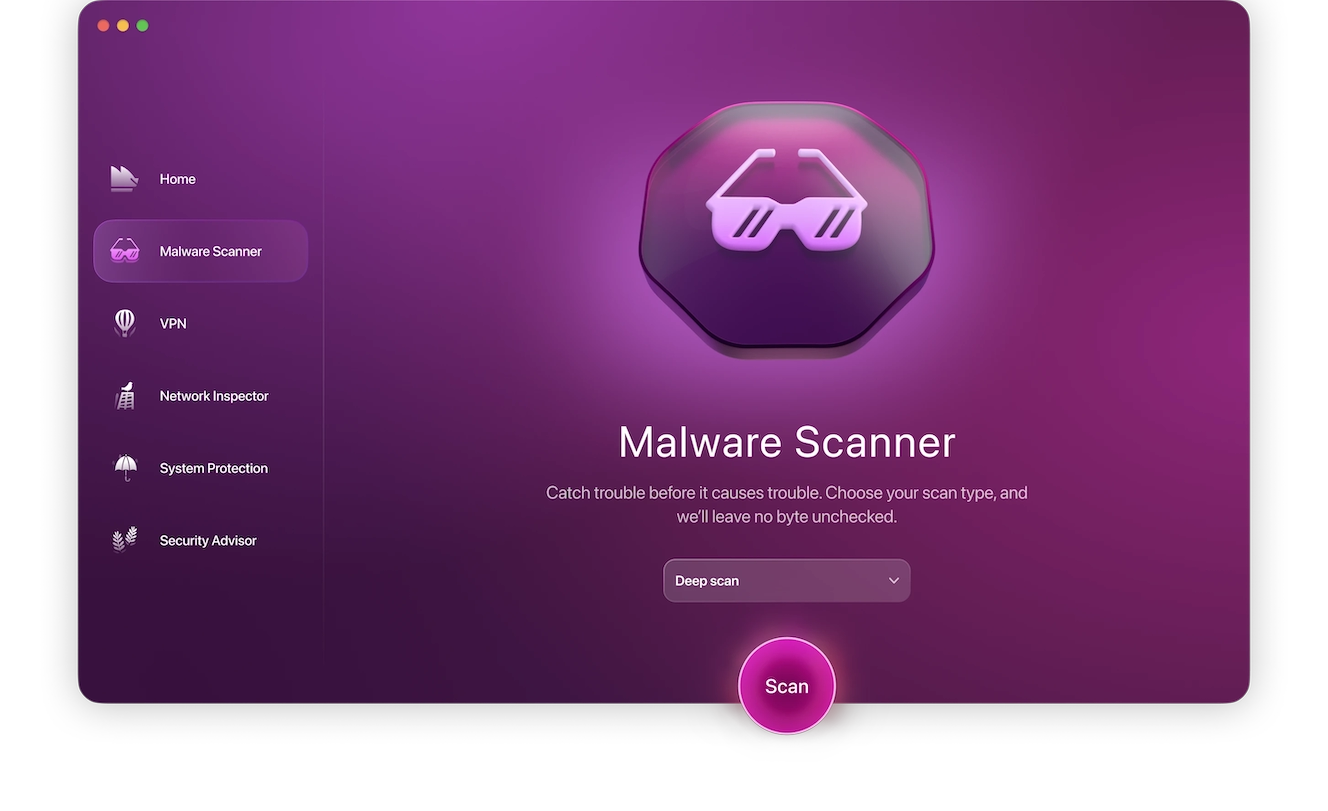
Navigate to the Malware Scanner section inside the Moonlock dashboard. This module is designed to detect USB-borne payloads, hidden agents, and persistence mechanisms.
3. Run a Deep system scan
Start a Deep system scan to inspect all files, launch agents, daemons, and configuration profiles. This mode looks beyond surface-level threats to uncover malware designed to survive reboots.
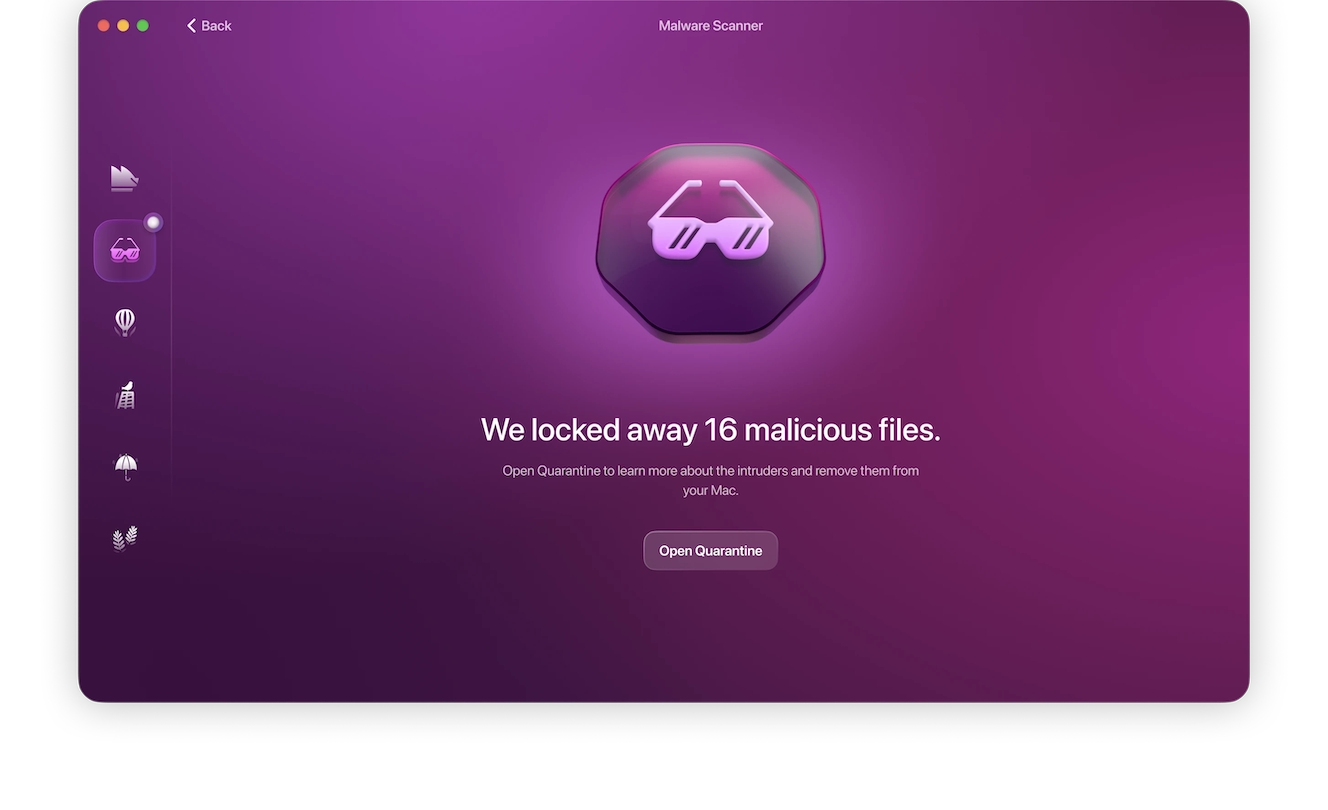
4. Quarantine and delete all detected threats
All detected malware is moved into quarantine. From there, you can permanently delete it from your system. This removes both the primary payload and any secondary persistence components.
5. Restart your Mac
Reboot your Mac to finalize malware removal and unload any in-memory malicious processes. This step also ensures that deleted launch agents and daemons do not reinitialize.
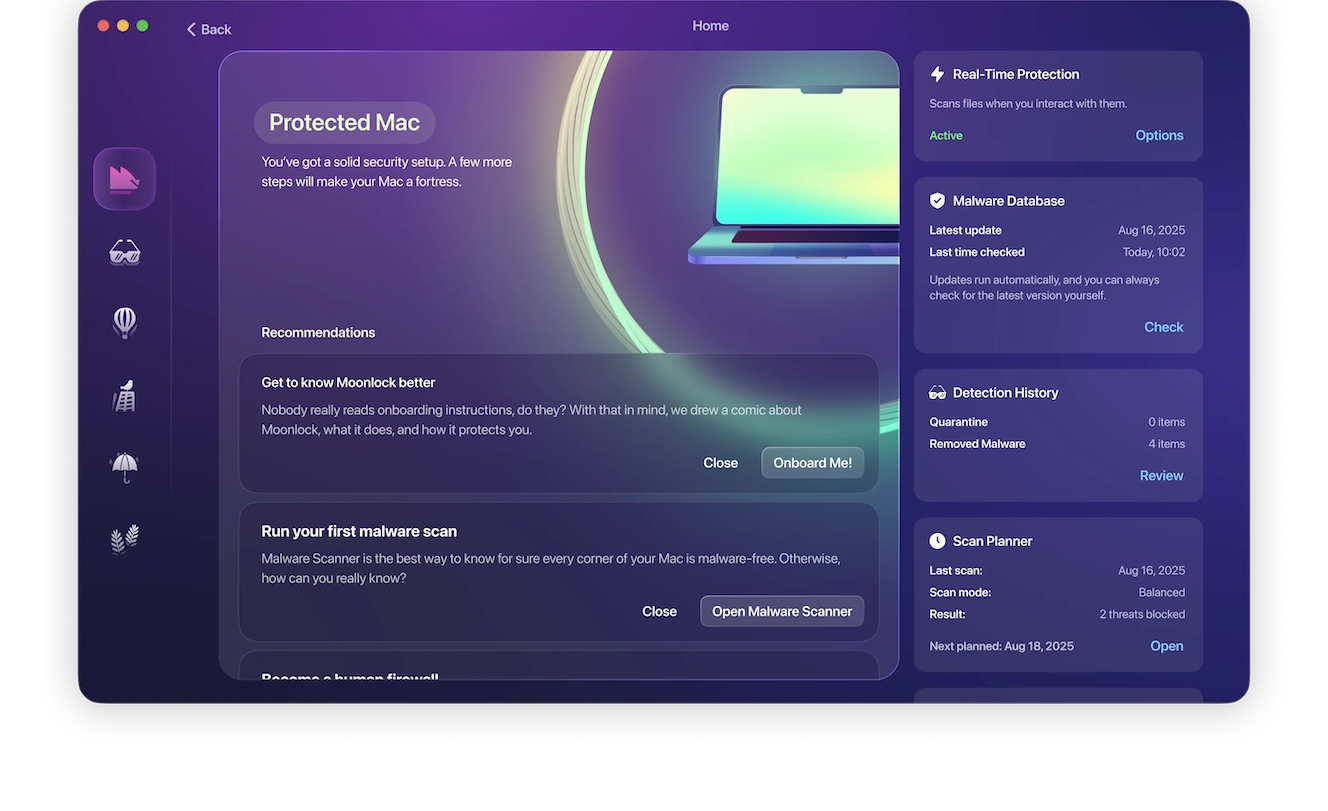
6. Enable real-time protection to prevent reinfection
Turn on Moonlock’s real-time protection to block unauthorized system changes going forward. This prevents future USB-based attacks from establishing persistence.
Additional steps to take
- Update macOS to the latest version.
- Revoke unknown profiles in System Settings > Privacy & Security.
- Reset browser sessions and revoke saved credentials.
- Change all passwords used on the device.
How to remove malware if your iPhone was compromised by a suspicious charger
So, are you at risk of juice jacking on iPhone? On the plus side, iOS is more locked down than other operating systems. However, profile-based attacks still occur.
Here’s what to do if a juice jacking attack happens to you.
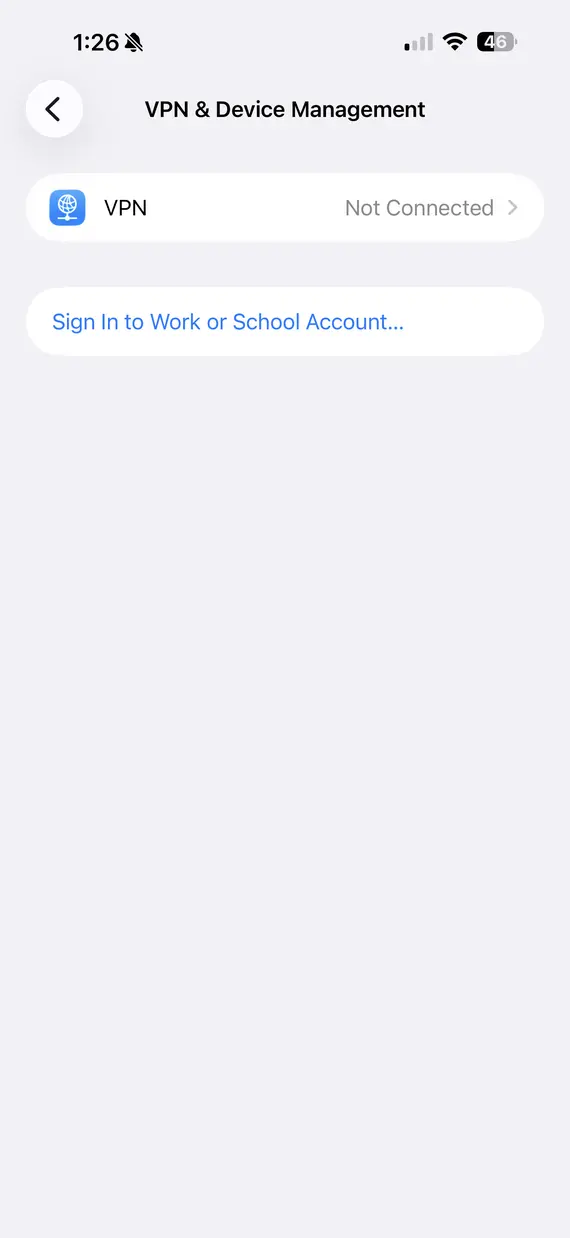
1. Remove unknown profiles
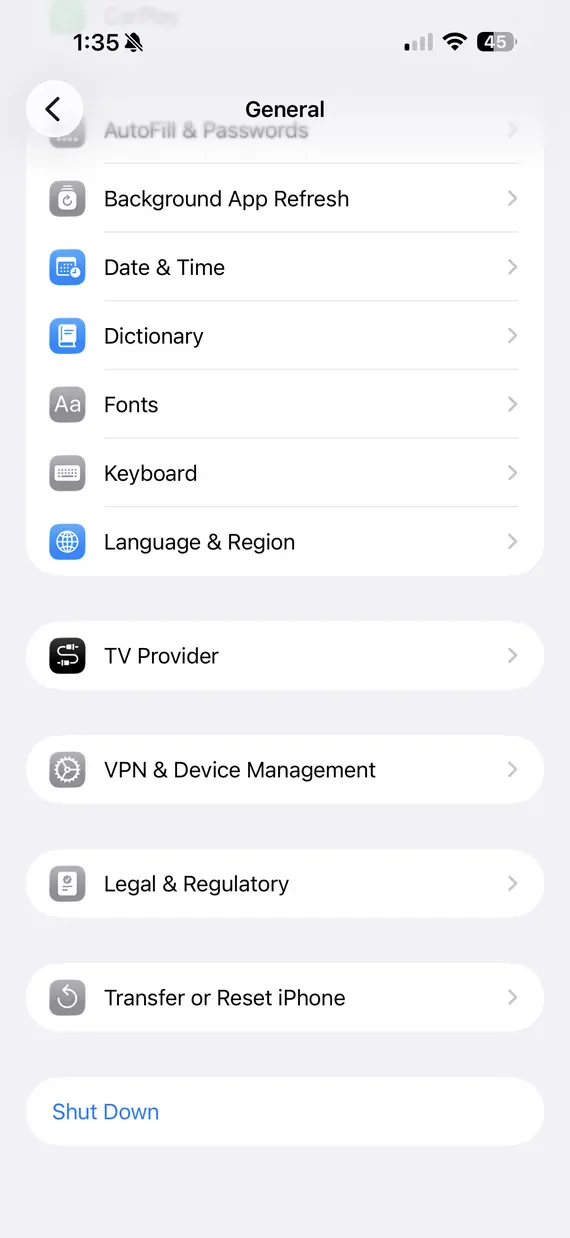
Go to Settings > General > VPN & Device Management and review all installed profiles. Delete any configuration profiles, certificates, or management profiles you don’t recognize, as these can grant attackers persistent control.
2. Reset network settings
Resetting network settings clears saved VPNs, proxy configurations, and malicious DNS entries that may have been installed during the attack. This forces your device to rebuild clean network connections.
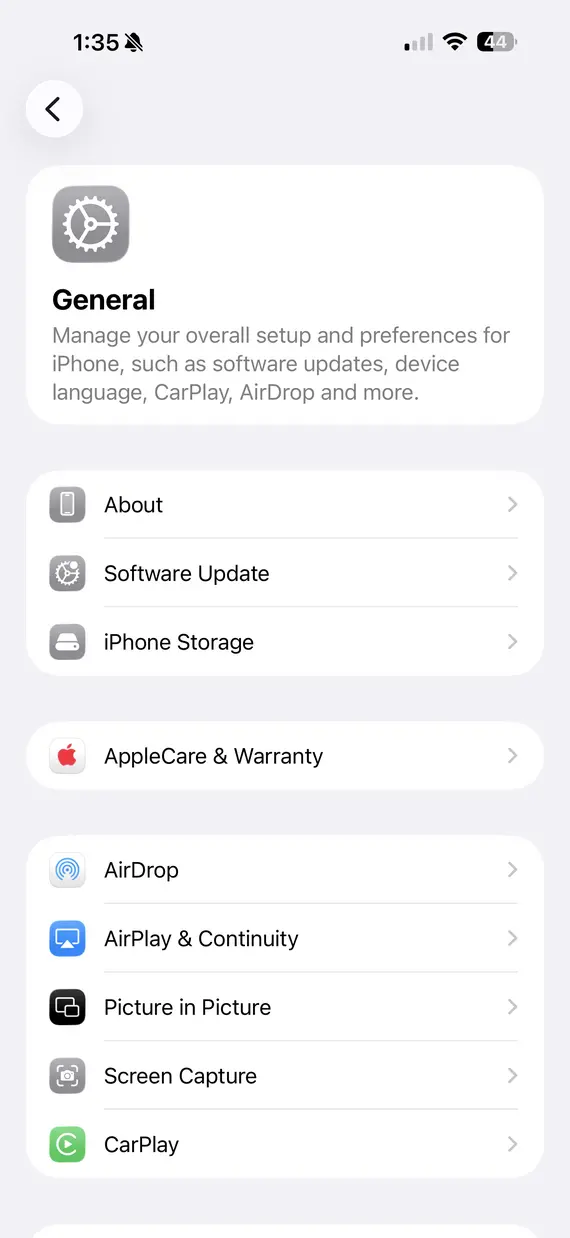
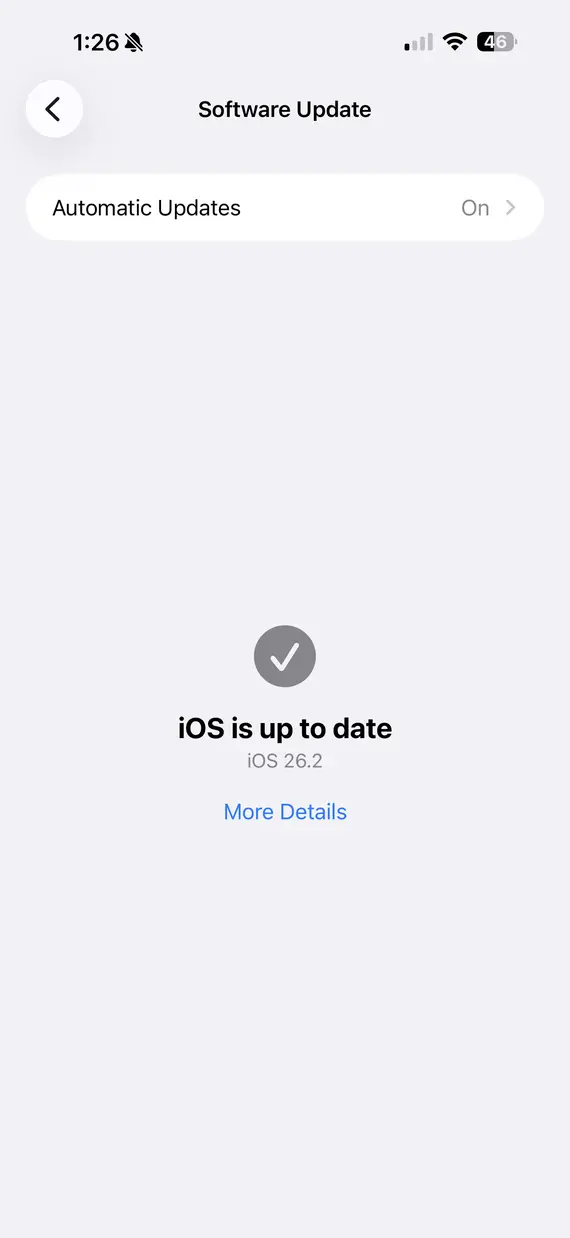
3. Update iOS immediately
Install the latest iOS update as soon as possible, since security patches often close the vulnerabilities used for USB-based persistence exploits. Keeping iOS fully updated reduces the risk of reinfection.
4. Sign out and reauthenticate your Apple ID
Sign out of your Apple ID and then sign back in to invalidate stolen authentication tokens and active sessions. This prevents attackers from maintaining access through cached credentials.
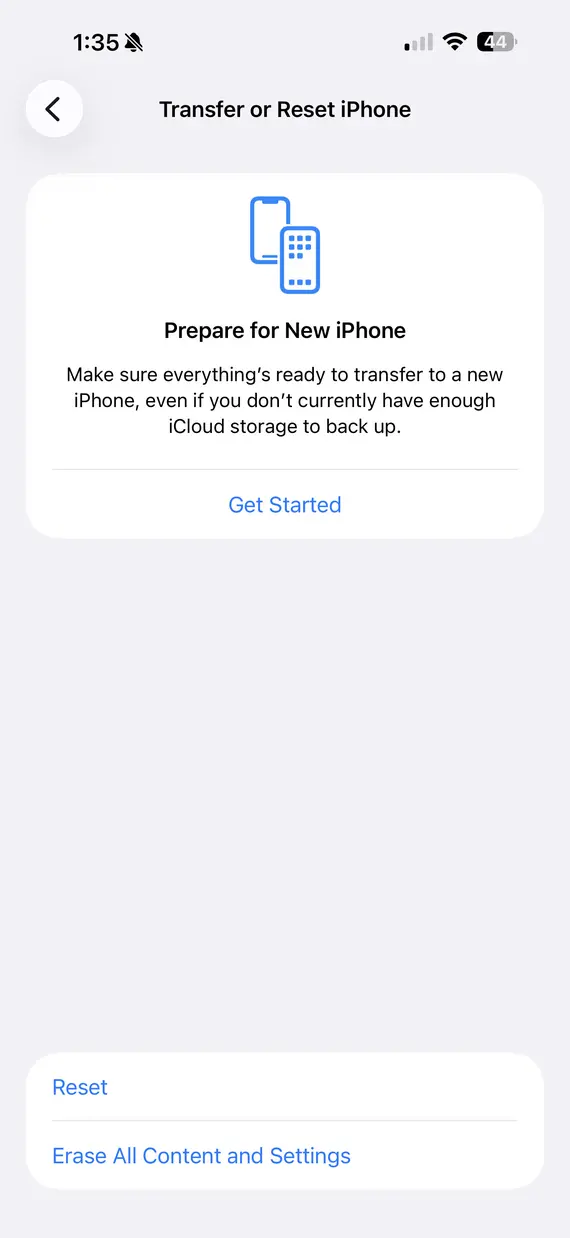
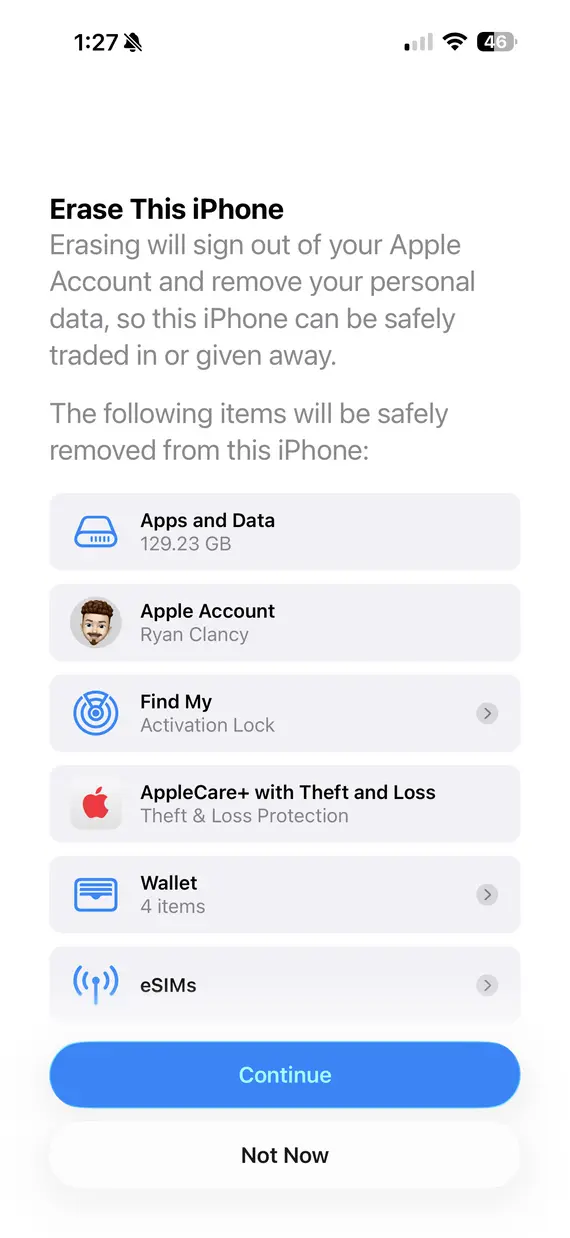
5. Factory reset if symptoms persist
If suspicious behavior continues, perform a full factory reset to completely remove hidden malware and configuration changes. This is the most reliable way to guarantee that the device is fully clean.
How to reduce the risk of juice jacking
Juice jacking is not hype. It’s a technically simple, highly effective attack that exploits one of the most trusted actions that users perform: charging their devices.
While large-scale outbreaks remain rare, the risk profile is changing as malicious cables, kiosk tampering, and traveler targeting increase.
The safest strategy is simple:
- Avoid public USB chargers.
- Use power-only accessories.
- Monitor your devices with real-time protection.
Try out a free trial of Moonlock to protect yourself from these attacks. Moonlock provides continuous runtime protection and malware detection designed to stop USB-based attacks before they gain persistence.
This is an independent publication, and it has not been authorized, sponsored, or otherwise approved by Apple Inc. iPhone and iOS are trademarks of Apple Inc.