


There are 2 main methods by which cybercriminals breach your Mac with malware. The new way, which is currently trending, is via ClickFix multi-stage payload fetchers. The old way? Standalone heavy (.dmg) files posing as legitimate apps. As it turns out, the old way is still alive and well. Here’s what you need to know.
The “undisputed, heavyweight” macOS malware distribution method
On June 10, Huntress reported that malicious .dmg files have become the “undisputed, heavyweight” method of delivering stealers among cybercriminals who target Mac users. Huntress cited ObjectiveSee data that found that more than 65% of newly reported macOS malware are infostealers.
Huntress explained that these .dmg infostealers are not coded to survive a reboot because they are focused on full-speed, smash-and-grab heists. This means they breach your Mac, look for your passwords, browser cookies, authentication tokens, and crypto wallet data, and extract it to attacker-controlled servers.

Stop infostealers in their tracks
A quick search reveals several recent .dmg Mac malware threats
Curious about why Huntress was dedicating a full report on .dmg stealer malware instead of ClickFix multi-stage payload fetchers when this is not the most popular cybercriminal technique today, we did a little digging.
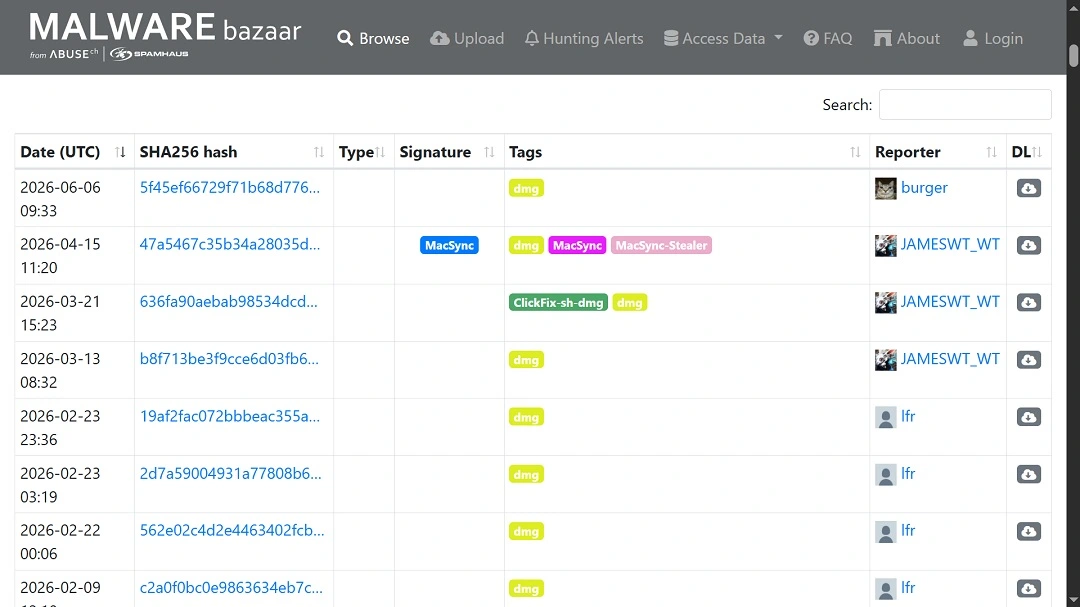
A search on malware databases and recent scans revealed that, in fact, there are a couple of recently reported Mac-targeting .dmg threat campaigns, including 2 scans from the past couple of days linked to AMOS.
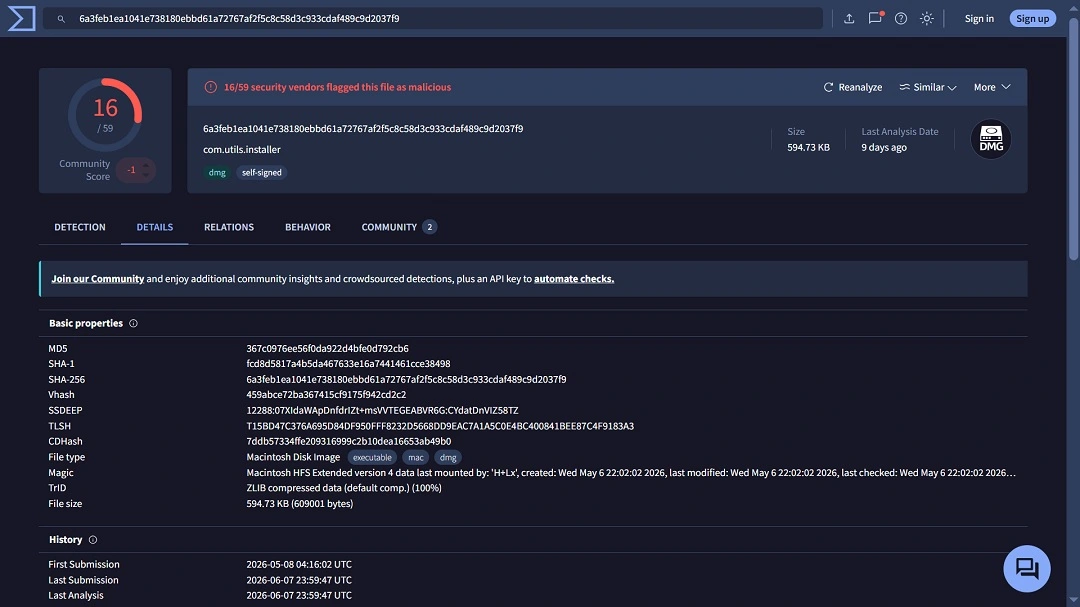
We also found malicious .dmg files active in the past few days linked to another threat campaign, FlutterBridge. While FlutterBridge is not a stealer but adware combined with a backdoor that can steal your data and is under development, it is a large-scale operation.
FlutterBridge cybercriminals ran hundreds of ads luring users into downloading a malicious app as a .dmg. The threat actors bypassed Gatekeeper using shell companies to get Apple Developer IDs and hide the malware online using app-to-web “web-bridged” techniques.
Besides the recently detected AMOS and FlutterBridge threat campaigns, cybercriminals have also been impersonating ChatGPT to distribute the Odyssey Stealer.
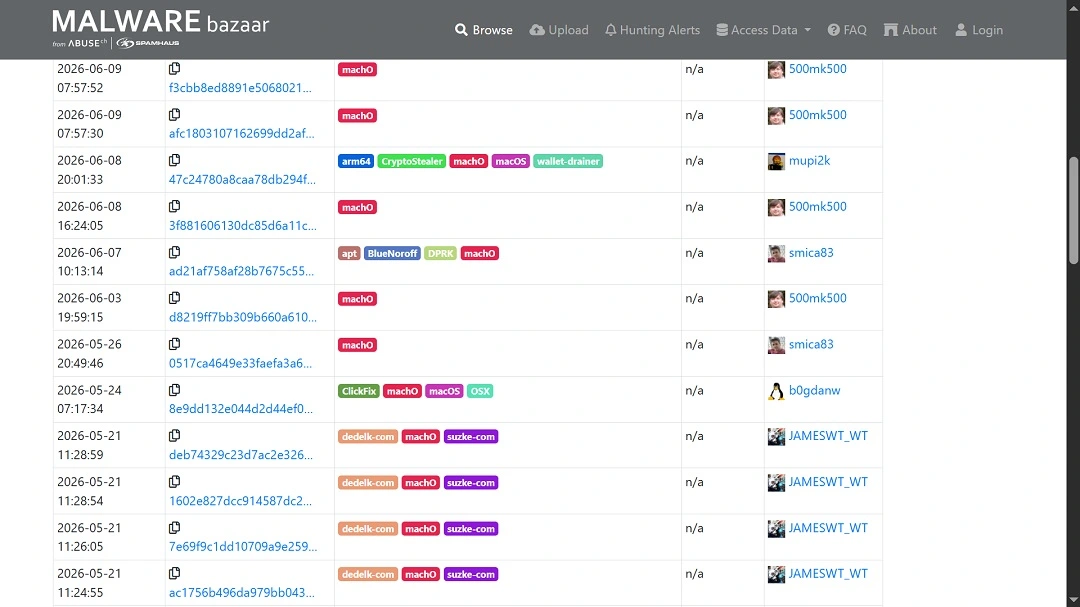
Why do all these recent .dmg malware scans matter to Mac users? It matters because while you may hear a lot about ClickFix attacks, don’t forget that standalone .dmg Mac threats are still highly active.
Here’s how a standalone .dmg Mac stealer cyberattack unfolds
Unlike ClickFix techniques, in which threat actors try to convince you to copy and paste a script onto your Mac, in this type of campaign, the malware poses as legitimate software or apps that you download directly from the web.
As Huntress explained, the main starting point of .dmg Mac malware is usually your browser. Users are directed via ads, social media, or other channels to malicious sites with the promise of downloads. These downloads range from “free soft,” impersonation of known software and apps, to cracked software.
If you click on the download button on these sites, your Mac starts downloading malware packed up neatly as a .dmg file. Disk image files (.dmg) are used on macOS to install software. When you download .dmg files, they show up on your screen as virtual representations of a physical disk, allowing you to see the content of the file and install the software.
How cybercriminals bypass Gatekeeper
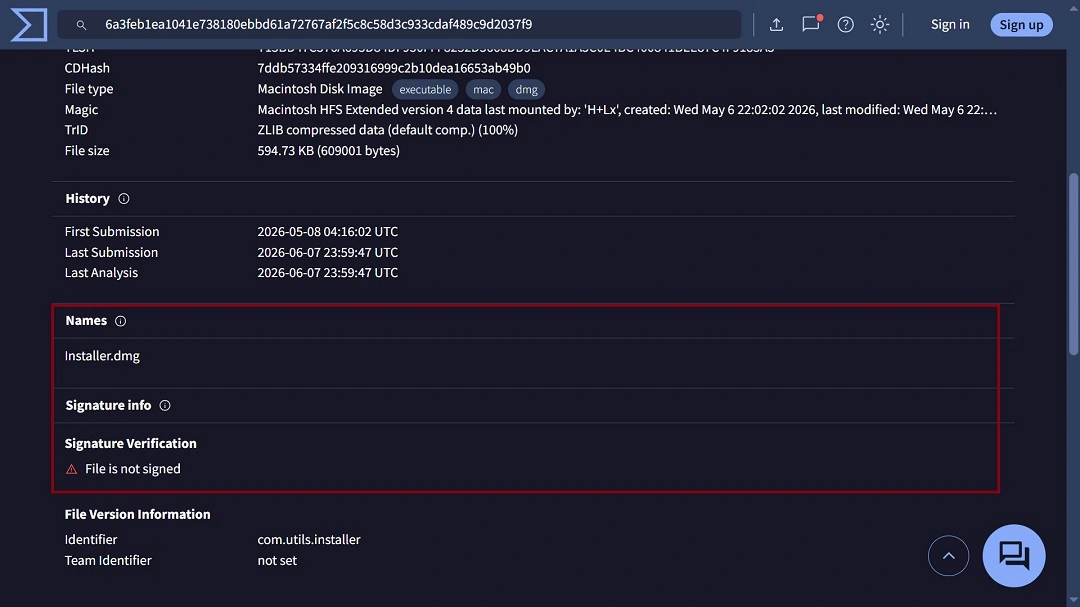
Your Mac’s built-in security feature, Gatekeeper, checks every .dmg file you try to install for several things, including whether it has a valid Apple Developer ID signature and Apple Notarization. Gatekeeper also rapidly cross-references the file with existing malware databases. If Gatekeeper finds that the file is not safe, it will let you know.
However, cybercriminals use several techniques to bypass these Gatekeeper checks. The most common methods include creating fake companies to get valid Apple Developer ID signatures and notarizations, as those behind FlutterBridge did. They also hack and take over accounts from legitimate developers that have already passed all security checks.
Hackers can also bypass Gatekeeper checks by removing the Gatekeeper flag. For example, they might program a piece of malware to strip the file of the metadata that alerts Gatekeeper to perform code-signing and notarization checks, or they might install files in locations that Gatekeeper does not validate.
Another way that criminals bypass Gatekeeper when distributing macOS malware as .dmg files is through social engineering. As shown in the screenshot below, shared by Huntress, when you open the .dmg file, you get “right-click to install” instructions.
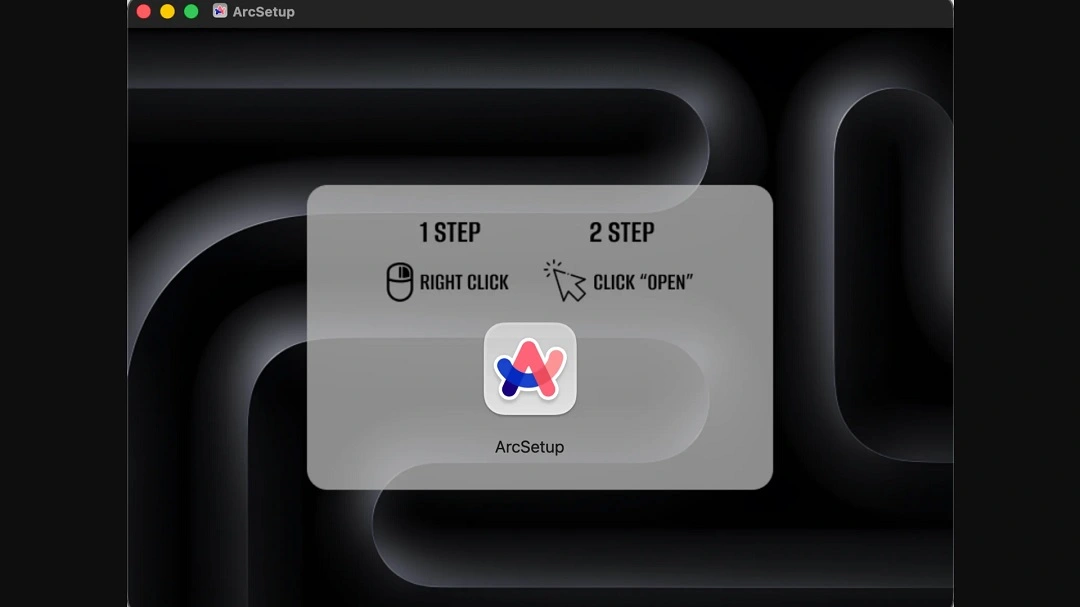
If you right-click to install an app on your Mac, you are basically telling your computer to explicitly add a security exception for that specific app. This leaves the front door wide open for malware.
Another similar technique involves cybercriminals trying to convince you to install the app by dragging it into your Mac terminal.
How to stay safe from stealers and other malware distributed as .dmg files
There are a number of things you can do to keep safe while downloading apps, software, and other utilities on your Mac. Here are some tips and advice that can help you navigate software downloads in today’s active macOS threat landscape.
Get Moonlock. It scans all files, including .dmg files, for malware in real time.
The Moonlock antivirus app, through Real-Time Protection, will scan all the files you interact with, including .dmg files, for malware. If the app finds anything suspicious or detects malware, it will let you know what it is and why it is dangerous. It will also move the file to Quarantine, where it cannot harm your Mac or access your data. You can check out Quarantine on your own schedule to learn more about the threats you encountered.
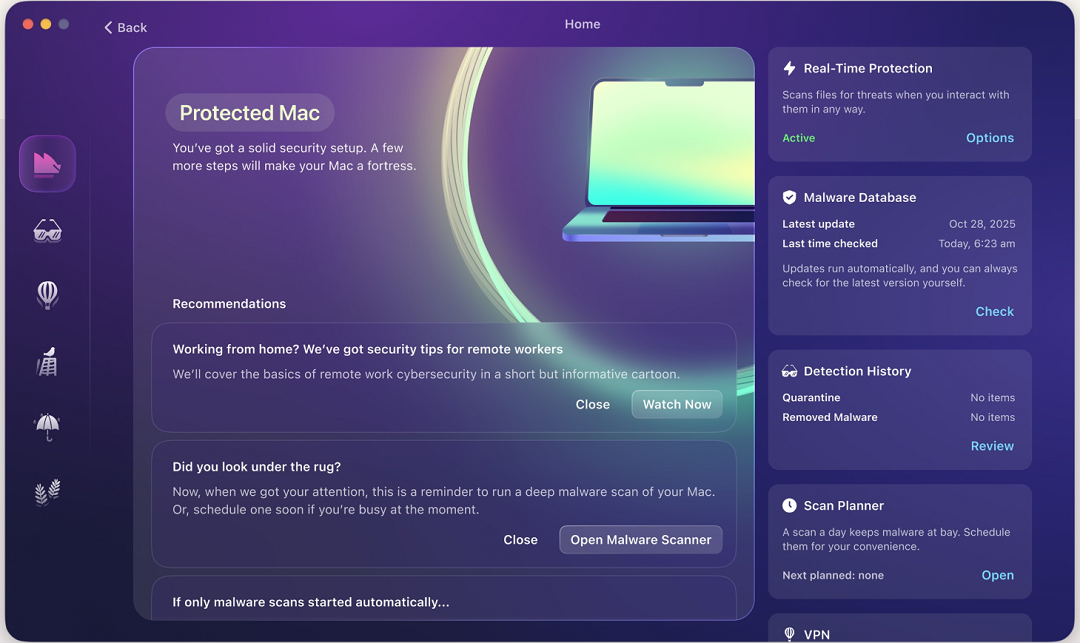
The Moonlock app also comes with a built-in VPN for safe browsing, can guide you on how to turn up your Mac security settings, and, through the Security Advisor, help you build safe digital habits to withstand human-centered cyberattacks at your own pace.
You can check out and test-drive Moonlock for free for 7 days.
Only download software from trusted stores and official sites
The source you download your software from makes a big difference. Always ensure that the site you’re using to download your apps or software is the real thing.
Sites that offer “free” or “cracked” software and apps are filled with malware. Use the official Apple App Store to download your favorite tech, or use alternative verified and trusted app stores if you are in regions like the European Union.
Look out for “instructions” when installing software
As mentioned, criminals often use social engineering to trick you into bypassing Gatekeeper on your Mac. Check for instructions during installations that seem off, such as, “Drag this to your Terminal to install” or, “right-click to install.”
Final thoughts
Downloading new software can be exciting, especially if it’s the start of a new project or the unlocking of tools you need to move forward and create something new. However, taking some time to review a download before you start it is a good idea.
It’s true that ClickFix attacks are a key offender today. But keep in mind that Mac malware that comes as standalone files impersonating real software is still out there, and it’s out to steal your data and empty your wallet.
This is an independent publication, and it has not been authorized, sponsored, or otherwise approved by Apple Inc. Mac and macOS are trademarks of Apple Inc.





