Imagine finding your dream laptop listed on OfferUp, lightly used and in excellent condition, but you end up getting scammed for hundreds of dollars instead. If something like this has ever happened to you, you’re not alone. In 2025, the FTC received over 3 million fraud reports totaling $15.9 billion in reported consumer losses.
So, before buying or selling something on OfferUp, how do you make sure you don’t end up as the next person filing a fraud report?
What is OfferUp, and how does it work?
Founded in 2011, OfferUp is a US-based consumer-to-consumer (C2C) online marketplace. It mainly markets itself as a mobile-friendly alternative to Craigslist, where users can list new and used items for sale and exchange. Unlike eBay, which encourages international sales, OfferUp focuses on local markets and pick-ups within the US.
OfferUp covers all the necessary steps of the purchasing process, from searching for specific product listings to in-app messaging, so buyers and sellers can communicate without needing to share personal contact details. It also offers an identity verification option, TruYou, which matches a user’s government ID to a selfie to verify their profile.
Even payments are processed securely through the app. However, users also have the option of paying in cash when meeting in person with the seller.
Is OfferUp legit and trustworthy?
Yes, OfferUp is a legitimate online website that’s generally safe to use. But that’s not to say there aren’t scammers on there trying to take advantage of unsuspecting users.
Is OfferUp safe to use?
Yes, OfferUp is safe to use both as a seller and buyer, as long as you follow some basic precautions.
The app itself has many built-in features and policies aimed at facilitating a safe and pleasant experience for both the buyers and sellers, such as:
- In-app messaging
- TruYou identity and profile verification
- Seller ratings and reviews
- 2-day Purchase Protection policy
- Account 2-factor authentication
- Built-in scam reporting tools
- In-app payment processing
- Official Community MeetUp Spots
How OfferUp protects buyers and sellers
OfferUp has many built-in safety features aimed at protecting both buyers and sellers while using the platform. In particular, TryYou verification ensures that people can’t create fake accounts on the platform for the sole purpose of scamming users.
Also, to make meeting strangers in person safer, OfferUp has Official Community MeetUp Spots, where it partners with local businesses and police stations to ensure safe spots for buyers and sellers to meet outside the app.
In an effort to maintain these strict standards of purchase protection, as of 2025, OfferUp no longer supports nationwide shipping and is now limited to local pickups. This means any seller offering to ship an item bought after that date is a red flag on its own.
15 OfferUp scams to know
From fake buyers to counterfeit items and off-platform payment scams, here are 15 of the most common scams on OfferUp to watch out for when using the platform.
1. Phishing texts or emails linking to fake OfferUp websites
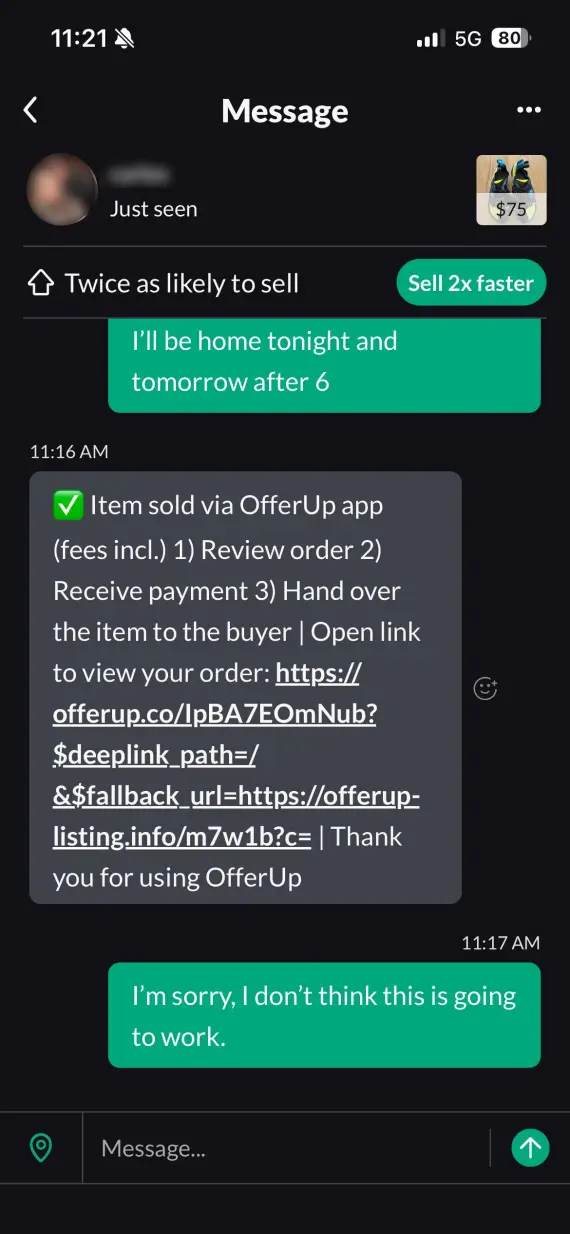
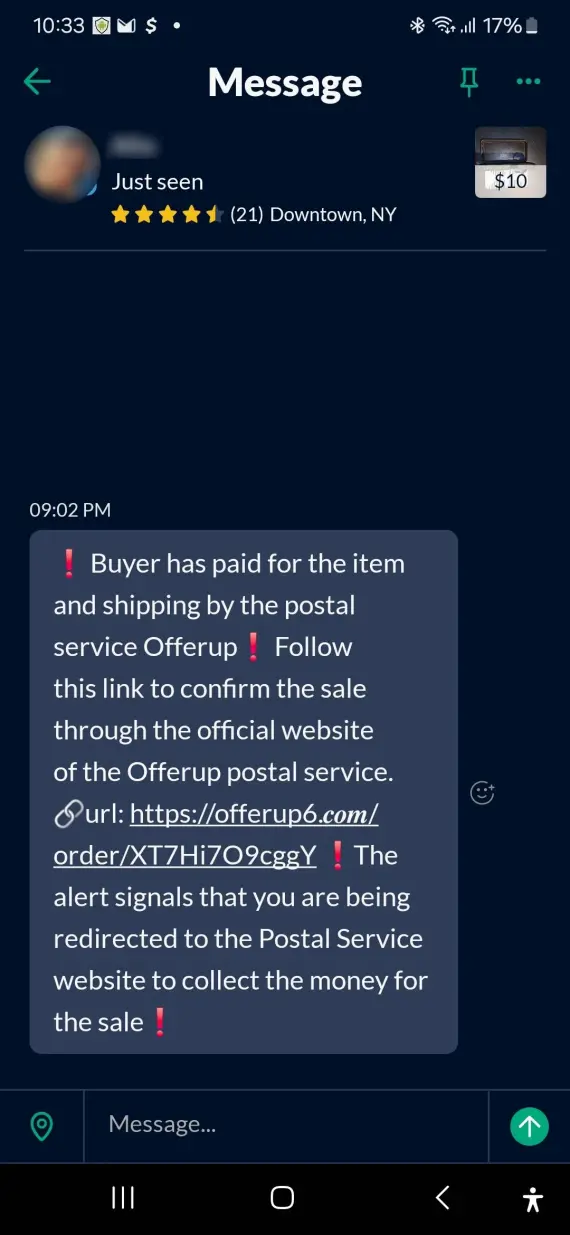
Through emails or OfferUp’s in-app messaging, scammers can send links to near-perfect replicas of OfferUp product listings. These sites can steal your login information and payment details if you engage with them.
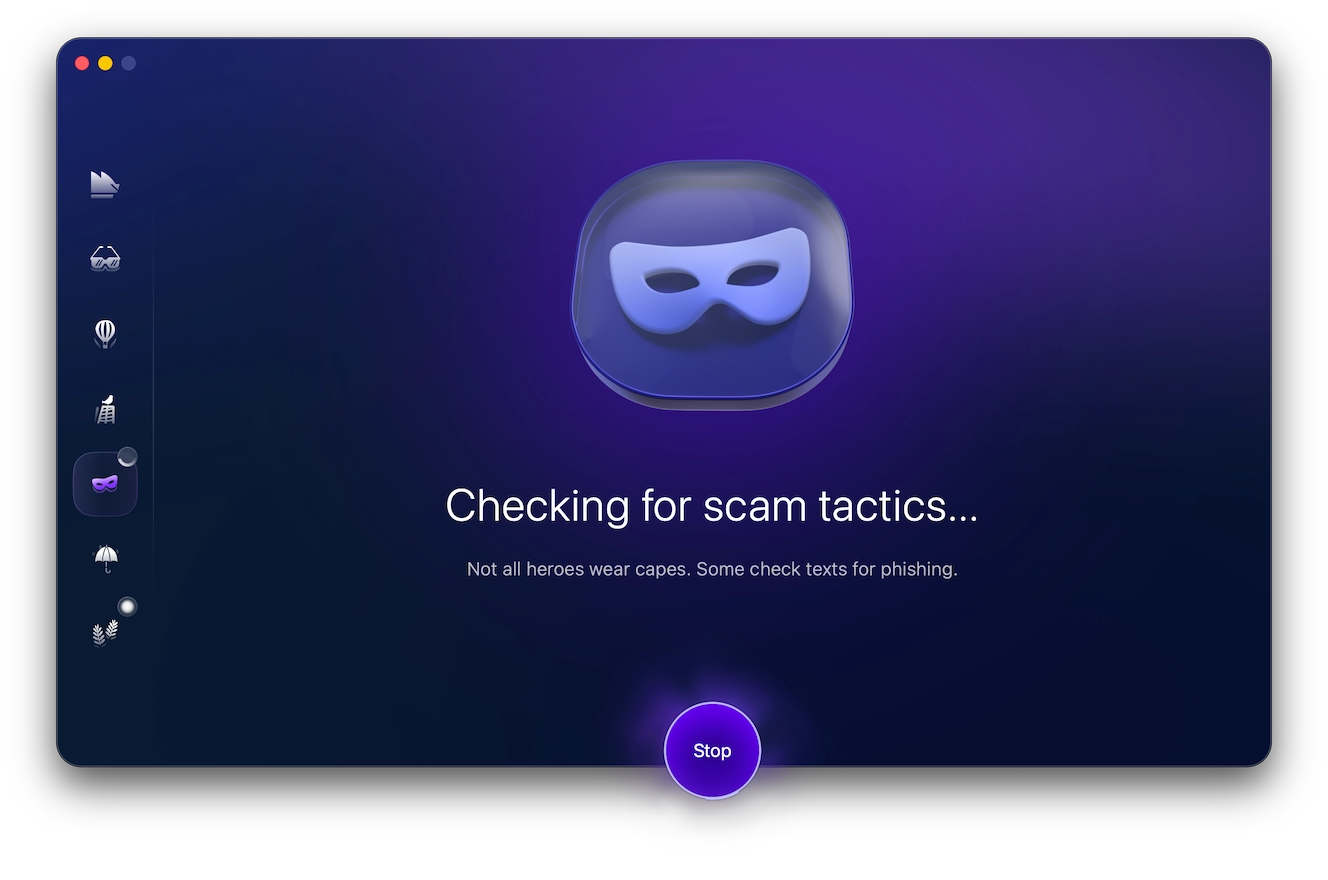
While the fake site can be difficult to notice, the message itself will often contain red flags such as unprofessional language, typos, or manufactured urgency. To make sure you’re not dealing with a phishing scam, always run suspicious messages through Moonlock’s Scam Detector.
With a 7-day free trial of Moonlock, you can easily copy and paste messages and emails you receive about discounts and promos and check them for the telltale signs of a scam on OfferUp.
2. Off-platform payment requests
Another huge red flag is if the buyer or seller asks to move the payment outside of OfferUp. This effectively removes the platform’s built-in safeguards and voids OfferUp buyer protection, also known as the 2-day Purchase Protection policy.
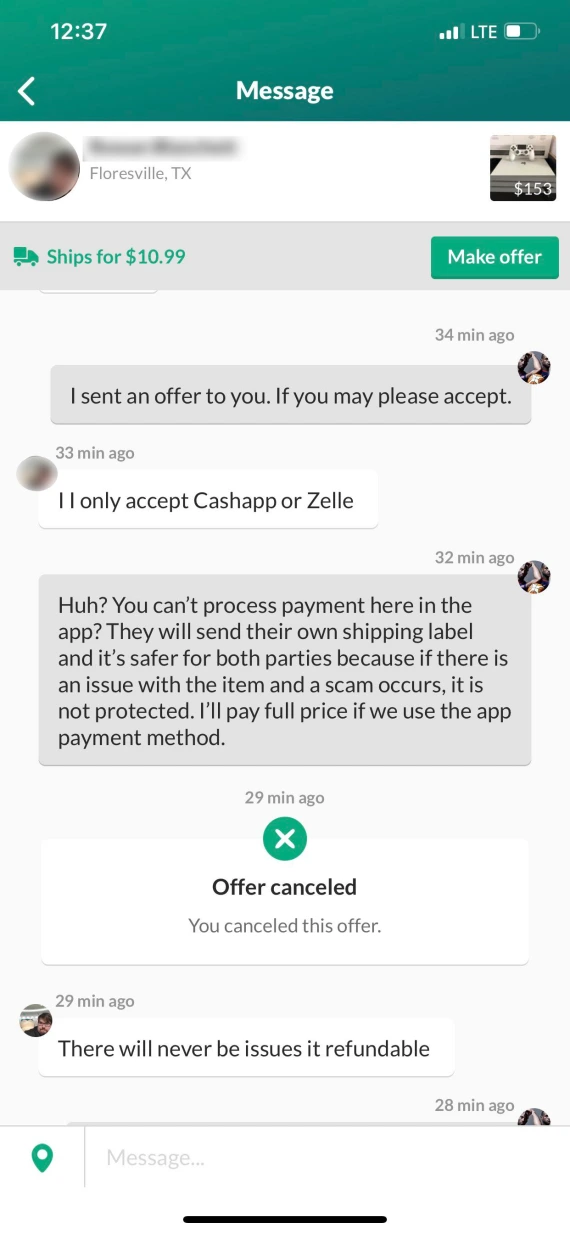
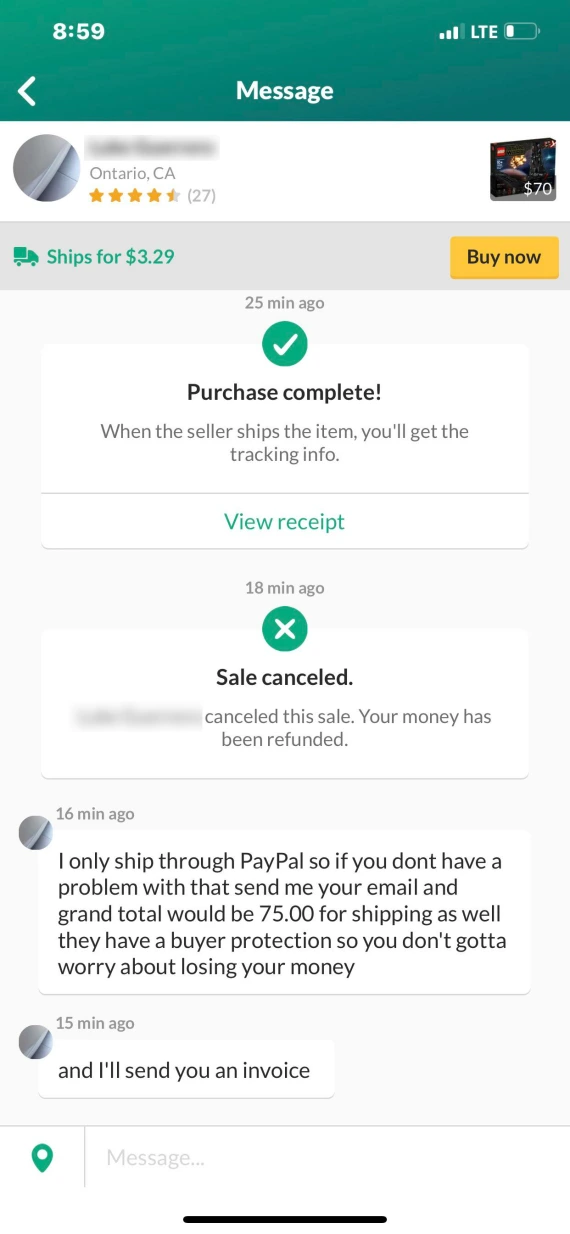
If the scammer insists on using Zelle, Venmo, Cash App, or PayPal to process payment, immediately stop all communication with them and report their account. This is a common way scammers perform overpayment or shipping scams.
3. Fake payment confirmation screenshots
Usually aimed at OfferUp sellers, this scam involves the “buyer” sending an edited screenshot or email claiming that they’ve paid. They then pressure the seller into handing over the item, claiming the funds will take a couple of days to appear in your account.
Never comply with this pressure. Always verify the payment independently before completing a sale.
4. Overpayment/refund scam
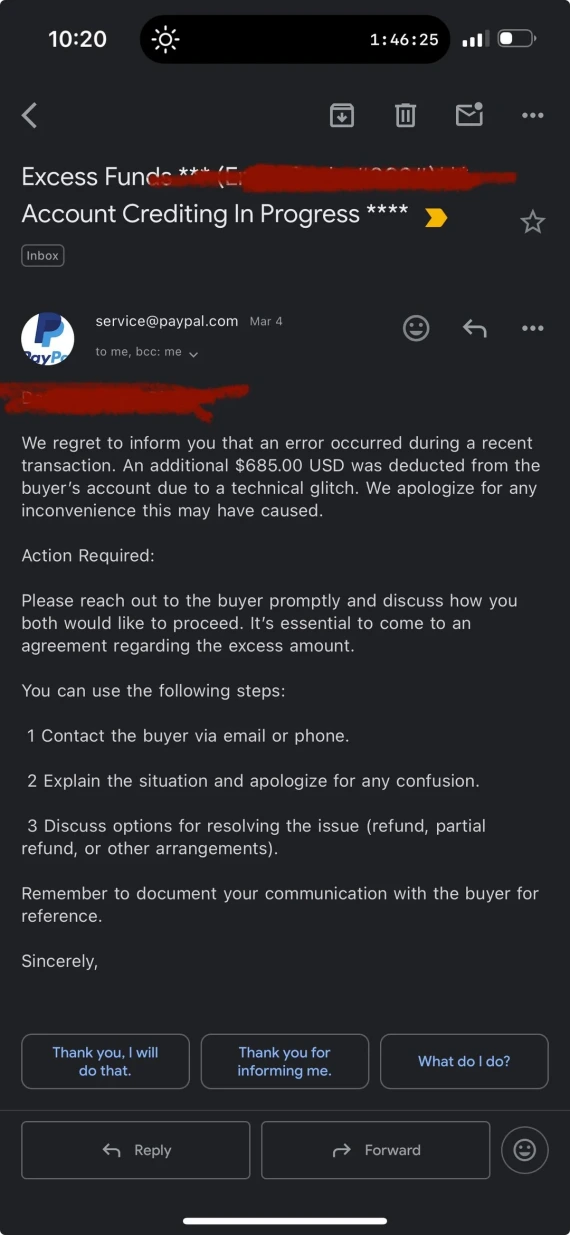
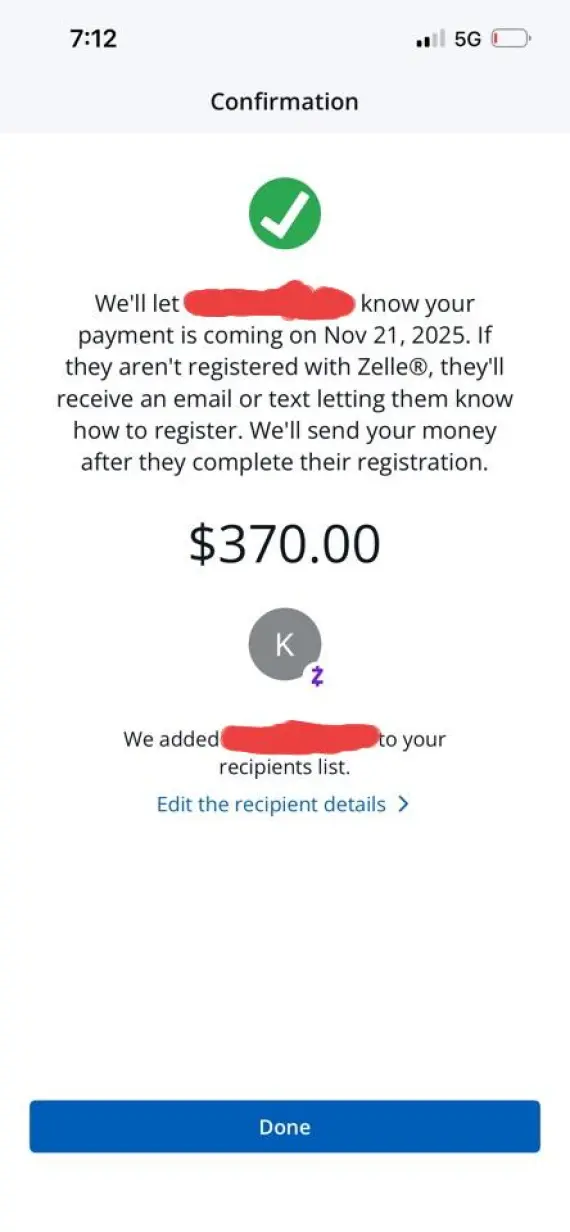
In another OfferUp scam aimed at sellers, the scammer “accidentally” sends more than the asking price for a product, then asks for a separate refund for the difference.
For example, a person might send $300 for a $250 item, then request that you send them $50 in gift cards or a separate payment method. The original payment is usually fraudulent, made with a fake or stolen credit card. It will bounce, leaving you out of pocket if you sent a gift card in the meantime.
5. Verification code/account takeover scam
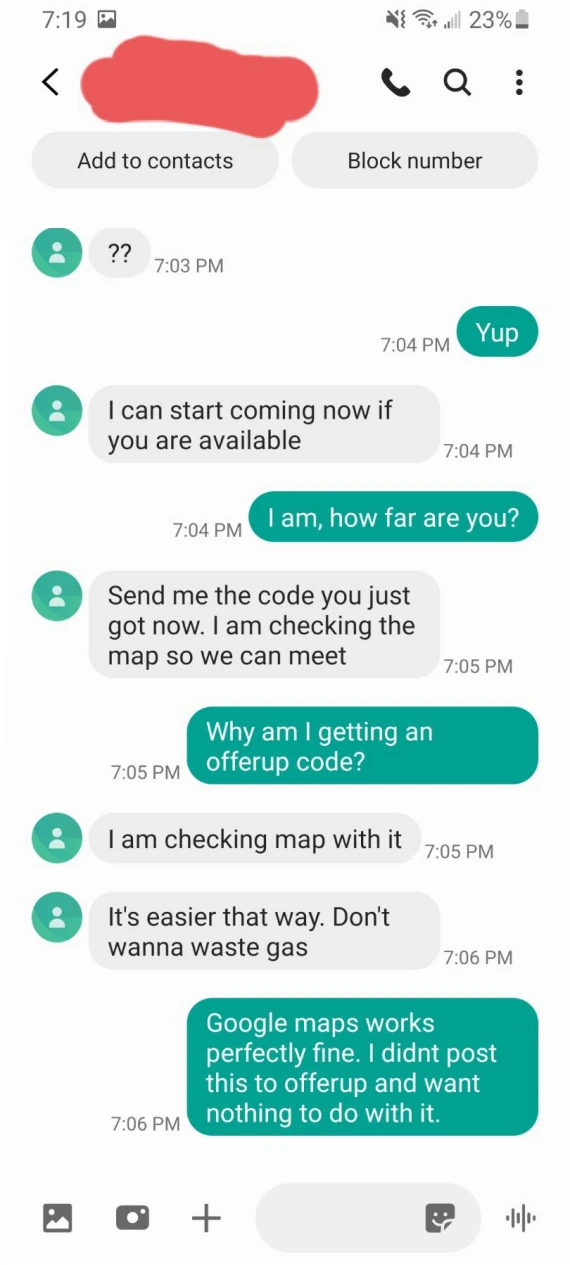
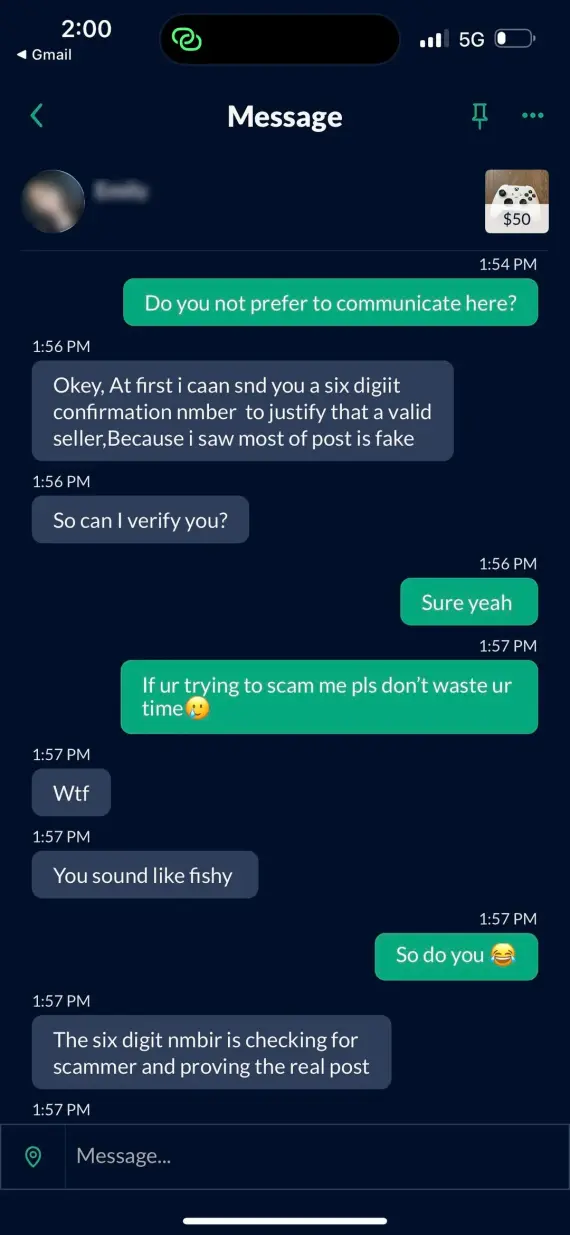
In this scam, the scammer will insist that your OfferUp account verification code is actually a payment verification code, claiming it’s needed to verify the product listing. If you share it, the scammer can gain access to your account.
OfferUp will never require a code to verify a listing or complete a sale.
6. Empty box scam
A seller advertises a real item on the site, but then ships you an empty box, claiming the package contained the item. Before paying, make sure you always:
- Inspect the item in person.
- Open the package before leaving.
- Test expensive electronics and appliances.
7. Counterfeit and knockoff items
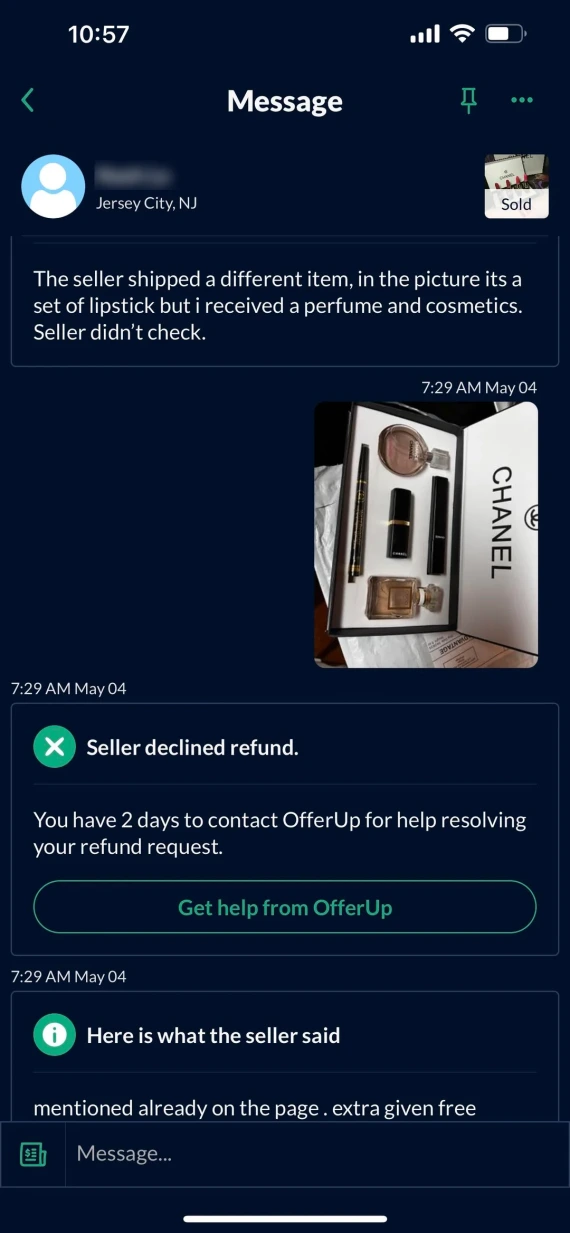
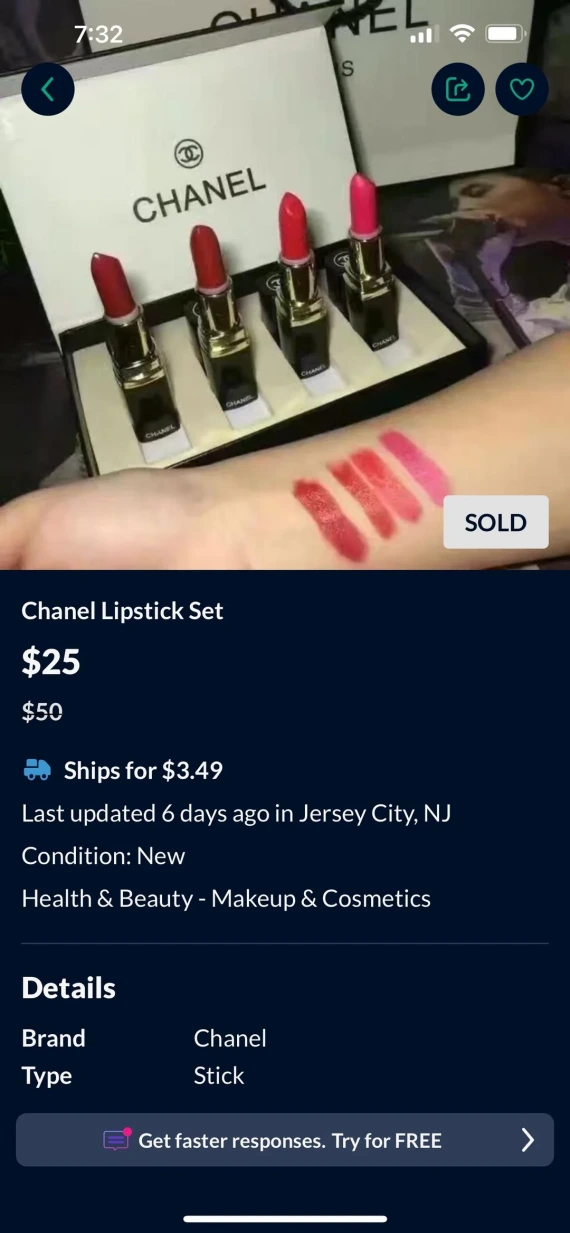
Counterfeit goods don’t always look cheap or fake. For high-value items, make sure you inspect the details of the item, such as brand logos, serial numbers, and packaging.
Highly discounted luxury items, even if used, are also a red flag. While OfferUp prohibits the sale of counterfeit goods on the platform, scammers might still try to sneak some on by claiming they’re legitimate.
8. Gift card payment requests
For in-person payments, an OfferUp fake buyer might ask to pay using gift cards instead of cash. These can be fake or pre-used. Never accept or send gift cards for OfferUp transactions. Stick to verified payment methods or cash.
9. Car listing scams
Scammers may advertise stolen, cloned, damaged, or nonexistent vehicles on OfferUp, usually for super low prices. They usually refuse to let you inspect the car before purchase and don’t have any official documents to offer.
OfferUp is very particular about the safety measures you need to take when purchasing a vehicle on the platform. Always check the VIN, title, and vehicle history. Some sellers offer a Certified Pre-Owned (CPO) program for cars, which includes a warranty and an inspection by a certified mechanic.
Report suspicious car listings to NICB through its online form, by calling 1-800-TEL-NICB (1-800-835-6422), or by contacting local law enforcement.
10. Fake profile or “burner account” scams
To avoid being reported and permanently banned from the platform, scammers often use fake or “burner accounts” with little history on OfferUp. Users on the platform report such sellers changing meetup locations repeatedly before disappearing, while some of them use odd or generic profiles while trying to push the conversation off the platform.
Simply having a freshly made account isn’t enough to prove someone is a scammer. But this, combined with evasive behavior and off-platform requests, is a strong warning sign to stay away from them.
11. Out-of-town seller/urgent sale fraud
A scammer might claim they’re out-of-town but urgently need to sell an item. They’ll usually give an alternative pick-up date or use shipping to deliver the item, while insisting that you pay for it now.
Never comply with their demands. Instead, follow the safety rules provided by OfferUp:
- Only buy items in person.
- Inspect the item before paying.
- Pay in cash or with a trusted payment app.
Don’t hesitate to walk away from a meetup if the “seller” demands that you pay upfront.
12. Investment opportunity or “easy money” fraud
Instead of directly having items for sale, OfferUp scammers may instead offer “investment returns” or an “easy way to make money” through buying and reselling their products in bulk, usually asking for the money upfront.
OfferUp strictly prohibits investment opportunities, money-making schemes, and pyramid-style schemes on its platform. Report any listing selling more than the showcased product.
13. Fake job listings
A scammer may post a fake job opportunity as a front to steal money or personal information. You can tell it’s a scam because they’ll start asking for highly sensitive documents that aren’t typically requested by a hiring manager, such as your Social Security Number, driver’s license number, bank account details, or credit card information.
To avoid fake job listings, OfferUp recommends searching the hiring company independently, contacting them, and ignoring requests for sensitive information upfront.
14. Impersonation of OfferUp customer support
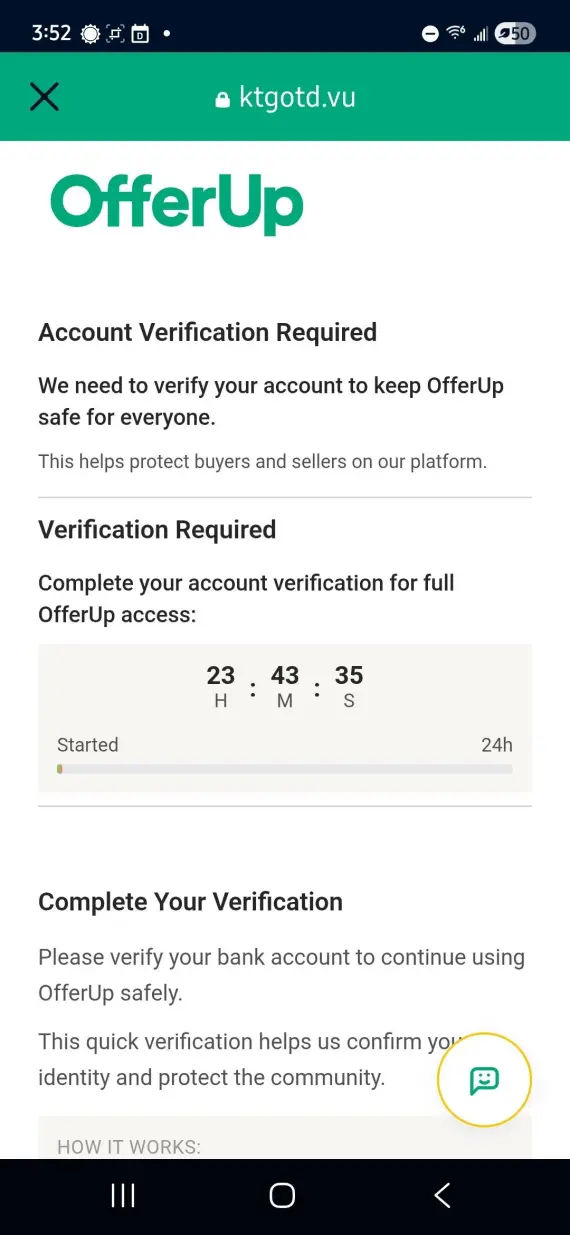
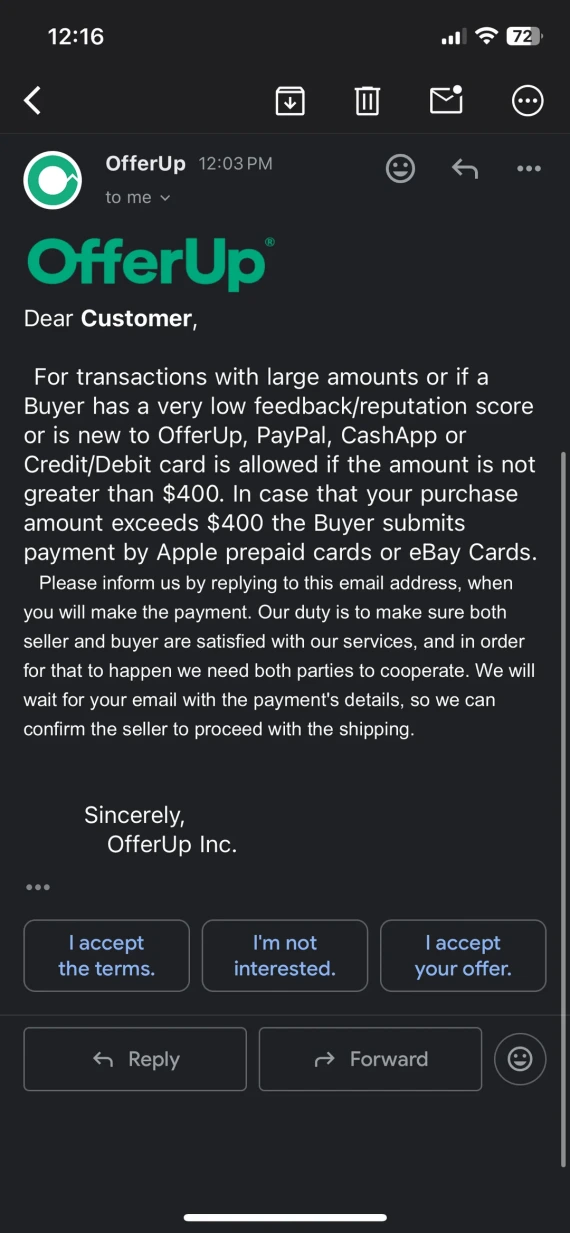
Scammers may pretend to be OfferUp customer support agents, contacting you via email or text messages to warn you of “suspicious activity” on your account or to “complete verification.”
They’ll typically ask for your login credentials, verification codes, or payment details to verify your identity. A real customer support agent will never ask you for such information. Immediately report the suspicious message and contact OfferUp support directly through the app.
15. Meetup safety risks
Even if they’re held in a public place, in-person exchanges arranged through OfferUp carry a small but real physical safety risk. One Reddit user reported having their jewelry stolen after arranging for an OfferUp meetup at a local grocery store.
When arranging a meetup with a buyer or seller through OfferUp, only use official Community MeetUp Spots, not just any public place. As an additional safety measure, OfferUp lets you share your location with other people through messages when going to pick up an item.
How to spot an OfferUp scam: Red flags checklist
OfferUp fake buyers or sellers often reveal themselves through a combination of profile-based warning signs and suspicious behaviors. While no 2 scammers are ever identical, here are some signs to watch out for:
- Recently created profile with no reviews or verification badge
- Item prices below market value
- AI-generated, stock, or stolen product images
- Refusal to provide additional pictures or videos of the listing
- Pressure to move the conversation or payment off OfferUp
- Poorly worded, generic, or inconsistent messages
- External links sent in chat
- Requests for deposits or upfront payments
- Refusal to meet at an official Community MeetUp Spot
Thanks to AI, scammers are becoming better at constructing convincing narratives to trick users, so you can never be too careful. If you’re ever suspicious of a message or a product description, you can use Scam Detector to analyze the text for any covert signs of an OfferUp scam, like manufactured urgency or overly glossy language.
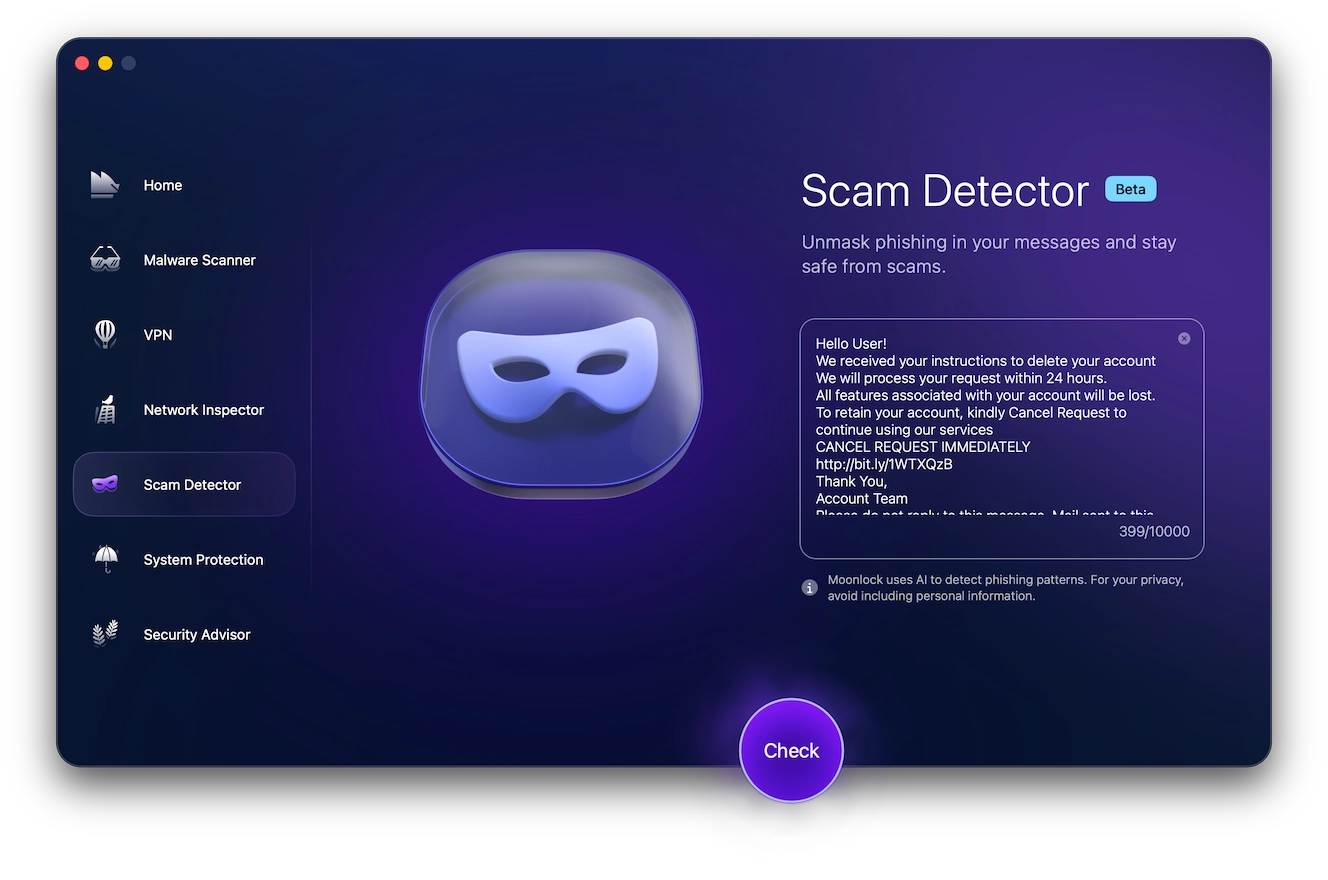
To scan an OfferUp email or message and determine the likelihood that it is associated with a scam:
- Sign up for a free Moonlock trial.
- Open the app, then click on the mask icon from the left-hand sidebar. That’s the Scam Detector.
- Copy and paste the suspicious message or conversation with the OfferUp user into the detector.
- Click Check.
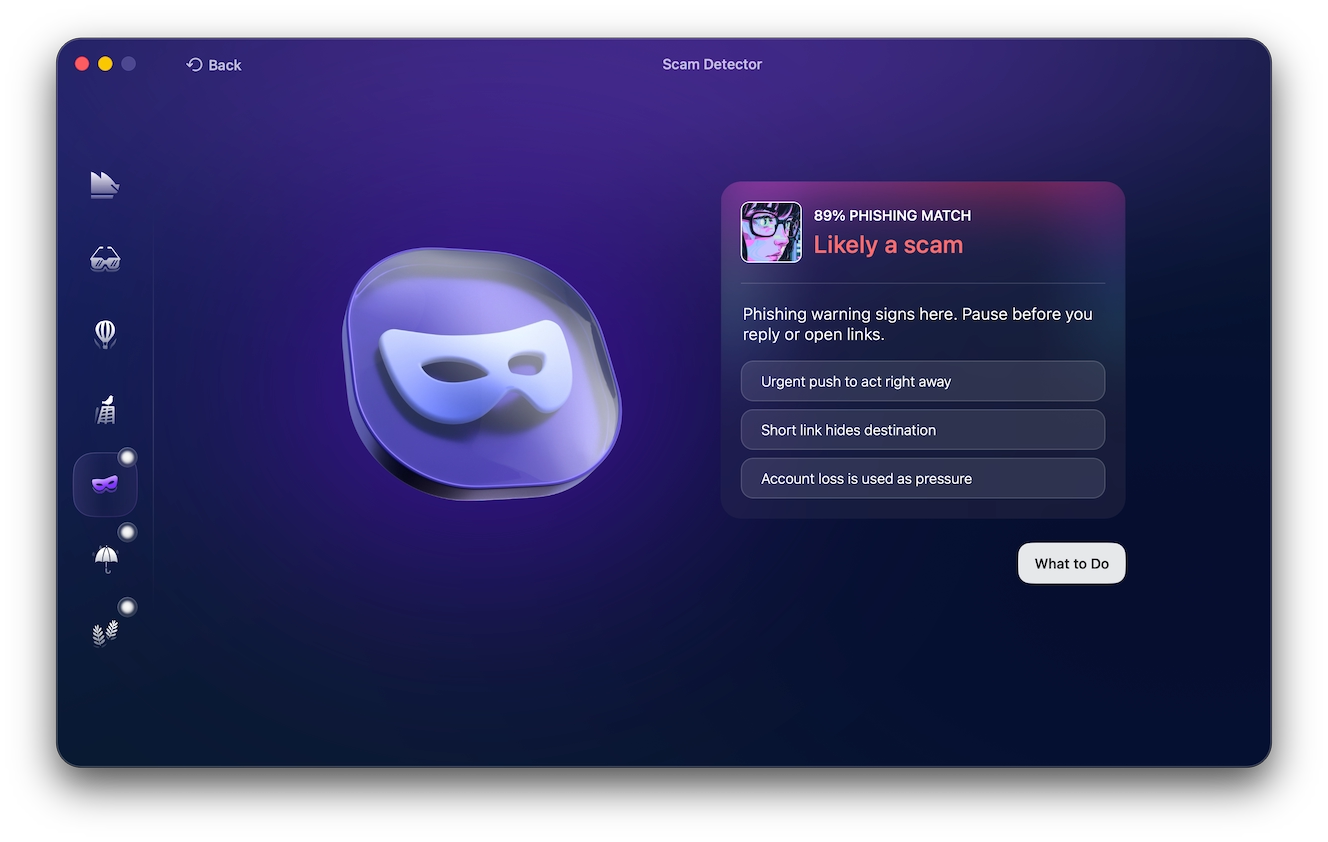
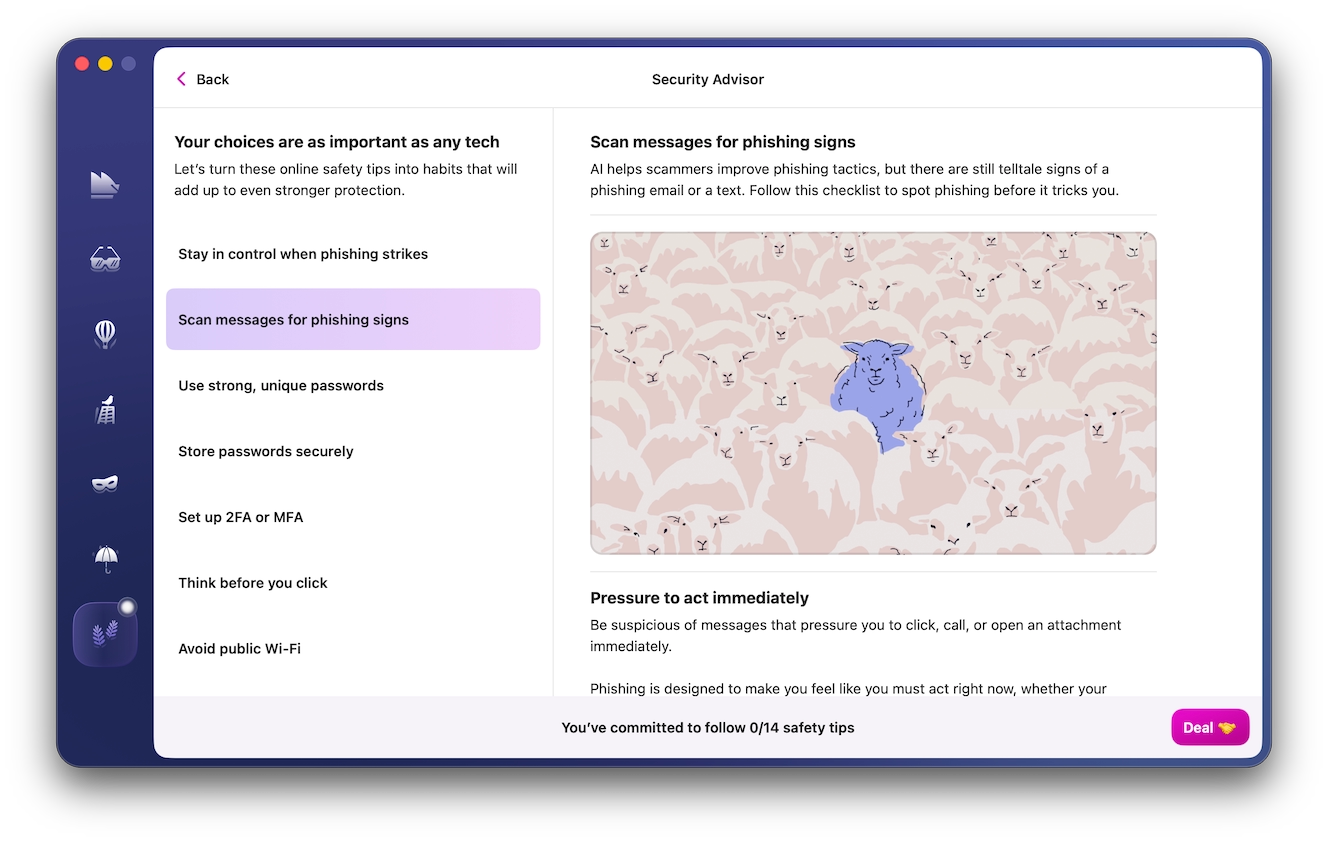
Once Moonlock is done analyzing the message, it will output a “phishing match” percentage, stating how likely it is that the message is a phishing scam. If the verdict is “Likely a scam,” you can click on “What to Do” for some actionable advice on how to stay safe while shopping online in the Security Advisor tab.
What to do if you’ve been scammed on OfferUp
If you believe you’ve been scammed on OfferUp, you’ll need to act quickly to limit losses and preserve evidence:
- Stop communicating: Don’t send the scammer any additional messages or money, even if they continue messaging you.
- Save evidence: Take screenshots of your conversation, the scammer’s OfferUp profile, the product listing, and payment records.
- Contact your bank or payment provider: If you act quickly, you might be able to cancel or reverse the payment. However, this isn’t always guaranteed to work.
- Secure your accounts: If you provided any login credentials or passwords through a fake link, immediately reset your passwords and terminate all active sessions.
- Report to local law enforcement: Report the scam or theft to your local law enforcement and file a report with the FTC.
In addition to the police, OfferUp might be able to help you if you report the user:
- Open the item listing made by the OfferUp scammer, then tap on their profile.
- In the user’s profile, click on the three-dot menu, then select Report.
- On the Report User page, submit your evidence and reason for reporting.
- Toggle the option to Block This User to prevent future messages from them. Tap Submit Report.
OfferUp scam and fraud FAQs
Here’s what you need to know about OfferUp scams and fraud.
No. Refunds for in-person transactions aren’t guaranteed. Once the final payment is made, it’s done.
No. OfferUp stopped supporting nationwide shipping in 2025. All new sales must be picked up locally.
Generally, no. OfferUp recommends keeping all communication through the platform.
Not necessarily. OfferUp provides safety features similar to Facebook Marketplace and Craigslist, but it can’t guarantee the legitimacy of every individual buyer or seller on the platform.
Shipping is no longer supported by the platform for new listings. Agreeing to have your item shipped to you might put you at risk of being scammed.
Shop and sell while staying safe from OfferUp scams
You don’t need to entirely avoid OfferUp just because of a few bad apples on the platform. Some simple precautions can help you avoid online shopping scams while still enjoying what the site has to offer.
OfferUp safety tips for buyers
Here’s how you can safely shop on OfferUp:
- Keep communication on OfferUp.
- Research average market prices of items.
- Check the seller’s reviews and ratings.
- Inspect the item in person before paying.
- Meet in a safe and public location.
- Never share verification codes.
- Never pay upfront or through gift cards.
- Use Moonlock’s real-time protection to monitor suspicious activity and protect against malware-infested links with the antivirus.
OfferUp safety tips for sellers
As a seller, you can make use of all the OfferUp seller protection features designed to keep you safe from fake buyers, as you’re also not immune to scams and need to stay careful while using the platform:
- Keep communication on OfferUp.
- Never share verification codes or account details.
- Watch out for overpayment and fake receipt scams.
- Meet buyers in public and in safe locations.
- Report suspicious buyers and suspicious links.
The bottom line is that OfferUp is a legitimate and useful platform for locally buying and selling items online. Recognizing common red flags, along with keeping transactions in-app and local, can reduce your exposure to OfferUp scams and help you enjoy the app for what it can offer.