




Computer worms may be a thing of the past, but new malware has put worms back in cybersecurity headlines. Glassworm, a piece of malware that acts more like a stealer and actually has nothing to do with old 1990s computer worms, is hard-coded to steal developers’ credentials and crypto wallets. And now, it’s specifically targeting macOS developers.
Glassworm pivoted incredibly fast from Windows to Mac: Developers are the main target
In late December 2025, Koi reported that Glassworm—again, not an actual computer worm—had evolved from targeting Windows developers and was targeting macOS developers. The new version of this stealer malware has infected resources that Mac developers use to build apps and software.
What exactly does Glassworm infect?
Specifically, Koi spotted infected resources on the Open VSX marketplace. This will require some explaining.
To build apps and software, developers use Visual Studio Code. Think of Visual Studio Code as a powerful Notepad where developers type in the code that runs the software. Developers also use VS Code extensions, which are plug-in tools that run inside Visual Studio Code. These tools help developers code quickly, connect programs, debug software, and do other things.

Protect your Mac from Glassworm
Naturally, because no developer codes an entire app from scratch, they also use other resources from platforms like Open VSX or GitHub. A developer might use resources like a “Buy button” code from these platforms. Instead of coding the entire button, they simply copy and paste the code. Classic developer work. Nothing strange here.
Infecting resources and open-source code that Windows and Mac developers use to build apps is nothing new. In fact, this is exactly what Glassworm does. It hides inside the resources that developers use to breach the environment of the developer, steal their data, credentials, and crypto wallets, and spread.
Why Glassworm goes after Mac Web3, blockchain, and crypto developers
It’s no secret that many Mac developers work by coding apps and software for the Web3, crypto, and blockchain industry. North Korean hackers have time and time again targeted macOS developers in this field (and their crypto wallets) because they know that’s where the big payoff is.
As Koi said, “The attacker is fishing where the fish are.” This is why Glassworm is now going after Macs.
Some important notes about this malware: This is the fourth wave of Glassworm, but the first 3 waves targeted Windows developers. Its move to Mac computers is a significant shift.
Considering that the first Glassworm wave was detected less than 3 months ago, the technical knowledge and resources required to accomplish an operating system shift are extremely high. As Koi said, “This isn’t amateur hour.”
To date, no one has yet figured out who is behind Glassworm, and attribution remains a matter of investigation.
The malware can also spread fast. Glassworm-infected resources have already been downloaded by Mac developers 50,000 times, according to Koi.
Why Glassworm is more like a stealer than a worm, and what it can do
As mentioned, Glassworm behaves more like a stealer than a worm. Technically, it does not self-replicate like old computer worms. Instead, it spreads as follows:
- A legitimate developer resource is infected with malicious code and put on the open market.
- Developers download or use the resource, and their environment is breached and infected.
- Glassworm steals credentials from developers and uses them to further compromise additional extensions or projects, enabling attackers to publish additional infected updates and continue the cycle.
Once Glassworm breaches a Mac, it can:
- Steal credentials
- Install backdoors
- Replace real hardware wallets with trojanized (fake) ones
- Steal keychains
- Exfiltrate data
- Remain hidden, establishing persistence
These capabilities are quite similar to those of macOS stealers.
How Glassworm works to target crypto wallets
When going after crypto wallets, the malware uses another macOS-style stealer technique. Koi explained that by replacing crypto wallets like Ledger Live or Trezor Suite, the attackers can:
- Display fake receiving addresses
- Modify transaction details before signing
- Capture seed phrase during “recovery” flows
- Intercept communication between the app and the device
“Your hardware wallet is only as secure as the software you use to interact with it,” Koi said.
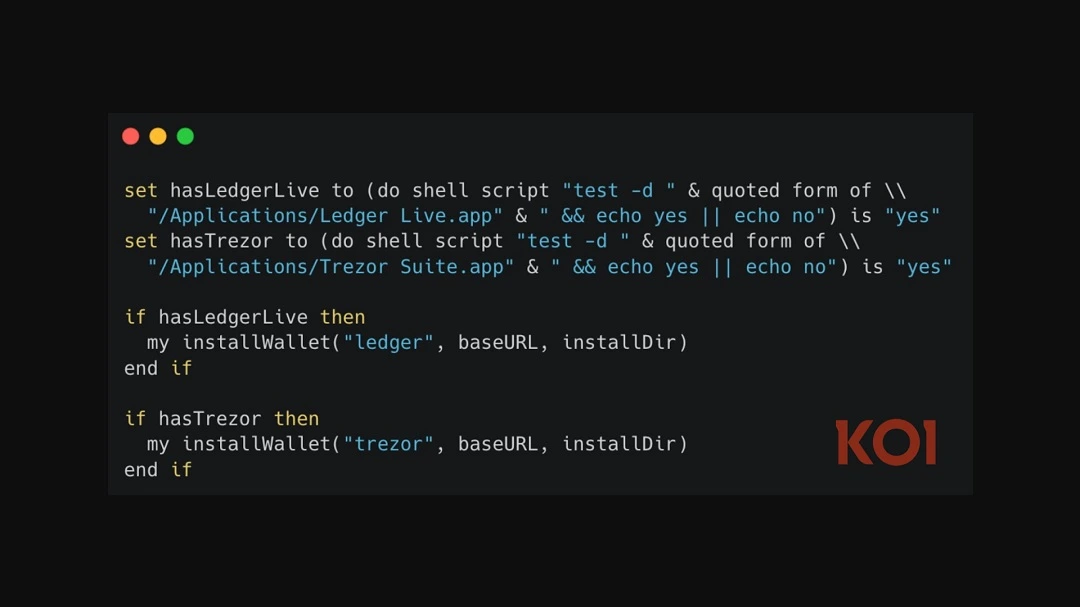
Glassworm can target 50+ browser extension wallets, including MetaMask, Phantom, Coinbase Wallet, Exodus, Keplr, Solflare, Trust Wallet, and Rabby. It also goes after desktop wallets: Electrum, Coinomi, Exodus, Atomic, Ledger Live data, Trezor Suite data, Monero, and Bitcoin Core.
It also goes after developer credentials, GitHub tokens from VS Code storage, and the credential cache. NPM tokens from .npmrc. Glassworm will also go after your system credentials, macOS Keychain passwords, and raw database files. Koi research shows that the malware can breach VPN configurations, browser cookies, and local storage from Chrome, Firefox, Brave, and Edge.
According to Koi, the Mac version of Glassworm is fully operational, but the “payloads have not been uploaded.”
“This could mean the attacker is still preparing the macOS wallet trojans, or the infrastructure is in transition,” Koi said.
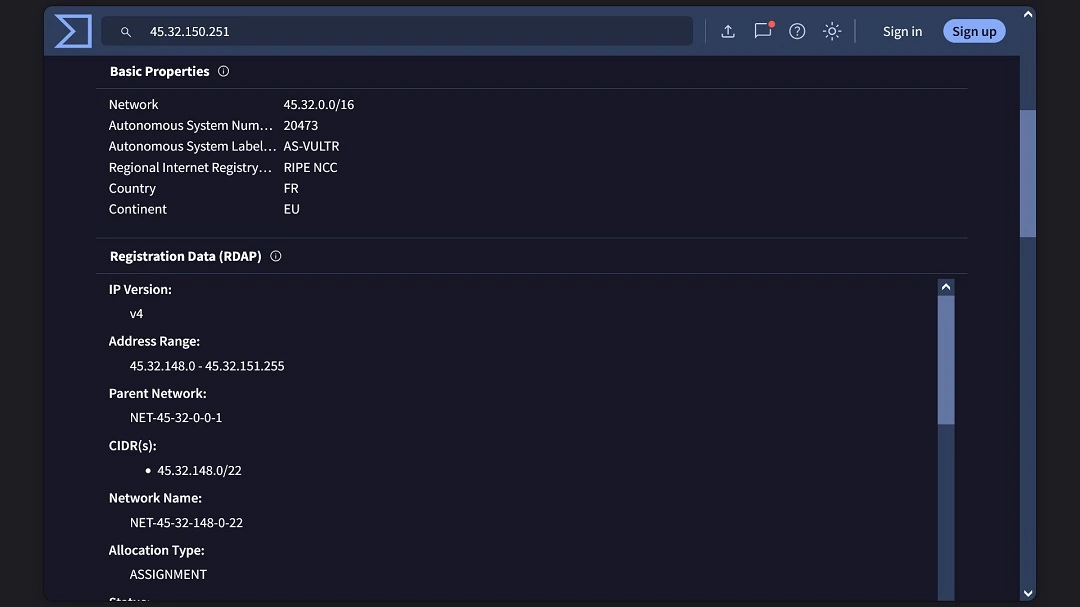
When Glassworm breaches your Mac, it sends everything to the location /tmp/ijewf/ where it compresses the data and later exfiltrates it to 45.32.150.251/p2p.
How Mac developers can stay safe from Glassworm
The developer environment can be a bit messy at times, with so many resources flying around online. Trying to identify malicious code that a worm wrote and carefully hid inside one of these resources may seem like looking for a needle in a haystack. However, there are several things Mac developers can do to remain on the safe side.
Treat your dev environment as a high-risk asset
According to Koi, Glassworm is known to adapt its technique every time its tricks are uncovered by security researchers.
Not only did the threat actor move from Windows to Mac, but it also changed its tactics from hiding malicious code as invisible Unicode to using Rust binaries. Once the Rust binaries’ cover was blown, it changed to encrypting with JavaScript. It also pivoted from just stealing credentials to creating trojanized hardware wallets.
Furthermore, Koi reported that the VS Code Marketplace’s automated scanning, where the malware was downloaded hundreds of thousands of times, “saw nothing wrong.” Cleverly, the threat actor coded the malware to sleep for 15 minutes before execution, giving it enough time to evade the security scan.
The best approach to deal with these constant malware changes and the evolving supply chain attack techniques is to apply a Zero Trust approach to the entire developer environment. Trust nothing, and treat everything as malicious. The following section goes into how to do that.
DevOps with DevSecOps
Thinking about cybersecurity once an app or software has already been coded and is about to go into production is a failed tactic. Not only does leaving security considerations out of software development pipelines and workflows represent a cybersecurity and privacy risk for developers and end users, but it can also cost companies and Mac developers a lot of money.
Leaving security for last can push a project back for weeks or months, causing irreparable reputation damage. Applying a DevSecOps approach when building apps and software is the gold standard. Therefore, it is a good idea to look into DevSecOps principles and tools.
Get Moonlock: An ally for Mac developers’ security
Using resources to speed up developers’ work is fundamental. The developer community grows when resources are shared, and things move faster with innovation. Thinking under the same terms, bringing in a cybersecurity ally for your Mac is also a good idea.
The Moonlock antivirus app can help developers in many ways. Not only does it work with an updated malware database, but it silently works in the background, checking every file and resource you interact with. When it finds something suspicious, Moonlock will alert you and move it to Quarantine. Once it’s there, you can check all the suspicious files, learn more about the threat, remove it completely, or whitelist it if you trust the resource. Additionally, Moonlock comes with a VPN that can help you navigate open-source platforms with a secure connection.
You can try out the Moonlock 7-day free trial and see how it works for you.
Know Glassworm’s indicators of compromise (IoCs)
Koi listed the following as IoCs Extension IDs (open-vsx):
- studio-velte-distributor.pro-svelte-extension
- cudra-production.vsce-prettier-pro
- Puccin-development.full-access-catppuccin-pro-extension
Glassworm network indicators are:
- 45.32.151.157 – Primary C2 (shared with Wave 3)
- 45.32.150.251 – Exfiltration server
- 217.69.11.60 – Earlier C2 (November 27, 2025)
- BjVeAjPrSKFiingBn4vZvghsGj9KCE8AJVtbc9S8o8SC – Solana C2 wallet
Final thoughts
Unfortunately, if you are a Mac developer today, you have to be a bit more cautious than other Mac users. Whether it’s a modern worm, a stealer, or any other type of malware, there is a measure of risk in your Mac developer environment and the resources you use. Having a clean, ordered, and disciplined dev workflow—where security considerations are present from start to finish—is a challenge, but it can be done.
This is an independent publication, and it has not been authorized, sponsored, or otherwise approved by Apple Inc. Mac and macOS are trademarks of Apple Inc.





