
Signal is a free, open-source private messenger run by the nonprofit Signal Foundation. It offers end-to-end encrypted messaging and calling by default, which means messages are designed to be readable only by the sender and the intended recipient. But in the ever-evolving cyber threat landscape, Signal app scams have become a concern among users.
Signal is built for private messaging, with end-to-end encryption enabled by default. However, Signal scams still happen because encryption does not mean the person inside the chat is honest. Here’s everything you need to know about how to avoid scams on Signal.
What is Signal, and why do scammers use it?
Backlinko estimates Signal’s user base at around 70-100 million active users in 2026, with roughly 200 million cumulative app downloads. That makes Signal smaller than some other messaging platforms (like Telegram), but its reputation for privacy gives it a specific kind of value for scammers.
As of 2026, the FBI has notified more than 8,000 cryptocurrency investment fraud victims through Operation Level Up, 77% of whom did not know they were being scammed. The program has prevented more than $500 million in losses since its 2024 launch. And private messaging platforms like Signal are a prime target.
Scammers may prefer Signal for 4 main reasons:
- Signal feels trustworthy. When a scammer says, “Let’s move to Signal because it’s secure,” the request can sound privacy-conscious rather than suspicious.
- The conversation becomes more private. Many Signal scams begin somewhere else, such as a dating app, social platform, marketplace, job board, or text message, then move into a private chat.
- Social engineering works around encryption. A scammer does not need to read encrypted traffic if they can persuade someone to send money, share a code, scan a QR code, or click a fake link.
- Compromised accounts create believable messages. If an attacker takes over an account, they may use that account to message the victim’s contacts and continue the scam from a familiar name.
How to identify a Signal app scam and its warning signs
A Signal app scam usually announces itself through a request. The message may look friendly, professional, romantic, urgent, or routine, but the scammer eventually asks for something that introduces an element of risk: a payment, a code, a recovery key, personal data, a download, or a move to another site.
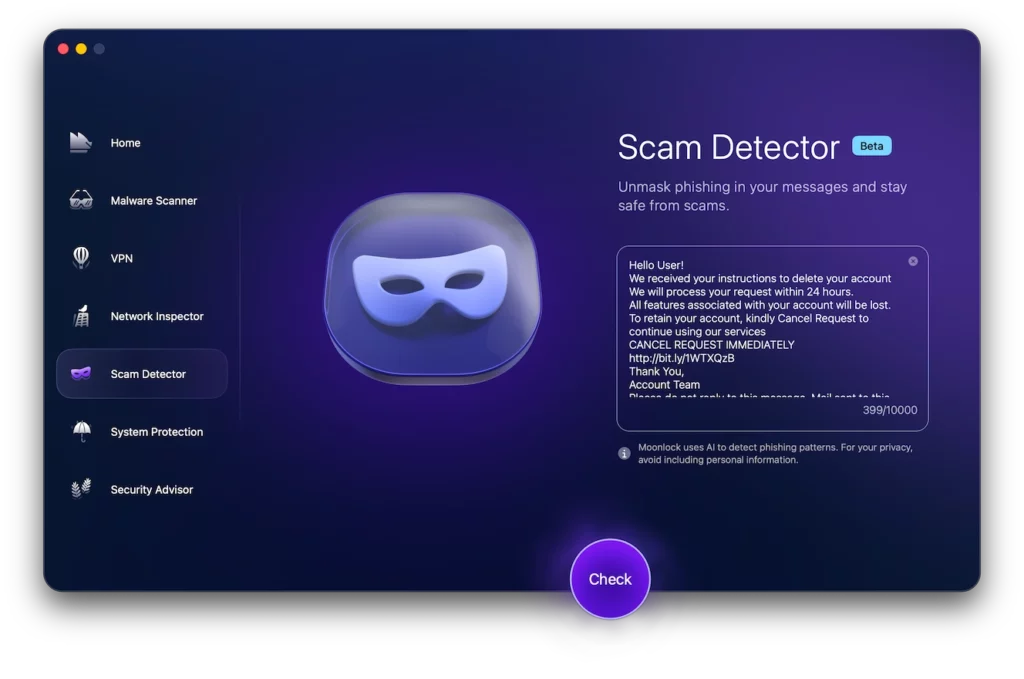
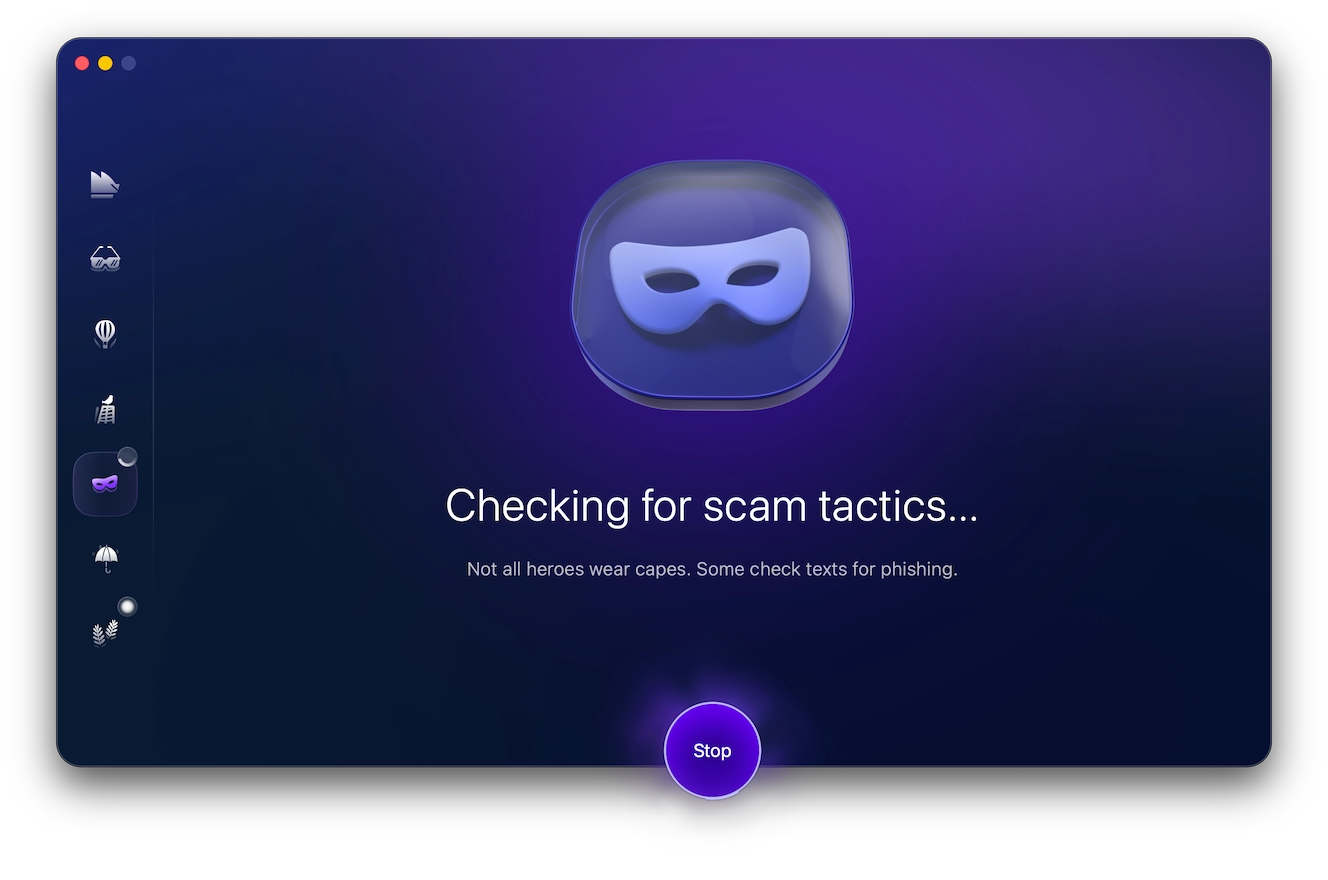
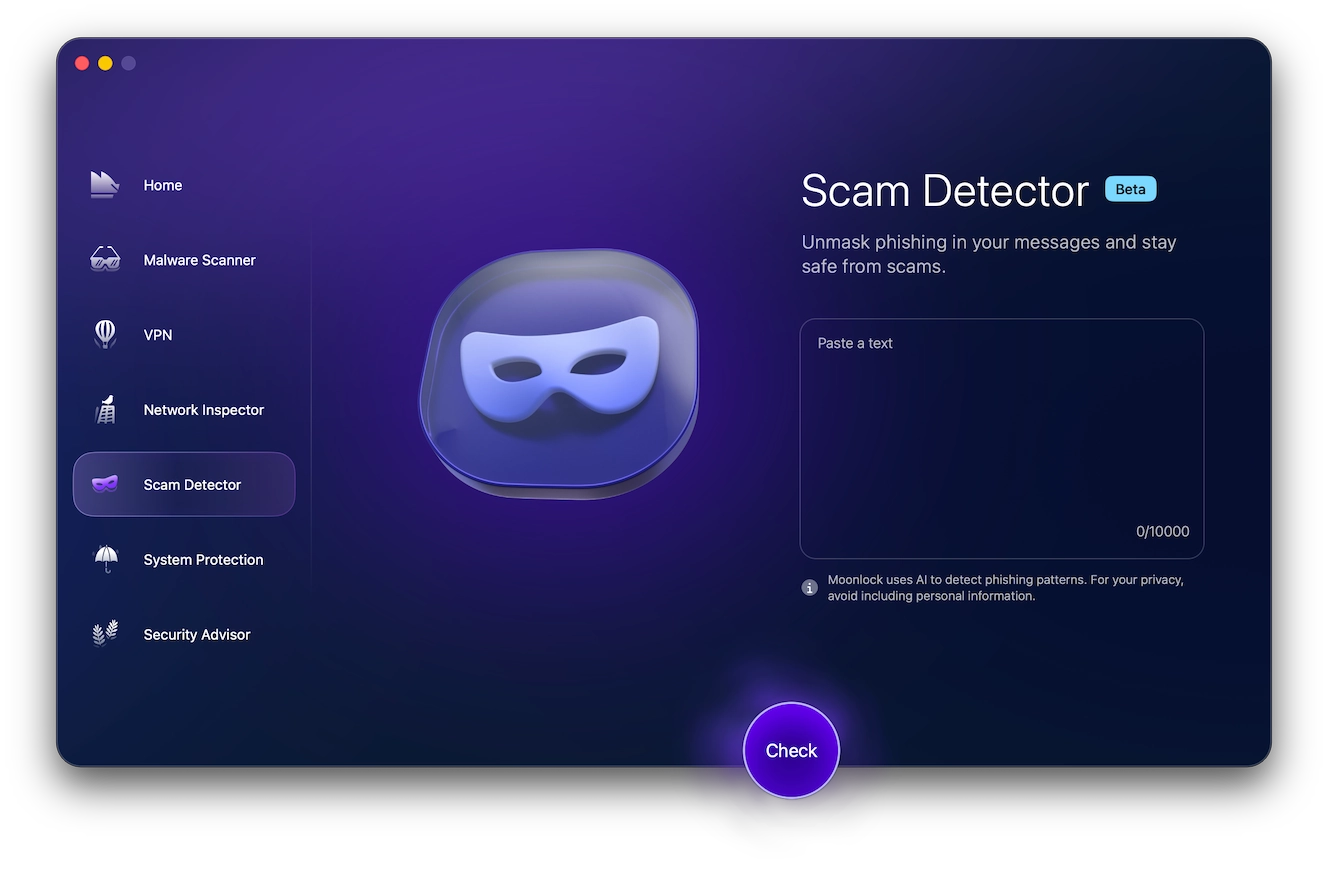
Before clicking a link or replying to a suspicious Signal message, you can use Scam Detector to review the content.
To use the Scam Detector, get a free 7-day trial:
- Copy the message text or take a screenshot of it.
- Paste the suspicious content into the Scam Detector tool.
- Moonlock will review the content and, based on common red flags and inconsistencies, create a report on the likelihood that the message is associated with a scam.
As an added precaution, always check links before opening them and treat requests for verification codes, PINs, recovery keys, payments, or QR scans as signs to stop.
The Scam Detector can’t decide who you should trust, but it can help slow down the momentum, which is what Signal scammers are trying to prevent.
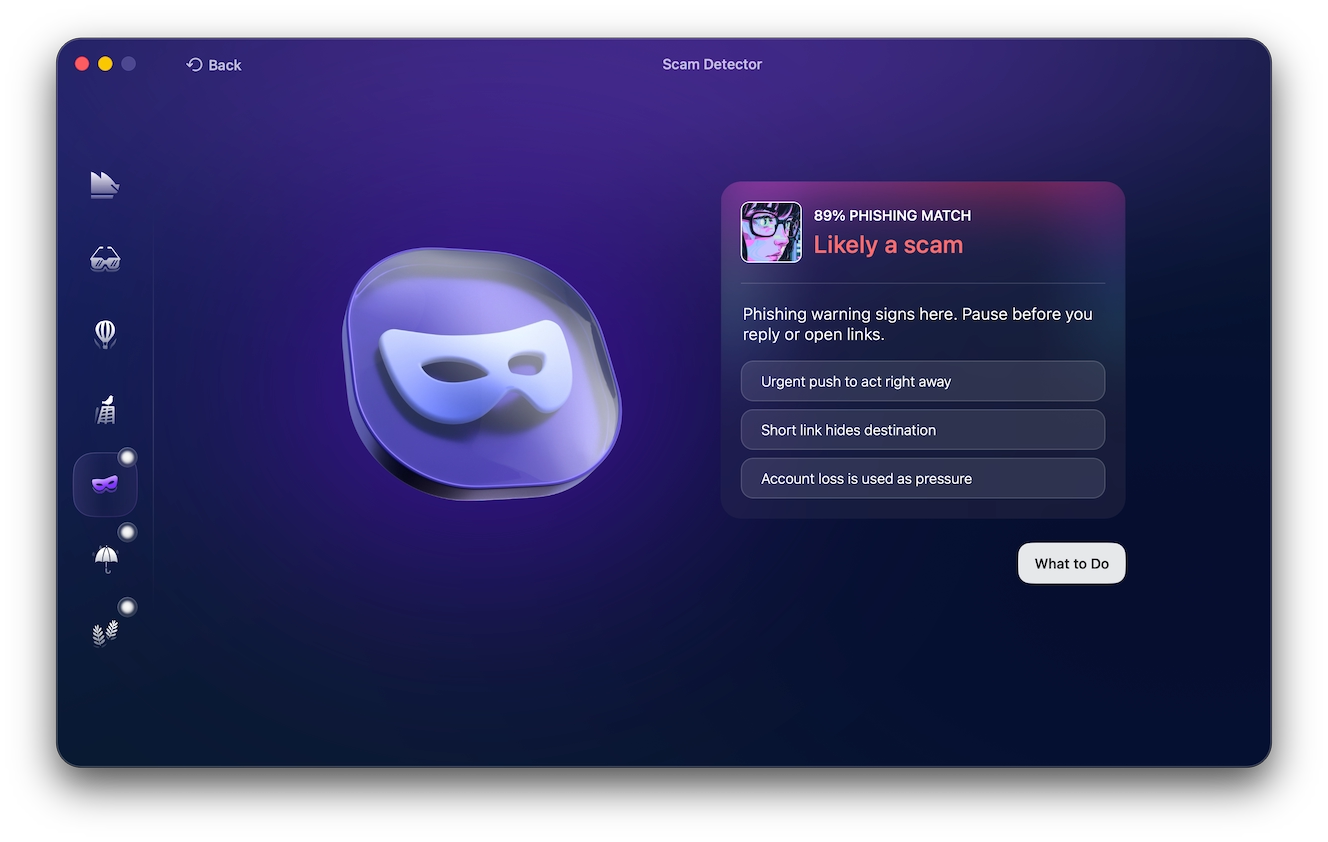
Some common signs of a Signal app scam
Common red flags of a Signal scam include:
- A message that “borrows” authority. Scammers may pose as support, security, or another trusted source to make the request feel official.
- Someone asks for a code or recovery key. These details are meant to protect your account, not prove your identity to another person.
- The message makes any hesitation feel dangerous. Scammers often frame the request as something that must be handled immediately.
- A link leads the conversation somewhere you did not expect. The danger isn’t just if a link “looks weird.” If a message is pushing you into a login page, a download, a payment flow, or a form you did not go looking for, be wary.
- A QR code becomes the next step. QR codes can conceal where they lead, which makes them useful in phishing and device-linking attempts.
- The person discourages outside advice. A scammer may try to keep the conversation private once money, your identity, or account access is involved.
- A familiar account suddenly feels different. Compromised accounts can make a scam feel more believable because the name is already known to you.
- The user’s identity doesn’t hold up. Small mismatches in a profile, a person’s story, their timing, or their writing style matter more when the person wants money, secrecy, or access.
The most common Signal app scams in 2026
Signal messenger scams often follow patterns seen across private messaging apps, but Signal’s reputation for privacy can make the interaction feel safer than it really is. These are the common scams on the Signal app that users should know.
Scam texts in the Signal app
Scam texts in Signal often look like ordinary message requests, with a stranger asking if they have reached the right person or claiming to be from a company.
The messages may be casual at first. But suddenly, you may be asked to open a link, provide a code, join a group, confirm personal details, or move money. The privacy of the app does not make the request safer.
A good habit is to judge the action, not the app. If the message would seem suspicious in an email or SMS, it is still suspicious in Signal.
Job and hiring scams
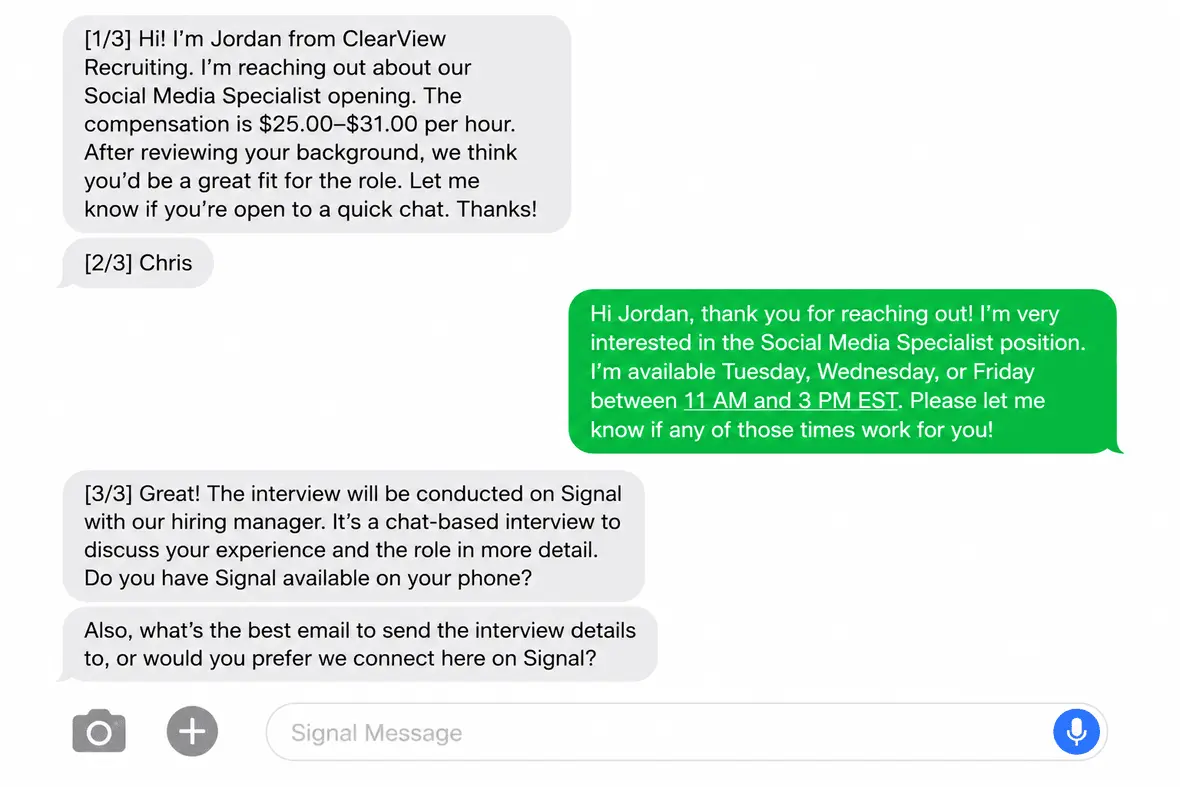
Job scams often start with an unsolicited recruiter message. The role is remote, flexible, high-paying, and strangely easy to get. The recruiter may claim to represent a known company, but the interview process is short or entirely text-based.
The scammer may ask for your Social Security number, home address, bank details, or a payment for background checks, training, software, or equipment. In a fake paycheck version, the victim deposits a check and sends a portion of the money back for supplies. The check later bounces, leaving the victim responsible.
A real employer may use many tools to communicate, but a legitimate hiring process should not happen entirely through Signal. The Better Business Bureau has flagged a rise in similar scams that move job seekers onto private messaging apps once contact is made. Be especially cautious if the recruiter fails to use an email from a company domain, avoids video verification, or asks you to pay before you can be hired.
Romance and pig-butchering scams
Romance scams often start somewhere more public (like a dating app or social media) before the person asks to continue on Signal “for privacy.” From there, the scammer keeps the conversation going long enough to feel familiar, often with heavy affection or plans to meet that never quite happen.
Before long, money enters the conversation. Sometimes, it’s a sudden crisis. Other times, it is an investment the scammer says they have already profited from. In a pig-butchering scam, the victim is usually guided to a fake trading platform that shows artificial gains, only to be blocked from withdrawing their earnings unless they pay a portion in taxes, fees, or deposits.
The FBI describes cryptocurrency investment fraud as one of the most damaging types of fraud schemes today. This is partly because victims may believe they are in a real relationship or receiving trusted financial guidance until the platform shuts off access.
Phishing and account takeover
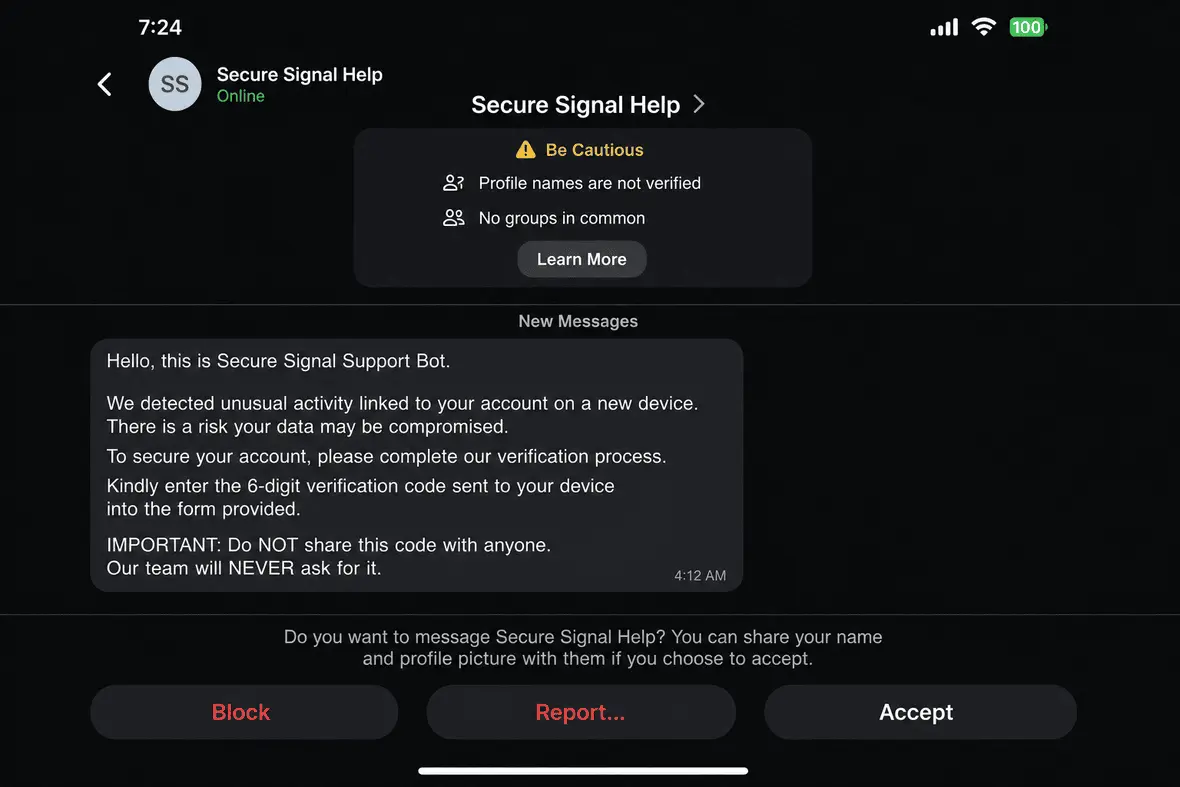
Phishing on Signal often appears as a fake security warning. A scammer may claim to be from Signal Support or Signal Security. They may claim to be alerting you to suspicious activity, a sync issue, an unknown linked device, or a risk of data loss.
The goal is to make you share something that opens the associated account. That may be a verification code, PIN, backup recovery key, or QR code. In linked-device abuse, the attacker tricks the user into connecting the attacker’s device to the victim’s Signal account. In account takeover, the attacker may use a code or PIN to gain control and then message other people from the compromised account.
Moonlock’s Scam Detector is useful here because these messages often use polished security language. If a Signal message tells you to “verify,” “restore,” “cancel access,” or “protect your data,” check it before responding.
You can also use the Scam Detector before opening links tied to account recovery or backup restoration. An authentic security flow starts inside the app, not from a stranger’s instructions in chat.
Wrong number and unsolicited contact
Wrong-number scams begin with a message that looks accidental. If the victim replies, the threat actor may apologize and then keep chatting to slowly build rapport.
Most Signal scams start elsewhere, such as a dating app, and push the victim to Signal for a more “private” conversation. Wrong-number scams are an exception because they can also start directly in Signal if the scammer has your phone number or username.
The conversation becomes more dangerous when friendliness turns into an ask. If a stranger’s wrong-number message starts moving in that direction, block and report.
Sextortion and blackmail
Sextortion can happen when someone threatens to share intimate images, videos, chat logs, or manipulated content unless the victim pays up or sends more material. Signal’s privacy may make people feel more comfortable sharing private content, but it cannot control what another person saves, records, or does outside the app.
AI has made this worse. The FBI has warned that malicious actors can use ordinary photos or videos from social media, dating profiles, or chats to create explicit-looking synthetic images. These deepfake materials may then be used to demand money, pressure the victim for real images, or threaten public exposure.
Do not pay, as paying does not guarantee that the scammer will stop. Preserve any and all evidence, then report the account. If the scam was more severe, contact law enforcement and use resources such as IC3 or NCMEC’s CyberTipline if minors are involved.
Impersonation and fake support
Fake support scams borrow authority to make a request feel official. On Signal, that often means a message about account access or a potential lockout.
Real Signal staff will not contact you in a normal 2-way chat to ask for verification codes or recovery keys. For any support claim, leave the chat and go directly to the official app or website.
Giveaway and prize scams
This type of scam usually asks for a processing fee or wallet connection in order to receive a prize of some kind. Real prizes, however, shouldn’t require you to pay money to receive them. And any giveaway you “won” but never entered should be treated as fake until proven otherwise.
These scams can also deliver malware through links or attachments. If you clicked or downloaded anything, scan your device before continuing normal use.
Fake trading signals group scams
In scams involving fake “trading signals” groups, victims pay for trading signals, which are sold as tips on when to buy or sell certain investments. These operations are similar to pig-butchering scams with a few key differences. Instead of one person grooming a victim privately, the scam uses group pressure, fake success stories, and a stream of “expert” advice to make the offer feel active and popular. Ironically, “signals” scams can take place on the Signal app.
In a forex signal scam (foreign exchange), the tips are about foreign-currency trades. Some groups stop at paid subscriptions, while others send members to a fake exchange where the balance appears to grow until they try to withdraw.
The SEC has warned that investment-related group chats are gateways to fraud. Treat any Signal group that promises guaranteed returns or low-risk wealth as a scam risk.
Is Signal secure? What scammers can and can’t do
So, how secure is Signal? Technically, Signal is secure. It uses end-to-end encryption by default, its code is open source, it collects minimal account data, and its encryption is based on the widely used Signal Protocol. Signal protects messages from interception, but it does not protect users from social engineering.
Here’s what Signal can do:
- Protect message and call contents from being read in transit
- Limit the amount of account data available to outsiders
- Let users verify safety numbers, block contacts, report spam, check linked devices, and use registration lock
The following is what Signal can’t do:
- Confirm that a profile name belongs to the real person or company behind it
- Stop someone from lying, love-bombing, impersonating support, or pushing a fake investment
- Protect an account if the user shares a verification code, PIN, recovery key, or QR-linking step
- Remove messages or media from another person’s device once they have saved, copied, or recorded them
Bottom line: Signal can protect the privacy of a conversation, but it cannot prove the person inside that conversation is trustworthy.
Is Signal more secure than WhatsApp and Telegram?
Signal generally offers stronger privacy because it is nonprofit-run, is open source, and uses end-to-end encryption by default. WhatsApp also encrypts personal messages, but it collects more account and usage data, and Telegram’s standard cloud chats are not end-to-end encrypted by default (instead, it’s a protection that only applies to Secret Chats).
Nevertheless, all three platforms are used by scammers. A more private app can protect message content, but it cannot make links, investment groups, support claims, or new contacts safe by default.
Think you’ve been scammed on Signal? Here’s what to do
If you think a Signal scam has already worked on you, act quickly and keep evidence intact. Here are a few key actions to take:
- Watch for recovery scams. Someone who promises they can recover lost crypto or stolen funds for an upfront fee may be running the next scam.
- Report and block in Signal. Use Signal’s in-app report and block options for spam, impersonation, or abusive contact.
- Check linked devices. Open Signal’s settings and remove any device you do not recognize.
- Protect the related accounts. Change passwords for email, banking, crypto, dating, social media, and work accounts that may be exposed.
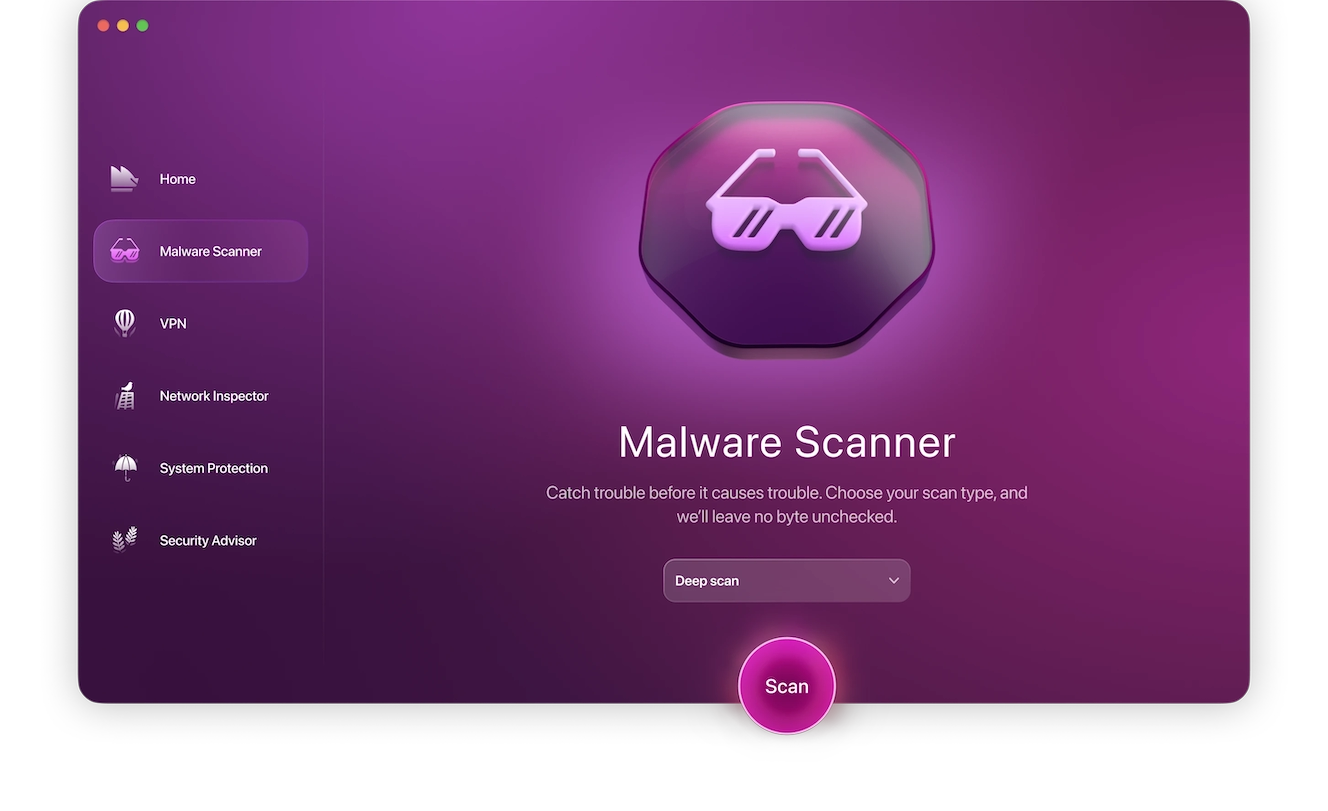
- Scan for malware. If you clicked a link, downloaded a file, installed an app, or opened a suspicious attachment, use Malware Scanner to check your Mac for malicious software. Moonlock offers a free trial to try the app yourself for 7 days.
- Contact your bank or payment provider. Ask about chargebacks, fraud reports, account freezes, or card replacement.
- Report financial fraud. File a report with IC3 at ic3.gov. For identity theft, use IdentityTheft.gov.
- Report sextortion. Contact local law enforcement or the FBI. If a minor is involved, report to NCMEC’s CyberTipline.
Frequently asked questions about Signal scams
Here are some quick answers to common questions that users have about Signal scams and account safety.
Signal feels private and credible. Scammers may also want you to move away from a platform with more visible reporting or moderation.
Use Signal’s report and block options from the message request or chat settings. If the scam involved money, identity theft, sextortion, or threats, report it to law enforcement or IC3 as well.
Regardless of the platform, screenshots can be edited, users can be impersonated, and compromised accounts can send real messages. A conversation may show that messages were exchanged, but it does not prove a user’s identity or intent.
Signal does not store readable message content for law enforcement to request it from them. That said, messages may still exist on the devices involved, and forensic recovery may be possible if authorities obtain and unlock a device.
If you shared a verification code with someone (and if you feel like you’ve been scammed), stop replying to that user. Then remove any unknown devices from your linked devices list and contact Signal through official support.
Signal safety tips to avoid common scams
Scam detection works best when paired with habits that slow down the conversation. Signal gives users privacy tools, but safety still depends on how the app is used. Here are a few points to remember:
- Use Signal’s built-in account protections. Turn on registration lock, use a strong Signal PIN, and review linked devices after any suspicious account message.
- Treat message requests as optional. You do not need to accept a new chat just because the person sounds friendly, urgent, or familiar.
- Verify before taking action. If money or account access comes up, confirm the person’s identity or claim through an outside channel.
- Keep private details out of chat. Any secure information should stay with you.
- Be careful with the content you send. Disappearing messages can reduce what remains visible, but they cannot stop someone from saving or photographing what they receive.
Scam Detector can be used to help you build a safer messaging routine. Use it before opening unknown links, scanning QR codes, joining investment groups, responding to job offers, or sharing personal details.
Signal can help make private conversations safer, but no private messenger makes every user trustworthy. The best protection is to use Signal’s privacy tools, combined with Moonlock when faced with unexpected requests.
This is an independent publication, and it has not been authorized, sponsored, or otherwise approved by the Signal Technology Foundation. Signal is a trademark of the Signal Technology Foundation.