
If your iPhone is an older model, you should update it now. New web browser threats and advanced commercial spyware are being used to carry out iPhone financial heists. Apple is responding with a new update specifically for older iPhones. By rolling out several security updates in the past week, Apple hopes to mitigate the threat and protect users.
Apple pushes hard against Web Browser attacks as the trend dangerously shifts gears
On March 19, Apple released a public communication urging users to update their iOS to protect themselves against malicious web content attacks.
Apple referred to web attack techniques on the rise in its call for all iPhone updates.
“Security researchers recently identified web-based attacks that target out-of-date versions of iOS through malicious web content.”
“If you’re using an older version of iOS and were to click a malicious link or visit a compromised website, the data on your iPhone might be at risk of being stolen,” the company from Cupertino, California, added.
To counter web browser attacks, Apple has even released a new type of faster updates. These new updates are called Background Security Improvements. They can update your OS without the need to do a full system update by using cryptexes.
I am using an old iPhone. How do I update it for protection against web attacks?
To extend protection against web browser cyberattack techniques, Apple released a software update for iOS 15 and iOS 16 on March 11. This update protects older devices that cannot update to the latest version of iOS.
If your iPhone runs on iOS 13 or iOS 14, you have to update to iOS 15. Those running iOS 13 or iOS 14 should by now have received an alert to install a Critical Security Update.
Safe browsing in Safari adds a layer of security, but it isn’t failproof
Web browser WebKit cyberattacks require users to be directed to specific websites where malicious scripts are hidden in images. These can run even if the user does not interact with the page. Consequently, Apple also turned to Safe Browsing in Safari to block these sites.
This means the company has created a list of known sites that were hosting these malicious scripts. However, this blacklist on Safe Browsing in Safari needs to be updated regularly, as cybercriminals will develop new sites that are not blacklisted. So, while Safe Browsing in Safari is a strong security tool, don’t let your guard down entirely. It only acts on known threats and leaves the unknown threats unchecked.
Note that Safe Browsing in Safari is enabled by default. The company added that any iPhone user who has Lockdown mode can use it to protect themselves against web content cyberattacks.
It is worth mentioning that Apple used to refer to Lockdown Mode as an answer to sophisticated mercenary cyberattacks. Users were only to tap on Lockdown mode as an aggressive last resort action. You can learn more about Lockdown Mode, how to enable it, and how it works in Apple’s official guide “About Lockdown Mode.”
Web Browser malware is now widely available to criminals
As mentioned, the use of malicious web content targeting iPhone and Mac users has been on the rise. For example, we recently reported on GhostPoster, a fake browser extension that used web browser infection techniques to breach Mac users’ computers. In that campaign, the malicious code was hidden inside browser extension logo files.

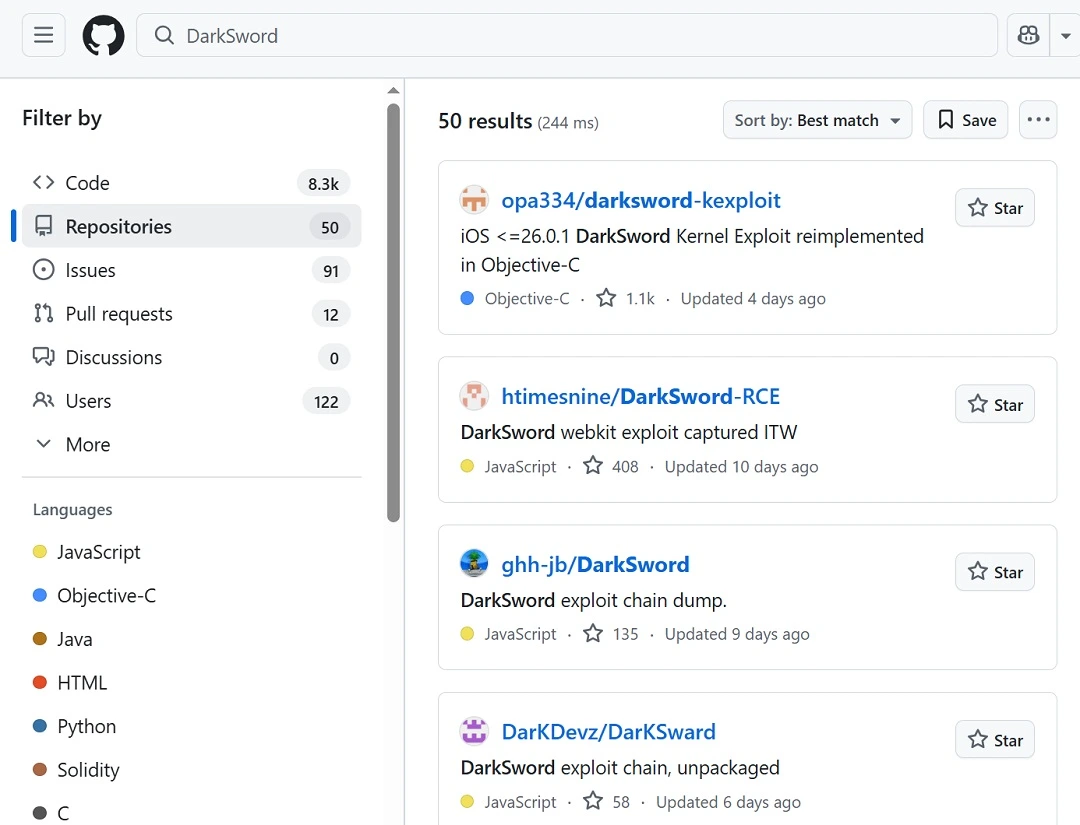
Even more worrying is a trend uncovered by LookOut, Google Threat Intelligence, and iVerify, which we also reported on. In that report, we spoke about DarkSword, an advanced commercial spyware that has been updated with features to steal financial data from iPhones.
DarkSword-style commercial spyware is historically linked to high-value target campaigns (politicians, governments, military, journalists). However, LookOut and iVerify warned that the tech, now coded for “hit-and-run” stealing instead of “long-presence” spying, is widely available across the cybercriminal underground. The entire DarkSword exploit was leaked and can be found and downloaded by literally anyone.
Web browser attacks and ClickFix: The 2 big Apple security trends
Web browser attacks are a completely different animal from the popular ClickFix attack technique. The main difference between the 2 beasts is how they breach your device. While ClickFix attacks rely on users to carry out actions to infect their own devices, web browser attacks are zero-click.
Zero-click attacks mean exactly that. You do not have to click or download anything to be infected. Web browser attacks can pull off this trick by exploiting weaknesses in the technology used by browsers on your Apple devices. These vulnerabilities, which Apple struggles to keep up with and patch, allow threat actors to hide malicious code inside the HTML content of a website, for example, iFrames, or inside file images.
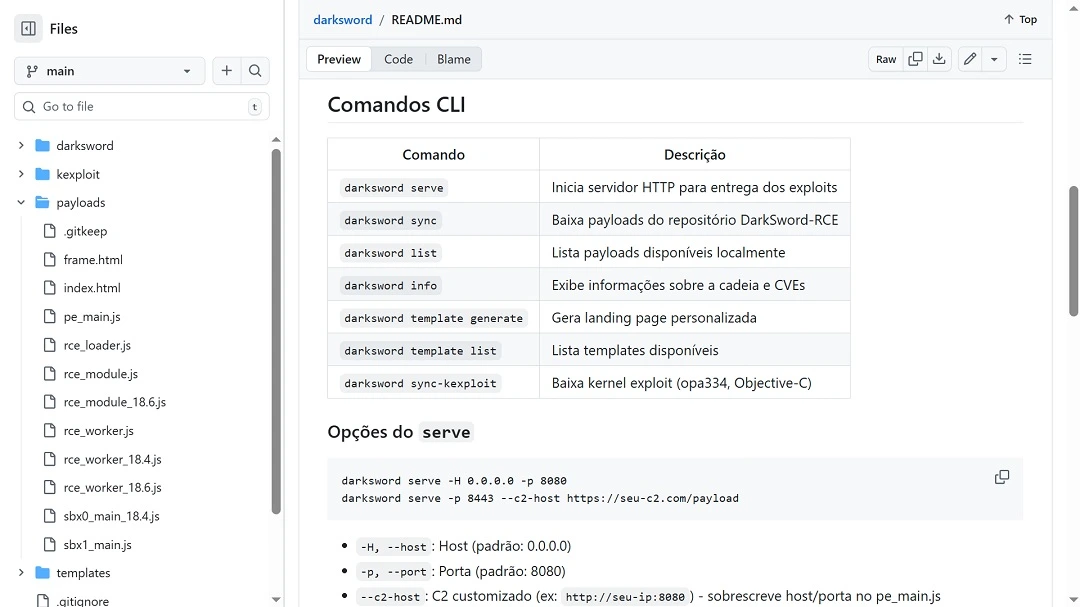
As a user, you don’t even know what hit you. All you did was load a site you were subtly redirected to. By the time the website finished loading, your iPhone or Mac was breached without you ever knowing it.
Background Security Improvements and the battery of recent Apple update calls and security patches—dealing exclusively with web browser cyberattacks—signal how serious this technique is. It also speaks to its probable expansion and increased use in the wild.
How to stay safe from Web Browser attacks
As with any other type of cyberattack, there are several things you can do to stay safe, no matter what your technical skills are. Below are 3 tips to help you mitigate the threat of web browser attacks with ease.
Get the Moonlock app. It is constantly updated to deal with emerging threats.
Moonlock is an antivirus for Mac that comes with a real-time scanner and an AI-powered malware database. Behind the curtains, a team of in-house experts, working in collaboration with the broader cybersecurity community, constantly updates the app and the malware database. This empowers Moonlock to detect newer types of threats that your Mac may encounter.
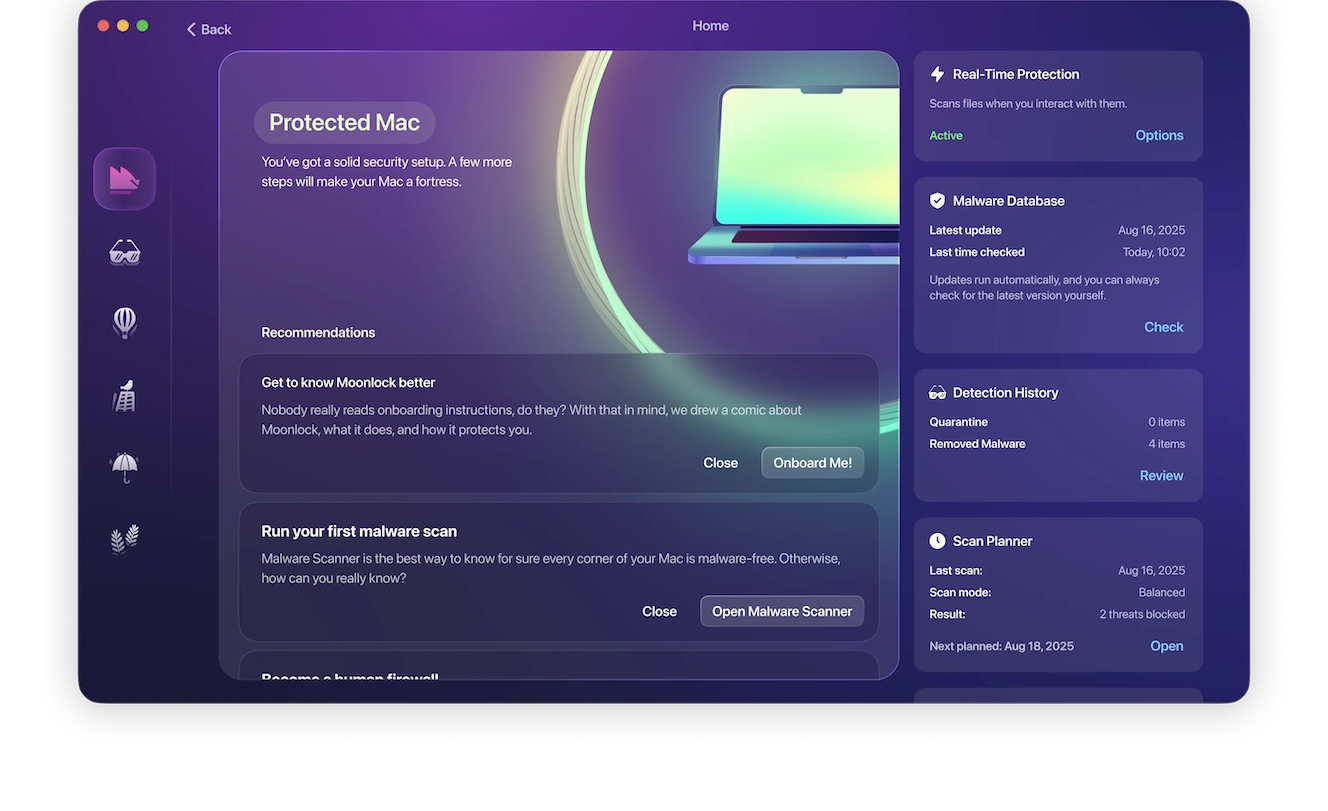
The Moonlock app will check every file you interact with and flag suspicious activity. You can learn more about the threats your Mac encountered by going to Quarantine. There, the flagged files are kept securely until you review them and choose whether to whitelist them or remove them entirely from your system.
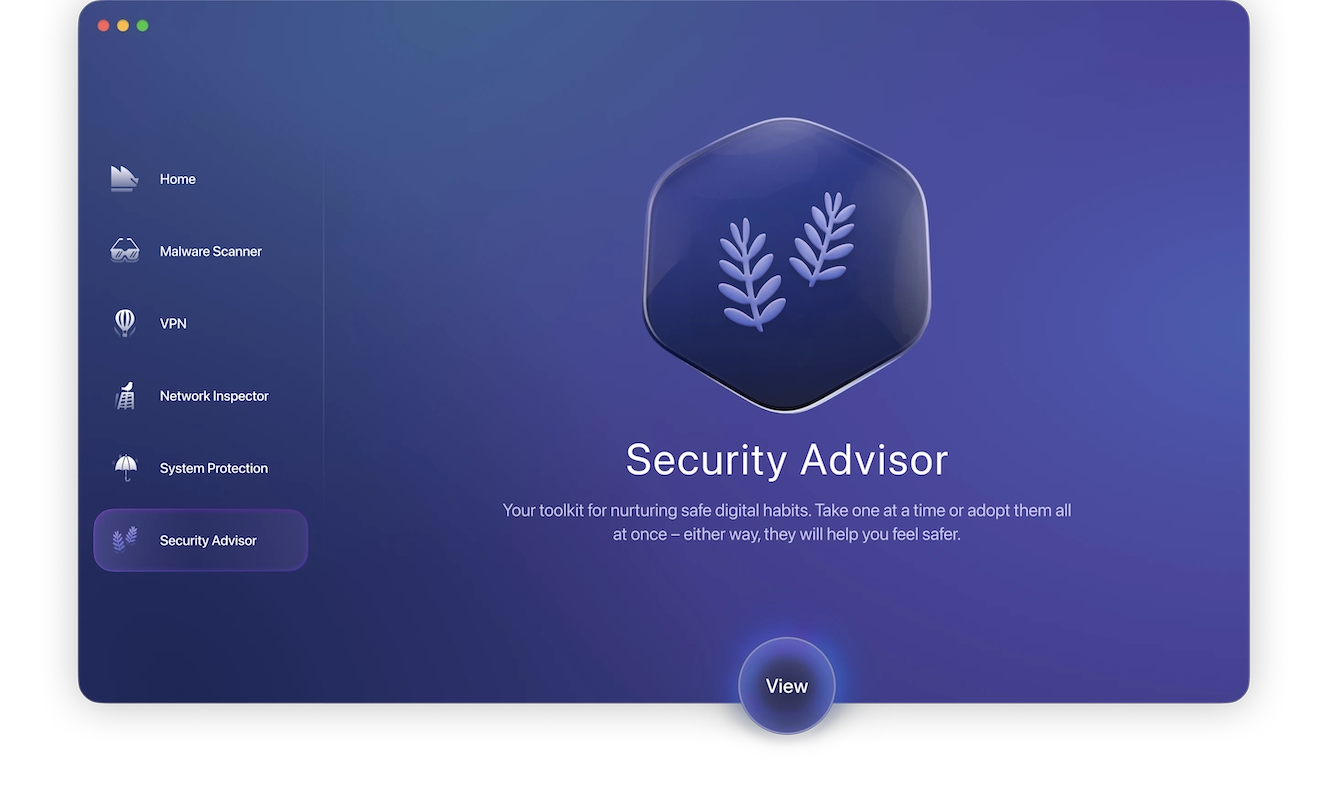
Moonlock will also scan your Mac configurations and offer you simple tips and advice through the Security Advisor feature on how to build digital habits to improve your posture. It’s free to try for 7 days, so get your free trial now and give it a test-drive.
Update all your devices to keep up with vulnerabilities and exploits
The use of AI, which allows cybercriminals to automate vulnerability scans and speed up the development of exploits, combined with a super-charged industrialized dark web sector that increasingly targets Apple users, are the 2 main reasons why vulnerabilities on Apple devices are on the rise. The answers to most of these vulnerabilities are updates. Keep all your Apple devices updated to get the latest patches against known threats.
Be more cautious about what sites you visit
While web browser attacks are zero-click threats, you still have to visit specific websites for the cyberattack to start. If you stay away from these sites, you’re safe. The problem is knowing which sites are safe and which are not.
Cybercriminals will go out of their way to direct users to these malicious web browser attack sites. They will take out ads on social media platforms, promote the sites on Google and other search engines, and even contact you via email, SMS, or other channels. Criminals also know how to leverage SEO techniques to rank their fake sites high when you query an AI or your favorite search engine.
Applying common sense, a calm digital attitude, and a more cautious approach to what sites you visit is a good starting point.
Final thoughts
How the threat landscape revolving around web browser cyberattack techniques will develop is uncertain. From recent leaks that give all cybercriminals access to powerful exploit kits to Apple’s aggressive push back with a series of updates, time will tell where the trend will go.
One thing is certain: To protect your Mac, iPhone, or iPad, update your device today. You can also follow the tips in this report and learn about cybersecurity to develop a more hands-on approach to your digital well-being.
This is an independent publication, and it has not been authorized, sponsored, or otherwise approved by Apple Inc. Mac, iPhone, and iOS are trademarks of Apple Inc.