
Coinbase is the largest crypto exchange in the United States. Together with its international arm, Coinbase International Exchange, it serves over 100 million users. But heavy lies the crown. Its users are the target of countless Coinbase scams, hacks, and cyberattacks, today supercharged with AI.
The scale of the scam problem impacting Coinbase users is significant. There are no updated stats on Coinbase scams in 2026 or any other year, for that matter. However, there are endless cases of users reporting scams online, notorious hacks, and an active and evolving industrialized criminal scammer sector.
How much is stolen from Coinbase users? As reported by the on-chain investigator ZachXBT, Coinbase users lose tens of millions of dollars every year to scams. ZachXBT said users lost over $65 million due to social engineering scams in just 2 months, spanning from December 2024 to January 2025.
Scams at Coinbase range from text and SMS scams to withdrawal code scams, alert text scams, and 2FA login scams, among others. In this report, we look into Coinbase’s common 2026 scams. We also cover how they work and what you need to know to stay safe.
What are Coinbase scams?
Coinbase scams are all social engineering cyberattacks, the main goal being to steal crypto. As with most social engineering scams, instead of stealing sensitive data, criminals use strategies to try to trick you into giving it away.
Coinbase users need to be on the lookout for suspicious texts, emails, phone calls, social media posts, messages, and shady online ads. This is how many Coinbase scams begin, luring you into a con that ends up with your crypto wallet drained.
So, what are the warning signs of the Coinbase scam?
There are several red flags to watch out for when it comes to Coinbase scams. These include:
- Out-of-the-blue contacts: If you get an email, SMS, or call that you did not expect or that seems out of the ordinary, double-check it for a scam.
- Impersonation calls and emails: You might be contacted by someone pretending to represent Coinbase. This is a red flag.
- Requests for sensitive data: Coinbase will never call, text, or email you to ask for sensitive data. If someone does, they are not from Coinbase.
- Coinbase links with URLs that do not match: If you get a link that claims to be from Coinbase and the link does not match the official URL of the company, do not click on it.
- Emails or SMS that do not match: All Coinbase emails end with @coinbase.com. If you get an email or text message with an address or phone number that does not match Coinbase, do not engage with the sender; it’s a scam.
- “Too good to be true”: Whether on the web, on social media, or via email or text, scammers often come up with creative ideas to trick you into taking action. Chances to “double your crypto” or “too good to be true” giveaways are designed purely to get you to click. Be on the lookout for them.
Common Coinbase scams
Now that we covered the basics on scams and top red flags you should look out for, let’s look at the types of scams that are popular among cybercriminals and scammers.
Coinbase text scam/withdrawal code scam
This is one of the most trending scams targeting Coinbase users. It begins with you receiving a text message via SMS on your phone. The text, which may vary slightly, reads something like “(COINBASE) The OTP code for your withdrawal is 736191. If this was not you, please call us on +1 (877) 338-9228. Ref CB97405.”
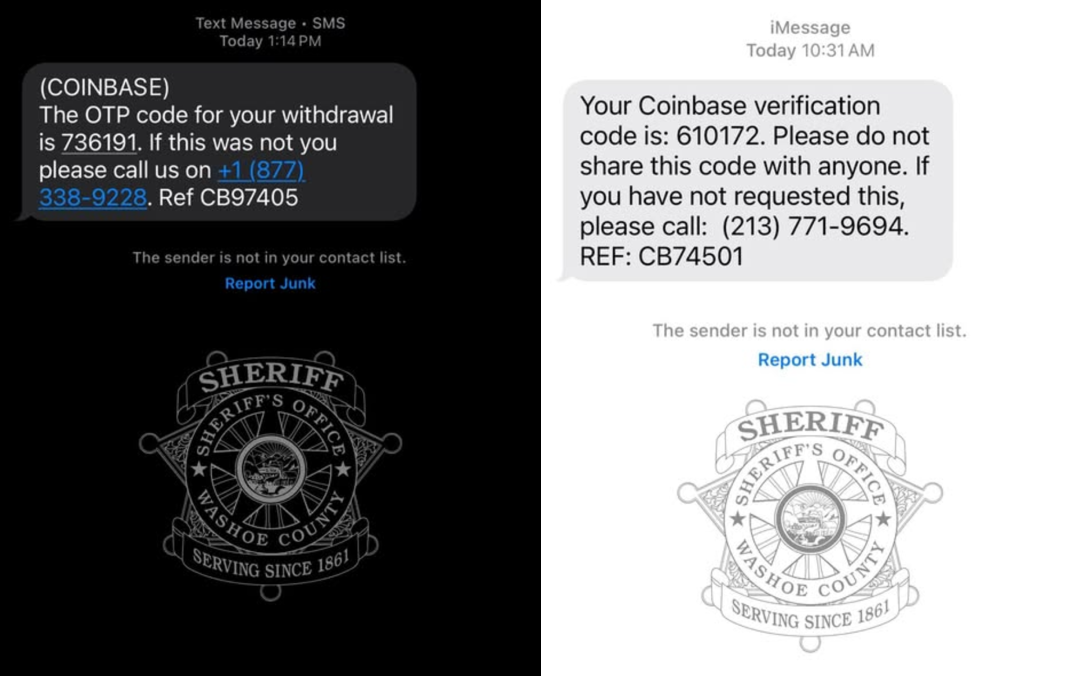
Some reports claim that the text includes wording such as “call this number to cancel the withdrawal” or “protect your account.”
Naturally, the number is fake. On the other end are talented scammers posing as official Coinbase Support. Don’t underestimate these individuals. They are very good at what they do and may trick you into giving them your Coinbase account access data. Scammers then use that data to log in to your account.
In some cases, legitimate Coinbase security features are leveraged for nefarious purposes. To verify your identity, Coinbase will send you a genuine 2FA code to your phone when a scammer attempts to log in. A fake Support agent may ask you to read back the code. But if you give it to them, they can bypass all the security controls of your account and drain your wallet.
Why this scam works so well
This scam is effective for a number of reasons. First, it induces a sense of urgency, which clouds the mind. Second, it leverages authentic Coinbase security verification (the OTP code) to create a sense of legitimacy and trust.
The skill of the scammers is also key to the success of this type of scam. As mentioned, you should never underestimate a scammer. They may be self-taught, or they could work in a large-scale industrial phishing operation. Many have been trained, have written scripts to follow, and know how to scam people.
When your natural instincts fail, whether it’s because a scam is well planned or the scammer sold you the “crisis and solution,” a good cybersecurity tool can go a long way.
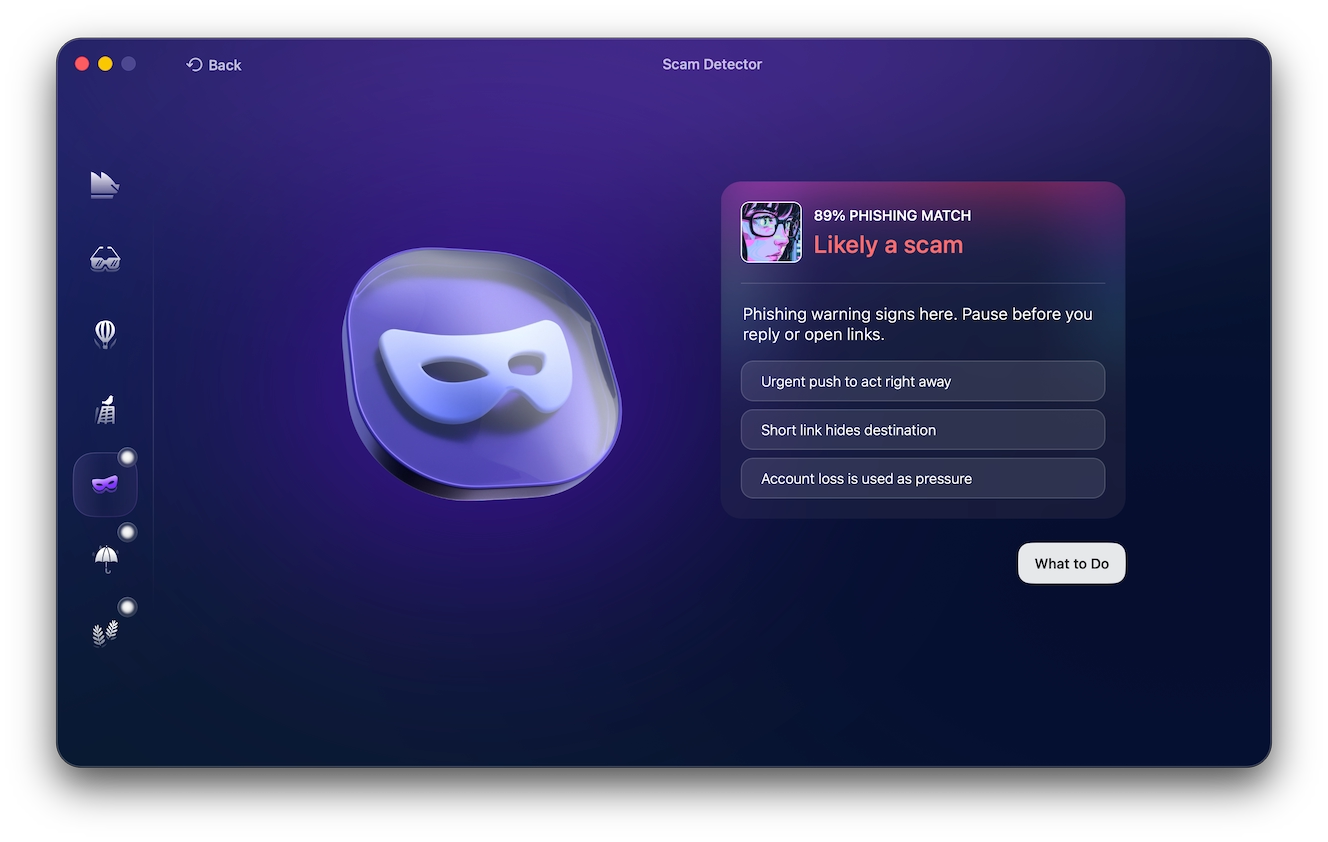
The Moonlock not only checks your Mac for threats continuously but also has a built-in Scam Detector. The feature can help you detect a scam anytime you get a questionable email.
Test-drive Moonlock for free with a 7-day trial. Just copy and paste the text, and let the Moonlock app take care of the rest.
Fake verification request emails
The fake verification email request Coinbase scam works in a similar way to the withdrawal scam, creating urgency and panic. In this scam, they will also ask you to give away information or click on a malicious link. The main difference is that it happens via email.
Here’s how the fake request Coinbase scam works:
- You get an email that spoofs or impersonates Coinbase.
- The email contains a message that triggers your concern. It could be “issues with your account,” a restricted account, blocked transactions, or an urgent “Know Your Customer” (KYC) identity verification requirement.
- In some versions of this scam, the email contains a link that scammers claim “solves the situation.” In others, it may contain a phone number.
- If you click the link in the email, you are directed to a fake Coinbase site that looks just like the real thing. If you attempt to log in, the scammers steal your credentials. These sites may also ask for 2FA codes, backup keys, or personal IDs. When the email contains a phone number, calling back connects you to a fake Support agent. The fraudster then attempts to trick you into giving away your credentials.
Phishing and scamming operations are known to use stolen or leaked user databases bought in bulk for cheap on the dark web. While these databases often do not contain passwords, scammers can use the data in them, such as names, IDs, and other data, to create more convincing emails.
When scammers have your real name and other personal data, the success of their campaigns dramatically increases. Accurate information makes phishing far more real. In 2025, Coinbase was hacked, and the data of hundreds of thousands of Coinbase users was leaked. This data is likely in the hands of Coinbase scammers today.
Some email subject lines you might see if you are on the other end of this type of scam include:
- Action Required: Unusual sign-in activity detected
- [Important] Your account is about to be suspended
- Billing information is out of date
- Password Check Required Immediately
- Your Coinbase has been disabled
- Migrate to Coinbase Wallet
Always check the email address of the sender to see if it matches official Coinbase emails.
Emails from Coinbase will never ask for your password, 2-step verification codes, or remote access to your computer. If you’re asked for this information, you can be sure the email isn’t from Coinbase.
Fraudulent transaction alerts via email
In this type of scam, you get an email that impersonates Coinbase, claiming there are issues with your transactions. The email might read something like, “Your withdrawal of $2,450.00 BTC to wallet address [Random Characters] is processing.” This is followed by a call to action, such as, “Click here or call this number XXX-XXXX-XXXX if this was not you.”
Clicking on the link will take you to fake sites that impersonate Coinbase. If you attempt to log in, and your credentials are immediately stolen. AS mentioned previously, calling the number will have you speaking to a fake Coinbase Support operator who will con his way into you giving away login data.
What is noteworthy in this type of scam is how convincing the email looks. Scammers go out of their way to impersonate the company. This includes using official-looking email designs, with logos included, that spoof Coinbase’s brand.
If you receive an email like this, check the address. All emails from Coinbase will end with @coinbase.com. Instead of clicking on any link in an email that claims to be from Coinbase, log in to your account and check that everything is OK.
Fake account suspension emails
If you get an email claiming that your Coinbase account will be blocked, suspended, or canceled, this is a red flag.
Subject lines that you might see in this type of scam include:
- Action Required: Unauthorized Access Detected on Your [Service] Account
- URGENT: Your [Service] Account Will Be Suspended in 24 Hours
- Security Alert: Your account has been locked due to suspicious activity
These emails have also been reported to include deadlines to pressure you into taking action. Usually, you are urged to click on a link to a fake Coinbase site. For example, the email might say, “Verify your identity in 24 hours, or your account will be permanently deleted,” and “Click here to verify.”
By now, you may be noticing a pattern. If you click the link, the fake Coinbase site will be programmed to show you a fake “Verify Now” or “Unlock Account” button. Clicking will, in turn, take you to a spoofed, fake login page coded to steal your credentials.
It’s a good habit to always take a step back if you are feeling pressured, nervous, or in a rush. This simple strategy will help defend you against many types of online scams. If you receive a communication that troubles you, always pause and think before taking action.
Phishing emails about Coinbase Global investment scams
In the world of crypto, investment scams are abundant. In this type of scam, you are lured by an email that offers you the “exclusive chance” to invest in Coinbase Global (the official name of the company that manages Coinbase) or another project, platform, or Web3 crypto fake opportunity.

Usually, investment email scams have a link, although some may include a phone number. Either way, scammers can build highly convincing fronts that act as fake investment companies and projects. Do not fall for these “too good to be true” investment scams.
Giveaway and “double your crypto” scams
Speaking of “too good to be true” Coinbase scams, “double your crypto” takes the grand prize. You might come across this scam in online forums, ads, or social media posts. Or you may receive a personalized message with this shady offer. Variations of this scam include giveaways, exclusive drops of new crypto or NFTs, and other Web3 free prices or access to new digital tokens.
These scams can be both highly personalized, targeting specific individuals, or more generic and large-scale. In personalized scams, the scammer might even establish a long-term relationship with you. It’s all a ruse to steal your crypto, convincing you to invest in a specific fake project.
In a more generic, large-scale investment scam campaign, the user is directed to a well-designed landing page. There, you might be convinced to create fake accounts, fund the project, make transfers, or deposit crypto from your Coinbase. Scammers might even want to link your Coinbase account to their malicious sites.
![Shared by KrebsonSecurity this is what a 'double your crypto account' fake landing page looks like. This scam operated on the URL coinbase-x2[.]net.](https://moonlock.com/2026/05/kerbs-on-security.webp)
Criminals running “double your crypto” scams often use deepfakes, fake livestreams, and AI bots. This makes the scam appear more legitimate and draws in bigger crowds. You can see these scams on video platforms like YouTube, sometimes impersonating known figures in the world of crypto. These scam attempts may align with global breaking news in the blockchain industry, gaming events, the sporting world, or other areas known to be popular among crypto enthusiasts.
Here are a few examples of Coinbase scam texts you might encounter:
- “To celebrate our milestone anniversary, the Coinbase Foundation is giving back to the community by distributing 50,000 ETH to all active users.”
- “To participate in the 5,000 BTC pool, send between 0.1 BTC to 5 BTC to the official verification address below, and we will instantly send back double the amount.”
- “Only the first 10,000 users can claim their free bonus tokens before the giveaway smart contract automatically closes in 14 minutes.”
Phone call and caller ID spoofing scams
Phone scams where you actually speak to a real scammer are among the most convincing and the most dangerous. With email and text scams, you have some time to doubt. But when a scammer is on the line, it can be difficult to break free from their script.
As mentioned, a percentage of Coinbase user data is already in the hands of scammers. They use this data to make calls that appear legitimate because they know things about Coinbase users that only the company should know.
Some scammers use malware bought cheaply on the dark web that allows them to spoof area codes. While Coinbase is a decentralized company with no headquarters, it is known for having a big operations hub in San Francisco, U.S., area code 650. Coinbase scammers, therefore, like to mask their phone numbers with the area code 650.
The fake Coinbase phone call scam works like this:
- You get a phone call from a fake Coinbase agent who claims there is a problem with your account. Or they may claim that data needs to be verified or another type of action must be taken to avoid a crisis scenario.
- You check the phone number, and see a 650 code. It looks like an actual phone number that Coinbase would use. This establishes trust.
- The scammer then says they want to confirm that it’s you. They probably already know your name, and they may have details such as your most recent transaction.
- The scammer then tells you they signed you up for Coinbase’s newsletter, Coinbase Bytes, and that you should get an email. This part is legitimate. It’s part of how they use Coinbase’s own system to establish more trust.
- Once the scammer has you believing they are in fact Coinbase, they will insist that there is a problem (usually security or verification) with your account.
- You get another email that looks like it’s from Coinbase, but is also fake. The email has a link, and the caller asks you to click on it.
- The link takes you to a malicious site where your credentials and sometimes other data are stolen when you type it in. Do that, and your funds will be drained.
AI is only making this problem worse. Coinbase itself confirmed that scammers are using AI voice agents, which are “eerily accurate.” This means scammers can have AI scams running 24/7, 365.
The January 13 Chainalysis’ Crypto Crime Report 2026 found that impersonation scams increased by 1,400% year-over-year. And AI-enabled scams were 4.5 times more profitable than traditional scams, according to ChainAnalysis. The report concludes that a record of $17 billion was stolen in crypto scams and crypto fraud in 2025.
Technical support impersonation
Technical support impersonation calls or emails are variations of impersonation scams. In this type of scam, you get an email or a phone call from scammers spoofing Coinbase, and they ask you to click on a malicious link or call a fake phone number. As always, the end goal is to steal your account access data and then your funds.
Keep in mind that scammers often use different “scripts” to create a variety of fake scenarios. They will test and rotate them, focusing on those that are more successful.
Loader scams
Another scammer Coinbase script is “load up” or “loader scams.” The scammers, via email, social media, phone, or text, will offer you fake chances to make easy money. In this case, they offer to send you an amount in exchange for a fee you can keep.
Coinbase has addressed loader scams officially, explaining that “scammers use stolen credit cards on compromised accounts to perpetuate payment fraud.” So, not only will they likely steal your funds, but they will leave you with an account that has been used for illegal activities.
Dusting scam
If you receive a tiny amount of crypto in your Coinbase account from an unknown sender, it means you are being targeted in a dusting scam or dusting attack.
In dusting attacks, scammers send tiny crypto transfers to users. If you cash one of these transfers, the scammers can access basic information from your account that they will later use to draft convincing phishing emails or make fake phone calls. These transfers sometimes include a malicious web address.
How the May 2025 Coinbase breach made scams more realistic
The May 2025 Coinbase hack impacted the data of nearly 70,000 users. While this is only a small fraction of the company’s 120 million users (as of 2026), it is a perfect example of how user data drives hyper-personalized phishing, which in turn, impacts more users.
The hack began when cybercriminals approached, convinced, and bribed Coinbase agents who worked abroad. No passwords or security codes were hacked, but the sensitive personal data of about 70,000 Coinbase users ended up in the hackers’ hands.
The data included names, addresses, phone numbers, email addresses, masked Social Security numbers (last four digits only), masked bank account numbers, some bank account identifiers, government-issued ID images (e.g., driver’s licenses, passports), account balance snapshots, and transaction histories. Some corporate data was also hacked, including internal documents, training materials, and communications available to support agents.
The hackers then contacted Coinbase and demanded $20 million in ransom. Coinbase refused to pay, and through its blog, the company offered a $20 million reward for information leading to the arrest and conviction of the criminals responsible for this attack.
While reports say that the hack could have cost Coinbase up to $400 million, it is unknown how much it cost impacted users. Scammers used that stolen data to create highly personalized fake calls, impersonation phishing emails, and texts.
Remember: Just because someone knows your personal data does NOT prove a call or message is legitimate.
How to tell if a Coinbase message is real
There are several red flags you can look for to help determine if a message is real. However, as scammers embrace AI and create more convincing emails, strengthening your security layer with tools that can spot what you miss is a great idea.
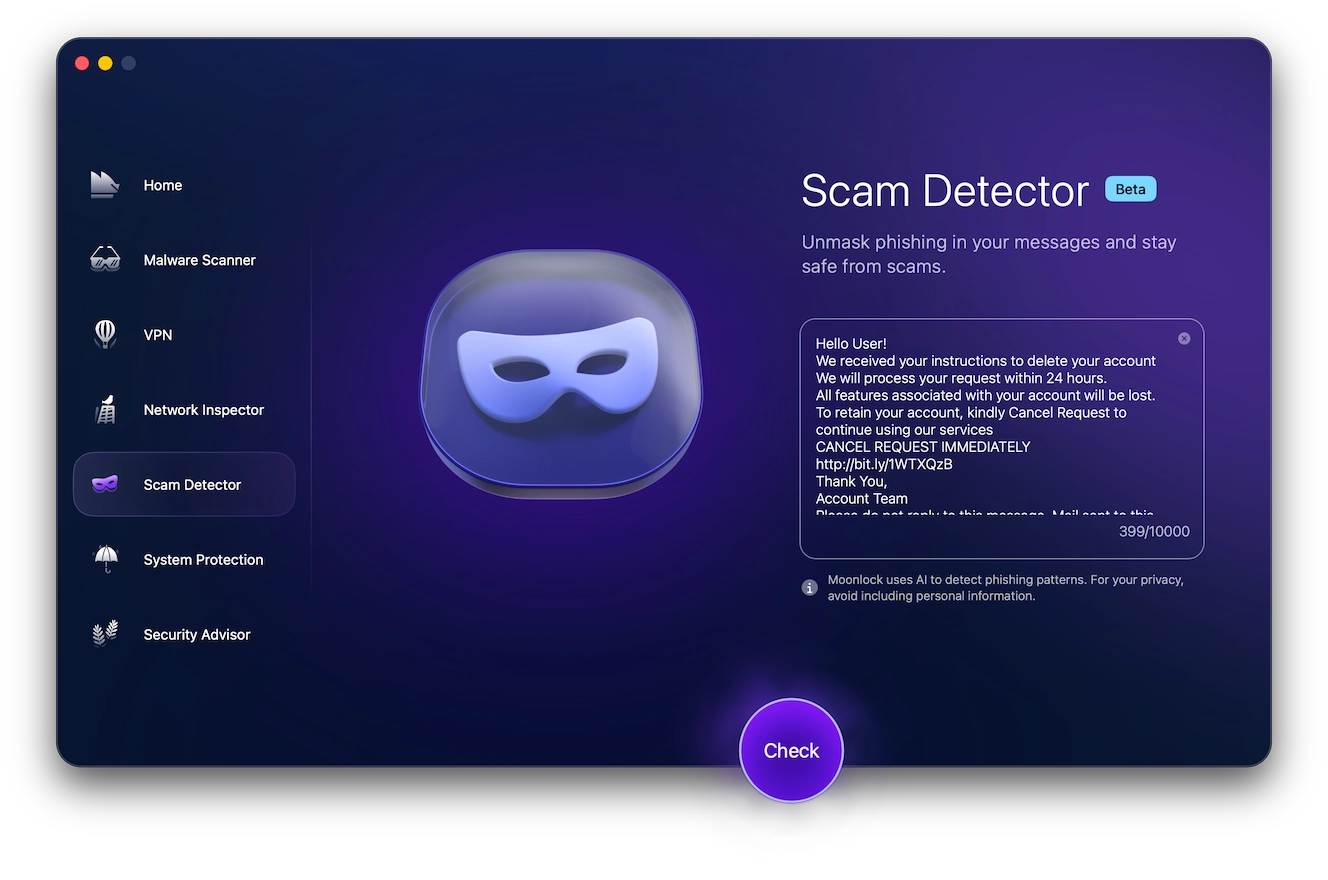
Moonlock’s built-in Scam Detector makes it easy to check any suspicious email in seconds. It takes the guesswork out of spotting email scams, so no technical knowledge is required. Let the app do the rest.
- Start your 7-day free trial
- Download Moonlock
- Open the Scam Detector and paste the email text
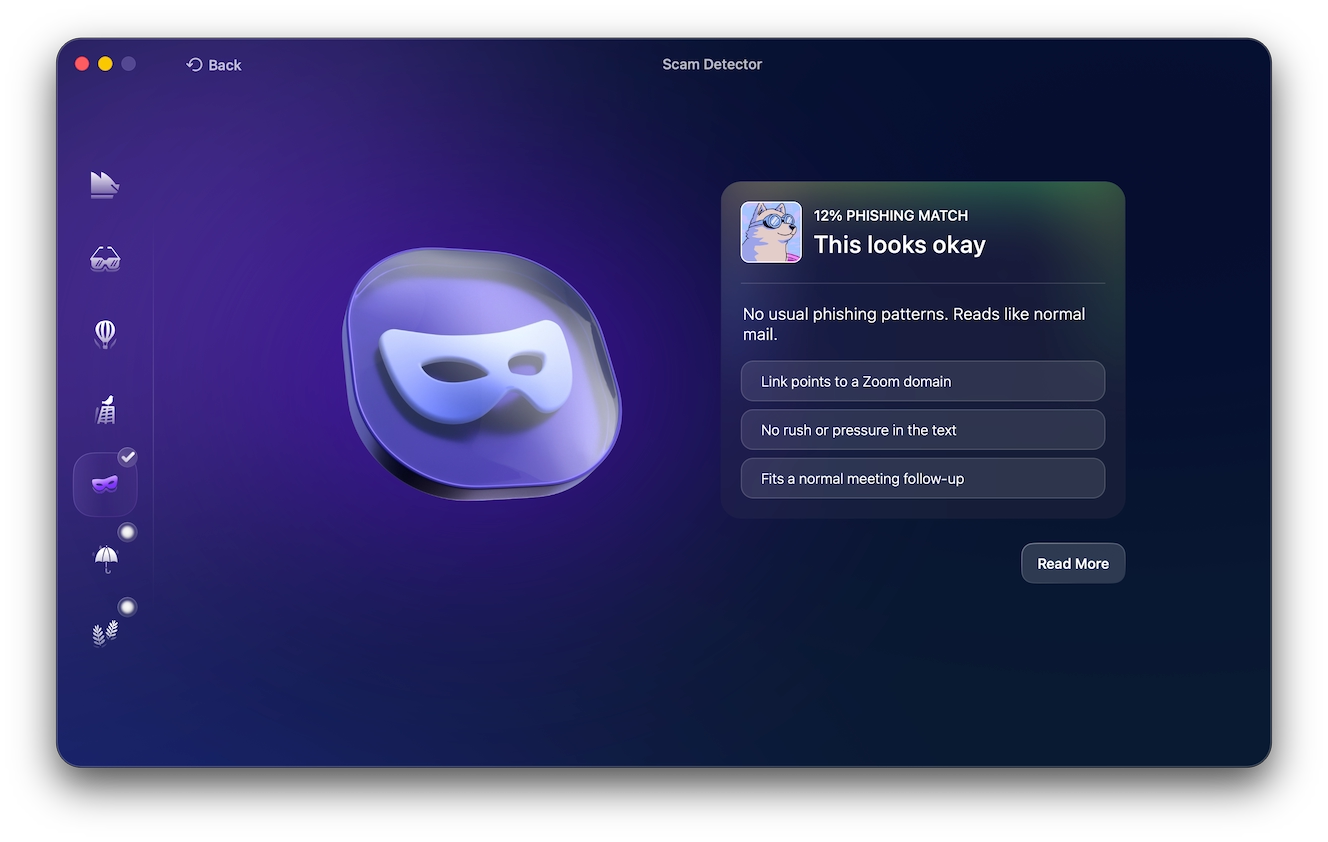
- Review the results and follow the in-app guidance on next steps
Moonlock tells you exactly what you’re dealing with and what to do about it.
Red flags to watch out for in emails are:
- Non-official email addresses: Check the email address, and cross-reference that to Coinbase’s own address. Remember that all Coinbase emails end with @coinbase.com.
- Fake requests for your sensitive data: Coinbase will never ask you for your passwords or sensitive data.
- Crisis and pressure: Additionally, check for a fake sense of urgency or emails that pressure you into taking action with strict deadlines.
- Unexpected calls for identity verifications: Scammers come up with novel ways to trick you into giving them your account access data. If someone requests identity verification, this is a red flag.
- Anything out of the norm: If something occurs that breaks the normal patterns of your daily routine, it’s worth a closer look. When a communication “feels off,” trust your gut.
What to do if you’ve been scammed on Coinbase
There are several things you can do if you were scammed. The following are valid steps to take:
- Change your passwords and check your Coinbase account. Even if you were not scammed into giving away sensitive data, the mere fact that a scammer is calling means they have your data. Changing your password from time to time, enabling 2FA, and using biometrics are excellent ways to secure your account.
- Report the scammer and the phishing site to Coinbase. You can use Coinbase Scam Hub to report a scam or a phishing site, as well as to lock your account.
- Contact your local authorities and report the scam. While many people do not take the time to report scams to local authorities, by doing so, you are taking action to prevent the scammer from continuing to scam others.
- Change your passwords and enable MFA on all your accounts. Prioritize your highest-value accounts, especially if you have used your Coinbase password on other accounts.
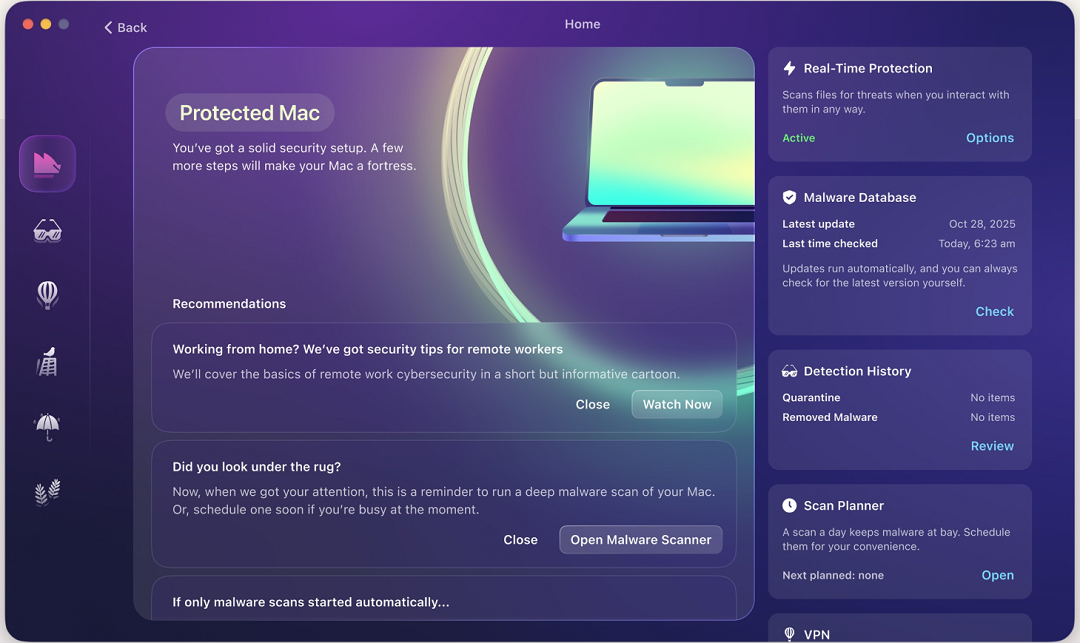
- Scan your devices for malware. Moonlock detects active threats in real time, runs scheduled deep scans in the background, and flags suspicious files before they can do any damage.
Coinbase is not the only platform targeted by scammers. Check out our Moonlock guides on:
FAQ: Coinbase fraud and account security
Below, you’ll find the answers to frequently asked questions about Coinbase scams, fraud, and account security.
Coinbase will never call you directly or ask for any sensitive information like passwords or 2FA.
Yes. They are real and large-scale, sometimes at an industrial level.
If you call a fake Coinbase support, you will either talk to a scammer directly, get a malicious automated message, or talk to an AI scam agent. All of them will try to trick you into handing over data that they use to log in to your account and steal your funds.
In theory, law enforcement authorities may at times have the capability to recover stolen crypto. However, if non-law enforcement individuals or companies claim they can refer your stolen funds, you are being scammed again.
How to secure your Coinbase account against scams
Despite the relentless pace of scams that target Coinbase users, there are still many ways you can secure your account. Here’s how:
- Use strong passwords: Passwords should be at least 8 characters, include uppercase and lowercase letters, have at least 1 number, and have at least 1 symbol.
- Set up your Coinbase 2-step verification: Coinbase allows you to set up multiple 2FAs to increase your security. The company says that using 2 security keys offers the highest level of security. The first is used as the main key, the other as backup. You can also use passkeys combined with security keys or security prompts.
- Secure your email: If a hacker gets into your email, they can access other accounts. Secure your email by enabling MFA, checking for unauthorized devices, and not leaving it open on shared computers.
- Use biometrics: Considered the safest security technology available today, biometrics on your Coinbase mobile app and on your phone will go a long way toward protecting your account.
- Check your Mac for malware: Cybercriminals target Mac users specifically, going after crypto wallet credentials. Check your Mac for malware, make sure it’s free of spyware, keyloggers, trackers, remote access trojans (RATs), and other malicious unwanted programs.
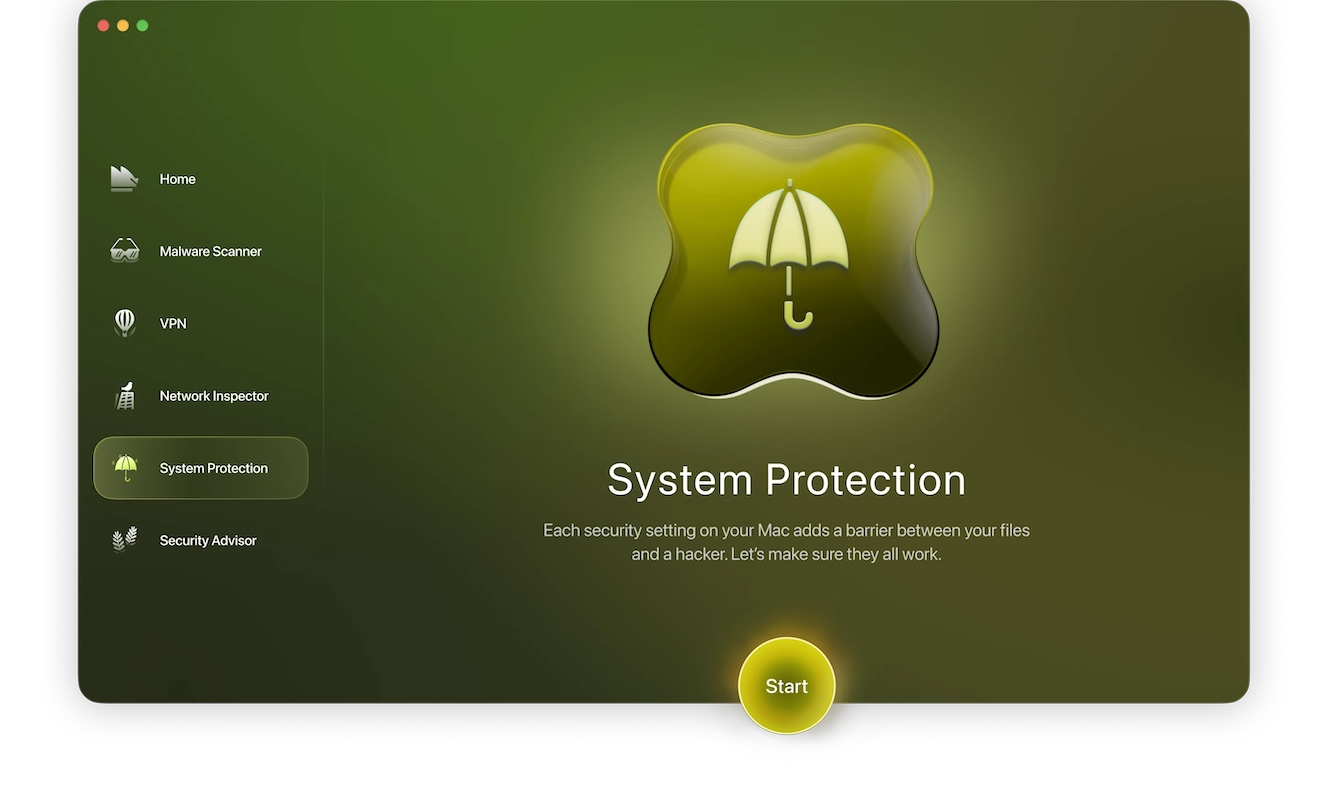
- Turn your Mac security configurations to the highest level: In addition to checking your Mac and every file you interact with for malware, the Moonlock app offers a System Protection tool to check your Mac’s privacy and security configurations and offer simple tips on how to level up your cybersecurity.
Coinbase scams are being enhanced and scaled thanks to AI and the industrialization of cybercrime. It’s important to keep an eye on red flags and build up your security awareness and tech savvy.
By combining good digital habits with innovative cybersecurity tools developed by respected companies, you can build a strong security posture that outlives the new wave of AI scams.
This is an independent publication, and it has not been authorized, sponsored, or otherwise approved by Coinbase, Inc. Coinbase is a trademark of Coinbase, Inc.