
AnyDesk is a piece of remote-access software that lets you use a device from anywhere, but with this useful functionality comes the risk of malicious hackers exploiting it. According to the 2025 InsurSec report, remote access attacks made up 80% of all ransomware incidents.
So, how do you keep yourself safe from an AnyDesk scam when the software itself isn’t malware? In this report, we’ll take a look.
What is AnyDesk?
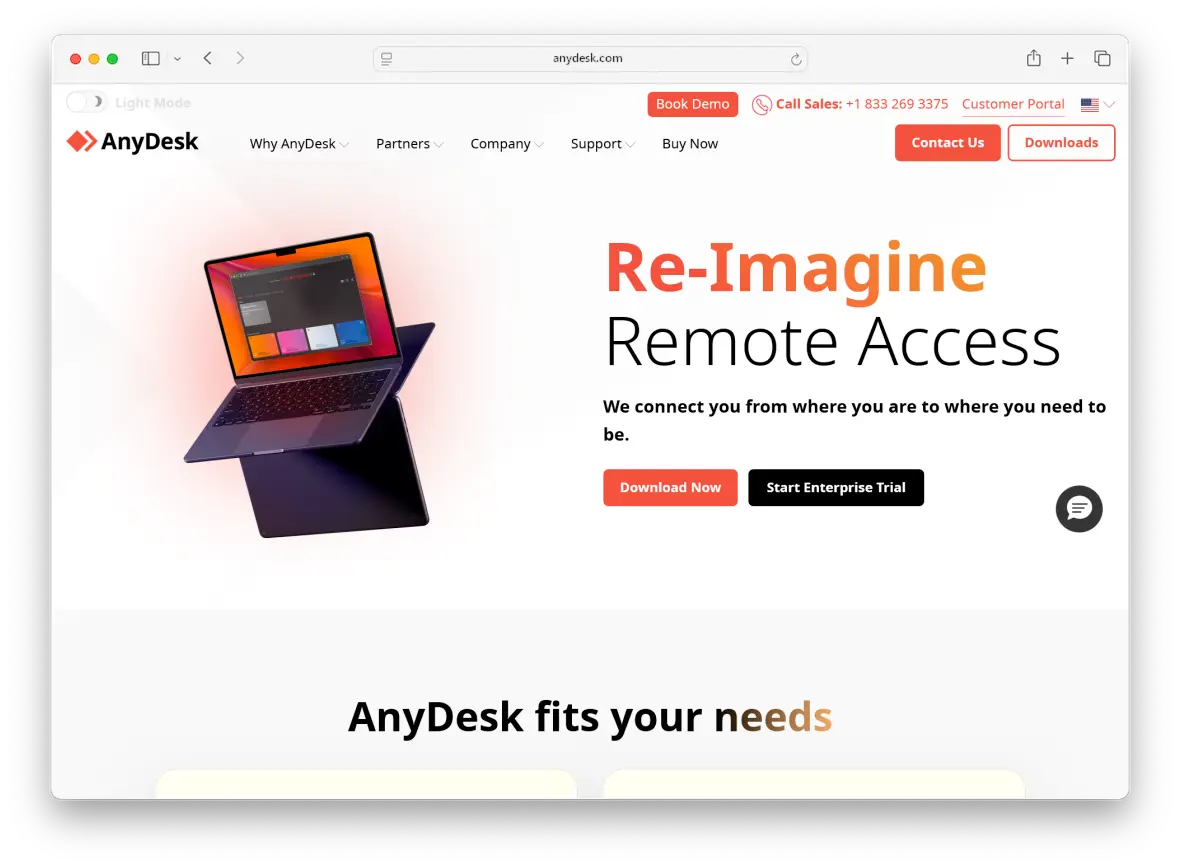
AnyDesk is a 2014 German-made remote desktop access software that allows users to control a device over the internet from over 190 countries. Access includes features like screen sharing, file transfers, and session recordings.
Following its recent update in 2025, AnyDesk has become one of the leading software solutions in its category, with over 1 billion user downloads and 200,000 companies worldwide.
Is AnyDesk safe to use?
Yes, AnyDesk is safe to use when downloaded from official sources and properly configured to not give device access to untrusted users. The software has many built-in security features, ensuring user safety and security:
- TLS 1.3 protocol: Prevents connections from unauthorized access
- AES-256: Individual sessions are encrypted during transport, protecting them from interception
- Two-factor authentication: Requires additional verification codes to access an account
- Access Control List (ACL): Restricts device access to a limited user list
- User permission profiles: Limits user actions and authority based on profile
- Session recording: Enables future auditing of remote access sessions
- Privacy mode: Automatically conceals remote screens and windows containing private information
- Password hashing: Protects your passwords in storage
Is AnyDesk legit?
Yes, AnyDesk is a legitimate application, both on desktop and mobile. In fact, the Better Business Bureau (BBB) gives it an A+ rating, while individual user reviews score consistently above 4.5/5 on sites like G2, Capterra, and Gartner.
When it comes to user data processing and storage, AnyDesk is GDPR compliant and only partners with ISO/IEC 27001-certified data centers. It also follows the SOC 2 auditing procedure and offers HIPAA-compliant options for healthcare organizations. However, the app isn’t stated to be PCI DSS compliant and shouldn’t be used when handling financial information.
AnyDesk security incidents and vulnerabilities
In 2018, AnyDesk was found to be bundled with a ransomware variant, infecting the devices of users who installed it. Later, in 2022, the FBI and CISA identified AnyDesk among remote-administration tools used by AvosLocker affiliates in ransomware attacks.
In 2024, AnyDesk suffered a major breach that compromised more than 18,000 AnyDesk credentials, which were later found for sale on the dark web.
Common AnyDesk scams
AnyDesk app scams are usually a form of social engineering that manipulates victims into granting access to their personal or work devices via AnyDesk, then stealing their information or transferring money.
Fake tech support scams
Scammers often impersonate customer support agents from well-trusted tech companies like Microsoft, Apple, or Google. In an email, text message, or unsolicited phone call, they claim that your device is infected or compromised, then instruct you to install AnyDesk and grant them remote access to your device to “fix” the issue.
Once they’re in, they can steal data, install malware, or sometimes demand payment for their services, usually via gift cards or crypto.
AnyDesk phishing tactics
Scammers might also try to impersonate AnyDesk itself, sending fake emails and messages or creating fake websites to download a malicious version of the software. They might trick you into revealing credentials, downloading malware, or giving access to fraudulent “customer support.”
Some phishing links and messages are easy to spot. However, with the help of AI, scammers are getting better and better at making believable phishing messages. Fortunately, there are some telltale signs that indicate that a message is a scam.
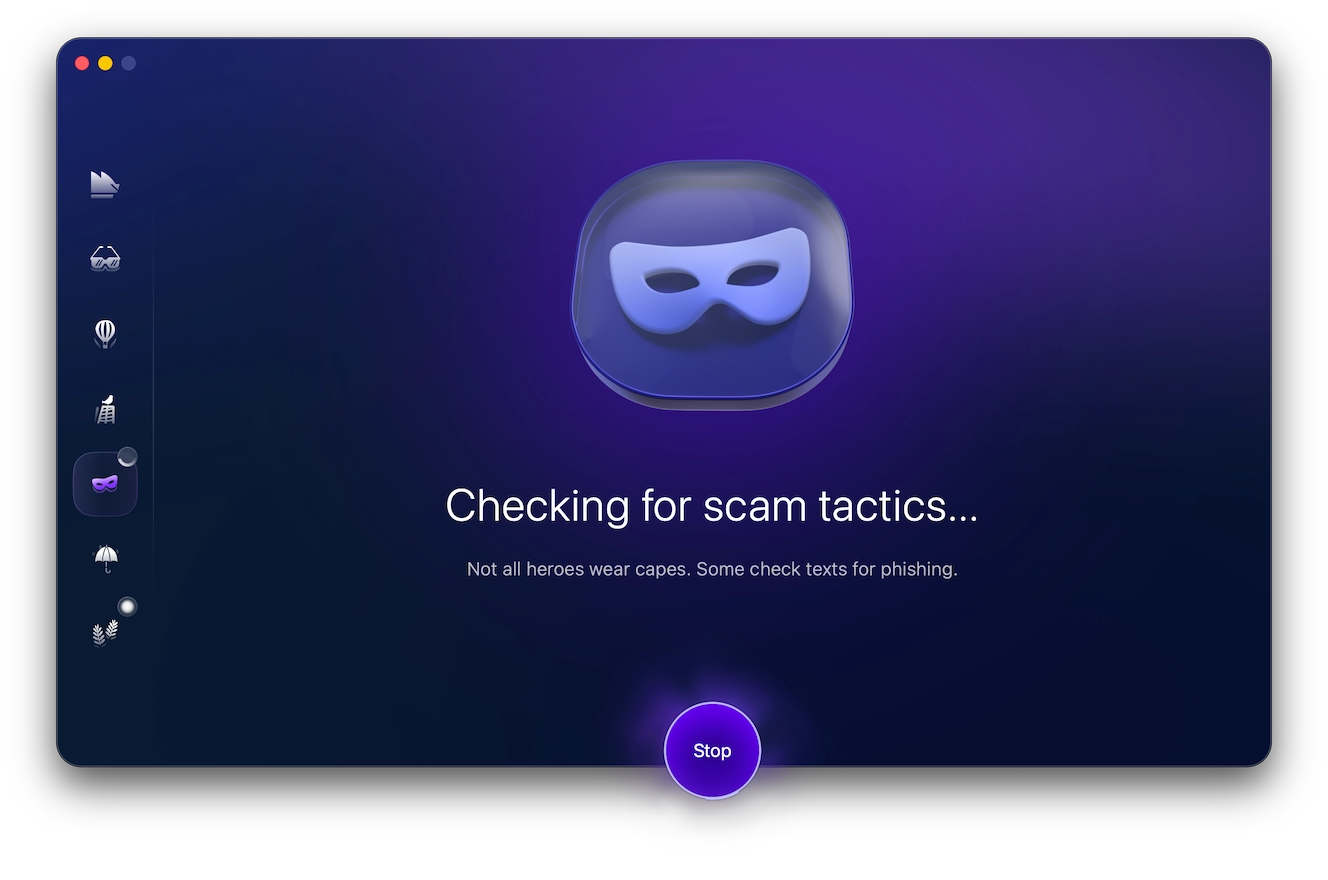
Whenever in doubt, run the message through Moonlock’s Scam Detector to check the likelihood of it being a phishing scam. Make this a regular part of your online browsing, especially if you receive a message claiming to be from AnyDesk or another trusted tech service. Try Moonlock free for 7 days to scan suspicious links and messages for threats.
Fake bank fraud alerts
Scammers don’t just impersonate support agents. They sometimes go as far as to impersonate your bank, sending an SMS message or email claiming that your account has been compromised and that you need to verify your identity. They then pressure you into installing AnyDesk to “secure” your account.
However, doing so would give them full access to your device, allowing the scammers to potentially steal your financial information.
AnyDesk Amazon scams
AnyDesk Amazon scams similarly start with a phone call, email, or text message, usually claiming there’s an issue with your Amazon account or a recent order. The scammer impersonates an Amazon representative to gain your trust and persuade you into installing AnyDesk on your device to “fix” the issue.
But once they’re given access, they can also access sensitive files or steal account credentials and payment info straight from your device. As a rule, legitimate Amazon support agents will never ask for unrestrained remote access to your Mac, regardless of the issue they’re helping you with.
AnyDesk PayPal scams
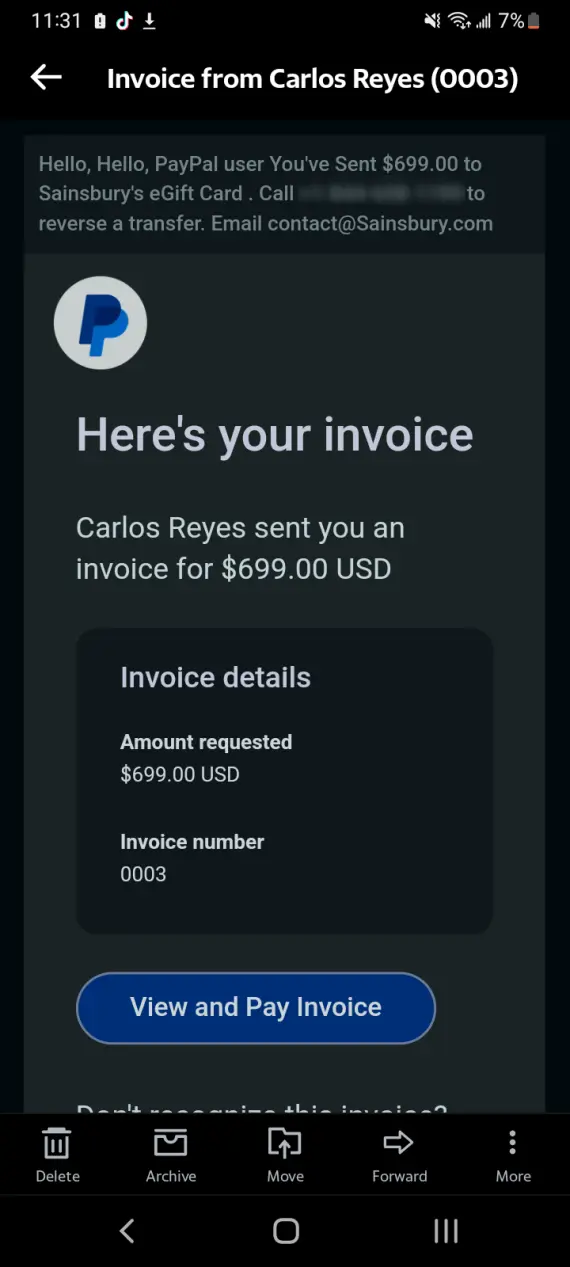
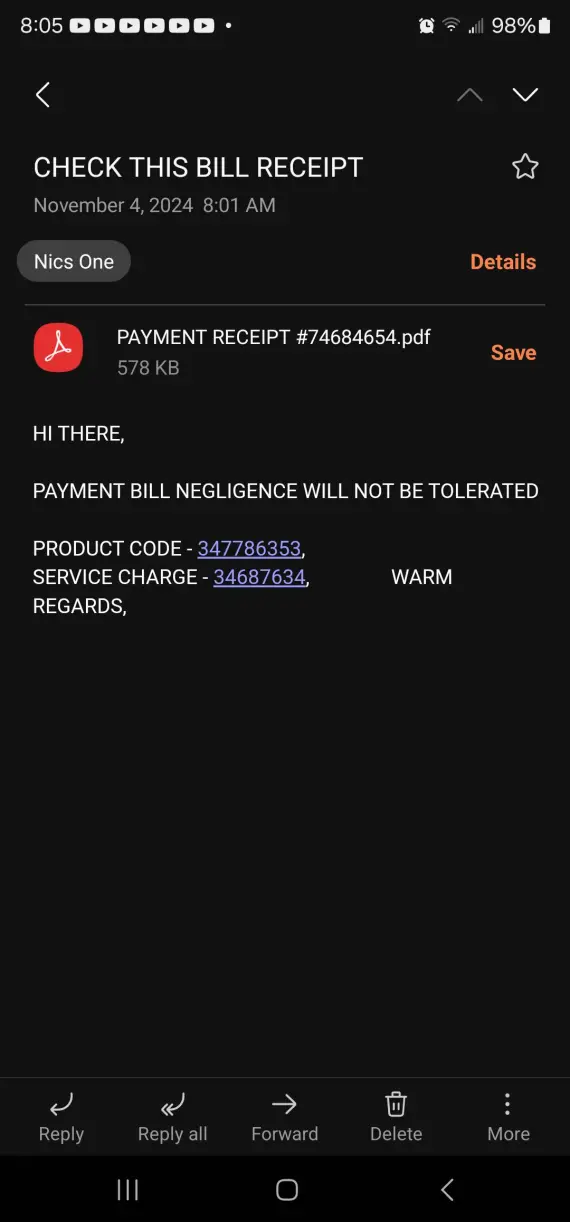
In an AnyDesk PayPal scam, you might receive fake PayPal invoices designed to look legitimate. They usually claim that you’ve recently made a large payment, hoping to make you panic and immediately call the number or click on the link in the email to dispute the charge.
If you do so, you’ll be connected to a fake PayPal support agent, who may instruct you to install AnyDesk on your device. They can then use it to steal your information.
Job offer and work-from-home scams
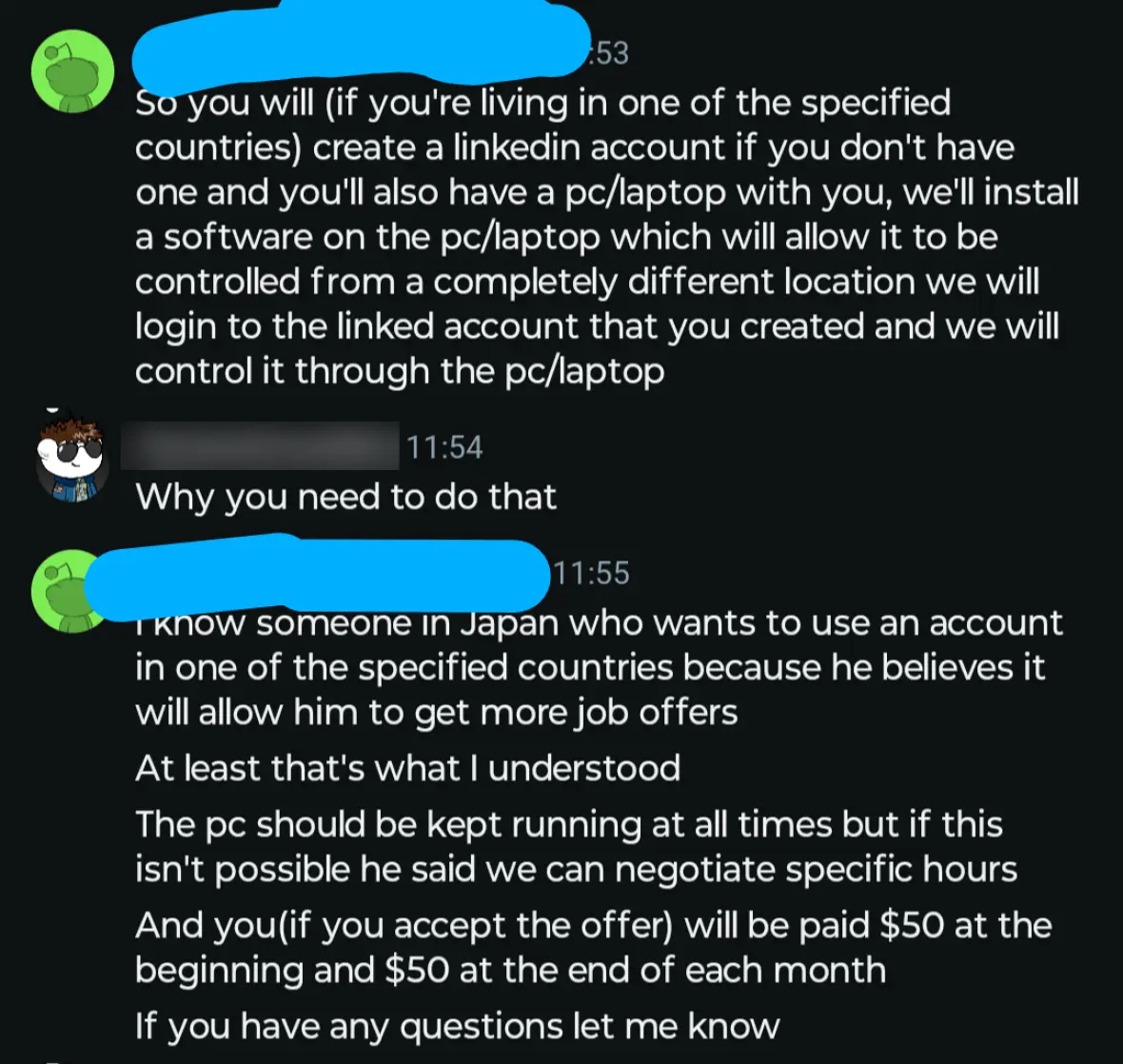
Malicious contact isn’t always direct. Sometimes scammers advertise fake remote jobs that require you to install AnyDesk during the onboarding process or for “device compatibility testing.” If you install the software and give the scammers access to your device, you expose personal and financial information.
AnyDesk cryptocurrency and investment scams
Scammers who pose as investment advisors or crypto “experts” might ask you to install AnyDesk so they can guide you through setting up your crypto wallet or profile on a trading website. While the AnyDesk software you install may be legit, giving them access to your device can allow them to use it to steal your info or install malware.
Mobile and Android banking fraud
AnyDesk app scams aren’t limited to desktop devices, as scammers have also been known to target smartphones. They may pretend to be support agents or bank representatives, convincing the user to install the AnyDesk app from the Google Play Store before using it to take over their device.
This goes beyond the realm of hypothetical scenarios, as in 2019, the Reserve Bank of India had to issue an official statement to its customers, warning of a recent scam using the AnyDesk app. Just a couple of years later, in 2021, the State Bank of India issued a similar warning regarding AnyDesk and other remote-access apps.
How to tell if an AnyDesk scam is targeting you
Fortunately, AnyDesk app scams tend to be elaborate, and it takes more than a single click to compromise your device. If you keep an eye out for some of the most common red flags, you might be able to stop a scammer before they overtake your device.
- Unsolicited support request: Unless you contacted customer support with your problem first, it’s not normal to hear from customer support. If they reach out to you first, this is a huge red flag.
- Pressure and urgency: Insisting that you call a number or click the link in the email as soon as possible, instead of consulting the app or website directly.
- Requesting information: A legitimate support agent would never ask for your passwords, verification codes, or financial information.
- Different URL: All legitimate support communication should come from the official company domain. Anything else is likely a scam.
- Requesting full device access: The fake support agent insists that you install AnyDesk or a similar remote-access app on your device.
- Requesting payment: Legitimate support agents don’t charge users for their services; only a scammer would do this.
- Verifying the technician: You should be able to verify a legitimate tech support agent with the company. If they refuse to provide an employee ID, consider it a red flag.
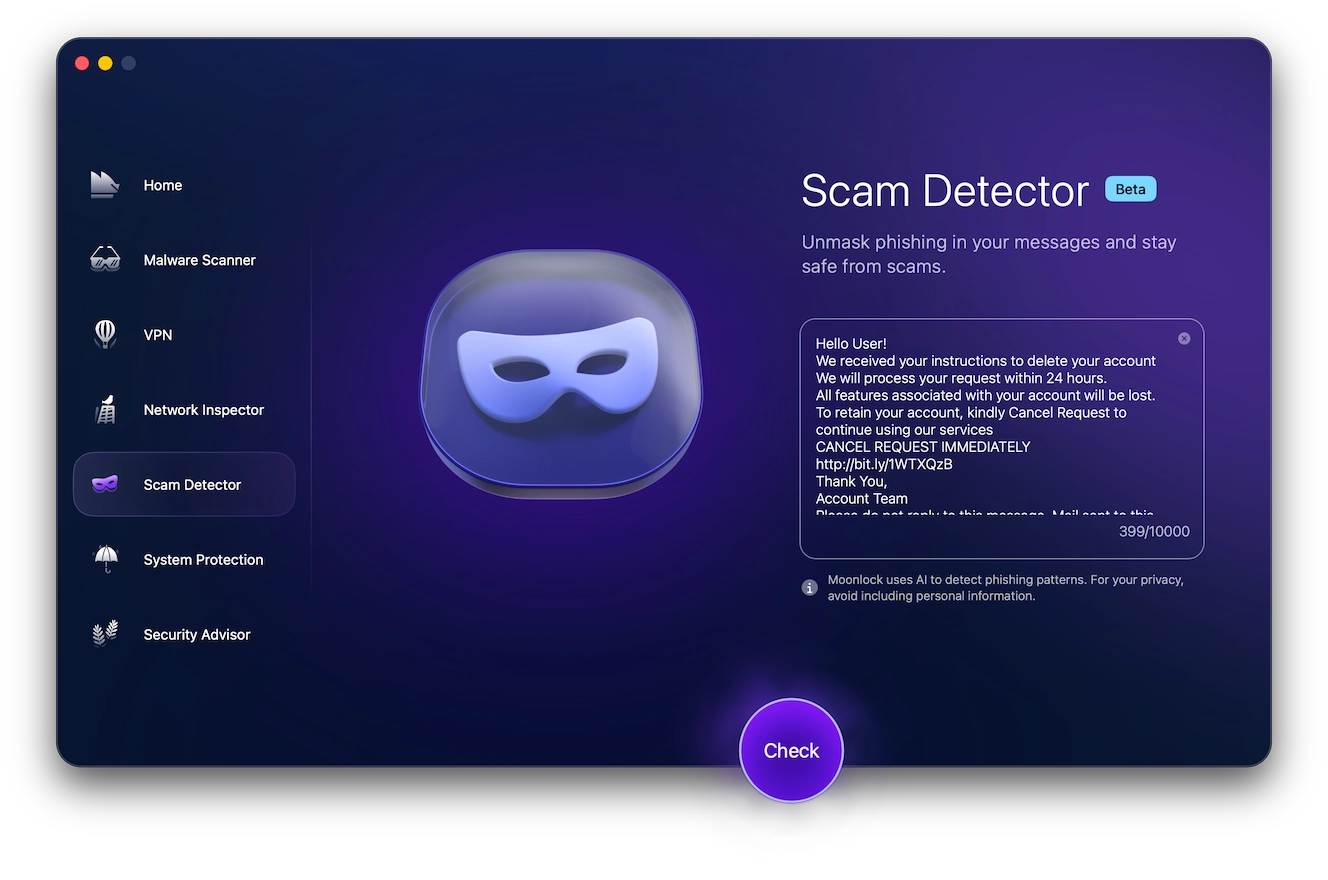
At any point during a suspicious communication, you can use the Moonlock Scam Detector to help you determine whether you’re dealing with a legitimate support ticket or a scammer trying to take over your device. Here’s how to recognize an AnyDesk scam:
- Sign up for a 7-day free trial of Moonlock.
- Open the app, then go to Scam Detector on the left.
- Copy and paste the suspicious message into the detector.
- Click Check.
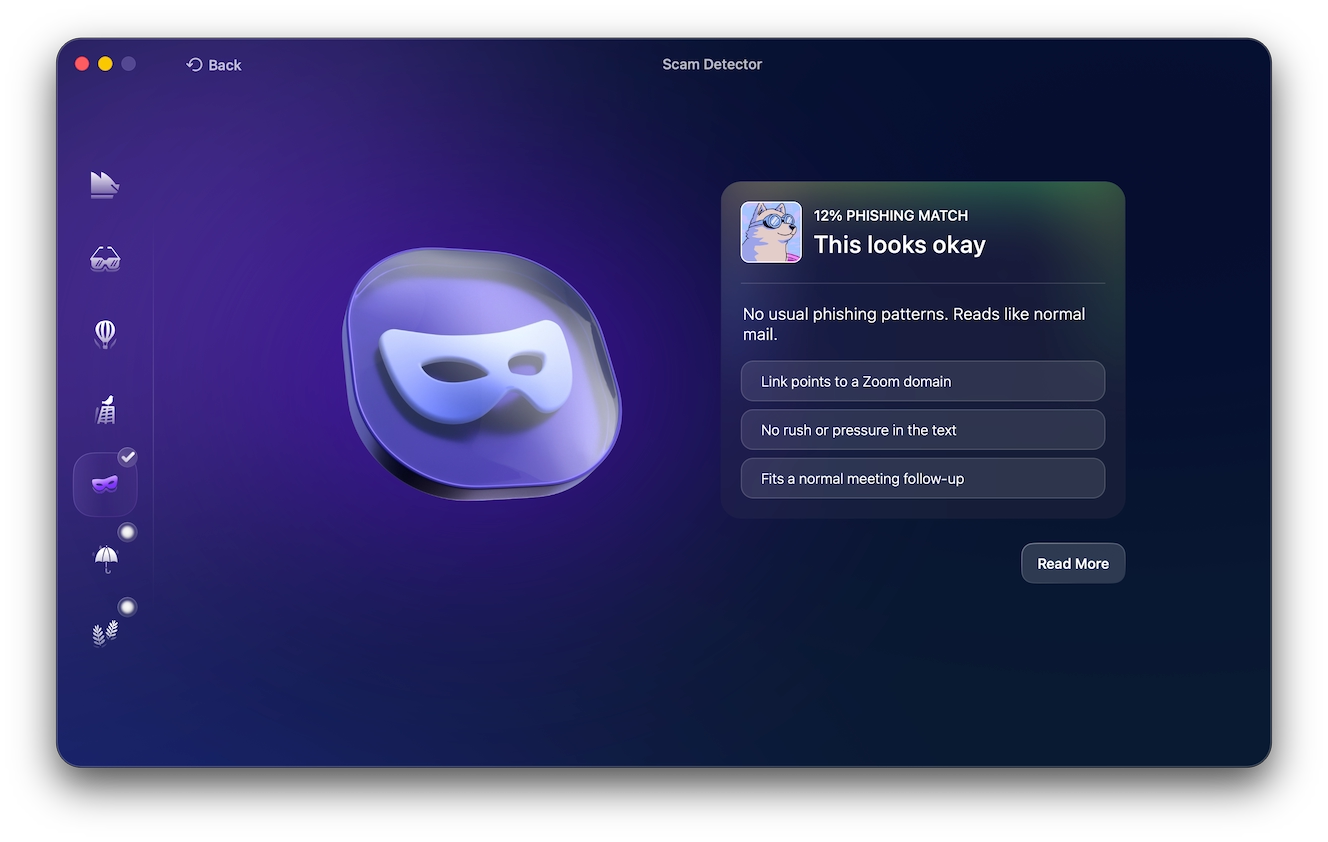
Moonlock will then evaluate the message and determine the likelihood that it is a phishing attempt. If it’s suspected that the message is associated with a scam, Moonlock will warn you against engaging with the message and provide you with the next steps to stay safe online.
What to do if an AnyDesk scammer took control of your device
If a scammer managed to trick you into installing AnyDesk on your Mac or iPhone and giving them access, you need to act fast to minimize the damage:
- Immediately end the AnyDesk session and disconnect your device from the internet.
- Uninstall AnyDesk or any unfamiliar remote-access software from your device.
- Use a trusted device to change your passwords.
- If your financial information was exposed, contact your bank.
- Check your email and personal accounts for suspicious or unauthorized activity.
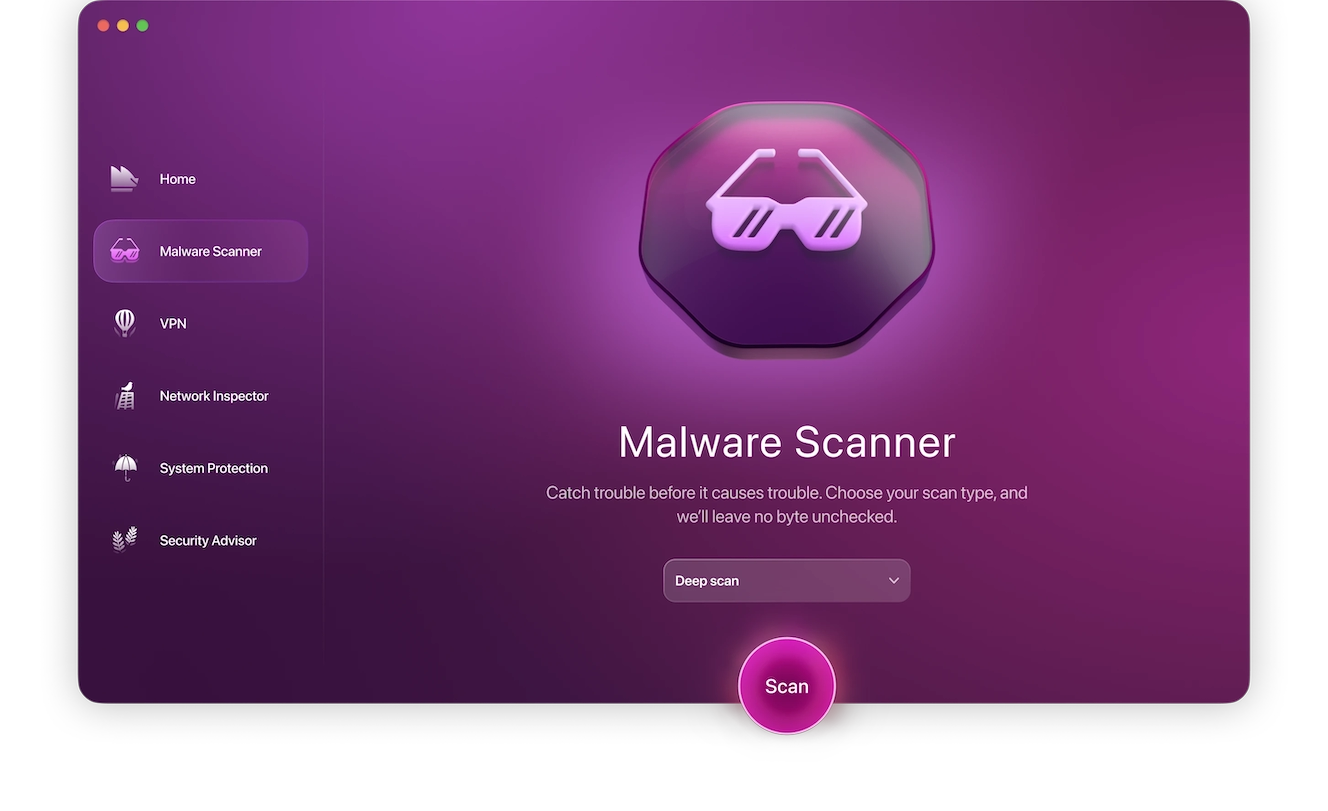
To ensure that the scammer didn’t install malware or spyware on your device, run a malware scan using the Mac antivirus. Follow these steps:
- Open Moonlock, then click on Malware Scanner from the left-hand sidebar.
- From the drop-down menu, select Deep to run a Deep Scan.
- Click Scan.
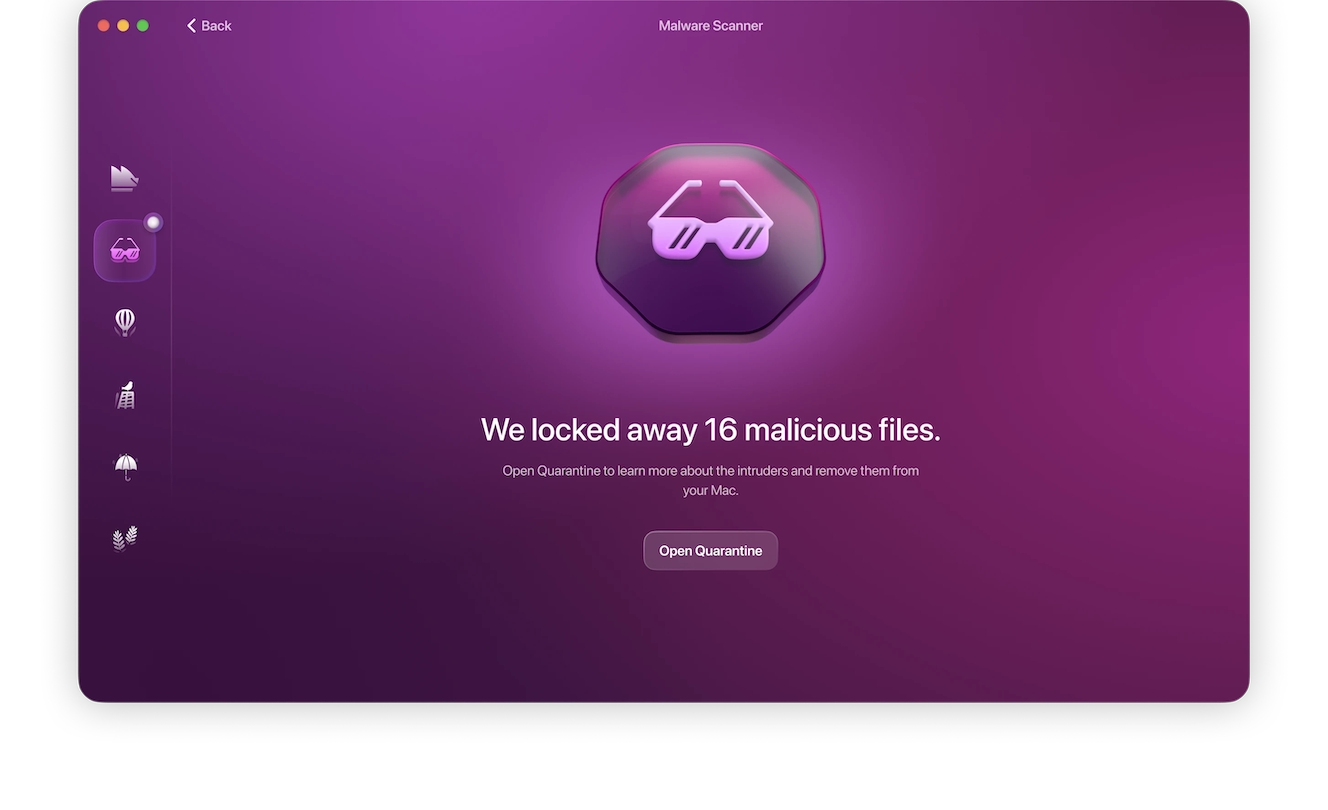
Moonlock will search your device for threats left by the scammer, immediately isolating them in Quarantine before fully and safely removing the malware.
Even if you manage to successfully avoid having your device compromised, you should report the incident to AnyDesk, your local cybercrime authorities, or the service the scammer impersonated when contacting you.
How to fully uninstall AnyDesk after a scam
Simply ending an AnyDesk session isn’t always enough, especially if the scammer managed to install malware or spyware on your device, enabling them to restart the session.
Uninstall AnyDesk on Mac
If the AnyDesk scam occurred while you were using your Mac, you’ll need to uninstall it from your device:
- From the Applications folder, right-click the AnyDesk app.
- From the menu, click Move to Trash.
Delete AnyDesk on iPhone
If you ended up installing AnyDesk on your iPhone, you’ll similarly need to uninstall it from your phone:
- Tap and hold the AnyDesk app on your home screen.
- Tap the dash in the upper-right corner of the icon.
- From the menu, select Remove App.
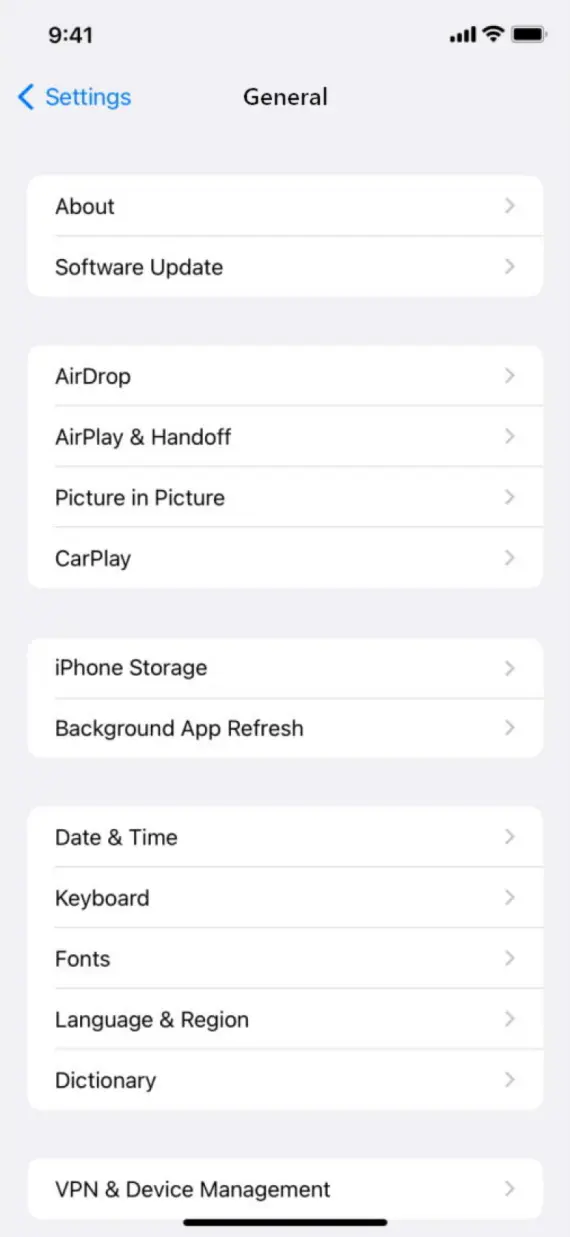
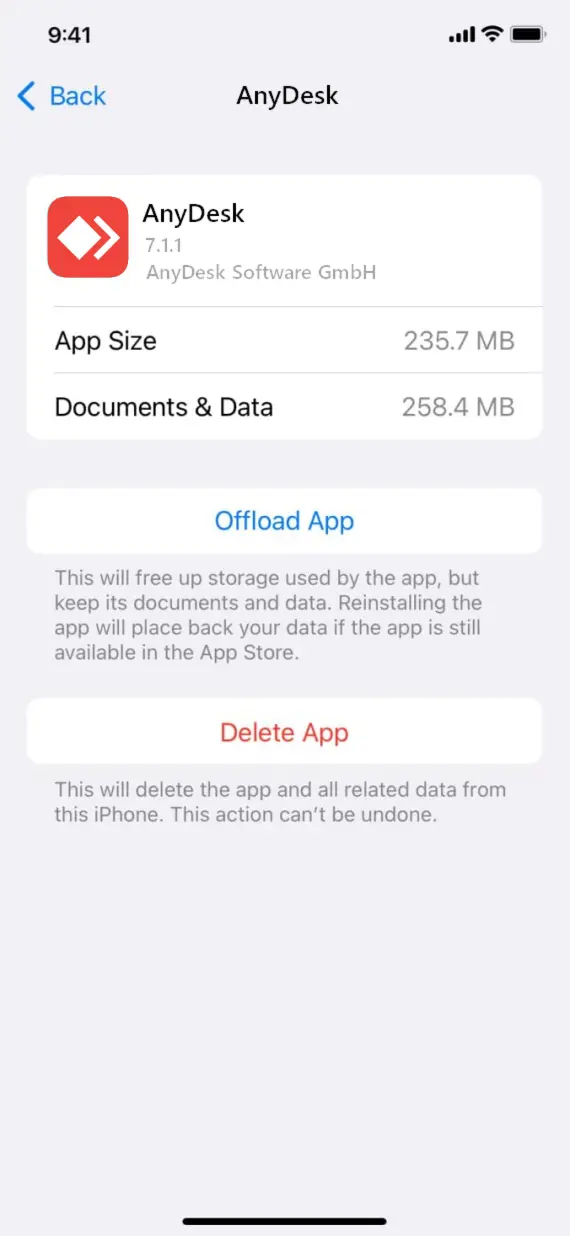
You can also remove the app from your phone’s settings:
- Go to Settings, then scroll down to General on your iPhone.
- Tap on iPhone Storage, then scroll until you find the AnyDesk app.
- From the app’s page, tap Delete App.
Common questions about AnyDesk scams and security
AnyDesk is legitimate, but scammers can misuse it to target devices remotely. Here’s what you need to know to keep AnyDesk safe.
No, AnyDesk itself is not a virus. AnyDesk is legitimate remote-access software, even though scammers can misuse it to trick people.
No. The risks arise when you grant remote access to a malicious individual.
This can only happen if you grant someone full access to your device through AnyDesk. Otherwise, user restrictions are applied.
It can be for some companies. However, you should verify independently with your employer before granting them access to your device.
Sharing your AnyDesk ID alone isn’t enough to grant someone access.
AnyDesk vs. alternatives (TeamViewer, Chrome Remote Desktop)
Remote-access scams are often referred to as AnyDesk scams, even when they aren’t connected to this particular piece of software. This type of device takeover tactic can be done with almost any remote access software, such as TeamViewer or Chrome Remote Desktop.
All 3 of these tools are legitimate remote-access tools but with slightly different features and target audiences. TeamViewer caters mainly to IT professionals and enterprises by maintaining connection quality even over a slow internet connection. Chrome Remote Desktop is best for individual use where you access your personal device remotely with minimal features except for Google account integration.
How to use AnyDesk safely and stay away from scams
Used safely, AnyDesk is a great way to gain access to a computer or device from anywhere in the world over an internet connection. You just need to make sure you’re not falling for scammers targeting it:
- Only download AnyDesk from the official website on desktop or from the Google Play Store or Apple App Store on your phone.
- Contact support agents directly through the app or website, never through an email you received.
- Limit access permissions even when sharing AnyDesk access.
- Never share your credentials with anyone online.
- Use the Moonlock antivirus, with real-time protection, to help detect malicious activity on your Mac.
- Disconnect AnyDesk sessions as soon as you’re done with them.
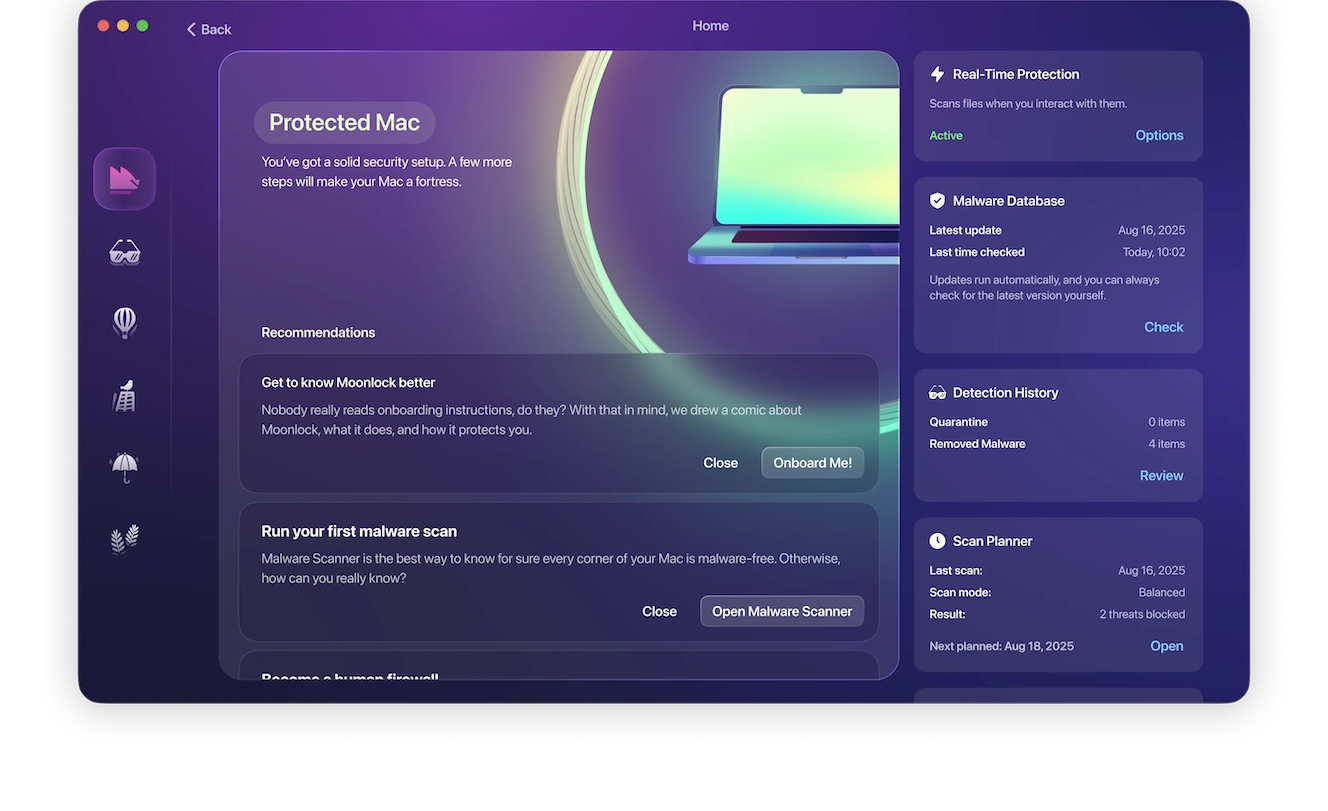
As long as you’re avoiding scammers and fraudsters online, you can continue to use AnyDesk and other similar apps without concern for your data’s safety.
This is an independent publication, and it has not been authorized, sponsored, or otherwise approved by philandro Software GmbH. AnyDesk is a trademark of philandro Software GmbH.