



Bitdefender’s new report identified what malware and threats are landing on Macs. While the report does not present any new threats, it highlights what security teams and users have been going through this year on macOS.
ClickFix and malicious web content are top vectors and techniques in use today by cybercriminals. Trojans and stealers are also impacting users in bursts.
Learn the key takeaways, techniques, malware, and trends to stay safe.

Don’t fall for ClickFix and scams
Malicious Web and Documents lead the Mac threat landscape
Bitdefender’s recent 2026 Mac threat report found that trojans lead in the threat landscape. However, browsers, web content, and ClickFix are “playing an outsized role” in how attacks reach users.
The Bitdefender report is based on data they collected from August 2025 through July 2026. The most impacted users are disproportionately found in the US, accounting for over a quarter (27.3%) of all of Bitdefender’s detections in that time.
Germany follows in second with just 0.9% of detections. Users in Romania, the UK, France, Canada, Australia, the Netherlands, Spain, and Italy come next down the line.
While Bitdefender data shows that trojans account for almost half of detections, adware for more than one-third, and Potentially Unwanted Applications (PUAs) for one-fifth, the company says phishing pages, malicious advertising, redirects, fake alerts, ClickFix, and deceptive installers are pulling users into the attack chains.
Web and Document malware detections account for 45.2% of all detections in the report.
Do the Bitdefender findings on the Mac threat landscape surprise experts?
Bitdefender says the Mac threat landscape today is split between broad malware activity and highly visible web-driven campaigns. Does this fact, and other findings in the report, come as a shock? We asked experts.
“The overall pattern doesn’t surprise me because attackers generally look for the easiest way to get access,” Mudita Khurana, veteran cybersecurity expert and Staff Security Engineer at Airbnb, leading the team responsible for building and maintaining security tooling, told us.
If convincing a user to run a command is easier than finding a new macOS vulnerability, attackers will use that route, Khurana explains.
“However, the 11.8% increase in adware was definitely interesting to me,” says Khurana.
Adware is often treated as an annoyance. It can, however, become the first step toward a fake security warning, phishing page, or malicious download, Khurana explains.
“I would also be cautious about saying ClickFix dominates all Mac threats,” says Khurana.
“The report gives the technique significant attention, but its main percentages measure different categories and don’t appear to give ClickFix a directly comparable share,” Khurana adds.
Stealers are rising in bursts, and your browser is the main door
Bitdefender says in its report that Mac stealers are rising in bursts. By this, they mean that over the months, they are detecting spikes in different stealer campaigns. These bursts are linked to cybercriminal campaigns and how web traffic is redirected to reach and target Mac users.
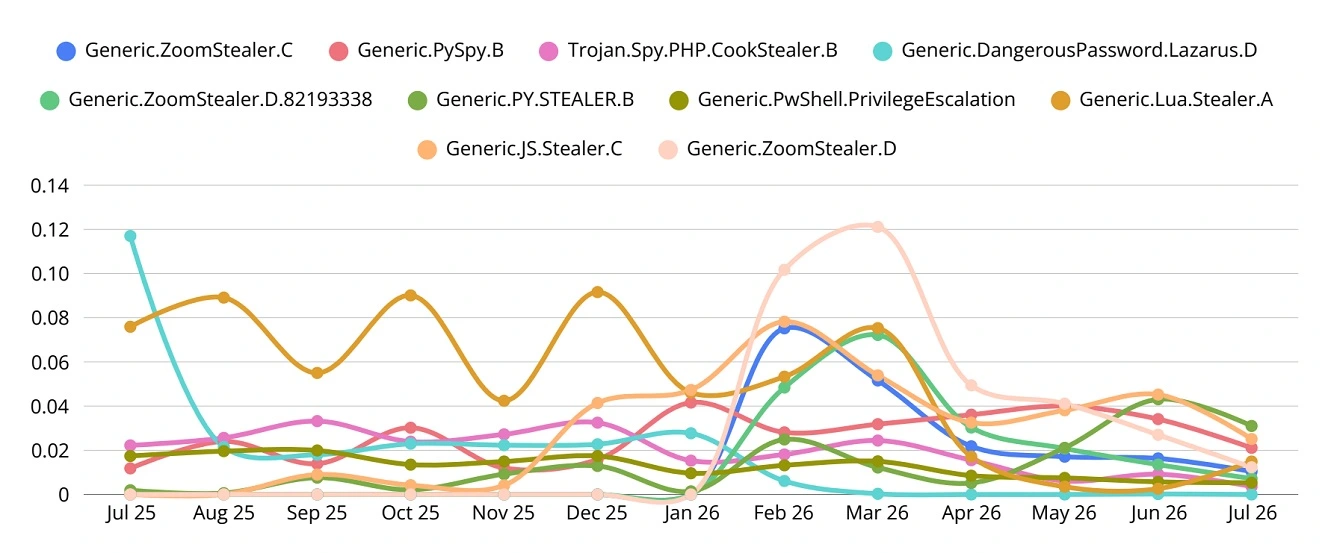
Stealers are increasingly being distributed via web content, fake pages, and ClickFix techniques, says Bitdefender. They add that browser-delivered threats are on the rise, driven by ClickFix techniques.
Recent reports show that ClickFix attacks distributing stealers are poised to scale, as dark web toolkits like Corium, or high-volume ClickFix operations like PasteSwitch, take the technique to industrial levels, impacting hundreds of sites and impersonating known brands like ChatGPT and Claude Code.
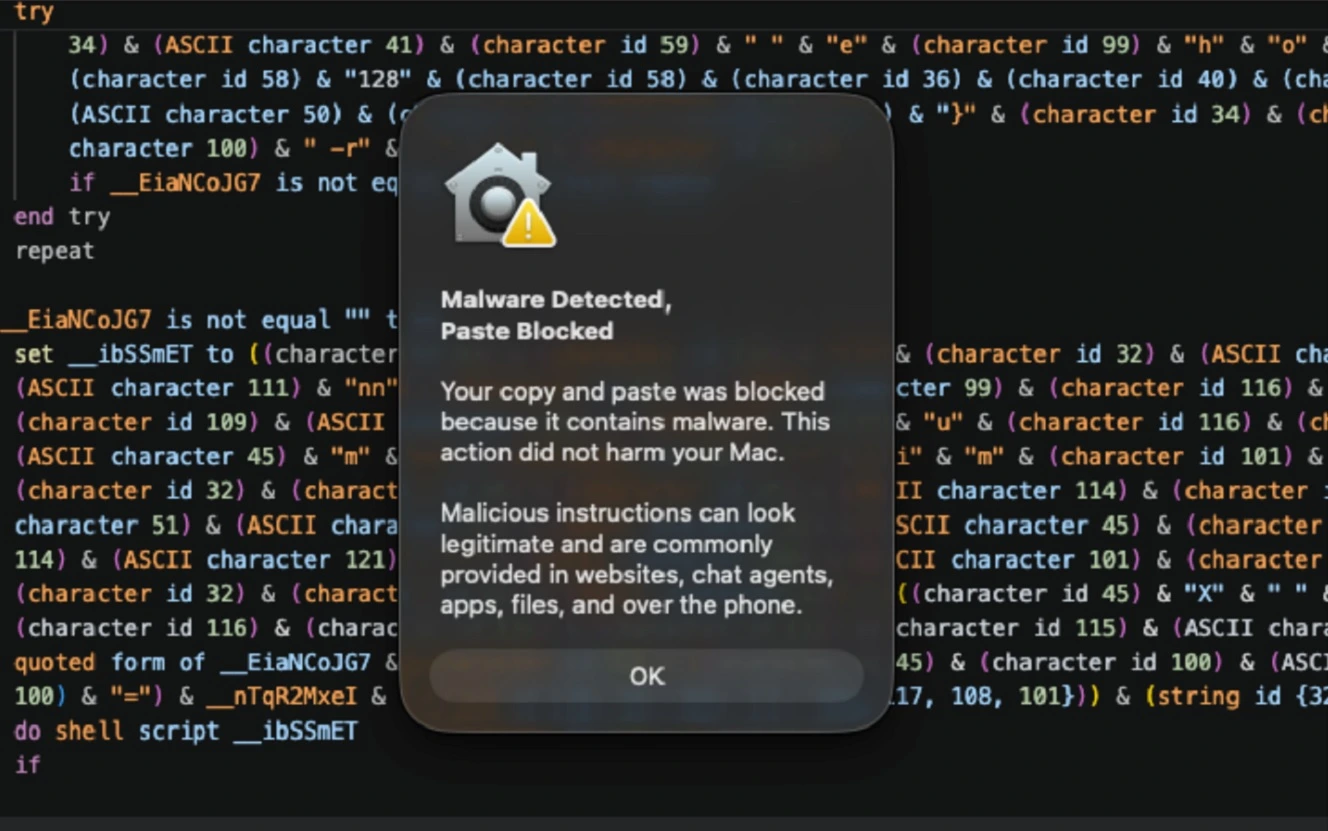
Apple’s ClickFix warning feature blocks or flags suspicious Terminal commands you might copy and paste on your Mac. But it only works on macOS Tahoe 26.4.
Bitdefender notes that even on macOS Tahoe 26.4, the Apple feature can be bypassed. This can be done if cybercriminals leverage your Mac’s built-in Script Editor. Recent campaigns, including one where AMOS cybercriminals targeted Mac users looking for technical solutions to common macOS issues, like cleaning up their disk, have used the Script Editor ClickFix technique.
North Korean hackers linked to the threat group Sapphire Sleet have also used the ClickFix Script Editor technique.
“The paste-time warning (of the Apple ClickFix security feature) never fires, because the paste never happens in a checked surface,” says Bitdefender. They indicate that the feature does not scan Terminal commands in the Script Editor.
Besides the Script Editor technique, there are several other ClickFix variations, which users should be familiar with by now. These include fake CAPTCHAs, copy-and-paste social engineering techniques, drag-and-drop to Terminal, and others, such as ClickFix techniques within fake developer tests linked to Contagious Interview North Korean hackers’ campaigns.
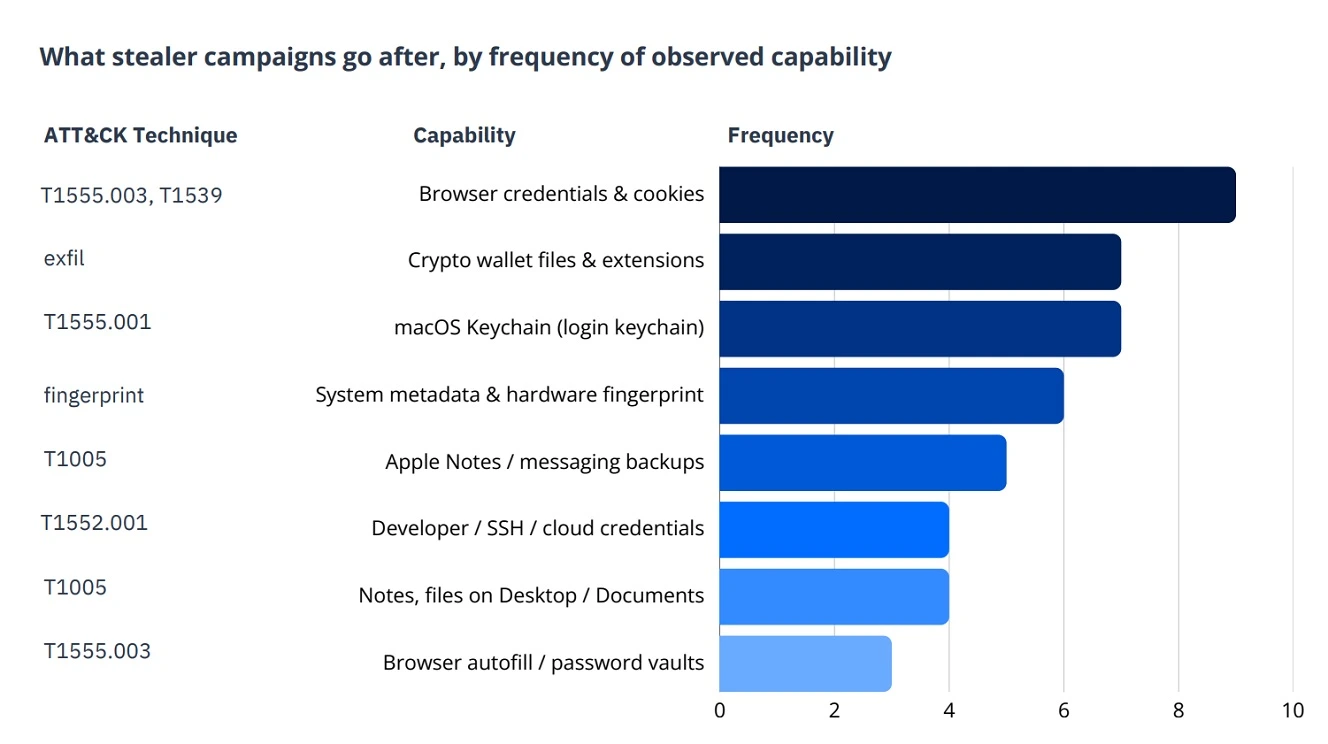
How to stay safe from 2026 Mac malware trends
Believe it or not, a user’s cybersecurity awareness—as in what you know about the malware and techniques used today—is one of the most effective elements in your digital safety. The more you learn about your technology, the techniques used by attackers, and malware in use today, the better the chances are that you steer clear of threats. This is especially true of browser social engineering tricks. Professional, trusted cybersecurity tools can also play a big role in catching whatever might slip past you.
Learn how ClickFix works to stay away from it
“Many users don’t realize that a Terminal command is code and can download/run malware using their own access,” says Khurana. The attacker also presents each step as part of fixing a problem. Consequently, the user believes they are following legitimate technical instructions, Khurana explains.
“The good news is that we can try to teach people with a simple warning on Mac,” Khurana says. “A website, CAPTCHA, or tech support page should never ask you to copy an unknown command into Terminal.”
“If a page asks you to do that, close it and find the support instructions directly through the company’s official website,” Khurana adds.
Read cybersecurity news related to your tech at least once a week for a couple of minutes
ClickFix and most web content threats only work if you do not know the techniques. If you know the techniques, it’s very unlikely you will fall into the trap of installing malware on your computer.
However, given that these techniques are highly popular, it seems users are either not getting cybersecurity reports, or they are not reading them.
One problem is that a lot of cybersecurity reports are not tailored for the average user. They are complex and technical. Even top security teams struggle to understand the intricacies.
“These reports can provide useful information to security teams, but they sometimes mix together different types of measurements,” says Khurana. The value of such a report, therefore, depends on how clearly it explains what was counted, what the data can’t prove, and what users should do differently after reading it, Khurana adds.
“My guess is that the average Mac user is probably not reading these reports,” Khurana says.
Most average users will learn about the findings through a news article or a security warning shared by their employer/software provider, Khurana adds. The full report is more likely to be read by security professionals, researchers, and journalists.
“That makes the short consumer explanation especially important,” says Khurana.
“A user doesn’t necessarily need every malware family name or detection percentages,” says Khurana. They need to understand the action that puts them at risk. In this case, it’s copying an unknown command from a webpage and running it in the Terminal, says Khurana.
Get Moonlock. It will catch threats that slip past you in real time before they can do any damage.
Given the relentless pace and high volume of the current Mac threat landscape, even if you are aware of all the techniques, something might slip past you. The Moonlock antivirus app is built to offer you layers of Mac defense. It can flag and shut down a threat in Real-Time if that happens.
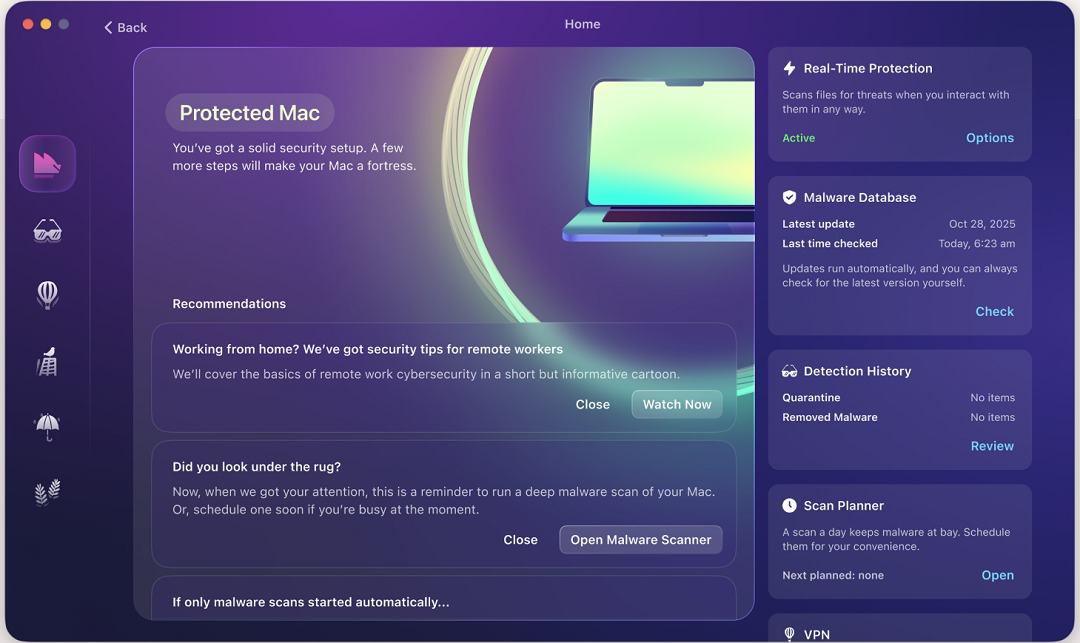
Once installed, Moonlock’s Real-Time Protection will run in the background, silently checking for malware and threats on everything you interact with, from email to online files to terminal commands. If Real-Time Protection finds anything suspicious, it will let you know what it is and why it is dangerous, and isolate the threat by moving it to Quarantine.
You can check out Quarantine in your own time to learn more about what threats your Mac encountered and remove them completely from your Mac.

To add layers of defense, Moonlock also ships with a built-in VPN for safe browsing. It also includes features like Network Inspector, which blocks servers in specific countries, a Security Advisor that helps you build safe digital habits at your own pace, System Protection, which scans your Mac settings and guides you on how to turn those up, and a Scam Detector, which you can use to check for scams and phishing in any email or text.
You can check out and test-drive Moonlock for free for 7 days.
Final thoughts
From adware to stealers, ClickFix, trojans, and more, Bitdefender’s threat report for 2026 shows what is landing on Macs. The browser is the front door, and ClickFix is the lockpick.
Most attacks still depend on tricking the user into installing the malware, and techniques are evolving as dark web tools produce even larger volumes of attacks. Building up your cybersecurity awareness and leveling up your Mac security tech stack can help you significantly reduce your chances of being hacked.
This is an independent publication, and it has not been authorized, sponsored, or otherwise approved by Apple Inc. Mac and macOS are trademarks of Apple Inc.